Acuity Scheduling Price 2026: Plans, Costs and What’s Included
Acuity Scheduling looks deceptively simple at first glance: three tiers, a 7-day...

May 6, 2026


Buy now, pay later is now available in Pabau

Zanda’s pricing starts at $19/month. The Starter plan caps you at 1,000 appointments. Growth at $49/month removes that limit.
Costs climb as your team grows. Each additional practitioner on Growth is $19/month.
Several features cost extra. SMS, Telehealth Pro, and BizzyAI Scribe are paid add-ons on every plan.
Pabau starts at $69/month with scheduling, clinical records, marketing automation, payments, and inventory included.
Zanda is a popular choice among allied health professionals, and it’s easy to see why.
The entry price is low and the feature list covers the basics. But dig into Zanda pricing and you’ll find that every extra practitioner, SMS message, and telehealth upgrade adds to your bill.
In this guide, we cover what each plan actually costs, what’s included, and how it stacks up against Pabau.
Zanda (formerly Power Diary) offers two plans: Starter and Growth.
Starter is built for solo practitioners. Growth supports solo and group practices, with the option to add practitioners for an extra monthly fee.
Here’s the full pricing breakdown:
| Plan | Price | Practitioner Limit | Appointment Limit |
|---|---|---|---|
| Starter | $19/month | 1 | 1,000/month |
| Growth (Solo) | $49/month | 1 | Unlimited |
| Growth (Group) | $68/month | 2+ | Unlimited |
Each additional practitioner on the Growth plan adds $19/month. For practices with more than 6 practitioners, you’ll need to contact Zanda directly for pricing.
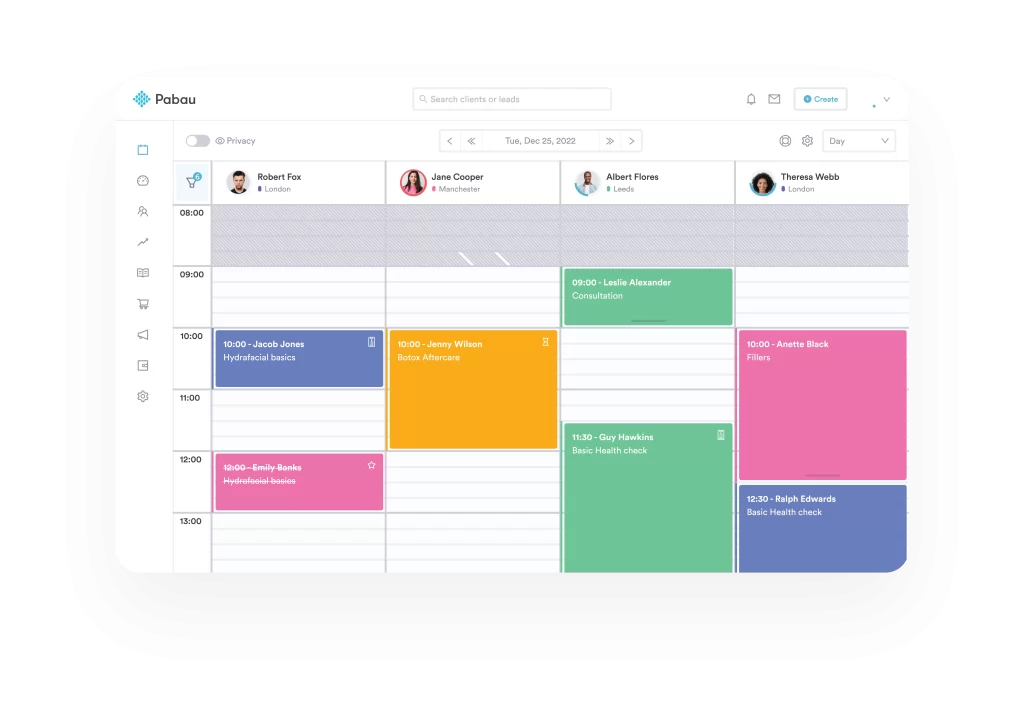
Pabau is an all-in-one clinic management system built for medical aesthetics and private practices.
Unlike Zanda, which serves general allied health professionals, Pabau is designed around the full medically-led patient journey.
At $69/month, every Pabau plan includes features that Zanda either locks behind its Growth tier or doesn’t offer at all:
Here’s how Pabau’s plans compare:
| Plan | Price | Designed for |
|---|---|---|
| Startup | $69/month | 1 user, up to 100 clients |
| Solo | Talk to sales | 1 user, unlimited clients |
| Team | Talk to sales | 2–3 users |
| Medium | Talk to sales | 4–5 users |
| Group | Talk to sales | 6–15 users |
| Enterprise | Custom quote | 15+ users, multi-location |
See the full breakdown on Pabau’s pricing page.
Use Pabau’s time-saving calculator to estimate how many hours the platform could save your practice each month.
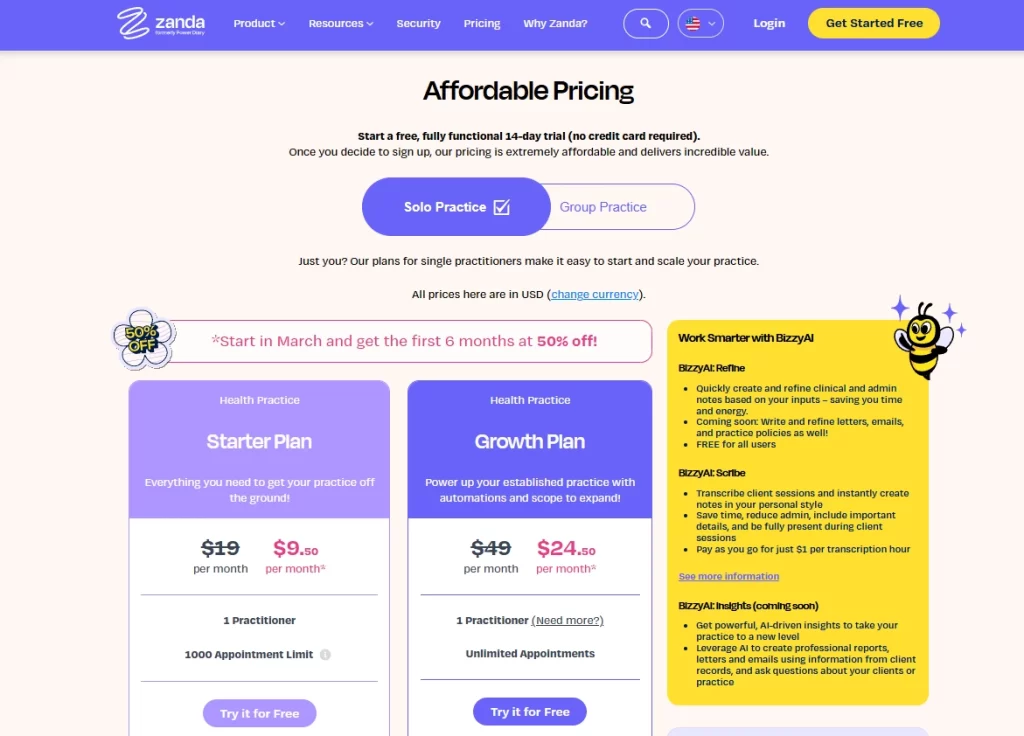
Zanda offers two plans, but the features you get at each tier are very different.
Starter works for solo practitioners just getting started. Growth is where you get customizable clinical notes, multi-location support, and tools for managing a team.
Here’s what’s included at each level and where costs start to climb.
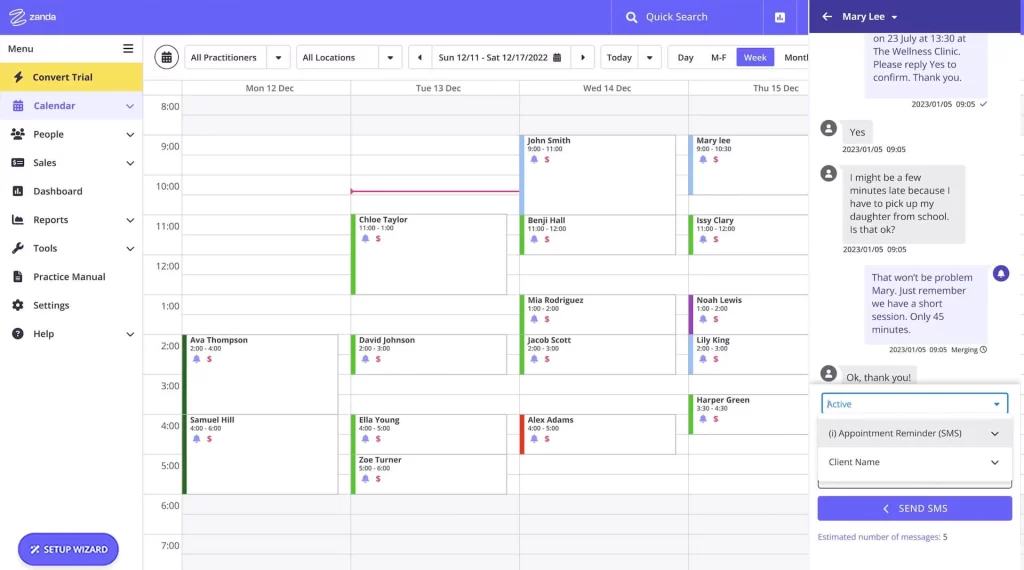
Source: Zanda
The Starter plan caps you at 1,000 appointments per month. If you’re seeing 10+ clients a day, you’ll hit that within a few weeks.
Growth removes the cap entirely and adds:
Both plans include recurring appointments, the availability finder, and appointment conflict alerts.
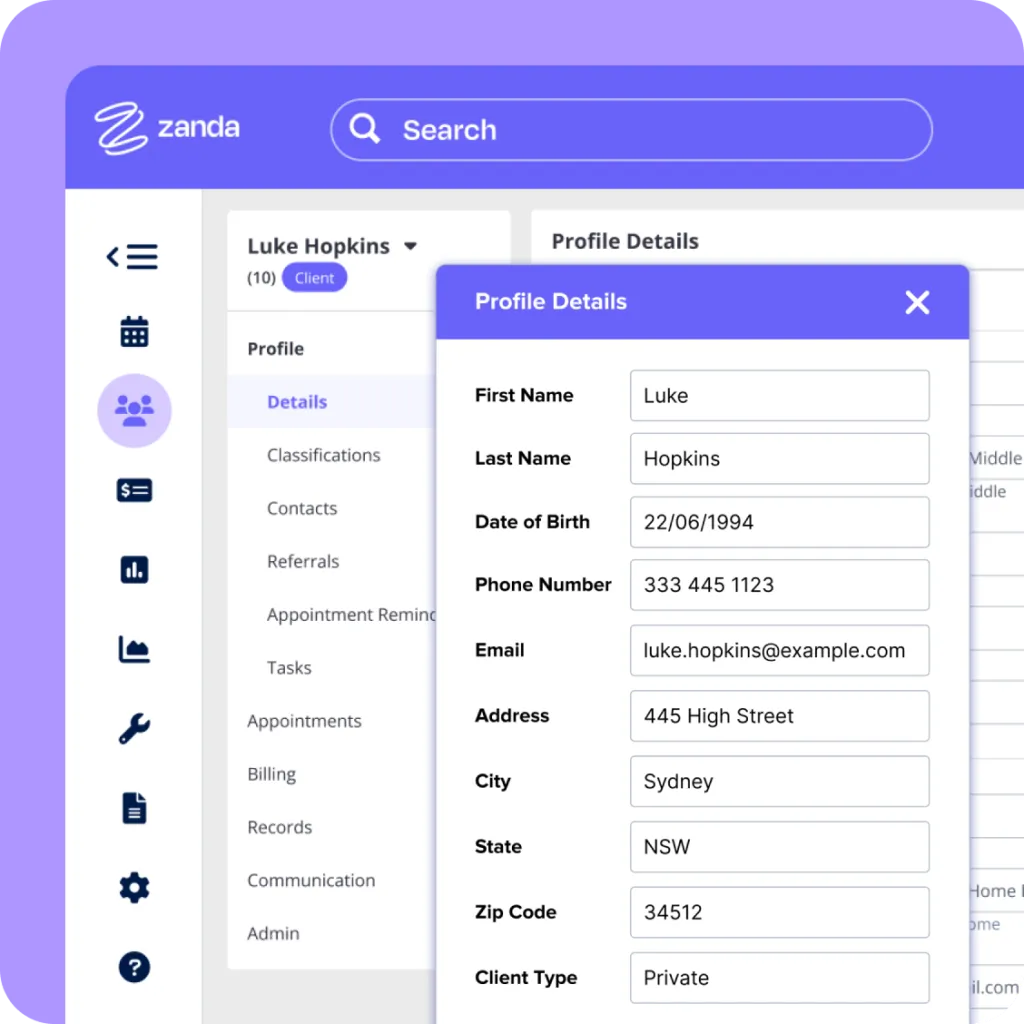
Source: Zanda
Both plans include unlimited client, contact, referrer, and third-party profiles.
Starter gives you 100GB of document storage and ready-to-use progress notes. Growth adds:
If you need to standardize session notes across a team, you’ll need Growth.
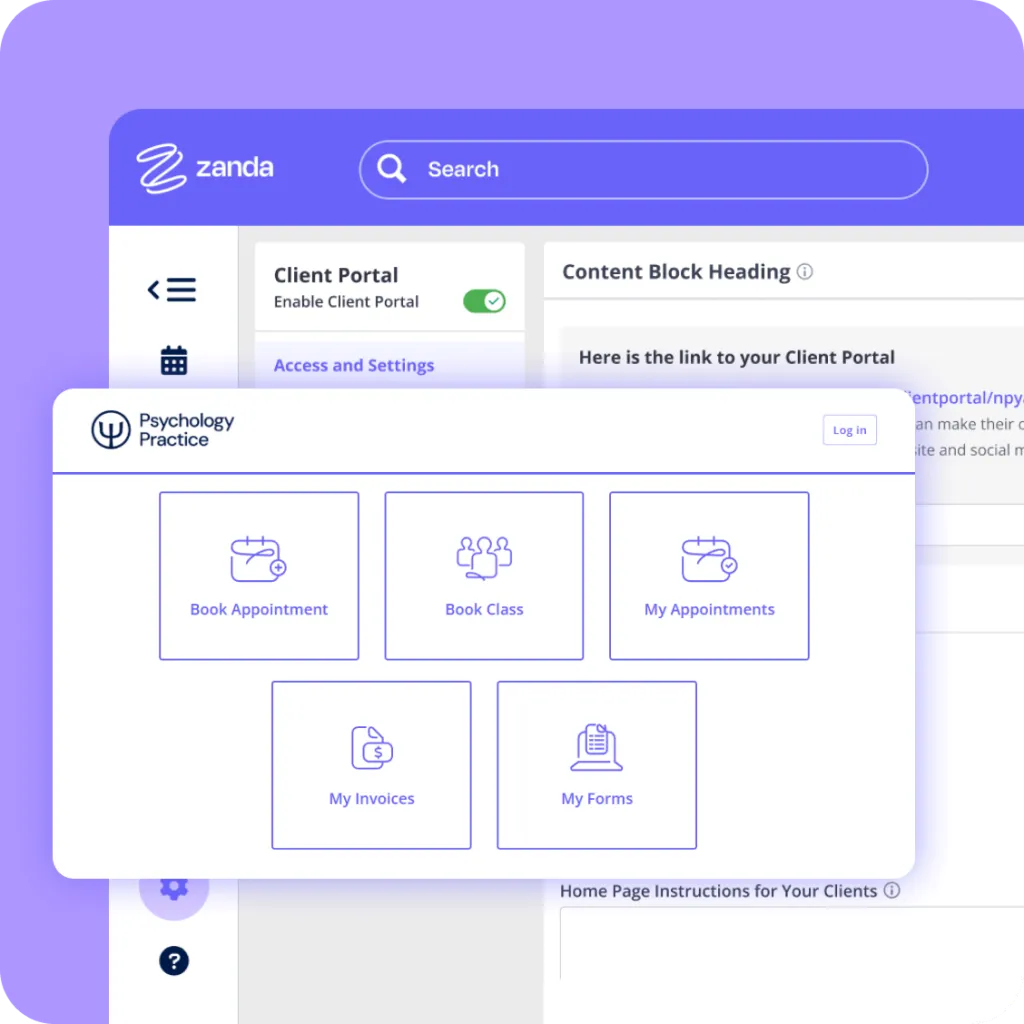
Source: Zanda
Both plans include a client portal for booking appointments, viewing invoices, completing online forms, and syncing with Google Calendar.
Where they differ is scale. Starter limits you to one physical location and one telehealth location. Growth opens up multiple locations with a locations filter, plus room and resource bookings.
Zanda’s Starter and Growth plans include:
Bulk communication tools are only available on Growth.
Pabau includes built-in email and SMS campaigns plus recall automations on every plan. Practices that need unlimited automations and advanced campaign features can upgrade to Marketing Plus.
Zanda offers three telehealth options:
If your practice runs virtual sessions regularly, Telehealth Pro is the only option without usage caps.
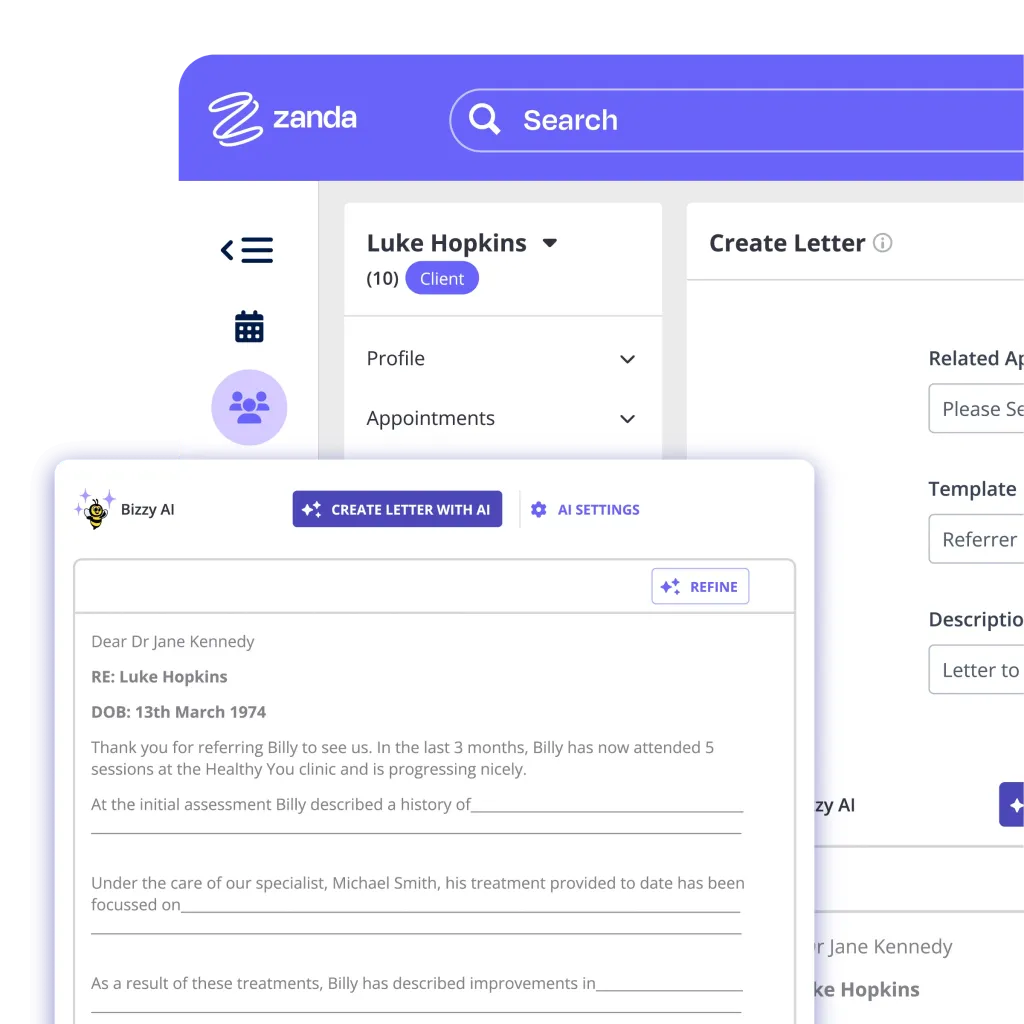
Source: Zanda
Zanda recently rolled out BizzyAI, an AI-powered assistant with three tiers:
Refine is useful for quick admin work, but if you’re doing regular client sessions, Scribe at $1/hour is where the real time savings are.
Zanda doesn’t have hidden fees, but several add-ons and usage-based charges can catch you off guard. Here’s what to watch for:
Factor in SMS volume early. A clinic sending 100+ appointment reminders per week could easily hit $40+/month in SMS costs alone. Test during the 14-day free trial to estimate your real spend.
Here’s a quick breakdown of Zanda’s pros and cons.

Need a deeper look at patient management? Review the best medical practice management software.
Comparing EMR options? See the best EMR software for healthcare practices.
Looking for CRM tools? Check out the top healthcare CRM software built for clinics.
Zanda works best for allied health professionals who need straightforward appointment scheduling, clinical notes, and a client portal.
It’s not built for medically-led aesthetics or practices that need inventory, advanced marketing, or deep payment policy controls.
Zanda is a strong fit for:
These practitioners need reliable practice management without the complexity of a full clinic system. The Starter plan delivers exactly that.
The Growth plan supports multiple practitioners with shared calendars, room and resource bookings, and customizable note templates.
It works well for small behavioral health or multidisciplinary clinics that mainly need scheduling and session management.
A good option for new practices that only need basic client management, online bookings, and integrated billing. Zanda’s low entry price and 14-day free trial make it a practical starting point.
Running a medical spa, skin clinic, or GP practice? You’ll likely need more than Zanda offers. Pabau is typically a better fit.
Zanda holds a 4.7/5 on G2 and a 4.6/5 on Capterra. Here’s a summary of what users like and where they see room for improvement.
Users consistently praise Zanda for its simple interface and responsive support. Solo practitioners in particular value how quickly they can get up and running.
Common highlights include:
One G2 reviewer describes the platform as straightforward and practical, noting how it makes tracking payments and patient data easier across their practice.
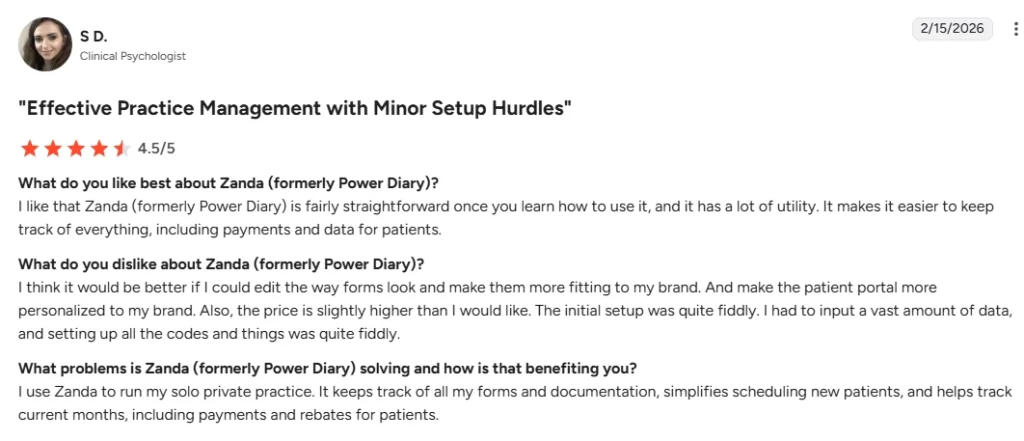
The platform isn’t without friction. A few recurring issues come up across reviews, particularly from practices that are scaling.
Common frustrations include:
A reviewer on G2 flags that when you click into a record from a report, navigating back doesn’t keep the original view. You end up re-running the report or working across multiple tabs.
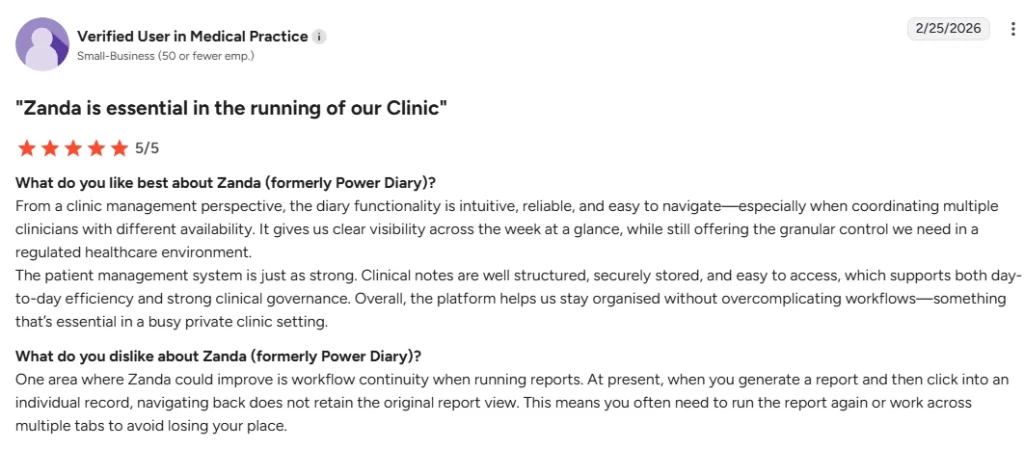
Pabau covers the gaps Zanda leaves open. It’s built for medically-led and aesthetic practices that need more than scheduling and clinical notes.
Here’s what sets it apart.
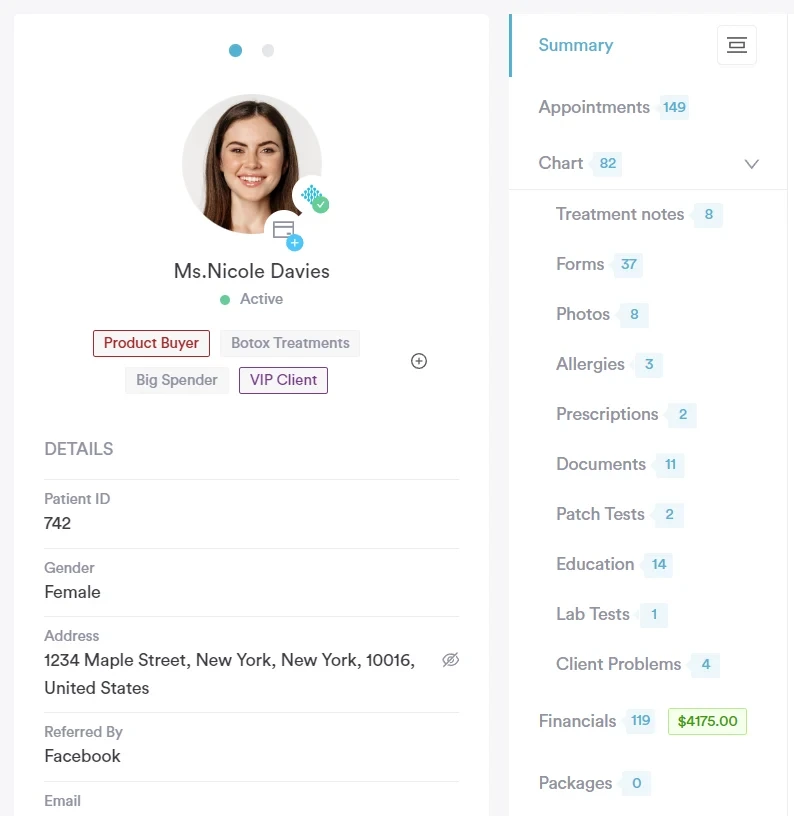
Pabau’s EMR is purpose-built for medically-led practices. Every client record includes:
Staff see the full patient timeline in one place and can flag risks before a treatment starts.
Every plan includes marketing tools with no third-party integrations needed:
Learn more about Pabau’s full feature set.
| Pricing Factor | Zanda | Pabau |
|---|---|---|
| Entry price | $19/month (Starter) | $69/month (Startup) |
| How pricing scales | Per practitioner | Per plan |
| Seat fees | Yes ($19/practitioner/month) | No |
| Feature gating | Starter lacks custom templates, automations, multi-location | Core features included |
| Clinical records | Included (basic on Starter) | Included on every plan |
| Marketing automation | Not included | Included (Marketing Plus for advanced) |
| Inventory management | Not included | Included on every plan |
| Best for | Solo allied health practitioners | Medical and aesthetic practices |
For a deeper side-by-side breakdown, see Zanda vs Pabau.
Zanda is a solid starting point for solo practitioners on a budget. But as your practice grows, so do the workarounds.
Pabau gives you one platform for everything from booking to aftercare, with the clinical tools and automation to grow with you.
Book a demo to see the difference in action.
No. Zanda doesn’t have a permanent free plan, but it does offer a fully functional 14-day free trial with no credit card required. After that, the Starter plan begins at $19/month.
Yes. Zanda is ISO 27001 certified, HIPAA compliant, and CCPA compliant. It includes two-factor authentication and PCI-compliant payment processing.
Yes. Zanda is accessible via a mobile web browser. The client portal also works on mobile, so patients can manage their own online bookings, forms, and invoices from their phone.
Yes. You can switch between Starter and Growth at any time. Zanda also offers a 12-month money-back guarantee. If the platform isn’t right for you, you can request a full refund of subscription fees.