Medicare charting cheat sheet
A Medicare charting cheat sheet is a one-page reference that lists what Medicare...

2
Last Updated: Oct 21, 2026

Zanda’s pricing starts at $19/month. The Starter plan caps you at 1,000 appointments for the lifetime of the account. Growth at $49/month removes that limit.
Costs climb as your team grows. Each additional practitioner on Growth is $19/month, so a five-person team pays $125.
Several features cost extra. SMS, Telehealth Pro, and BizzyAI Scribe are paid add-ons on every plan.
Pabau starts at $104/month with scheduling, clinical records, marketing, payments, and inventory included.
Zanda is a popular choice among allied health professionals, and it’s easy to see why.
The entry price is low and the feature list covers the basics. But dig into Zanda pricing and you’ll find that every extra practitioner, SMS message, and telehealth upgrade adds to your bill.
In this guide, we break down what each plan costs, what’s included, and how the total compares with practice management software like Pabau.
Zanda costs $19/month on Starter and $49/month on Growth, with each extra practitioner adding $19 a month on top.
Zanda, formerly Power Diary, offers two plans. Starter is built for solo practitioners. Growth supports solo and group practices, with the option to add practitioners for a monthly fee.
Here’s the full pricing breakdown:
| Plan / Tier | Price | Details |
|---|---|---|
| Starter | $19/month | 1 practitioner; 1000-appointment limit; 1 user (promo ~$9.50/mo) |
| Growth (Solo) | $49/month | 1 practitioner base; unlimited appointments/users (promo ~$24.50/mo) |
| Growth (Group) | $49/month base + $19/mo per extra practitioner | e.g. 2 practitioners = $68/month standard |
| Add-on: Telehealth Pro | $9/month per practitioner | Unlimited telehealth calls |
Each additional practitioner on the Growth plan adds $19/month. Zanda’s Growth pricing calculator quotes team sizes up to 999 practitioners, so you can price a large practice yourself.
That per-practitioner fee is what separates the headline price from the bill. Here is how the Growth subscription climbs as the team fills out.
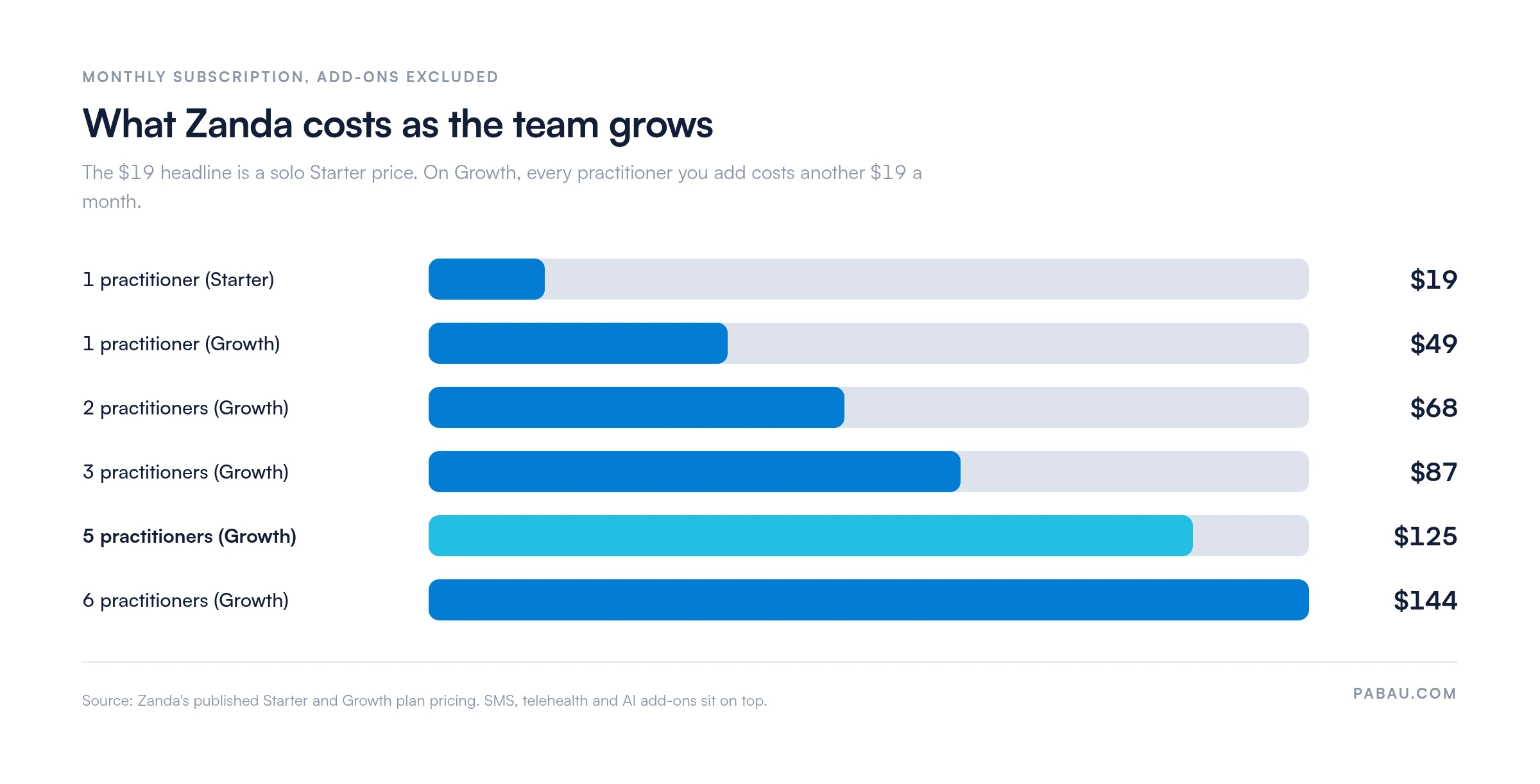
Zanda passes $100 a month at four practitioners. None of that figure covers SMS, telehealth, or AI transcription.

Pabau is an all-in-one practice management system built for medical aesthetics and private practices.
Unlike Zanda, which serves general allied health professionals, Pabau is designed around the full medically-led patient journey.
At $104/month, every Pabau plan includes features that Zanda either restricts to its Growth tier or doesn’t offer at all:
Here’s how Pabau’s plans compare:
| Plan / Tier | Price | Details |
|---|---|---|
| Starter | From $65/month | Per practitioner; billed monthly |
| Team / Group | Scales by location and user count | Volume-based pricing |
| Enterprise | Custom pricing | Contact sales for a quote |
You can see the full breakdown on Pabau’s pricing page.
Use Pabau’s time-saving calculator to estimate how many hours the platform could save your practice each month.
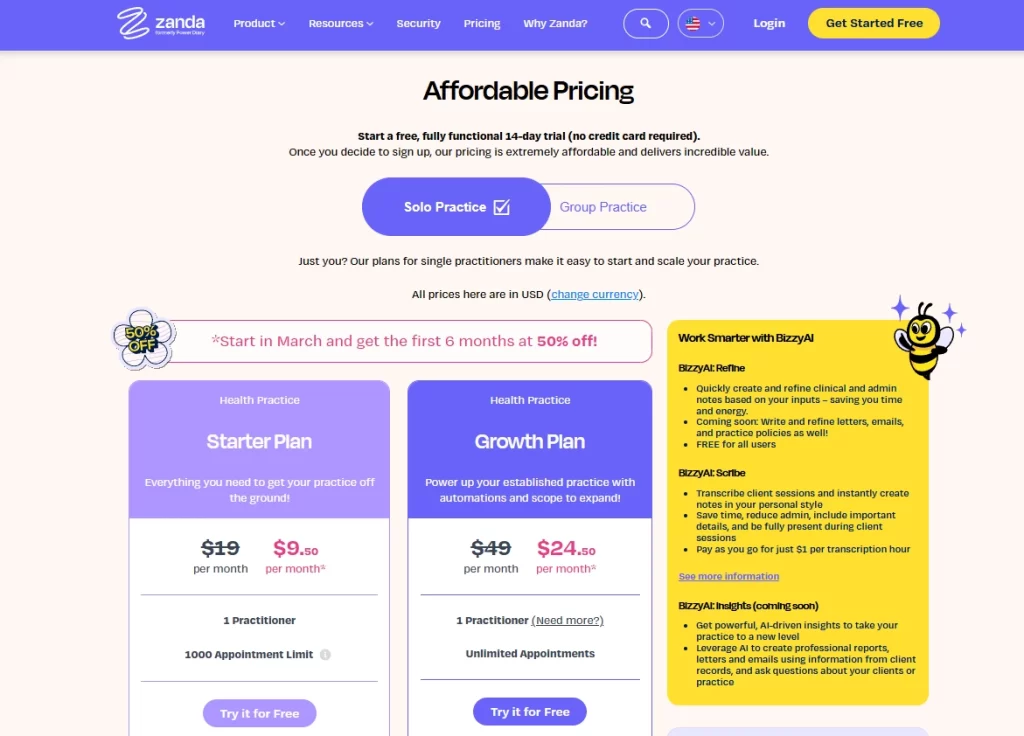
Zanda offers two plans, but the features you get at each tier are very different.
Starter works for solo practitioners just getting started. Growth is where you get customizable clinical notes, multi-location support, and tools for managing a team.
Here’s what’s included at each level and where costs start to climb.
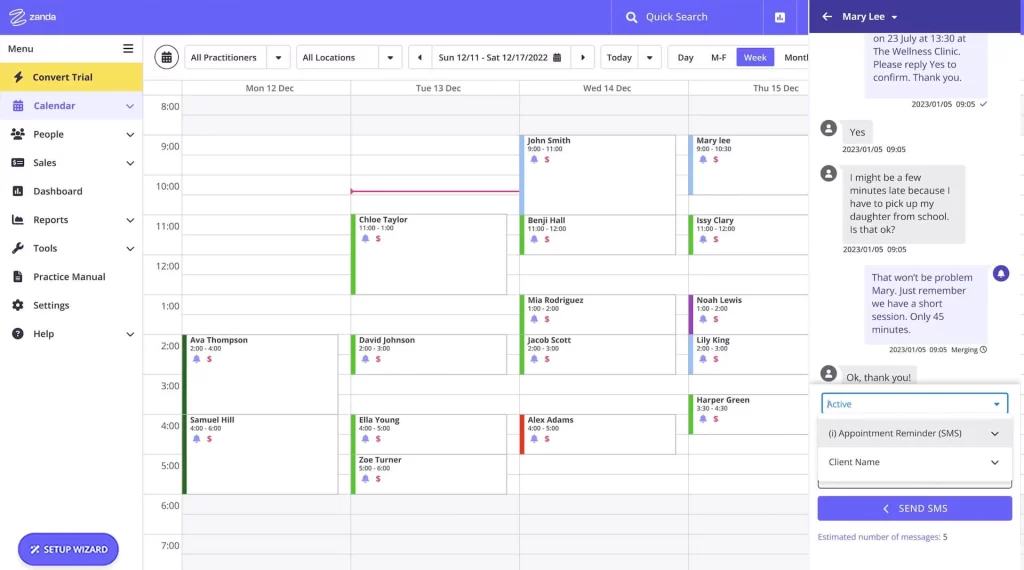
The Starter plan caps you at 1,000 client and group appointments in total, not per month. See 10 clients a day and that lifetime allowance runs out in roughly five months.
Growth removes the cap entirely and adds:
Both plans include recurring appointments, the availability finder, and appointment conflict alerts.
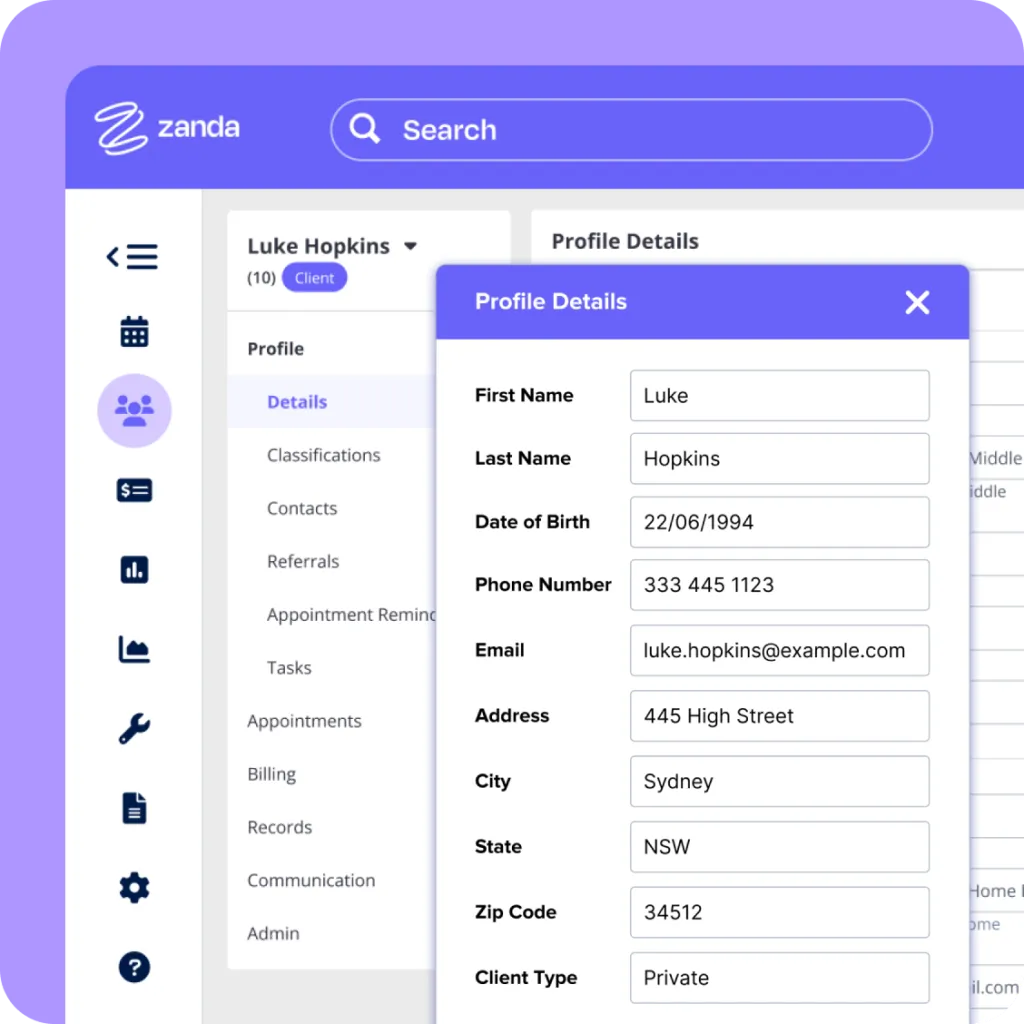
Both plans include unlimited client, contact, referrer, and third-party profiles.
Starter gives you 100GB of document storage and ready-to-use progress notes. Growth adds:
If you need to standardize session notes across a team, you’ll need Growth.
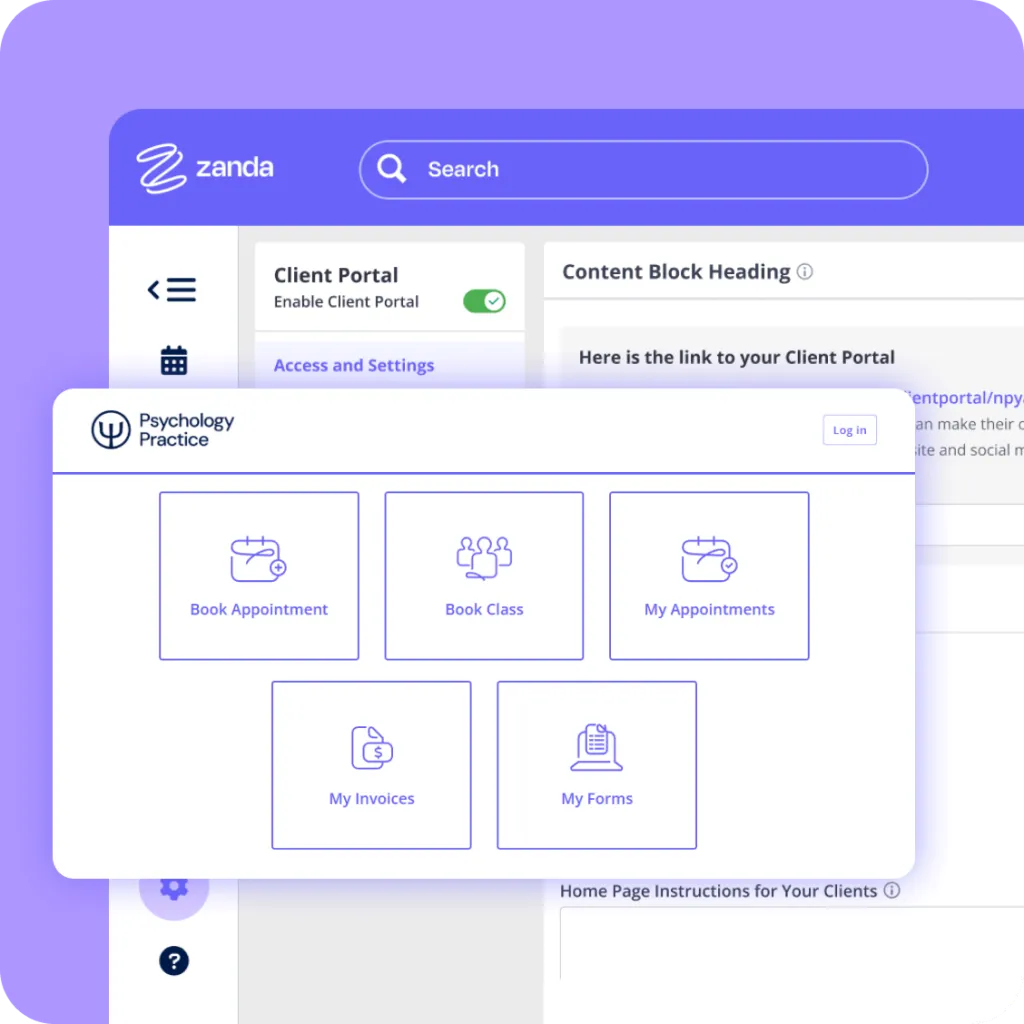
Both plans include a client portal for booking appointments, viewing invoices, completing online forms, and syncing with Google Calendar.
Where they differ is scale. Starter limits you to one physical location and one telehealth location. Growth opens up multiple locations with a locations filter, plus room and resource bookings.
Zanda’s Starter and Growth plans include:
Bulk communication tools are only available on Growth.
Pabau includes email campaigns and recall automations on every plan at no extra cost. SMS runs on credits you top up, so text messages are billed by usage rather than bundled into the subscription.
Zanda offers three telehealth options:
If your practice runs virtual sessions regularly, Telehealth Pro is the only option without usage caps.
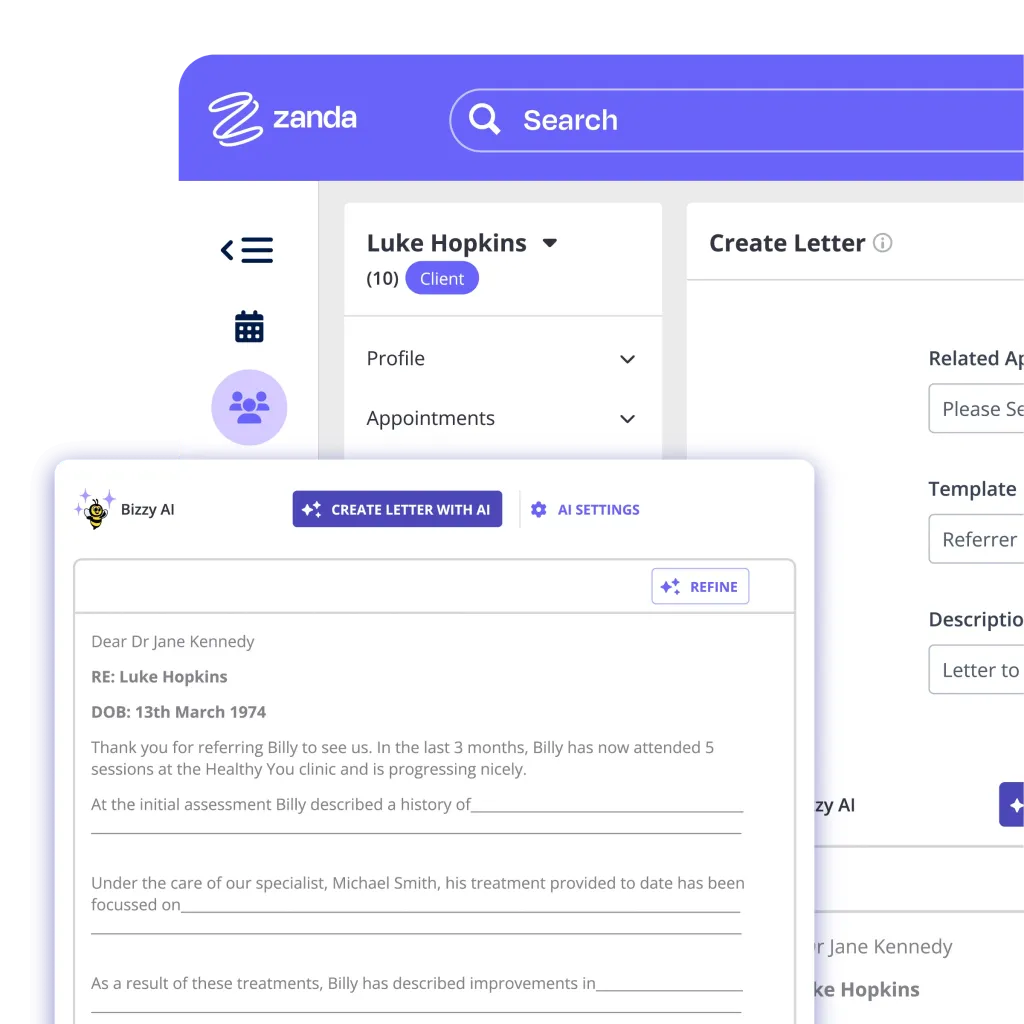
Zanda recently rolled out BizzyAI, an AI-powered assistant with three tiers:
Refine is useful for quick admin work. If you run regular client sessions, Scribe at $1/hour is where the time savings show up.
Zanda doesn’t have hidden fees, but several add-ons and usage-based charges can catch you off guard. Here’s what to watch for:
Factor in SMS volume early. A practice sending 100+ appointment reminders per week could easily hit $40+/month in SMS costs alone. Test your own volume during the 14-day free trial before you commit.
Here’s a quick breakdown of Zanda’s pros and cons.
Zanda works best for allied health professionals who need straightforward appointment scheduling, clinical notes, and a client portal.
It is not built for medically-led aesthetics, or for practices that need inventory, campaign automation, and deep payment controls.
Zanda is a strong fit for:
These practitioners need reliable practice management without the complexity of a larger clinical platform. The Starter plan delivers exactly that.
Zanda is not the only platform built for allied health. Our roundup of Jane App alternatives covers the same decision from a different starting point.
The Growth plan supports multiple practitioners with shared calendars, room and resource bookings, and customizable note templates.
It works well for small behavioral health or multidisciplinary practices that mainly need scheduling and session management.
Zanda is a good option for new practices that only need basic client management, online bookings, and integrated billing.
The low entry price and 14-day free trial make it a practical starting point. Budget-focused practices often weigh it against Practice Better pricing and Carepatron pricing before committing.
Running a med spa, a dermatology practice, or a private primary care practice? You will likely need more than Zanda offers, and Pabau is typically a better fit.
Zanda holds a 4.7/5 on G2 and a 4.6/5 on Capterra. Here’s a summary of what users like and where they see room for improvement.
Users consistently praise Zanda for its simple interface and responsive support. Solo practitioners in particular value how quickly they can get up and running.
Common highlights include:
One G2 reviewer describes the platform as straightforward and practical, noting how it makes tracking payments and patient data easier across their practice.
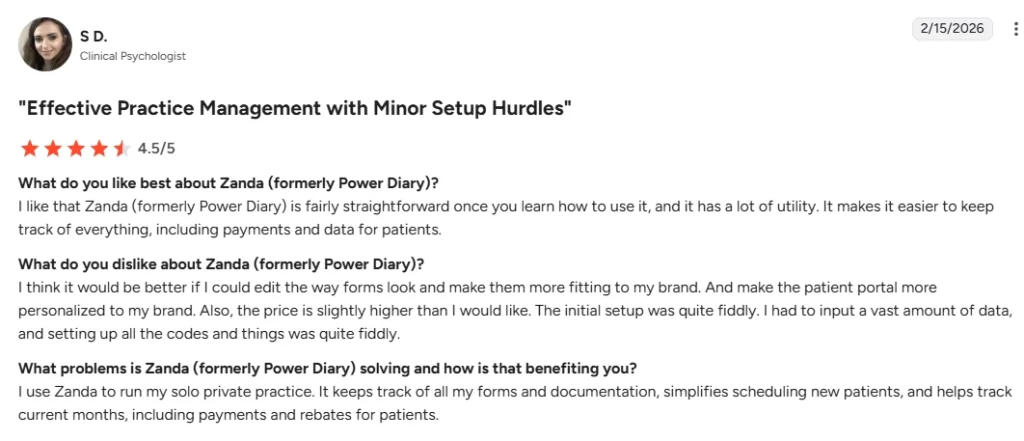
The platform isn’t without friction. A few recurring issues come up across reviews, particularly from practices that are scaling.
Common frustrations include:
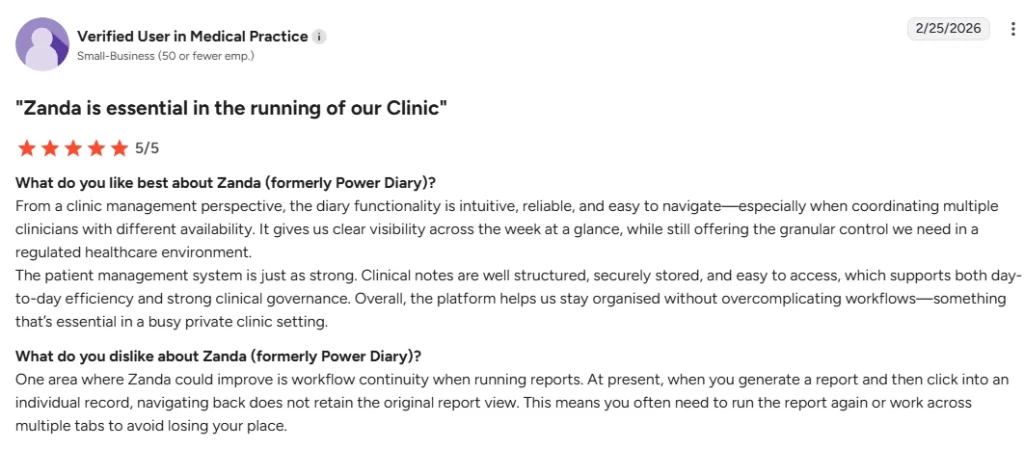
A reviewer on G2 flags that when you click into a record from a report, navigating back doesn’t keep the original view. You end up re-running the report or working across multiple tabs.
Pabau covers the ground Zanda leaves open. It’s built for medically-led and aesthetic practices that need more than scheduling and clinical notes.
If you are still shopping around, our comparison of alternatives to Phorest reviews eight more platforms. Two areas separate Pabau from Zanda most clearly.
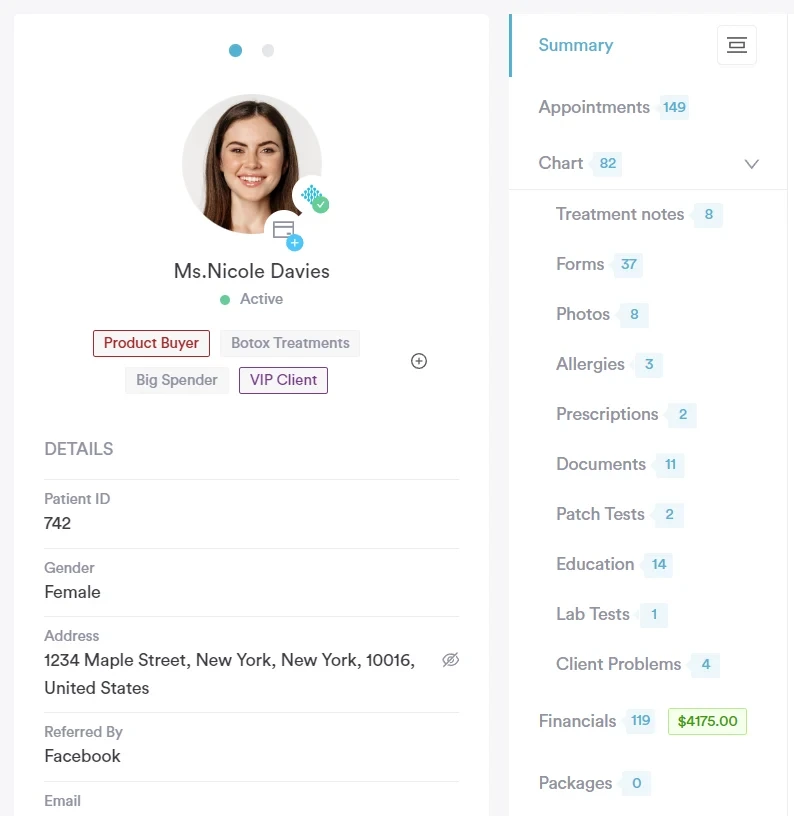
Pabau’s EMR is purpose-built for medically-led practices. Every client record includes:
Staff see the full patient timeline in one place and can flag risks before a treatment starts.
Every plan includes marketing tools, with no third-party subscription to buy on top:
| Pricing factor | Zanda | Pabau |
|---|---|---|
| Entry price | $19/month (Starter) | $62/month (Starter) |
| How pricing scales | Per practitioner added | By plan band, set by user count and location |
| Seat fees | Yes ($19/practitioner/month) | No per-seat surcharge |
| Feature gating | Starter lacks custom templates, automations, multi-location | Every plan includes every feature |
| Clinical records | Included (basic on Starter) | Included on every plan |
| Marketing automation | Not included | Included on every plan |
| Inventory management | Not included | Included on every plan |
| Best for | Solo allied health practitioners | Medical and aesthetic practices |
For a feature-by-feature look, our practice software comparisons put Pabau next to Zanda and the rest of the field.
On a per-practitioner plan, every hire is also a pricing decision. You add a clinician, the subscription goes up, and the SMS and telehealth add-ons go up with it.
Pabau prices by plan band instead. A band covers a range of users at one location, so a second or third practitioner joins the calendar without a separate seat fee.
Every band includes the whole platform. Scheduling, clinical records, forms, payments, inventory, reporting, and marketing sit inside the subscription, so the feature you need next is already switched on.
That makes budgeting simple. You can model next year’s software cost straight from your hiring plan, instead of pricing out each add-on separately.

Pabau prices by plan band rather than per seat, and every band includes scheduling, clinical records, payments, marketing, and inventory. Book a demo and we will map your headcount to a plan.

Zanda’s $19 entry price is honest, as long as you are one practitioner with a modest caseload. Past that point the bill is a base plan plus a stack of per-use charges.
So price the practice you expect to run in 18 months, not the one you run today. Add up the seats, the SMS volume, the telehealth minutes, and the transcription hours.
Sometimes that total lands close to a platform with marketing, inventory, and a medically-led client record. At that point the cheaper subscription is no longer the cheaper choice.
Book a demo to see what Pabau would cost your practice today, and at the size you are aiming for.

Comparing allied health platforms? Cliniko alternatives lines up the tools Zanda is most often shortlisted against.
Running a therapy caseload? SimplePractice competitors covers the platforms mental health practices compare first.
Want a second pricing breakdown? Carepatron alternatives shows how another allied health platform structures its plans.
Weighing a bigger platform? Mindbody pricing explains what the tiers cost once a practice runs classes and retail.
No. Zanda doesn’t have a permanent free plan, but it does offer a fully functional 14-day free trial with no credit card required. After that, the Starter plan begins at $19/month.
Yes. Zanda is ISO 27001 certified, HIPAA compliant, and CCPA compliant. It includes two-factor authentication and PCI-compliant payment processing.
Yes. Zanda is accessible via a mobile web browser. The client portal also works on mobile, so patients can manage their own online bookings, forms, and invoices from their phone.
Yes. You can switch between Starter and Growth at any time. Zanda also offers a 12-month money-back guarantee. If the platform isn’t right for you, you can request a full refund of subscription fees.