Medicare charting cheat sheet
A Medicare charting cheat sheet is a one-page reference that lists what Medicare...

3
Last Updated: Oct 21, 2026

Physiotherapy is a course of treatment, not a one-off, so the software that saves the most time is the one that automates the whole recurring booking, deposit, exercise, and claim loop.
Pick for the problem you actually have: documentation eating your evenings, no-shows draining revenue, insurance claims to chase, or five disconnected tools to juggle.
Pabau fits multi-therapist physio practices that want recurring packages, per-session exercise videos, and insurance billing in one subscription.
Zanda (formerly Power Diary) and BetterClinics suit lean solo setups, ClinicSense leads on SOAP charting, and Vagaro only fits blended salon or fitness businesses.
Run the no-show math before you choose, because recovering even three missed sessions a week can cover the software several times over.
With everything a physiotherapy practice has to juggle, the last thing you need is more manual work. Our comparison of medical spa systems covers a related decision, for physiotherapy practices adding aesthetic services on the side.
Documentation runs late into the evening, no-shows quietly drain revenue, and the same booking, payment, and follow-up cycle repeats for every patient. Most of that lands on tools that were never built for physiotherapy, so you end up switching between five of them to get through a day.
The best practice management software for physiotherapy, an all-in-one system like Pabau, is the one that runs that recurring loop for you. The right pick depends on the kind of practice you run, so this guide maps each of the five tools to the specific problem it solves, not just its feature list.
Call it physio software, physiotherapist software, physiotherapy management software, or a full physiotherapy clinic management software platform, the goal is the same: run scheduling, clinical notes, billing, and exercise prescription from one place instead of five.
Each tool below earns its place by solving a particular problem well. The table maps that first, so you can find your situation before reading a word of the write-ups.
| Software | Best for (the problem it solves) | Exercise prescription | SOAP / clinical notes | Online booking | Insurance billing | Starting price |
|---|---|---|---|---|---|---|
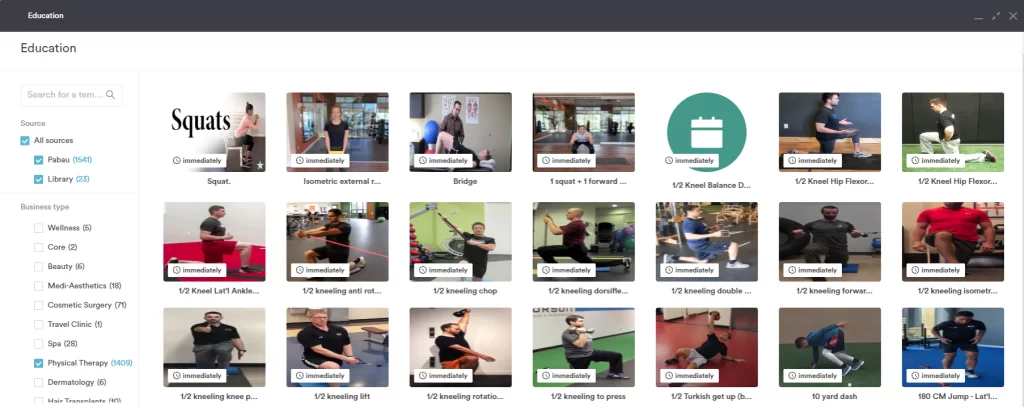
| Pabau | Multi-therapist practices losing hours to the admin around every visit | Yes — 1,400-video post-care library | Yes | Yes | Yes, built in | Flat monthly fee by users and clients |
| Zanda (formerly Power Diary) | Solo and small practices wanting low-friction telehealth and forms | Limited | Yes (treatment notes) | Yes | Yes | From $19/mo (solo) |
| ClinicSense | SOAP-charting-first, cash-pay practices | Limited | Yes — customizable SOAP | Yes | Limited | From $39/mo |
| BetterClinics | Lean solo and multi-discipline allied-health practices | Limited | Yes | Yes | Yes | From AU$19/mo (~US$12–13, starter) |
| Vagaro | Practices that also run salon, fitness, or classes | Not physio-specific | Basic | Yes (marketplace) | Paid add-on | From $30/mo |
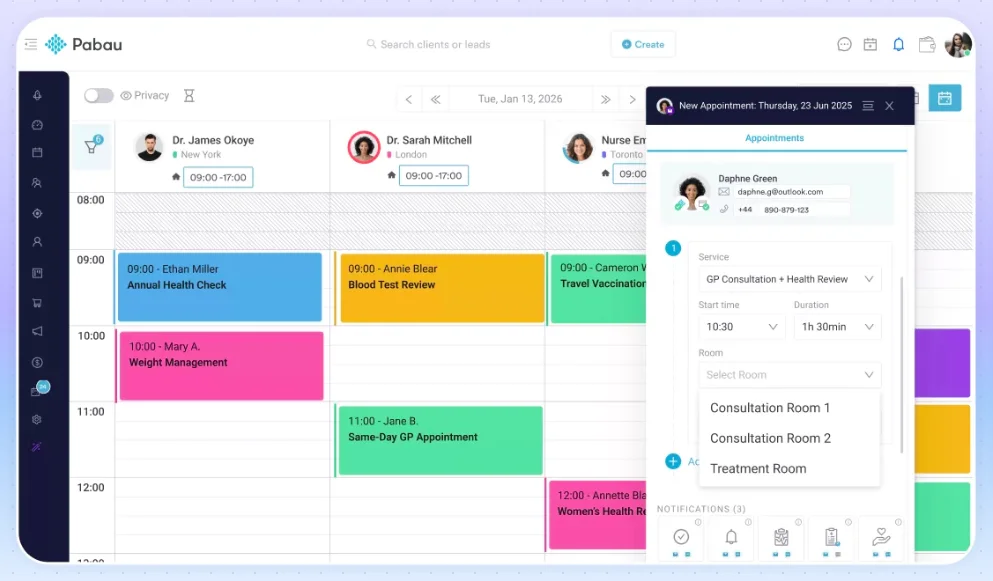
Pabau is the strongest fit for a multi-therapist physiotherapy practice that wants the whole recurring-care loop handled in one place: booking, deposits, exercise videos, notes, and claims.
Pabau is an all-in-one practice management software built for private practices and healthcare businesses, so alongside core tools like digital client records, online booking, and integrated payments, it adds the physio-specific pieces generic tools leave out.
The trade-off is breadth over minimalism: Pabau is built for practices that want the full platform, so a solo practitioner after a bare-bones scheduler may not need everything it offers.
Pabau’s pricing is a flat monthly fee based on your number of users and clients, and every subscription includes the full platform with no starter tier that locks away core features.
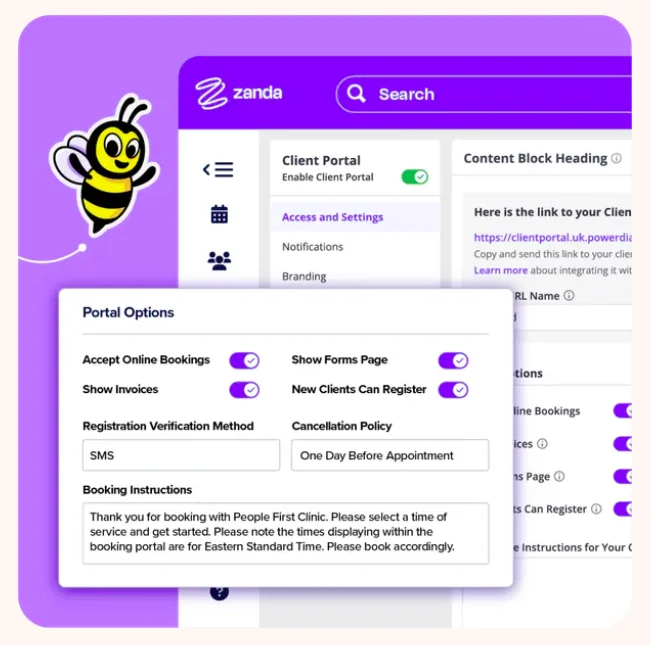
Zanda suits a solo or small physiotherapy practice that wants solid scheduling, telehealth, and forms without paying for an enterprise platform.
It is a complete practice management system built for health practices, covering the day-to-day admin a small team runs on.
It’s worth noting that it currently lacks a built-in physiotherapy-specific exercise-video library, so home-exercise follow-up runs through a separate Physitrack integration rather than natively.
Zanda’s Starter plan costs $19 per month for a solo practitioner and covers up to 1,000 appointments. Practices with more than one practitioner move to the Growth plan, which starts at $49 per month plus $19 per month for each additional practitioner, around $68 per month for two.
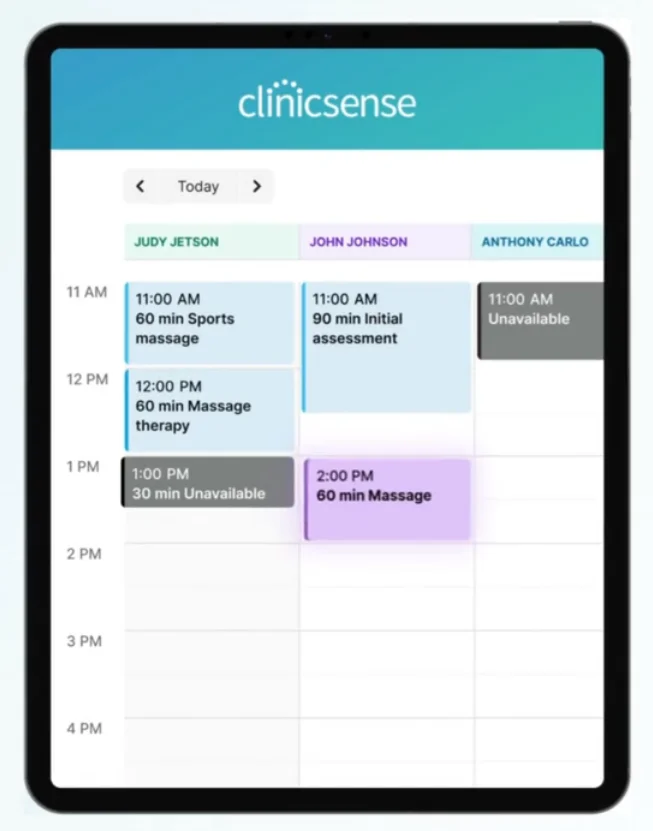
ClinicSense is the pick when detailed clinical notes matter more than marketing, and most of your revenue is cash-pay rather than insurance.
It’s an all-in-one practice, massage, and physiotherapy tool, and its standout is the depth of its charting.
Be aware it is leaner on post-care communication and physiotherapy-specific educational content, which matters if home-exercise follow-up is central to your treatment.
ClinicSense offers three plans: Lite at $39 per month, Standard at $69 per month, and Premium at $99 per month. No-show protection, packages, and communication features sit in the pricier plans.
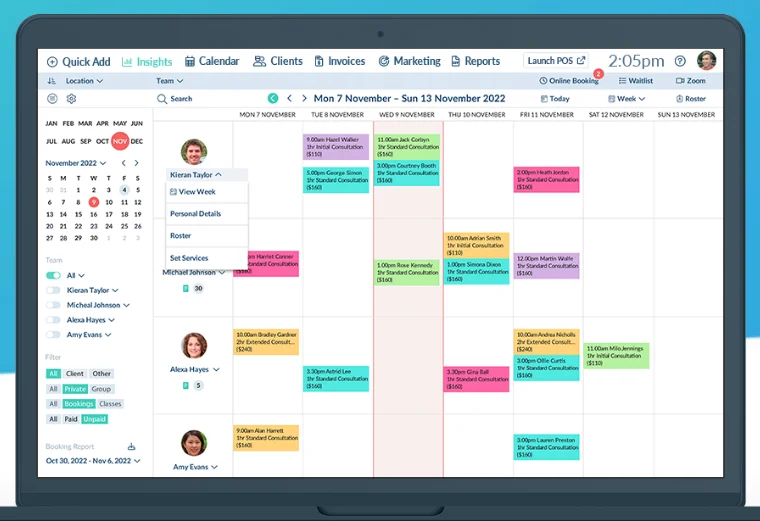
Better Clinics fits a lean practice that blends physiotherapy with other allied-health services and wants one tidy system for all of them.
It helps allied health professionals like physiotherapists, psychologists, and chiropractors run their practices, and clinics blending physio with psychology can compare options in our guide to therapy practice management software.
It doesn’t send automated aftercare emails per service, which physios use to deliver post-treatment instructions and videos.
Better Clinics doesn’t publish fixed plans. Pricing runs on a slider that scales with the number of providers, plus unlimited clients and admin staff, starting from AU$19 (about US$12–13) per month for the Starter package, which covers 50 clients. As an Australian company, its published prices are in Australian dollars, not US dollars like the other tools here.
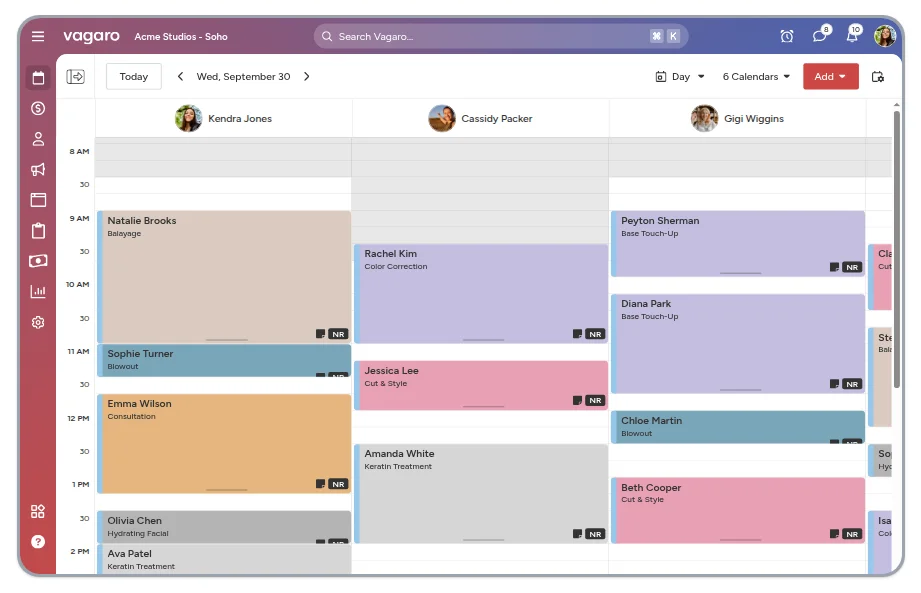
Vagaro is the one pick here that fits a business mixing physiotherapy with salon, spa, or fitness services, thanks to its marketplace and class tools.
It’s a cloud-based salon, spa, and fitness management tool rather than a clinical platform, so it leans on breadth of business features.
Because it specializes in beauty and fitness, it lacks some physiotherapy-specific tools, and essentials like storing client photos and files, automated emails and SMS, and automated forms cost extra on top of the base fee.
Vagaro’s pricing starts at $30 per month across several plans, depending on the number of users and bookable calendars, and add-ons can push it to $200 or $300 per month. For a practice-first option, see this Vagaro alternative built for practices.
Cliniko and Jane are both strong, physio-friendly platforms. They sit outside the ranked five because each leans on a separate app for one piece of the recurring-care loop rather than running it natively.
Cliniko is clean and reliable for clinical notes and booking, and is popular across allied health. Its built-in claiming tools are built for Australia and New Zealand, so a US practice billing insurance in-house still needs a separate clearinghouse.
Jane is known for polished online booking and charting, with a big following among North American physical therapists, and its native US insurance billing is genuinely strong: a Claim.MD clearinghouse integration handles batched CMS-1500s and electronic remittance advice. Both tools, though, prescribe home exercises through a Physitrack integration rather than a built-in video library.
Where Pabau tends to pull ahead is the recurring-course automation and its 1,400-video post-care library sitting natively in the platform, the pieces that turn a booking-and-notes tool into a full physiotherapy clinic management platform.
The right software earns its keep by removing specific daily headaches, not by having the longest feature list. Here are the problems physios raise most, and what to look for in a tool that fixes each one.
Good documentation software gets a full clinical note done inside the session, so charting stops following you home. Documentation is the single biggest time sink in physical therapy, and the after-hours version even has a nickname among clinicians: “pajama time.”
Look for pre-built, customizable SOAP note templates, body-chart annotation, and reusable note snippets so a follow-up visit takes seconds to chart rather than minutes. Some physiotherapy software now adds an AI scribe, such as Pabau Scribe, our AI scribe, that turns a spoken session summary into a structured note.
If you want to compare documentation-focused options more broadly, our guide to the best clinical notes software ranks tools built specifically for that job.
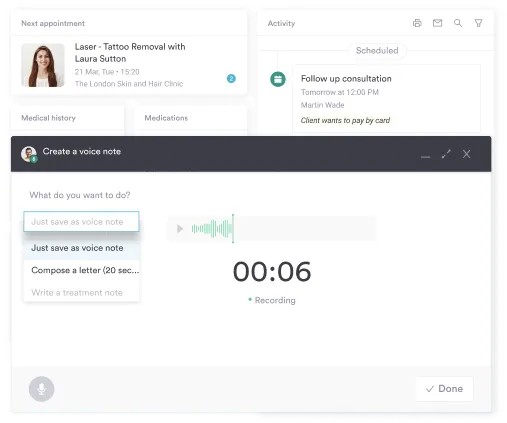
Electronic medical records also let therapists pull up patient histories and treatment plans from any device, which is handy on home visits. A finding like a positive Gaenslen’s test or a Phalen’s test stays attached to the record for every session that follows.
The same goes for a patient’s anterior pelvic tilt — you chart it once instead of retyping it at every visit.
Sensory and motor findings work the same way. A two-point discrimination test after a nerve injury or a hand dexterity test belongs on the same timeline as the visit notes.
Good software for physiotherapy is also a compliance safeguard: timestamped notes, consent records, and an audit trail on one patient timeline keep you covered under healthcare regulations like HIPAA, without a filing cabinet.
The practices with the lowest no-show rates pair a deposit on higher-value appointments with automated reminders and a one-tap reschedule link, so slots that would have gone empty get rebooked instead of lost.
In 2023, 37% of medical groups reported higher patient no-show rates than the year before. Deposits and clear no-show policies filter out time-wasters and make income more predictable.
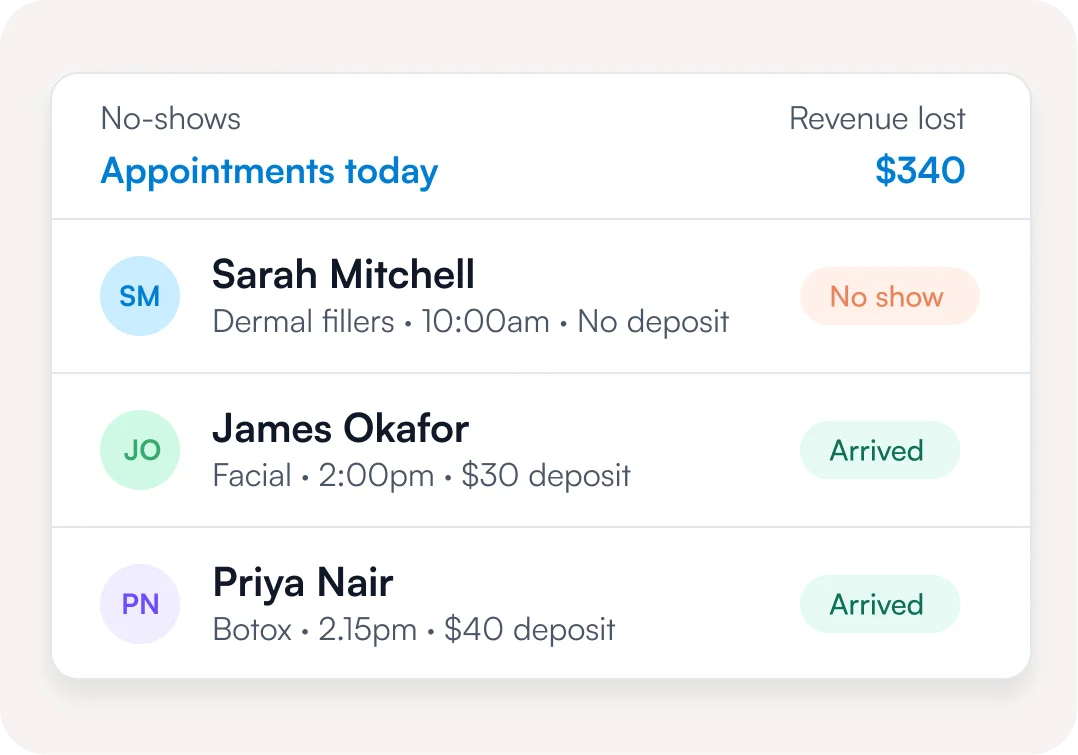
On the front end, online booking is what patients now expect, with 73% preferring to book online. The difference between purpose-built appointment software for physiotherapy practices and a generic calendar is that it lets patients book, reschedule, or cancel themselves through a patient portal, automatically reminds them before every session, and can require a deposit only for online bookings.
The phone still rings while you have hands on a patient, and a missed call is a session nobody rebooks. Pabau’s AI agents text that caller back and propose a new slot, which you approve before the patient sees it.
Billing that lives in the same system as your notes means invoices, and insurance claims where they apply, generate from the record you already filled in, with nothing re-keyed into separate software.
An integrated point-of-sale system gives patients multiple ways to pay, credit and debit cards, contactless, and online, then updates the patient record and generates the invoice automatically. That keeps checkout quick and billing accurate without a standalone payment tool.
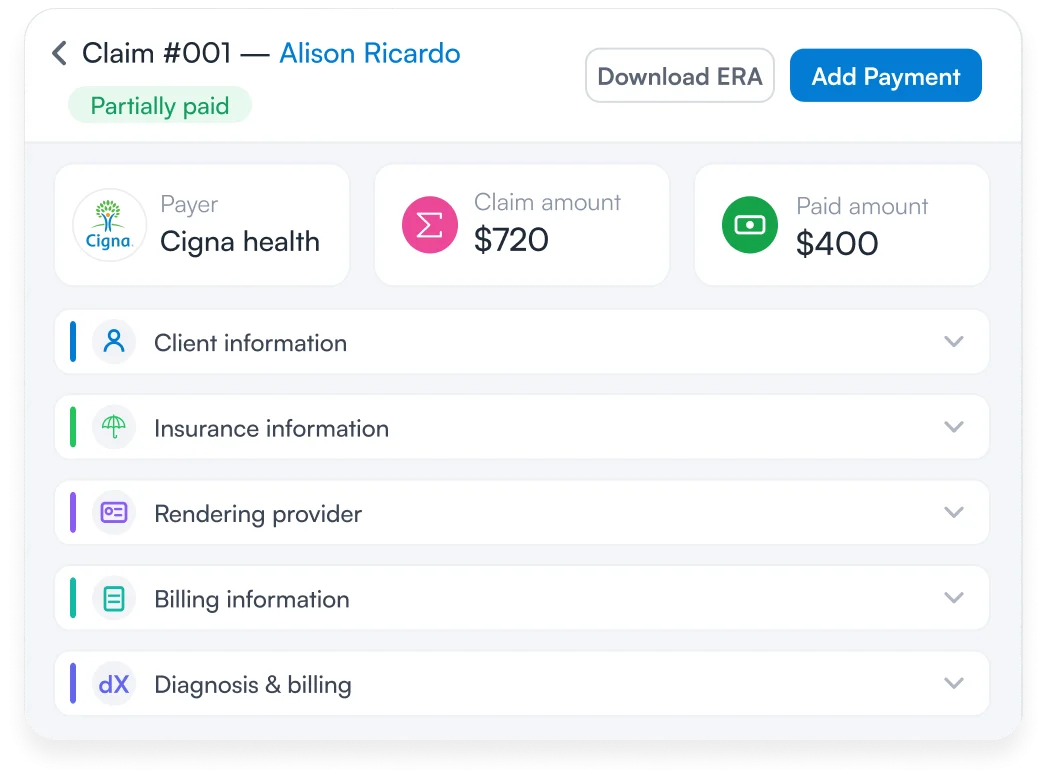
Where patients are covered by private insurance, you invoice the insurer instead of the client, so built-in insurance billing handles claims without an extra platform. For a US pt management software setup that runs on claims, generating them straight from the treatment note is the difference between getting paid this month and chasing it next quarter.
Progress between visits comes down to whether patients actually do their home exercises, so the software should make prescribing and following them effortless.
Video post-care beats a text handout or a diagram. A study found that adding video to written aftercare guidance improved patient comprehension across several types of care. The best physiotherapist software lets you assign a home program from a video library, tie it to the treatment plan, and see whether the patient followed it.
Automated pre- and post-care ties it together. You set the client pathway once, from booking through follow-up, and the system sends the right information at the right time so you can focus on treating patients instead of typing emails after each one.
Progress tracking works the same way for orthopedic complaints. Re-testing a wrist injury with the Watson test or a shoulder with the Yocum test gives a result to compare against intake.
The biggest hidden cost in a physio practice is the time lost switching between tools that were never built to talk to each other, not the software itself.
Plenty of practices run a website builder, a separate scheduler, a payment app, a video-call tool, a notes app, and an exercise-prescription tool, then copy data between them by hand.
Consolidating into one system for physiotherapists removes that copying, and keeps consent records, before-and-after photos, and an audit trail on a single patient timeline, which is far easier to keep compliant than files scattered across six apps.
The same logic applies if physiotherapy is only part of what you run. A physiotherapy practice that also runs occupational therapy can compare dedicated occupational therapy software for that side of the business. One that leans toward athletes can look at sports medicine software built for that caseload instead.
Most physio practices don’t lose time to treating patients, they lose it to the admin around each visit. And in physiotherapy that admin repeats: a patient rarely comes once. They come back six, eight, or twelve times for the same injury, so the same booking, payment, and follow-up cycle runs for every session.
Here is what that loop looks like when your physiotherapy software runs it for you, from the first appointment to discharge:
This is the automation for physio practices that actually moves the needle, and it’s the part a generic tool can’t stitch together.
Ankle sprains follow the same repeating pattern. An eversion stress test or a supine roll test at the first visit gives a baseline to check at discharge.
A calendar app like Calendly can book a slot, but it can’t count a six-session package down or fire a different exercise video per visit. A mailing tool can send a reminder, but it doesn’t know the patient still owes for session four.
Do the math before you choose anything. Take your average session fee, multiply it by the no-shows you see in a typical week, then by 48 working weeks. A practice losing three $80 sessions a week is leaving roughly $11,500 a year on the table, most of which a deposit plus an automated reminder on every session would recover.
Map your own practice’s systems and processes against those four steps. Any step that still relies on someone remembering to do it is where a proper physio practice tech stack pays for itself.

Pabau keeps scheduling, clinical notes, deposits, home-exercise videos, and insurance billing in one system, so the admin around every session runs itself instead of following you home.

The best tool depends less on the feature list and more on the kind of physio practice you run. Here’s how the five compare for the situations most practices actually fall into.
A quick gut check when you compare practice management software for physiotherapy: pick for the next two years of growth, not this month’s workaround, and be honest about which scenario is actually yours. Match the tool to the problem that costs you the most time today, and the choice for the best physiotherapy practice management software usually makes itself.
Choosing your physiotherapy practice management software comes down to one question: do you want one system that runs the whole recurring-care loop, or a stack of tools that each does one piece?
The right software should act like your most diligent staff member, taking the load off repetitive tasks so you can focus on patient care.
If your biggest drain is documentation, no-shows, insurance claims, or juggling disconnected tools, match the pick to that problem. A platform with a built-in video library and integrated insurance billing means less admin per patient, and a smoother experience for your team and the people you treat.
If you’d like to see how Pabau runs that whole loop for a physiotherapy practice like yours, book a demo and we’ll walk through it with your workflow in mind.

Treating dizziness linked to the neck? Cervicogenic dizziness exercises template guides physiotherapists through evidence-based movements for dizziness that originates from cervical spine dysfunction.
Assessing a patient’s level of consciousness? Coma recovery scale worksheet is a standardised tool with subscales for evaluating consciousness and neurobehavioral recovery, covering auditory, visual, and motor function.
Running a structured neurological exam? Cranial nerve examination checklist transforms cranial nerve testing from ad-hoc checks into a systematic, standardised assessment that catches every nerve.
Assessing mobility in an older adult? Elderly mobility scale is a 20-point instrument that measures seven dimensions of movement and balance to identify fall risk in older adults.
Run a physiotherapy practice? See how Pabau supports physiotherapy clinics day to day.
It’s an all-in-one system that runs a physio practice’s scheduling, clinical notes, billing, patient records, and exercise prescription in one place, replacing the separate tools most practices start with. It’s also sold as physiotherapy clinic management software or physio software.
Yes. An electronic medical record keeps patient histories, treatment plans, and consent forms secure and accessible from any device, which matters for both continuity of care and HIPAA compliance. Most physio platforms include EMR rather than making you buy it separately.
The best PT management software for a US practice is the one that handles insurance claims, SOAP documentation, and recurring appointments without add-ons. Pabau, Zanda, and ClinicSense all fit US physical therapy workflows. The right pick depends on your practice size and whether you need a built-in exercise video library.
General tools handle bookings and payments, but dedicated physiotherapists software adds the physio-specific layer: SOAP charting, exercise prescription, package tracking, and post-care videos. A generic scheduler or a piece of physiotherapy computer software built for another vertical usually leaves that layer for you to fill manually.
The practices with the lowest no-show rates combine automated reminders with a deposit on high-value appointments and a one-tap reschedule link, so slots that would have gone empty get rebooked instead of lost.