Medicare charting cheat sheet
A Medicare charting cheat sheet is a one-page reference that lists what Medicare...

4
Last Updated: Oct 21, 2026
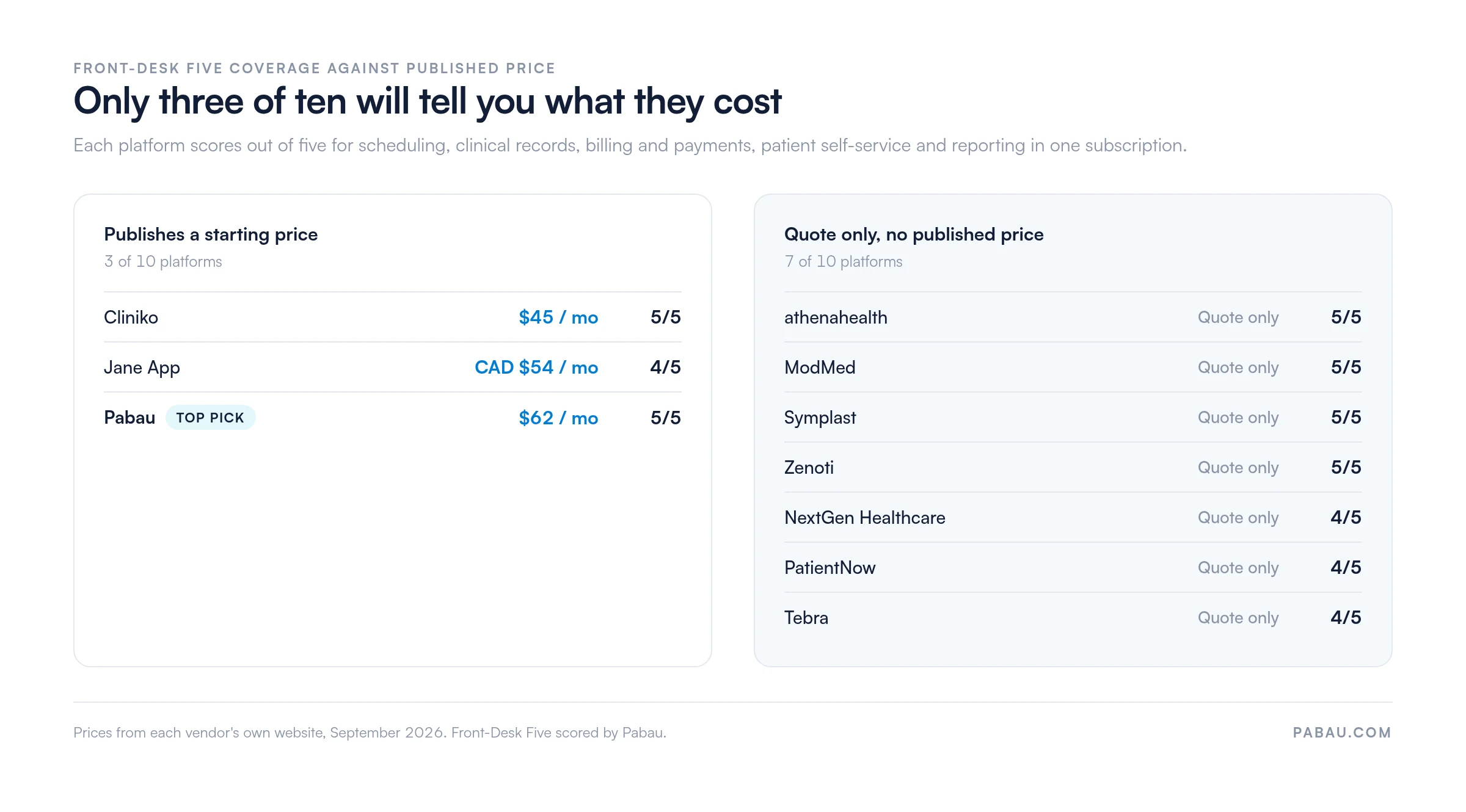
We’ve rounded up 10 of the best practce management software solutions, with Pabau taking the top spot. It offers scheduling, records, billing, patient self-service and reporting in one subscription. A close second is Tebra (formerly Kareo), though it only truly shines for US-based practices.
We scored all ten platforms below on the same five workflows a front desk touches every day, which we call the Front-Desk Five. Then we put each score against each other, as well as user scores from Capterra and G2.

1. Pabau — Best all-in-one pick, covering all five front-desk workflows in one subscription at a published price.
2. Tebra — Best for US practices that want charting, claims and patient billing from a single vendor.
3. athenahealth — Best for practices willing to pay for billing as a share of what they collect.
4. NextGen Healthcare — Best for mid-size and enterprise specialty groups with their own billing team.
5. Jane App — Best for allied health and wellness practices that want booking patients recognize.
6. Cliniko — The cheapest published way for a solo practitioner to run scheduling, notes and invoicing.
7. ModMed — Best for specialty practices whose day is built around charting.
8. Zenoti — Best for multi-location med spas running retail and memberships alongside treatments.
9. Symplast — best for aesthetic and plastic surgery practices working from phones and tablets.
10. PatientNow — best for med spas that want campaigns in the same system as the chart.
Pabau and Cliniko cover all five front-desk workflows with no add-on, and Jane App is the exception. The table below reads score against price.
The Front-Desk Five is our test, and it is deliberately narrow. A platform earns one point for each of these five workflows it includes without a second product or a paid add-on from the same vendor:
| Provider | Best for | Published starting price | Front-Desk Five |
|---|---|---|---|
| Pabau | All five workflows in one subscription | $104 / month, one user | 5/5 |
| Tebra | US practices wanting charting and claims together | Quote only | 4/5 |
| athenahealth | Practices paying for billing out of collections | Quote only | 5/5 |
| NextGen Healthcare | Mid-size and enterprise specialty groups | Quote only | 4/5 |
| Jane App | Allied health and wellness practices | CAD $54 / month, one practitioner | 4/5 |
| Cliniko | Solo practitioners and small practices | $45 / month, one practitioner | 5/5 |
| ModMed | Specialty practices built around charting | Quote only | 5/5 |
| Zenoti | Multi-location med spas and wellness groups | Quote only | 5/5 |
| Symplast | Aesthetic and plastic surgery practices | Quote only | 5/5 |
| PatientNow | Med spas that want marketing in the chart | Quote only | 4/5 |
Three readings matter here. First, a high score is common. Six of the ten platforms cover all five workflows, so coverage alone will not narrow your shortlist. Second, price is where the field thins out fast.
Third, the four platforms scoring 4/5 each lose a different workflow. Tebra and NextGen keep patient self-service in a separate plan. Jane App charges extra for insurance claims, and PatientNow holds the full EMR in its higher tier. Work out which one you would miss before the sales call.
Feature lists and star ratings carry most comparisons in this category. This guide runs on published prices and workflow coverage instead. The best software for a four-room practice is rarely the one with the longest feature table.
Pabau covers all five front-desk workflows in every subscription and publishes what that costs.
Pabau is the right pick for a practice that wants one system behind the front desk rather than four that almost talk to each other. The platform is practice management software built for medical aesthetics, wellness and private practice.
Pabau scores 5/5 on the Front-Desk Five. Scheduling, clinical records, billing and payments, the patient-facing Client Portal and reporting all ship in every subscription, with no tier that locks a feature away.
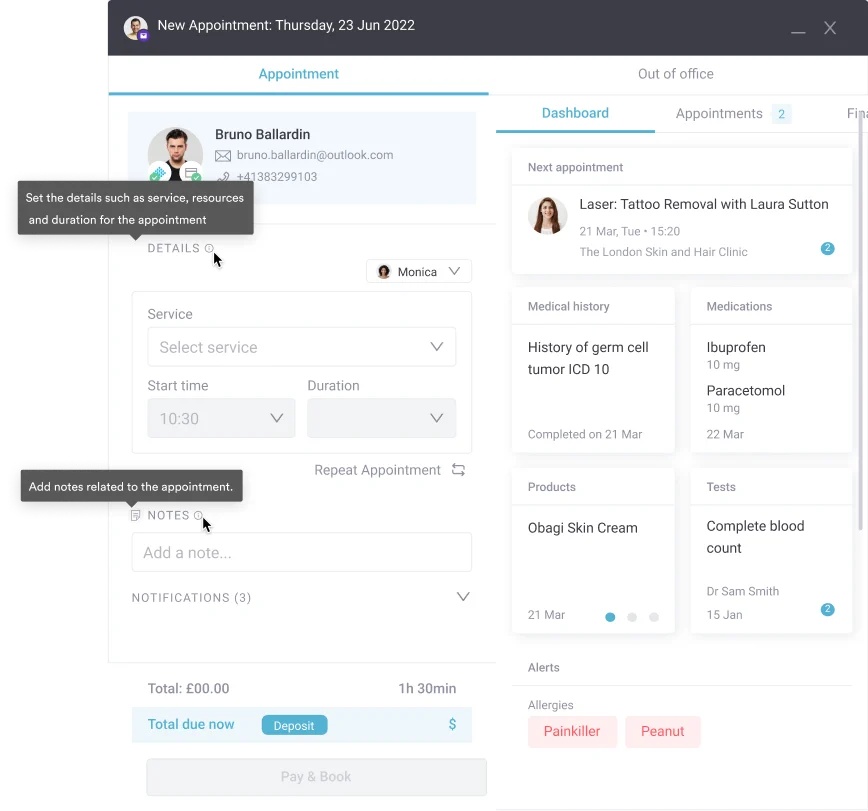
The daily payoff sits in the joins. Patients complete medical history and consent forms online before the visit, and the answers land on the patient record instead of an inbox. Pre-care and aftercare messages fire from the booking, so nobody types them out again.
Prescribing, before-and-after photos and stock all sit against the same record. Pabau Scribe, our AI scribe, drafts the treatment note from the consultation, which is the part of the day most practitioners want back.
Where Pabau asks more of you is setup. The platform is deep, so it is configured with a Client Coordinator during structured onboarding rather than switched on in an afternoon. A practice that only wants a documentation tool will find it more than it needs.
| Plan | Price | Users | Key inclusions |
|---|---|---|---|
| One user | $62 / month | 1 | Full platform, unlimited patients |
| Team and above | Quoted per practice | 2+ | Full platform, priced per user and location |
Pricing scales with users and locations, and pabau.com publishes the one-user starting price. Marketing Plus, Care Plus, Insights Plus and Engage Plus are optional add-ons on top of a subscription that already includes marketing, patient care and reporting.
Tebra suits independent US practices that want an EHR and a billing engine bought from the same vendor.
Tebra is built for independent US practices that bill insurance and want the charting and the claims to come from one vendor. Tebra was formed from the merger of Kareo and PatientPop, which is why the billing and the marketing halves still feel distinct.
Tebra scores 4/5 on the Front-Desk Five. Clinical records, scheduling, billing and reporting sit in the core product, but patient self-service arrives through the separate Patient Experience and Marketing plan.
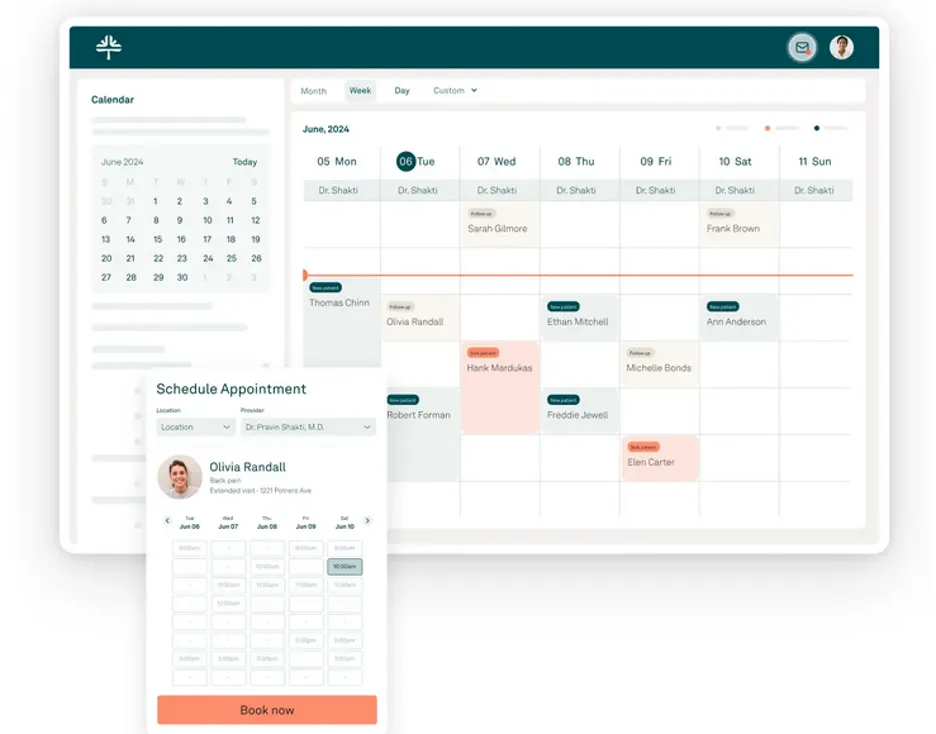
The strength is the claims path. Charge capture, clearinghouse submission and denial work happen inside the same product as the note, so a coder is not re-keying from a PDF. Practices that outsource billing today often buy Tebra to bring it back in house.
The weakness is the shape of the offer. Tebra names five plans and prices none of them, so a two-physician practice cannot compare it against Cliniko or Pabau without booking a call first.
| Plan / Tier | Price | Details |
|---|---|---|
| 5 tiers by feature | Not publicly accessible | Pricing tailored during demo; request a quote |
Tebra publishes no figures and says pricing depends on provider count, the features a practice needs and the implementation. Ask which plan the online booking sits in before you compare that quote with a published price.
athenaOne bundles records, revenue cycle and patient engagement, and charges a share of what the practice collects.
athenahealth suits an established US practice that would rather pay for billing out of collections than out of a fixed subscription. athenaOne bundles the record, the revenue cycle and patient engagement into one service.
athenahealth scores 5/5 on the Front-Desk Five, because athenaOne carries scheduling, clinical records, billing, patient self-service and reporting in a single agreement.
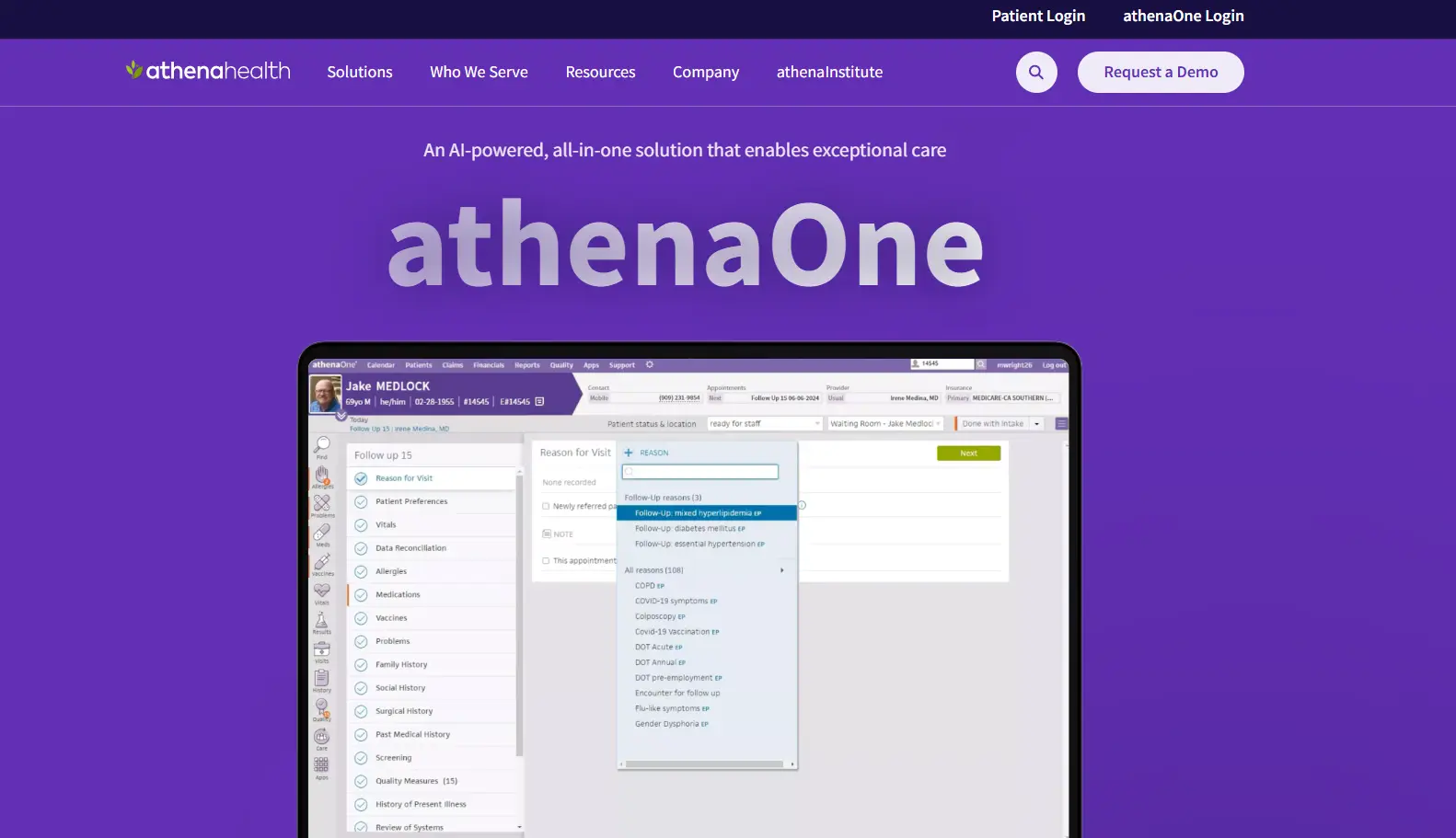
The pricing model is the story. athenahealth states that its cost is based on a percentage of what a practice collects, and it quotes each practice individually. A slow quarter costs you less, and a strong year costs you more.
That model rewards volume and punishes margin. Run the percentage against your own collections before comparing it with a per-user subscription. The two numbers behave very differently as a practice grows.
| Plan | Price | Users | Key inclusions |
|---|---|---|---|
| athenaOne | Quote only, a percentage of collections | Custom | Records, revenue cycle, patient engagement |
athenahealth publishes no rate. Its own cost pages explain the percentage-of-collections model and route every practice to a customized quote, so budgeting means modeling your own collections first.
NextGen fits larger specialty groups that can staff an implementation and want each layer configured separately.
NextGen Healthcare is aimed at mid-size and enterprise specialty groups that can put project time behind an implementation. Smaller practices are pointed at NextGen Office instead, which is the company’s packaged product for that end of the market.
NextGen scores 4/5 on the Front-Desk Five. The EHR, practice management and analytics lines cover four of the workflows, while patient experience is sold as its own solution line on top.
The depth is genuine. Specialty content, configurable workflows and the Mirth integration tooling are the draw. NextGen is a reasonable answer when a group moves data between systems it does not control.
The cost of that depth is configuration. A two-person practice will spend more time setting NextGen up than running it, which is why the packaged NextGen Office exists.
| Plan | Price | Users | Key inclusions |
|---|---|---|---|
| NextGen Office | Quote only | Custom | Packaged EHR and practice management for small practices |
| NextGen Enterprise | Quote only | Custom | EHR, practice management and revenue cycle services |
NextGen publishes no price on either product and routes buyers to a sales conversation. Ask for the patient portal and the analytics line to be itemized, since neither is automatically inside an EHR quote.
Jane App gives allied health practices a booking experience patients recognize, at a price the vendor publishes.
Jane App is the strongest fit for allied health and wellness practices where patients book themselves and clinicians chart between sessions. Physical therapy, chiropractic, massage and mental health teams make up most of its base.
Jane App scores 4/5 on the Front-Desk Five. Scheduling, clinical records, patient self-service and reporting all ship inside the plan. Billing and payments is the workflow that loses the point, because insurance claims run through a paid add-on.
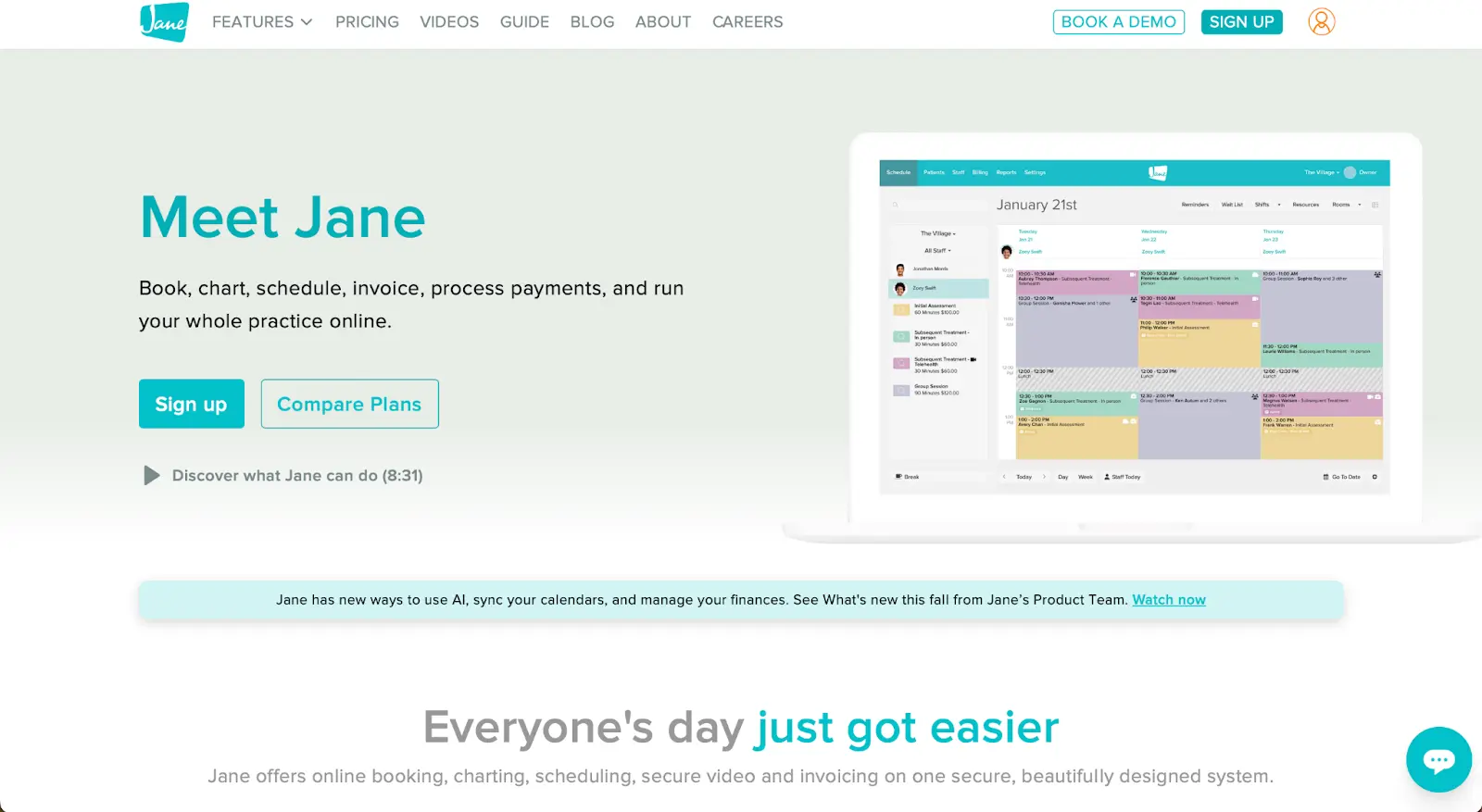
Jane is also unusually open about money. All three plans carry a public figure, and so do the per-practitioner license fees on top. That alone puts it ahead of seven platforms in this guide.
Two limits matter. The entry plan stops at 20 appointments a month, so a working practice starts at the middle tier. Prices are published in Canadian dollars, which US buyers need to convert before comparing.
| Plan | Price | Users | Key inclusions |
|---|---|---|---|
| Balance | CAD $54 / month | 1 practitioner | Core features, 20 appointments a month |
| Practice | CAD $79 / month | 1 full-time practitioner | Unlimited appointments, free SMS reminders |
| Thrive | CAD $99 / month | 1 full-time practitioner | Practice plus advanced scheduling and engagement |
Jane App publishes these figures in Canadian dollars on its own pricing page. Extra practitioners are charged per license, and AI scribe, group telehealth and insurance billing are add-ons on top of the plan.
Cliniko is the cheapest published way to run scheduling, notes and invoicing properly from day one.
Cliniko is the cheapest published route into proper practice management, at $45 a month for one practitioner. It suits a solo clinician or a small team moving off a paper diary and a shoebox of notes.
Cliniko scores 5/5 on the Front-Desk Five, because every Cliniko feature is included on every plan. You pay for the number of practitioners, not for the functions you unlock.

The pricing is banded by practitioner count, which makes the next two years easy to forecast. A practice growing from two to six clinicians can see the step before it takes it.
Cliniko’s limits show up later. Financial and marketing reporting is the lightest in this guide, and SMS reminders carry a separate cost. Complex billing rules are also harder to model than in the enterprise platforms.
| Plan | Price | Users | Key inclusions |
|---|---|---|---|
| 1 practitioner | $45 / month | 1 | Every Cliniko feature |
| 2 to 5 practitioners | $95 / month | 2–5 | Every Cliniko feature |
| 6 to 8 practitioners | $145 / month | 6–8 | Every Cliniko feature |
| 9 to 12 practitioners | $195 / month | 9–12 | Every Cliniko feature |
| 13 to 25 practitioners | $295 / month | 13–25 | Every Cliniko feature |
| 26 to 200 practitioners | $395 / month | 26–200 | Every Cliniko feature |
These bands are published on Cliniko’s own pricing page. SMS messages are billed separately, so add your reminder volume to the monthly figure before comparing it with a per-user plan.
ModMed is charting-first software for specialties where the note carries the visit and the claim.
ModMed is the pick for a specialty practice where the clinical note drives the visit, the code and the claim. Dermatology, ophthalmology, orthopedics and gastroenterology are its strongest ground.
ModMed scores 5/5 on the Front-Desk Five. Its bundles put the EHR, practice management, payments and analytics under one agreement rather than selling them piece by piece.

Physicians tend to like it for the same reason administrators find it heavy. The templates are written around how a specialist works, which means the front desk inherits screens designed for the exam room.
ModMed also keeps every figure off its website. A practice comparing it with Pabau or Cliniko is comparing a known monthly figure with a number that only arrives after a sales process.
| Plan / Tier | Price | Details |
|---|---|---|
| Fundamentals+ / Premium+ / Enterprise | Not publicly accessible | Tiers named but no prices; contact sales |
ModMed groups its products into bundles and publishes no figure for any of them. Pricing follows specialty, practice size and the products included, so each quote is built from scratch.
Zenoti runs multi-location med spa operations, from rosters and retail to memberships and reporting.
Zenoti is aimed at multi-location med spas and wellness groups that run retail, memberships and treatments from the same counter. Zenoti is an operations platform first and a clinical one second.
Zenoti scores 5/5 on the Front-Desk Five, with scheduling, records, point of sale, online booking and reporting inside Zenoti OS. The AI Plus package is the only named add-on, and none of the five sits behind it.

For a group, that breadth is the point. Staff rosters, stock, packages and campaign performance roll up across sites, so a regional manager is not stitching together five spreadsheets each Monday.
For a single practice it is a lot of machinery. Setup is a project with its own timeline, and the configuration depth that suits a 20-site group becomes overhead for one treatment room.
| Plan | Price | Users | Key inclusions |
|---|---|---|---|
| Zenoti OS | Quote only | Custom | Scheduling, records, POS, marketing, reporting |
| AI Plus | Quote only | Custom | AI agents, sold on top of Zenoti OS |
Zenoti publishes no figures and says multi-location pricing is customized to a group’s footprint. Onboarding and payment processing are usually quoted alongside the subscription, so ask for all three together.
Symplast puts the whole platform on a phone, which suits injectors and surgeons who never sit at a desk.
Symplast fits aesthetic and plastic surgery practices whose practitioners work from a phone or tablet rather than a desk. Photography, notes and payments are all designed to happen in the treatment room.
Symplast scores 5/5 on the Front-Desk Five. Its entry Launch tier is described as the complete platform, so the higher tiers add growth services rather than unlocking software.

In-room photography is the differentiator. Before-and-after images are captured against the patient record instead of a personal camera roll, which removes a familiar compliance headache.
The trade-off is clinical depth. Symplast is lighter than a specialty EHR for complex documentation, and like most of this list, it names no price.
| Plan | Price | Users | Key inclusions |
|---|---|---|---|
| Launch | Quote only | Custom | The complete platform with concierge support |
| Growth | Quote only | Custom | Launch plus a growth execution team |
| Velocity | Quote only | Custom | Invite-only growth partnership |
Symplast lists these three tiers on its own site without a figure against any of them. Because Growth and Velocity add people rather than features, ask what the software alone costs.
PatientNow pairs aesthetic practice management with campaign tooling, and splits the EMR into its higher tier.
PatientNow suits a med spa that wants campaigns, recall and the patient record in the same system. PatientNow is built around the cash-pay aesthetic model, where marketing performance is a daily operational number.
PatientNow scores 4/5 on the Front-Desk Five. Its Essentials tier targets aesthetic and cash-pay practices, while full EMR, labs and insurance sit in the Pro tier above it.
The appeal is attribution. A practice can follow a lead from a campaign through to a booked treatment without exporting lead data into a separate marketing tool.
The catch is the tier split. If a practice bills insurance or orders labs, the entry tier will not do, and neither tier carries a public price to compare.
| Plan | Price | Users | Key inclusions |
|---|---|---|---|
| Essentials | Quote only | Custom | Practice management for aesthetic and cash-pay practices |
| Pro | Quote only | Custom | Adds full EMR, labs and insurance |
PatientNow names both tiers on its own pricing page and publishes no figure for either. Quotes are built per practice, so confirm which tier your billing model requires.
Score your shortlist on the Front-Desk Five first, then rule out any platform that cannot cover all five without a second purchase. That single test removes more candidates than any feature list will.
After that, the questions below decide the contract. Each one names a practice management feature worth checking before a demo rather than during one.
Doctor practice management software has to carry the whole visit, from the booking to the follow-up, without the record leaving the system. That means the booking, the note, the charge, the payment and the recall all sit in one place. A narrower system leaves someone re-keying the same information.
That is a higher bar than it sounds. Plenty of doctors office software handles the calendar beautifully and then hands the charge to a separate billing product, which is where the errors start.
When you test practice management software for doctors, run one patient end to end. Book them, chart the visit, raise the invoice, take the payment and send the follow-up, then check what a colleague can see. Any step that needs a second system shows up within minutes.
What a colleague can see is also a communication question. Our guide to clinical team communication lists the questions that separate a workable platform from another messaging app.
Appointment scheduling is the workflow to test hardest, because it touches every other one.
Every practice keeps something outside the platform. Accounting, a payment processor, a lab, a calendar the owner already lives in, sometimes a group’s reporting warehouse. Our guide to healthcare reporting tools explains when a larger group needs that warehouse, and when a single site doesn’t.
Ask three questions of any vendor. Which integrations are native, which are included in the subscription rather than charged for, and what happens when there is no native connection.
Pabau connects to more than 30 third-party tools, including Stripe, Xero, Google Calendar, Zoom and HubSpot, and those connections are included in every subscription. Where no native connection exists, Zapier, Make and an open API cover the rest.
The enterprise platforms answer this differently. NextGen sells Mirth integration tooling, which is powerful and expects a technical owner inside the practice.
No vendor can hand a practice HIPAA compliance. Compliance is a shared job, so the question is which parts the software covers and which parts stay with the practice.
Get these four commitments in writing before signing:
The business associate agreement is needed with every vendor that handles protected health information, so a practice running five tools maintains five of them. A medical practice startup checklist groups those agreements with the written security risk assessment, and both are finished before opening day.
Before-and-after photos deserve their own question. In aesthetics they are protected health information, and a camera roll is the most common place a practice quietly breaks its own policy.
Implementation runs in three stages: migrate the data, configure the workflows, then adopt the features you did not buy on day one. Skipping the middle stage is why most switches disappoint.
In the practices we onboard, the smooth go-lives share one habit. They set booking rules, forms and payment flows properly before the first patient is booked. The ones that struggle migrated their data and went straight to business as usual.
Pabau handles that sequence with a dedicated Client Coordinator and a documented onboarding portal. Structured onboarding replaces a free trial, so nobody is left configuring a deep platform alone.
Ask every vendor the same three questions. Who migrates the historical records, who configures the workflows, and what does that work cost on top of the subscription.
Specialty fit is the last filter, and it usually deserves its own shortlist. Dental practices, veterinary practices and therapy teams all run workflows this general list does not weigh. If you work in one of them, shortlist the vendors built for that field before comparing the platforms here.
Small medical practice management software should cost a predictable monthly figure, install without a consultant and still cover all five front-desk workflows. Cliniko, Pabau and Jane App are the three platforms here that meet that description.
Under five clinicians, the enterprise platforms work against you. Their configuration depth needs an owner, and nobody in a three-person practice has a day a week to be that owner.
Watch the per-user line as you grow. Medical private practice software that looks cheap at one user often doubles at three, so price your headcount in 18 months, not today.
The shortlist for practices this size stays short. Pick Cliniko for the lowest published cost, Jane App for booking, and Pabau when records, payments and marketing have to sit together. The same three names answer a search for clinic management software under another label.
Online practice management software won because a practice no longer has to own a server, patch it and back it up. Nobody waits for an engineer to visit when the machine in the back office fails. Every platform in this guide now runs this way.
The practical differences show up in the working week. Updates arrive without a maintenance window, and a clinician can chart from a second site. A laptop left at home becomes an inconvenience rather than a crisis.
On-premise deployments still exist in large groups with specific data-residency or integration requirements. For a practice under 20 clinicians, the case for a server in the back office is now hard to make.
Two questions still deserve an answer. Where is the data hosted, and what is the vendor’s published uptime and backup schedule? A hosted system is only as good as the answers to those.
Medical practice management software runs the business side of a practice, covering scheduling, patient records, billing, payments and reporting from one system. Modern platforms add clinical charting, so the same record carries the appointment and the note.
Vendors label the same category in several ways. A total practice management system, practice management software healthcare buyers compare, medical office software and clinical management software all describe the tools reviewed above. Searches for the best clinic management software land on the same shortlist.
There is one shade of difference worth knowing. Products sold as clinical management software lead with charting, prescriptions and treatment notes. Products sold as practice management lead with the front desk, the diary and the money.
Compare the workflows rather than the label. Every platform in this guide crosses both sides of that line to some degree.
An EMR holds the clinical record, and practice management software runs the business around it. The diary, the charges, the payments and the reporting all sit on the practice management side. An EHR is an EMR designed to be shared with other providers, and our EMR vs EHR guide covers that distinction in full.
Buying PM software and EHR software separately is the older model, and it still works where a practice has strong billing staff. The cost lands in the join, because the same patient gets created twice and reconciled by hand.
Which EMR suits a practice depends on how it earns. A practice doing heavy medical billing practice management work needs payer rules and denial handling, which is athenahealth, Tebra or NextGen ground.
A cash-pay aesthetic or wellness practice needs the opposite. Deposits, packages, consent forms and rebooking matter far more than claim scrubbing, which is where Pabau, Symplast and Zenoti sit. A cash-pay buyer should also check how a system records treatment financing alongside the deposit and the package.
Published prices in this guide run from $45 a month to $62 a month for a single user. Seven of the ten vendors publish no figure at all. Those three figures are the only public numbers on the shortlist.
The published figure is rarely the whole bill. Budget for three more lines: implementation and data migration, per-message SMS costs, and payment processing fees on every card you take. Check, too, whether inbound replies land in the same system, which is what omnichannel patient engagement software adds.
Percentage models behave differently again. athenahealth charges against collections, so its cost rises with a good year in a way a per-user subscription does not.
When a vendor will not publish a number, ask for the three-year total on your own user count. A monthly figure without implementation and processing attached is not a comparison.
There is no credible free medical practice management software for a practice holding patient records. Free tiers exist, but they cap users, appointments or features, and some charge commission on every booking they bring you.
Commission is the one to model. A marketplace tool takes a cut of every new booking. That can cost a busy practice more in a quarter than a subscription costs in a year.
Pabau has no free trial, and that is deliberate. A practice that configures a deep platform badly on a Tuesday afternoon learns little from the exercise. Setup runs through structured onboarding with a named coordinator instead.
Most practices arrive at Pabau running four or five tools that nearly connect. A booking system, a folder of consent PDFs, a card terminal that reconciles by hand and a spreadsheet holding the numbers nobody trusts.
Pabau, our all-in-one practice management system, replaces that with one record. The appointment, the intake form, the treatment note, the photo and the invoice all attach to the same patient. No data gets copied between systems.
The outcome a practice manager notices first is quieter phones. Patients book, complete forms and rebook themselves through the Client Portal, so the front desk stops fielding calls about appointment changes.
Every Pabau subscription includes every feature, and the starting price is published. That means a practice can budget the switch before it books a single call.

Pabau covers scheduling, records, billing, patient self-service and reporting in every subscription, so your team stops entering the same patient into three systems. Pricing starts at $104 per month for one user.

The decision is smaller than the shortlist makes it look. A solo practitioner on a budget should take Cliniko, and an allied health team should look hard at Jane App. A practice that wants records, money and patient communication in one subscription should take Pabau.
The enterprise platforms earn their place when claim volume or site count justifies an implementation project. Below that line, their configuration depth becomes a cost rather than a capability.
One habit is worth keeping from this exercise. Score every vendor on the Front-Desk Five, then ask for the three-year total. Treat a refusal to publish any price as information rather than an inconvenience.
Pabau publishes its starting price and includes every feature in it. Book a demo to see how one subscription runs scheduling, records, billing, patient self-service and reporting for your practice.

Where does the day slow down? Patient flow shows how to find and fix the bottlenecks between booking and checkout.
Buying software to support growth? How to grow your private practice sets out the levers that matter before a new system arrives.
Unsure where the record ends and practice management begins? EMR vs EHR explains the difference and which record type a practice needs.
Comparing hosted platforms next? Best SaaS EHR software compares six cloud systems on price and clinical depth.
Need the evidence before you switch? EHR benefits for private practices collects what practices report on time saved and errors avoided.
Pabau is the best overall pick, because it covers scheduling, records, billing, patient self-service and reporting in one subscription from $62 a month. Cliniko is the cheapest published option for a solo practitioner, and Jane App suits allied health teams.
The best EMR depends on how the practice earns. athenahealth, Tebra and NextGen Healthcare suit practices billing commercial insurance, ModMed suits specialties that chart heavily, and Pabau suits cash-pay aesthetic and wellness practices.
An EHR holds the clinical record, while practice management software runs the diary, the charges, the payments and the reporting around it. Buying PM software and EHR software separately means the same patient is created twice and reconciled by hand.
Published prices start at $45 a month for one practitioner with Cliniko and $104 a month for one user with Pabau. Seven of the ten platforms in this guide publish no price, so add implementation, SMS and card processing before comparing quotes.
No free platform safely runs a practice holding patient records. Free tiers cap users, appointments or features. Marketplace tools take commission on the bookings they send you, which costs a busy practice more than a subscription.
Cliniko is best for a solo practitioner at $45 a month. Pabau is the stronger medical private practice software once records, payments and patient communication have to sit together. Both cover all five front-desk workflows without add-ons.