Before and after photo software
Capture results. Track progress. Stay HIPAA compliant
Stop scattering photos across devices. Pabau’s before and after photo software keeps everything organized, compliant, and easy to find.
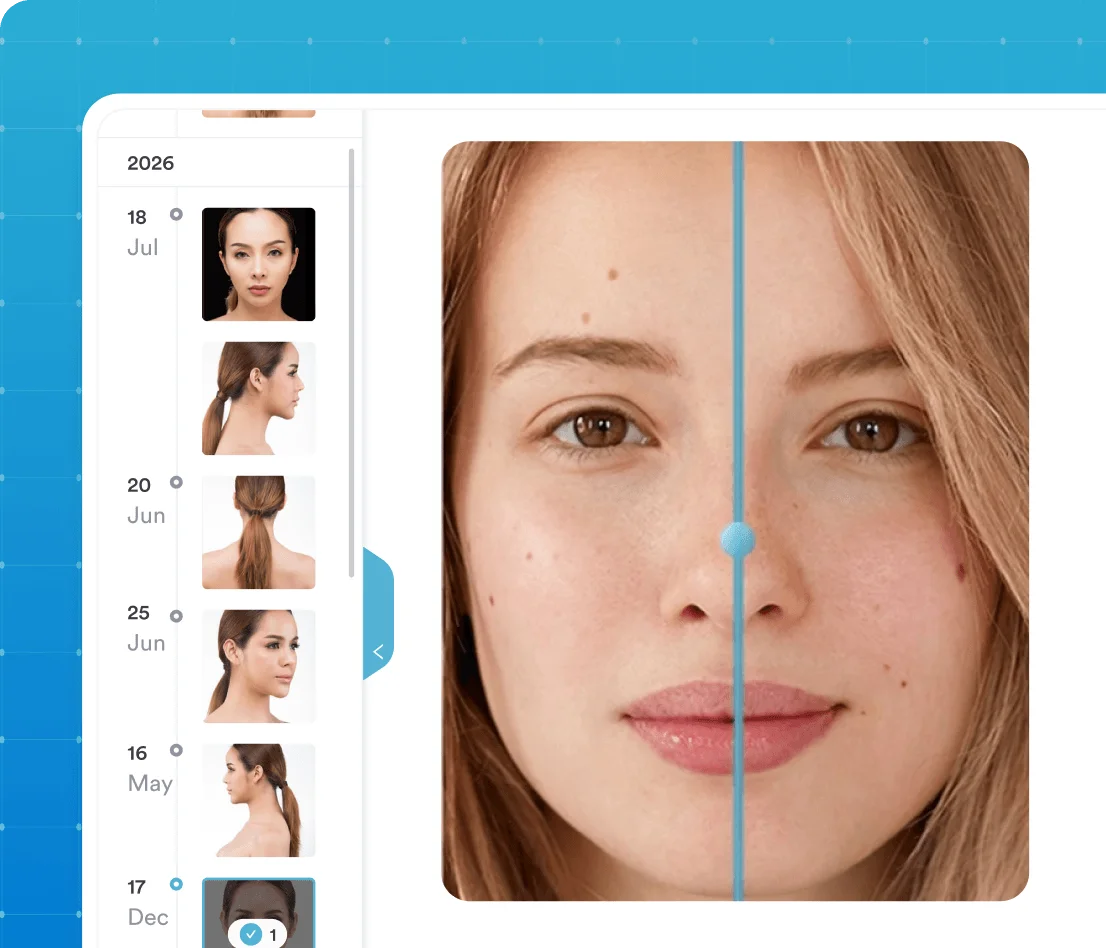


Part of Pabau, the practice management platform behind 4,000+ medical practices and medspas across the UK, US and globally



A before and after photos app that saves straight to the client card
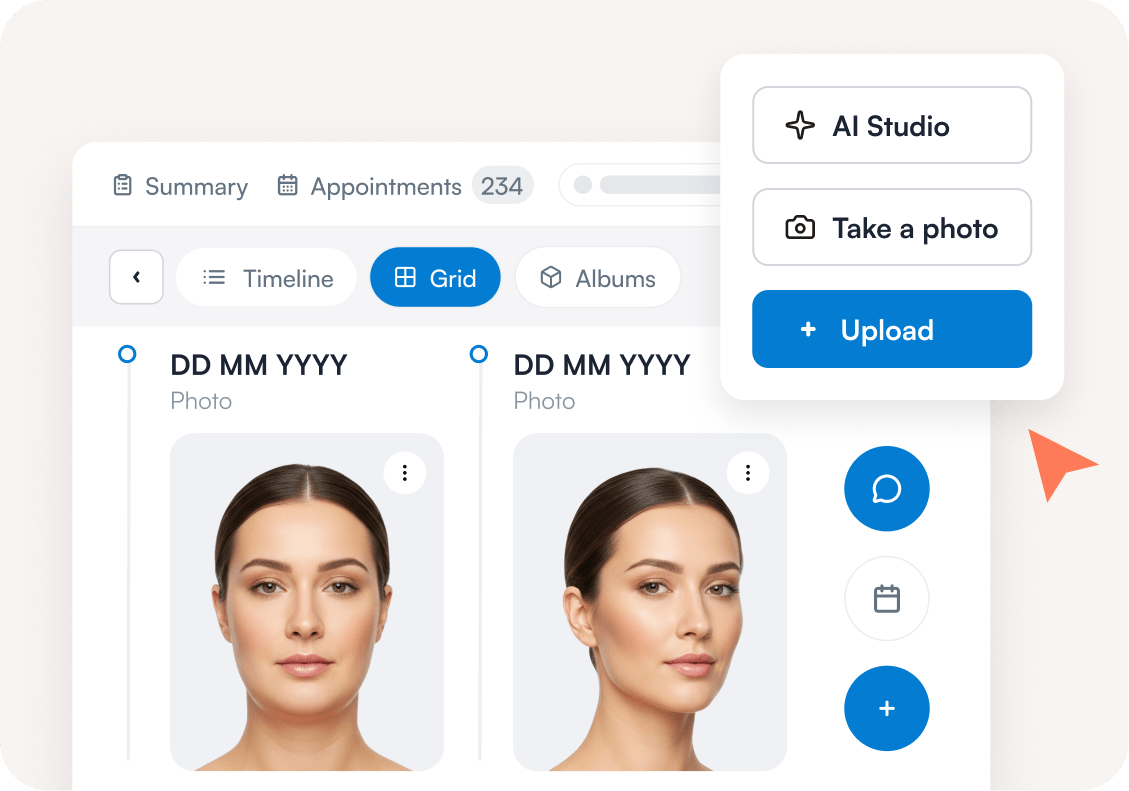
Capture before and after photos from any device — desktop, phone, or tablet — and store them directly in the client card.
No more digging through personal camera rolls or random folders. Each image saves instantly to the client profile, ready to view, compare, and share when you need it.
HIPAA compliant photo sharing in a couple of clicks
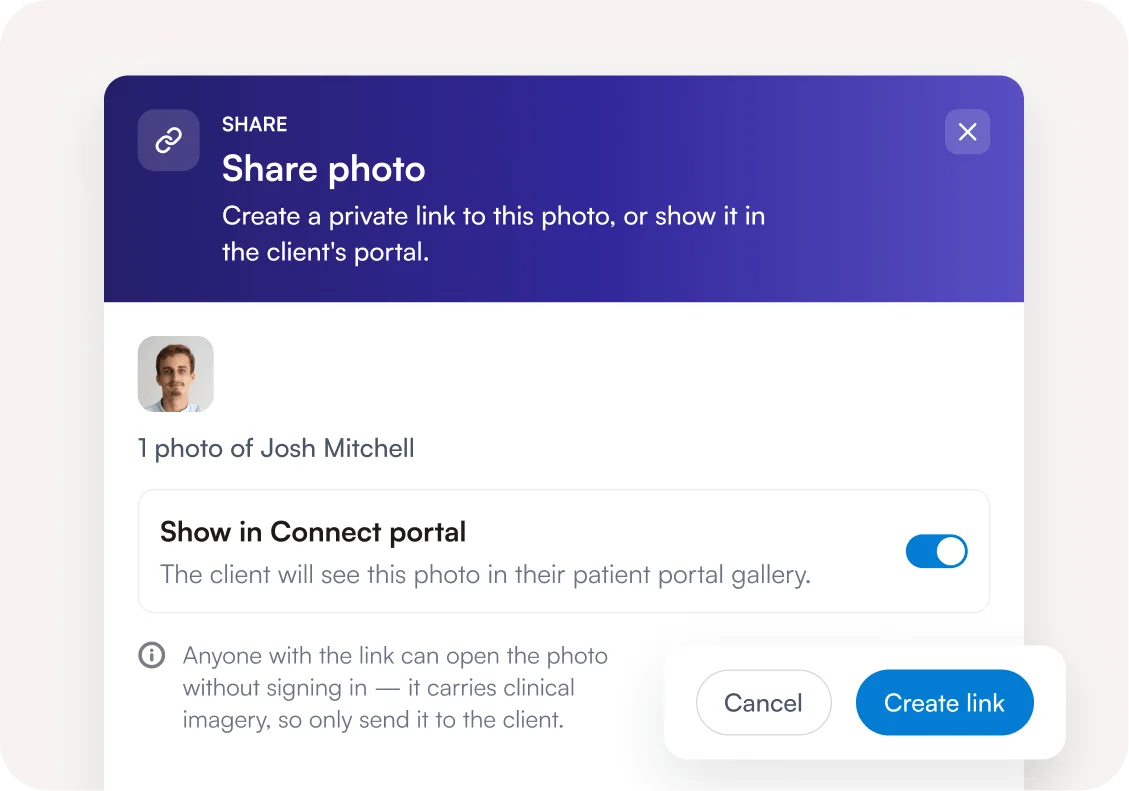
No exporting, no attachments, no transferring files between systems. Select the photos you want, and Pabau creates a share link for each one, ready to copy and send straight to your client.
Never forget photos again with our clinical photography app
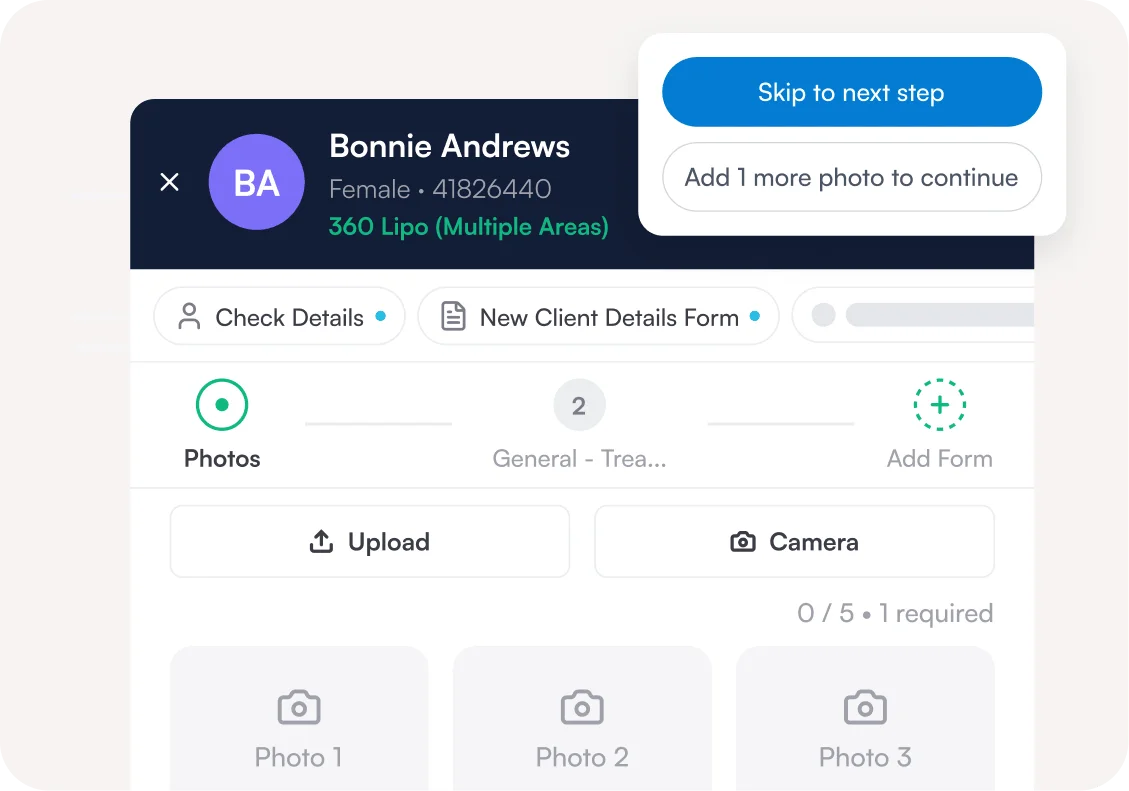
Worried about missing those all-important before photos? Don’t be. Use Pabau’s iOS app to snap photos on your iPhone or iPad as soon as clients arrive.
Built-in prompts sit inside the patient journey, alongside intake forms and appointment steps. Taking photos becomes part of your process, so they never slip through the cracks.
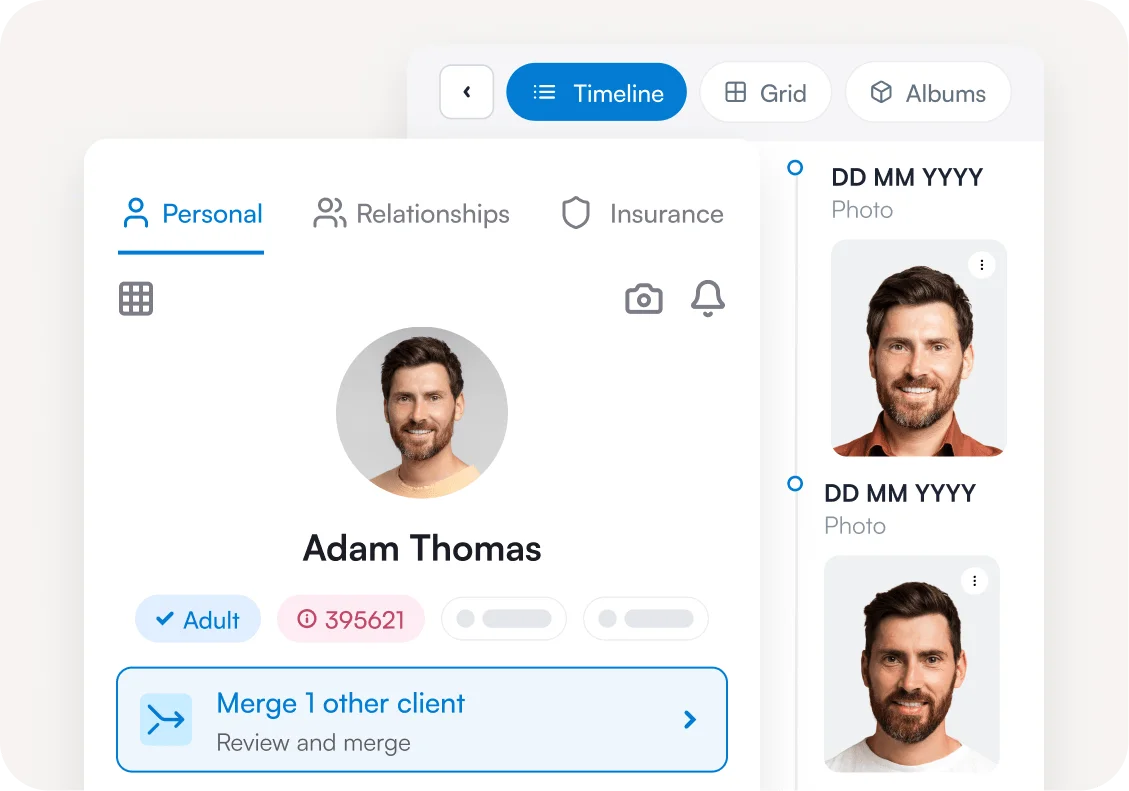
HIPAA compliant photo storage you can search in seconds
Access client photos in seconds directly from the client card — no more hunting through camera rolls or toggling between platforms.
Photos stay in folders within the client profile, encrypted in the cloud and available to your whole medical team.
Stay ahead of compliance issues
Keeping client photos on a personal phone isn’t secure, and it puts your practice at risk if a complaint arises.
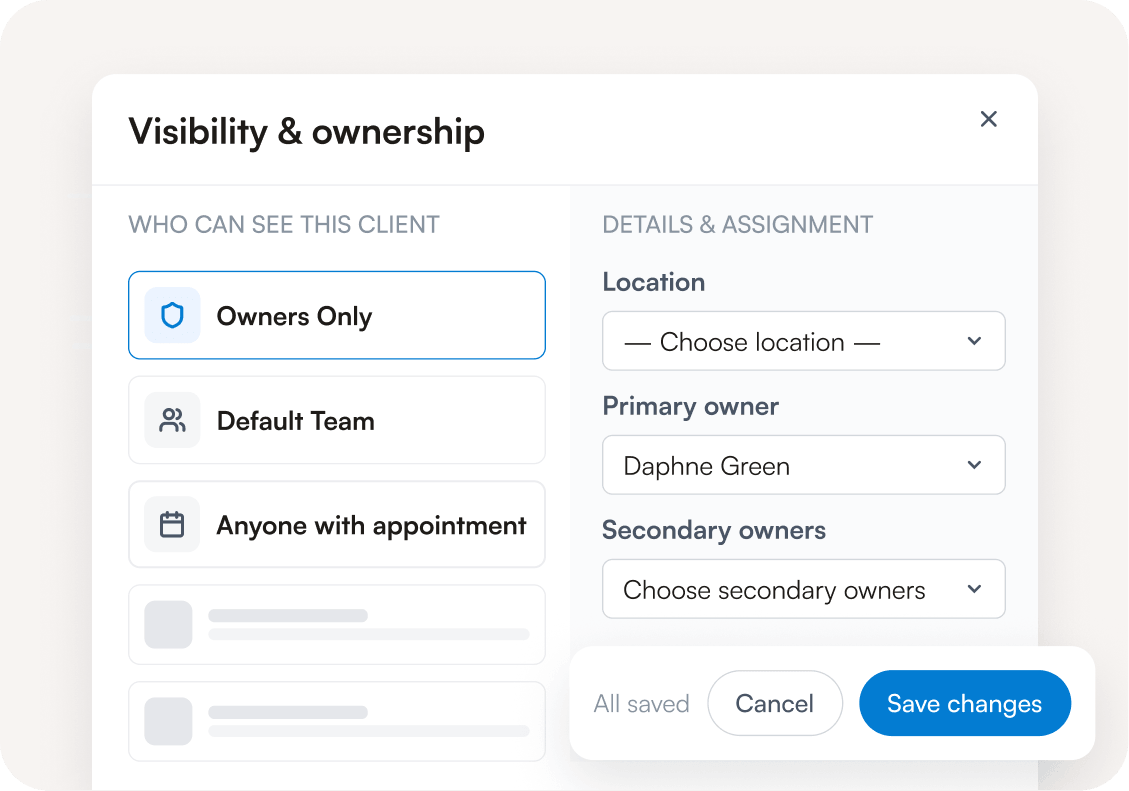
With Pabau, photos sync straight to the client card behind role-based permissions. Only authorized team members can open them, which supports the access controls HIPAA expects of your practice.
Find out if Pabau is the right fit for you
Frequently asked questions
Before and after photo software stores and compares clinical treatment photos inside the patient record. Unlike a camera roll or a general cloud folder, it’s built for progress tracking, outcome documentation and compliant storage. That combination is what makes it useful for both audits and client conversations.
Pabau supports HIPAA compliance with authorized-personnel access, audit logs, encryption, and secure storage, plus a HIPAA compliance toggle in your settings. You still need your own policies and procedures for handling patient images.
Photos upload from the app or the client card into the client record, encrypted in the cloud. Sharing creates a link for each photo from that record, so images never travel as attachments. Role-based permissions decide who can open the record and the photos inside it.
Yes. Pabau includes more than 40 ready-made form templates, consent forms among them, plus a drag-and-drop builder for your own HIPAA compliant photo release form.
Our before and after photo consent form guide walks through what a medical spa version needs.
Start with who takes photos and on which device. Then set out where images are stored, who can view them, and how long you keep them.
Pabau covers the storage and access half of those clinical photography guidelines through the client record and role-based permissions.
Yes. Pabau GO, our iOS app, doubles as a medical before and after photo app on iPhone and iPad. Images sync to the client record in real time, with no device transfer step.
Storing client photos in a camera roll causes three problems. They’re hard to find when you need them. They also blur the line between work and personal life, and they sit outside your data protection controls.
A dedicated clinical photography app keeps patient images organized and inside your compliance perimeter.
There are a couple of ways to do this. You can add them via Pabau or from a third-party device via the client record. Alternatively, you can take photos via the Pabau GO iOS app.
These can be taken before every client appointment as part of our step-by-step patient journey. Any photos taken via the app will be synced to the system in real time, without the need to transfer between devices.
A built-in photo feature makes it easier to document patient progress, track treatment outcomes, and share images securely with clients. There’s no switching between separate tools or photo editing software.
Images are compressed when added to Pabau, however, they are stored at high quality.
There’s no requirement for specialist equipment, RAW files, or a professional digital camera — and no need for additional photo enhancing tools or third-party software.
To access full resolution, simply download them.
Pabau uses role-based permission settings, so only authorized personnel can open client records and photos. Encryption, secure storage, and audit logs sit behind that, supporting HIPAA compliant photo storage in your practice.
Access to photos follows access to the client record. You can restrict client records so non-medical staff can’t open them at all.
The photo feature is built into Pabau, and every subscription includes it at no extra cost. We don’t charge storage fees for patient images, so you can keep as many as your practice needs.
Yes. AI Studio is built into the client card. Open any client photo and run the analysis. Pabau detects treatable concerns in the image and ranks them by confidence. You review the findings, confirm which ones are relevant, and use them to start the consultation.

One platform for your entire practice
See how Pabau gives you all the tools you need to reduce admin, improve the patient experience, and support sustainable growth.