

Clinical letters software for practices
Dictate, draft and send clinical letters in minutes
Pabau’s clinical letters software lets you dictate, draft and send referral letters, reports and follow-ups straight from the patient record. No retyping notes, no second system.
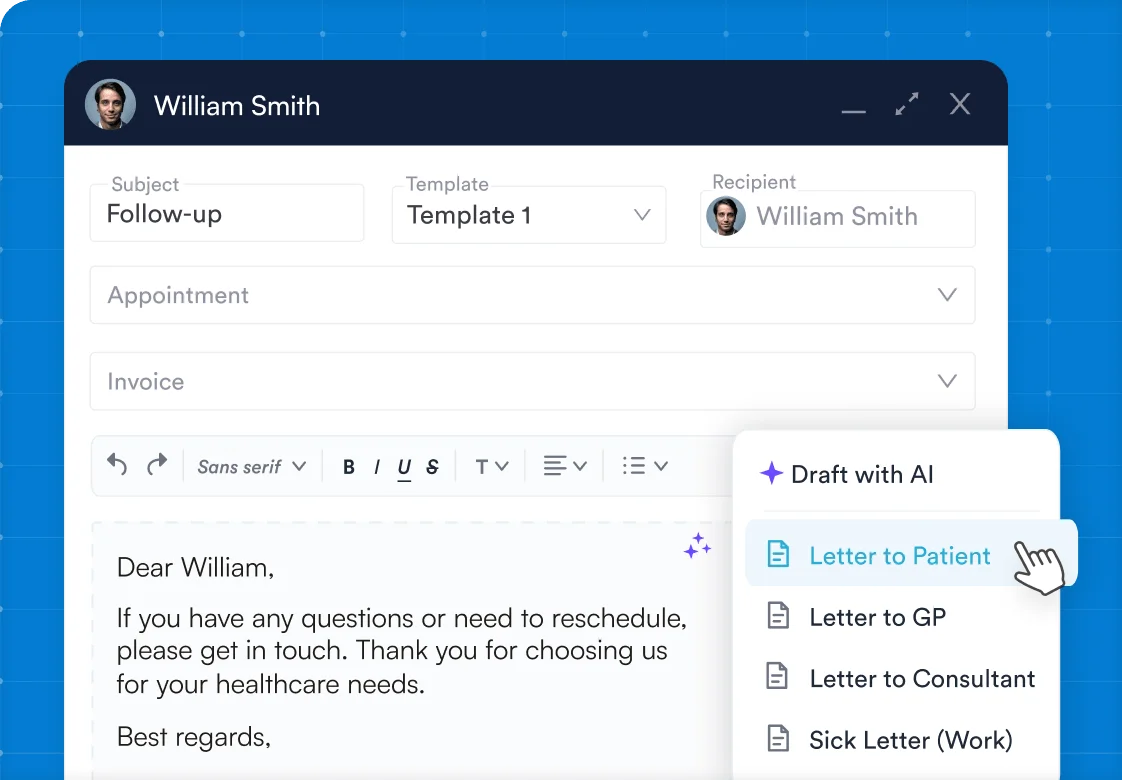


Part of Pabau, the practice management platform behind 4,000+ medical practices and medspas across the UK, US and globally



Patient letters sent before you leave the room
Referral letters, reports and follow-ups pile up at the end of a busy practice day. Pabau lets you speak a letter, have AI draft it from your treatment notes, or start from a template. Review it and send it in a few clicks. Every letter is saved to the patient record automatically.
How Pabau's letters and dictation software works
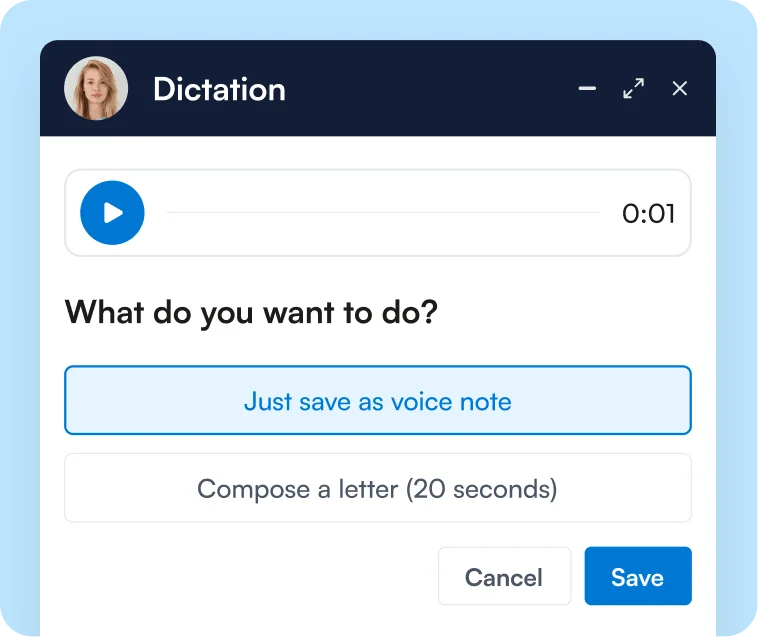
Dictate or draft
Pabau captures a short dictation, or Pabau’s AI drafts the letter from a treatment note.
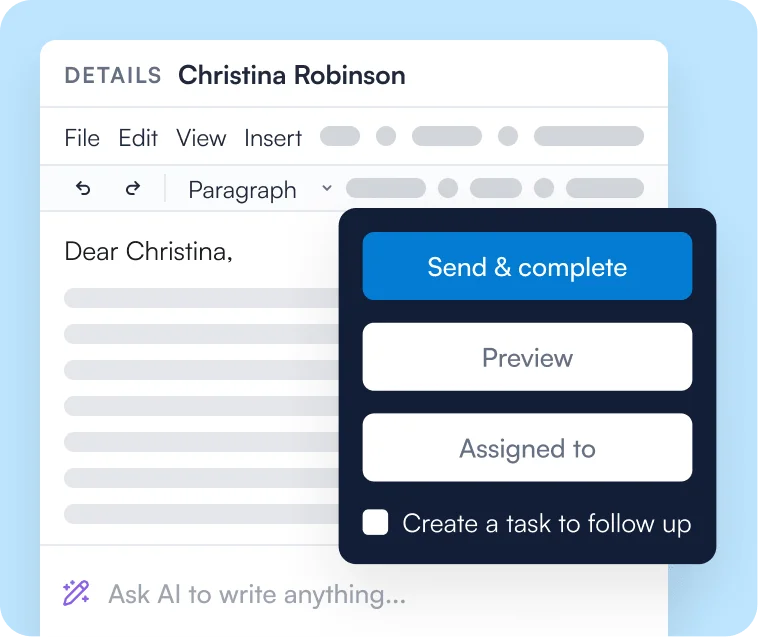
Review and edit
The chosen letter template opens with patient details already filled in by merge tags.
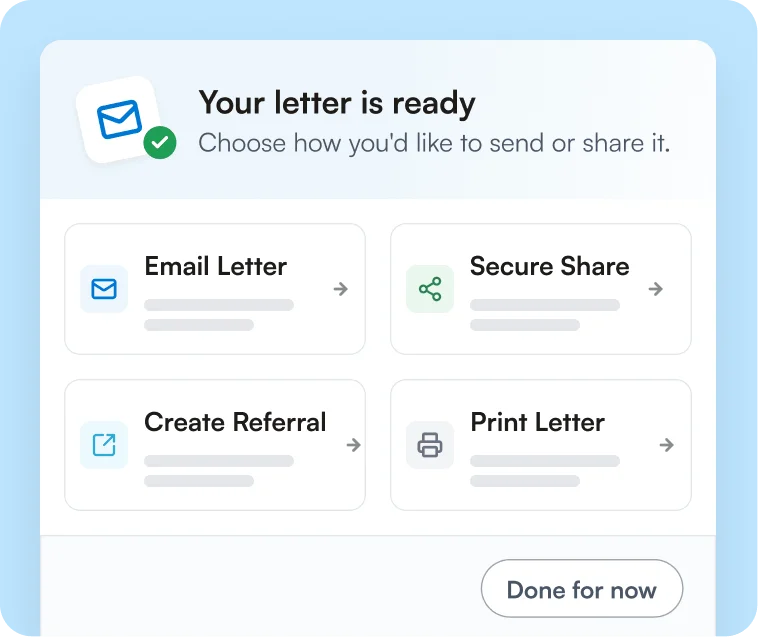
Send and store
Pabau emails or prints the letter and saves a copy to the patient record.
Medical dictation that turns your voice into a letter
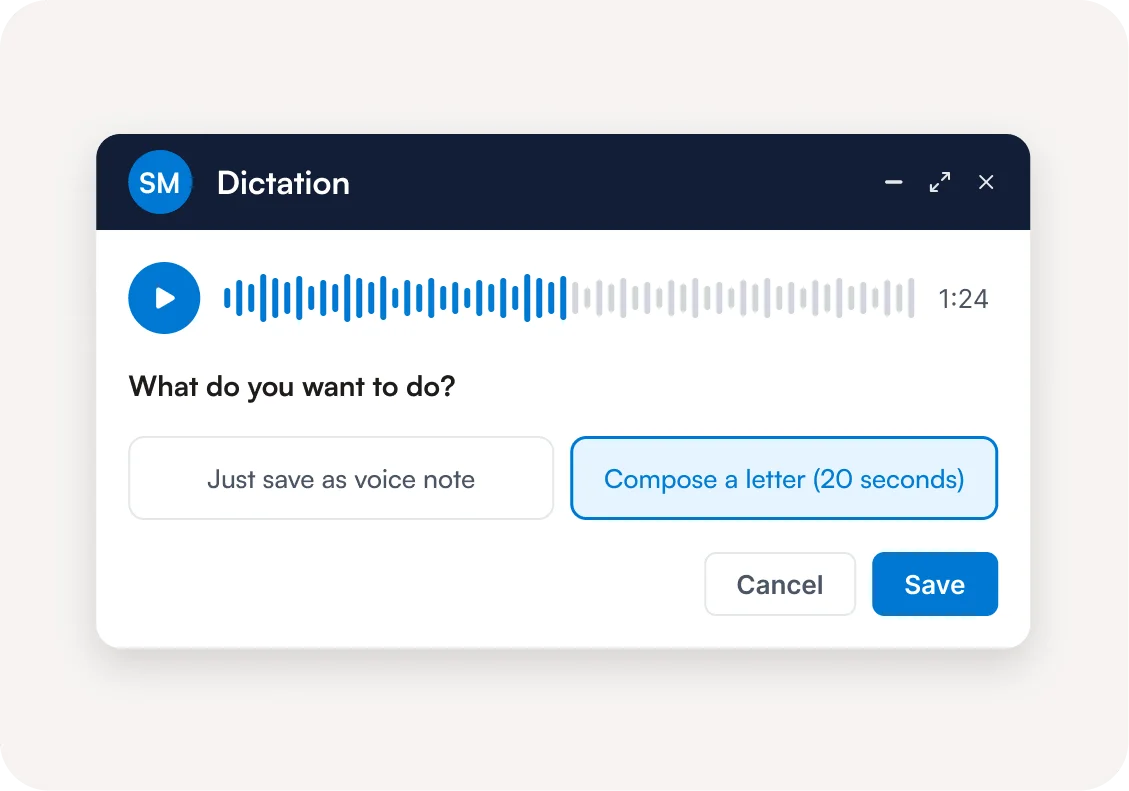
Pabau’s medical dictation software turns a short voice recording on the client card into a clinical letter. Record it after a consultation or between appointments, and play it back before you save. Keep the recording as a voice note on the patient record, or choose to compose a letter. Pabau transcribes it into your chosen template, ready to review.
AI letter writing from your treatment notes
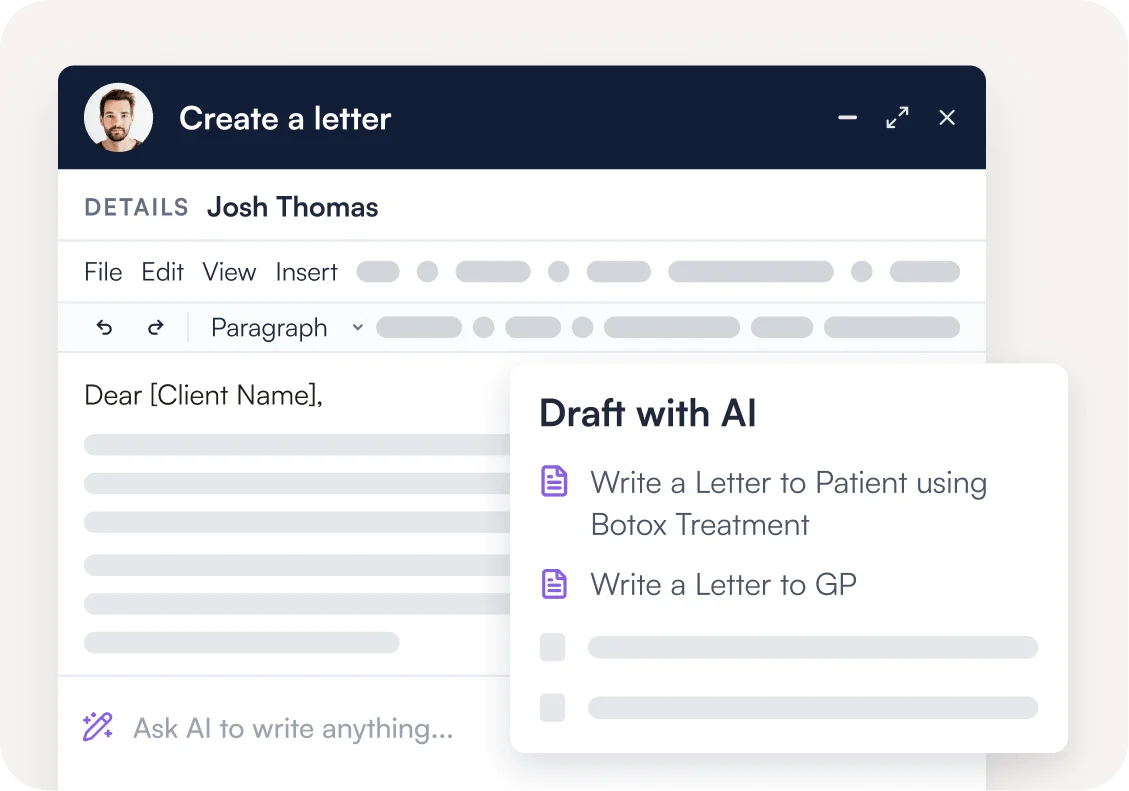
Pabau’s AI letter writing drafts a clinical letter from the patient’s treatment notes when you choose “Draft with AI.” Address it to the patient, or to their GP or primary care physician. Need something different? Tell the AI what to write in your own words. You review every draft before it goes anywhere.
Referral letter templates with patient details filled in
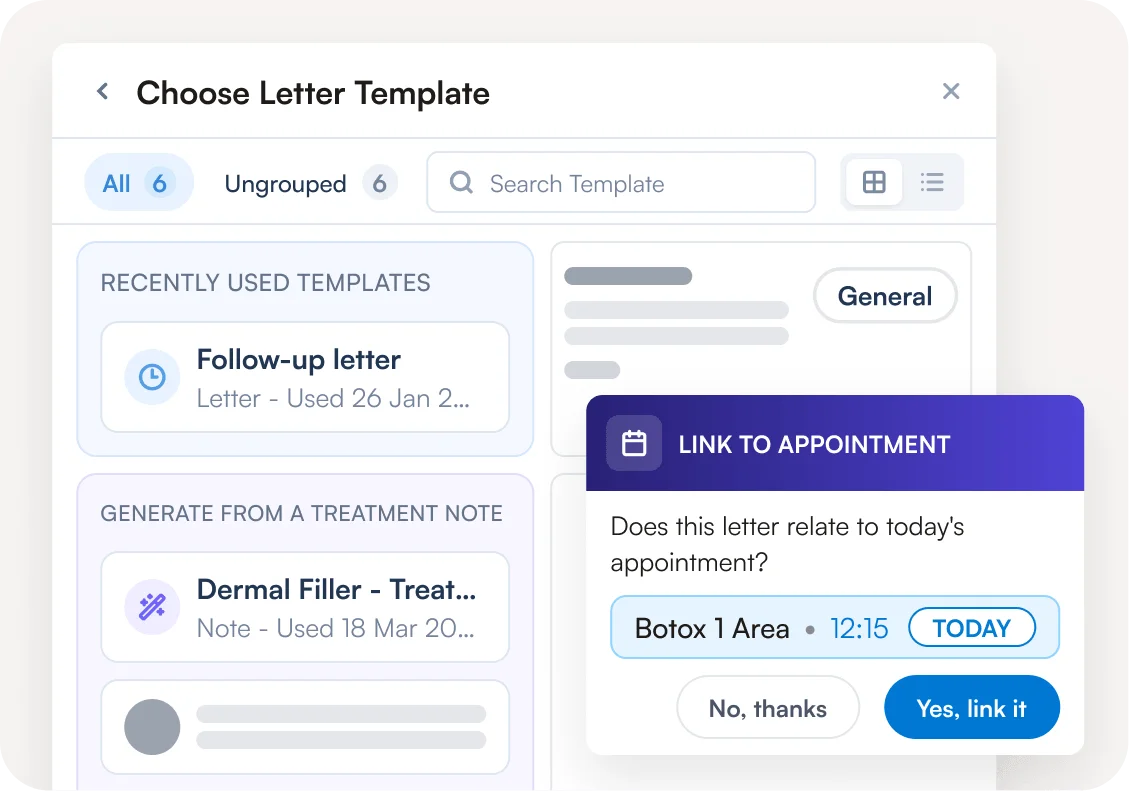
Pabau’s letter templates use merge tags to fill in patient details, so each letter starts with the basics done. Start from a recently used template, or search your full library of referral letter templates, follow-ups and reports. You can also pull in forms, invoices, details from Client records or text from previous letters without leaving the letter. Writing on the day of treatment? Link the letter to today’s appointment, and its invoice is attached automatically.
Send clinical correspondence and set up the follow-up
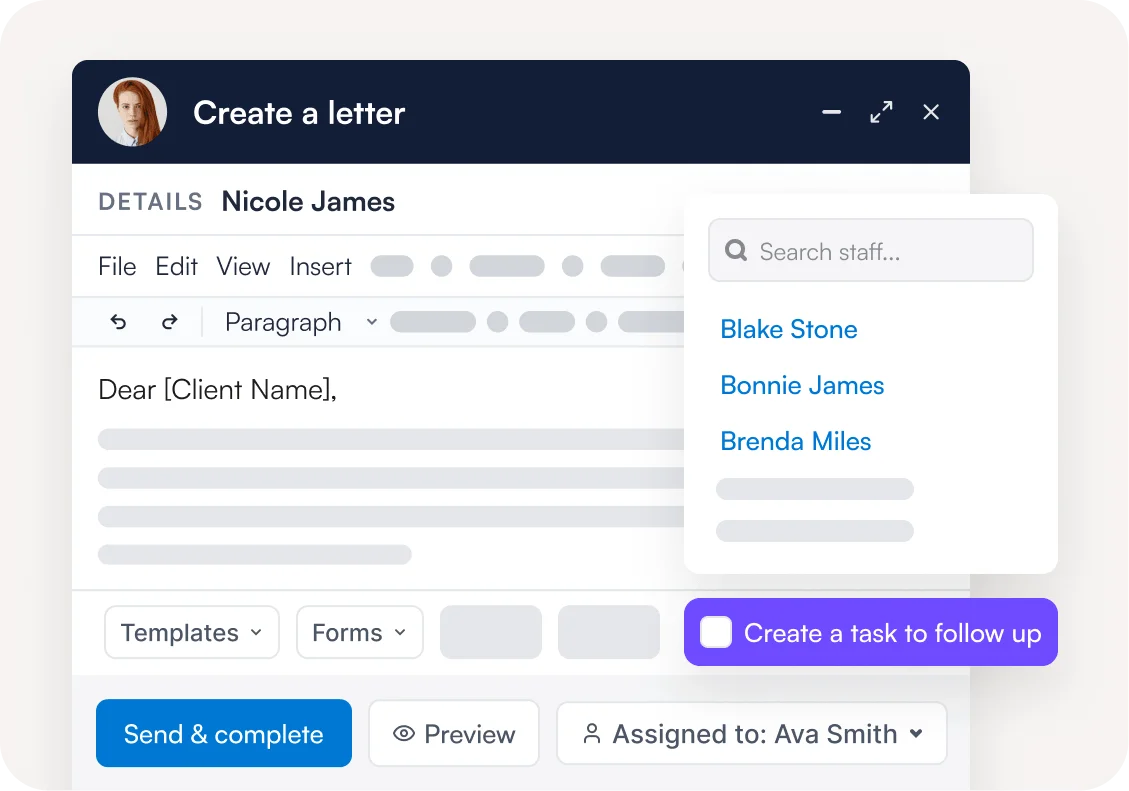
Pabau’s clinical correspondence tools email or print a finished letter in one click. Before you close the letter, assign it to a team member and create a follow-up task. Every letter is saved to the patient record, so past clinical correspondence is easy to find.
Frequently asked questions
Clinical letters software is a tool for writing, sending and storing patient letters, referrals and reports from the patient record. Pabau’s version adds medical dictation, AI drafting and letter templates.
Yes. Record a dictation from the client card and choose “Compose a letter.” Pabau transcribes it into your chosen template, ready to review and send.
A dictation used to compose a letter can run for up to 20 seconds. Short, focused notes work best, and Pabau turns them into a full letter.
No. Pabau’s AI drafts letters to patients, GPs or primary care physicians from treatment notes, or from your own instructions. You review and approve every letter before it’s sent.
By email, or as a print-ready document. Either way, Pabau saves a copy to the patient record.
Yes. Pabau lets you create letter templates with your own wording and layout. Merge tags then fill in patient details automatically.
Yes. Pabau stores letters and voice notes in the patient record, alongside the rest of the patient’s clinical information.
Yes. Pabau is GDPR-compliant for practices in the UK and EU, and HIPAA-compliant for US practices.
Finish your clinical letters before the next patient
Dictate, draft and send clinical letters from the patient record, with AI writing the first draft.