HIPAA compliant texting: What you can send patients & how to communicate securely
HIPAA compliant texting is possible when a text holds no protected health inform...

Last Updated: Oct 16, 2026

EHR migration means transferring all patient records, clinical history, and practice data from one electronic system to another – it affects every workflow in your practice.
Most migrations take 3 to 12 months from planning to go-live; smaller practices typically land in the 3 to 6 month range.
The biggest risk isn’t data loss – it’s data quality: duplicate records and mismatched field mappings corrupt records that look intact after transfer.
Budget $5,000 to $20,000 for a small practice migration, up to $50,000 for specialty system mapping, and $50,000 or more for a multi-location move – data volume and quality drive the cost more than the vendor you choose.
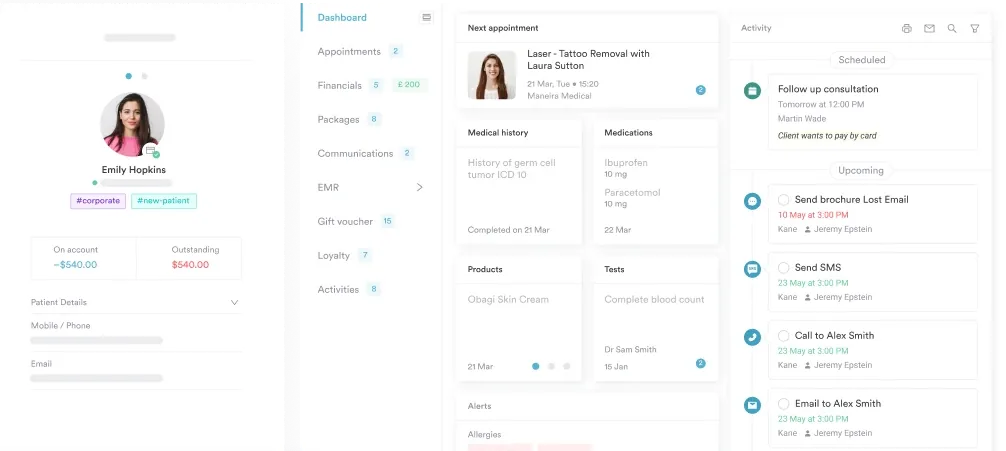
Practice management software like Pabau includes dedicated data migration support as part of structured onboarding, so your client records, treatment history, and consent forms move across cleanly.
Practices rarely plan an EHR migration months in advance. More often, the pain of staying on an old system finally outweighs the disruption of switching, and the decision gets made in a hurry. An electronic health record (EHR) migration – moving every patient record, clinical note, and practice setting from one system to another – is one of the highest-stakes operational calls a practice makes. Done well, it frees up hours of admin a week. Done badly, it means months spent reconciling corrupted records instead.
This guide walks through what the process actually involves, what it costs, where practices go wrong, and how to set your team up for a clean transition, whether you’re moving from a legacy system, switching between modern platforms, or coordinating the move across multiple locations.
EHR migration – or EHR data migration, if you’re talking to a vendor – is more than a data export. It’s the process of extracting patient records, clinical histories, consent forms, billing data, appointment histories, and configuration settings from one system, then transforming and loading that data into a new platform in a format it can actually use. For a deeper look at how systems connect, see EHR integration workflows and the architectural decisions behind them.
The technical term for this kind of electronic health record data migration is ETL: Extract, Transform, Load. The extract phase pulls data from the legacy system, transform converts it into the new system’s schema, and load imports it. Each stage carries its own failure modes, and the transform step is where most data quality problems originate. Vendors sometimes call the whole sequence the EHR migration path: audit, clean, map, test, go live.
According to a systematic review published in PMC, no two sites use the same approach to EHR migration. That finding holds in practice too, as what works for a 20-provider hospital system won’t work for a 3-room aesthetic practice. Scope, complexity, and risk tolerance vary enormously.
Not everything in your legacy system is worth migrating. A pre-migration audit typically distinguishes between active records (high-value, must transfer), historical records (needed for compliance, may archive), and junk data (duplicates, test entries, incomplete records that should be cleaned, not moved).
Practices making the transition from paper to electronic health records for the first time have an extra workstream: scanning and indexing legacy paper charts before they can even enter the mapping process. That workstream rarely fits the same timeline as a system-to-system move, so budget it separately.
Pabau’s structured medical records are designed to receive all of these categories cleanly, with field-level mapping validated before the migration runs.
Practices that switch for the wrong reasons (chasing features they don’t need, reacting to a bad week rather than a systemic problem) often find the migration disruption wasn’t worth it. Practices that switch for the right reasons come out the other side with measurably better operations. The evidence on EHR benefits for private practices bears this out, showing measurable gains in charting time and claim accuracy after a well-planned switch.
For context on the difference between a practice management system and an EMR, and how they interact, that distinction often clarifies what you’re actually trying to fix before you commit to a migration. Separately, if you’re still evaluating platforms, choosing the right EHR for private practice covers the evaluation framework in detail.
A newer trigger belongs on this list for 2026: as of January 1, every ONC-certified EHR must fully support USCDI v3, the federal data set that expanded to sixteen required data classes, including new fields for social determinants of health and health status assessments. A legacy platform that hasn’t been updated for USCDI v3 puts a practice’s certification, and its eligibility for CMS incentive programs, at risk. That’s reason enough to migrate on its own.
| Common switch trigger | What it signals | Migration priority |
|---|---|---|
| Billing errors increasing | Field mapping or coding workflow failure | High |
| Staff workarounds multiplying | Poor usability in current system | High |
| Compliance audit risk | Incomplete documentation in legacy system | Urgent |
| USCDI v3 certification requirement | Legacy system doesn’t support the newly required 2026 data classes | Urgent |
| Practice acquisition or merger | Forced consolidation onto one platform | Urgent |
| Vendor end-of-life announcement | Support risk on current system | High |
| Growth outpacing current system | Scalability ceiling reached | Moderate |
EHR switching is a complex organizational change that is expensive, laborious, and time-consuming, so a sound strategic plan from the outset reduces disruption to patient care. The EHR migration process typically runs through five stages.
Before any data moves, you need to know what you have. This means auditing your current system for record count, data categories, field structures, and known quality problems. A solo practice with 2,000 patient records has a very different migration scope than a five-location practice with 40,000.
This is also when you document what you’re leaving behind. If your legacy system has fields the new one doesn’t, you’ll need to decide whether to archive, consolidate, or discard them.
Healthcare data quality is frequently worse than practices expect. According to AHIMA data, duplicate rates in healthcare records often exceed 8 to 12 percent, and in cross-EHR communication can reach 50 to 60 percent. Moving bad data is worse than starting fresh: it poisons the new system before you’ve had a chance to use it.
Cleansing means resolving duplicates, standardizing date formats, filling mandatory fields, and flagging records that need manual review. For practices moving to digital intake forms, this is also the time to identify which paper-based or legacy consent forms need to be digitized before go-live.
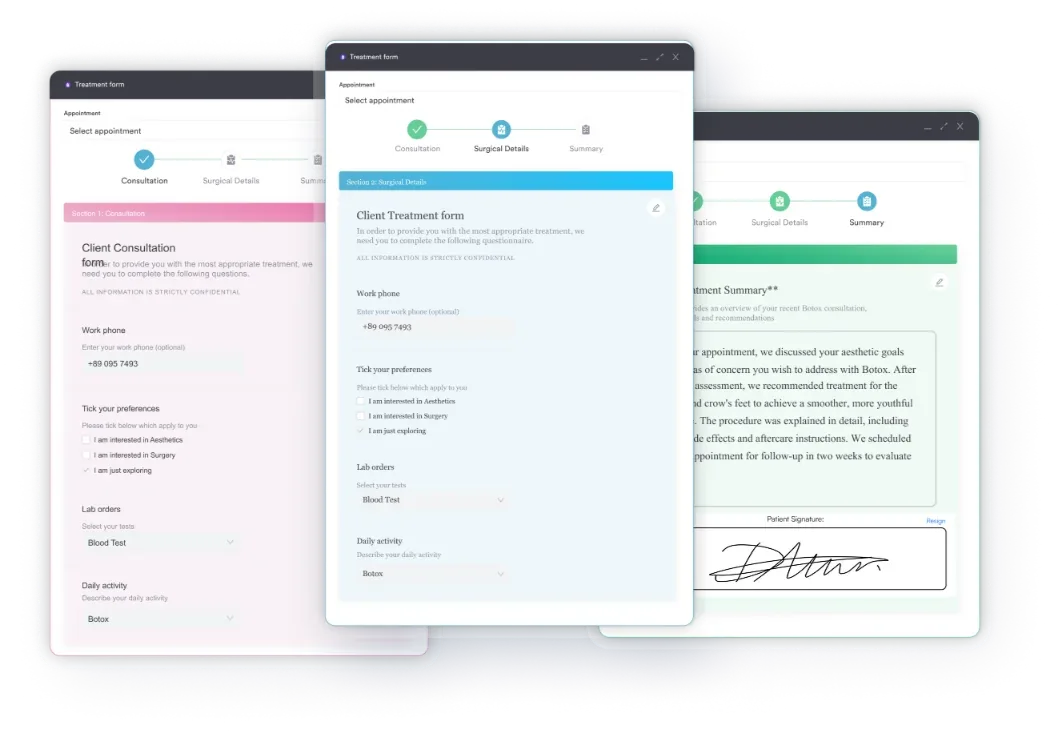
Field mapping connects each data element in the old system to its equivalent in the new one. A field called “Patient Notes” in System A might need to populate “Clinical History” in System B. Date formats differ. Dropdown values differ. Custom fields in one system may have no equivalent in the other.
This is where HL7 FHIR standards help significantly. When both systems support the FHIR interoperability framework, transformation logic is more predictable. When they don’t, the mapping work is manual and error-prone – one of the most common EHR interoperability challenges practices run into mid-migration, and exactly what USCDI v3 is meant to reduce over time by standardizing which data classes every certified system must support.
Never run a single migration straight to production. A test migration copies a representative sample of records (typically 5 to 10 percent of your total data set) into a staging environment. Your team then validates those records against the source system, checking for data integrity, completeness, and correct field placement.
Most practices run two to three test cycles before signing off on a full migration. Each cycle exposes edge cases in the mapping logic that the previous run didn’t catch.
Go-live is the day the new system becomes live for patients and staff. Many practices run a parallel period of one to two weeks where both systems are accessible, so staff can verify records in real time. After that window closes, the old system typically moves to read-only or archival status.
Post-migration support covers the first 30 to 90 days, when staff encounter workflows they weren’t trained on, missing records that need manual entry, and integration issues with third-party tools. Practices that skip or underfund this phase have the worst long-term migration outcomes.
Audit your data before you choose your new EHR vendor. The volume and complexity of what you’re moving directly affects migration cost, timeline, and vendor feasibility. A practice with 15,000 records and complex custom fields needs a vendor that can handle that scope, and knowing this upfront stops you from selecting a platform that can’t execute the migration you need.
Every EHR migration involves Protected Health Information (PHI), so HIPAA applies to every one of these EHR transfers, from the first data extract to the final archive. That makes it a contractual and legal requirement, not only a technical one: your new vendor must be a signed Business Associate under your BAA before they touch any patient data.
The HHS HIPAA Security Rule requires covered entities to protect the confidentiality, integrity, and availability of electronic PHI. During migration, this means encrypted data transfers, audit logging at every stage, access controls on staging environments, and documented evidence that data was handled according to your organization’s security policies.
For a detailed walkthrough of what this means in practice, HIPAA compliance requirements for practice software covers the key obligations. And if you’re building toward a fully paperless operation, running a paperless, HIPAA-compliant practice covers the workflow model that makes ongoing compliance manageable.
The ONC’s Information Blocking Rule under the 21st Century Cures Act is equally relevant here. It prohibits practices and vendors from taking actions that interfere with access, exchange, or use of electronic health information. This affects how you structure data exports from your legacy vendor, particularly if that vendor tries to restrict data portability.
Strong data protection best practices during migration include role-based access (only staff who need data access for migration tasks get it), a documented chain of custody for all data transfers, and formal sign-off at each migration stage before proceeding. Pair this with patient data security tools that provide ongoing audit trails after go-live.

Pabau’s onboarding team handles data mapping, test migrations, and go-live validation so your patient records arrive cleanly. No spreadsheet workarounds, no manual re-entry.

Practices that struggle with EHR migration almost always make the same set of mistakes. These aren’t technical failures: they’re planning and expectation failures.
A small practice moving to a modern cloud EHR might complete the full cycle in three months. A mid-sized practice with custom billing integrations and legacy documentation might take nine to twelve months. Treating a complex migration like a simple software switch compresses the timeline artificially, which forces teams to skip validation steps.
It’s tempting to migrate everything and clean it up in the new system. In practice, this means the new system starts life with the same data quality problems as the old one, except now staff don’t know the legacy quirks that made those problems manageable. Clean before you move.
Staff productivity drops after every EHR go-live. The question is by how much and for how long. Practices that invest in pre-go-live training, workflow documentation, and super-user designation see productivity recover within four to six weeks. Practices that skip training see the dip last three to six months, with parallel increases in billing errors and missed follow-ups. Left unaddressed, that dip hardens into staff resistance to the new EHR, and by the time managers notice, the workaround habits are already set.
Your old EHR contains records you may need for malpractice defense, insurance audits, or regulatory inquiries years after go-live. Before shutting it down, confirm what your retention obligations are (typically seven to ten years for adult patient records under state law, longer for pediatric records), and how the legacy system will be archived or accessed going forward.
Designate a migration lead inside your practice before any vendor conversations start. This person owns the data audit, coordinates staff training, and serves as the single point of contact for your new vendor’s implementation team. Without a named internal lead, migrations stall on decisions that nobody has authority to make.
Not all EHR vendors handle migration the same way. Some provide a data import tool and leave the rest to you. Others offer a fully managed migration service. For smaller practices without dedicated IT staff, the vendor’s migration capability can be the deciding factor between a smooth transition and a six-month crisis. Some practices also bring in independent EHR migration consultants for this work instead of relying solely on the new vendor’s team, particularly for large, multi-location moves where an outside project manager can keep both sides accountable.
Understanding what practice management software actually does end-to-end helps you ask the right questions during vendor evaluation, because the best migration support is embedded in how the platform is architected, not bolted on as an afterthought.
Pabau’s compliance management tools are built into the platform from day one, which means the governance framework you’ll need post-migration is already in place when your data arrives. That includes audit trails, role-based access, and documentation controls. If your practice already works with a separate medical records migration service to scan and digitize legacy paper charts, loop them into this same mapping plan early, so both teams know who owns each stage of the handoff.
Timelines vary by practice size, data volume, and the complexity of integrations. These are realistic ranges based on common migration patterns, not guarantees.
| Practice size | Typical migration timeline | Key complexity drivers |
|---|---|---|
| Solo or 2-3 practitioner practice | 6 to 12 weeks | Record volume, legacy system export capability |
| Small multi-practitioner (4 to 10) | 3 to 5 months | Multiple data types, billing integration |
| Mid-size or multi-location (10+) | 6 to 12 months | Custom integrations, staff training at scale |
Cloud EHR migrations tend to move faster than on-premise transitions because the new infrastructure is already provisioned, and practices that complete them often report measurable performance improvements and better operational visibility post-go-live. After migration, staff can also manage consultations, consents, and payments from a mobile practice management app.
For practices with concerns about maintaining data integrity throughout the process, the documentation and access controls applied at each stage are what keep PHI safe as records move between systems.
These figures cover the data migration itself, not the broader EHR implementation timeline. Staff training, workflow configuration, and third-party integrations typically extend for weeks after the data has already gone live.
Multi-location migrations carry a problem single-site practices don’t face: the same patient can exist as three separate records across three locations, each with slightly different demographic details, insurance information, or visit history. Consolidating those duplicates into one clean record is its own project, on top of the system-to-system data move.
Pabau’s onboarding team runs multi-location migrations this way by default: one pilot location first, then a phased rollout, so mapping errors surface on a smaller data set instead of your busiest site.
Most EHR vendors quote migration as a flat project fee tied to data volume and complexity, not a per-record rate. Industry cost analyses from 2026 put the ranges at:
Data cleaning and validation is usually the line item vendors underquote. Expect $10,000 to $30,000 of a mid-sized practice’s budget to go toward resolving duplicates and incomplete records before anything moves, not after – which is exactly why the audit and cleansing stages come before mapping, not alongside it.
EHR migration fails most often not because the technology breaks, but because practices underestimate the planning required before a single record moves. The practices that come through it cleanly start with a thorough data audit, assign a named internal lead, invest in staff training before go-live, and choose a vendor whose migration support is structured, not improvised.
Pabau includes structured migration support as part of onboarding: dedicated implementation specialists, documented field mapping, test migration cycles, and HIPAA-compliant data handling throughout. If you’re ready to see how the process works, book a demo and walk through a migration plan specific to your practice size and data set.

Need to understand what a modern EHR should actually do? Best EMR software for practices covers the feature benchmarks worth measuring against before you commit to a switch.
EHR migration is the process of transferring patient records, clinical histories, billing data, and configuration settings from one electronic health record system to another. It matters because data quality and continuity of care depend entirely on how well that transfer is planned and executed. A poorly managed migration creates corrupted records, billing errors, and compliance risks that can take months to resolve.
Small solo or two to three practitioner practices typically complete the full migration cycle in six to twelve weeks. A small multi-practitioner practice with billing integrations should expect three to five months. Mid-size or multi-location practices often need six to twelve months from kick-off to go-live, particularly when custom integrations and large-scale staff training are involved.
The most reliable approach is a phased migration with at least two to three test cycles before any production data moves. Each test cycle validates a representative sample of records against the source system, exposing field mapping errors before they affect your full data set. Never migrate straight to production without a validated test migration first.
Run a full data audit before selecting a new vendor. Count your total records, categorize data types, and identify known quality problems including duplicates and incomplete fields. This audit determines migration scope, affects vendor selection, and gives your implementation team accurate information for mapping work. Practices that skip the pre-migration audit consistently underestimate timelines and costs.
EHR data migration services are the vendor-side work of moving your records: auditing your current system, cleaning and mapping data, running test migrations, and supporting go-live. Some EHR migration companies bundle this into onboarding at no extra cost; others treat it as a paid add-on, so confirm what’s included before you sign a contract.
Ensure a signed Business Associate Agreement is in place with your new vendor before any patient data transfers. All data transfers must be encrypted. Staging environments must have access controls restricting who can view patient data. Every stage of the migration should be audit-logged, and your security policies must document how PHI was handled throughout the process.