

EMR lab integration
Order labs in seconds. Get results without the chase.
EMR lab integration in Pabau sends lab orders from the patient record and files results back in the same chart. Your team stops chasing paper forms, phone calls and missing details.
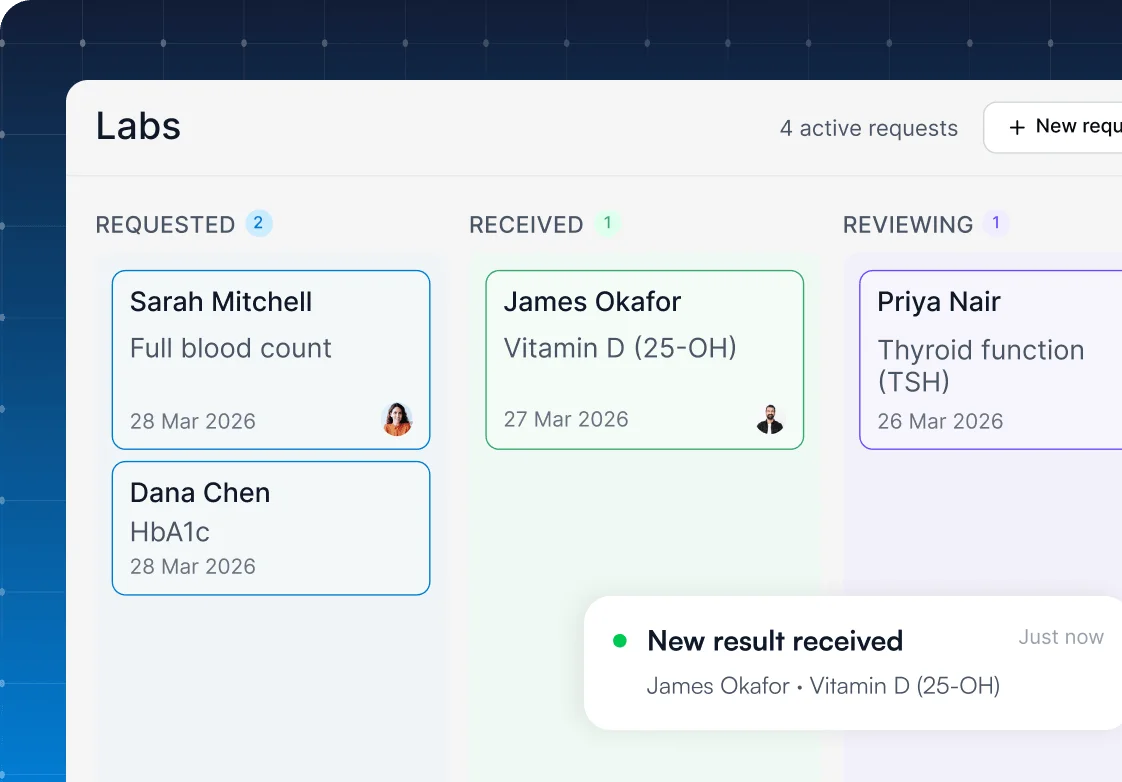


Part of Pabau, the practice management platform behind 4,000+ medical practices and medspas across the UK, US and globally



Lab Partners
 US
US UK
UK

+123 others

Create lab orders from the patient record in one click
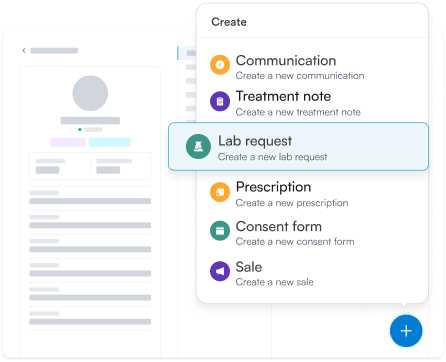
Pabau’s lab ordering software creates lab orders straight from the patient’s client card. Choose Lab request, pick your lab and tests, and send. Patient details fill in automatically, so the order is ready in seconds. Pabau tracks it from the moment it leaves your practice.
End the paper chase and deliver results faster
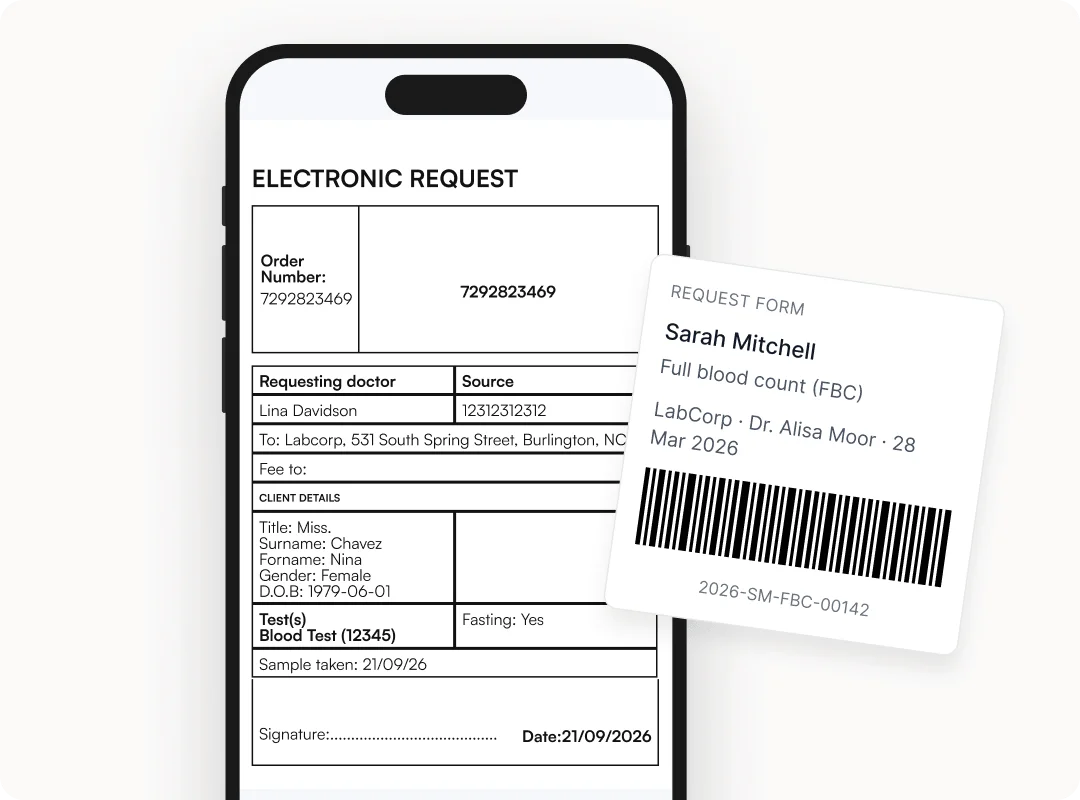
Pabau’s electronic lab orders pull names, dates of birth and test codes straight from the patient record, so nobody retypes them. Before an order goes out, Pabau checks it and flags any missing details. Your lab receives a complete form every time.
Print the lab requisition, or the TDL request form for UK practices, with a unique barcode for accurate sample identification. You get fewer manual errors and fewer calls from the lab asking what was ordered.
Connect to Quest, Labcorp and The Doctors Laboratory
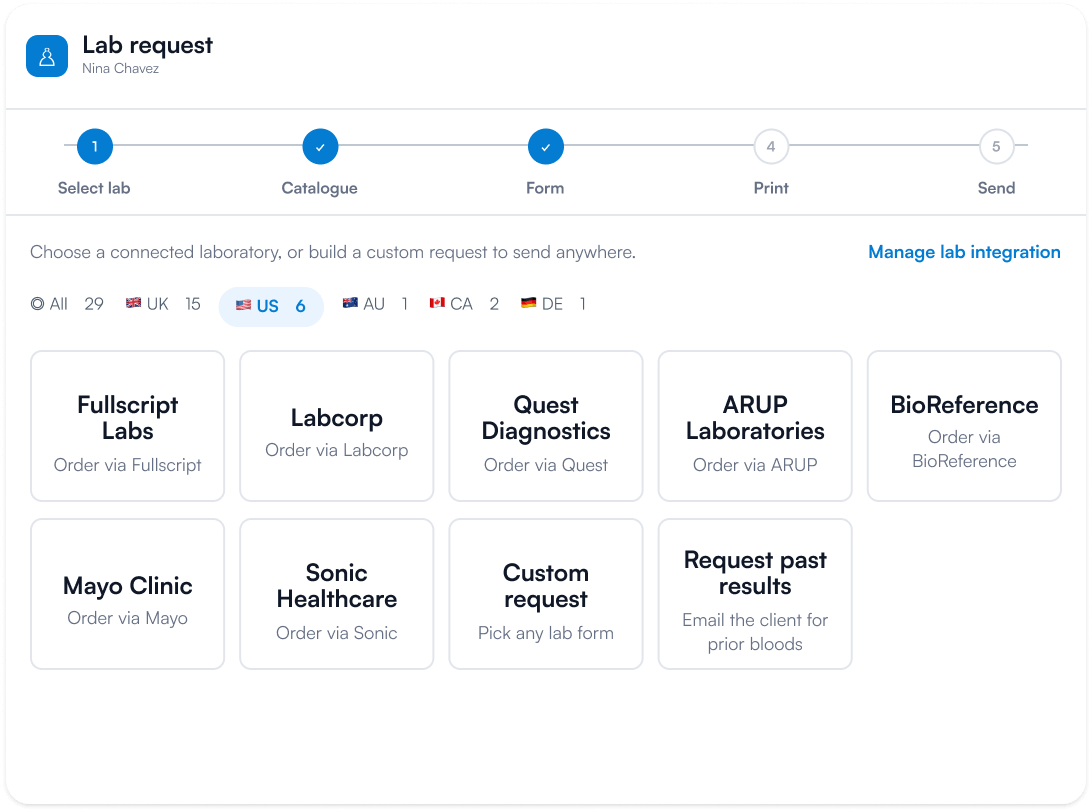
Pabau’s EHR lab integration sends orders directly to Quest Diagnostics, Labcorp or The Doctors Laboratory. Working with another provider? Set up a custom lab for it. Map each lab’s test catalog to your services and add a markup to lab fees. Then choose whether the patient or the practice pays for each order.
You keep the labs you trust, and Pabau adapts to them.
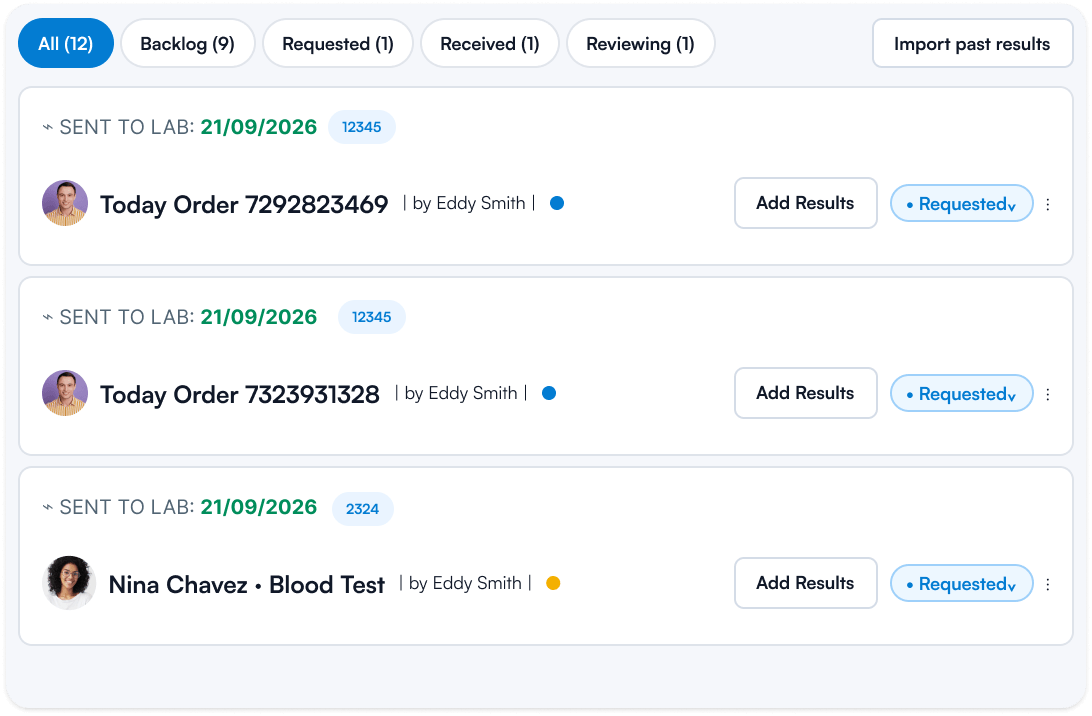
Track every lab request from sent to reviewed
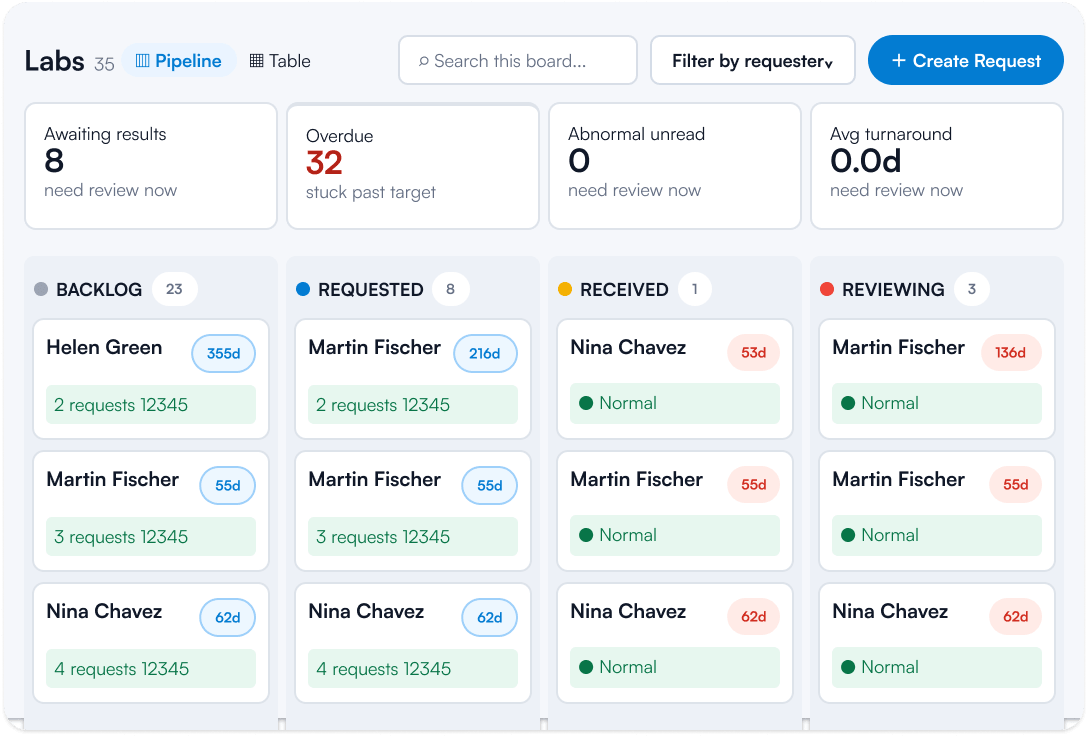
Pabau’s lab order tracking shows the status of every request, from sent to reviewed, at a glance. Pabau flags what’s overdue, what’s stuck and what needs a clinician’s eye. Results are matched to the right patient automatically.
Less chasing, more doing.
Lab results land in one inbox and the patient's EMR
The Lab Inbox collects the results your labs send back and holds each one until you match it to its original request. Matching takes a couple of clicks, and Pabau then files the result in the Documents tab of the patient’s EMR.
Because Pabau’s lab results software sits inside the patient record, results no longer wait in paper trays or a shared email inbox.
Spot abnormal lab results against reference ranges
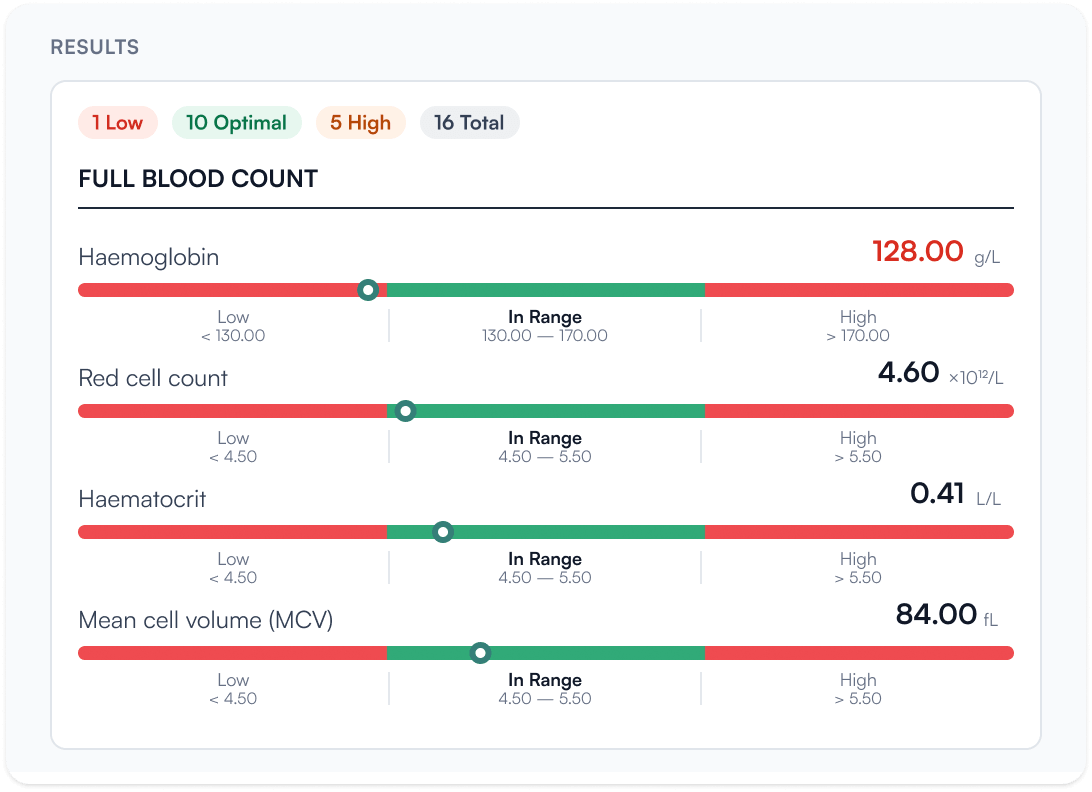
Pabau’s abnormal flags compare each lab result with its reference range and mark every value that’s high or low.
Clinicians see what needs attention first, without reading every line of the report. A worrying value gets reviewed sooner.
Share results with patients through the Client Portal
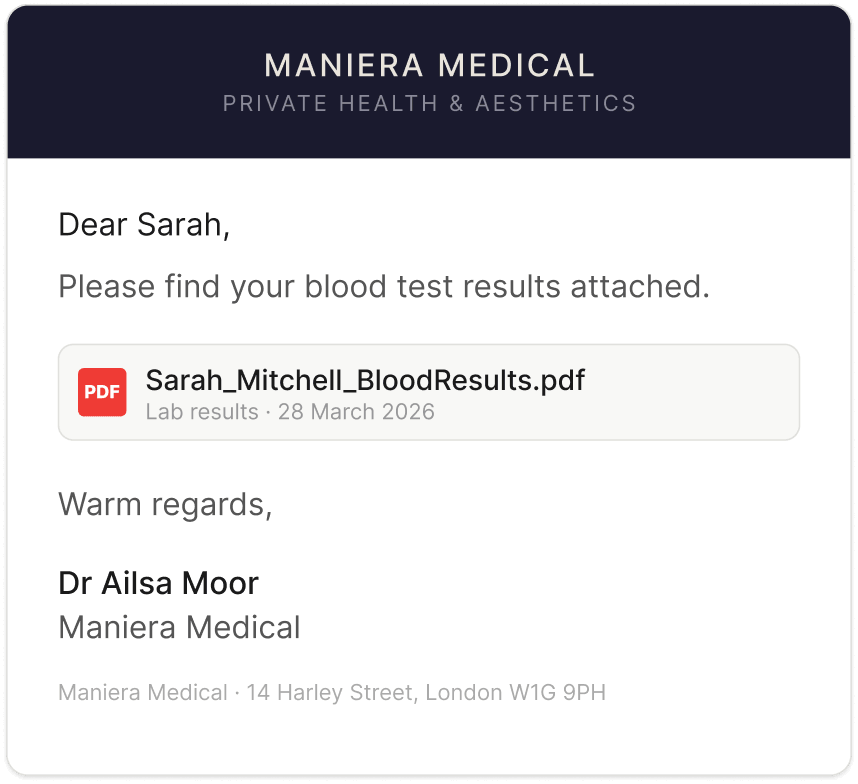
The Client Portal shares reviewed lab results with patients, and Pabau can also email them to the patient or a family member. For emailed results, you’ll see when each one was sent and when it was opened.
Your patients get a lab results portal with no printing and no separate messaging platform. They get their results, and you get fewer follow-up calls.
Find out if Pabau is the right fit for you
Related features
Frequently asked questions
EMR lab integration connects a practice’s electronic medical record (EMR) to its labs, so orders go out and results come back to the patient’s chart. Some vendors call it EHR lab integration or a lab interface. In Pabau, orders start from the client card and results arrive in the Lab Inbox.
Pabau creates a lab order from the patient’s client card when you choose Lab request, then your lab and tests. Patient details fill in automatically, and Pabau checks for missing details before you send. The order is tracked from that moment, with no duplicate data entry.
Pabau integrates with Quest Diagnostics, Labcorp and The Doctors Laboratory. For any other provider, you can set up a custom lab and map its test catalog to your services. The same lab setup can be configured across all your locations.
Pabau’s lab ordering system is included in every subscription, with no add-on fee. Each lab sets its own test fees. Your practice can add a markup and choose whether the patient or the practice pays.
Pabau flags abnormal lab results by comparing each value with its reference range and marking the ones that are high or low. Clinicians review the flagged values first, which keeps lab results management focused on what needs attention.
Yes. The Client Portal works as a lab results portal, so patients can view and download their results once you share them. You can also email results from Pabau and see when each one was opened.
A lab requisition is the form that tells a lab which tests to run on a patient’s sample. UK labs call it a request form. Pabau fills it in from the patient record and prints it with a barcode for sample identification.
Pabau is an all-in-one practice management platform that helps med spas and healthcare businesses run more smoothly. Bookings, clinical notes, the EMR, lab orders, payments and marketing live in one system. Pabau is trusted by over 3,500 businesses and 15,000 users globally.
Bring lab ordering and results into one system
See how Pabau sends lab orders, tracks each request and flags results that need attention, all in one workflow.