Tanja Lepcheska
Anaphylaxis nursing care plan: Interventions and charting
What an anaphylaxis nursing care plan covers, start to finish An anaphylaxis nur...

1
Last Updated: Nov 2, 2026
Free PDF 2 pages, print-ready Clinician-reviewed
Discharge is one of the riskiest handoffs in healthcare. A clear discharge form keeps care continuous, protects your practice legally, and heads off avoidable complications at home. Plenty of practices still run it on paper, or through a form builder that never talks to the patient record.
This guide covers what belongs on the form and how each field earns its place. It also shows how practice management software like Pabau automates discharge, and where to download a free template.
A ready-to-use discharge form covering demographics, diagnosis and treatment summary, discharge instructions, and the medication list. It also includes the follow-up care plan and signature lines for both clinician and patient.
Start from scratch, or upload this PDF or any form you already use, and Pabau's AI Form rebuilds it with tick boxes, text fields and a signature. Attach it to the treatment once, and every patient gets it on time.
AI Form rebuilds the consent, history and aftercare forms you already use. You review each one, then publish.
Patients complete forms on their phone before they arrive, so the front desk stops retyping paper.
Every signed form is versioned and attached to the treatment record, ready when you need it.
Set how long a consent stays valid. Returning patients skip forms they have already signed.
Supports HIPAA and GDPR compliance AES-256 encryption 4.8 on G2 4.7 on Capterra Trusted by 4,000+ practices worldwide

A patient discharge form is a clinical document that formally records a patient’s release from care, including diagnosis, medications, and follow-up instructions.
All discharge forms must include patient demographics, diagnosis summary, discharge instructions, medication list, follow-up care plan, and clinician and patient signatures.
Discharge paperwork varies by scenario: standard, against medical advice, conditional, and referral discharges each need different wording.
Digital discharge forms reduce documentation errors, speed up the discharge process, and support HIPAA compliance when they sit inside practice management software like Pabau.
Pabau’s discharge form integrates directly into patient records and automated workflows, enabling post-discharge follow-up reminders and recall scheduling without manual export.
A patient discharge form is the official record of a patient’s release from clinical care. It does three jobs at once. It documents the episode of care, communicates aftercare instructions, and creates a legal record of the handoff home or to another provider.
That applies in a hospital, an outpatient practice, or a solo private practice. The form sits between treatment and home recovery. It tells the patient what to do next, which warning signs matter, and when to come back.
Under CMS Conditions of Participation (42 CFR § 482.43), hospitals must run a documented discharge planning process that includes written instructions. Other settings are not bound by that same rule. Even so, state boards and accrediting bodies like the Joint Commission expect a written discharge summary with every release.
Every discharge form needs the same core data to be clinically complete and legally defensible. The checklist below covers each required element.
Pull the diagnosis summary from the intake notes or the comprehensive assessment already on file, rather than retyping it. A strong form also captures communication preferences, allergies, and anything specific to your specialty. Using digital forms means required fields get completed before the patient walks out.

The instructions section does the most clinical work on the page. Plain language beats clinical shorthand here, because the patient reads it alone at home. Cover these five areas.
Then log the check. Ask the patient to repeat the plan back in their own words, and note on the form that they did. That one line turns “instructions given” into evidence the patient understood them.
Automated post-discharge follow-up through SMS or email reinforces these instructions at day 1, day 3, and one week. That catches complications early and keeps patients on plan.
Run this list before the patient leaves the building. A discharge checklist works for the same reason the WHO surgical safety checklist does. It forces someone to say the step out loud before the team moves on.
Practices on integrated digital patient records can auto-generate this list and flag anything unfinished before the patient leaves. That cuts missed steps, and it cuts the liability that follows them.
Many practices still print the form at the point of care, hand it over, and file a copy by hand. Digital forms remove most of that handling, and the errors that come with it.
Going paperless cuts admin work, shortens the wait at checkout, and raises discharge quality across the practice.
Discharge forms hold protected health information, known as PHI: diagnoses, medications, and contact details. The HIPAA Security Rule requires you to protect that data in transit and at rest, and to limit access to authorized staff.
A form sitting in a shared drive, an inbox, or an unencrypted folder is a compliance problem. Pabau’s HIPAA-compliant platform encrypts discharge data, logs every view, and limits access by role.
Different clinical scenarios call for different discharge paperwork. The patient’s risk profile decides which version you reach for.
Specialty practices need their own wording. Mental health discharge leans on crisis resources and medication adherence, while physical therapy discharge covers home exercise and weight-bearing status.
Patients heading back to work or school often ask for written confirmation too, so keep a diagnosis letter template on hand.
Flag any patient discharged AMA in your practice dashboard so the care team can follow up within 48 hours. Structured post-AMA outreach gives you a documented attempt to close the loop.
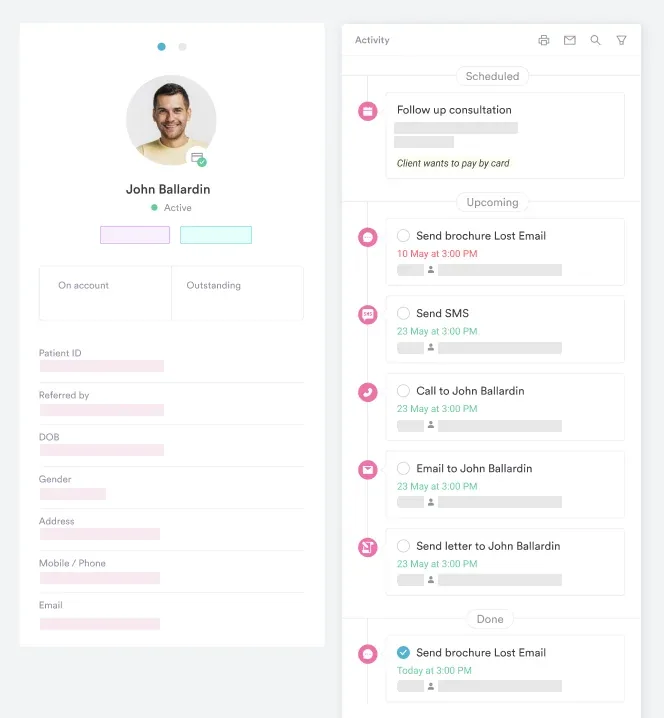
Most practices treat the discharge form as a standalone document. In Pabau it sits inside the patient record, so the clinical data and the follow-up move together.
That removes the printing, signing, and filing steps that stretch out discharge. It also means nobody has to remember who needs a call next week.

Pabau fills the discharge form from the patient record, then sends the aftercare reminders and books the follow-up. Your team signs and moves on.

The discharge form is the last thing your practice controls before the patient is on their own. Make it specific enough that they could follow it without calling you, and complete enough that another clinician could pick up the case cold.
Start with the template above and cut what your specialty doesn’t need. The harder part is what happens after the patient leaves, and that is where automation earns its keep. Book a demo to see how Pabau ties discharge forms to follow-up reminders and recall scheduling.

Documenting a dental exam next? Dental examination form template documents patient history, clinical findings, tooth charting, and dentist certification.
Onboarding a new dental patient? Dental new patient form template captures registration, medical history, dental concerns, insurance details, and consent.
Transferring a stroke patient? NIHSS score sheet gives you the scoring grid to attach to a referral discharge.
Referring a patient to a specialist? Dental referral form template carries the tooth number, imaging, and history a specialist needs to schedule.
Documenting DNA appliance treatment? DNA appliance documentation template covers patient intake, informed consent, and progress notes for sleep practices.
A complete patient discharge form includes patient demographics, diagnosis and treatment summary, discharge instructions, medication list, follow-up care plan, and clinician and patient signatures. The exact fields depend on your specialty and clinical setting.
A discharge form is the official document that records the patient’s release from care. Discharge instructions are the specific guidance within that form (e.g., activity restrictions, wound care, when to call). They are part of the same process.
Hospitals that take part in Medicare or Medicaid must run a discharge planning process under CMS Conditions of Participation (42 CFR § 482.43). Other practice types are not bound by that identical rule. State boards and professional bodies still expect a written discharge summary, and a signed form protects you if complications follow.
A HIPAA-compliant discharge form is stored with encryption, access-restricted by user role, logged for audit trails, and transmitted via secure channels rather than unencrypted email. Pabau’s digital forms meet these requirements natively.
Patients may refuse. Document the refusal in the chart and have a witness sign it. Then use an AMA discharge form, which records the patient’s choice and the risks you explained.
An AMA discharge form documents that the patient is leaving before clinical recommendation, that the risks were explained, and that the patient acknowledges them. It protects the practice if the patient’s condition worsens after discharge.
Start with a template that covers demographics, diagnosis, instructions, medications, and follow-up. Trim it to your specialty. If you use practice management software like Pabau, build the form into the workflow so it fills from the patient record.
Pabau’s automated workflows can send SMS or email reminders at day 1, 3, and 7 after discharge. They also book the follow-up appointment named on the form.