Medicare charting cheat sheet
A Medicare charting cheat sheet is a one-page reference that lists what Medicare...

7
Last Updated: Oct 21, 2026
The best HIPAA compliance software for most aesthetic and wellness practices is Pabau, the all-in-one practice management platform we build.
Pabau keeps patient records, before-and-after photos and consent forms encrypted inside the system your team runs every day. US practices get a business associate agreement (BAA) as part of onboarding.
Compliancy Group is the pick for small practices that need guided risk analysis, written policies and staff training records. Vanta and Sprinto suit teams that also need SOC 2 or sell to hospitals.
We compared seven HIPAA compliance software tools and sorted them into what we call the two-layer HIPAA stack. Layer 1 is where protected health information (PHI) lives. Layer 2 is where your compliance is documented. Most practices need Layer 1 done right first.

1. Pabau — the best all-in-one Layer 1 pick for aesthetic and wellness practices that want PHI protected where they work.
2. Aesthetic Record — a Layer 1 charting and photo system built for med spas and injectors.
3. Compliancy Group — a Layer 2 program with guided annual risk analysis for small practices.
4. Vanta — Layer 2 automation for teams that need HIPAA plus SOC 2, ISO 27001 or HITRUST.
5. PatientNow — a Layer 1 EMR with built-in marketing for aesthetic, plastic surgery and dermatology practices.
6. Sprinto — a Layer 2 tool for security teams running HIPAA alongside SOC 2 and ISO 27001.
7. Zenoti — a Layer 1 operations platform for high-volume, multi-location med spas.
| Tool | Layer | Best for | Signs a BAA? | Starting price |
|---|---|---|---|---|
| Pabau | Layer 1: where PHI lives | Aesthetic, wellness and multi-specialty practices that want one system | Yes, included in US onboarding | From $104/month (one user, full platform) |
| Aesthetic Record | Layer 1: where PHI lives | Med spas and injectors who chart through photos | Ask the vendor | $15/user/month + $399 startup fee |
| Compliancy Group | Layer 2: where compliance is documented | Small practices that need guided risk analysis and policies | Ask the vendor | Quote-based |
| Vanta | Layer 2: where compliance is documented | Teams that need HIPAA plus SOC 2, ISO 27001 or HITRUST | Ask the vendor | Quote-based |
| PatientNow | Layer 1: where PHI lives | Aesthetic, plastic surgery and dermatology practices that lean on marketing | Yes, BAA published on its website | Quote-based |
| Sprinto | Layer 2: where compliance is documented | Security teams managing several frameworks | Ask the vendor | Quote-based |
| Zenoti | Layer 1: where PHI lives | High-volume, multi-location med spas | Ask the vendor | Quote-based |
Every price comes from the vendor’s own website, checked in October 2026. “Ask the vendor” means its site doesn’t publish BAA terms, so get the agreement in writing before any patient data goes in.
Pabau keeps records, photos and consent forms in one encrypted system, with a BAA included for US practices.
Pabau is the best Layer 1 HIPAA compliance software for aesthetic and wellness practices that want PHI protected inside the system they run daily.
Pabau covers scheduling, patient records, charting, consent, payments and patient messages in one platform. That matters for HIPAA because each extra tool holding PHI needs its own safeguards and its own BAA.
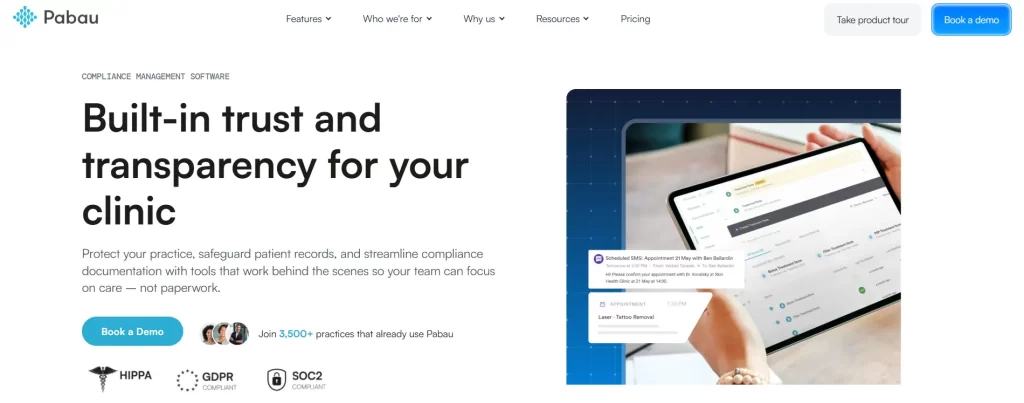
US practices switch on Pabau’s HIPAA support toggle under Setup, then Business details, then Security. The toggle activates the platform’s HIPAA-specific settings for that account.
Pabau encrypts stored data with AES-256 and data in transit with TLS 1.2 or higher. Role-based permissions, multi-factor authentication and session timeouts control who opens each record, and audit trails log every action.
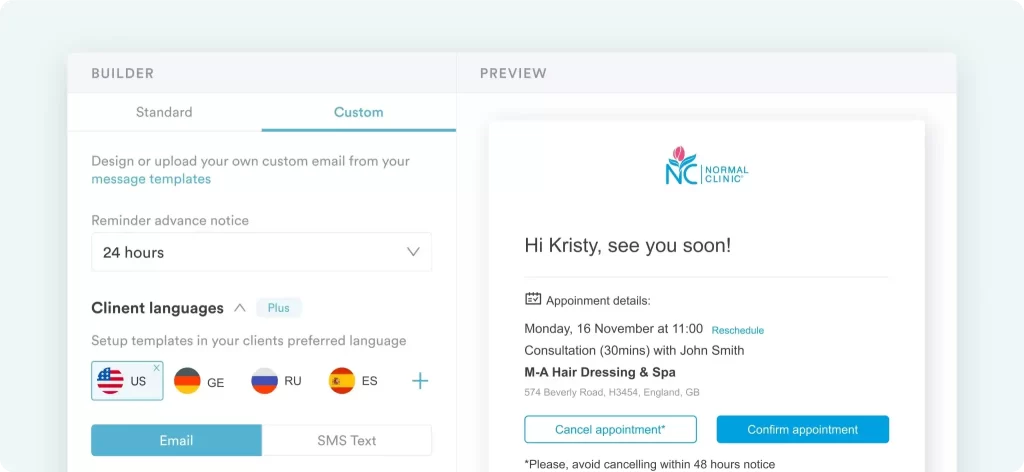
Booking data, reminders and patient messages run through Pabau rather than a separate texting app. A reminder that names a patient, a treatment and a date is PHI, so where it is sent from matters.
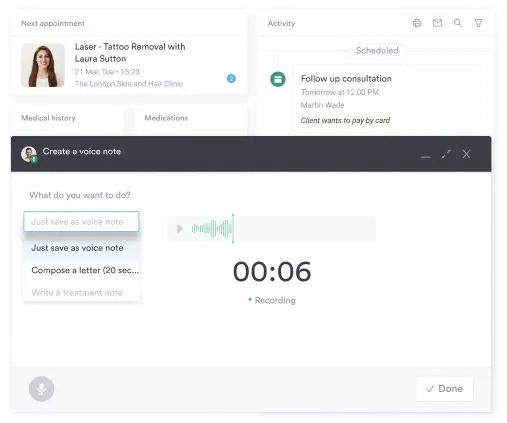
Pabau Scribe, our AI medical scribe, drafts clinical notes from a conversation and saves them to the patient record. The note stays inside the same access controls and audit trail as the rest of the chart.
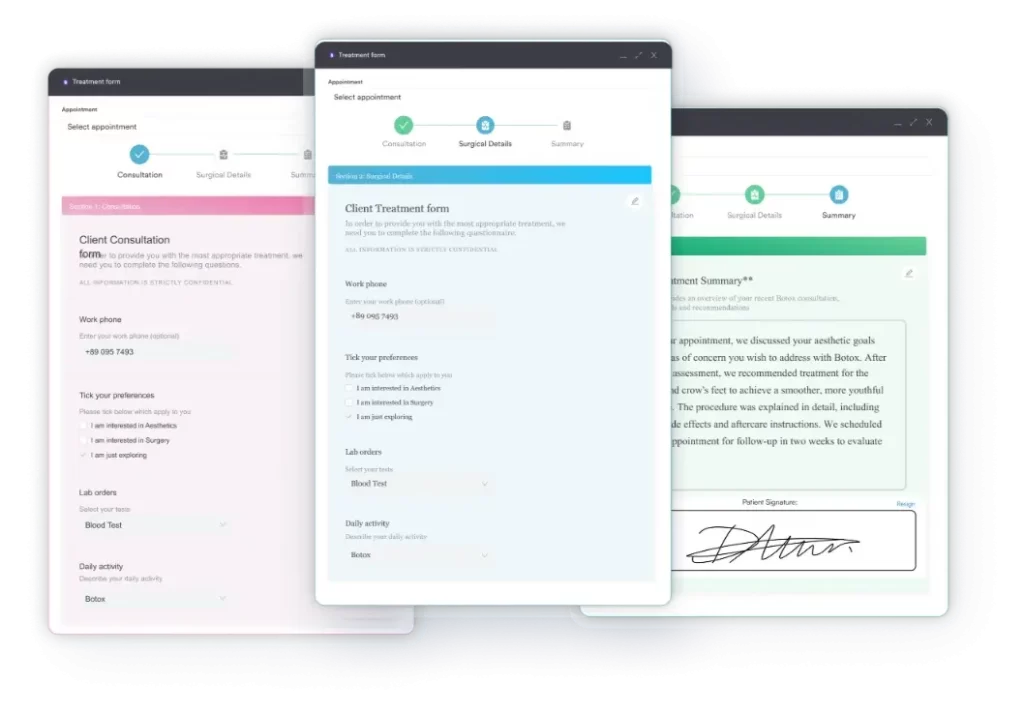
Paper consent forms are one of the most common places PHI goes missing in an aesthetic practice. Pabau sends, signs and stores consent and intake forms against the patient record, with the signature date logged.
“It saves me hours each week and ensures I stay compliant with GDPR and medical record keeping standards.” – Agnes G. (Capterra)
“It also helps ensure compliance and accurate record-keeping, which gives us peace of mind.” – Lara B. (G2)
Want to see how Pabau handles your own consent and photo workflow? Book a Pabau demo.
| Plan | Price | Users | Key inclusions |
|---|---|---|---|
| Solo | From $104/month | 1 | Full platform, unlimited patients |
| Team | Quoted after a demo | 2–3 | Full platform, unlimited patients |
| Medium | Quoted after a demo | 4–5 | Full platform, unlimited patients |
| Group | Quoted after a demo | 6–15 | Full platform, unlimited patients |
| Enterprise | Quoted after a demo | 16+ | Full platform, multi-location support |
Pabau pricing scales with locations and users, and annual billing saves up to 20%.
Aesthetic Record is a focused aesthetic EMR with strong photo and injection-mapping tools, priced per user.
Aesthetic Record is a Layer 1 EMR for med spas and injectors who document treatments through photos and injection maps.
Aesthetic Record focuses on treatment documentation, photo management and digital charting, alongside scheduling, point of sale and patient communication. Its pricing page links a HIPAA compliance document in the footer.
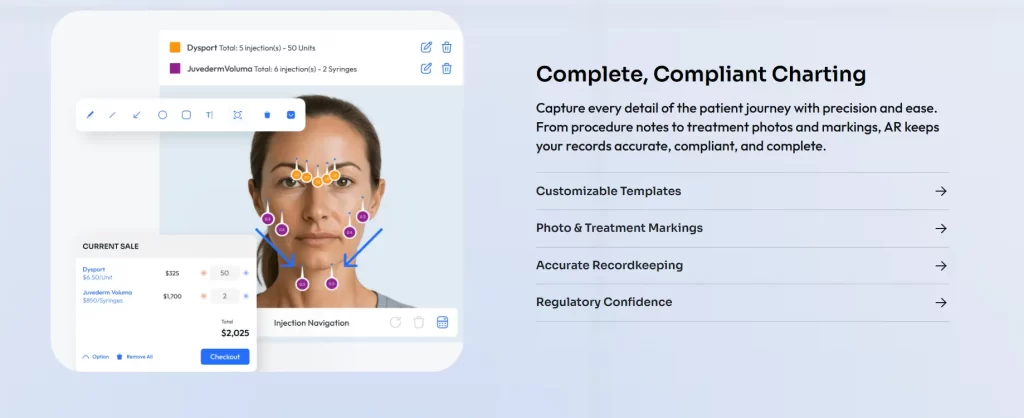
“Ease of use, professional presentation, detailed documentation with HIPPA compliance.” – Brenda S. (Capterra)
“HIPAA compliance, sales report, patient markings for injectables are some of the reasons why we decided to use Aesthetic Record.” – Aya M. (Capterra)
| Plan | Price | Users | Key inclusions |
|---|---|---|---|
| Essentials | $15/user/month + $399 one-time startup fee | Per user | Photo management, charting, reminders, memberships, patient portal, online booking, inventory |
| Accelerator | $19/user/month + $399 one-time startup fee | Per user | Essentials plus integrations, two-way texting, KPI dashboards and an eFax inbox |
| Enterprise | Contact sales / no published pricing | Multi-location | Enterprise portal, multi-location dashboards, dedicated support |
Aesthetic Record lists monthly per-user prices on its own website, and some features, such as AR Pay, cost extra.
Compliancy Group walks a small practice through risk analysis, policies, training and vendor BAAs without a compliance hire.
Compliancy Group is the strongest Layer 2 pick for small practices that need a guided annual security risk analysis, ready-made policies and staff training.
Compliancy Group’s platform, The Guard, turns HIPAA into a sequence of tasks. The Guard covers security, administrative, technical, physical, privacy and device audits, then tracks remediation for each finding.
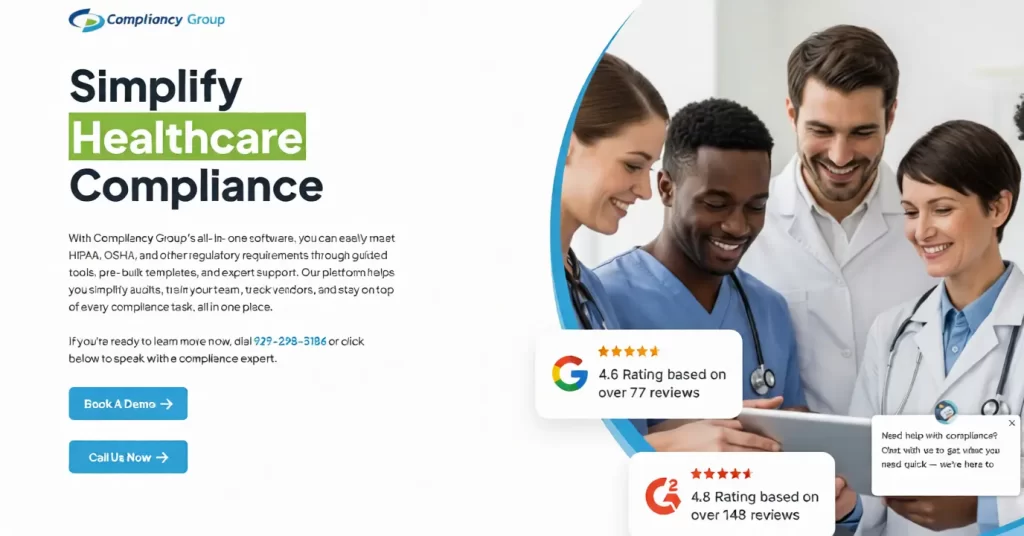
“…has been a HUGE help for me in keeping these processes streamlined and working the way it should!” – Jennifer C. (Capterra)
| Plan | Price | Users | Key inclusions |
|---|---|---|---|
| Custom compliance program | Contact sales / no published pricing | Not published | The Guard platform, policies, training, risk assessments, vendor management |
Compliancy Group’s website shows a request-pricing form rather than plan prices, and its onboarding ranges from self-serve to one-on-one support.
Vanta automates evidence collection across many frameworks, which suits teams that face security reviews from larger buyers.
Vanta is a Layer 2 compliance automation platform for teams that need HIPAA alongside SOC 2, ISO 27001 or HITRUST.
Vanta watches the cloud systems that store patient data rather than storing that data itself. Vanta connects to those systems, checks controls continuously and gathers evidence for auditors.
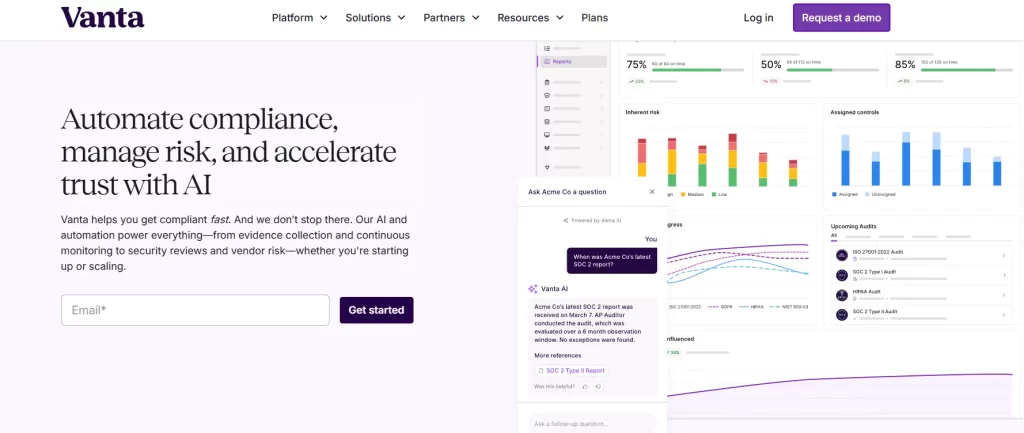
“Vanta’s platform does its job well from a technical perspective — the automation works, and the integrations are solid. But as a small startup with fewer than 10 employees, the experience was disappointing due to the lack of flexibility and customer understanding.” – Michael L. (Capterra)
| Plan | Price | Users | Key inclusions |
|---|---|---|---|
| Essentials | Contact sales / no published pricing | Not published | One compliance framework, automated evidence collection |
| Plus | Contact sales / no published pricing | Not published | Essentials plus AI questionnaire automation (25 per year) |
| Professional | Contact sales / no published pricing | Not published | Plus features with expanded risk management (144 questionnaires per year) |
| Enterprise | Contact sales / no published pricing | Not published | Fully customizable program and dedicated support |
Vanta prices every plan through a demo call, so ask for a quote that covers only the frameworks you need.
PatientNow pairs an aesthetic EMR with marketing tools, and publishes its business associate agreement online.
PatientNow is a Layer 1 EMR and marketing platform for aesthetic, plastic surgery and dermatology practices, and it publishes its BAA on its website.
PatientNow combines patient records, scheduling, payments and campaign tools. Its Standard plan already includes an AI scribe, online booking and before-and-after photos.
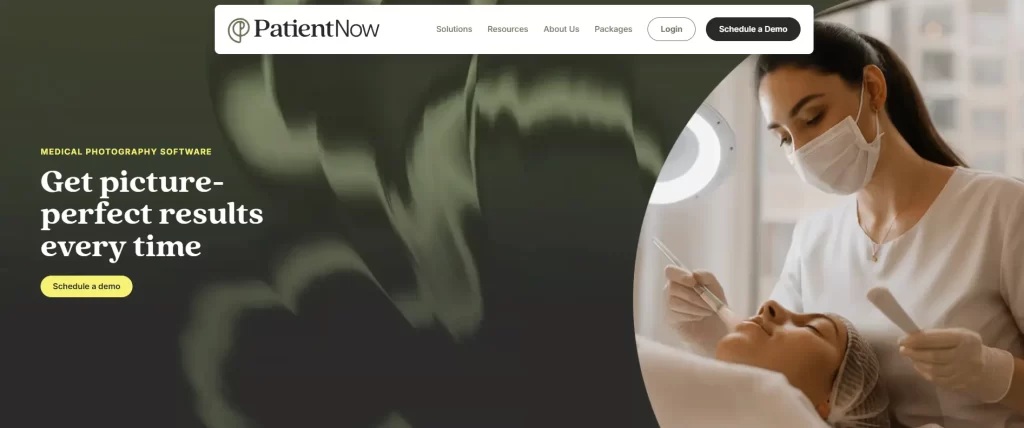
“It gets the job done and helps you keep your business stay compliant. Fine if you’re used to an interface that’s all business and less user-friendly/intuitive.” – Nicole R. (Capterra)
| Plan | Price | Users | Key inclusions |
|---|---|---|---|
| Standard | Contact sales / no published pricing | Not published | AI scribe, EMR and practice management, online booking, marketing, photos, payments |
| Amplify | Contact sales / no published pricing | Higher capacity | Standard plus drip campaigns, advanced deposits and telehealth where available |
| Catalyst AI | Contact sales / no published pricing | Enterprise capacity | Amplify plus e-prescribing, lab orders, insurance billing and secure e-faxing |
PatientNow tailors every quote to practice size, number of locations and add-ons, according to its own website.
Sprinto monitors controls and collects audit evidence across HIPAA, SOC 2, ISO 27001 and GDPR from one dashboard.
Sprinto is a Layer 2 platform for security and compliance teams that run HIPAA alongside SOC 2, ISO 27001 and GDPR from one dashboard.
Sprinto connects to your tech stack, monitors controls continuously and collects audit-ready evidence. Sprinto describes itself as a governance, risk and compliance (GRC) platform.
“Achieving HIPAA compliance in under one and a half months is a remarkable milestone, and your guidance has been instrumental in making this possible. This achievement significantly accelerates our GTM strategy and positions us to enter the US Healthcare market earlier than we had anticipated. Ease of Use” – Venkat S. (Capterra)
| Plan | Price | Users | Key inclusions |
|---|---|---|---|
| Foundation | Contact sales / no published pricing | Not published | Core compliance automation and monitoring |
| Growth | Contact sales / no published pricing | Not published | Expanded automation for larger programs |
Sprinto’s pricing page lists two plans and routes both to its sales team for a quote.
Zenoti runs scheduling, sales and staff operations at scale, but get its HIPAA terms in writing before you sign.
Zenoti is a Layer 1 operations platform for high-volume, multi-location med spas that care most about scheduling, sales and staff management.
Zenoti runs appointments, point of sale, marketing and team management from a single platform. Its pricing page names GDPR compliance but doesn’t mention HIPAA or a BAA, so confirm both with sales.

“Zenoti is a great appointment booking and client management system. It is nice to have client communications, online booking, appointments, payments, marketing, and feedback all streamlined in one place.” – Gabrielle T. (Capterra)
“They also make it very difficult to access your own data. Because the system is so complicated to navigate, they try to charge thousands of dollars to export your own files…” – Rachel S. (Capterra)
| Plan | Price | Users | Key inclusions |
|---|---|---|---|
| Zenoti platform | Contact sales / no published pricing | Custom to footprint | Scheduling, point of sale, marketing, staff management |
| AI Plus package | Contact sales / no published pricing | Custom to footprint | AI agents and a dedicated customer success manager |
Zenoti quotes each business after a consultation, and bills communications usage by consumption.
Software is HIPAA compliant when it protects the PHI it holds with the Security Rule’s safeguards and its vendor signs a business associate agreement.
Those safeguards include encryption, unique logins, access controls, audit logs and backups. There is no official HIPAA certification, and HHS does not recognize private ones, so treat any “HIPAA certified” badge as marketing.
A SOC 2 report or HITRUST certification shows that a vendor runs good security. Only a signed BAA makes that vendor legally accountable for your PHI, so never accept one in place of the other.
HIPAA compliance software is a broader term. It covers HIPAA compliant software that stores PHI and the program platforms that document how you protect it. Our guide to medical office HIPAA compliance covers the full rule set in depth.
Here is what each of the five rules asks of your software:
| HIPAA rule | What it means for your software |
|---|---|
| Privacy Rule | Controls who may see PHI and why. Your software needs role-based permissions, the minimum access each job requires, and a way to give patients copies of their records. |
| Security Rule | Protects electronic PHI with administrative, physical and technical safeguards. It requires a documented risk analysis, plus access controls, audit controls and transmission security. |
| Breach Notification Rule | Requires notice to affected patients without unreasonable delay, and within 60 days of discovery. Breaches affecting 500 or more people also go to HHS and the media. |
| Enforcement Rule | Lets the Office for Civil Rights (OCR) investigate and fine. Penalties run in four tiers based on how culpable the practice was. |
| Omnibus Rule | Made business associates directly liable under HIPAA in 2013. Every vendor that stores or transmits your PHI needs a signed BAA, and so do its subcontractors. |
HIPAA governs US covered entities and their business associates. A UK, EU or Australian practice follows GDPR or its local privacy law instead, even when some patients are American.
Most practices need two kinds of software: a secure, BAA-covered system where PHI lives, and a program that documents risk analysis, policies and training.
We call this split the two-layer HIPAA stack. Ranked lists usually mix both kinds of tool without saying so. That is how a practice ends up buying a compliance dashboard while its photos sit on a personal phone.
Layer 1 is the practice system that stores patient records, photos, consent forms, bookings and messages. Pabau, Aesthetic Record, PatientNow and Zenoti sit here. Each Layer 1 vendor must apply Security Rule safeguards and sign a BAA with you.
Layer 2 is the HIPAA compliance platform that records how you protect PHI. Compliancy Group, Vanta and Sprinto sit here. They hold your risk analysis, policies, training records, BAA list, incident log and audit evidence.
The diagram below places all seven tools in their layer:
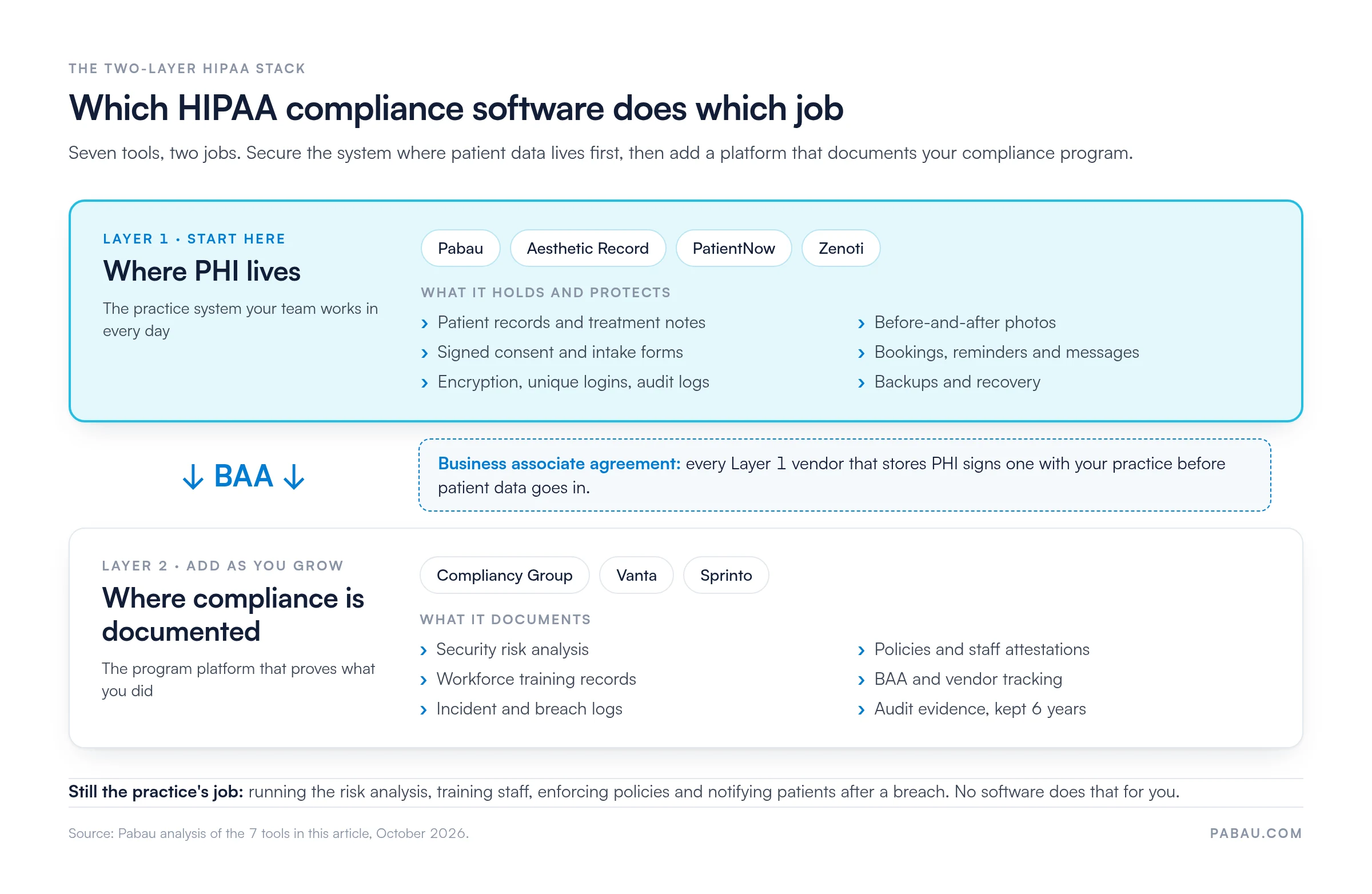
Software covers the technical safeguards and the paperwork. The practice still runs the risk analysis, trains staff, enforces policies and notifies patients after a breach.
The matrix below splits each HIPAA requirement three ways. Staff training stays largely with the practice, and our guide to HIPAA training for employees covers what each course should include.
| HIPAA requirement | Practice software (Layer 1) | Compliance platform (Layer 2) | Still the practice’s job |
|---|---|---|---|
| Security risk analysis | Supplies the access settings and data flows to assess | Guided questionnaire, scoring and remediation tasks | Answering honestly, fixing findings and repeating it when your setup changes |
| Written policies | Enforces some rules, such as password strength and session timeouts | Policy templates and staff attestation | Adopting, tailoring and enforcing them |
| Staff training records | Not covered | Assigns courses and logs completion dates | Making time for training and following up with staff who miss it |
| BAAs with vendors | Signs its own BAA with you | Stores and tracks every vendor’s BAA | Getting a BAA from every vendor that touches PHI |
| Access controls and unique logins | Role-based permissions, MFA and session timeouts | Checks settings in connected cloud tools | Giving each person their own login and removing leavers promptly |
| Audit logs | Records who viewed or changed each record | Collects log evidence for auditors | Reviewing logs when something looks wrong |
| Encryption | Encrypts PHI at rest and in transit | Monitors encryption settings in connected systems | Keeping PHI off personal phones and unencrypted email |
| Backups | Backs up data and restores it after an outage | Tracks the contingency plan | Testing how the practice works during an outage |
| Breach response and notification | Audit trail shows what was accessed | Incident log and notification workflow | Notifying patients within 60 days, and HHS |
| Documentation retention | Keeps the clinical record | Stores policies and evidence | Keeping HIPAA documentation for 6 years under 45 CFR 164.316 |
If PHI lives in your booking, notes or photo system, your first BAA and safeguards come from that vendor, so choose Layer 1 first.
After that, the depth of Layer 2 depends on your size and your buyers. A thorough HIPAA risk assessment is required at every size, but the tooling around it scales:
In the practices we onboard, the riskiest PHI rarely sits in the EHR. It sits in before-and-after photos on a practitioner’s phone and in direct messages with patients.
When a practice must handle OIG exclusion screening, OSHA, credentialing or policy attestation across sites, it needs healthcare compliance software that covers more than HIPAA.
Among the seven tools here, Compliancy Group comes closest to the best healthcare compliance software for that wider job in a small or mid-sized practice. Most of the others focus on HIPAA or on security frameworks, as the table shows.
| Compliance need | Which of our 7 tools cover it |
|---|---|
| OIG exclusion screening | Compliancy Group, which searches 55 exclusion lists. The OIG exclusion database is also free to search by hand. |
| OSHA programs and training | Compliancy Group |
| Fraud, waste and abuse training | Compliancy Group |
| Policy attestation across sites | Compliancy Group, Vanta and Sprinto |
| SOC 2 and ISO 27001 | Vanta and Sprinto, plus a SOC 2 program from Compliancy Group |
| HITRUST | Vanta |
| GDPR | Pabau, Vanta and Sprinto |
| Staff credentialing and license tracking | Not a core feature of any of the seven |
Hospitals and large groups usually run dedicated healthcare GRC software, short for governance, risk and compliance. Healthcare GRC software adds enterprise risk registers, contract oversight and board reporting on top of HIPAA.
Some vendors sell the incident side separately as healthcare risk management software, which tracks patient safety events and claims. A single-site practice rarely needs either.
Choose HIPAA compliance solutions in this order: a signed BAA, guided risk analysis, then encryption, access controls, audit logs, secure messaging, physical safeguards and backups.
The same eight checks apply whether you are comparing a full HIPAA compliance platform or a single HIPAA compliance app. Our HIPAA compliant software checklist turns them into a form you can fill in during demos.
Ask every vendor that will store or transmit PHI for its business associate agreement before you upload a single record. If the vendor won’t sign one, or only offers it on a higher plan, rule it out.
HIPAA compliance tools that walk you through the risk analysis save the most owner time. Look for a scored questionnaire, remediation tasks and policy templates your staff sign electronically.
PHI should be encrypted at rest and in transit. Ask which standard the vendor uses, such as AES-256 for stored data and TLS 1.2 or higher for data moving between systems.

Role-based access lets you limit each person to the records their job requires. If only a physician should see a patient’s medical history, the system should enforce that.
Strong HIPAA compliant software also includes:
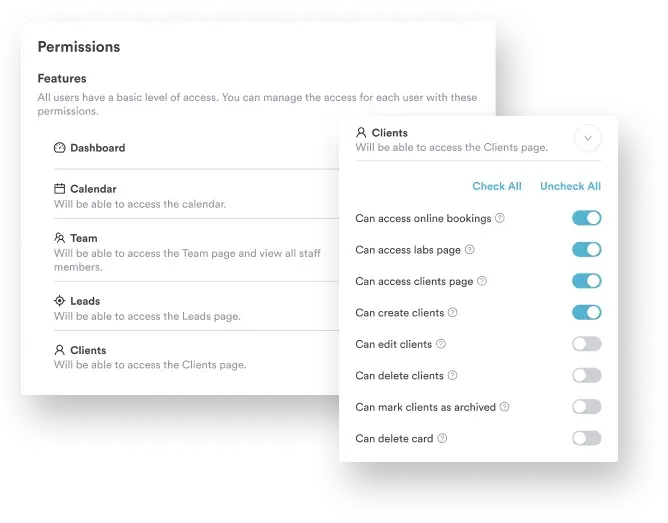
Audit logs record who accessed each record, when, and what they changed. If an unauthorized user opens PHI, the log shows the account and the actions taken, which is the evidence OCR asks for.
Email, text messages, patient portals and video calls all carry PHI, so each channel needs the same protection as the patient record.
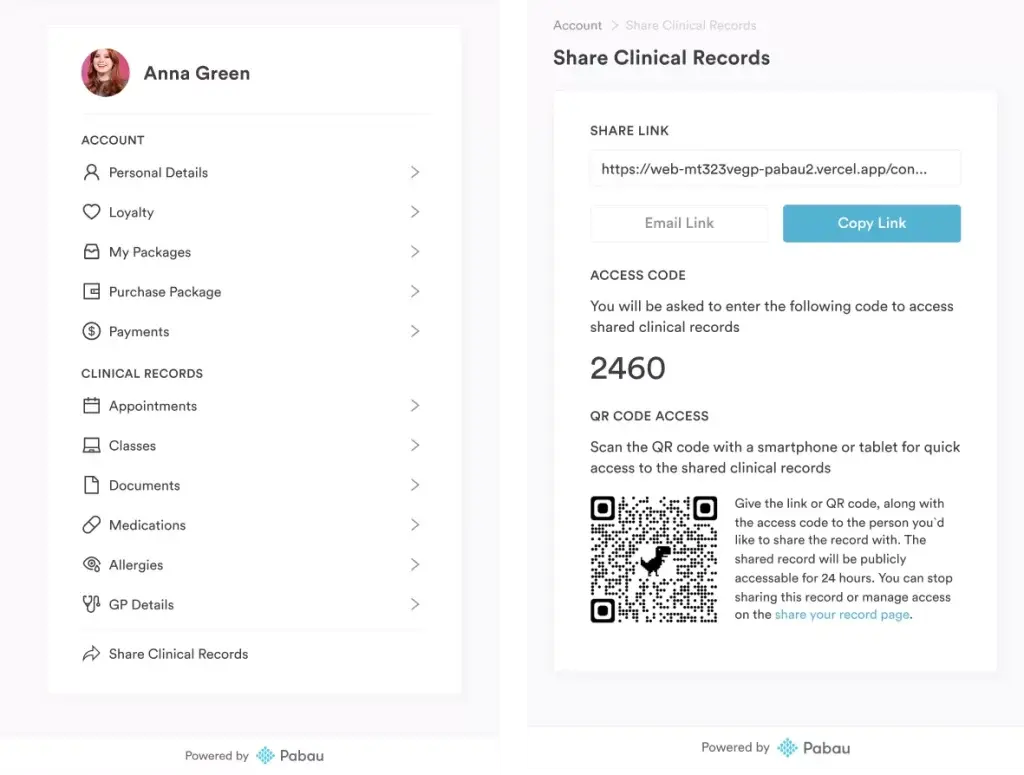
Physical safeguards protect the devices and rooms where PHI is visible. Look for software that supports them:
Regular backups and a tested recovery plan keep PHI available after a system failure or a ransomware attack. The Security Rule treats availability as seriously as confidentiality.

OCR fines HIPAA violations in four tiers, from $145 to $73,011 per violation, with a calendar-year cap of $2,190,294 for identical violations.
Those figures come from HHS’s January 2026 inflation adjustment in the Federal Register. Our guide to HIPAA violation penalties explains how OCR decides the tier.
| Culpability tier | Per violation | Calendar-year cap |
|---|---|---|
| Did not know, and could not reasonably have known | $145 to $73,011 | $2,190,294 |
| Reasonable cause, not willful neglect | $1,461 to $73,011 | $2,190,294 |
| Willful neglect, corrected within 30 days | $14,602 to $73,011 | $2,190,294 |
| Willful neglect, not corrected within 30 days | $73,011 to $2,190,294 | $2,190,294 |
Most practices we talk to start with Layer 1 spread across four places. Consent forms are on paper, photos sit on a phone, reminders go out from a personal number and notes live in a separate EMR.
Pabau pulls that workflow into one system. Consent forms are signed digitally and saved to the patient record, photos are captured into the chart, and reminders go out from Pabau itself.
Role-based access, multi-factor authentication and audit trails cover every one of those records. US practices switch on the HIPAA support toggle and receive a BAA during onboarding. Your first Layer 1 agreement then covers the system you use all day.
Pabau’s tools for simpler compliance management mean your next risk analysis starts from one system’s settings rather than four. If you’d like to see that setup on your own workflow, book a demo.

Pabau keeps records, before-and-after photos and consent forms encrypted in one system, with role-based access, audit trails and a BAA for US practices.

Choose your HIPAA compliance software one layer at a time. Secure the system where PHI lives first, because that vendor’s BAA and safeguards protect the records you touch every hour.
Then size Layer 2 to your practice. A free risk assessment tool and good templates can carry a solo injector, while a multi-site group gets more from a guided program.
The trade-off worth remembering is that no tool runs your training or notifies your patients for you. Book a demo to see how Pabau keeps records, photos and consent forms HIPAA-ready in one system.

Worried about how your EHR is protected? EHR security risks and best practices covers the technical, administrative and physical controls that keep electronic records safe.
Still sending appointment details by email? HIPAA compliant email explains when email can carry PHI and what encryption it needs.
Need a privacy policy your staff can sign? HIPAA compliance policy template gives you a ready-made policy to adapt and roll out.
Unsure what counts as a confidentiality breach? Patient confidentiality walks through the duties every team member carries day to day.
How long should you keep patient files? How long to keep medical records sets out retention periods so you know when records can be destroyed.
HIPAA compliance software is any tool that helps a practice protect PHI or prove it does. That includes secure practice systems that store records under a BAA, and program platforms that document risk analysis, policies and training.
HIPAA software puts encryption, access controls and audit logs around patient data automatically, and keeps your compliance records in one place. That cuts the manual work behind each audit, though your team still owns training and breach response.
Pabau gives US practices the safeguards HIPAA expects, including AES-256 encryption at rest, role-based access, multi-factor authentication and audit trails. Pabau also includes a BAA in US onboarding. Full compliance still depends on your own policies and training.
Yes, most practice platforms integrate with calendars, payments and marketing tools. Each connected tool that receives PHI needs its own BAA, so review integrations before switching them on.
Yes. Small practices that are covered entities must meet the same HIPAA rules as large ones. A secure practice system with a BAA covers the biggest risk, and a guided program helps when nobody on staff owns compliance.
For most practices, the best healthcare compliance software is a pair of tools. Use a secure system where PHI lives, such as Pabau, and a program platform such as Compliancy Group for HIPAA, OSHA and training. Teams needing SOC 2 or HITRUST add Vanta or Sprinto.
Free HIPAA tools cover the paperwork rather than the storage. HHS offers a free Security Risk Assessment Tool, and the OIG exclusion database is free to search. Storing PHI still needs a paid system whose vendor signs a BAA.
Yes, an AI tool can handle PHI when its vendor signs a BAA and applies Security Rule safeguards such as encryption. Consumer chatbots without a BAA are not suitable for patient data. Pabau Scribe, our AI scribe, saves notes straight into the patient record inside Pabau.
As of October 2026, no new HIPAA Security Rule has been finalized. HHS proposed an update on January 6, 2025, that would require encryption, multi-factor authentication and 72-hour system recovery. The Federal Register still lists it as a proposed rule. Separately, practices holding substance use disorder records had to update their Notices of Privacy Practices by February 16, 2026.