Referral management software: Track and close every referral
Referral management software in healthcare sends, tracks, and follows up patient...

Last Updated: Oct 26, 2026
Cloud-based EHR integration securely connects electronic health records with the tools you already use, from scheduling and labs to billing and telehealth.
That ends the disconnected systems, duplicate data entry and frustrated clinicians that still slow healthcare teams down.
This guide covers what EHR integration means and why it matters. It then walks through the five steps to implement it, from auditing your systems to monitoring syncs after launch.

EHR integration enhances collaboration, data insights, compliance, and professionalism, but requires investment, careful setup, and ongoing maintenance.
API-based, HL7 FHIR, and third-party integrations each serve different purposes, so choose the right approach based on your practice’s size, existing tools, and growth goals.
All-in-one platforms reduce complexity: Systems like Pabau combine EHR, scheduling, billing, patient communication, telehealth and AI scribing in one platform. Practices then have fewer integrations to maintain and less admin.
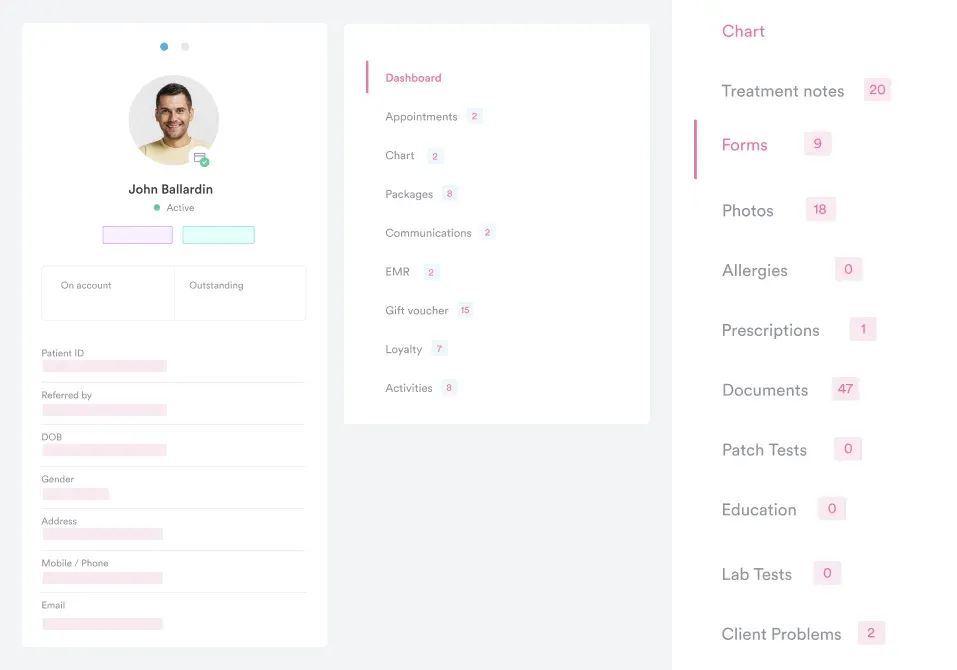
EHR integration, short for electronic health record integration, connects your EHR system with external tools such as billing platforms, laboratory portals or patient engagement apps. Data then flows automatically between them.
Integration lets different software programs “talk” to each other, so patient health information moves securely across your entire practice.
When a lab updates test results, the information instantly appears in the patient’s EHR. Similarly, integrating with billing software ensures charges and insurance claims are automatically updated without manual entry.
| Benefit | How EHR integration helps |
|---|---|
| Enhance patient care | Provides clinicians with complete, up-to-date records for better decisions. |
| Faster workflows | Reduces duplicate data entry and saves staff time. |
| Stronger compliance | Simplifies audits and supports HIPAA/GDPR compliance. |
| Simplify billing | Updates billing and insurance automatically, reducing errors. |
| Reduce costs | Minimizes redundant tests, paperwork, and mistakes. |
| Scale easily | Supports growth, new services, and multi-location practices. |
Healthcare systems generate massive amounts of data, and without EHR data integration, much of it remains siloed and underused.
Integrated EHR systems help healthcare organizations:
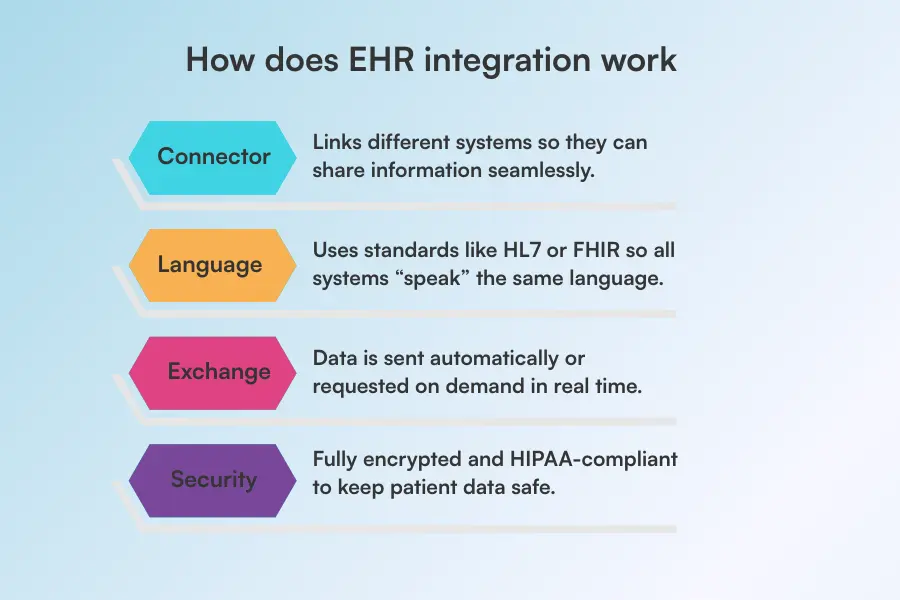
EHR integration works like a digital bridge, passing data between systems in a shared standard such as HL7 or FHIR. Standards like these underpin EHR interoperability, which lets systems exchange, interpret, and use patient data across care settings.
When a clinician enters health information in one system, smart “translator” rules make sure every other system reads it correctly. Data then flows without mix-ups.
Here’s how it works:
There are several ways to approach integration with EHR systems, and our roundup of the best EMR software covers how each platform handles it. The right approach depends on your practice size, existing software, and long-term goals. The grid below matches each type to the job it suits best.
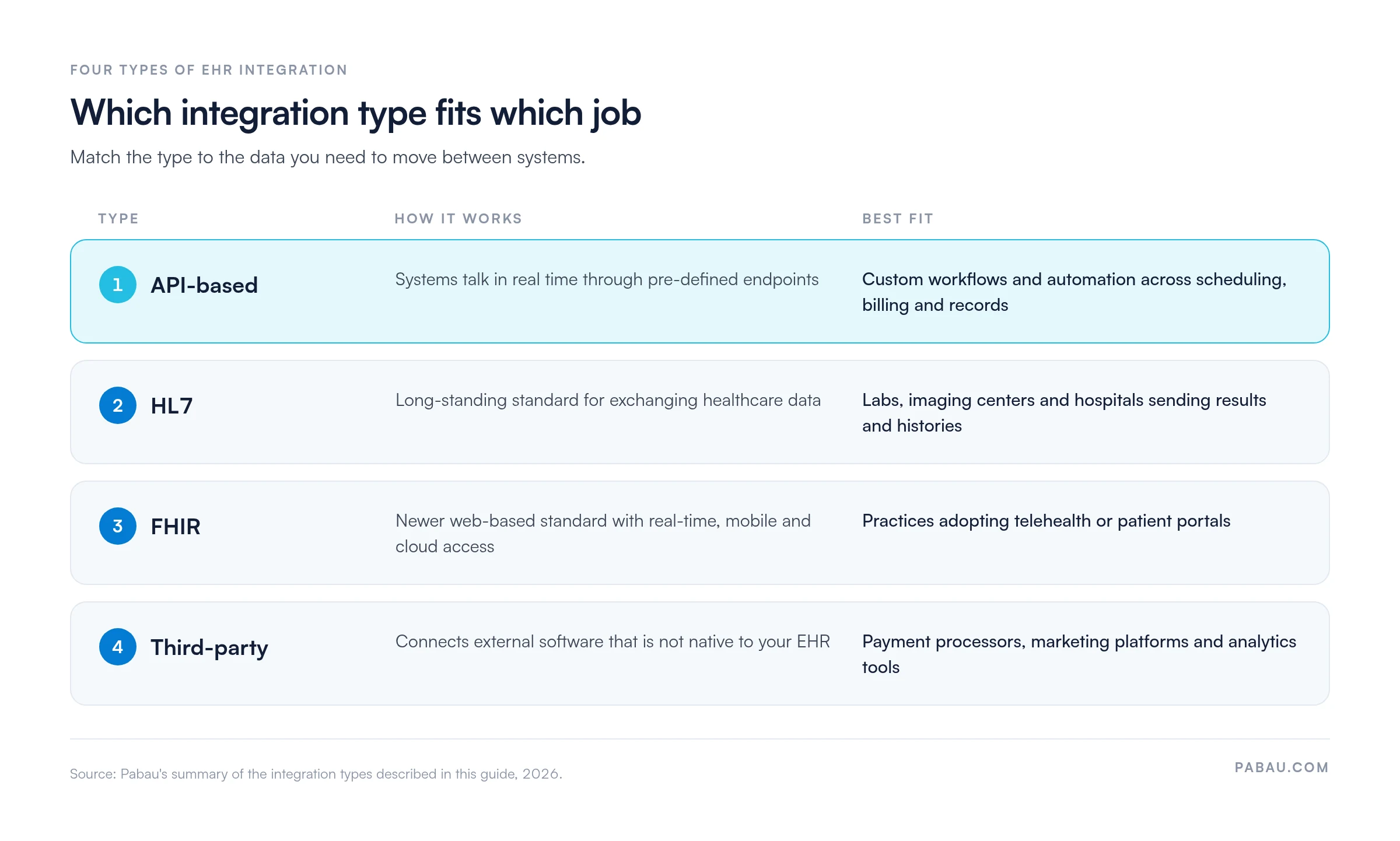
APIs (Application Programming Interfaces) allow different software systems to communicate in real time using pre-defined “endpoints.”
API integrations are highly flexible, enabling practices to customize clinical workflows, automate tasks, and quickly adapt to new tools or updates.
For example, Pabau’s API documentation shows how API integrations connect scheduling, billing and patient records. Staff get a unified view of operations without switching between systems.
HL7 (Health Level Seven) is a long-standing standard for exchanging healthcare information between systems.
HL7 integrations are particularly useful for labs, imaging centers, and hospitals, ensuring that test results, patient histories, and clinical notes move securely into your EHR.
This type of integration works well for practices that need standardized, reliable data transfers without building custom interfaces.
FHIR (Fast Healthcare Interoperability Resources) is a newer standard designed for modern, web-based healthcare apps.
FHIR integrations support real-time data sharing, mobile access, and cloud-based workflows, making them ideal for practices adopting telehealth or patient portals.
Their structured approach allows easy updates and scalability while maintaining compliance with healthcare regulations.
Third-party integrations connect your EHR to external software not natively part of your system.
This can include payment processors, marketing platforms, or specialized analytics tools.
For instance, Pabau’s payment processing integration helps keep invoices and payments in sync with patient records, reducing errors and administrative work. These integrations extend your EHR’s functionality while keeping all data centralized.
EHR API integration involves authenticating an app, granting it scoped access, mapping its data to the EHR’s fields, and testing every request before going live.
Each stage has a job to do:
FHIR is the shared format many EHR APIs speak, so a request means the same thing across vendors. In the US, ONC’s certified API criterion requires FHIR Release 4.0.1, the US Core profiles and SMART App Launch.
A FHIR Patient read is the simplest example. The request GET [base]/Patient/123 returns patient 123’s record, following the read interaction defined by HL7.
The Pabau API, open to every Pabau customer, works on the same principle. Developers can read and write appointments, patient records, invoices and clinical forms without manual exports.
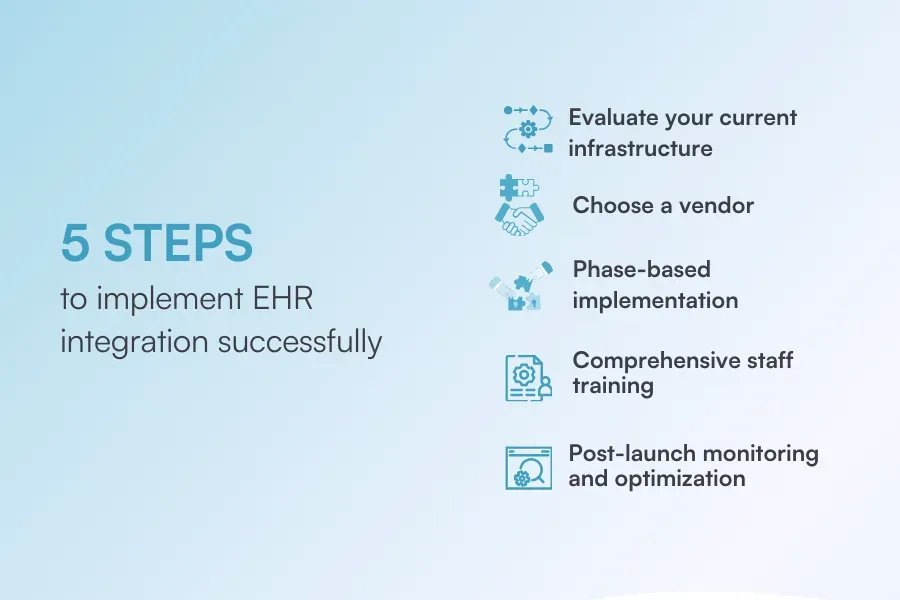
Implementing cloud-based EHR integration may seem complicated, but breaking it into clear steps makes it manageable.
Choosing an all-in-one system like Pabau often eliminates the need for complex, multi-step integrations by housing all core functions in one cloud-based system.
Here’s how implementation should go:
Before adding a new EHR integration, you must understand your baseline.
Check if the current software you are using is robust enough to handle the workload.
This means verifying if your system is cloud-ready and capable of secure, bi-directional API connections rather than just simple “read-only” data pulls.
Selecting the right EHR vendor is one of the most important steps for a successful integration.
Start by finding a system that fits your practice’s size, workflow, and budget. What works for a small practice may not suit a larger multi-location group.
Consider your team’s needs: does the system support appointment scheduling, billing, lab, pharmacy, prescription integrations, or telehealth? Don’t forget regulatory requirements, such as HIPAA or GDPR compliance, to ensure patient data is secure and compliant.
Choosing the right vendor sets the foundation for smoother workflows, easier staff adoption, and fewer headaches during implementation.
Once you’ve chosen your EHR vendor, start the implementation step by step. A phased rollout keeps things manageable and avoids big disruptions.
Here’s where to start:
Even the most seamless EHR integrations won’t deliver results if your staff isn’t confident using them.
Take the time to walk your team through new workflows, showing them exactly how to access integrated data, update records, and navigate any changes.
Encourage questions and provide hands-on demonstrations so everyone can practice in a safe environment before going live.
Consider creating short guides or cheat sheets for quick reference, and schedule follow-ups to address any lingering challenges.
Integration isn’t done once it’s live.
Watch for errors or sync issues, and ask your team for feedback: Is data flowing quickly? Are there duplicates?
Use this info to adjust settings and make the system work as efficiently as possible.
EHR integration offers significant benefits but also comes with its challenges.
That’s why understanding both sides will help practices plan effectively.
| Pros | Cons |
|---|---|
| Seamless collaboration | High costs |
| Better data insights | Complex setup |
| Simplified compliance | Staff learning curve |
| Better patient engagement | Data migration risks |
A strong EHR system should work for you in the background, not slow you down.
That means you don’t have to worry about manually filling patient charts during visits or taking consultation notes by hand.
Looking at the bigger picture, implementing all-in-one practice management software makes much more sense than stitching together multiple integrations. A system like Pabau, for instance, eliminates integration headaches by combining scheduling, billing, documentation, patient communication, and more into a single, seamless system.
So let’s see what the best practices of a strong EHR system are:
Review patient histories, concerns, and previous notes before the visit whenever possible. Detaching routine data entry from face-to-face time allows you to focus on the patient while still documenting accurately and efficiently.
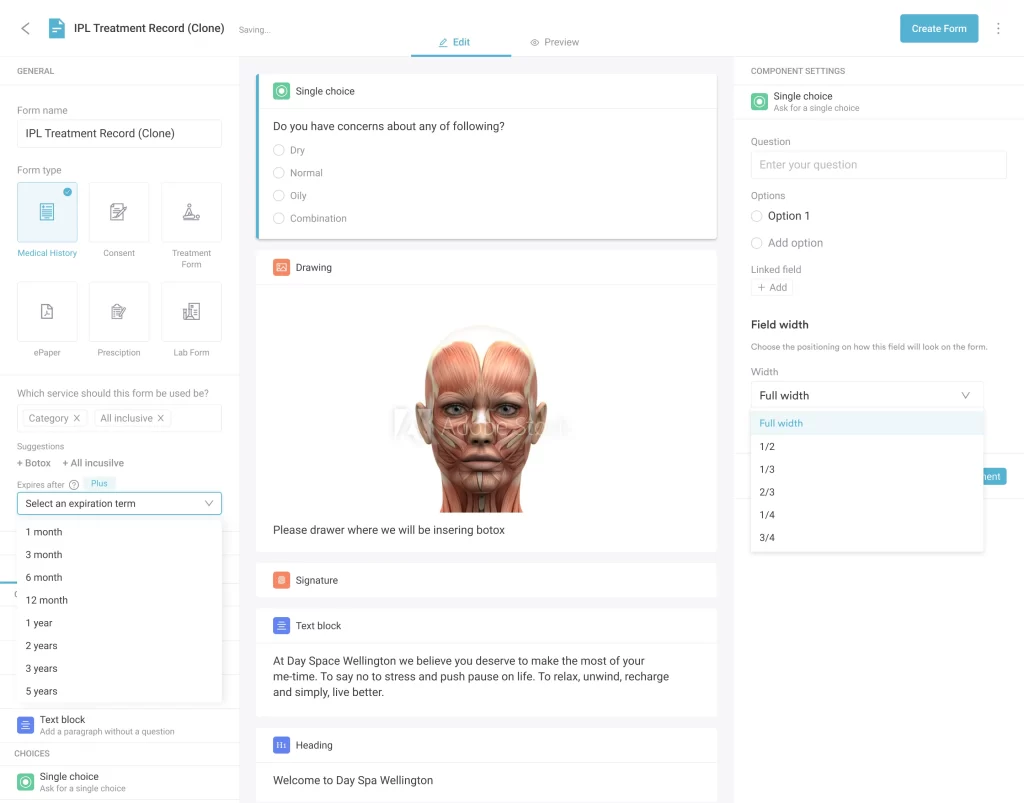
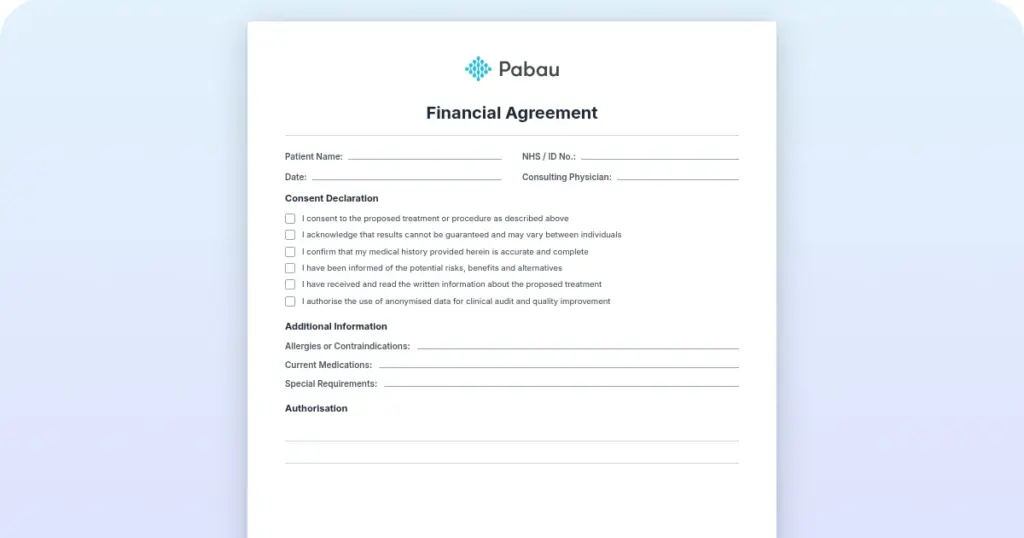
Pabau, for example, lets you send consent forms and medical history questionnaires to patients as soon as they schedule an appointment. Patients can complete these forms in advance, and all the information is automatically added to their patient records. This way, you can review everything before the visit and focus entirely on patient care.
Templates can significantly reduce charting time, but they should be customized and reviewed for each service to capture the specific information needed for upcoming treatments. Structured data entry—like dropdown menus, checkboxes, and predefined fields—also improves accuracy and efficiency, minimizing typos and ensuring consistent documentation.
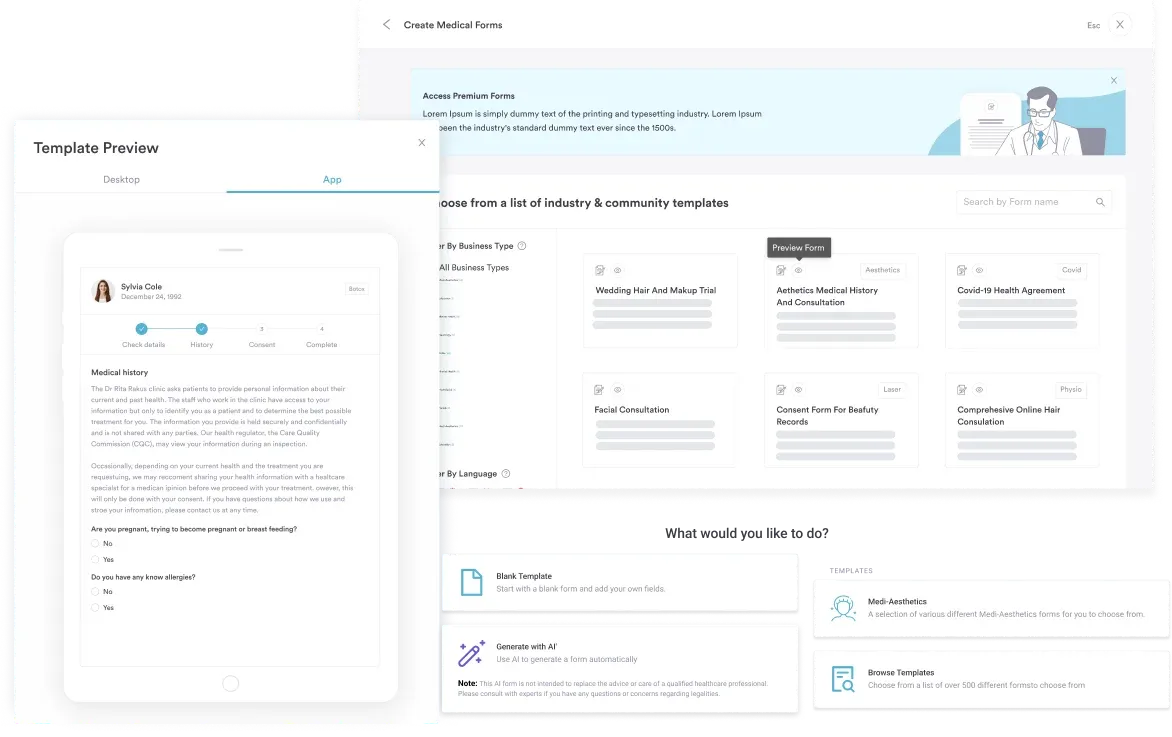
With Pabau, you don’t have to build every form from scratch. Pabau offers a library of ready-made templates to save time. You can also create and customize your own to match your practice’s workflows.
Be mindful of how much time you spend looking at the screen during visits. Excessive “screen gazing” can make patients feel ignored, even if you’re taking notes.
Tools like Pabau’s AI scribe can automatically record important details from your conversation in real time, allowing you to focus fully on the patient.
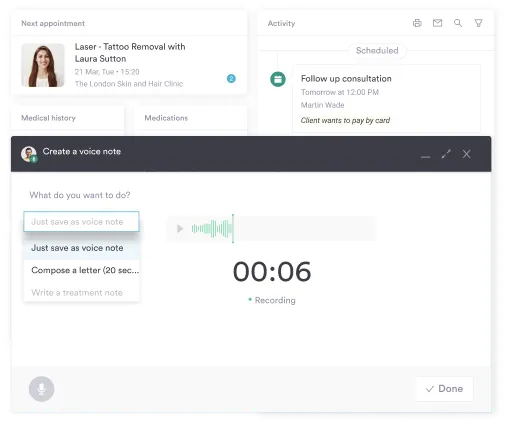
AI scribing saves time and cuts the errors that creep in when notes are written after the visit. Your documentation stays accurate while your attention stays on the patient.
Keeping patients informed and engaged is important for better patient outcomes.
Sending them aftercare instructions, follow-up reminders, or satisfaction surveys after their visit ensures patients receive timely information and feel cared for between visits.
With platforms like Pabau, you can automatically send forms, appointment reminders, and post-treatment check-ins.
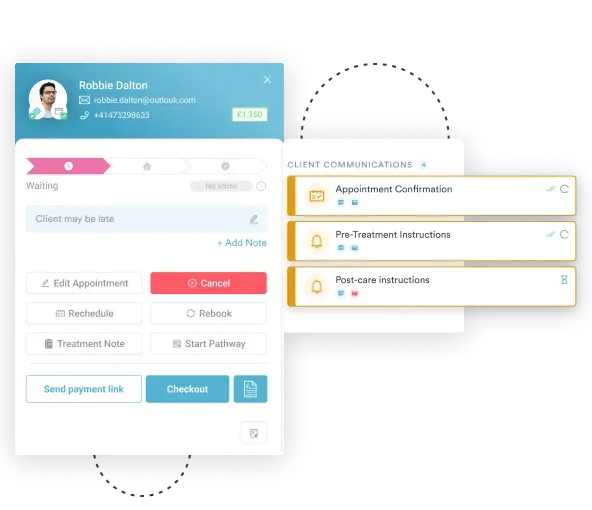
Patients can complete forms or confirm follow-ups directly through the system, and all responses are recorded in their EHR. Automated follow-ups save staff time and improve patient adherence, satisfaction and outcomes. Patients and your team both get a smoother experience.
An integration project usually starts because scheduling, billing and records live in separate tools. Each connection between them then needs its own testing and upkeep.
Pabau combines EHR, appointment scheduling, billing, templates and forms, AI-powered scribing, patient communication, telehealth and automated reminders in one platform. Clinicians can also review medical histories, track lab results, prescribe medications and manage follow-ups from the same patient record.
For the tools you keep, Pabau connects to 30+ third-party apps, including Stripe, Xero, Google Calendar and Zoom, at no extra cost. Tools without a native integration connect through Zapier, Make or the Pabau API. Your team maintains fewer connections, and one practice management platform stays the home for patient data.

Pabau brings records, scheduling, billing and patient communication into one system, with 30+ native integrations for the tools you keep. Your team spends less time maintaining connections and fixing sync errors.

Start an EHR integration project by listing every place your team types the same patient data twice. That list shows which connections pay back first, and which tools you could retire instead.
API and FHIR connections give you flexibility, yet each one adds testing and monitoring work for as long as it runs. A few well-maintained connections will serve patients better than a long chain of fragile ones.
Book a demo to see how Pabau keeps records, scheduling and billing in one place, so your team maintains fewer integrations.

Planning the whole rollout? EHR implementation steps breaks the project into nine stages you can schedule.
Still comparing vendors? The EHR selection process gives a five-step method for choosing a system that fits your practice.
Moving records from an old system? EHR migration covers how to transfer patient data without losing or mismatching it.
Preparing your team for go-live? EHR training shows practice managers how to build staff confidence before launch.
Already live and looking to improve? EHR optimization explains how to tune workflows once the system is running.
EHR integration is the process of connecting an electronic health record system with other tools, like billing platforms, lab portals, or patient engagement apps. Data then flows automatically and securely between them. Software programs talk to each other, so patient information moves across your practice without duplicate entry or manual copying.
Both are standards that let systems share data in the same language. HL7 (Health Level Seven) is long-established and well suited to labs, imaging centers, and hospitals moving test results and histories reliably. FHIR (Fast Healthcare Interoperability Resources) is newer and built for modern web-based apps. It supports real-time sharing, mobile access and cloud workflows, which suits practices adopting telehealth or patient portals.
It should be. In a well-built integration, data is locked down with encryption and follows HIPAA rules, keeping patient information safe as it moves between systems. Centralized data also makes audits and reporting easier, with automatic logging, standardized formats, and audit trails. Modern integration aligns with privacy regulations like HIPAA in the US and GDPR in Europe, protecting data while enabling legitimate sharing.
Break it into five steps. First, evaluate your current infrastructure to check it’s cloud-ready. Then choose a vendor that fits your size, workflow, and budget. Roll out in phases, customizing forms, migrating data carefully, and testing each feature. Train staff thoroughly so they’re confident in the new workflows. Finally, monitor after launch for sync issues and optimize settings based on feedback.
It’s worth planning for the trade-offs. Initial costs for implementation, licensing, and training can be significant for smaller practices, and setting up multiple systems takes careful planning and IT support. Staff face a learning curve while they adjust, and transferring existing records carries migration risks if not done carefully. Systems also need ongoing updates and monitoring to stay secure and efficient.
Pabau is practice management software that combines EHR, scheduling, billing, forms, patient communication, telehealth, and reminders in one platform. Much of your data is therefore already connected. It also links to external tools and helps keep invoices and payments in sync with patient records, cutting errors and admin. Clinicians can review histories, track lab results, prescribe, and manage follow-ups from one patient record.
API integration involves registering an app, authenticating it with OAuth, granting scoped access, mapping data fields and testing requests in a sandbox. For EHR API integration, the requests often follow the FHIR standard, and the connection is monitored for failed syncs after launch.
FHIR needs profiling for each context of use, and it leaves security to other standards. HL7 calls FHIR a platform specification, so vendors adapt it through implementation guides such as US Core. HL7 also states that FHIR is not a security protocol, so integrations add OAuth and SMART App Launch on top. Systems on different FHIR releases, such as R4 and R5, can need extra mapping work.