Appointment reminder software cuts no-shows by automating confirmations, reminders, and rebooking across SMS, email, and voice. A slot that empties at the last minute rarely earns that revenue back.
Pabau is our top pick, and it fits aesthetic, wellness, and multi-specialty private-pay practices best. Its automated reminders run inside the platform that already holds the calendar, the patient record, and the deposit. Weave wins where the reminder problem is also a phone problem, and SimplePractice where one therapist runs the practice.
This guide compares the seven platforms US practices use most in 2026. For each one you get the standout features, first-party pricing, and verified Capterra or G2 ratings. We also name the practice type it serves best, so you can shortlist quickly.
Whether you run an aesthetic medspa, a dental group, a therapy practice, or a primary care office, the shortlist below covers the range. For the wider view of how reminders fit the booking process, see our guide to patient scheduling software.
Key takeaways
1. Pabau — best all-in-one pick for aesthetic, wellness, and multi-specialty private-pay practices.
2. Weave — best for dental, optometry, and vet offices that want VoIP and reminders on one bill.
3. NexHealth — best for practices adding modern reminders on top of an EHR they cannot replace.
4. Klara — best for HIPAA two-way texting where the patient conversation matters as much as the reminder.
5. SimplePractice — best for solo therapists and small behavioral health groups billing insurance.
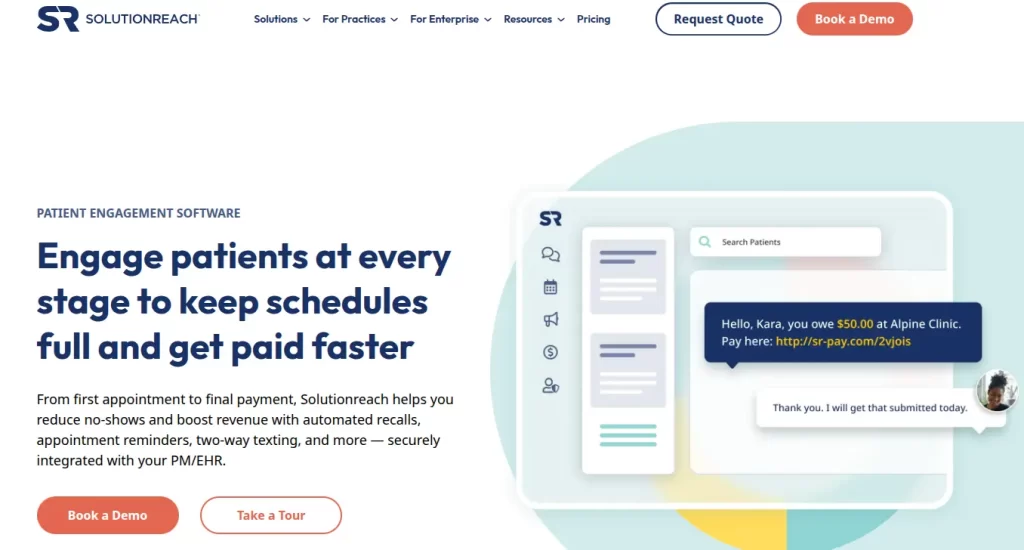
6. Solutionreach — best for recall-heavy dental and primary care practices.
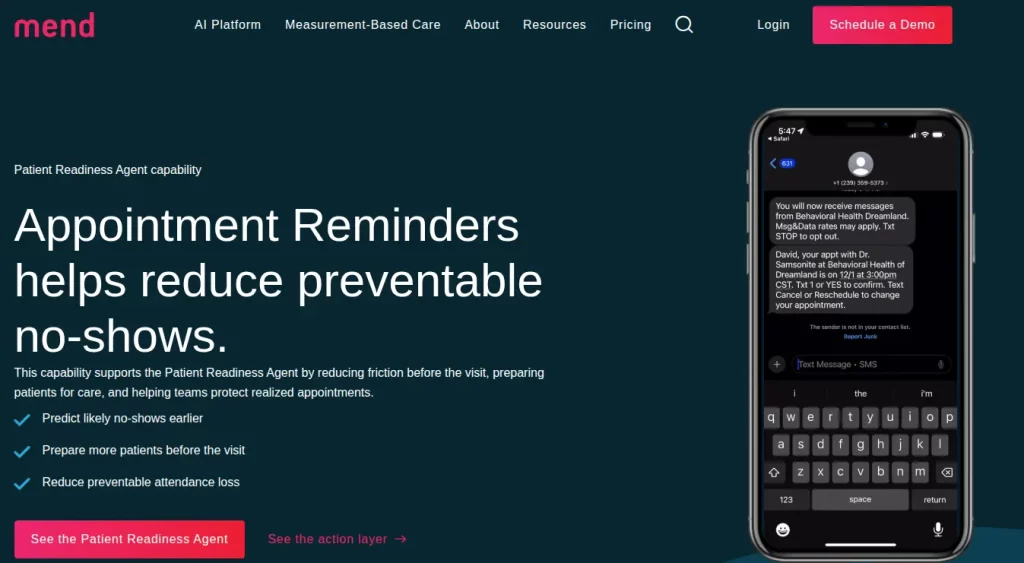
7. Mend — best for telehealth-heavy practices that want no-show prediction built in.
Found our content helpful?
Best appointment reminder software: quick comparison
Here is how all seven platforms stack up at a glance.
Name
Best for
Standout feature
Starting price
Rating
Pabau
Aesthetic, wellness & multi-specialty practices
All-in-one reminders, booking, CRM, forms, POS
From $62/month
4.7/5 (Capterra)
Weave
Dental, optometry & veterinary practices
VoIP phone + two-way SMS reminders
Contact for pricing
4.2/5 (Capterra)
NexHealth
Practices with an existing EHR they cannot replace
Real-time EHR-synced reminders
Contact for pricing
4.6/5 (Capterra)
Klara
Practices that need HIPAA two-way messaging
App-free SMS conversations with patients
Contact for pricing
4.5/5 (G2)
SimplePractice
Mental health, therapy & behavioral health
Reminders bundled with telehealth and notes
From $49/month (Starter plan)
4.6/5 (Capterra)
Solutionreach
Dental and medical practices wanting recall depth
Recall automation plus reputation management
Contact for pricing
4.0/5 (Capterra)
Mend
Telehealth-heavy practices and behavioral health groups
AI-driven no-show prediction with reminders
Contact for pricing
4.3/5 (Capterra)
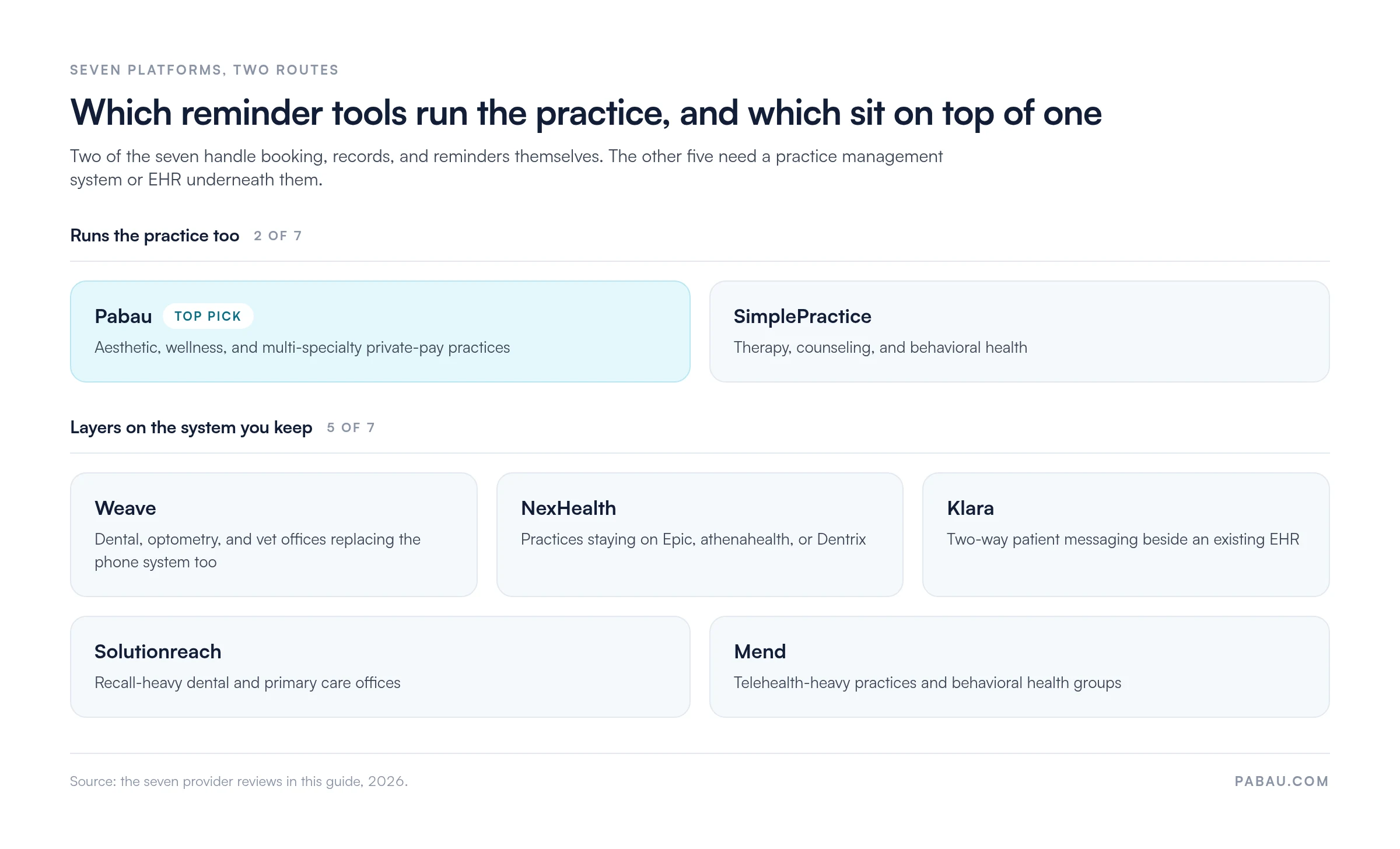
One difference outranks the feature lists. Two of these platforms run the practice themselves, and the other five layer onto software you already have.
Only Pabau and SimplePractice run the practice as well as the reminders, based on the seven reviews in this guide.
Pabau: best appointment reminder software for aesthetic, wellness, and multi-specialty practices
Rating4.7/5★★★★★Top pick
The bottom line
Pabau runs the reminders and the practice record they come from, with no sync step between systems.
Who it’s for
Aesthetic, medspa, and elective procedure practices
Multi-location private-pay groups
Wellness, longevity, weight loss, and fertility practices
Reminders, deposits, consent forms, and aftercare in one platform
Waitlist auto-fill recovers canceled slots without staff time
Every subscription includes every feature
What doesn’t
Broad if you only want a reminder layer
Multi-step automations need onboarding support
Insurance-first billing is less tailored
Pabau is practice management software with automated reminders built in across SMS and email. Standalone reminder tools bolt onto software you already run. Pabau instead handles the whole booking-to-aftercare cycle in one product. Automated reminders pull from the calendar, patient record, and consent forms your front desk already uses.
Replies come back into a single patient inbox rather than a personal phone, so nobody misses a reschedule request.
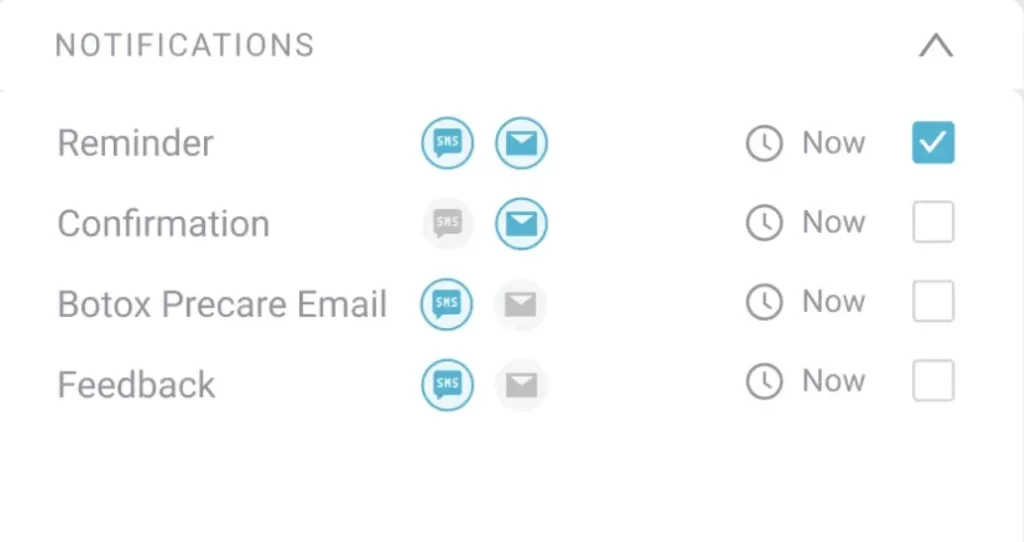
Pabau’s automated communications schedule the reminder, the pre-visit instructions, and the aftercare message against one appointment, so nobody sends them by hand.
Practices use Pabau to send timed pre-appointment reminders and capture confirmations or cancellations. A cancellation then hands the slot to the waitlist, and the aftercare sequence goes out once the visit ends. The same rules run across every site in a group, so patients get the same message wherever they book.
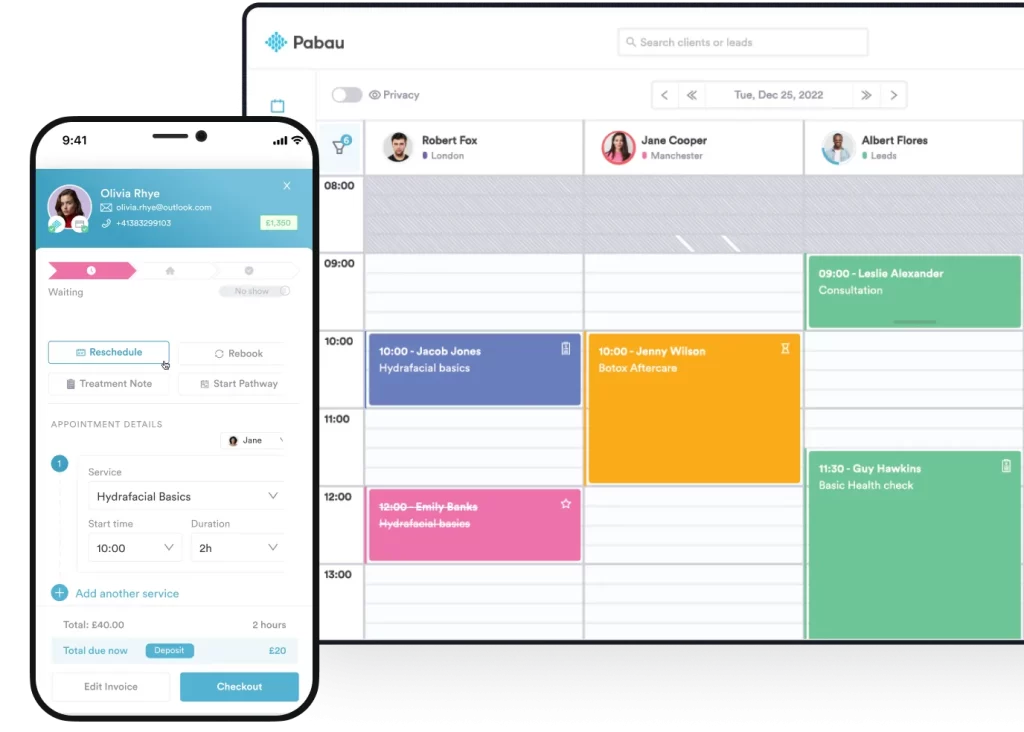
Reminders fire from this calendar, so a confirmation or a cancellation updates the schedule instead of an inbox.
Key features
SMS and email reminders: Automated reminders sent on configurable schedules (24, 48, and 72 hours before the visit are typical defaults).
Two-way confirmation flows: Patients reply Y or N to confirm or cancel; cancellations free the slot automatically.
Deposit collection at booking: Built-in deposit handling reduces no-shows on high-value procedures before a reminder is needed. In-person balances are taken on Pabau Pay, our card terminals.
Waitlist auto-fill: Cancellations trigger SMS to the next eligible patient on the waitlist.
Pre and post-care messaging: Pabau’s automation engine sends intake forms, consent documents, and aftercare instructions tied to the appointment type.
Branded sender ID: SMS goes out from a branded sender name or a number patients can reply to.
HIPAA-compliant infrastructure: US data residency, a BAA on request, and audit logs on every reminder sent.
Reporting on reminder ROI: Dashboards show open rates, confirmation rates, and recovered revenue from canceled-but-rebooked slots.
Pricing
Plan
Price
Who it is for
Key features
Starter
From $62/month
Single-practitioner practices
Full platform, every feature included
Team and Group
Scales by user and location count
Growing multi-user practices
Same feature set, volume-based pricing
Enterprise
Custom quote
16+ users and multi-location groups
Dedicated onboarding, multi-location controls
Every Pabau subscription includes every feature, so moving up a tier adds users and locations rather than unlocking functions. Prices are the US rates published on pabau.com.
Where Pabau shines
Reminders sit inside the full patient journey. There is no integration tax. The reminder triggers the consent form, and the consent form triggers the aftercare email, all from one calendar event.
Revenue recovery is automatic. Cancellations trigger waitlist outreach without staff intervention, which practices typically value more than the reminder itself.
Aesthetic and elective fit. Pre-built templates for cosmetic procedures, injectables, and recurring treatments match how a medspa books, preps, and follows up each one.
Multi-location ready. Centralized reminder rules with location-level overrides keep the patient experience consistent across every site in a group.
HIPAA-compliant by default. US data hosting, signed BAAs, and granular audit logs on every message.
Where Pabau falls short
Overkill for a reminders-only need. If you already have an EHR you like and only want a reminder layer, Pabau will feel broad.
Learning curve on the automation engine. New users typically need onboarding support to configure multi-step automated sequences beyond default reminder templates.
Optimized for private-pay practices. Practices billing mainly through Medicare or commercial insurance will find the insurance billing tools less tailored than insurance-first platforms.
Customer reviews
On Capterra, Pabau holds 4.7 out of 5 across 651 verified reviews. G2 shows the same 4.7 out of 5 across 275 reviews.
Reviewers call out the depth of automated patient communication and the hours saved by running reminders, consent forms, recall, and aftercare from one platform. For the operational side of that, see which changes move a patient no-show rate.
Pabau attaches a send schedule to each appointment type, so a first consultation and a routine follow-up chase patients differently.
Who Pabau is best for
Aesthetic, medspa, and elective procedure practices where deposit recovery and pre-care prep are as important as the reminder itself.
Multi-location private-pay groups that want centralized reminder rules with location-level overrides.
Wellness, longevity, weight loss, fertility, and pelvic health practices replacing a stack of point tools with one platform.
Practices that want reminders, recall, intake, consent, and POS in one HIPAA-compliant platform.
Weave: best for dental, optometry, and vet practices
Rating4.2/5★★★★★
The bottom line
Weave replaces the phone system and the reminder tool in one subscription.
Who it’s for
Dental practices on Dentrix, Eaglesoft, or Open Dental
VoIP, two-way SMS, and review requests on one bill
Missed-call text-back catches callers who hang up
Deeper dental integrations than general-purpose tools
What doesn’t
No clinical documentation, intake, or treatment planning
Feature set leans heavily dental
Contract terms draw mixed feedback from small practices
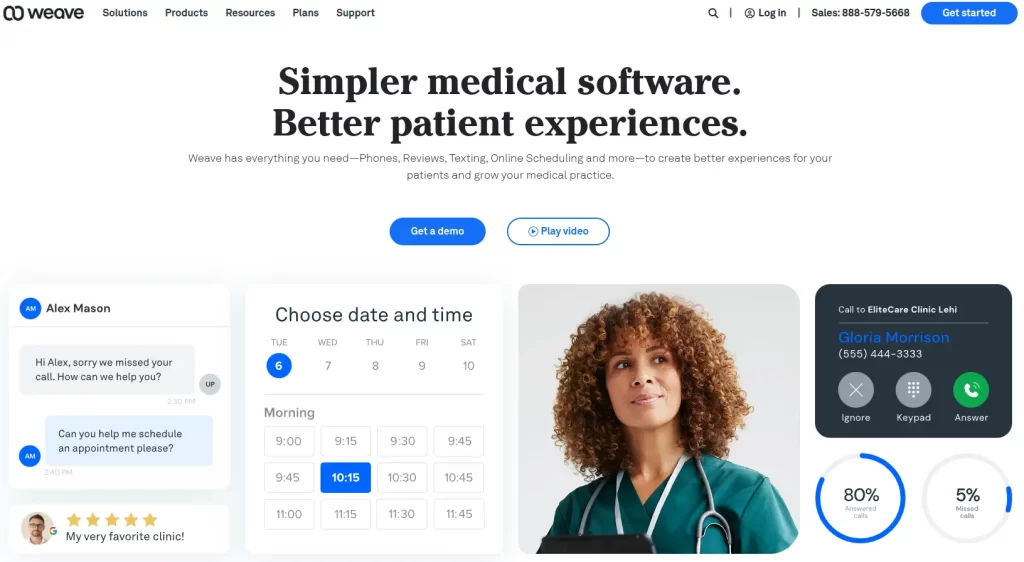
Weave bundles VoIP phone service, two-way SMS, and automated reminders into one subscription. That combination has made it a default communication stack for US dental and optometry offices. The pitch is simple. One subscription replaces the phone system, the reminder tool, and the patient texting tool.
Weave leads with the phone system, which is the clearest signal of who the product is built for.
Key features
VoIP phone system: Caller ID pops the patient record on incoming calls, with call recording and routing built in.
Two-way SMS reminders: Patients confirm, cancel, or reschedule by text, with replies tied back to the appointment record.
Missed-call text-back: Automatic SMS to any caller who hangs up before reaching the front desk.
Email and SMS marketing: Recall campaigns and bulk messaging for newsletters and promotions.
Online review requests: Triggered after each visit to push patients to Google and Facebook reviews.
Practice management integrations: Direct sync with Dentrix, Eaglesoft, Open Dental, Crystal PM, and others.
Pricing
Plan
Price
Who it is for
Key features
Custom
Contact Weave for current rates
Dental, optometry, vet, primary care
VoIP, SMS, reviews, reminders
Weave publishes no plan prices. A quote depends on office size, phone lines, and which products you bundle, so ask for the renewal rate too.
Where Weave shines
Replacing a legacy phone system and a reminder tool simultaneously is a strong consolidation play for offices stuck on outdated VoIP contracts.
Two-way SMS confirmations are well-implemented and reduce front desk phone time noticeably.
The dental integration ecosystem is deeper than most general-purpose platforms.
Where Weave falls short
Aesthetic, wellness, and behavioral health practices will find the feature set heavily dental-leaning.
No native clinical documentation, intake forms, or treatment planning, so it lives alongside a separate EHR or practice management platform.
Contract structure and pricing transparency draw mixed feedback from smaller practices.
Customer reviews
According to Capterra reviewers, Weave holds 4.2 out of 5. G2 rates the platform 4.5 out of 5. Reviewers praise the phone-plus-SMS bundle, but they call out contract renewal friction and inconsistent support escalation on technical issues.
Who Weave is best for
Dental practices, especially those running Dentrix, Eaglesoft, or Open Dental.
Optometry, audiology, and vet practices with high phone volume.
Multi-location dental groups that want one phone-and-text stack across offices.
NexHealth: best for practices keeping their EHR
Rating4.6/5★★★★★
The bottom line
NexHealth modernizes booking and reminders without touching the EHR underneath.
Who it’s for
Practices on Epic, athenahealth, Dentrix, or Eaglesoft
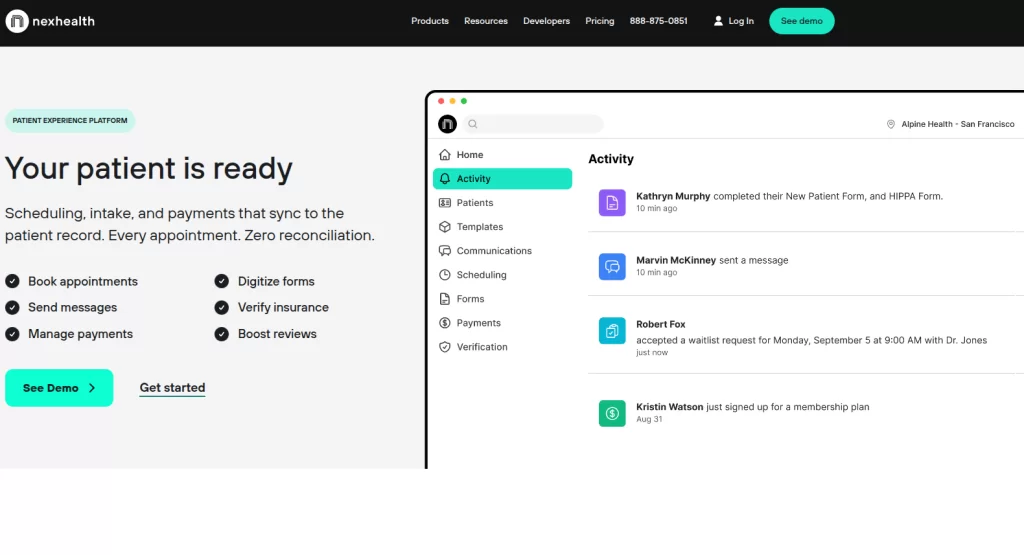
NexHealth is a patient engagement layer designed to sit on top of an existing EHR or practice management platform. Dental and medical practices running Epic, athenahealth, Dentrix, or similar systems adopt it widely. They want to modernize reminders, scheduling, and patient messaging without replacing the clinical system underneath.
NexHealth sells itself as the layer above the EHR rather than a replacement for it.
Key features
Real-time EHR sync: Reminders fire based on live scheduling data, not a nightly batch import.
Self-scheduling: Patients book real-time available slots directly from the website.
Automated reminders: SMS, email, and voice confirmations, reminders, and recalls.
Two-way messaging: Web-based inbox for staff to message patients individually.
Digital intake forms: Pre-visit forms sent automatically with appointment confirmations.
Pricing
Plan
Price
Who it is for
Key features
Custom
Contact NexHealth for rates
Practices with established EHR
EHR sync, reminders, scheduling, messaging
NexHealth publishes no rates either. Quotes are built from location count, provider count, and the integration work your EHR needs.
Where NexHealth shines
Deep, real-time EHR integration eliminates double-entry between scheduling and clinical systems.
Patient self-scheduling experience is among the cleanest in this category.
Strong adoption in dental specialties and multi-provider medical groups.
Where NexHealth falls short
Functionality outside scheduling and reminders is limited, so it adds cost on top of your existing EHR rather than replacing it.
Higher price point relative to feature breadth.
Reviewers note variable support response times during peak periods.
Customer reviews
According to Capterra reviewers, NexHealth holds 4.6 out of 5. Positive feedback focuses on EHR sync reliability and the patient-facing booking experience. Limitations called out by reviewers center on the platform working best as an engagement layer rather than a full practice management platform.
Who NexHealth is best for
Dental and medical practices running Epic, athenahealth, Dentrix, or Eaglesoft as the system of record.
Practices that want to modernize online booking and reminders without ripping out the underlying EHR.
Klara: best for two-way patient messaging
Rating4.5/5★★★★★
The bottom line
Klara is built for the conversation around the visit, not the reminder alone.
Patients reply by regular text, with no portal login
One patient thread, several staff participants
BAA and audit trails come as standard
What doesn’t
No native booking, calendar, or documentation
Pricing is opaque for a messaging-only tool
Reminder templates are less configurable
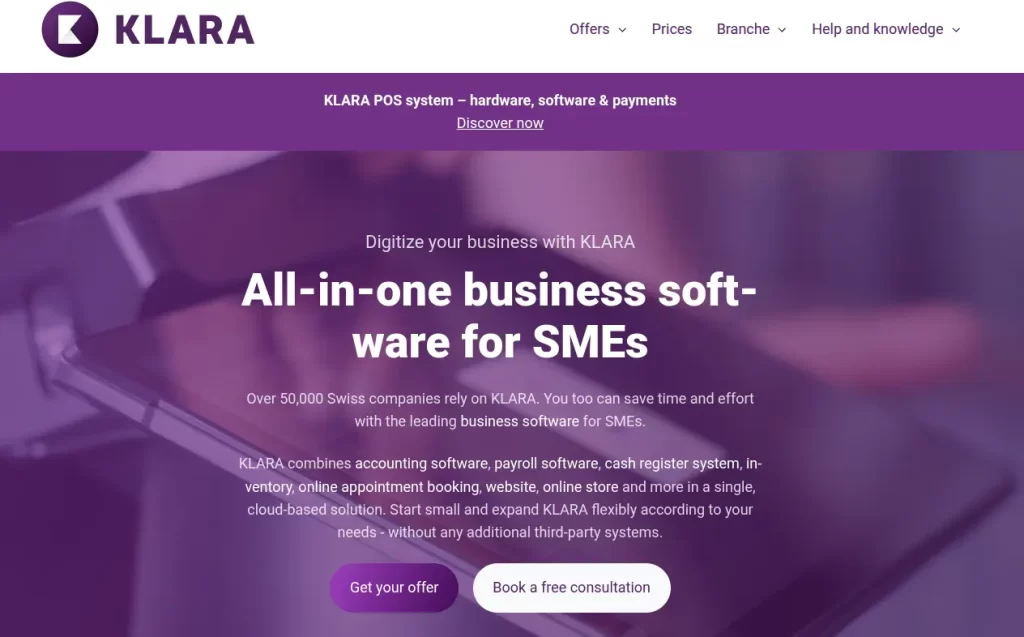
Klara built its reputation on HIPAA-compliant two-way SMS that works without forcing patients to download an app. Reminders are part of the package. Klara earns its place when ongoing patient messaging matters as much as the appointment reminders, from intake follow-up to post-op check-ins.
Klara puts the patient conversation first, with appointment reminders as one message type among many.
Key features
App-free SMS messaging: Patients reply by regular text, no portal login required.
HIPAA-compliant inbox: Staff manage all patient conversations from a unified web inbox.
Automated reminders: Pre-visit reminders, confirmations, and recall messaging.
Care coordination workflows: Templates for post-visit instructions, prescription follow-up, and referral handoffs.
EHR integrations: Sync with athenahealth, eClinicalWorks, and others.
Pricing
Plan
Price
Who it is for
Key features
Custom
Contact Klara for rates
Practices needing two-way messaging
SMS inbox, reminders, EHR sync
Klara quotes per practice and publishes no rate card. Expect the figure to track provider count and message volume.
Where Klara shines
App-free SMS dramatically improves response rates compared to portal-based messaging.
Care coordination across multiple staff members is well-implemented (one patient thread, multiple internal participants).
HIPAA posture is strong, with a BAA and audit trails as standard.
Where Klara falls short
No native booking, calendar, or clinical documentation, so it pairs with an EHR rather than replacing one.
Pricing is opaque, and smaller practices have noted it sits on the higher end for messaging-only tools.
Reminder template flexibility is solid but not as deep as automation-engine platforms.
Customer reviews
According to G2, Klara holds 4.5 out of 5. Reviewers consistently call out the speed of patient response and the clean inbox UX. Limitations cited center on integration depth varying by EHR and the cost relative to messaging-only scope.
Who Klara is best for
Medical practices where ongoing patient conversation (not just appointment pings) is core to the care model.
Specialty groups (dermatology, gastroenterology, urology) with high post-visit messaging volume.
Practices already running athenahealth or eClinicalWorks that want to add a modern messaging layer.
SimplePractice: best for therapy and mental health practices
Rating4.6/5★★★★★
The bottom line
SimplePractice wraps reminders around the therapy workflow, telehealth link included.
Reminders, notes, telehealth, and billing in one product
Recurring weekly and biweekly series handled cleanly
Large practitioner community sharing templates
What doesn’t
Not built for aesthetic or elective practices
No inventory, POS, or product sales
Restrictive outside the behavioral health workflow
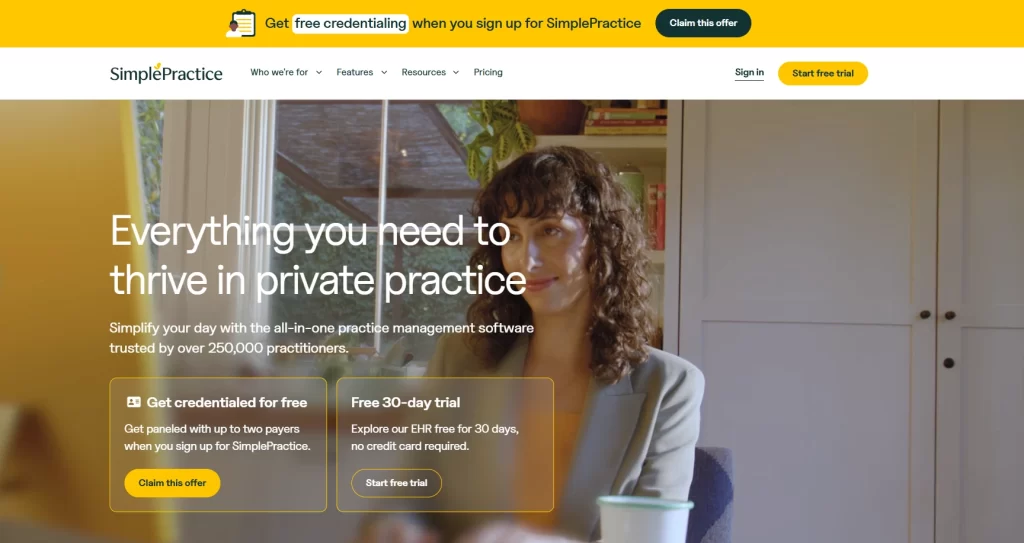
SimplePractice is the default platform for solo and small-group therapists, counselors, and behavioral health practitioners in the US. Appointment reminders come bundled with telehealth, progress notes, and insurance billing, all wrapped around the therapy workflow.
SimplePractice is packaged for one clinician at a time, and that shows in every part of the workflow.
Key features
Automated appointment reminders: SMS, email, and voice with configurable send windows.
Telehealth integration: Reminder includes the secure video link directly.
Client portal: Patients confirm, reschedule, or complete intake forms in one branded portal.
Documentation and billing: Progress notes, treatment plans, and insurance claim submission built in.
SimplePractice is one of two platforms here with fully public pricing, alongside Pabau. Starter runs $49 a month and Essential $79, and both are the standard ongoing rates. A separate intro offer takes 50% off each for the first three months.
Where SimplePractice shines
Reminders, telehealth, notes, and billing live in one product purpose-built for behavioral health.
Recurring appointment handling is more polished than general-purpose tools.
Large therapy practitioner community generates strong peer support and template sharing.
Where SimplePractice falls short
Not designed for aesthetic, elective, or product-based clinical environments.
No inventory, POS, or commerce capability for practices selling products or memberships.
Restrictive for practices outside the therapy or behavioral health workflow.
Customer reviews
On Capterra, SimplePractice holds 4.6 out of 5, and G2 rates it 4.5 out of 5. Reviewers cite reminder reliability and telehealth integration as the strongest parts. Most criticism lands on insurance billing edge cases.
Who SimplePractice is best for
Solo therapists, counselors, and licensed clinical social workers.
Small group behavioral health practices billing Medicare and commercial insurance.
Mental health practitioners who need telehealth-ready reminders out of the box.
Solutionreach: best for recall-heavy dental and medical practices
Rating4.0/5★★★★★
The bottom line
Solutionreach earns its place on recall depth rather than interface polish.
Who it’s for
Established dental and primary care practices
Offices where recall revenue is a major lever
Teams wanting reminders plus reputation management
Solutionreach is one of the longest-running patient communication platforms in the US, with deep adoption in dental and primary care. The platform leans heavily into recall automation and reputation management on top of standard reminders. That suits offices that lose revenue to lapsed recall lists.
Solutionreach puts recall next to reminders, which matters where lapsed patients are the bigger revenue leak.
Key features
Multi-channel reminders: SMS, email, and voice across configurable schedules.
Recall automation: Lapsed-patient outreach with personalized messaging based on last visit type.
Online review management: Trigger review requests and monitor Google and Facebook responses centrally.
Newsletter and campaign tools: Email marketing tied to patient demographics.
Practice management integrations: Connects to most major dental and medical practice management platforms.
Pricing
Plan
Price
Who it is for
Key features
Custom
Contact Solutionreach for current rates
Dental and medical recall-heavy practices
Reminders, recall, reviews, campaigns
Solutionreach quotes per practice, usually on an annual contract. Ask what the renewal rate looks like before you sign.
Where Solutionreach shines
Recall automation is one of the most mature implementations in this category.
Reputation management plus reminders in the same subscription saves a separate review-software bill.
Long history of integrating with legacy dental and medical practice management software.
Where Solutionreach falls short
The interface feels dated next to newer entrants like Weave and NexHealth.
Pricing is opaque, and the contract structure draws frequent reviewer criticism.
Not a fit for aesthetic, wellness, or product-led practice models.
Customer reviews
Capterra reviewers give Solutionreach 4.0 out of 5. They praise the recall depth and the longevity of the product. Negative feedback centers on contract renewal practices and dated interface elements.
Who Solutionreach is best for
Established dental and primary care practices where recall revenue is a major lever.
Offices wanting reminders plus reputation management without buying two tools.
Practices already standardized on an older practice management platform with deep Solutionreach integration history.
Mend: best for telehealth-heavy practices
Rating4.3/5★★★★★
The bottom line
Mend flags the appointments most likely to fail before they fail.
Who it’s for
Behavioral health groups running IOP and PHP programs
No-show prediction targets extra outreach where it counts
Telehealth is a first-class workflow, not an add-on
Intake and consent arrive before a virtual visit
What doesn’t
Not built for aesthetic or in-office procedure workflows
Thin on review management and marketing
Unsupported EHRs need professional services
Mend combines appointment reminders with telehealth and an AI no-show prediction model that flags high-risk appointments for additional outreach. Behavioral health groups and outpatient practices adopt it most often. Those are the settings where a no-show costs the most and many visits are virtual.
Mend pairs reminders with telehealth, so the visit link and the reminder arrive in the same message.
Key features
AI no-show prediction: Flags appointments with elevated cancellation risk for additional reminders or staff outreach.
Multi-channel reminders: SMS, email, and voice with smart scheduling.
Telehealth platform: Browser-based video visits with reminders that include the secure visit link.
Digital intake: Forms and consent delivered pre-visit, especially useful for virtual appointments.
Self-scheduling: Real-time online booking with EHR integration.
Pricing
Plan
Price
Who it is for
Key features
Custom
Contact Mend for rates
Telehealth-heavy and behavioral health groups
AI no-show prediction, telehealth, reminders
Mend prices per practice and publishes no rate card. Telehealth volume and EHR integration work are the main variables in a quote.
Where Mend shines
AI no-show prediction sets Mend apart where a booked visit carries the same staffing cost whether the patient turns up or not.
Telehealth is treated as a first-class workflow, not an add-on.
Strong fit for outpatient behavioral health, IOP, and PHP programs.
Where Mend falls short
Not designed for product-based, aesthetic, or in-practice procedure workflows.
Less depth on review management or marketing compared to dental-focused competitors.
Integration setup with non-supported EHRs can require professional services.
Customer reviews
Capterra reviewers give Mend 4.3 out of 5. They praise the drop in no-shows and the simplicity of the patient-facing telehealth experience. The limitations they cite are integration depth, which varies by EHR, and pricing transparency.
Who Mend is best for
Behavioral health groups, especially IOP and PHP programs with daily group sessions.
Telehealth-first or hybrid practices in primary care, psychiatry, and chronic care.
Health systems and ACOs piloting no-show reduction as a quality metric.
Pro Tip
Score the demo on three scenarios. Start with a new patient confirming, then an existing patient canceling 18 hours out, then the waitlist refilling that slot. The platform that handles all three without staff touching a keyboard is the one that will move your no-show rate.
Pabau appointment scheduling and automated reminders for aesthetic practices
Practice management software like Pabau runs appointment scheduling and automated reminders from one calendar, so aesthetic practices and medical clinics stop chasing confirmations by hand.
Pabau is practice management software for aesthetic, dermatology and healthcare practices, combining online booking, patient intake, charting and automated reminders in one platform. Automated reminders go out by email and SMS on a schedule the practice sets, which reduces no-shows without a staff member sending anything by hand.
Pabau’s reminders fire off the same calendar that holds the booking. A rescheduled appointment moves its own reminders, so nobody re-keys a send date. Online booking writes to that calendar too, so a patient who books at 11 PM gets their reminder schedule straight away.
For aesthetic clinic management, the reminders that matter most go beyond the day-before text.
Course-of-treatment recalls. A patient on a six-session microneedling or laser course gets a recall when the next session is due, so the course doesn’t stall.
Top-up intervals. A recall timed to the treatment, such as three to four months after anti-wrinkle injections, brings the patient back before the result wears off.
Pre-treatment instructions. Pre-care instructions travel with the appointment’s reminders, so a patient booked for a peel knows to pause retinoids and avoid the sun beforehand.
In aesthetic clinics running a high-volume scheduling day of 30 injectable appointments, every booking still gets its appointment reminders without a phone call.
Reminder channels: SMS and email, with a note on iMessage
Pabau sends automated reminders by SMS and email, and patient replies land in the shared inbox on the client card rather than a no-reply address.
Reminder platforms that use iMessage go through Apple Messages for Business and an Apple-approved messaging provider. A business can message a patient there only after the patient opts in or starts the chat. Pabau sends automated reminders as SMS instead, so they arrive in the iPhone Messages app and patients reply like any other text.
Engage Plus, an additional paid add-on, brings WhatsApp Business into Pabau’s patient inbox for two-way conversations, with every message logged to the client card.
Reminder texting software for multi-location and multi-practitioner practices
Reminder texting software for a multi-location or multi-practitioner practice has to keep each site’s messages, replies and numbers apart while the group runs one schedule. Compare platforms on these four features before you book demos.
Per-location sender names. A patient booked at your downtown site should see that site’s name on the text, so the message comes from the practice they know.
Per-location templates. Each site’s reminders need their own address, parking notes and opening hours, even when the send schedule is shared.
Reply routing. Check which location’s number a patient replies to, and whether that reply reaches the team who can rebook them.
One dashboard across sites. Confirmation and no-show rates split by location and by practitioner show which schedules need tighter reminders.
In Pabau, reminder rules are set centrally with location-level overrides. SMS goes out from a branded sender name or from a number patients can reply to. Patient replies land in the shared inbox on the client card, next to the booking they refer to.
Pabau supports solo practitioners, small practices and multi-practitioner, multi-location groups on the same platform, and every subscription includes every feature. Pricing scales with the number of locations and users, so opening a new site changes the price, not the features.
How to choose the right reminder platform for your practice
The right appointment reminder software depends less on feature count than on your care model, your billing structure, and where the patient journey breaks down. Use these five filters to narrow the list before you book demos. The HIPAA filter is the one that disqualifies vendors outright, and our guide to HIPAA-compliant scheduling software covers what to ask for.
Care model fit. Insurance-billed primary care needs intake-plus-reminder tools. Private-pay aesthetic practices need reminders tied to deposits and aftercare. Therapy practices need recurring-appointment handling and telehealth. Identify your model before you compare features.
All-in-one vs. layer on top of an EHR. If you already have an EHR you cannot replace, NexHealth or Klara add the engagement layer. If you are building your stack from scratch, Pabau and SimplePractice consolidate more functions in one product, reducing integration overhead.
Channel mix. SMS, email, and voice each reach a different patient cohort. Older patients answer the phone, younger ones answer a text, and mid-career professionals open email. The best platforms sequence all three on one appointment.
HIPAA and BAA requirements. A platform that sends PHI by SMS needs a signed BAA from the vendor. Verify the BAA and the data residency before you sign.
Total cost of ownership. Reminder-only tools start cheaper, then add the cost of separate booking, intake, and CRM tools to match an all-in-one platform. Map the full stack cost, not the reminder line item.
Once you have a shortlist, the wording of the message decides how many patients reply. Our appointment reminder text samples cover the confirm, remind, and rebook messages worth copying.
How Pabau turns a reminder into a filled appointment
Sending the reminder is the easy half of the job. The confirmation lands in one inbox and the cancellation in another. An empty slot gets noticed when someone checks the calendar, which is usually too late to refill it.
Pabau runs those steps as one sequence. The reminder goes out on your schedule, and the patient reply updates the calendar. A cancellation then offers the slot to the waitlist with no staff involvement. Deposits, consent forms, and aftercare messages hang off the same appointment record.
For an aesthetic or wellness practice, that turns reminders into recovered revenue instead of a lower no-show figure on a report. Your front desk spends the morning on the patients in the building, not on chasing the ones who are not.
See Pabau’s appointment reminders in action
Watch how SMS and email reminders connect to deposits, consent forms, and the waitlist inside one platform. Book a 30-minute demo built around your practice type.
The platform worth buying is the one that covers most of your patient journey without three other tools propping it up. For aesthetic, wellness, and multi-specialty private-pay practices, that is Pabau, which pairs multi-channel reminders with deposits, consent forms, recall, and aftercare.
If you cannot replace the system of record, NexHealth and Klara are the safer buys. Weave is the answer when the reminder problem is a phone problem. The trade-off is scope. A layer is cheaper to adopt and leaves your stack fragmented, while one platform costs more to switch to and less to run.
Whichever route you take, price the whole stack rather than the reminder line item. A cheap reminder tool surrounded by three other subscriptions usually costs more than one platform.
To see automated reminders inside a working practice, book a Pabau demo. We will walk your patient journey from the first SMS to the recovered slot.
Continue your research
Ready to tighten up your scheduling process?How to schedule patients effectively covers eight strategies that recover the appointments lost to no-shows and awkward slot lengths.
Need a cleaner way to plan the day?Practice schedule template offers daily and weekly grids for providers, rooms, and breaks, plus fixes for delays.
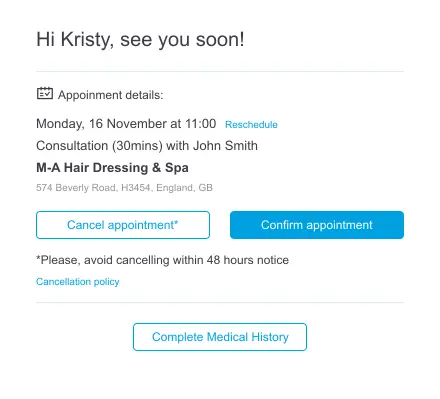
Want to cut down on no-show appointments?Appointment confirmation email shows how confirmation emails build trust and reduce no-shows without manual phone calls.
Appointment reminder software sends SMS, email, or voice messages to patients before a scheduled visit. It captures the confirmation or cancellation that comes back, then triggers the next step, such as waitlist outreach or rebooking. Modern platforms like Pabau bundle reminders with online booking, intake forms, and post-visit follow-up so the entire patient communication flow runs from one platform.
How much does appointment reminder software cost?
Published pricing in this guide runs from $49 a month for SimplePractice Starter to $104 a month for Pabau. Weave, NexHealth, Klara, Solutionreach, and Mend publish no rates and quote per practice. Multi-location contracts are negotiated on user count, message volume, and integration scope.
Is appointment reminder software HIPAA compliant?
Only when the vendor signs a Business Associate Agreement and secures the data properly. The platform must encrypt PHI in transit and at rest. It also needs administrative safeguards such as access controls and audit logs. Confirm the BAA before you send clinical information by SMS or email.
How much do appointment reminders reduce no-shows?
Vendors and published studies commonly report 20% to 40% fewer no-shows once a practice replaces manual reminders. Treat that as a range rather than a promise, because the result depends on your baseline and patient mix. The biggest gains come from layering SMS, email, and voice with two-way confirmation.
What is the best appointment reminder software for small practices?
Pabau is the strongest fit for small aesthetic, wellness, and multi-specialty private-pay practices. Reminders sit inside the same platform that handles booking, intake, and recall. Solo therapists are usually better served by SimplePractice. Solo dental offices typically choose Weave for the VoIP-plus-reminders bundle.
Can appointment reminder software integrate with my EHR?
Most platforms integrate with major US EHRs including Epic, athenahealth, eClinicalWorks, Dentrix, Eaglesoft, and Open Dental, though the depth of the integration varies significantly. NexHealth and Klara are built as engagement layers on top of an existing EHR. Platforms like Pabau replace the EHR entirely for private-pay practices.