Massage Gift Card Template
A massage gift card template is a fill-in-the-blank certificate you customize wi...

23
Last Updated: Sep 11, 2026
An appointment cancellation policy sets the notice a patient must give to cancel, the fee that applies if they don’t, and the exceptions you allow. Most practices ask for 24 to 48 hours’ notice and charge either a flat fee or a percentage of the treatment price.
Practice management software like Pabau can enforce that policy automatically, from the moment a patient books. With Pabau’s Cancellation and No-Show Policy, your terms show during online booking and Pabau captures a deposit or card on file. Pabau then charges late cancellations and no-shows without anyone at the front desk asking.
Below are the five policy tiers, each with sample wording you can adapt. You’ll also find a worked example of what no-shows cost, and how Pabau bills each of the four booking outcomes.

An appointment cancellation policy sets your notice window, the fee for missing it, and the exceptions you allow.
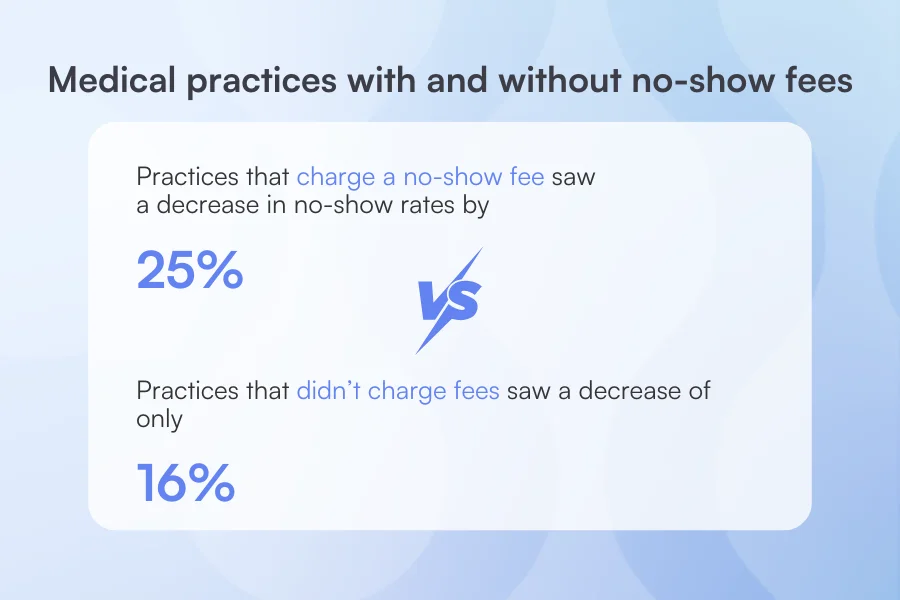
Practices with a no-show fee policy saw better attendance improvement (25%) than those without (16%), in an MGMA poll.
At an illustrative $150 visit and a 10% no-show rate, 40 weekly bookings lose about $600 a week to missed appointments.
Five policy tiers run from no fee at all to the full treatment price, charged as a flat amount or a percentage.
Pabau shows your terms during online booking, charges fees against a deposit or card on file, and lets you waive any charge in one click.
A cancellation policy pays for itself because a stated fee gets more patients to turn up, and recovers part of the revenue when they don’t.
Without written terms, a booking carries no weight. A policy settles the question before anyone books, so both sides agree to the rule long before anyone has to apply it.
To put that in perspective, an MGMA poll asked medical practices whether they charge no-show fees. Practices with a fee policy saw better attendance improvement (25%) than those without (16%).
So what does a missed appointment cost in dollars? Here’s the arithmetic for an illustrative practice. These are example figures, not an industry benchmark, so swap in your own.
Now add a policy. A $50 deposit on every booking keeps $200 of that $600 each week. Under a Strict policy that charges the full price to the card on file, you bill those four no-shows at $600 instead of writing them off.
The chair still sat empty for those hours, though. That’s why the attendance lift in the MGMA poll matters more than the fee itself.
A policy earns its keep when it is fair and easy to apply. Flexible settings let you hold the line on a long injectable appointment. The same settings let you waive the fee for a long-standing patient.
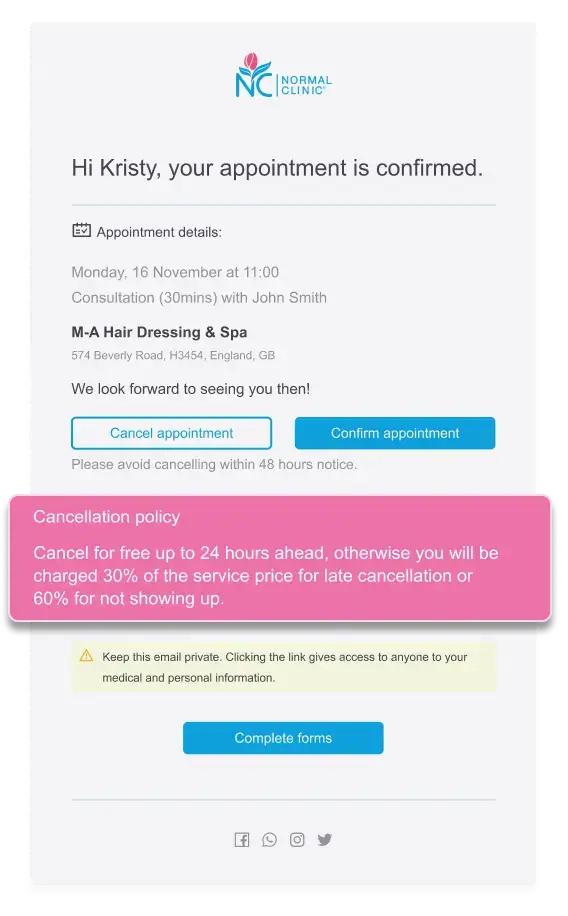
Pabau’s Cancellation and No-Show Policy turns your written terms into booking rules, so the same policy applies to every appointment. Here’s what each setting does for your schedule.
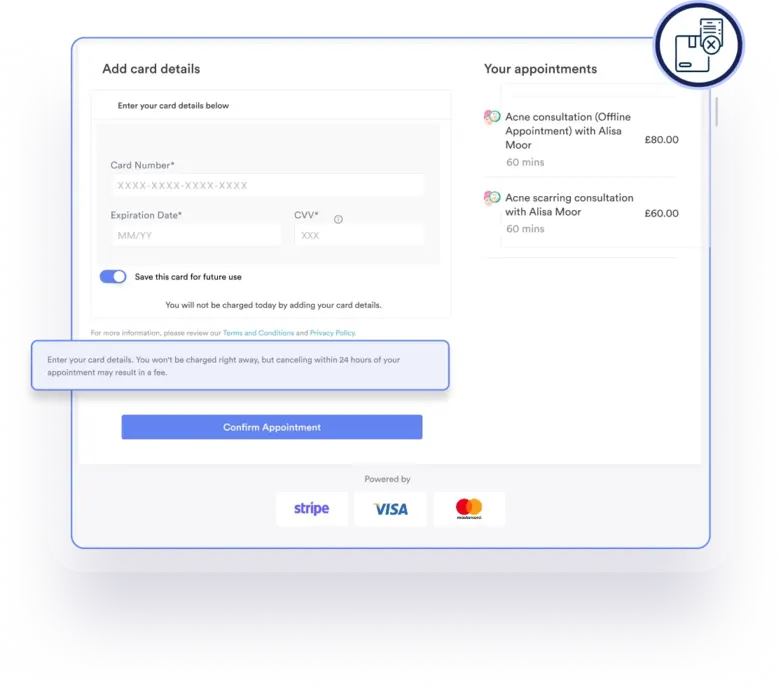
Pabau applies a no-show charge automatically to the deposit or card on file the patient left at booking, with no one chasing payment.
Take a deposit or the full payment in advance, so an empty slot doesn’t also mean zero revenue. Built-in payment processing captures the card and applies charges securely, with no extra tools needed.
The same rule covers late cancellations. Pabau applies the fee once the notice window has passed, so nobody has to raise it at the counter.
Set the notice you need, whether that is 24 or 48 hours, and every patient agrees to it before they book.
Your terms appear during online booking, which cuts confusion, pushback, and no-shows. During onboarding, we set the notice window and fee with each practice before the policy goes live in online booking.

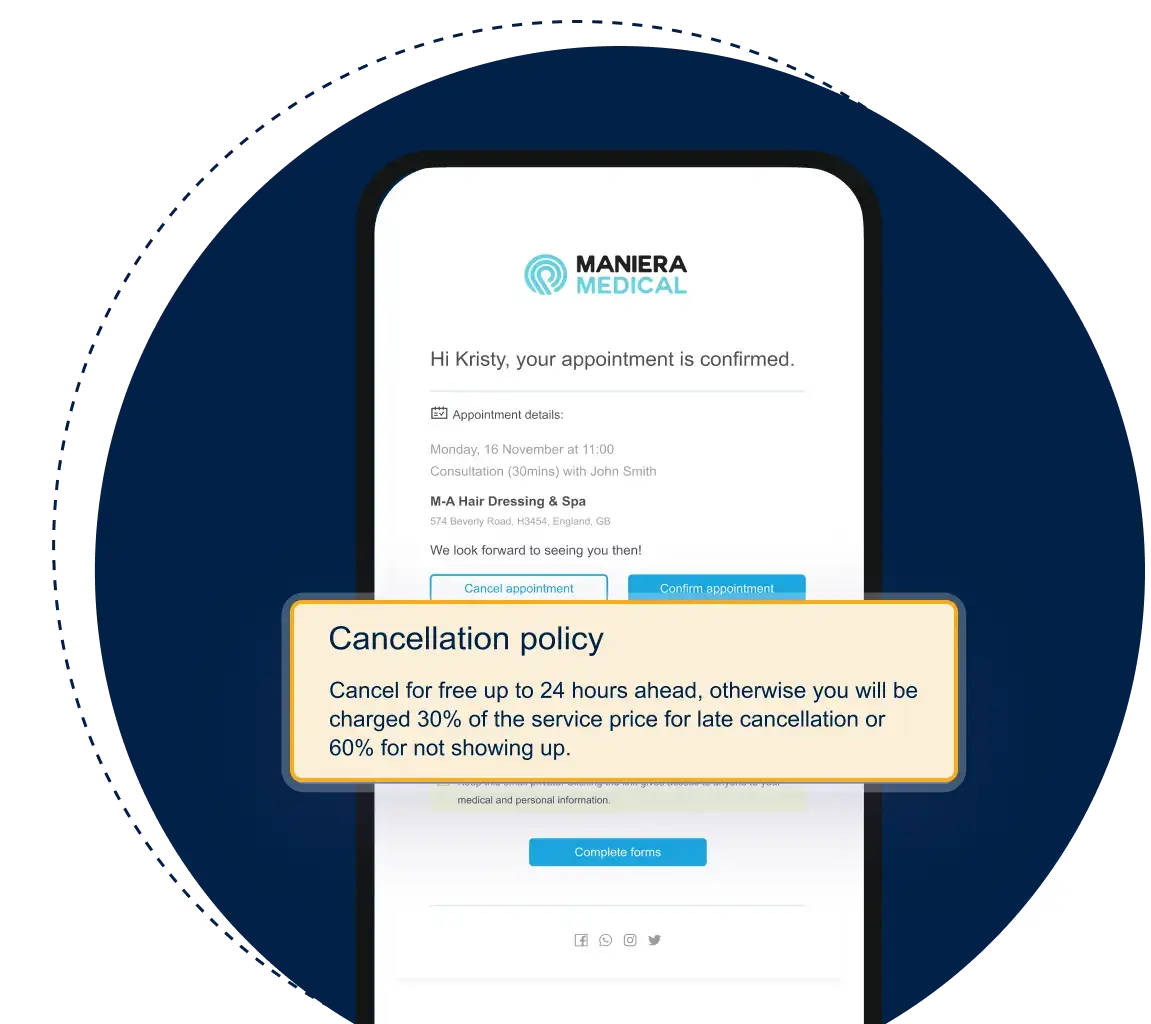
Waive a fee for a long-standing patient or a genuine emergency in one click. The policy stays in place for everyone else.
Decide how you handle late arrivals, too. Many practices allow a short grace period, and treat a patient who arrives after it as a no-show or rebook them. Put that rule in your policy wording, so the front desk isn’t improvising on the day.
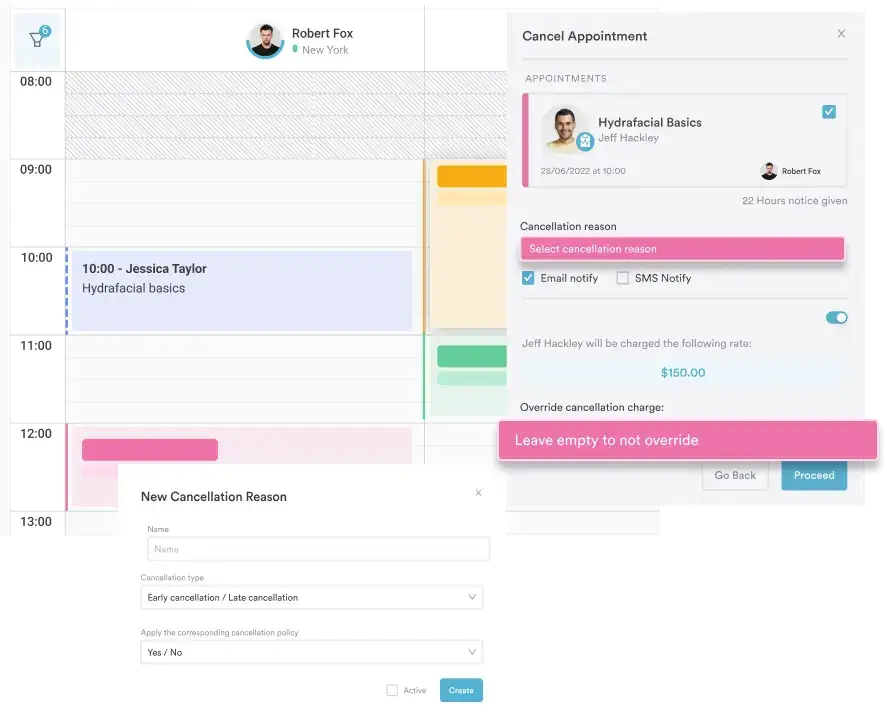
A late cancellation means the patient cancels inside your notice window, while a no-show means they never arrive and never cancel.
The difference matters for the fee. A late cancellation still leaves a few hours to offer the slot to someone on your waitlist. A no-show appointment leaves no chance to rebook, so many practices charge it at the higher rate.
With Pabau’s four-outcome policy switched on, the sequence runs without anyone on your team touching it. A booking has four possible endings, and each one carries its own charge.
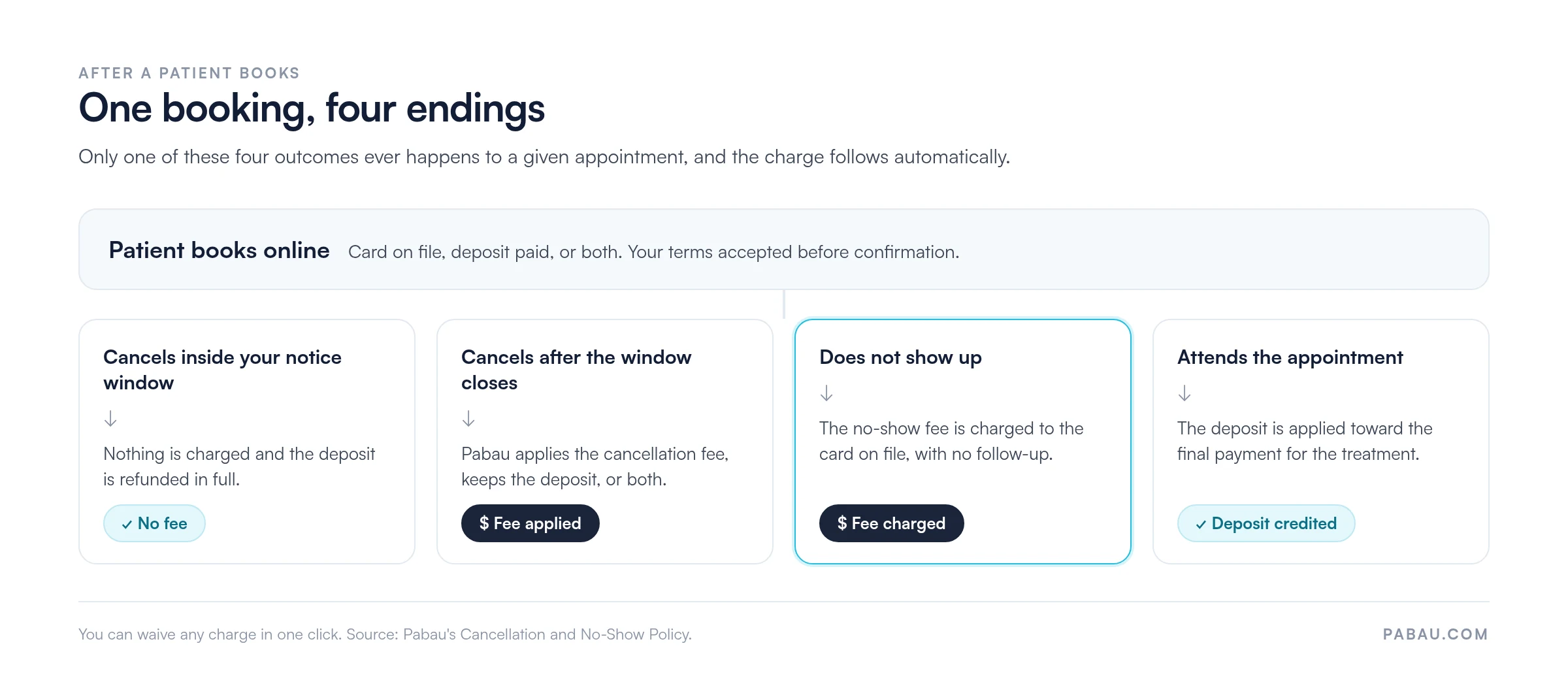
Step by step, here is what the patient and your team see:
The result is steady revenue, and a team on the floor rather than on the phone.
There are five types of no-show policies you can set: Zero, Flexible, Fair, Moderate and Strict, running from no fee to the full treatment price.
Each row below includes sample wording, so the table doubles as a cancellation policy sample you can adapt. Whichever tier you choose, your no-show cancellation policy should name the notice window, the fee, and how patients cancel.
| Policy tier | Example notice window | Fee | Best for | Example wording |
|---|---|---|---|---|
| Zero | None required | No fee or penalty | High-volume practices, or those offering total flexibility | We don’t charge for cancellations or missed appointments. Please tell us if you can’t make it, so we can offer your slot to another patient. |
| Flexible | A few hours | No fee if cancelled in time | Low-risk services and long-standing patients who rarely miss | You can cancel or reschedule free of charge up to 4 hours before your appointment. |
| Fair | 12 to 24 hours | Small flat fee | Popular services that can still be rebooked | Please cancel with at least 12 hours’ notice, or a $25 fee applies. |
| Moderate | 24 hours | A larger fee, often a percentage of the price | Limited slots or longer treatment times | Cancellations with less than 24 hours’ notice, and missed appointments, cost 50% of the treatment price. |
| Strict | 24 to 48 hours | The full treatment price | High-cost treatments, new patients, and long appointments | Cancellations with less than 48 hours’ notice, and no-shows, cost the full treatment price. Your deposit is non-refundable inside this window. |
You also decide how you calculate the fee. Charge a flat amount, such as $30 per no-show, or a percentage of the service price, such as 50% for a late cancellation.
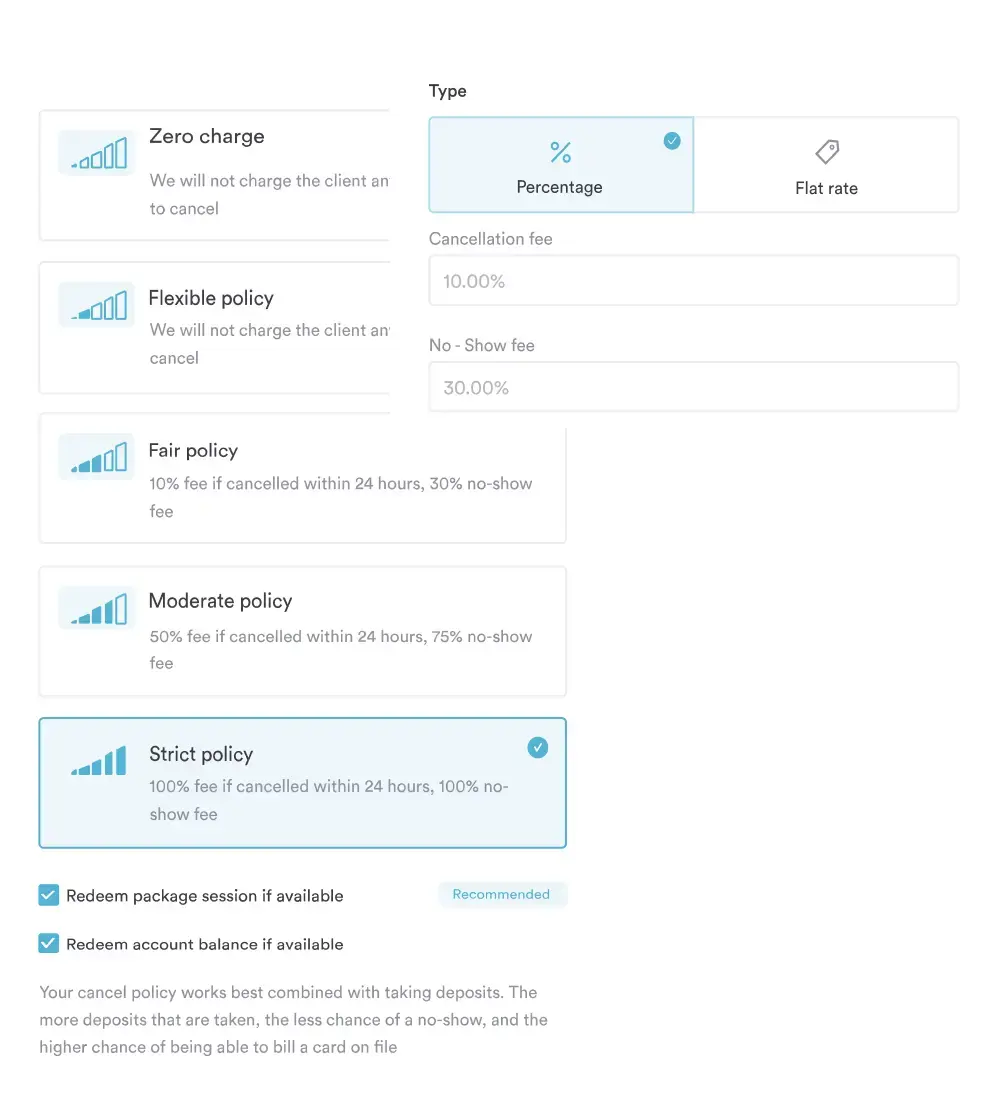
A solo practitioner and a multi-location group can each build a policy that reflects what their time is worth. The right tier keeps patients accountable without making the conversation personal.
A policy is only as good as the way you apply it. Five habits make that easier:
In most practices the cancellation policy lives in the small print of a confirmation email. Whoever is on reception applies it only when they feel able to raise it, which means it mostly doesn’t happen.
Pabau moves the policy to the point of booking. The terms appear in the booking widget, the patient accepts them before confirming, and Pabau captures the deposit or card there and then. When the notice window closes, Pabau applies the fee against what is already on file.
So your team never has to ask for money after the fact. Pabau bills each of the four outcomes by the same rule for every patient, and the exceptions stay yours to make.
Pabau files each charge against the patient record, alongside the appointment it belongs to. Month-end reconciliation doesn’t mean matching card payments to appointments by hand.

Pabau’s Cancellation & No-Show Policy shows your terms at booking, collects a deposit or card on file, and charges late cancellations and no-shows automatically. Your schedule stays full and your front desk stops chasing payments.

An appointment cancellation policy earns its money at the point of booking. By the time anyone is arguing about a fee at the front desk, the rule has already failed.
Decide the notice window you can defend, decide what a missed slot is worth, and let the system apply both.
Start moderate if you are nervous about pushback. You can tighten the rules once patients are used to seeing your terms, and you can always waive a fee for someone who deserves it.
Want to see it running on your own treatment list and notice windows? Book a demo and we will set the Cancellation & No-Show Policy up around how your practice already books.

Booking vaccination appointments as well? Vaccines in Pabau covers scheduling doses and tracking stock against the same patient record.
Want recurring revenue that survives a quiet week? Introducing memberships covers how to bill patients on a plan instead of appointment by appointment.
Running group treatments or workshops? Classes in Pabau explains how to take bookings and payments for sessions with several attendees.
Need your schedule with you between rooms? Introducing Pabau GO shows how our iOS app puts your day’s bookings on your phone.
Looking to go further on patient care? The Care Plus upgrade sets out the additional patient care features available on top of your subscription.
A cancellation and no-show policy is the written rule setting how much notice a patient must give to cancel. It also sets what you charge when they give less. In Pabau it covers deposits and cards on file too.
Most practices settle on 24 to 48 hours. That is long enough to offer the slot to someone else, and short enough that patients accept it without complaint.
Yes. You can charge a flat amount, such as $30 per no-show, or a percentage of the service price, such as 50% for a late cancellation.
Yes. The policy tiers table above gives sample wording for all five tiers, from no fee to the full treatment price. Use it as a cancellation policy sample: copy the row closest to your practice, then add your notice window, fee, grace period, and exceptions.
A medical office’s no-show policy should state the notice window, the fee for late cancellations and missed appointments, and the exceptions you allow. A no-show or cancellation policy for a medical office should also cover how patients cancel and how you handle late arrivals. If you bill insurance, check your payer contracts and state Medicaid rules before charging a fee.