Medicare charting cheat sheet
A Medicare charting cheat sheet is a one-page reference that lists what Medicare...

4
Last Updated: Oct 21, 2026

For healthcare and aesthetic practices that want one HIPAA-compliant system — Pabau combines secure scheduling, patient records, consent forms, and compliance controls under one login.
For medical spas and aesthetic clinics — AestheticsPro pairs HIPAA-compliant scheduling with clinical charting and photo documentation built for aesthetic workflows.
For large medical groups and health systems — Phreesia handles enterprise patient intake and 24/7 self-scheduling, then syncs it into the record system you already run.
For mental health and behavioral health providers — SimplePractice covers HIPAA-compliant scheduling, telehealth, and insurance billing without the weight of a full clinical platform.
For modern med spas and high-end beauty salons — Mangomint pairs HIPAA-compliant scheduling with intelligent resource scheduling for treatment rooms, equipment, and providers.
For telehealth-only work — Doxy.me is secure and free to start, but it books no appointments and stores no records, so it ranks last for scheduling.
HIPAA compliant scheduling software encrypts patient data, restricts who can open a record, logs every access, and comes with a signed Business Associate Agreement.
Booking a patient means recording a name, contact details, and often the reason for the visit. All of that counts as protected health information, which is why HIPAA compliant patient scheduling is a different purchase from generic appointment scheduling software.
Plenty of online scheduling software will encrypt a booking. Far fewer vendors will sign a BAA, and fewer platforms still keep the patient record beside the calendar.
The six platforms below all clear the compliance bar. The ranking follows how much of the booking-to-record workflow each platform covers, rather than how loudly it markets compliance.
One section below runs the Everyday-Tool HIPAA Check. That check gives a dated verdict on Calendly, Google Calendar, Microsoft Bookings, and Squarespace Scheduling.
| Tool | Best For | Standout Feature | Starting Price (2026) |
|---|---|---|---|
| Pabau | Healthcare & aesthetic practices | Full HIPAA compliance with Pabau Scribe notes, automated consent forms, and 3D body mapping | $62/month |
| AestheticsPro | Medical spas & aesthetic clinics | AP Photo — standardized before & after photography tied directly to EMR records | $160/month |
| Phreesia | Large medical practices & health systems | VoiceAI 24/7 phone scheduling with natural language processing | Custom pricing |
| SimplePractice | Mental health & wellness providers | Integrated HIPAA scheduling, telehealth, and insurance billing in one platform | $49/month |
| Mangomint | Modern med spas & high-end beauty salons | Intelligent resource scheduling to manage rooms, equipment, and providers simultaneously | $120/month + $10/user (from Aug 2026) |
| Doxy.me | Telehealth-first & solo practitioners | Browser-based HIPAA video; the free plan includes a signed BAA for solo providers | Free (paid tiers from $35/month) |
The prices tell you less than the coverage does. Line the six platforms up against the jobs a compliant practice actually has to do, and the field splits into three groups.
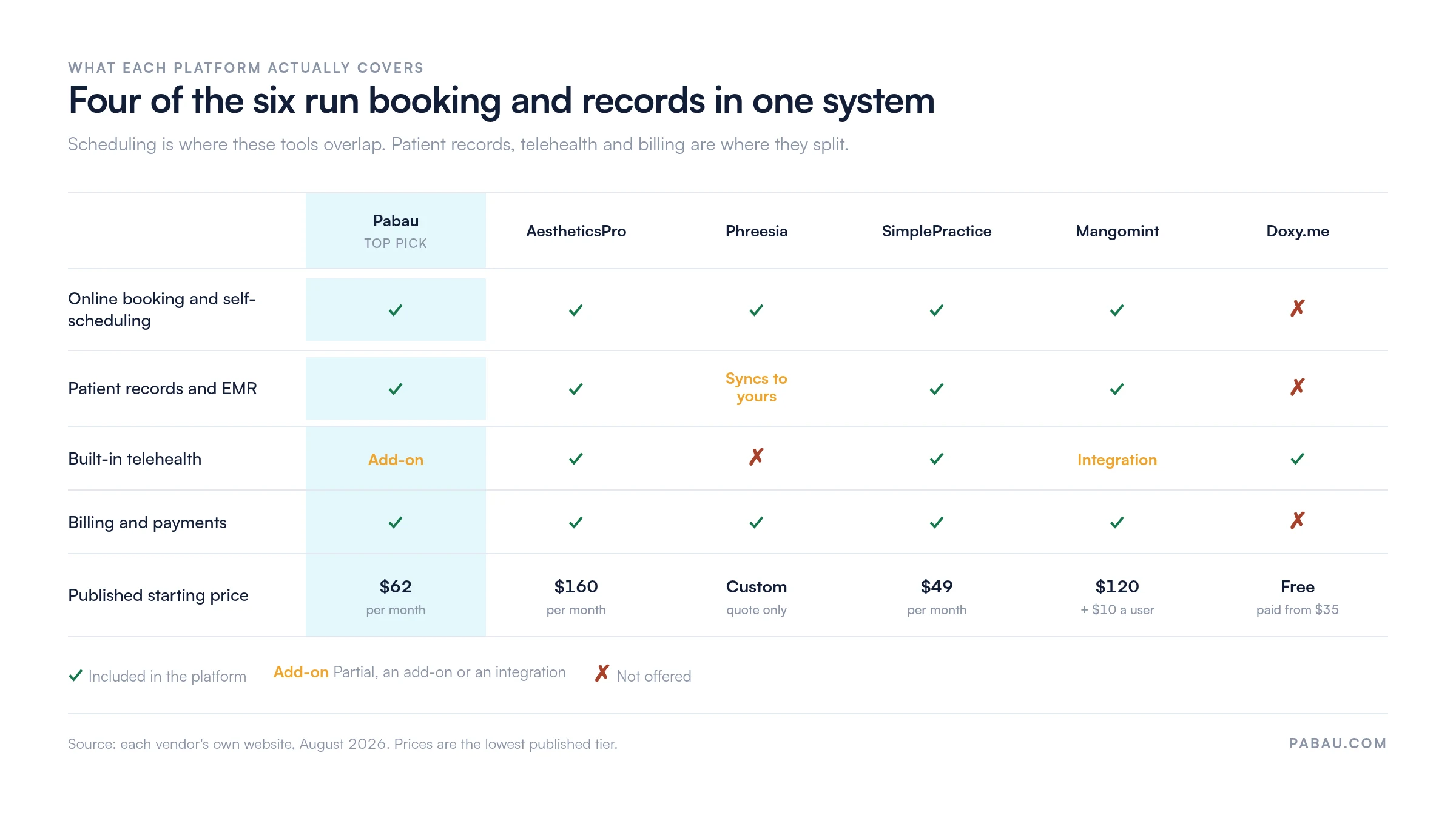
Practice management software like Pabau is the one to look at first if you run a healthcare or aesthetic practice. It handles scheduling and compliance in the same system.
👉 See how Pabau handles HIPAA-compliant scheduling — book a free demo
The only platform here that runs booking, records, consent forms, and billing under one HIPAA setup.
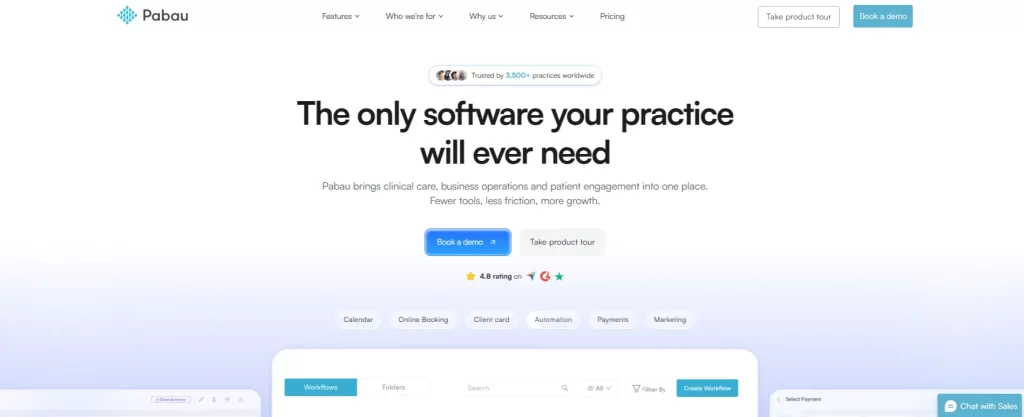
Pabau is an all-in-one practice management app built for practices that cannot afford to cut corners on compliance.
Most HIPAA-compliant appointment scheduling software stops at the booking. Pabau adds role-based permissions, two-factor authentication, encryption at rest and in transit, and full audit logs, meeting HIPAA and GDPR requirements out of the box.
The four features below are Pabau’s standouts. Under the hood there is a lot more packed in to help you run a compliant, efficient practice.
Patients can book 24/7 through a widget on your website, through social media, or from a direct booking link. Every route runs through a secure, encrypted portal, so no protected health information floats around in email threads or unprotected forms.
You can also restrict new patients to a consultation booking first, which keeps your intake workflow clean and compliant from the first touchpoint.
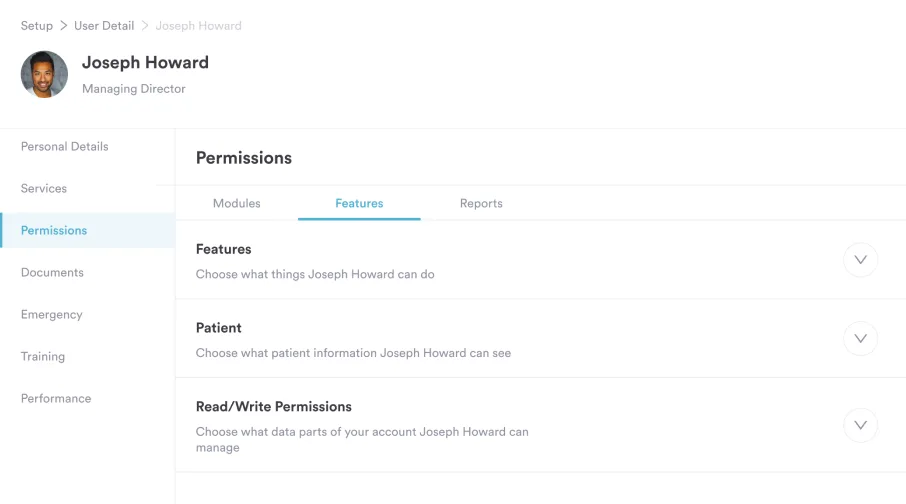
Role-based authorization lets clinical staff control access to confidential patient data and limit records to a named individual or care team.
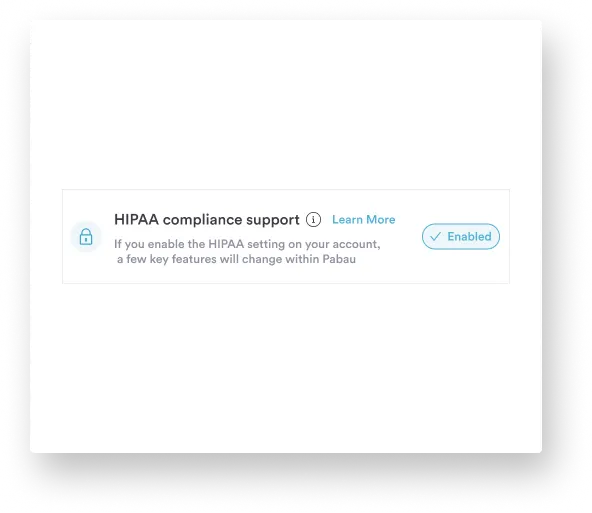
Add two-factor authentication, AES-256 encryption, full audit trails, and a dedicated HIPAA compliance toggle, and unauthorized access becomes genuinely difficult.
That compliance toggle tightens data controls across the system at the flip of a switch. It earns its keep when you onboard new staff or walk into an audit.
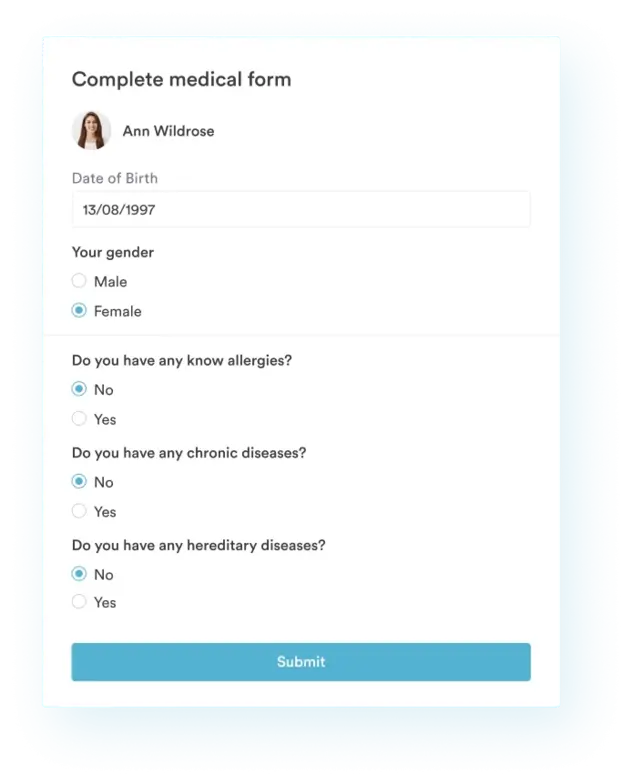
Patients receive the correct consent forms automatically at the time of booking, matched to the service they picked.
They sign digitally, the form files itself in the patient record, and your team stops chasing paperwork. If a HIPAA audit comes knocking, every signed form is logged, timestamped, and retrievable in seconds.
“Pabau is storing your patient information and saving that for future visits, lawsuits, patient and provider protection.”

Every patient record sits in a fully encrypted, HIPAA-compliant environment, from clinical notes and treatment history to lab results and prescriptions.
Sensitive information stays protected at every step of the care journey, which cuts the risk of breaches, unauthorized access, and the harm that follows both.
“The Backbone of My Clinic’s Success. Excellent. Pabau has been a game changer for my clinic, it keeps everything running smoothly and professionally.” – Luisa S. (Capterra)
“The system is also excellent for compliance, with a wide range of ready-made forms that help keep everything organised and inspection-ready.” – Parvynder H. (G2)
Pabau starts at $104/month (US) or £118/month (UK), with tiers built to scale alongside your practice.
| Tier | Users | Clients |
|---|---|---|
| Starter | 1 | Up to 100 |
| Solo | 1 | Unlimited |
| Team | 2–3 | Unlimited |
| Medium | 4–5 | Unlimited |
| Group | 6–15 | Unlimited |
| Enterprise | 16+ | Unlimited |
Every tier carries the same feature set, so a Starter practice gets the same compliance controls as an Enterprise group. Scheduling, patient records, smart forms, treatment notes, prescriptions, claims, billing, and payments are all included.
Telehealth and Pabau Scribe, our AI scribe, are pay-as-you-go add-ons, so you only pay for what you use. You can see the full breakdown on Pabau’s pricing page.
Pabau gives you secure online booking, automated consent forms, and role-based access controls, all built into one easy-to-use platform.
Book a free demo and see Pabau in action
A med spa platform where HIPAA charting, scheduling, and marketing all sit in the same system.
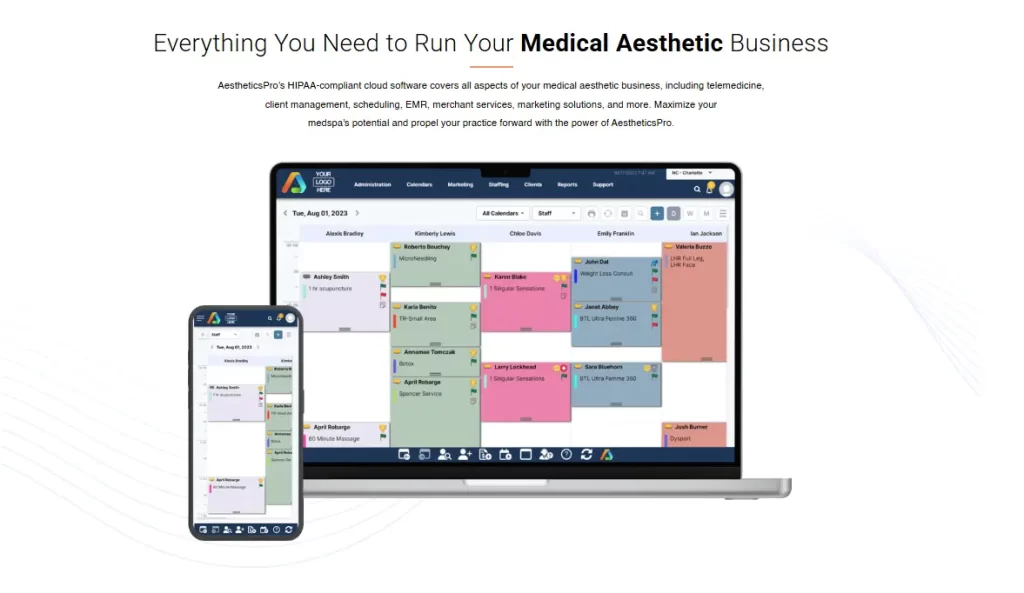
AestheticsPro is one of the most trusted platforms built specifically for medical spas. It combines HIPAA-compliant EMR, digital intake and consent forms, scheduling, POS, financial reporting, and marketing tools.
Compliance is on out of the box rather than bolted on later, so clinical operations and record-keeping behave like one system.
“AestheticPro is by far the most comprehensive, well-thought-out application to manage my patient documents, clinical tracking, inventory and patient communication.” – Eve S. (G2)
| Tier | Price (2026) | What’s Included |
|---|---|---|
| Pro-Plus | $160/month | Online booking & client portal, EMR with 500+ customizable forms, up to 3 users |
| Executive | $285/month | Everything in Pro-Plus, multi-location support, unlimited users, advanced integrations |
| Enterprise | $350/month | Everything in Executive, custom API solutions, dedicated live support, custom comprehensive reporting |
Budget above the headline price: AP Texting, E-Prescribe, and AP Marketing Solutions each cost extra on top of the base plan.
Enterprise-grade intake and self-scheduling that feeds the record system you already run.
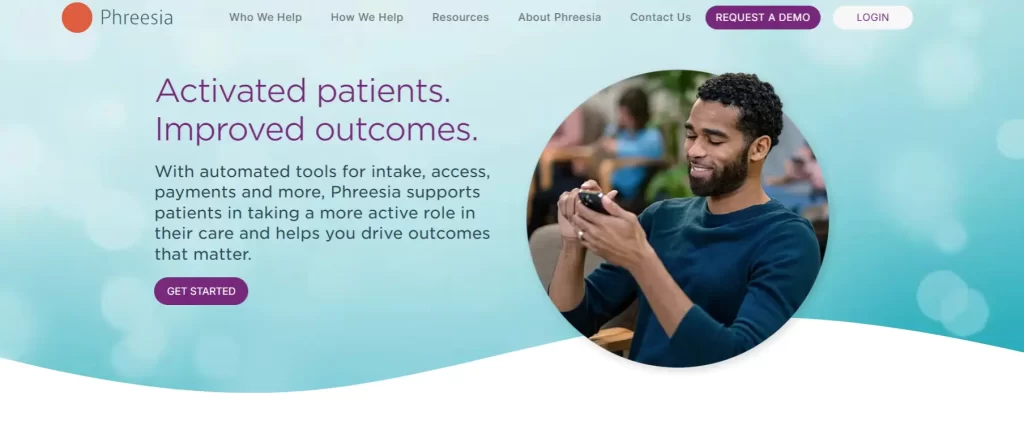
Phreesia is an enterprise patient intake and access platform built around self scheduling. Patients book, register, pay, and complete clinical screenings before they walk through the door.
“Phreesia has transformed the way our organization manages patient intake, scheduling, and communication. The platform is intuitive, efficient, and highly customizable to fit our workflows.” – Sonia H. (G2)
| Tier | Price (2026) | What’s Included |
|---|---|---|
| All packages | Contact sales — no published pricing | Packages are scoped to your organization’s size, specialties, and integrations |
Phreesia publishes no fixed tiers at all. You will need to request a quote, then compare it against a platform whose price you can read in advance.
The quickest route to compliant scheduling, telehealth, and billing for a therapy practice.
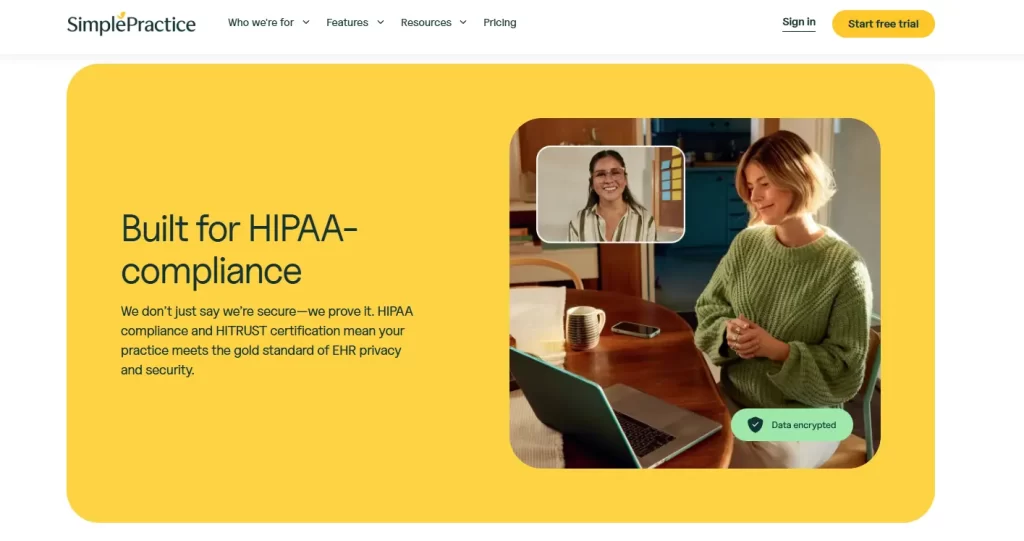
SimplePractice is an integrated practice management system that combines scheduling, documentation, billing, and telehealth.
Therapists, counselors, psychologists, and wellness providers make up its usual customer base, drawn by an all-in-one system without a steep learning curve.
“Simple Practice has so many time-saving features that streamline systems and makes compliance and billing simple.” – Verified User in Mental Health Care (G2)
| Tier | Regular Price | Promotional Price | What’s Included |
|---|---|---|---|
| Starter | $49/month | $24.50/month | Unlimited appointments, online requests, basic diagnostic & treatment plans |
| Essential | $79/month | $39.50/month | Everything in Starter + reminders, calendar sync, custom plans, 10 free insurance claims/mo |
| Plus | $99/month | $49.50/month | Everything in Essential + group sessions, telehealth, 35 free insurance claims/mo, premium support |
The promotional column is 50% off for the first three months only, so budget against the regular price from month four onward.
A polished salon and med spa platform that now includes HIPAA charting for every customer.
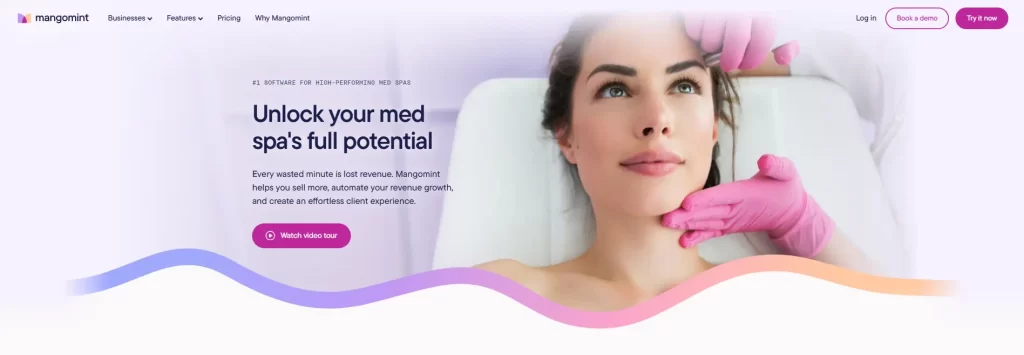
Mangomint helps med spas run a smooth client experience with automation and customizable charting. It covers virtual appointments, membership management, appointment scheduling, and note-taking.
“Easy to navigate, change availability, and add/change products and services! We use it for services and retail and it’s easy to set up appointments and checkout.” – Christina W. (Capterra)
| Tier | Price (2026) | What’s Included |
|---|---|---|
| Flat platform fee | $120/month per location | Online booking, calendar & scheduling, client management, POS, mobile app, Forms & Charting, web chat |
| Per user | + $10/month per user | Each additional team member with a login |
| Optional add-ons | Phone $70/month · Payroll $50/month + $8 per worker | Calls and texts, and payroll processing |
Mangomint replaced its old Essentials, Standard, and Unlimited tiers on 1 August 2026. HIPAA-compliant Forms & Charting is now included for every customer rather than sold as an add-on.
Secure telehealth video with a free BAA, but it books no appointments and stores no records.

Doxy.me is a video platform built exclusively for healthcare professionals, and more than 1 million providers use it to deliver care remotely.
It ranks last here for one honest reason. Doxy.me does secure virtual consultations very well, but it is not scheduling software, so it fills the calendar slot rather than creating it.
“I have been using Doxy.Me since it launched in 2013. I began searching for HIPAA compliant formats that were easy to be utilized by the patients.” – Darwin C. (Capterra)
| Tier | Price (2026) | What’s Included |
|---|---|---|
| Free | $0/month | Unlimited video calls, virtual waiting room, text chat, and a signed BAA included for individual providers |
| Pro | $35/month | Everything in Free + HD video, group calls (up to 25), screen sharing, and patient invites via SMS/email |
| Clinic | $50/user/month | Everything in Pro + shared waiting rooms, custom branding, usage analytics, and admin controls for teams |
The free plan includes a signed BAA for an individual provider, so a solo practitioner can run compliant video calls at no cost. Multi-provider organizations need the Clinic BAA instead.
Four checks separate HIPAA compliant scheduling software from a booking widget with a privacy policy. Work through data security, patient messaging, integrated records, and free-tier limits before you sign.
The weighting shifts with the practice. A solo injector hunting the best scheduling software for small business cares most about price and setup time. A multi-site group buying physical therapy scheduling software needs room-level availability and per-clinician permissions.
Encrypted patient scheduling software needs four controls: AES-256 encryption, two-factor authentication, role-based permissions, and an audit trail showing who opened which record.
Auditors treat that last control as a legal requirement rather than a preference. The HIPAA Security Rule mandates audit controls at 45 CFR § 164.312(b). The standard calls for mechanisms that record and examine activity in systems holding electronic PHI.
Skipping that review carries a price. HHS Office for Civil Rights settled with Memorial Healthcare System for $5.5 million in 2017. A former employee’s credentials had reached patient records daily for a year without detection.
In practices we onboard, the audit log is the control nobody asks about until an auditor does.
Pabau’s compliance controls include a dedicated compliance toggle, role-based access, two-factor authentication, and complete audit trails, all built in rather than bolted on.
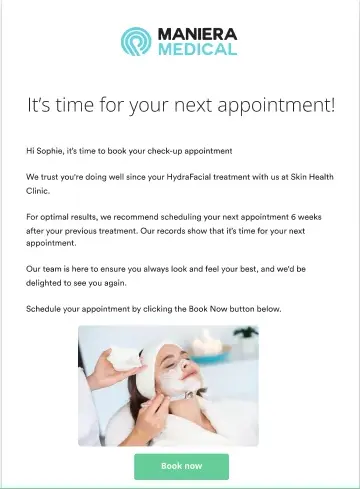
Your scheduling software should send confirmations, reminders, and follow-ups automatically, without exposing patient information in unencrypted channels like standard SMS or email.
Pabau’s automation suite covers confirmations, reminders, follow-ups, and recall messages. Each one is sent securely and triggered by the appointment type, which means less admin and fewer no-shows.
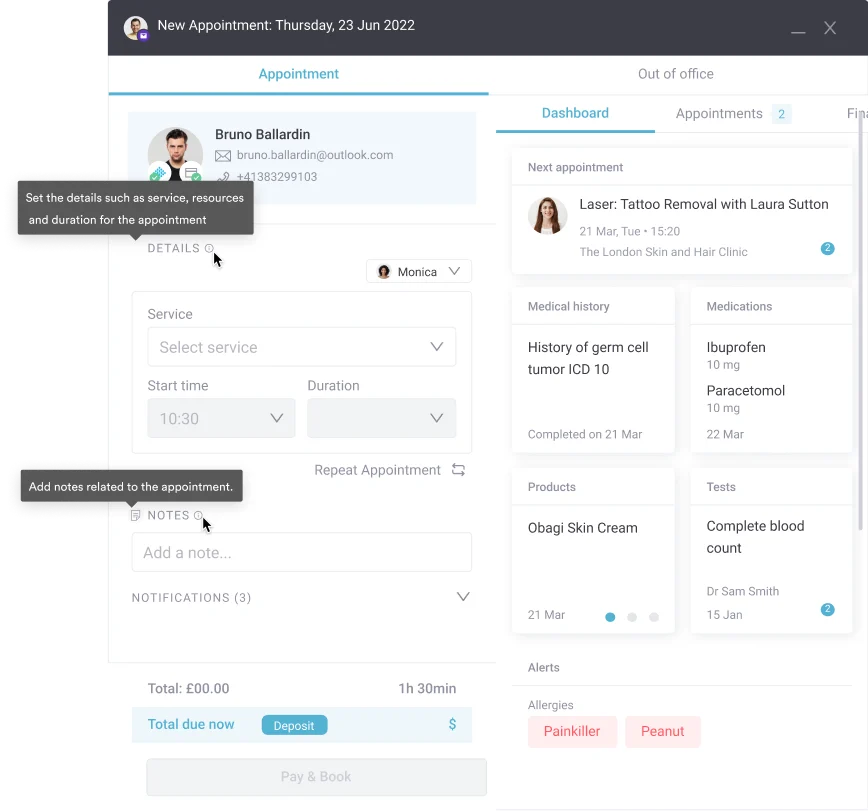
Patient scheduler software earns its place when the booking opens the record behind it, rather than handing you a second system to reconcile.
Judge a patient scheduling program on one test. When a patient books, do the intake form, consent document, and treatment history all land in one place? That keeps the workflow quick and the compliance trail intact.
For the patient, all of this shows up as a HIPAA-compliant portal. Patients book, complete forms, message the practice, and pay behind one secure login, so no detail travels by unencrypted email.
In Pabau, every appointment links to the patient’s full record, including digital intake forms, consent documents, treatment notes, and billing history.
Stop juggling tools. See how Pabau brings scheduling, records, and compliance together — book your free demo
Free HIPAA-compliant scheduling software barely exists, because the BAA, the audit logging, and the encrypted hosting behind it all cost the vendor money.
Among purpose-built tools, almost no vendor offers HIPAA-compliant scheduling software free of charge. Doxy.me is the one exception on this list, and its free plan includes a signed BAA for a single provider. Doxy.me books no appointments and stores no records, so that free plan buys compliant video and stops there.
The other kind of free is the consumer tool a practice already has open. In practices we onboard, that tool is usually the last one anybody thinks to replace, because a calendar rarely feels like a system holding PHI.
Run the Everyday-Tool HIPAA Check before you assume the calendar you already use is covered. Each verdict below comes from the vendor’s own documentation, read in August 2026, with the plan tier and the exclusions named.
| Everyday tool | BAA available? | Plan tier required | What the BAA leaves out |
|---|---|---|---|
| Google Calendar | Yes | Google Workspace or Cloud Identity, signed by the admin | A personal Google account carries no BAA, so PHI does not belong in one |
| Calendly | None published | — | Calendly’s own security page lists SOC 2 and ISO 27001 and names no HIPAA BAA |
| Microsoft Bookings | Not named in scope | — | Microsoft’s published Office 365 HIPAA in-scope service list does not name Bookings |
| Squarespace Scheduling (Acuity) | Yes | Powerhouse or Premium plan | Outlook and iCloud calendar sync, Email Campaigns, invoices, and Reserve with Google all switch off |
| Doxy.me | Yes | Free plan, one provider | Booking, reminders, and patient records, since Doxy.me handles video only |
Checked against each vendor’s published documentation in August 2026. Vendor policies change, so re-read the tier requirement before you sign.
The pattern holds across all four consumer tools. Consumer schedulers reach compliance by upgrade, and the six purpose-built platforms above arrive compliant on their entry plan. That difference is what a free plan costs you later, because an upgrade bought only to unlock a BAA is a price, just deferred.
Most practices end up with a booking tool, a forms tool, and a record system that only partly speak to each other. Every handoff between them is a place where patient data gets copied, emailed, or lost.
Pabau runs those steps in one platform. The booking creates the appointment, and the appointment sends the right consent form. The signed form files itself into the patient record, and the audit log captures each action.
For your team that means fewer logins, no re-keying, and a compliance trail that assembles itself. When an auditor asks who accessed a record last March, the answer takes a search rather than a week.
Billing sits inside the same loop. Pabau Pay, our card terminals, take the payment against the appointment already in the record. Nobody keys a card number or a patient detail into a separate system. The audit trail then covers HIPAA compliant payment processing alongside the booking and the consent form.

Pabau links every booking to the patient record, sends the matching consent form automatically, and logs each action for audit. Your team stops chasing paperwork between separate tools.

Every platform on this list will sign a BAA and encrypt what it holds. The deciding question is how many systems your patient data has to cross before the visit is documented.
Each handoff costs you an integration to maintain and a place where the audit trail can break. That is why a specialist tool with a free tier can cost more than a platform covering booking, records, and billing at once.
So count the systems, not the features. If the count is higher than two, the cheaper subscription is probably costing you elsewhere. Book a demo to see how Pabau keeps scheduling, consent, and patient records compliant in one place.

Comparing platforms on more than compliance? Medical practice scheduling software ranks the options on calendar depth, reminders, and multi-provider support.
Want the workflow behind the booking? Patient scheduling and appointment management walks through the process from request to follow-up.
Losing revenue to no-shows? Appointment reminder software compares the tools that chase confirmations for you.
Building a rota from scratch? Appointment schedule template gives you a working structure to fill in today.
Running more than one site? Multi-location scheduling software covers shared calendars and permissions across sites.
Yes. If your scheduling software collects or stores protected health information (PHI), it must be HIPAA compliant. That covers patient names, contact details, and appointment reasons. It also means holding a signed Business Associate Agreement (BAA) with your provider.
Several factors, including end-to-end encryption, role-based access controls, two-factor authentication, audit trails, and a signed BAA. A tool that simply offers online booking without these safeguards is not considered HIPAA compliant, regardless of how it’s marketed.
Google Calendar can be, and Calendly cannot. Google names Calendar in its HIPAA Included Functionality, so a Workspace account with a signed BAA covers it. Calendly’s own security page lists SOC 2 and ISO 27001 and names no HIPAA BAA, on any plan. Neither tool is built for healthcare, which is why the Everyday-Tool HIPAA Check treats both as a compliance risk rather than a shortcut.
Yes. Pabau is fully HIPAA compliant, with AES-256 encryption, two-factor authentication, role-based permissions, full audit trails, and a dedicated HIPAA compliance toggle built into the platform. Learn more at Pabau’s HIPAA compliance page.
No formal HIPAA certification exists — it’s a common misconception. HIPAA compliance means a platform meets the requirements set out by the U.S. Department of Health and Human Services. When evaluating tools, focus on documented safeguards, BAA availability, and third-party security audits rather than any “certification” claim.
Squarespace Scheduling is HIPAA compliant only on the Powerhouse or Premium plan, with a signed BAA and the HIPAA configuration switched on. Microsoft does not name Bookings in its published Office 365 HIPAA in-scope service list. Treat a Microsoft 365 BAA as unproven cover for Bookings until Microsoft confirms otherwise. Acuity’s HIPAA mode also turns off Outlook and iCloud calendar sync, Email Campaigns, and Reserve with Google. Both verdicts sit in the Everyday-Tool HIPAA Check above, read from vendor documentation in August 2026.
Yes. PracticeQ, the practice management product from IntakeQ, includes HIPAA-compliant scheduling and a secure patient portal on its published plans. Patients book appointments, complete intake forms, exchange encrypted messages, and pay invoices through that portal. PracticeQ signs a BAA and publishes plans from $59.90 a month. PracticeQ is built for allied health and therapy workflows, so aesthetic and medical practices should check the clinical depth they need first.