For UK solo osteopaths, MyOsteopathy is the most purpose-built option — designed from the ground up by osteopaths, with fast setup and built-in patient retention.
For Australian practices, Coreplus is the go-to for native Medicare and DVA claiming, while Caspen suits clinics prioritising AI automation and NDIS billing.
For European and multidisciplinary clinics, Crossuite handles multiple practitioners, disciplines, and locations under one account, with per-account pricing that scales without punishing growth.
For any osteopath ready to go all-in on one platform, Pabau covers AI-assisted documentation, automated patient retention, online booking, and billing in a single system, making it the strongest all-round choice regardless of practice size.
Managing an osteopathy practice shouldn’t feel like a second job — but for most practitioners, the admin never stops.
Missed appointments, scattered patient notes, chasing invoices… sound familiar? The right osteopathy practice management software fixes all of that.
We’ve done the legwork and rounded up the nine best tools on the market — so you can spend less time on paperwork and more time with patients.
Top 9 Osteopathy Practice Management Software: At a Glance
Not sure where to start? Here’s a quick overview of every tool on this list.
| Tool | Best For | Standout Feature | Starting Price (2026) |
| Pabau | All-in-one clinic management | Echo AI — notes up to 80% faster; comprehensive 3D body mapping | $69/month |
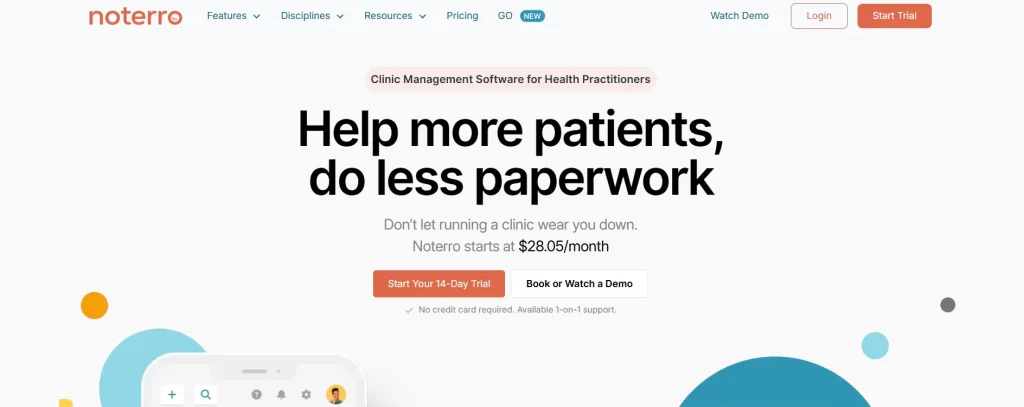
| Noterro | Solo practitioners & small clinics | Noterro Scribe (AI voice-to-chart) and clinic-branded patient app | $28.05/month |
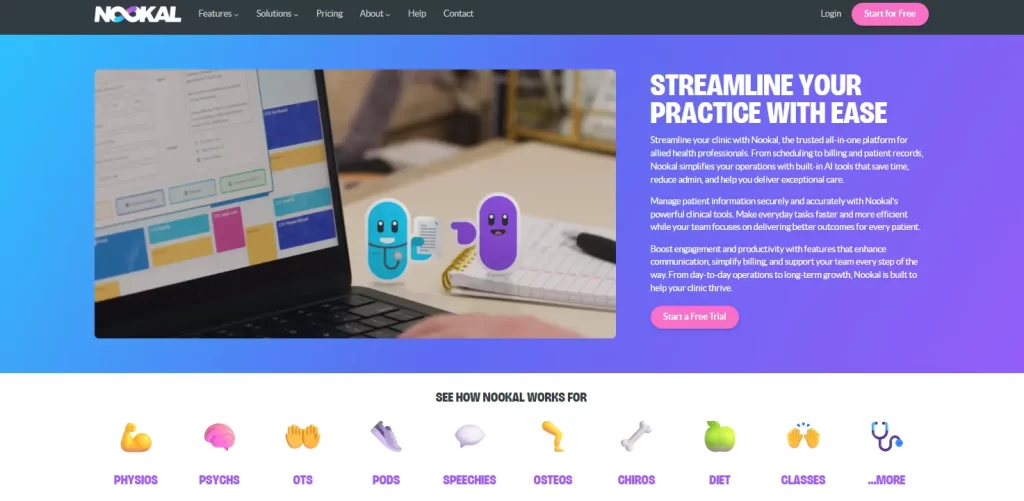
| Nookal | Multi-location & multidisciplinary clinics | Deep reporting & analytics; integrated Medicare/DVA claiming | A$55/month |
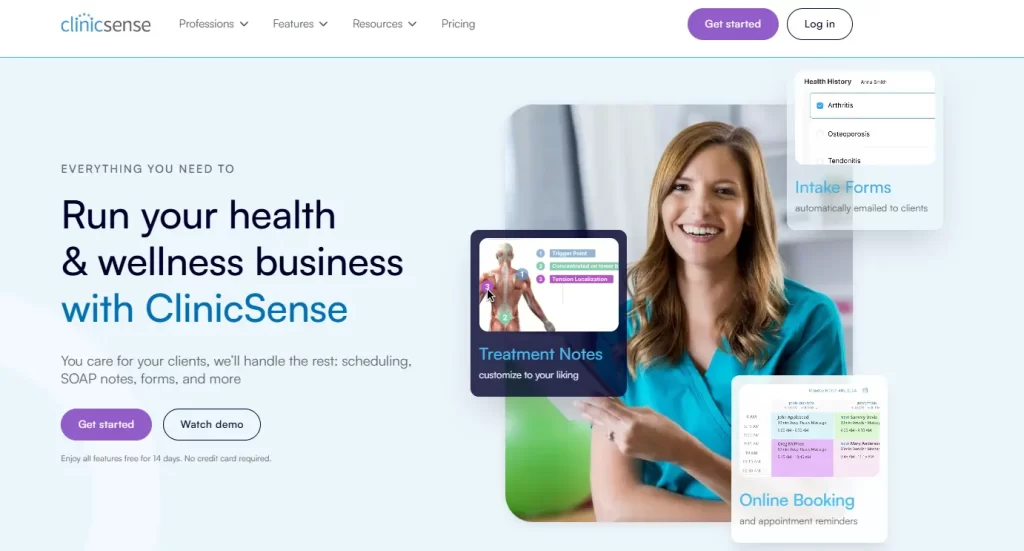
| ClinicSense | Simple, fuss-free practice management | No-Show Guard® and automated “Wellness Check-in” campaigns | $39/month |
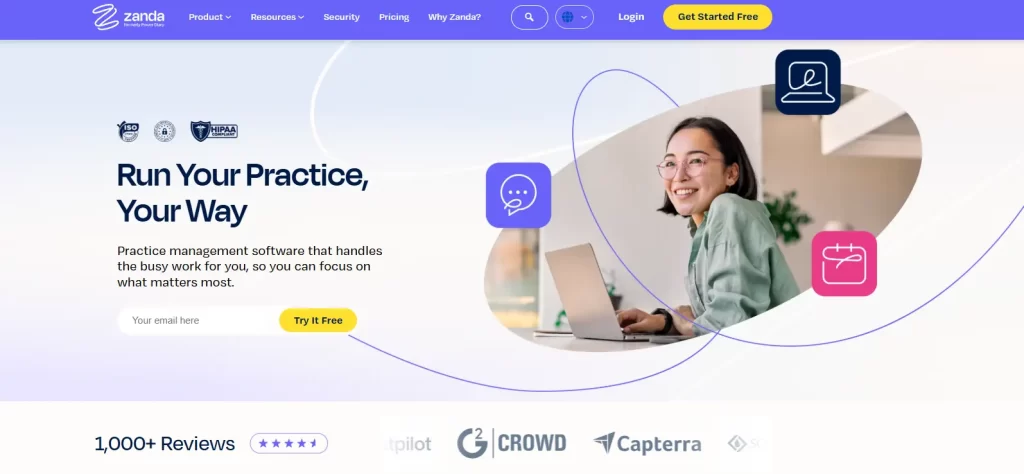
| Zanda Health | Security-conscious allied health clinics | ISO 27001 certified security and built-in Practice Operations Manual | $19/month |
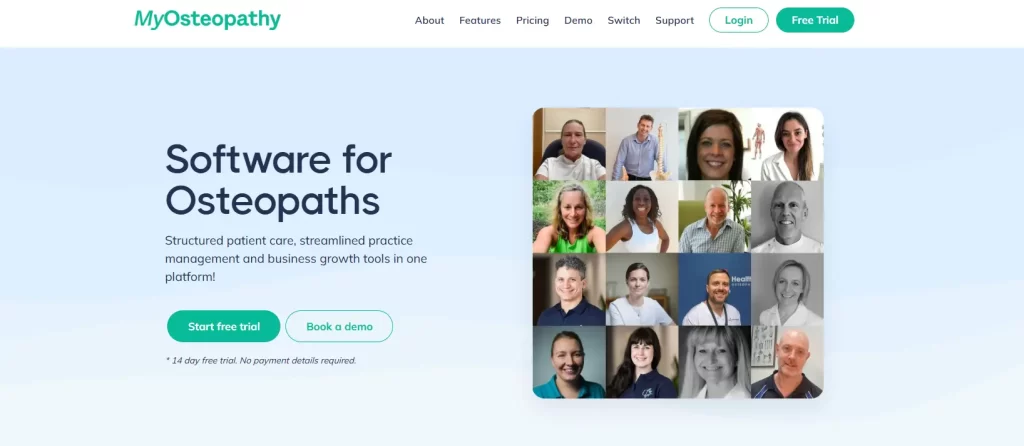
| MyOsteopathy | UK-based solo osteopaths | Purpose-built osteopath workflows and 1-2-1 dedicated onboarding | £30/month |
| Crossuite | European multidisciplinary practices | Per-account pricing across unlimited locations; AIQU documentation | €13/month |
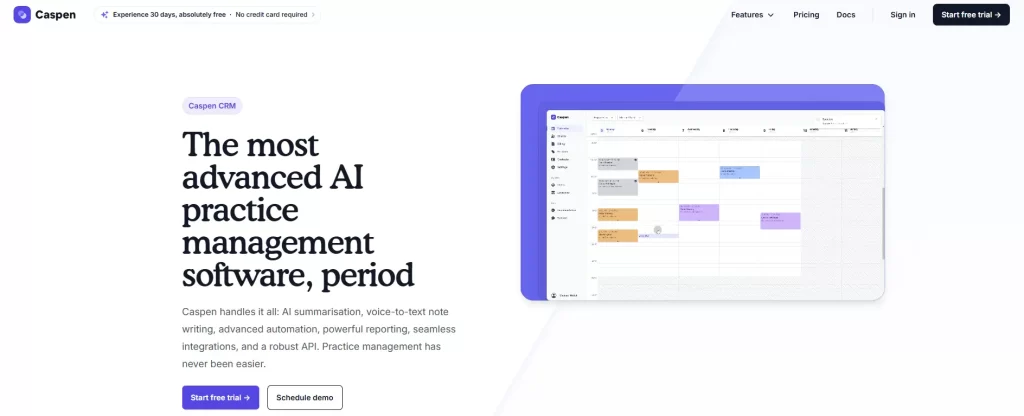
| Caspen | AI-powered admin automation | Built-in NDIS billing integrations + AI-enhanced session notes | $5/month per practitioner |
| Coreplus | Australian Medicare & DVA claiming | Native Medicare/DVA claiming and secure “Add-on” marketplace | A$35/month per practitioner |
Already like what you see with Pabau? You don’t need to read the whole list.
Pabau is the software for osteopathy clinic owners who want everything in one place — bookings, patient electronic records, billing, and more. No more juggling five different tools.
Book a free demo →
Pabau — Best All-in-One Software for Osteopaths
If you’re tired of juggling five different tools just to run your osteopathy practice, Pabau was made for you. It’s an all-in-one software for osteopaths that handles everything, like bookings, clinical notes, billing, patient engagement, and marketing, under one roof.
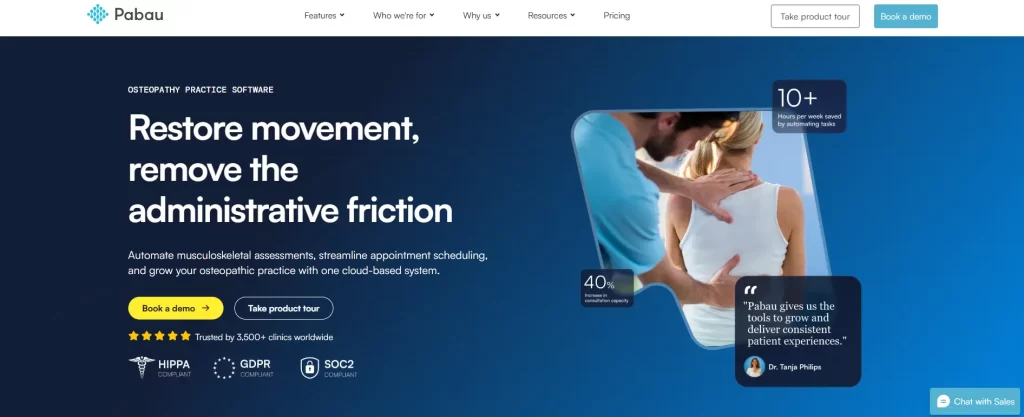
Pabau is HIPAA, GDPR, and SOC2 compliant, so your patient data is protected to the highest clinical standards.
Key features
AI-assisted SOAP notes & customisable charting
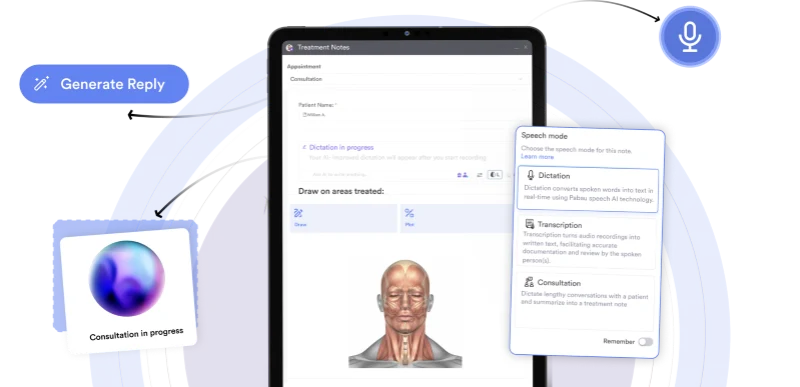
Finishing notes at 9 pm shouldn’t be part of the job description. Pabau’s AI Scribe (part of Echo AI) helps you complete treatment notes up to 80% faster, using dictation and smart prompts to generate structured SOAP notes on the spot.
You can also build custom templates with body charts and structural assessment tools specific to osteopathic practice, so no two workflows look the same.
Patient portal
Recovery doesn’t happen only in the treatment room and Pabau’s patient portal reflects that.
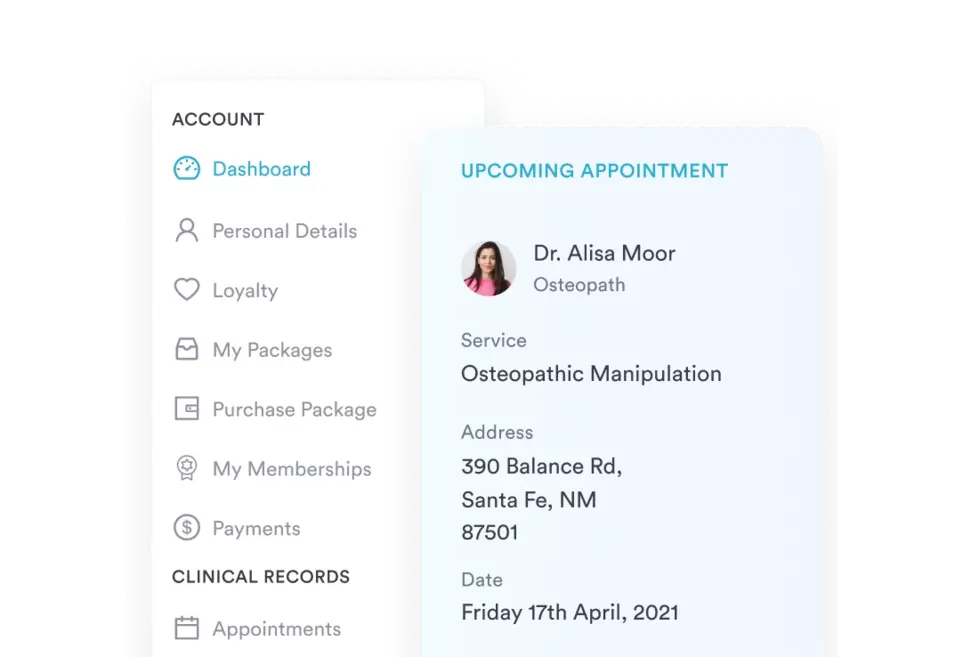
Clients can complete intake forms before they arrive, access their own records, and receive automated pre- and post-care instructions, all without your team having to send a single manual email. It keeps patients informed between sessions and more committed to their recovery plan.
Treatment packages, memberships & retention campaigns
Here’s a pattern most osteopaths know too well: patient comes in with back pain, feels better after three sessions, disappears.
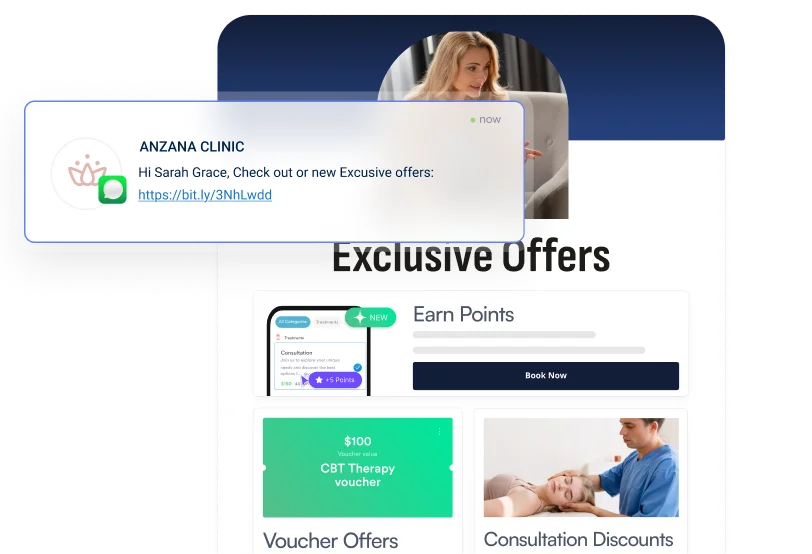
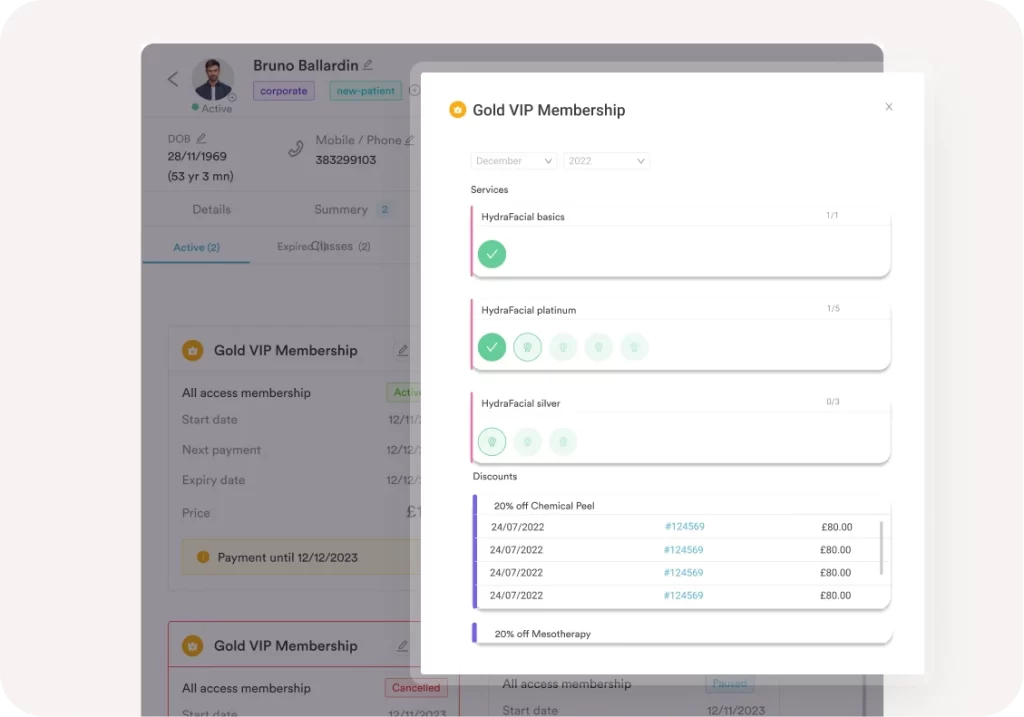
Pabau helps break that cycle. You can sell structured treatment packages and memberships directly at checkout, and set up automated Email & SMS campaigns that re-engage patients who’ve gone quiet with wellness tips, seasonal reminders, or a gentle nudge to rebook.
Pro Tip
Memberships create predictable recurring revenue, which is a game-changer if you’re running a solo practice and want more financial stability month to month.
Pricing
Every Pabau plan includes full platform access, with pricing based on team size only.
Plans start at $62/month with the annual plan, so whether you’re a solo practitioner or running a multi-location clinic, you’re not locked out of the good stuff.
| Plan | Best For | Users |
| Starter | Trying it out | 1 user / up to 100 clients |
| Solo | Full-time solo clinicians | 1 user / unlimited patients |
| Team | Small practices | 2–3 users / unlimited patients |
| Medium | Growing clinics | 4–5 users / unlimited patients |
| Group | Larger teams | 6–15 users / unlimited patients |
| Enterprise | Multi-location operations | 16+ users / unlimited patients |
Annual plans save up to 20%. Optional add-ons (Marketing Plus, Care Plus, Insights Plus) are available if you want to extend beyond the core platform.
Where Pabau shines
- AI-powered documentation: Less time on post-session notes and more time with patients — Echo AI helps you document treatment notes without sacrificing clinical accuracy.
- Built-in patient retention tools: Packages, memberships, and automated campaigns work together to keep patients coming back, not just when something hurts.
- Everything under one roof: Booking, billing, clinical notes, and marketing in a single platform means no more switching between tools or losing data in the gaps.
“They make it so easy to do everything. You just add the treatments you want to add to that bundle and that’s it.”
Where Pabau falls short
- Learning curve upfront: Pabau is feature-rich — which is great once you’re up and running, but can feel overwhelming in the first few weeks. Budget time for onboarding.
- Setup takes time: Getting your forms, templates, and automations configured to your workflow isn’t instant. It’s worth it, but it’s not a plug-and-play situation.
Customer reviews
“As a provider, Pabau has been a game-changer for our clinic. The level of customization is outstanding from tailoring forms to adapting workflows, it truly feels like the software adapts to us rather than the other way around.” – Brant T. (Capterra)
“Pabau is one of the keys for my Bussines to grow” – Erika L. (G2)
Who Pabau Is Best For
- Solo osteopaths going fully digital: If you’re ready to ditch paper and manual admin, Pabau’s all-in-one features cover everything from notes to billing in one place.
- Growing clinics managing multiple practitioners: Coordinating online bookings, shared calendars, and patient records becomes a lot less stressful with everything centralised.
- Multi-location enterprises: If you’re operating across several sites, Pabau’s enterprise plan gives you unified records, access controls, and cross-site reporting in one view.
Noterro
Noterro is a cloud-based practice management software built for allied health clinicians — including osteopaths, chiropractors, and physiotherapists.
It strikes a solid balance between simplicity and functionality, with AI-assisted charting, online booking, and insurance tools all under one roof.
Key features
- Noterro Scribe (AI voice-to-chart): Dictate your notes or record patient conversations and let Noterro’s AI convert them into structured clinical notes automatically — no typing required.
- Predictive charting & snippets: Smart tag suggestions and shorthand phrases speed up SOAP note completion, learning your patterns the more you use it.
- Online booking & clinic-branded app: Patients can self-book through a branded portal that connects directly to your website, with automated reminders to reduce no-shows.
- Packages & memberships: Bundle sessions, create loyalty incentives, and manage recurring bookings to keep patients engaged beyond a single visit.
Pricing
Noterro keeps pricing straightforward with three-tiered plans. All plans include a 14-day free trial — no credit card required.
| Plan | Price | What’s Included |
| Starter | $28.05/month | Scheduling, billing, documentation basics |
| Plus | $46.75/month | Adds waitlists, reminders, basic insurance |
| Max | $65.45/month | Full features incl. packages, memberships, integrated insurance |
Where Noterro shines
- Ease of getting started: Most clinics can get fully set up in under an hour — a big deal if you’re switching from paper or a clunky legacy system.
- AI-powered documentation: Noterro Scribe is genuinely useful for osteopaths who want notes done during or immediately after a session, not at 9 pm.
- Responsive support: Users consistently praise the support team for fast, human responses.
Want to go deeper? If you’re still weighing up your options, our guide to the best clinic management software breaks down what to look for before you commit to a platform.
Where Noterro Falls Short
- Limited marketing tools: There’s no built-in email campaign or patient retention automation, so if you want to run re-engagement campaigns or membership-driven growth, you’ll need to bolt on a separate tool.
- Fewer integrations than larger platforms: Some users flag missing integrations, such as no Physitrack link, which can be limiting for clinics already embedded in a broader tech stack.
- Interface can feel clunky at times: Some users report issues with untimely software updates during business hours and an online booking page that could be better organised.
Customer reviews
“Great value for money, great customer support, appointment reminders, continued improvement of the software and features, ability to send follow up emails through Noterro.” – Sasha G. (Capterra)
Who Noterro is best for
- Solo osteopaths wanting simplicity: If you want a clean, affordable system that covers the basics well without overwhelming you with features, Noterro is a strong pick.
- Mobile practitioners: Noterro GO makes it one of the few platforms built with route-based, mobile osteopathy work in mind.
- Canadian and US clinics with insurance needs: The TELUS and Availity integrations make it a practical choice for insurance-heavy practices in North America.
Nookal
Nookal is a practice management platform built specifically for allied health professionals, including osteopaths, physiotherapists, chiropractors, and psychologists, designed to support practices of all sizes.
Key features
- Multi-location scheduling: Manage bookings, staff, and rooms across multiple sites from one calendar view, with the ability to toggle between locations easily.
- Clinical notes & templates: Customisable note templates for osteopathic assessments, treatment plans, and progress documentation, stored securely in each patient’s record.
- Automated reminders: SMS and email notifications sent automatically before appointments to reduce no-shows and last-minute cancellations.
Pricing
Nookal pricing starts at ~A$55/user/month with a 30-day free trial available.
| Plan | Price |
| Per user | From ~A$55/user/month |
| Free trial | 30 days |
On top of the base plan, a few usage-based costs are worth factoring in. SMS messaging starts at 10¢ per message (with free SMS replies included), and Medicare claiming is pay-per-success at just 30¢ per claim, so you’re only charged when a claim goes through.
Where Nookal shines
- Multi-location management: Nookal makes it easy to toggle between locations, organise central bookings, and support staff or patients working across multiple clinics.
- Reporting depth: For clinic owners who want data-driven decisions, Nookal’s dashboards go deeper than most, covering practitioner utilisation, revenue trends, and referral sources.
- Built for allied health teams: Whether you’re running a mixed practice with physios, osteopaths, and chiropractors under one roof, Nookal handles multi-disciplinary workflows cleanly.
Where Nookal falls short
- Not ideal for solo practitioners: The feature depth that makes Nookal great for larger clinics can feel like overkill for a one-person practice.
- Report customization can be tricky: Some users find it challenging to find specific data or customise reports to their needs.
- Integration limitations: A few users mention integration issues with tools like Xero, which can create friction for clinics that rely on external accounting platforms.
Customer reviews
“No client portal for checking bookings which is particularly cumbersome for group classes. Really not designed for anything but 1:1 appointments.” –PJ W. (Capterra)
Who Nookal is best for
- Growing multi-location clinics: If you’re managing two or more sites and need centralised oversight of bookings, staff, and revenue, Nookal is a strong fit.
- Multidisciplinary practices: Clinics running osteopathy alongside physio, chiro, or other disciplines benefit from Nookal’s flexible practitioner and service management.
- Data-driven clinic owners: If patient scheduling software with real reporting depth matters to you, Nookal delivers where lighter tools fall short.
Nookal vs Cliniko vs Pabau? If you’re deciding between the three, check out our Cliniko vs Nookal vs Pabau breakdown to see how they stack up side by side.
ClinicSense
ClinicSense is a cloud-based practice management platform built for health and wellness professionals.
It’s particularly popular among solo practitioners and small wellness clinics, and is a solid option for osteopaths wanting a lighter-weight alternative to more complex EMR software.
Key features
- SOAP notes & customizable templates: Point-and-click SOAP note templates make it fast and easy to chart, with secure sharing and easy access to previous notes.
- Online booking & automated reminders: Patients can self-book through your website or social media, with intake forms and appointment reminders sent automatically.
- No-Show Guard: A built-in no-show protection feature that helps protect your revenue from last-minute cancellations and missed appointments.
- Waitlists & availability campaigns: Automated availability emails keep clients informed of open slots, helping fill scheduling gaps faster.
Pricing
ClinicSense offers three pricing tiers ranging from $39 to $99 per month, with a 14-day free trial.
| Plan | Price | Best For |
| Lite | $39/month | New or very small practices |
| Standard | $69/month | Growing solo practitioners |
| Premium | $99/month | Multi-therapist practices |
Where ClinicSense shines
- Ease of use: Users consistently rate the scheduling and calendar management as intuitive and reliable, with drag-and-drop functionality and Google Calendar integration.
- Outstanding customer support: The support team is praised for responding to questions within minutes, often with personalized video walkthroughs.
- Automated client communication: From reminders to re-engagement emails, ClinicSense handles the follow-up so you don’t have to think about it.
Where ClinicSense falls short
- Built primarily for massage therapy: Osteopaths may find the clinical documentation tools less tailored to musculoskeletal assessment compared to more specialist platforms.
- Limited mobile app functionality: Some users report limited mobile access and desire more customisation options.
- Integrations are limited: Payment processing is tied exclusively to Square, which won’t suit every clinic.
Customer reviews
“Lack of a Client Portal is my biggest pain point. Currently, clients cannot easily log in to view or reschedule upcoming appointments on their own. They have to contact me directly for every change, which interrupts my workflow.” – Jessica Rose F. (Capterra)
Who ClinicSense is best for
- Solo osteopaths wanting simplicity: If your priority is a clean, low-friction system for booking, notes, and reminders, ClinicSense gets out of your way and lets you focus on patients.
- Practitioners transitioning from paper: Its intuitive setup and guided onboarding make it one of the easiest platforms to adopt even withoutIT background.
- Budget-conscious small clinics: At a $39/month entry point, it’s one of the more affordable options on this list.
Building a private practice? Our guide to the best EHR for private practice covers what to look for in a records system when setting up or scaling.
Thinking about growth? Our guide to healthcare CRM software shows which platforms go beyond scheduling to build lasting patient relationships.
Zanda Health
Zanda is an all-in-one platform designed to take the busy work off your plate, with tools for everything from communication to billing, top-tier data security, and dedicated support.
Key Features
- Clinical notes & customizable templates: Practitioners can use hundreds of pre-built or custom note templates with text fields, choice lists, and e-signatures.
- BizzyAI — AI note assistant: Zanda’s built-in AI assistant can reduce note-taking time, handling documentation so you can focus on the patient in front of you.
- Online booking & automated reminders: Patients can book directly through your website 24/7, with automated SMS and email reminders keeping no-shows to a minimum.
- Telehealth via Zoom: Seamless Zoom telehealth integration lets you run video consultations without leaving the platform.
Pricing
Zanda pricing is structured around the number of practitioners in your practice, with a Starter plan for solo practitioners and a Growth plan for larger teams.
| Plan | Key Features | Full Price | Discounted Price* |
| Starter | Online booking, appointment reminders, paperless intake forms, integrated billing | $19/month | $9.50/month |
| Growth | Everything in Starter + customisable note templates, multiple locations, advanced waitlist, room & resource management | $49/month | $24.50/month |
| Additional practitioners | Add-on for Growth plan | $19/month each | $9.50/month each |
BizzyAI Scribe — Zanda’s AI voice-to-note tool — is available on a pay-as-you-go basis at just $1 per transcription hour. Telehealth Pro is available as an add-on at $9/month per practitioner.
Where Zanda shines
- Enterprise-grade security: Zanda is one of the only practice management systems to be ISO 27001 certified, with HIPAA and GDPR compliance audited regularly.
- Integration depth: With Xero, Physitrack, Mailchimp, and Google Calendar all supported, Zanda plays well with most tools already in your tech stack — more so than many competitors.
- Flexible for all practice sizes: From solo practitioners to large multi-location clinics, Zanda’s pricing and features scale without locking you into a one-size-fits-all model.
Where Zanda falls short
- Phone support is limited: Some users flag that phone support is only available on higher plans, and booking a call can take weeks.
- Can feel complex at first: Some users find the system confusing and not as immediately intuitive as expected, particularly when coming from a simpler tool or paper-based records.
- Client portal needs work: Users have flagged a desire for more features in the client portal, such as document sharing.
Customer reviews
“My overall experience with Zanda is good. It is one simple platform with total control & that makes things easy to access.” – Nelson F. (Capterra)
Who Zanda Health is best for
- Security-conscious practitioners: If HIPAA, GDPR, and ISO 27001 compliance are non-negotiables for your practice, Zanda is one of the most rigorously certified options on this list.
- Clinics with complex integrations: If your practice already uses Xero, Physitrack, or Zoom and you want everything to connect cleanly, Zanda’s integration library is hard to beat.
- Australian clinics with Medicare needs: With built-in Medicare and DVA claiming, Zanda is a natural fit for Australian osteopaths navigating government rebate workflows.
Zanda vs Pabau? See how the two platforms compare on features, pricing, and ease of use in our detailed Zanda Health vs Pabau breakdown.
MyOsteopathy
MyOsteopathy is a clinic management platform built specifically for osteopaths, not adapted from a generic health software template, but designed from the ground up by osteopaths who understand the day-to-day realities of the job.
Key features
- Osteopath-specific treatment notes: Treatment note templates are structured around how osteopaths assess, diagnose, and manage patient care.
- Automated patient retention tools: Automated rebooking reminders, follow-up messages, and check-ins keep patients coming back when they should, rather than drifting away after the pain subsides.
- Red flag alerts: A built-in safety feature that flags clinical red flags during patient intake.
Pricing
MyOsteopathy offers a 14-day free trial with no payment details required, followed by two paid options.
| Plan | What’s included | Price (2026) |
| 14-Day Trial | Full access to all features, no obligation, free setup & training | Free |
| Practice | Online bookings, digital intake forms, treatment notes, payments, receipts & invoices, custom calendar, waiting list | £30/month |
| Practice Pro | Everything in Practice + 100 SMS/month, automated Google reviews, re-booking invites, branded SMS, promo codes, growth dashboard | £59/month |
Additional users can be added for £10/month each, and SMS is charged at 6p per message on the Practice plan.
Where MyOsteopathy shines
- Built by osteopaths, for osteopaths: The platform reflects the actual workflow of osteopathic care, like structured intake forms optimized for the musculoskeletal system, organized notes, and defined treatment plans.
- Fast to set up: Most practitioners are fully operational within a day, with free onboarding support included.
- Patient retention built in: Return patient visit email and SMS reminders and automated follow-ups run in the background without any manual effort.
Where MyOsteopathy falls short
- UK-focused for now: MyOsteopathy is primarily designed for UK-based osteopaths, with international availability still being rolled out.
- Limited scalability: MyOsteopathy is purpose-built for solo practitioners and small teams. If you’re running a larger multi-location clinic or a multidisciplinary practice, you’ll likely outgrow its feature set fairly quickly.
- No AI note-taking: Unlike some competitors, MyOsteopathy doesn’t currently offer AI-assisted documentation or voice-to-chart features.
Customer reviews
MyOsteopathy is a newer, niche platform and doesn’t yet have a presence on Capterra or G2.
Who MyOsteopathy is best for
- UK-based solo osteopaths: If you want a platform that genuinely understands osteopathic practice without the faff of adapting a generic system, MyOsteopathy is the most purpose-built option on this list.
- New graduates setting up their first practice: Fast setup, low cost, and osteopath-led onboarding make it an accessible starting point.
- Practitioners prioritizing patient retention: The built-in rebooking reminders and automated follow-ups are a strong fit for osteopaths who want to keep patients engaged beyond the initial presenting complaint.
Crossuite
Crossuite is a cloud-based practice management platform built for allied health professionals across Europe, with a dedicated setup for osteopaths in independent, group, and multidisciplinary practices.
Key Features
- Customisable clinical notes: Design patient notes and treatment protocols specific to your discipline, or choose from a library of pre-built forms tailored to osteopathy and allied health.
- Patient portal: Patients book online 24/7, complete digital intake forms in advance, sign consent documents, and manage their own appointments.
- Financial management: Billing templates, online payment follow-up, subscriptions, packages, and financial reporting.
- AI Suite (AIQU): An AI assistant that converts speech to text and summarises patient records, with original recordings securely stored inside the patient file.
Pricing
| Plan | What’s Included | Price (2026) |
| Basic | Calendar & scheduling, customisable note-taking, smart reminders & communication tools | €13/month |
| Smart | Everything in Basic + document & contact management, teleconsultations, unlimited locations & rooms | €26/month |
| Clever | Everything in Smart + full multilingual support, custom integrations, kiosk reception desk, and complete waiting room management | €36/month |
Where Crossuite shines
- Multi-location and multidisciplinary by design: Crossuite handles multiple practitioners, disciplines, and locations within a single account.
- No installation, no servers, no IT headaches: The platform is entirely browser-based and works across Mac, Windows, Android, iPad, and Linux.
- Exceptional onboarding and ongoing support: With 2,000+ data migrations completed, Crossuite’s team manages the transition from your current system and assigns a dedicated practice expert who knows your specific setup.
Where Crossuite falls short
- European-market focus: Crossuite is built for European practices, with accounting integrations and compliance frameworks that reflect that. If you’re based outside Europe — particularly in the UK, Australia, or North America — you may find the platform less well-suited to your local billing and regulatory requirements.
- Key features locked behind higher tiers: Online booking, teleconsultations, and reminders are only unlocked in higher tiers.
- No built-in patient retention tools: Crossuite handles reminders and communication well, but it doesn’t offer the kind of automated retention features, like rebooking campaigns, treatment packages, memberships, or targeted recall sequences
Customer reviews
Crossuite doesn’t currently have a meaningful presence on Capterra or G2, but it has a well-established base of practitioner testimonials on their website.
“I am very satisfied with the use of Crossuite for my practice management. Very good platform with many possibilities. Fine to use and takes work off your hands.” – Stefan Bonroy (Crossuite website)
Who Crossuite is best for
- European group and multidisciplinary practices: If you’re running a clinic with multiple disciplines and practitioners under one roof, Crossuite’s per-account pricing and multidisciplinary architecture make it one of the strongest European options available.
- Clinics wanting high-touch onboarding support: Crossuite suits practices that want implementation done properly, rather than learning by trial and error.
- Practices wanting full device flexibility: If your team works across multiple devices and operating systems (Mac, Windows, tablets, phones), Crossuite’s zero-installation, cloud-first design removes the friction.
Comparing clinic management options? If you’re weighing up platforms for a multidisciplinary practice, our breakdown of the best physiotherapy clinic management software covers what to look for when your team spans more than one discipline.
Caspen
Caspen is an Australian-built, cloud-based practice management platform designed for allied health clinics, including osteopaths, across Australia, the UK, Canada, the US, and New Zealand.
Key features
- AI note-taking & summarization: Caspen’s built-in AI handles voice-to-text progress notes and patient record summaries in real time.
- Smart calendar & online bookings: A full scheduling system with automated appointment reminders, a client-facing booking portal, online intake forms, and waitlist management.
- Invoicing & payments: Automated invoicing, payment processing via Stripe, NDIS billing support, and reconciliation tools designed specifically for allied health billing workflows.
Pricing
| Plan | Price (2026) | What’s included |
| Introductory Special | $5 USD/month | Full platform access for the first 6 months |
| Standard Plan | $20 USD/month | Per practitioner pricing after 6 months |
| Support Staff | Free | Unlimited administrative and support users |
| Free trial | 30 days | No credit card required; includes free setup and training |
All plans include unlimited support staff users, unlimited business locations, unlimited file storage, and access to every platform feature.
Where Caspen shines
- AI is front and centre, not a bolt-on: Voice-to-text notes, automated client communication, and record summarisation are all available from the start.
- Built for multi-location and team-based clinics: Caspen supports multi-location management, team noticeboards, user permissions, and task management.
- Genuinely responsive support: Multiple user testimonials specifically call out support quality, and the platform has won awards for “Most Responsive Support” (2025).
Where Caspen falls short
- No patient retention tools: Caspen focuses on AI and admin automation, but it doesn’t offer the kind of built-in retention features like treatment packages, memberships, rebooking campaigns, or targeted recall sequences.
- No insurance or Medicare billing support: Caspen’s billing tools cover invoicing, payments, and NDIS, but there’s no native support for insurance claims, Medicare, or private health fund billing.
- Limited osteopath-specific features: Caspen is built for allied health broadly rather than osteopathy specifically. It doesn’t offer the osteopath-specific note templates, red flag alerts, or discipline-specific intake forms.
Customer reviews
Caspen has no verified third-party reviews on major platforms like Capterra or G2.
But it has a collection of practitioner testimonials on their website.
“Caspen has been fantastic for organising my weekly appointments. It allows me to quickly identify outstanding payments at a glance, and also provides the flexibility to add additional notes.”– Dr. Andrew Macquarie (Caspen website)
Who Caspen is best for
- Practitioners who want AI doing the heavy lifting: If reducing note-writing and admin time through automation is your top priority, Caspen’s AI-first approach makes it one of the stronger options on this list.
- Growing multi-practitioner clinics: The combination of multi-location support, team management tools, and CRM functionality suits practices that need coordinated oversight across staff.
- NDIS providers: Caspen has built-in NDIS billing support — one of the few platforms on this list that does. If you work with NDIS participants alongside your regular caseload, it removes the need for a separate billing tool entirely.
Coreplus
Coreplus is an Australian-built, cloud-based practice management platform that has been serving allied health professionals.
It’s particularly well-regarded in the Australian market for its native Medicare and DVA claiming capabilities.
Key features
- Medicare & DVA online claiming: Process Medicare EPC care plan claims and DVA services in real time, and no EFTPOS terminal required.
- Clinical notes & body charts: SOAP notes, structural assessment templates, and body charts designed for osteopathic workflows.
- Health fund claiming via Tyro: Process private health fund claims at the point of care through Tyro Health integration, combining EFTPOS and health fund rebates in a single terminal.
Pricing
| Plan | What’s Included | Price (2026) |
| Core | Calendar, case notes, invoicing, online bookings, SMS & email reminders, reporting, secure storage, telehealth | A$35/month per practitioner |
| Plus | Everything in Core + Medicare & DVA online claiming, secure GP messaging, patient portal | A$49/month per practitioner |
| Group | Everything in Plus + unlimited practitioners, advanced integrations | Custom pricing |
Where Coreplus shines
- Australian Medicare & DVA built in: Coreplus is one of the few platforms on this list with truly native Medicare and DVA claiming — no add-on, no terminal, no third-party intermediary.
- Extensive Australian-market integrations: Tyro Health, HotDoc, HealthEngine, Physitrack, Rehab Guru, Xero, MYOB, and secure GP messaging, a well-connected ecosystem built around how Australian allied health actually operates.
- Responsive, local support: User reviews consistently highlight Coreplus’s Australian-based support team.
Where Coreplus falls short
- Body chart usability issues: The body chart workflow sits separately from the clinical notes rather than inline, and once you leave the body chart page you can’t go back and edit it.
- Australia-focused by design: Coreplus is built specifically for the Australian regulatory and billing context. If you’re practising in the UK, Europe, or North America, the platform’s integrations, compliance frameworks, and billing tools won’t translate.
- No AI note-taking: Unlike Pabau (Echo AI), Noterro (Scribe), or Caspen, Coreplus doesn’t currently offer AI-assisted documentation or voice-to-text note-taking If reducing note-writing time through AI is a priority, this is a gap worth factoring in.
Customer reviews
“Fine except not great for physios.It’s one of the cheapest products around, which will make it attractive to some (it would probably be fine for psychology or other professions where body charts are not a big thing), but this was not for me as a physiotherapist.” – Anonymous User, Musculoskeletal Physiotherapist (Capterra)
Who Coreplus is best for
- Australian osteopaths with Medicare or DVA patients: If bulk billing, EPC care plans, or DVA services are part of your practice, Coreplus’s native claiming removes admin friction that other platforms handle awkwardly or not at all.
- Clinics already in the Australian allied health ecosystem: If you’re using HotDoc, Tyro, Physitrack, or MYOB, CorePpus slots in natively — no custom integrations, no workarounds.
- Cost-conscious solo practitioners: Pricing from $35/month, no lock-in contracts, and free Medicare claiming included.
What you need to stay compliant in the UK? Our guide to mandatory compliance for physiotherapy clinics covers the key regulatory requirements UK allied health practices need to have in place and how the right software helps you stay on top of them.
Here’s what to look for in osteopathy clinic software and why it matters specifically for osteopaths.
Specialty-specific clinical documentation
Look for a platform with body diagrams, structural assessment tools, and intake forms that reflect how osteopaths actually work.
Your software should support HIPAA-compliant and paperless workflows out of the box, with digital forms that capture consent, health history, and treatment notes without paper.
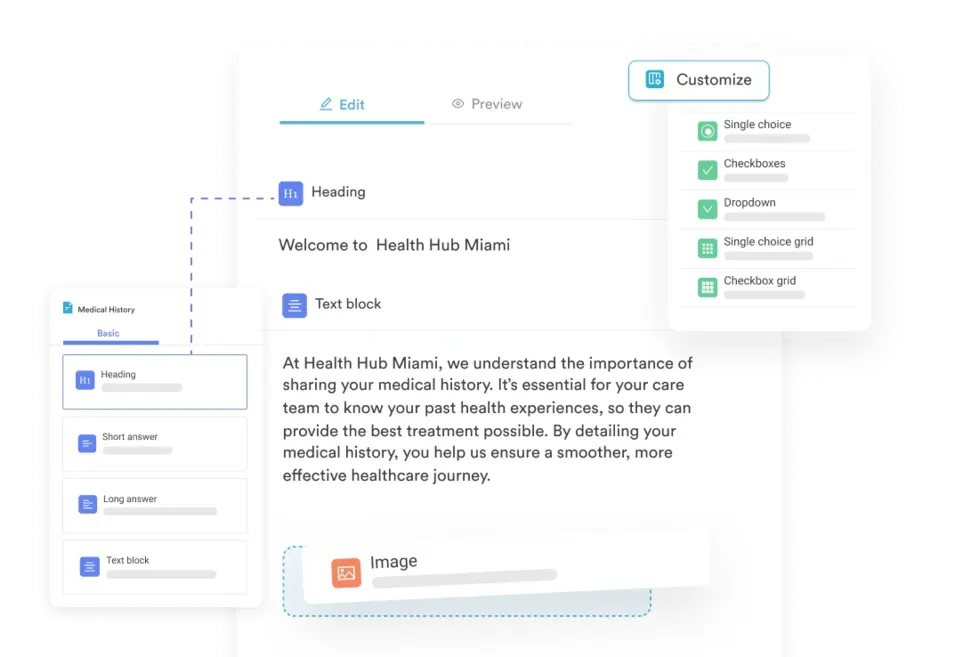
Pabau’s digital forms builder includes a specialty-specific template library with body diagrams and structural assessment tools tailored to osteopathic practice. And with Echo AI (Scribe), documentation time is cut by up to 80% — your notes written while you treat, not after.
Ready to see it in action? Book a free Pabau demo and see how AI-assisted documentation works for osteopathic practice.
Automated scheduling & patient Communication
An empty slot is lost revenue. Your platform should handle online bookings 24/7, send automated reminders that actually reduce no-shows, and fill last-minute cancellations through a smart waitlist.
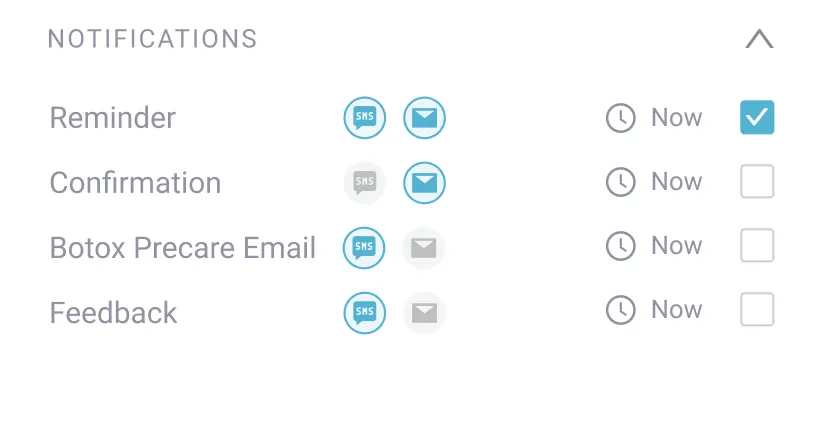
Pabau’s online booking and automated reminder system keeps osteopathy diaries full around the clock with smart waitlist notifications that fill last-minute cancellations instantly.
Patient retention & long-term outcome tracking
Osteopathy is rarely a one-visit discipline, but most patients drift away once the acute pain subsides. Your software should make it easy to sell structured multi-session treatment packages, track patient progress over time, and re-engage lapsed patients through automated campaigns.
Pabau lets osteopaths sell structured multi-session treatment packages at checkout and re-engage recovered patients through automated recall campaigns.
See how Pabau handles retention end-to-end. Book a free demo and we’ll walk you through the full patient journey from first booking to long-term care.
Manage Daily Osteopathy Clinic Operations With Pabau
The right osteopathy clinic software should actively reduce your admin, keep patients coming back, and grow with your practice.
If you’re a solo osteopath wanting simplicity, tools like MyOsteopathy or ClinicSense are solid starting points. But if you’re ready for a platform that handles AI documentation, automated retention, and multi-location management under one roof, Pabau is built for exactly that.
Ready to see it in action? Book a free demo or if data security is front of mind before you commit, read our guide to patient data security tools first.
FAQs
Is there software built specifically for osteopaths? Yes. MyOsteopathy and Pabau both offer osteopath-specific features, including body diagrams, structural assessment templates, and discipline-specific intake forms. Pabau also adds AI-assisted note-taking and automated patient retention tools for practices that want more than the basics.
What’s the best practice management software for a solo osteopath? It depends on your priorities. For simplicity and low cost, Noterro or ClinicSense are strong options. For AI documentation and automated retention in one platform, Pabau is worth the investment, especially if you’re planning to grow.
Does osteopathy practice management software help with no-shows? Yes. Most platforms on this list send automated SMS and email reminders before appointments. Pabau goes further with smart waitlist notifications that automatically fill last-minute cancellations.
Can I manage multiple locations with osteopathy software? Yes. Platforms like Pabau, Nookal, and Crossuite are all built for multi-location management, handling separate diaries, practitioners, and reporting across sites from a single account.
Is osteopathy practice management software GDPR and HIPAA compliant? Most reputable platforms are. Pabau is HIPAA, GDPR, and SOC2 compliant. Always check compliance credentials before committing, especially if you store long-term patient records or work across multiple jurisdictions.