For UK solo osteopaths, MyOsteopathy is the most purpose-built option — designed from the ground up by osteopaths, with fast setup and built-in patient retention.
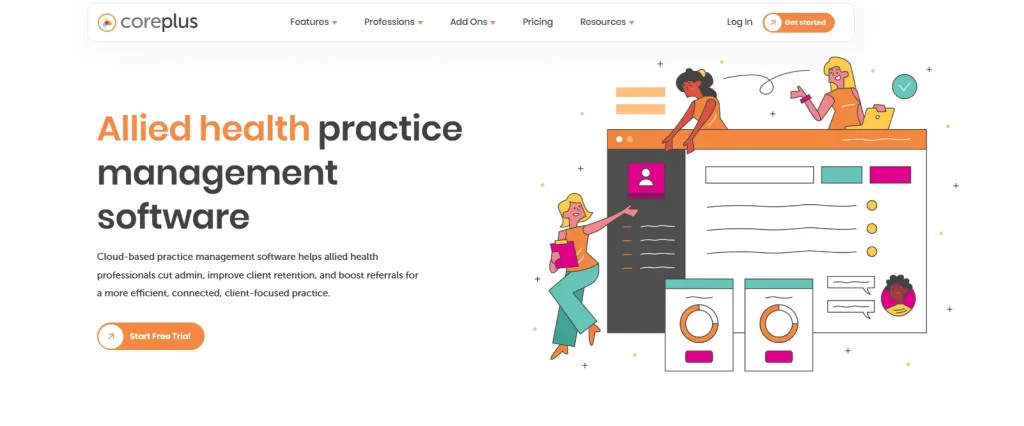
For Australian practices, Coreplus is the go-to for native Medicare and DVA claiming, while Caspen suits practices prioritizing AI automation and NDIS billing.
For European and multidisciplinary clinics, Crossuite handles multiple practitioners, disciplines, and locations under one account, with per-account pricing that scales as the practice grows.
For any osteopath ready to commit to one platform, Pabau covers AI-assisted documentation, patient retention, online booking, and billing in a single system. That makes it the strongest all-round choice at any practice size.
Running an osteopathy practice means treating patients all day, then working a second shift on admin after the last one leaves.
Missed appointments, patient notes spread across three systems, invoices you have to chase. The right osteopathy practice management software takes each of those off your desk.
We compared the nine strongest platforms on price, clinical documentation, retention tools, and the market each one is built for.
Found our content helpful?
Top 9 osteopathy platforms at a glance
Not sure where to start? Here’s a quick overview of every tool on this list.
Tool
Best For
Standout Feature
Starting Price (2026)
Pabau
All-in-one clinic management
Pabau Scribe — notes up to 80% faster; comprehensive 3D body mapping
$62/month
Noterro
Solo practitioners & small clinics
Noterro Scribe (AI voice-to-chart) and a branded patient app
$33/month
Nookal
Multi-location & multidisciplinary clinics
Deep reporting & analytics; integrated Medicare/DVA claiming
A$49/user/month
ClinicSense
Simple, fuss-free practice management
No-Show Guard® and automated “Wellness Check-in” campaigns
$39/month
Zanda Health
Security-conscious allied health clinics
ISO 27001 certified security and built-in Practice Operations Manual
$19/month
MyOsteopathy
UK-based solo osteopaths
Purpose-built osteopath workflows and 1-2-1 dedicated onboarding
£30/month
Crossuite
European multidisciplinary practices
Per-account pricing across unlimited locations; AIQU documentation
Native Medicare/DVA claiming and secure “Add-on” marketplace
A$35/month per practitioner
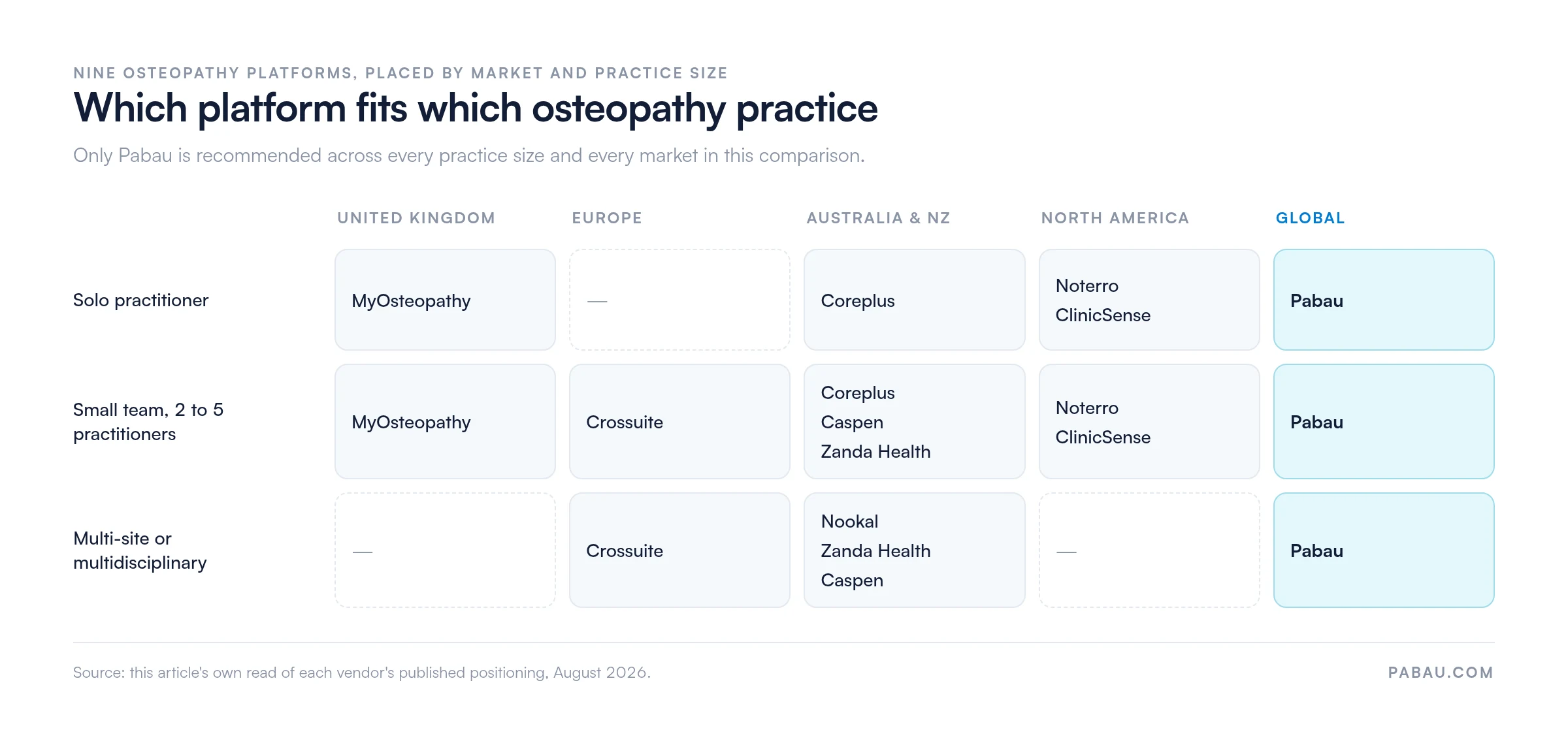
The nine platforms do not compete evenly. Each is strongest in a particular market and at a particular practice size, and the grid below shows where they land.
Pabau is the only platform here recommended at every practice size and in every market. Source: this article’s read of each vendor’s published positioning.
Already sold on Pabau? You don’t need to read the rest of the list.
Pabau is practice management software for osteopathy practice owners who want one system instead of five. Bookings, patient records, billing, and patient communication all run from the same place.
Packages, memberships, and recall campaigns are built in
Every subscription includes every feature
What doesn’t
Feature depth takes a few weeks to learn
Forms and automations need configuring before launch
Pabau covers booking, clinical notes, billing, and patient retention for osteopathy practices of any size.
If you’re juggling five tools to run your osteopathy practice, Pabau was built for you. It is software for osteopaths that handles bookings, clinical notes, billing, patient engagement, and marketing under one roof.
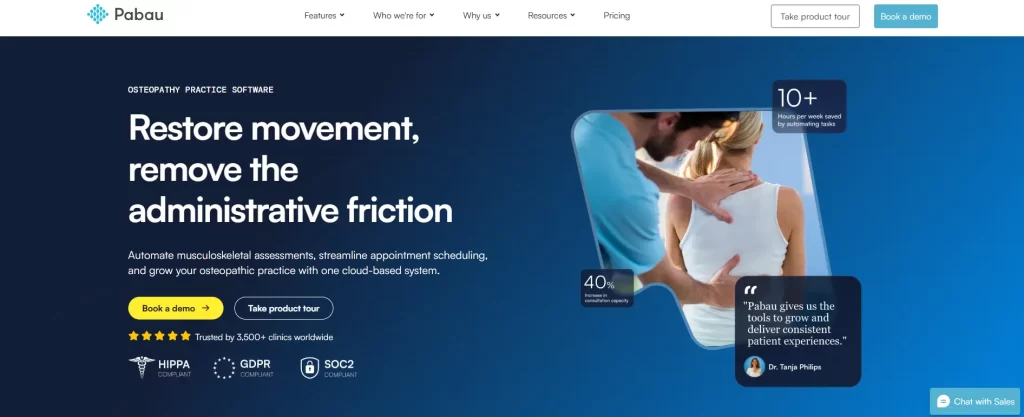
Pabau is HIPAA, GDPR, and SOC2 compliant, so patient records are held to clinical data standards in every market it serves.
Key features
AI-assisted SOAP notes and customizable charting
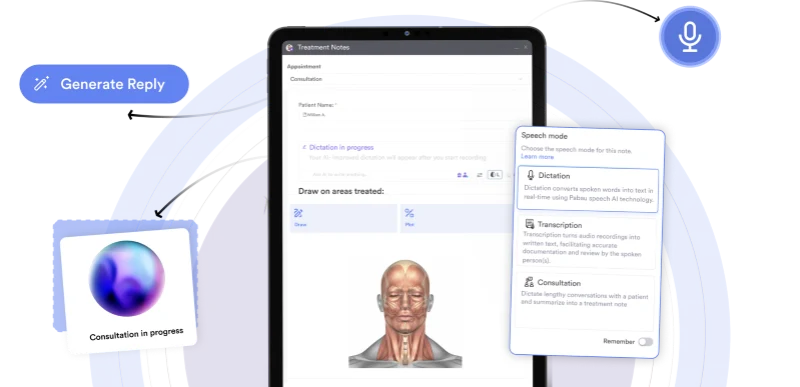
Pabau Scribe drafts the SOAP note from your dictation, so osteopathic assessments are written up before the patient leaves.
Finishing notes at 9 pm shouldn’t be part of the job. Pabau Scribe, our AI scribe, helps you complete treatment notes up to 80% faster. It turns dictation and smart prompts into structured SOAP notes on the spot.
You can also build custom templates with body charts and structural assessment tools specific to osteopathic practice. Functional assessments such as the star excursion balance test can be templated and scored directly in the patient record.
Patient portal
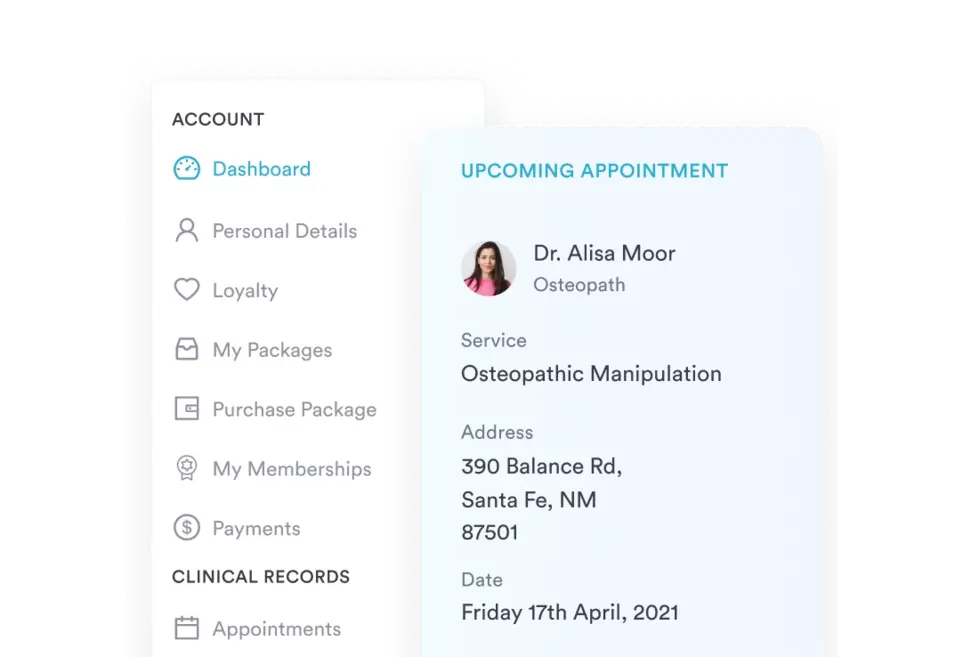
The patient portal collects osteopathic intake forms and consent before the first visit, so treatment time is not spent on paperwork.
Recovery doesn’t happen only in the treatment room, and Pabau’s patient portal is built around that.
Patients complete intake forms before they arrive, open their own records, and receive automated pre- and post-care instructions. Your team sends no manual email to make any of it happen, and patients stay committed to the recovery plan between sessions.
Automated email and SMS campaigns recall osteopathy patients who stopped rebooking once the acute pain settled.
The pattern is familiar. A patient arrives with back pain, feels better after three sessions, and never rebooks.
Pabau breaks that cycle. You can sell structured treatment packages and memberships at checkout. Automated email and SMS campaigns then re-engage quiet patients with seasonal reminders and a nudge to rebook.
Pro Tip
Memberships turn one-off visits into predictable recurring revenue, which matters most in a solo practice that needs steady month-to-month income.
Where Pabau shines
AI-powered documentation: Less time on post-session notes and more time with patients — Pabau Scribe helps you document treatment notes without sacrificing clinical accuracy.
Built-in patient retention tools: Packages, memberships, and automated campaigns work together to keep patients coming back, not just when something hurts.
One platform for the whole workflow: Booking, billing, clinical notes, and marketing live in one system, so nothing is lost switching between tools.
“They make it so easy to do everything. You just add the treatments you want to add to that bundle and that’s it.”
Beatrice Moorfield
Founder of Skin With Bea Esthetics
Where Pabau falls short
Learning curve upfront: Pabau is feature-rich, which pays off once you’re running but can feel like a lot in the first few weeks. Budget time for onboarding.
Setup takes time: Configuring forms, templates, and automations around your workflow takes a few sessions. The payoff is a system that matches how you work.
Customer reviews
“As a provider, Pabau has been a game-changer for our clinic. The level of customization is outstanding. It feels like the software adapts to us, rather than the other way around.” – Brant T. (Capterra)
“Pabau is one of the keys for my Bussines to grow” – Erika L. (G2)
Who Pabau is best for
Solo osteopaths going fully digital: If you’re ready to drop paper and manual admin, Pabau covers notes, scheduling, and billing in one place.
Growing practices with several practitioners: Coordinating online bookings, shared calendars, and patient records is far easier once they sit in one system.
Multi-site groups: If you operate across several sites, Pabau’s enterprise plan gives you unified records, access controls, and cross-site reporting in one view.
Every Pabau plan includes full platform access. Pricing scales with the size of your team and the number of locations you run.
Plans start at $62/month on the annual plan. A solo practitioner and a multi-site group get the same feature set, so nothing is held back on a smaller tier.
Plan / Tier
Price
Details
Starter
From $65/month
Per practitioner; billed monthly
Team / Group
Scales by location and user count
Volume-based pricing
Enterprise
Custom pricing
Contact sales for a quote
Annual plans save up to 20%. Two specialist add-ons, Marketing Plus and Care Plus, sit on top of the core platform.
Noterro
Rating4.5/5★★★★★
The bottom line
Noterro is a fast, affordable setup for solo osteopaths who mainly need notes, booking, and billing.
Noterro Scribe turns dictation into structured notes
Most practices are set up in under an hour
Support replies fast, and from a person
What doesn’t
No built-in email or recall campaigns
Fewer integrations than larger platforms
Booking page organization frustrates some users
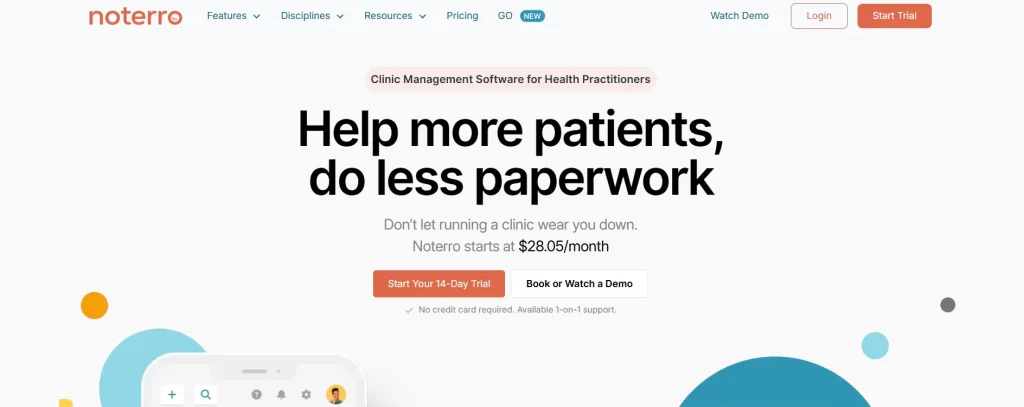
Noterro pairs AI charting with online booking and insurance tools for solo allied health practices.
Noterro is cloud-based practice management software built for allied health clinicians, including osteopaths, chiropractors, and physiotherapists.
It strikes a solid balance between simplicity and functionality, with AI-assisted charting, online booking, and insurance tools all under one roof.
Key features
Noterro Scribe (AI voice-to-chart): Dictate your notes or record patient conversations and let Noterro’s AI convert them into structured clinical notes automatically — no typing required.
Predictive charting & snippets: Smart tag suggestions and shorthand phrases speed up SOAP note completion, learning your patterns the more you use it.
Online booking and a branded app: Patients self-book through a branded portal that connects to your website, with automated reminders to reduce no-shows.
Packages & memberships: Bundle sessions, create loyalty incentives, and manage recurring bookings to keep patients engaged beyond a single visit.
Where Noterro shines
Ease of getting started: Most practices are fully set up in under an hour, which matters if you’re switching from paper or a legacy system.
AI-powered documentation: Noterro Scribe is genuinely useful for osteopaths who want notes done during or immediately after a session, not at 9 pm.
Responsive support: Users consistently praise the support team for fast, human responses.
Where Noterro falls short
Limited marketing tools: There’s no built-in email campaign or recall automation, so re-engaging lapsed patients means bolting on a separate tool.
Fewer integrations than larger platforms: Users flag missing connections, including Physitrack. That limits practices already built around a wider tech stack.
Interface can feel clunky at times: Some users report software updates landing during business hours and a booking page that could be better organized.
Customer reviews
“Great value for money, great customer support, appointment reminders, and continued improvement of the software.” – Sasha G. (Capterra)
Who Noterro is best for
Solo osteopaths wanting simplicity: For a clean, affordable system that covers the basics without burying you in features, Noterro is a strong pick.
Mobile practitioners: Noterro GO makes it one of the few platforms built with route-based, mobile osteopathy work in mind.
Canadian and US clinics with insurance needs: The TELUS and Availity integrations make it a practical choice for insurance-heavy practices in North America.
Pricing
Noterro keeps pricing straightforward with three tiers. The figures below are the standard monthly rates, and paying annually takes 15% off each one. Every plan includes a 14-day free trial with no credit card required.
Plan
Price
What’s Included
Core
$33/month
Scheduling, billing, documentation basics
Plus
$55/month
Adds waitlists, reminders, insurance tools
Max
$77/month
Full features incl. packages, memberships, integrated insurance
Nookal
Rating4.2/5★★★★★
The bottom line
Nookal earns its place in multi-site Australian practices that run on their reporting dashboards.
Who it’s for
Growing multi-site practices
Multidisciplinary allied health teams
Owners who decide from reports
PricingFrom A$49/user/monthEssentials, 1 to 2 seats
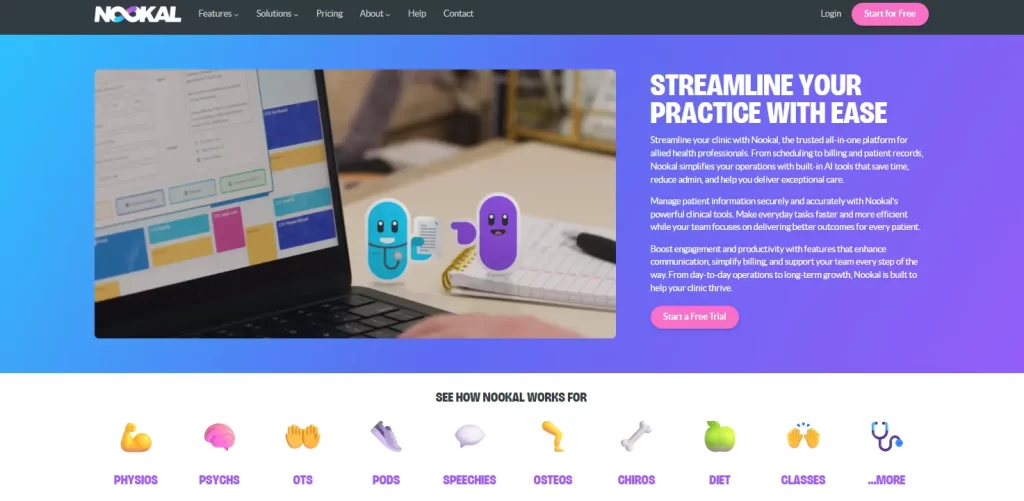
Nookal manages bookings, staff, and rooms across several sites from a single calendar view.
Nookal is a practice management platform built for allied health professionals, including osteopaths, physiotherapists, chiropractors, and psychologists. It is designed to support practices of every size.
Key features
Multi-location scheduling: Manage bookings, staff, and rooms across sites from one calendar view, switching between locations in a click.
Clinical notes and templates: Customizable note templates for osteopathic assessments, treatment plans, and progress documentation, stored in each patient’s record.
Automated reminders: SMS and email notifications sent automatically before appointments to reduce no-shows and last-minute cancellations.
Where Nookal shines
Multi-location management: Nookal makes it easy to switch between locations, organize central bookings, and support staff or patients working across several sites.
Reporting depth: For owners who want data-driven decisions, Nookal’s dashboards go deeper than most, covering practitioner utilization, revenue trends, and referral sources.
Built for allied health teams: Whether you’re running a mixed practice with physios, osteopaths, and chiropractors under one roof, Nookal handles multi-disciplinary workflows cleanly.
Where Nookal falls short
Not ideal for solo practitioners: The feature depth that makes Nookal great for larger practices can feel like overkill for a one-person practice.
Report customization can be tricky: Some users struggle to locate specific data or shape reports around what they need.
Integration limitations: A few users mention problems with the Xero integration, which creates friction for practices that rely on external accounting.
Customer reviews
“No client portal for checking bookings which is particularly cumbersome for group classes. Really not designed for anything but 1:1 appointments.” –PJ W. (Capterra)
Who Nookal is best for
Growing multi-site practices: If you manage two or more sites and need central oversight of bookings, staff, and revenue, Nookal is a strong fit.
Multidisciplinary practices: Practices running osteopathy alongside physio, chiro, or other disciplines benefit from Nookal’s flexible practitioner and service management.
Data-driven owners: If reporting depth matters as much as scheduling, Nookal delivers where lighter tools stop.
Pricing
Nookal pricing starts at A$49 per user per month on the Essentials tier, which covers one or two seats. A 30-day free trial is available.
Plan
Price
Essentials
A$49/user/month (1 to 2 seats)
Free trial
30 days
A couple of usage-based costs sit on top of the base plan. SMS messaging starts at 7¢ per message, with replies included free. Medicare claiming starts at 10¢ per claim and is charged on success, so you only pay when a claim goes through.
ClinicSense
Rating4.4/5★★★★★
The bottom line
ClinicSense keeps booking, notes, and reminders simple, which suits a solo practice more than a growing one.
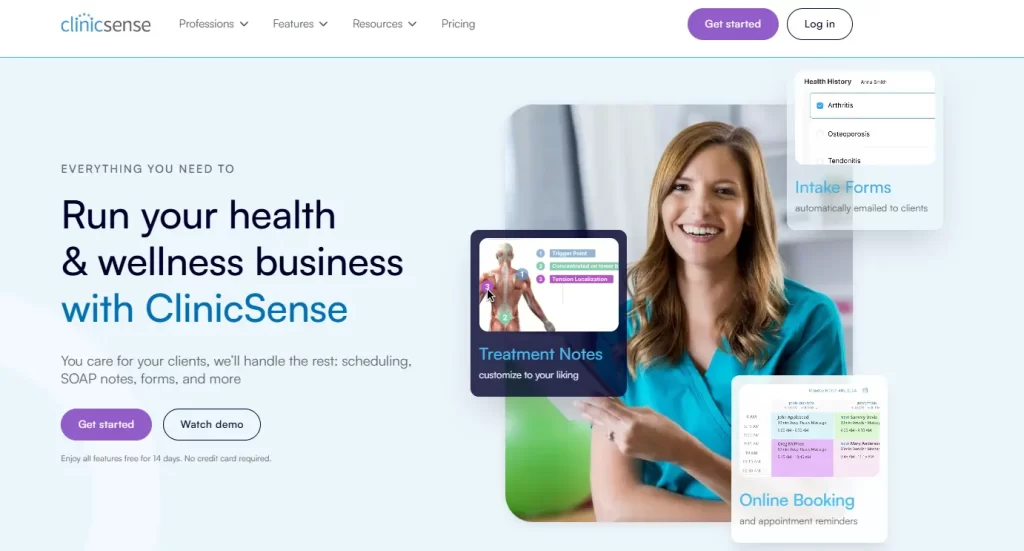
ClinicSense keeps scheduling, SOAP notes, and no-show protection in one light system for solo practitioners.
ClinicSense is a cloud-based practice management platform built for health and wellness professionals.
It is popular with solo practitioners and small wellness practices. For osteopaths who want something lighter than a full EMR, it is a solid option.
Key features
SOAP notes and customizable templates: Point-and-click templates make charting fast, with secure sharing and quick access to previous notes.
Online booking and automated reminders: Patients self-book through your website or social media, with intake forms and reminders sent automatically.
No-Show Guard: A built-in no-show protection feature that helps protect your revenue from last-minute cancellations and missed appointments.
Waitlists and availability campaigns: Automated availability emails tell patients when slots open, which fills cancellations faster.
Where ClinicSense shines
Ease of use: Users consistently rate the scheduling and calendar management as intuitive and reliable, with drag-and-drop functionality and Google Calendar integration.
Outstanding customer support: The support team is praised for responding to questions within minutes, often with personalized video walkthroughs.
Automated patient communication: From reminders to re-engagement emails, ClinicSense handles follow-up without you scheduling it.
Where ClinicSense falls short
Built primarily for massage therapy: Osteopaths may find the clinical documentation tools less tailored to musculoskeletal assessment compared to more specialist platforms.
Limited mobile app functionality: Some users report restricted mobile access and want more customization options.
Integrations are limited: Payment processing is tied to Square alone, which won’t suit every practice.
Customer reviews
“Lack of a Client Portal is my biggest pain point. Currently, clients cannot easily log in to view or reschedule upcoming appointments on their own. They have to contact me directly for every change, which interrupts my workflow.” – Jessica Rose F. (Capterra)
Who ClinicSense is best for
Solo osteopaths wanting simplicity: If your priority is a clean system for booking, notes, and reminders, ClinicSense stays out of the way.
Practitioners moving off paper: Guided onboarding makes it one of the easiest platforms to adopt without any IT background.
Budget-conscious small practices: At a $39/month entry point, it is one of the more affordable options on this list.
Pricing
ClinicSense offers three pricing tiers ranging from $39 to $99 per month, with a 14-day free trial.
Plan
Price
Best For
Lite
$39/month
New or very small practices
Standard
$69/month
Growing solo practitioners
Premium
$99/month
Multi-therapist practices
Zanda Health
Rating4.3/5★★★★★
The bottom line
Zanda is the pick when security certification and integration depth decide the purchase.
ISO 27001 certified, with audited HIPAA and GDPR compliance
Xero, Physitrack, Mailchimp, and Zoom all supported
Pricing scales from solo to multi-site
What doesn’t
Phone support sits on higher plans only
Setup feels complex coming from a simpler tool
Client portal lacks document sharing
Zanda pairs ISO 27001 certified security with Medicare and DVA claiming for Australian allied health practices.
Zanda is an all-in-one platform built to take the busy work off your plate. It covers patient communication, billing, and dedicated support, with data security as its headline strength.
Key features
Clinical notes and customizable templates: Hundreds of pre-built or custom note templates, with text fields, choice lists, and e-signatures.
BizzyAI — AI note assistant: Zanda’s built-in AI assistant can reduce note-taking time, handling documentation so you can focus on the patient in front of you.
Online booking and automated reminders: Patients book through your website around the clock, with automated SMS and email reminders keeping no-shows down.
Telehealth via Zoom: Seamless Zoom telehealth integration lets you run video consultations without leaving the platform.
Where Zanda shines
Enterprise-grade security: Zanda is one of the only practice management systems to be ISO 27001 certified, with HIPAA and GDPR compliance audited regularly.
Integration depth: Xero, Physitrack, Mailchimp, and Google Calendar are all supported, so Zanda connects to more of your existing stack than most rivals.
Flexible for every practice size: From solo practitioners to large multi-site groups, Zanda’s pricing and features scale with the team.
Where Zanda falls short
Phone support is limited: Some users flag that phone support is only available on higher plans, and booking a call can take weeks.
Can feel complex at first: Some users find the system less intuitive than expected. That bites hardest coming from a simpler tool or paper records.
Client portal needs work: Users have flagged a desire for more features in the client portal, such as document sharing.
Customer reviews
“My overall experience with Zanda is good. It is one simple platform with total control & that makes things easy to access.” – Nelson F. (Capterra)
Who Zanda Health is best for
Security-conscious practitioners: If HIPAA, GDPR, and ISO 27001 compliance are non-negotiable, Zanda is the most rigorously certified option here.
Practices with complex integrations: If you already use Xero, Physitrack, or Zoom and want them connected cleanly, Zanda’s integration library is hard to beat.
Australian practices with Medicare needs: Built-in Medicare and DVA claiming makes Zanda a natural fit for Australian osteopaths handling government rebates.
Pricing
Zanda prices by the number of practitioners in your practice. A Starter plan covers solo practitioners, and a Growth plan covers larger teams.
Plan / Tier
Price
Details
Starter
$19/month
1 practitioner; 1000-appointment limit; 1 user (promo ~$9.50/mo)
BizzyAI Scribe — Zanda’s AI voice-to-note tool — is available on a pay-as-you-go basis at just $1 per transcription hour. Telehealth Pro is available as an add-on at $9/month per practitioner.
MyOsteopathy
Rating4.4/5★★★★★
The bottom line
MyOsteopathy is the closest fit for a UK solo osteopath, as long as the practice stays small.
MyOsteopathy was designed by osteopaths, so its note templates follow osteopathic assessment rather than a generic health form.
MyOsteopathy is a practice management platform designed from the ground up by osteopaths, rather than adapted from a generic allied health template. That shows in how closely it tracks the day-to-day work.
Key features
Osteopath-specific treatment notes: Treatment note templates are structured around how osteopaths assess, diagnose, and manage patient care.
Automated patient retention tools: Rebooking reminders, follow-up messages, and check-ins run on their own. Patients come back instead of drifting away once the pain subsides.
Red flag alerts: A built-in safety feature that flags clinical red flags during patient intake.
Where MyOsteopathy shines
Built by osteopaths, for osteopaths: Intake forms are shaped around musculoskeletal assessment, with structured notes and defined treatment plans behind them.
Fast to set up: Most practitioners are fully operational within a day, with free onboarding support included.
Patient retention built in: Return patient visit email and SMS reminders and automated follow-ups run in the background without any manual effort.
Where MyOsteopathy falls short
UK-focused for now: MyOsteopathy is primarily designed for UK-based osteopaths, with international availability still being rolled out.
Limited scalability: MyOsteopathy is purpose-built for solo practitioners and small teams. A larger multi-site or multidisciplinary practice will outgrow its feature set quickly.
No AI note-taking: Unlike some competitors, MyOsteopathy doesn’t currently offer AI-assisted documentation or voice-to-chart features.
Customer reviews
MyOsteopathy is a newer, niche platform and has no presence yet on Capterra or G2.
Who MyOsteopathy is best for
UK-based solo osteopaths: If you want a platform that understands osteopathic practice without adapting a generic system first, MyOsteopathy is the most purpose-built option here.
New graduates setting up their first practice: Fast setup, low cost, and osteopath-led onboarding make it an accessible starting point.
Practitioners prioritizing patient retention: Built-in rebooking reminders and automated follow-ups suit osteopaths who want patients engaged beyond the presenting complaint.
Pricing
MyOsteopathy offers a 14-day free trial with no payment details required, followed by two paid options.
Plan
What’s included
Price (2026)
14-Day Trial
Full access to all features, no obligation, free setup & training
Free
Practice
Online bookings, digital intake forms, treatment notes, payments, receipts & invoices, custom calendar, waiting list
£30/month
Practice Pro
Everything in Practice + 100 SMS/month, automated Google reviews, re-booking invites, branded SMS, promo codes, growth dashboard
£50/month
Extra users cost £10/month each, and SMS is charged at 6p per message on the Practice plan.
Crossuite
Rating4.2/5★★★★★
The bottom line
Crossuite handles European group practices running several disciplines under one account.
Crossuite runs multiple practitioners, disciplines, and locations from one account across European practices.
Crossuite is a cloud-based practice management platform built for allied health professionals across Europe. It has a dedicated setup for osteopaths in independent, group, and multidisciplinary practices. If your team spans several disciplines, our guide to physiotherapy clinic management software covers the same ground from the physio side.
Key features
Customizable clinical notes: Design notes and treatment protocols for your discipline, or start from a library of pre-built osteopathy and allied health forms.
Patient portal: Patients book online 24/7, complete digital intake forms in advance, sign consent documents, and manage their own appointments.
AI Suite (AIQU): An AI assistant that converts speech to text and summarizes patient records, storing the original recordings inside the patient file.
Where Crossuite shines
Multi-location and multidisciplinary by design: Crossuite handles multiple practitioners, disciplines, and locations within a single account.
No installation, no servers, no IT headaches: The platform is entirely browser-based and works across Mac, Windows, Android, iPad, and Linux.
Strong onboarding and ongoing support: With over 2,000 data migrations completed, Crossuite manages the move off your current system and assigns a dedicated practice expert.
Where Crossuite falls short
European-market focus: Accounting integrations and compliance frameworks are built for European practices. Outside Europe, its billing and regulatory tools fit local requirements less well.
Key features sit on higher tiers: Online booking, teleconsultations, and reminders arrive only on the upper plans.
No built-in patient retention tools: Reminders and communication are handled well, but there are no rebooking campaigns, treatment packages, memberships, or recall sequences.
Customer reviews
Crossuite has little presence on Capterra or G2, but carries a well-established base of practitioner testimonials on its own website.
“I am very satisfied with the use of Crossuite for my practice management. Very good platform with many possibilities. Fine to use and takes work off your hands.” – Stefan Bonroy (Crossuite website)
Who Crossuite is best for
European group and multidisciplinary practices: For a practice with several disciplines under one roof, Crossuite’s per-account pricing makes it one of the strongest European options.
Practices wanting hands-on onboarding: Crossuite suits teams that want implementation handled for them rather than learned by trial and error.
Practices wanting device flexibility: If your team works across Mac, Windows, tablets, and phones, Crossuite’s zero-installation design removes the friction.
Pricing
Plan
What’s Included
Price (2026)
Basic
Calendar & scheduling, customizable note-taking, smart reminders & communication tools
Voice-to-text notes and record summaries from day one
Unlimited support staff, locations, and storage
Award-winning support responsiveness
What doesn’t
No packages, memberships, or recall campaigns
No Medicare, insurance, or health fund claiming
No osteopath-specific templates
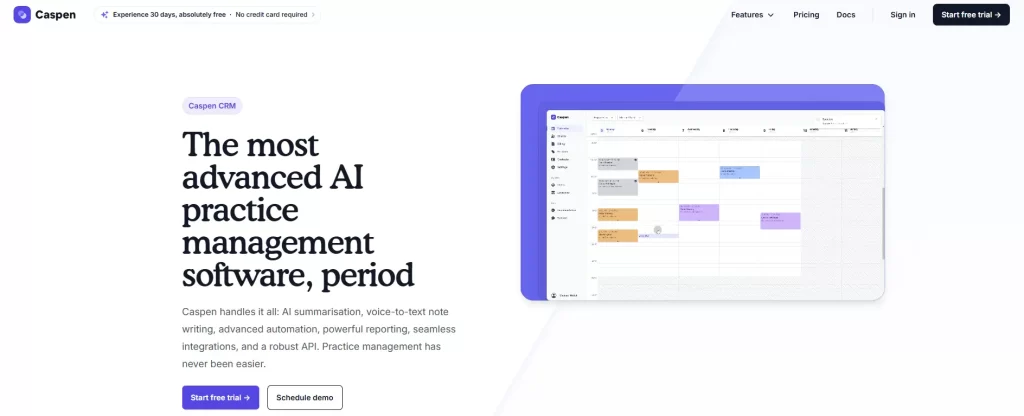
Caspen leads with AI note-taking and NDIS billing, at the lowest entry price in this comparison.
Caspen is an Australian-built, cloud-based practice management platform designed for allied health practices, including osteopaths, across Australia, the UK, Canada, the US, and New Zealand.
Key features
AI note-taking and summarization: Caspen’s built-in AI handles voice-to-text progress notes and patient record summaries as you work.
Smart calendar and online bookings: A full scheduling system with automated reminders, a patient booking portal, online intake forms, and waitlist management.
Invoicing and payments: Automated invoicing, Stripe payment processing, NDIS billing support, and reconciliation tools built for allied health workflows.
Where Caspen shines
AI is front and center: Voice-to-text notes, automated patient communication, and record summarization are available from day one.
Built for multi-site and team-based practices: Caspen supports multi-location management, team noticeboards, user permissions, and task management.
Responsive support: User testimonials call out support quality, and the platform won a “Most Responsive Support” award in 2025.
Where Caspen falls short
No patient retention tools: Caspen focuses on AI and admin automation. There are no treatment packages, memberships, rebooking campaigns, or recall sequences built in.
No insurance or Medicare billing support: Billing covers invoicing, payments, and NDIS. There is no native support for insurance claims, Medicare, or private health funds.
Limited osteopath-specific features: Caspen is built for allied health broadly. There are no osteopathic note templates, red flag alerts, or discipline-specific intake forms.
Customer reviews
Caspen has no verified third-party reviews on Capterra or G2.
It does publish a collection of practitioner testimonials on its own website.
“Caspen has been fantastic for organizing my weekly appointments. It allows me to quickly identify outstanding payments at a glance, and also provides the flexibility to add additional notes.”– Dr. Andrew Macquarie (Caspen website)
Who Caspen is best for
Practitioners who want AI doing the heavy lifting: Caspen’s AI-first approach is one of the stronger options here. It suits anyone whose top priority is cutting note-writing time.
Growing multi-practitioner practices: Multi-location support, team management tools, and CRM functionality suit teams that need coordinated oversight of staff.
NDIS providers: Caspen is one of the few platforms here with built-in NDIS billing. If you see NDIS participants alongside your regular caseload, that removes a separate billing tool.
Pricing
Plan
Price (2026)
What’s included
Introductory Special
$5 USD/month
Full platform access for the first 6 months
Standard Plan
$20 USD/month
Per practitioner pricing after 6 months
Support Staff
Free
Unlimited administrative and support users
Free trial
30 days
No credit card required; includes free setup and training
All plans include unlimited support staff users, unlimited business locations, unlimited file storage, and access to every platform feature.
Coreplus
Rating4.0/5★★★★★
The bottom line
Coreplus is the cheapest route to native Medicare and DVA claiming for an Australian osteopath.
Who it’s for
Australian osteopaths with Medicare or DVA patients
Body charts sit outside the note and cannot be re-edited
Built for Australian billing only
No AI note-taking
Coreplus processes Medicare and DVA claims natively, with no EFTPOS terminal and no third-party intermediary.
Coreplus is an Australian-built, cloud-based practice management platform for allied health professionals.
It’s particularly well-regarded in the Australian market for its native Medicare and DVA claiming capabilities.
Key features
Medicare and DVA online claiming: Process Medicare EPC care plan claims and DVA services as they happen, with no EFTPOS terminal required.
Clinical notes and body charts: SOAP notes, structural assessment templates, and body charts designed for osteopathic workflows.
Health fund claiming via Tyro: Process private health fund claims at the point of care. The Tyro Health integration combines EFTPOS and rebates in one terminal.
Where Coreplus shines
Australian Medicare and DVA built in: Coreplus is one of the few platforms here with native Medicare and DVA claiming. No add-on, no terminal, no third-party intermediary.
Extensive Australian-market integrations: Tyro Health, HotDoc, HealthEngine, Physitrack, Rehab Guru, Xero, MYOB, and secure GP messaging are all connected.
Responsive, local support: User reviews consistently praise the Australian-based support team.
Where Coreplus falls short
Body chart usability issues: The body chart sits outside the clinical note rather than inline, and you cannot re-edit it once you leave the page.
Australia-focused by design: Coreplus is built for the Australian regulatory and billing context. Practicing in the UK, Europe, or North America, you would find its integrations and billing tools don’t translate.
No AI note-taking: Unlike Pabau, Noterro, or Caspen, Coreplus offers no AI-assisted documentation or voice-to-text notes. That matters if cutting note-writing time is a priority.
Customer reviews
“It’s one of the cheapest products around, which will make it attractive to some. But this was not for me as a physiotherapist.” – Anonymous User, Musculoskeletal Physiotherapist (Capterra)
Who Coreplus is best for
Australian osteopaths with Medicare or DVA patients: Bulk billing, EPC care plans, and DVA services all claim natively. Other platforms handle that awkwardly, or not at all.
Practices already in the Australian allied health ecosystem: If you use HotDoc, Tyro, Physitrack, or MYOB, Coreplus slots in natively with no custom integrations.
Cost-conscious solo practitioners: Pricing from A$35/month, no lock-in contracts, and Medicare claiming included.
Pricing
Plan
What’s Included
Price (2026)
Core
Calendar, case notes, invoicing, online bookings, SMS & email reminders, reporting, secure storage, telehealth
A$35/month per practitioner
Plus
Everything in Core + Medicare & DVA online claiming, secure GP messaging, patient portal
A$49/month per practitioner
Group
Everything in Plus + unlimited practitioners, advanced integrations
Custom pricing
Medicare and DVA claiming only arrives on the Plus tier, which is the plan most Australian osteopaths end up on.
How to choose the right platform for your practice
Three things separate a platform that fits osteopathic practice from one you spend a year adapting. Osteopaths shortlist many of the same systems as physiotherapists, so a physical therapy EMR comparison covers much of the same ground.
Specialty-specific clinical documentation
Look for body diagrams, structural assessment tools, and intake forms shaped around how osteopaths work.
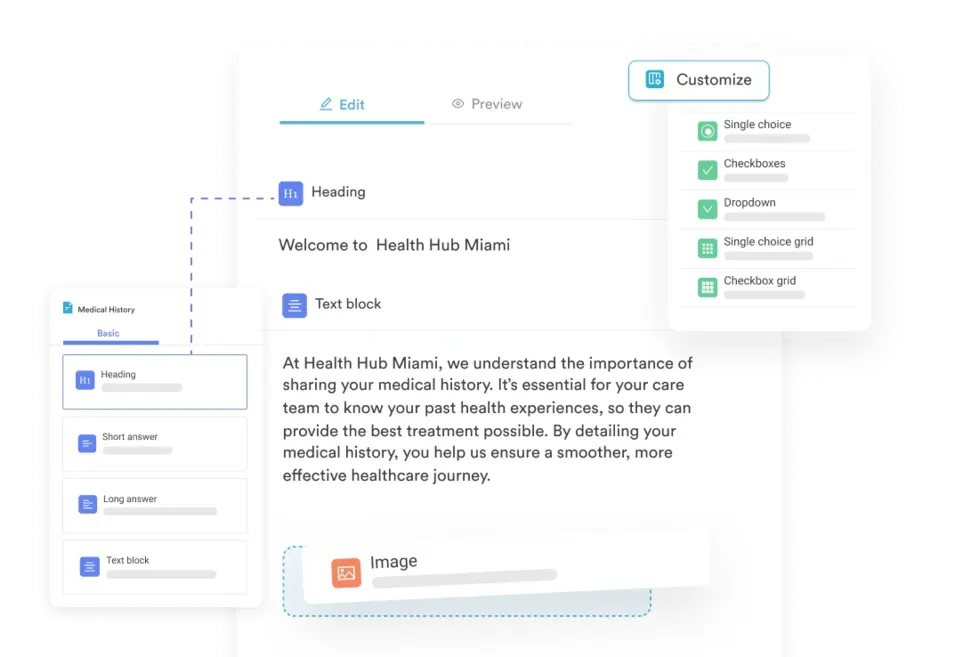
Your software should be HIPAA-compliant and paperless out of the box, with digital forms that capture consent, health history, and treatment notes.
Pabau’s digital forms builder includes a specialty template library with body diagrams and structural assessment tools for osteopathic practice. Pabau Scribe cuts documentation time by up to 80%, writing the note while you treat.
Pabau’s SOAP note templates carry body diagrams and structural assessment fields built for osteopathic charting.
Ready to see it in action? Book a free Pabau demo and see how AI-assisted documentation works for osteopathic practice.
Automated scheduling and patient communication
An empty slot is lost revenue. Your platform should take online bookings around the clock, send reminders that cut no-shows, and refill cancellations from a waitlist.
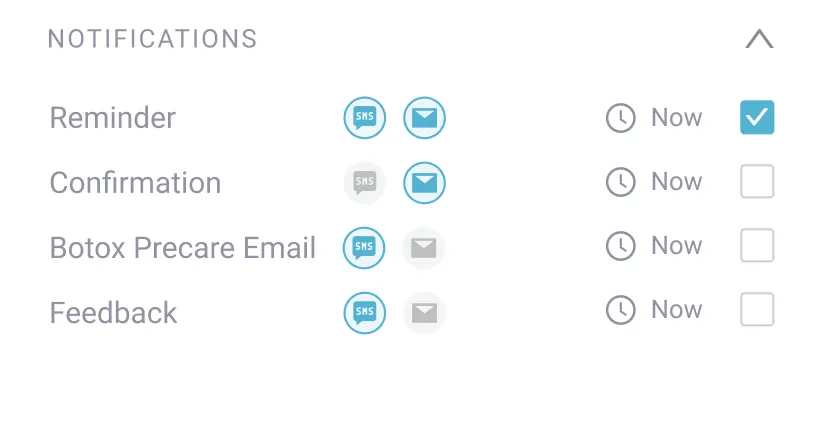
Pabau’s online booking and reminder system keeps osteopathy diaries full, and waitlist notifications go out the moment a slot opens.
Automated reminders and waitlist notifications refill osteopathy cancellations before the slot goes to waste.
Patient retention and long-term outcome tracking
Osteopathy is rarely a one-visit discipline, yet most patients drift away once the acute pain subsides. Your software should sell multi-session treatment packages, track progress over time, and re-engage lapsed patients automatically.
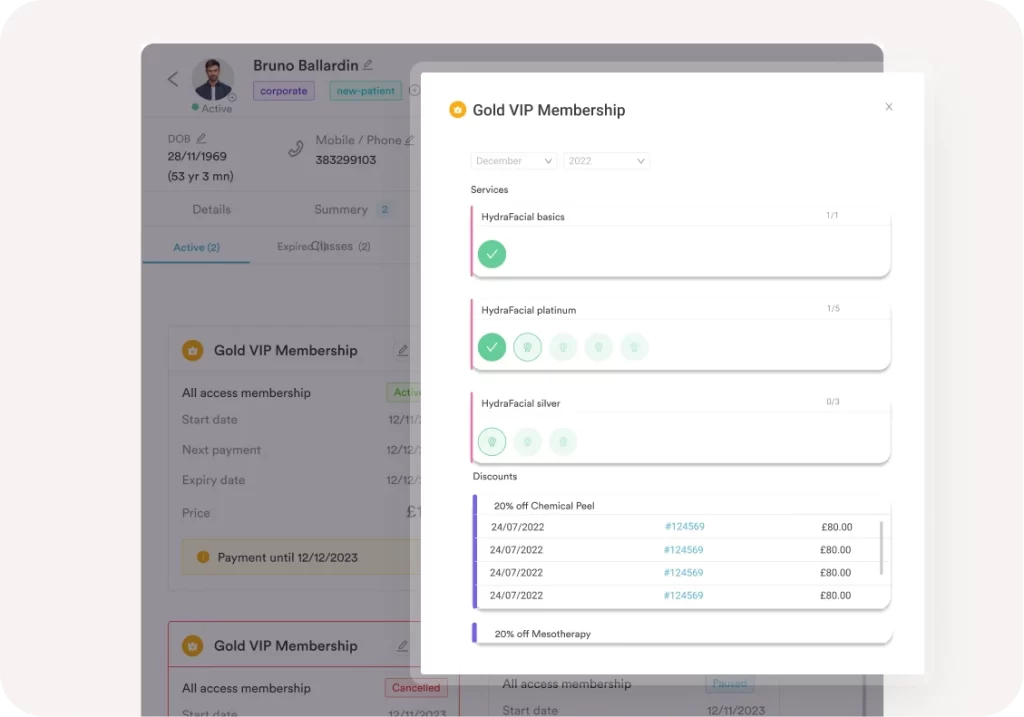
Pabau lets osteopaths sell multi-session treatment packages at checkout and re-engage recovered patients through automated recall campaigns. Most osteopathy practices bill patients directly, so the package and recall tools that work in cash-based physical therapy apply here too.
Selling multi-session packages at checkout keeps osteopathy patients booked past the visit that resolved their pain.
See how Pabau handles retention end to end.Book a free demo and we’ll walk you through the patient journey from first booking to long-term care.
How Pabau runs the daily work of an osteopathy practice
Most osteopathy practices run on three or four systems. A diary in one place, treatment notes in another, invoices in a spreadsheet, and reminders typed out by hand between patients.
Pabau puts that work in one patient record. Pabau Scribe drafts the SOAP note while you treat, and the patient portal collects intake forms before the visit. Packages and recall campaigns bring patients back once the pain settles.
The result is fewer systems to reconcile at the end of the week and fewer patients who quietly stop rebooking. A solo osteopath gets the same feature set as a multi-site group, so the platform still fits after you hire your second practitioner.
Run your whole osteopathy practice from one record
Pabau handles online booking, AI-assisted SOAP notes, billing, and patient recall in a single system. Osteopaths cut documentation time by up to 80% and keep patients rebooking after the pain settles.
The right platform depends less on the feature list than on where you practice and how many people you employ.
A UK solo osteopath will get more from MyOsteopathy than from a system built around Australian Medicare claiming. An Australian practice with EPC patients should start at Coreplus or Nookal. A European group practice belongs on Crossuite.
The trade-off worth remembering is scale. The purpose-built tools are cheaper and faster to set up, but you will migrate again the day you add a practitioner or a second site.
If you would rather choose once, Pabau covers AI documentation, retention, and multi-site management on every plan. Book a demo and we will show you how an osteopathy practice runs on it.
Continue your research
Running a mixed manual therapy practice? Our guide to chiropractic practice management software compares the platforms built for the chiropractic side of the same workflow.
Need more patients through the door? Our guide to chiropractic marketing sets out acquisition tactics that transfer directly to an osteopathy practice.
Frequently asked questions
Is there software built specifically for osteopaths?
Yes. MyOsteopathy and Pabau both offer osteopath-specific features, including body diagrams, structural assessment templates, and discipline-specific intake forms. Pabau also adds AI-assisted note-taking and automated patient retention tools for practices that want more than the basics.
What’s the best practice management software for a solo osteopath?
It depends on your priorities. For simplicity and low cost, Noterro or ClinicSense are strong options. For AI documentation and automated retention in one platform, Pabau is worth the investment, especially if you’re planning to grow.
Does osteopathy practice management software help with no-shows?
Yes. Most platforms on this list send automated SMS and email reminders before appointments. Pabau goes further with smart waitlist notifications that automatically fill last-minute cancellations.
Can I manage multiple locations with osteopathy software?
Yes. Platforms like Pabau, Nookal, and Crossuite are all built for multi-location management, handling separate diaries, practitioners, and reporting across sites from a single account.
Is osteopathy practice management software GDPR and HIPAA compliant?
Most reputable platforms are. Pabau is HIPAA, GDPR, and SOC2 compliant. Always check compliance credentials before committing, especially if you store long-term patient records or work across multiple jurisdictions.