Fertility clinic marketing: Strategies that attract & convert patients
Fertility clinic marketing is how a fertility practice attracts, educates, and c...

Last Updated: Oct 14, 2026

EMR conversion is the process of migrating patient records from paper or a legacy system into a new electronic medical record platform.
Data integrity is the biggest technical risk: Incomplete mapping or skipped validation steps cause billing errors and lost clinical history.
Most small-to-mid-size clinic conversions take 3 to 6 months from planning to go-live, with post-launch optimization continuing beyond that.
Pabau’s digital forms and automated workflows reduce post-conversion admin burden so your team can focus on patients from day one.
Switching electronic medical record (EMR) platforms is one of the highest-stakes operational decisions a clinic can make. Most practices spend weeks agonizing over which new system to choose, then underestimate what it actually takes to move their patient data safely. The result is corrupted records, billing disruptions, and staff frustration during the exact period when the new system should be impressing everyone.
This guide covers the EMR conversion process from the perspective of clinic owners and practice managers running small-to-mid-size practices. You’ll find the five steps that matter, the challenges that catch most clinics off guard, and what post-conversion optimization looks like in practice.
An EMR conversion is the structured process of transferring patient records, clinical notes, appointment histories, and billing data from one system — paper or electronic — into a new electronic medical record platform. That is what EMR conversion means in practice, and it covers two scenarios: moving from paper records to a digital platform for the first time, or migrating from one EMR to another when your current system no longer fits how your practice runs. This kind of EMR system conversion is as much an operational project as a technical one.
This second scenario is common in med spas and wellness practices that started on a booking-first tool like Mindbody. It handles scheduling and payments well, but it was never built for clinical charting, consent forms, or treatment photos, so the practice outgrows it once patient records become the priority.
For large hospital systems, these projects can span years. For a clinic with one to five practitioners, a realistic timeline is 3 to 6 months from initial planning to stable go-live. That range widens depending on how many years of records exist, how structured the legacy data is, and whether your new vendor provides active migration support or leaves you to handle it yourself.
Understanding the difference between EMR and EHR also matters here. EMRs are practice-specific records designed for use within a single clinic. EHRs are built for interoperability, sharing data across providers and care settings. When you’re evaluating systems, checking how each handles practice management system vs EMR functionality tells you a lot about what the migration will involve. A system that blurs those lines typically creates more complexity at the data-mapping stage.
The Office of the National Coordinator for Health Information Technology (ONC) sets the interoperability standards that govern how data moves between systems. HL7 FHIR and C-CDA are the two dominant formats used during EMR data conversion. If your prospective vendor cannot confirm support for both, that is a red flag worth exploring before signing any contract.
Most failed migrations share one root cause: the practice treated the technical transfer as the whole project, when it is actually just one step of five. Here is how a well-run EMR conversion process actually unfolds, step by step.
Run your test migration on a representative sample that includes your most complex record types, not just simple demographics. Consent forms, treatment photos, and prescription histories are where mapping errors hide. Catching one problem in a 200-record test batch is far less damaging than finding it across 8,000 live patient records.
EMR conversion projects rarely fail because of a single catastrophic event. They fail because several smaller problems compound. Here are the four that surface most often in small-to-mid-size clinic migrations.
Legacy systems often store data in proprietary formats that do not export cleanly. A medication field that accepts free text in one system may expect a coded value in another. Dates stored as text strings cause particular problems. Robust patient data security measures protect data at rest, but they do not protect against malformed records created during extraction. The fix is a validation script that checks field types and flags anomalies before the data enters the new system. Clinical results — from lab panels to nonstress test records — deserve a manual spot-check, since coding errors there carry real clinical risk.
Patient data does not lose its regulatory protection during migration. Any third-party conversion service you engage must sign a Business Associate Agreement (BAA) under HIPAA. Data in transit must be encrypted. Reviewing HIPAA compliance requirements for clinic software before selecting a vendor helps you ask the right questions rather than discovering gaps after the contract is signed. The American Health Information Management Association (AHIMA) has practical guidance on health information transfer obligations that is worth bookmarking.
Cutover periods carry real risk for patient-facing operations. A clinic that books 80 appointments per day cannot afford 48 hours of inaccessible records. Planning the cutover around low-volume periods, preparing paper-based contingency workflows, and notifying patients of potential delays reduces the operational impact. Your EMR conversion strategy shapes this risk directly. Some practices choose a “big bang” cutover, moving everything at once. Others prefer a phased approach where new patients go into the new system while legacy records are migrated in the background. A third option is a selective conversion: move active records into the new platform and archive older or inactive files in read-only storage, which keeps the migration smaller and the go-live faster.
Even a technically perfect migration fails if the team reverts to workarounds. Involving practitioners and admin staff in system selection, scheduling hands-on training before go-live, and identifying internal champions who can answer day-to-day questions are all documented predictors of successful adoption. Practices that implement features that save private practices time from day one give staff a compelling reason to engage with the new system rather than resist it.

Pabau is built for med spas and other aesthetic and wellness practices that want to move away from paper or a legacy system without the usual migration headaches. Structured onboarding, digital forms, and automated workflows are set up before you go live. A practice management system that holds the calendar and the record removes the daily reconciliation between them.

The system you migrate to shapes how difficult the EMR conversion is just as much as the system you are leaving. A vendor that provides active migration support, documented data mapping guides, and a dedicated implementation specialist reduces both risk and cost. A vendor that hands you an export template and leaves you to it does not.
Some vendors call this an EMR replacement, others describe it as transitioning to a new EHR. The terminology varies, but the vendor-evaluation logic below applies whether you are leaving a large enterprise platform like Epic or a smaller specialty system that never quite fit your workflow.
When evaluating options, ask four questions before anything else.
For clinics in the aesthetic and wellness space, the software category also matters. A general-purpose EMR built for primary care will have gaps when it comes to treatment photography, consent workflows, and injection plotting. Reviewing comparing EMR software options across categories helps identify which platforms were genuinely built for your clinical context versus adapted from another specialty. The HL7 FHIR specification page is also worth bookmarking when evaluating vendor interoperability claims.
The same gap shows up in other specialties with their own clinical quirks. A fertility clinic tracking cycle and treatment data, or a physical therapy practice logging session notes, hits the same wall with a general EMR built for primary care.
If your clinic is considering moving away from paper records entirely, planning how you will handle going paperless while staying HIPAA-compliant should sit alongside the technical migration plan, not after it.
| Evaluation criterion | What to look for | Red flag |
|---|---|---|
| Data import formats | HL7 FHIR and C-CDA support | Proprietary-only import with no standards support |
| Migration support model | Dedicated implementation specialist | Shared ticketing queue with no named contact |
| Go-live timeline | 8-16 weeks for small clinics | Promises under 4 weeks for multi-year datasets |
| Legacy access post-cutover | 90+ days read-only access included | No legacy access or extra charge for it |
| HIPAA / BAA compliance | BAA signed before any data is shared | Reluctance to provide BAA documentation |
There is no flat price for an EMR conversion, and any vendor quoting one before seeing your data is guessing. What you actually pay is driven by a handful of variables. Knowing them lets you pressure-test a quote before you sign.
The cost most clinics underestimate is not the migration invoice. It is the productivity dip while the team learns the new system. A four-practitioner practice taking two weeks longer than expected to reach full speed absorbs that cost quietly, but it still affects the bottom line. Budgeting for structured onboarding and hands-on training up front is what keeps that dip short.
Go-live is the beginning, not the end. Practices that treat the EMR conversion as complete the moment data is in the new system consistently underperform on adoption metrics six months later.
The first priority after cutover is workflow normalization. Map each clinical role’s daily tasks in the new system and confirm that every step that worked in the legacy platform has a clear equivalent. Admin staff handling scheduling and billing typically adapt fastest. Clinicians documenting during or immediately after appointments often need the longest adjustment period, particularly if they relied on free-text fields that are now structured templates.
Automation is the fastest route to post-conversion efficiency. Practices that configure automated clinic workflows for appointment reminders, recall sequences, and pre-care instructions within the first 30 days see measurably lower no-show rates and admin workload within 60 days. Setting these up manually post-go-live, without a structured onboarding plan, typically means they never get configured at all.
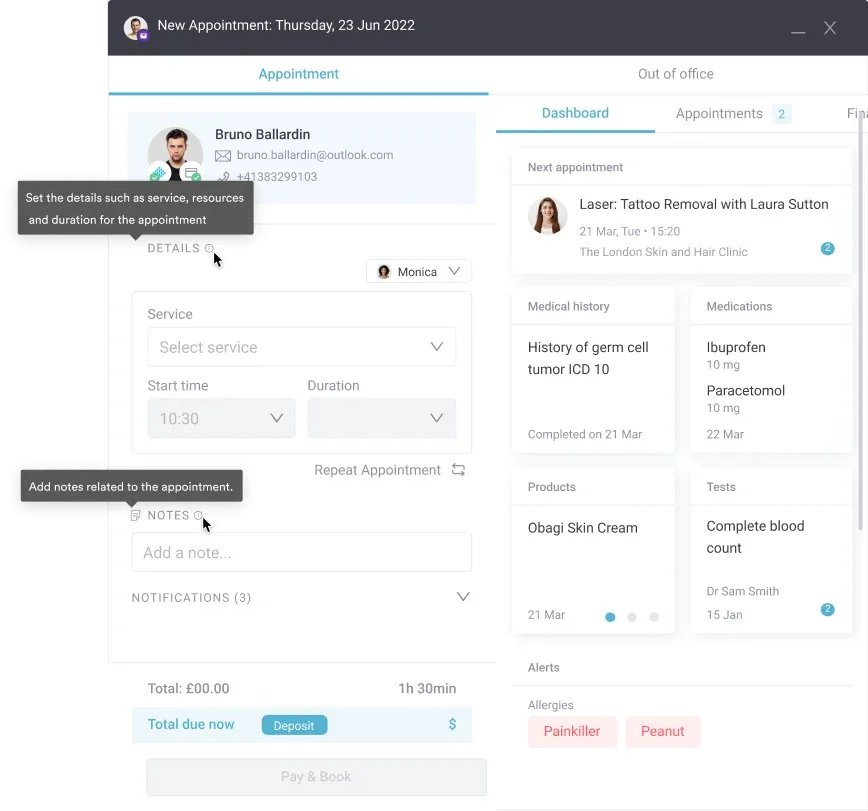
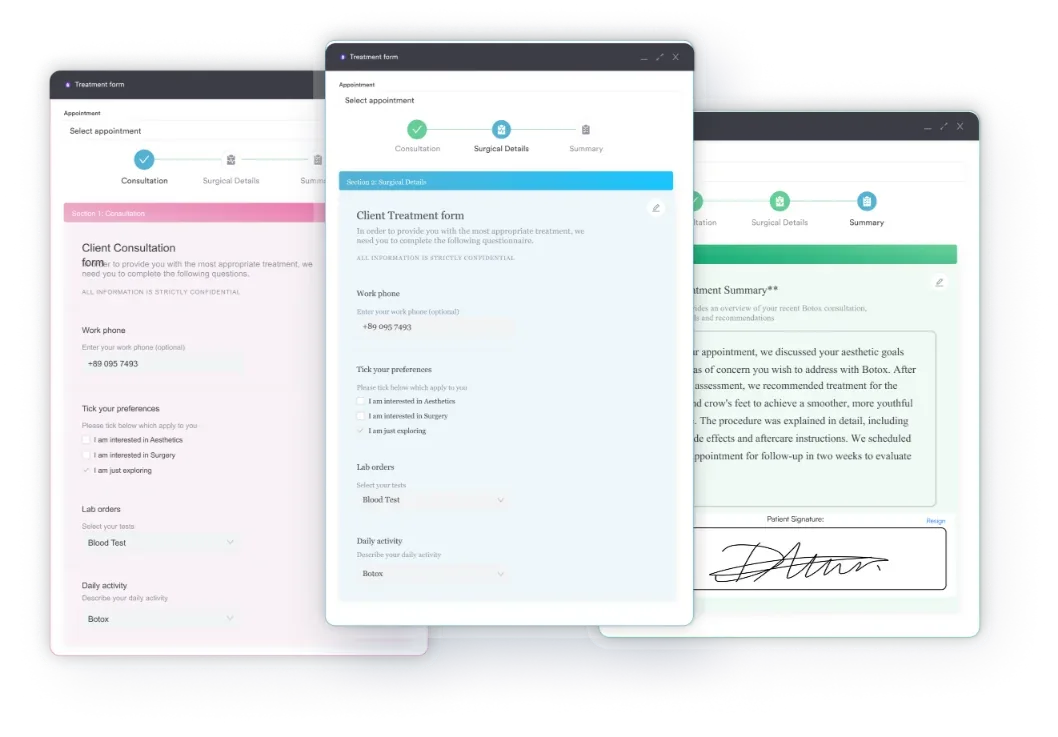
Patient-facing forms are the other high-impact area. Migrating to a new EMR is the right moment to replace paper intake forms with digital intake forms that auto-populate into the patient record. Doing this during the conversion means one change project instead of two, and the data flows cleanly into the new system from the first appointment rather than being manually re-entered.
For clinics managing patient records across multiple practitioners, patient records management settings deserve particular attention post-go-live: access permissions, audit trail configuration, and record-locking rules all need to be verified against your compliance requirements before the practice returns to full volume.
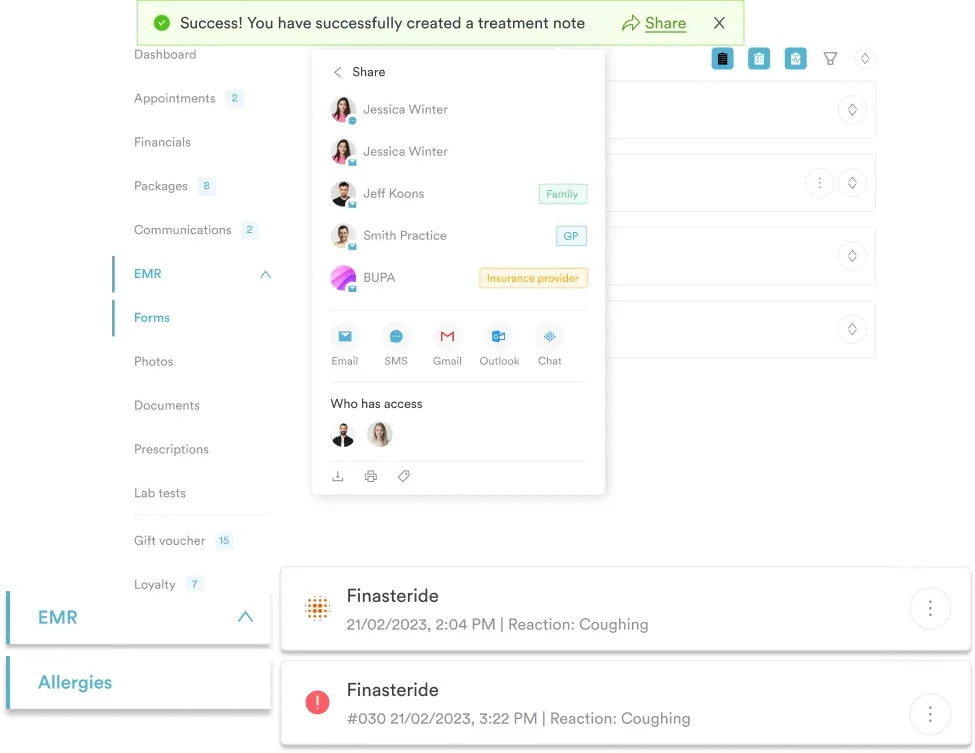
Finally, review your data protection best practices after the migration completes. The act of moving data between systems is a moment when policies need to be re-confirmed: who has access to what, how long records are retained, and how deletion requests are handled all require a post-migration audit to ensure the new system is configured correctly.
EMR conversion fails most often when clinics treat it as a purely technical project. The data audit, validation, staff training, and post-go-live optimization are where the real work happens. Getting those right determines whether the new system becomes an operational asset or a daily source of frustration.
Pabau is built specifically for aesthetic and wellness clinics navigating this transition. The platform’s medical spa software includes structured onboarding, digital consent forms, automated recall workflows, and a dedicated client record system designed to make the post-conversion period as smooth as the migration itself. To see how Pabau handles the switch from paper or a legacy EMR, book a demo.
EMR conversion is the process of migrating patient records, clinical notes, and billing data from a paper-based system or legacy electronic platform into a new electronic medical record system. It applies both to practices digitizing paper records for the first time and to those switching between EMR platforms.
Most vendors use the terms interchangeably. The distinction that matters: conversion specifically means reformatting legacy data, such as custom fields, note templates, and non-standard dates, to fit the new system’s data model, while migration is often the broader project term that also covers infrastructure and access changes. Either way, the same mapping and validation work applies.
For small-to-mid-size clinics, a realistic timeline is 3 to 6 months from initial planning to stable go-live. Practices with larger historical datasets, complex record types (imaging, prescriptions, custom forms), or limited vendor migration support typically land toward the longer end of that range.
Data integrity failures during field mapping are the most common technical risk, often caused by legacy systems storing data in non-standard formats. On the operational side, staff resistance to the new system and insufficient post-go-live validation cause the most sustained disruption. Both are preventable with thorough pre-migration planning.
Yes. Patient data retains its HIPAA protections throughout migration. Any third-party conversion service must sign a Business Associate Agreement before accessing patient data, and all data in transit must be encrypted. Clinics are responsible for ensuring their vendor meets these requirements before work begins.
EMRs are practice-specific records used within a single clinic. EHRs are designed for interoperability across multiple providers and care settings. An EHR conversion typically involves more complex data standards (HL7 FHIR, C-CDA) because the new system needs to share data externally, while an EMR conversion may be limited to a single-practice data transfer.
It depends on your record types more than your patient count. Demographics and appointment history move easily. Consent forms, injection plotting, treatment photos, and custom aesthetic charting need their own mapping and validation, so a system built for the specialty, with structured onboarding included, makes the process considerably smoother than adapting a general-purpose EMR.