Pabau vs ICANotes: Psychiatry billing software compared
Psychiatry billing software decides whether your practice gets paid accurately, ...

Last Updated: Oct 14, 2026

Australian practices require Medicare, DVA, and private health fund integration capabilities
Local solutions offer deeper compliance automation versus international platforms
Pricing models vary from per-user subscription to practice-wide licensing
AHPRA audit trails and Privacy Act 1988 compliance are non-negotiable
Integration depth with Australian insurers differs significantly across platforms
Disclosure: Pabau is our product. We’ve included it alongside Australian-market platforms for transparency so you can compare it against alternatives that may be a better fit for your practice. If your practice also runs self-pay aesthetic services, our comparison of medical spa software covers billing and charting for that side of the business.
Choosing the right medical billing software in Australia determines whether your Australian practice runs smoothly or struggles with claim rejections, compliance gaps, and revenue leakage. Medicare integration alone isn’t enough. You need a system that handles DVA claims, communicates with Medibank and Bupa, maintains AHPRA-compliant audit trails, and aligns with the Privacy Act 1988.
This guide evaluates seven medical billing platforms serving Australian healthcare providers in 2026. Each solution balances local compliance requirements against operational efficiency. Some platforms were built specifically for Australian general practice workflows. Others bring international capabilities adapted to local markets. The right choice depends on your practice type, patient volume, and regulatory complexity. For broader context, see our guide to practice management software and our best medical practice management software roundup.
We’ll examine how each platform handles Medicare Benefits Schedule billing, DVA claim submissions, private health insurance integrations, Practice Incentives Program reporting, and clinical documentation workflows. Australian practices operate under unique regulatory frameworks. Your software must support those frameworks without adding administrative burden.
Here’s how the seven platforms stack up across key decision factors for Australian practices.
Pabau serves aesthetic, wellness, GP, and multi-specialty practices across Australia with a unified platform that adapts to diverse healthcare workflows. Unlike solutions built exclusively for general practice or allied health, Pabau supports medical aesthetics, physiotherapy, mental health, and primary care under one system. This makes it particularly valuable for clinics offering multiple service lines or planning to expand beyond a single specialty.
Australian practices using Pabau configure the platform around their specific billing requirements. Medicare and DVA claims lodge digitally through Pabau’s integrated Tyro Health connection, with digital assignment of benefit and MBS item codes built in, accommodating both bulk billing and private fee structures. The system handles DVA claims, NDIS invoicing, Workers Compensation documentation, and private health fund submissions through customisable templates. While it doesn’t offer the same depth of native Medicare automation as platforms designed exclusively for Australian general practice, it provides the operational flexibility multi-specialty clinics require.
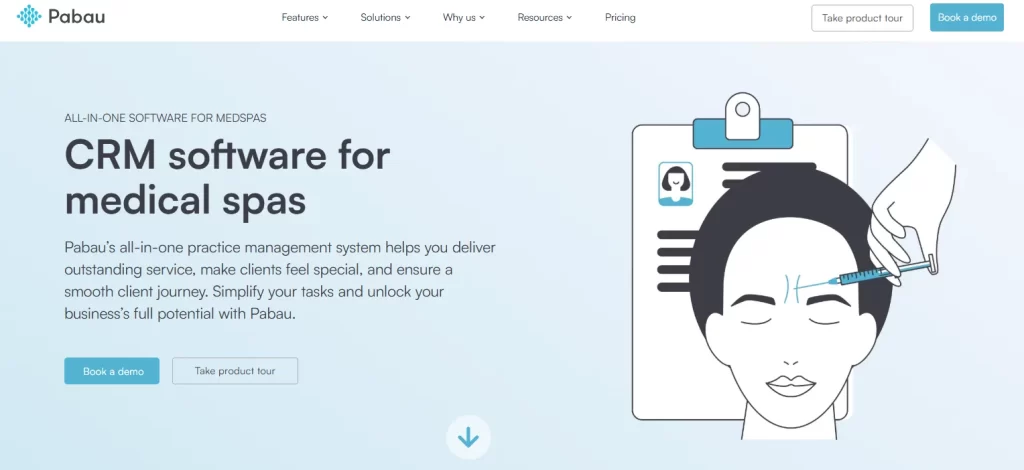
The platform centralises patient records, clinical documentation, treatment planning, and financial management. Practitioners document consultations using customisable digital forms that align with AHPRA standards. Audit trails track every record access and modification via compliance management tools, supporting Privacy Act 1988 requirements. For practices managing aesthetics alongside general medical services, the injection plotting tools, before-and-after photo management, and consent workflows integrate with standard clinical charting.
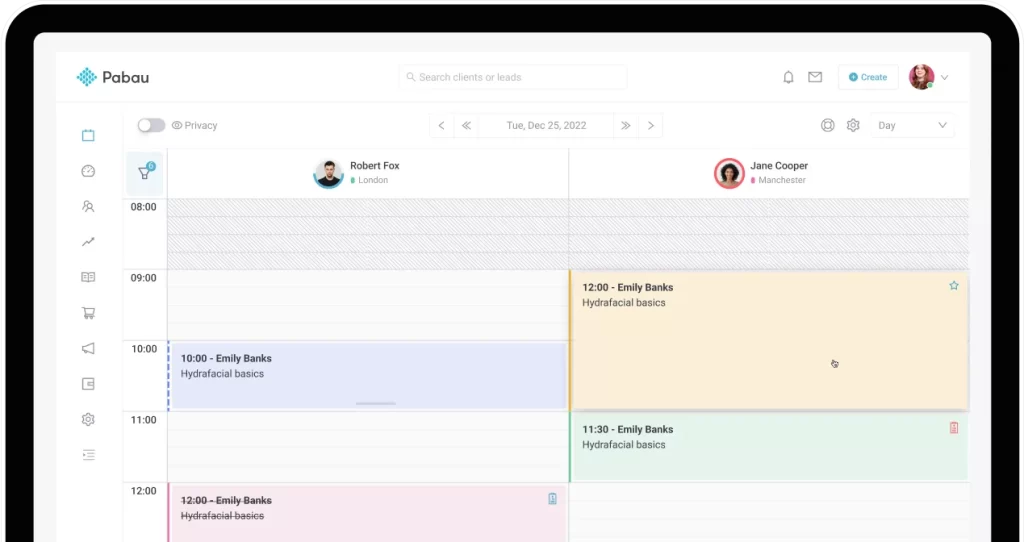
Pabau uses custom pricing based on practice size, user count, and required features. Australian practices typically receive quotes after a demonstration and needs assessment. The platform bills per user per month, with all core features included in the base subscription. Additional costs may apply for third-party integrations, advanced reporting modules, or dedicated implementation support.
Pabau holds a 4.5/5 rating on Capterra (based on 100+ reviews; verify current scores at capterra.com) with users frequently praising the platform’s breadth of features and automation capabilities. On G2, Pabau scores 4.4/5. Common themes in reviews include strong support responsiveness, comprehensive workflow automation, and the learning curve associated with initial setup. Practices considering Pabau should request references from existing Australian users in similar specialty areas to understand local-market implementation experience.
Best Practice Software has served Australian general practice for over three decades. The platform was designed from inception around Medicare billing workflows, clinical decision support, and general practice management. For GP clinics handling high volumes of bulk billing, chronic disease management plans, and Practice Incentive Program reporting, Best Practice offers depth few competitors match.
The software integrates natively with Medicare, processing bulk bill claims, DVA submissions, and private health insurance directly through the platform. Clinical workflows support comprehensive general practice requirements including prescribing via electronic prescription delivery, pathology ordering with automated results retrieval, and integrated My Health Record access. The system was built to support the specific documentation and billing complexity Australian GPs face daily.
Best Practice Software pricing is not publicly listed. Australian practices receive custom quotes based on number of practitioners, required modules, and support level. The platform typically uses practice-wide licensing rather than per-user pricing. Contact Best Practice directly for current pricing structures.
Best Practice Software is rated 4.3/5 on Capterra (100+ reviews; verify current scores at capterra.com) by Australian GP and specialist practices. Users consistently highlight the depth of Medicare billing automation and clinical workflows as strengths. Common criticisms focus on the interface design feeling dated compared to newer competitors and steeper onboarding for practices migrating from other systems.

Evaluate which features align with your practice’s Medicare, DVA, and private insurance requirements through a personalised platform demonstration.

Cliniko serves physiotherapy, chiropractic, osteopathy, podiatry, and other allied health practices across Australia. The platform emphasises ease of use, clean interface design, and straightforward scheduling workflows. Allied health practitioners who want reliable appointment management and basic billing without unnecessary complexity often choose Cliniko.
The system handles patient records, treatment notes, invoicing, and online bookings through an interface designed for practitioners who prioritise clinical work over administrative tasks. While it lacks the Medicare-specific automation of GP-focused platforms, it supports the billing workflows allied health practices require including Medicare and DVA claiming through the integrated Tyro Health connection, NDIS invoicing, and private health insurance submissions.
| Plan / Tier | Price | Details |
|---|---|---|
| Single Practitioner | $45/month | Per practitioner; annual pay = 1 month free/year; SMS add-on 10c/msg |
| 2-5 Practitioners | $95/month | Per tier (2-5 practitioners) |
| 6-8 Practitioners | $145/month | Per tier |
| 9-12 Practitioners | $195/month | Per tier |
| 13-25 Practitioners | $295/month | Per tier |
| 26-200 Practitioners | $395/month | Per tier |
Cliniko is one of the most reviewed practice management platforms in Australia. It holds a 4.8/5 rating on Capterra (300+ reviews; verify current scores at capterra.com) and 4.7/5 on G2, making it among the highest-rated allied health platforms in the market. Reviewers consistently praise the clean interface, reliability, and ease of onboarding for new staff. The most common criticism is limited advanced features and customisation compared to more comprehensive platforms.
You can also learn more about the best Cliniko alternatives in our in-depth guide to see how other platforms stack up.
Genie Solutions targets general practice and specialist clinics across Australia with emphasis on local support and Australian-specific compliance features. The platform combines practice management, clinical documentation, and billing workflows designed around local requirements including Medicare, DVA, and private health fund integration.
The system offers Australia-based customer support during AEST business hours, which some practices value over 24/7 global support teams. For clinics that prefer working with local technical support staff who understand Australian healthcare regulations and billing nuances, this represents a meaningful advantage.
Genie Solutions pricing is not publicly available. Contact the company directly for quotes based on practice size and requirements.
Genie Solutions has limited public review data on major platforms like Capterra and G2, reflecting its predominantly direct-sales model within the Australian market. Practices evaluating Genie should request references from existing clients, particularly GP and specialist clinics in similar-sized practices to their own.
Medical Director serves Australian general practice with particular strength in chronic disease management workflows, clinical decision support, and PBS prescription integration. The platform was designed around the complexity GPs face managing patients with multiple chronic conditions requiring coordinated care plans, medication reviews, and regular monitoring.
The system integrates clinical decision support directly into consultation workflows. Practitioners receive evidence-based treatment suggestions, drug interaction warnings, and guideline reminders as they document patient visits. For practices managing significant chronic disease populations, these prompts support quality care delivery while maintaining documentation efficiency.
Medical Director pricing is not publicly listed. Contact the vendor for practice-specific quotes.
Medical Director has limited Capterra/G2 presence given its direct-to-practice sales model in Australia. It is widely used across Australian general practice — estimates suggest it is installed in thousands of GP clinics nationally — reflecting a large embedded user base, though independent review data is sparse on international platforms. Contact the vendor for case studies from comparable Australian GP practices.
Audit your current claim rejection rate before evaluating platforms. Track Medicare, DVA, and private health fund rejections separately. Platforms with deeper native integration for your highest-volume claim type deliver fastest ROI through reduced resubmission workload.
Zanda (formerly Power Diary) serves allied health practices requiring collaborative workflows across multiple disciplines. The platform was designed for clinics where physiotherapists, occupational therapists, speech pathologists, dietitians, and other allied health professionals work together managing shared patient populations.
The system supports coordinated documentation where multiple practitioners contribute to a single patient’s treatment plan. For practices providing multidisciplinary care such as paediatric therapy clinics or rehabilitation centres, this collaborative approach reduces duplication and improves care coordination.
| Plan / Tier | Price | Details |
|---|---|---|
| Starter | $19/month | 1 practitioner; 1000-appointment limit; 1 user (promo ~$9.50/mo) |
| Growth (Solo) | $49/month | 1 practitioner base; unlimited appointments/users (promo ~$24.50/mo) |
| Growth (Group) | $49/month base + $19/mo per extra practitioner | e.g. 2 practitioners = $68/month standard |
| Add-on: Telehealth Pro | $9/month per practitioner | Unlimited telehealth calls |
You can also find a detailed breakdown of features and regional currency options in our guide to Zanda Pricing.
Zanda (formerly Power Diary) holds a 4.6/5 rating on Capterra (150+ reviews; verify current scores at capterra.com) with users praising its multi-disciplinary workflow support and NDIS invoicing capabilities. G2 reviews score the platform at 4.5/5. Common feedback highlights the value for allied health teams working across disciplines, with some users noting the platform could offer more advanced reporting features.
Zedmed serves general practice with particular emphasis on Practice Incentive Program compliance, quality improvement tracking, and Medicare billing accuracy. The platform automates much of the administrative work required to maximise PIP payments while maintaining systematic quality improvement processes.
The system tracks quality indicators, flags patients requiring preventive services, and generates reports demonstrating practice performance against PIP criteria. For GP practices treating this as a strategic revenue stream rather than administrative burden, Zedmed’s systematic approach delivers measurable financial returns.
Zedmed pricing is not publicly available. Contact the vendor for practice-specific quotes.
Zedmed has limited public review data on Capterra and G2. As an established Australian GP platform, user feedback is most accessible through professional communities such as RACGP forums and peer networks rather than international review aggregators. Practices should request direct references from the vendor.
Selecting the right platform requires evaluating your practice’s specific requirements against each platform’s strengths. Start with these five decision criteria.
Billing rarely runs in isolation, so it is worth shortlisting your EMR software in Australia in parallel, since the two systems share patient data, Medicare claiming, and compliance workflows.
General practice clinics handling high volumes of Medicare bulk billing benefit from platforms built specifically around Australian GP workflows. Best Practice Software, Medical Director, and Zedmed offer the deepest Medicare automation and clinical decision support for general practice. Check how each one handles the current bulk billing incentives before you shortlist.
Allied health practices prioritising simplicity over comprehensive features often find better value in Cliniko or Zanda. These platforms focus on core scheduling, documentation, and billing—though practitioners may want to evaluate specialized osteopathy practice management software to ensure all clinical needs are met without the complexity designed for medical practice.
Multi-specialty clinics offering aesthetics, wellness, physiotherapy, and primary care require platforms that adapt across diverse workflows. Pabau supports this variety through flexible configuration rather than specialty-specific optimisation.
Calculate your monthly claim volume across Medicare, DVA, private health insurers, NDIS, Workers Compensation, and self-pay patients. Practices processing thousands of Medicare bulk bills monthly need platforms that automate submission, tracking, and reconciliation with minimal manual intervention.
Clinics with mixed revenue streams spanning multiple payer types benefit from flexible billing workflows that accommodate diverse claiming requirements without forcing practitioners into rigid templates.
Billing overseas patients or US insurers adds another layer: American claims use CPT codes with rules that vary by procedure, from anesthesia for upper GI endoscopy to intralesional injections and fluoroscopy billing, rather than MBS item numbers. Every US claim line also needs an ICD-10-CM diagnosis behind it, at a specificity ranging from S62.337B to S82.235K.
AHPRA-registered practitioners require audit trails documenting every patient record access and modification. The Privacy Act 1988 mandates specific data handling protocols. Your chosen platform must support these requirements through system design rather than manual processes. The same records underpin a practitioner’s billing privileges if the Department ever reviews their claims.
General practices participating in the Practice Incentive Program need platforms that systematically track quality indicators and generate compliance reports. Allied health practices serving NDIS participants require accurate plan management and participant invoicing aligned with NDIS price guides.
Evaluate which third-party systems your practice uses and confirm integration support. Key integration points include pathology ordering systems, My Health Record connectivity, accounting software like Xero, telehealth platforms, and online booking widgets for your website.
Platforms with larger market share typically offer broader integration ecosystems. Smaller vendors may provide fewer pre-built connections but potentially more flexible custom integration capabilities.
Some practices prioritise Australian-based support teams available during AEST business hours. Others value 24/7 global coverage even if support staff operate from international locations. Neither approach is inherently superior – the right choice depends on your practice’s support utilisation patterns and technical complexity.
Practices with locations beyond Australia can also compare how UK medical billing platforms handle NHS and private claims.
Smaller practices with straightforward workflows may rarely need support beyond initial setup. Multi-location clinics managing complex billing scenarios across specialties often require regular technical assistance. Match the support model to your anticipated usage rather than assuming more coverage always justifies higher costs.
Pabau’s multi-industry platform offers the broadest adaptability for practices expanding beyond single-specialty focus, though this flexibility requires more upfront configuration compared to specialty-specific alternatives.

Billing therapy sessions by the minute? Medicare 8 minute rule guide explains how to calculate therapy units for time-based Medicare Part B services.
Looking for industry-specific workflows? GP Clinic Software explains how practice management systems adapt to general practice, aesthetics, wellness, and allied health requirements.
Evaluating integrated payment processing? Payment Processing details how modern platforms handle credit card transactions, invoicing, and financial reconciliation within unified systems.
Australian medical practices choose billing software based on specialty focus, compliance requirements, and operational complexity. General practice clinics benefit most from platforms built specifically around Medicare billing workflows including Best Practice Software, Medical Director, and Zedmed. Allied health practices prioritising simplicity often find better value in Cliniko or Zanda. Multi-specialty clinics — including wellness clinics — requiring adaptability across diverse service lines lean toward flexible platforms like Pabau.
The right platform balances automation depth against learning curve, local compliance against international capabilities, and specialty optimisation against multi-industry flexibility. No single solution dominates across all criteria. Practices that clearly define their decision priorities typically make confident platform selections aligned with operational needs rather than marketing claims.
Request demonstrations from platforms matching your specialty requirements. Test actual billing workflows during trials rather than reviewing feature lists. Verify integration support for your existing pathology, accounting, and telehealth systems. Confirm the support model aligns with your technical capability and usage patterns. The platforms covered here represent established options serving Australian healthcare providers – your evaluation determines which approach fits your practice’s specific context.
Best Practice Software, Medical Director, and Zedmed offer the deepest Medicare integration and clinical decision support designed specifically for Australian general practice. These platforms automate bulk billing submission, DVA claims, and Practice Incentive Program tracking more comprehensively than international alternatives.
Most platforms submit Medicare bulk bills and DVA claims electronically through direct integration with Services Australia systems. The depth of automation varies. GP-focused platforms like Best Practice and Medical Director process claims with minimal manual data entry, while multi-specialty platforms require more configuration to support Australian-specific claiming workflows.
AHPRA-compliant audit trails documenting every record access, Privacy Act 1988 data handling protocols, secure patient information storage with encryption, role-based access controls limiting staff permissions, and automated backup systems protecting against data loss. These features support regulatory compliance through system design rather than manual processes.
Most established Australian platforms including Best Practice Software, Medical Director, and Zedmed integrate with My Health Record allowing practitioners to upload and retrieve patient information. The integration depth varies by platform. Verify your chosen system supports the specific My Health Record workflows your practice requires.
Pricing models vary significantly. Allied health platforms like Cliniko start around $99 AUD per month for solo practitioners with transparent per-user pricing. General practice platforms typically use practice-wide licensing with custom quotes based on practitioner count and required modules. Multi-specialty platforms like Pabau quote based on user count and feature requirements. Expect monthly costs ranging from under $100 for single practitioners to several thousand dollars monthly for large multi-location practices.
Local platforms offer deeper Medicare automation and Australian-specific compliance features built from inception. International platforms provide broader multi-market capabilities with Australian adaptations. General practices handling high Medicare volumes typically benefit from local solutions. Multi-specialty clinics requiring flexibility across diverse service lines often find international platforms more adaptable. The right choice depends on your specialty mix and billing complexity rather than geographic origin alone.