7 HIPAA compliant texting apps, ranked by what they can safely send
The best HIPAA compliant texting apps sign a business associate agreement (BAA),...

Last Updated: Oct 16, 2026

AI patient intake uses artificial intelligence to collect and verify patient details before the appointment, so the record is ready when the patient arrives
Smart, conditional forms replace paper and PDFs, adapting to each answer and filing the results straight into the patient record
The payoff is faster check-in, fewer data-entry errors, less front-desk admin, and a smoother experience for patients
AI patient intake can be fully HIPAA-compliant when the platform is built for protected health information, with encryption, access controls, and audit trails
Intake works best inside practice management software like Pabau, where forms, consent, photos, and notes all live on one record instead of a separate tool
AI patient intake is the use of artificial intelligence to collect and verify a patient’s information before their appointment. The details are ready and checked by the time they walk in.
Instead of a clipboard at the front desk or a PDF emailed the night before, patients answer smart forms that adapt to their responses. Those answers flow straight into the patient record.
That shift matters because the front desk is where a lot of a practice’s day quietly disappears. Chasing missing details, re-keying insurance information, and fixing half-finished forms all eat time that could go to patients. AI intake tools take those manual tasks off your team and handle them before the visit.
This guide explains what AI patient intake is, how it works, and what to look for in a tool. It also covers where practice management software like Pabau fits, since intake works best feeding the same record you use for notes and payments.
AI patient intake is software that automates how a practice collects, validates, and files patient information ahead of a visit. It gathers demographics, medical history, and insurance details, checks the answers in real time, and files them into the patient record.
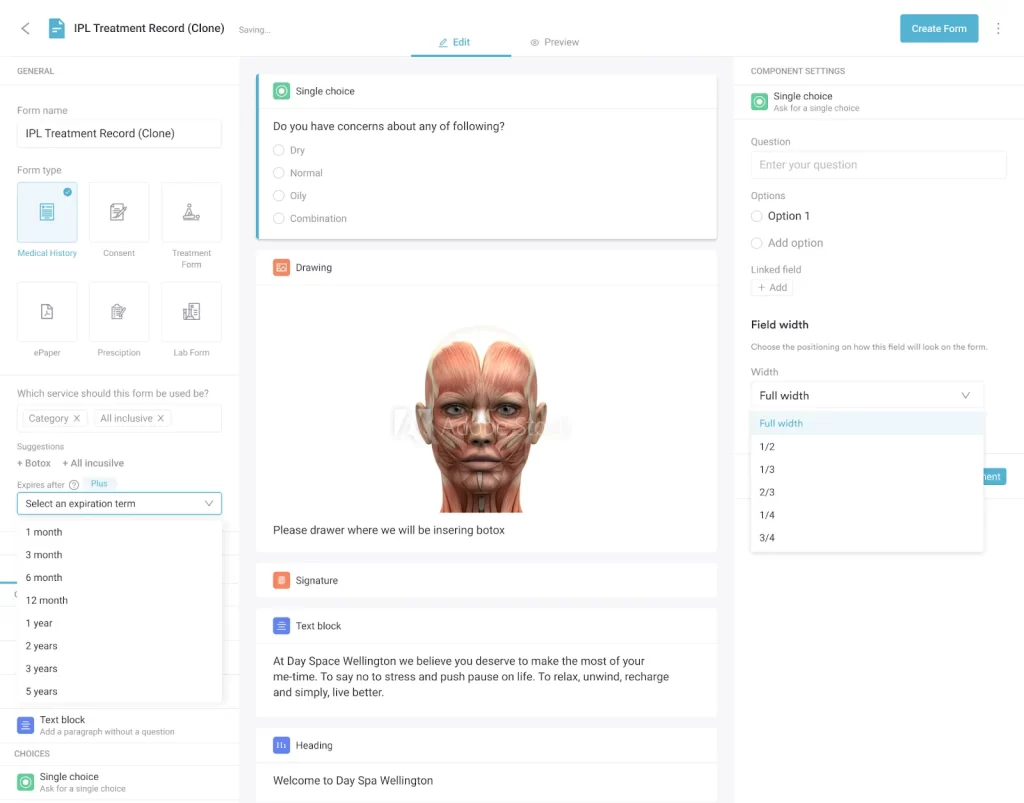
Patients can complete it on their own phone, by text, or by voice, in their own language, at any hour. The forms use conditional logic, so the questions change based on earlier answers rather than showing everyone the same long list.
Someone reporting no medications skips the medication follow-ups. Someone booking an IV therapy session sees the consent form that applies to it.
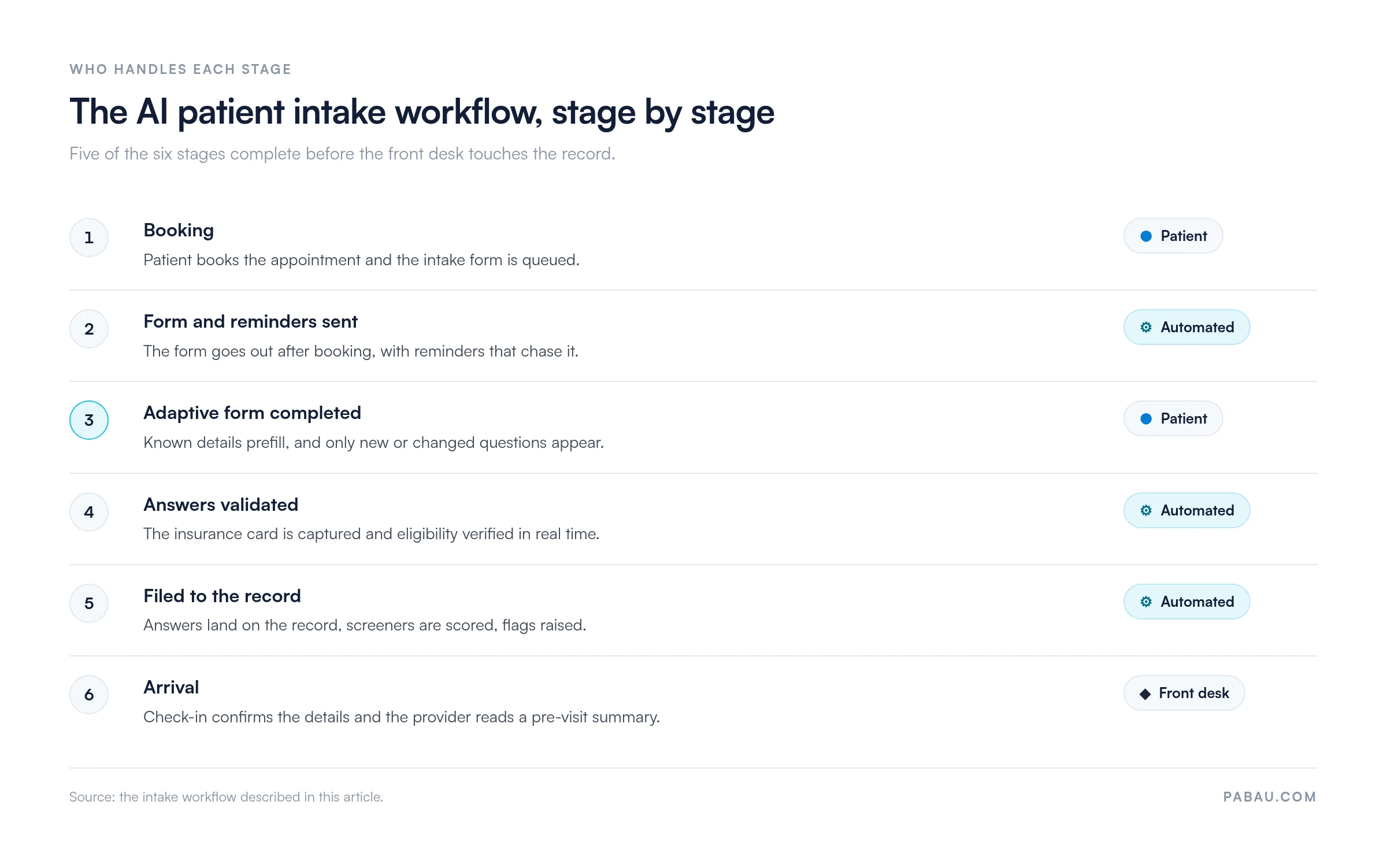
AI patient intake works by moving each intake task off the front desk and running it before the appointment. A patient books, gets a link, and completes an adaptive form on their own device. An AI medical assistant then verifies the answers and files them, with no staff member touching the data. The stages below show who handles each one.
| Intake step | The manual way | What AI patient intake does |
|---|---|---|
| Reminders and form delivery | Front desk phones or texts each patient one by one | Sends the form and reminders automatically after booking |
| Filling in the form | Patient repeats the same details on paper in the waiting room | Prefills known details and asks only the new or changed questions |
| Insurance and eligibility | Staff key in and check insurance by hand | Captures the card and verifies eligibility in real time |
| Getting data into the record | Someone retypes the form into the system after the visit | Files every answer straight into the patient record |
| Screening and flags | Scored questionnaires are added up manually, if at all | Scores screeners and flags anything that needs clinical review |
By the time the patient arrives, the record is complete and the provider can see a clear pre-visit summary. Check-in becomes a quick confirmation rather than a scramble for missing information.
The workflow starts at booking, so it pairs naturally with AI patient scheduling, which fills the calendar and triggers the intake form. After the visit, AI patient monitoring can take over, reading wearable and sensor data between appointments to flag patients who need follow-up.
AI-powered patient intake forms differ from paper and PDF forms in one way that counts most. They act on the answers instead of only storing them. A static form collects whatever the patient types, while an intelligent form validates it, adapts to it, and files it in the right place.
Paper and PDF forms have to be printed, signed, scanned, and typed up by hand. That is where errors and missing fields creep in, and where a returning patient ends up rewriting the same history they gave you last time.
AI patient intake forms collect the same core details as any intake form, then add logic on top. A typical form gathers:
Because the form is dynamic, a returning patient sees their saved details prefilled and only answers what has changed. Each completed section ties back to their record, so consent, history, and screeners sit together before the visit starts.
The benefits of AI patient intake show up on both sides of the front desk. Your team spends less time chasing and re-keying forms, and patients get a visit that starts on time. Intake is one piece of a broader shift in AI and patient experience. Four wins stand out.
Patients arrive already registered, so check-in is a quick confirmation instead of a form-filling session. That keeps appointments running on time and stops a late form pushing a provider behind for the rest of the day. One digital-first practice we work with reduced admin time by 15% after streamlining consultation documentation on iPads.
Real-time validation catches a mistyped date of birth or an expired insurance number at the point of entry, not after the visit. The record stays accurate, and billing has fewer rejected claims to untangle later.
Automating intake takes hours of manual data entry off your team each week. Studies show physicians spend a large share of the week on paperwork. Forms that file themselves give that time back to patient care. Automated inventory management brings the same time savings to stock counts and reordering that automation brings to intake.
Self-service forms and automatic reminders let patients complete intake when it suits them, in their own language. The reminders also keep the appointment front of mind, which helps bring the no-show rate down. For the wider workflow, see how AI patient engagement automates reminders and follow-ups beyond intake.
Some patients still cancel by phone after you close. Pabau’s healthcare AI agents answer those calls and messages, and draft a rebooking your team approves before it goes out.
Yes, AI patient intake can be fully HIPAA-compliant. The platform has to be built for protected health information rather than adapted from a generic form tool. HIPAA, the US health data privacy law, sets the rules for how patient information is stored, shared, and protected.
Before you trust a tool with patient data, check for encryption in transit and at rest. Look for role-based access controls and audit trails that log who saw what.
A vendor handling protected health information should also sign a business associate agreement, known as a BAA. If a form tool cannot provide one, it is not the right place for medical intake. If you are comparing vendors on this, our list of HIPAA-compliant AI tools shows what to expect from each.
The most important test for patient intake software is where the information lands. It should reach the same record you use for notes and billing, not a separate system you have to reconcile. Intake that stops at a standalone form still leaves someone re-keying data into your clinical system.
Beyond that, weigh a shortlist against how you actually run your practice:
Audit your current intake before you shortlist a vendor. Measure how many forms come back before the visit, and how long your front desk spends fixing missing data. Then time how long a completed form takes to reach the clinical record. If forms come back complete but the data still gets retyped, you have an integration problem rather than a forms problem.
Practice management software like Pabau treats intake as one part of a single patient record, rather than a step bolted onto a separate system. Digital forms, consent, before-and-after photos, and treatment notes all sit in the same place. What a patient completes before the visit is already on their record when the provider opens it.
Ahead of an appointment, Pabau GO, our iOS app for practitioners, guides patients through a care pathway. They fill in their medical forms, sign consents, and add before-photos when it suits them. Each answer, signature and photo flows into their record automatically, so the email and paper back-and-forth becomes a self-service journey.
During the visit, Pabau Scribe, our AI scribe for practices, can turn the conversation into a structured note. The record stays complete without extra typing. Because intake, consent, notes, and payments live together, you are not reconciling data between tools that were never designed to talk to each other.
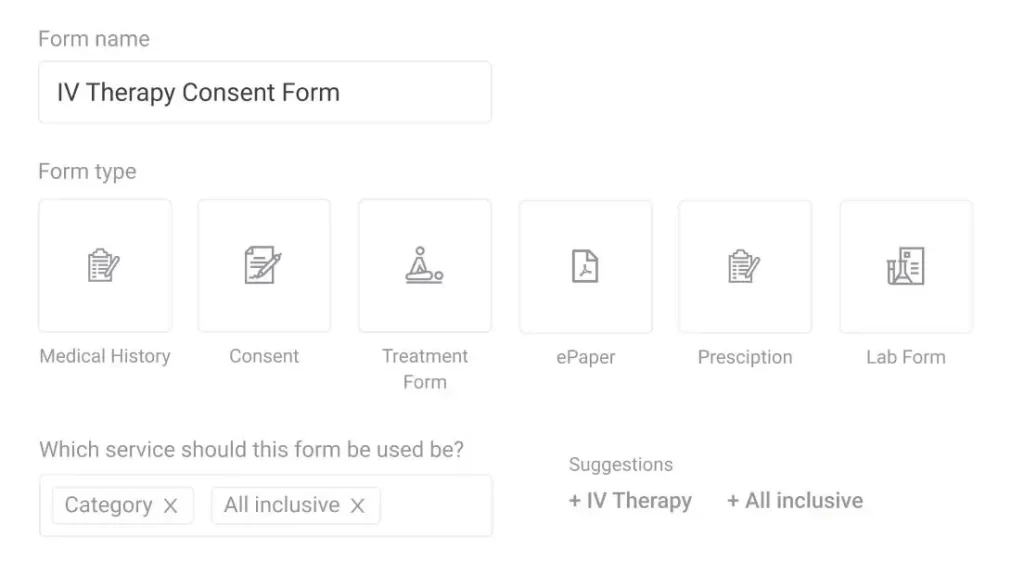
The result is one record that already holds the forms, consent, and photos before the provider walks in.

30 minutes with a Pabau specialist who knows your specialty: intake, consent, photos, and notes on one patient record.

AI patient intake takes the slowest, most error-prone part of the front desk and handles it before the patient arrives. Done well, it means shorter waits, cleaner records, and a team that spends its time on patients instead of paperwork.
The biggest difference between tools is where the data ends up. Book a demo to see intake, consent, and notes come together on one patient record.

Want AI answering the phone as well as the forms? AI medical receptionist: Pabau vs standalone tools (2026) weighs the front-desk options.
Need the notes side of the same record? AI clinical documentation: How it works and why it matters picks up where intake stops.
Checking what AI adds to your compliance workload? AI in healthcare compliance: What practice owners need to know covers the obligations that follow.
Wondering how booking feeds intake? AI patient scheduling: How it works and how to choose explains the stage before the form.
Curious how these AI tools change what patients actually notice? How an AI-powered healthcare platform redefines the patient experience covers the four touchpoints where it shows up first.
AI patient intake means using artificial intelligence to collect, verify, and file a patient’s information before their appointment. Smart digital forms adapt to each answer and check details in real time. The answers land in the patient record, so staff no longer type them in by hand.
It automates the manual steps that slow the front desk down. Reminders go out on their own, forms prefill returning details, insurance is verified in real time, and answers file straight into the record. The result is faster check-in, cleaner data, and less admin for your team.
It should. The point of automating intake is that data reaches your clinical system without re-keying. So ask a vendor whether it integrates with the record you already use, and whether it can prefill returning patient details. Intake that writes straight to the record avoids a second system to reconcile.
No. Good intake forms are built for patients who have never seen them before. They open on a phone or web browser and ask one clear question at a time. Most people finish in a few minutes without any help.
It helps. Automatic reminders keep the appointment front of mind. Letting patients register in advance also builds a small commitment that makes them more likely to turn up. Paired with easy rescheduling, automated intake tends to lower the no-show rate.