How to Start Private Practice in California as a LCSW (Step-by-Step)
Pabau helps new LCSW practices stay organized and compliant with integrated clie...

April 6, 2026


Buy now, pay later is now available in Pabau

Disconnected systems are the root of most problems — when scheduling, billing, and documentation don’t talk to each other, errors and revenue leakage are inevitable.
The basics done well make the biggest difference — smarter appointment scheduling, automated reminders, clean billing workflows, and consistent follow-ups can transform how your practice runs.
One centralized system beats a stack of disconnected tools — bringing everything under one roof saves time, reduces mistakes, and lets you focus on what actually matters: your patients.
You didn’t spend years in med school to chase unpaid invoices or untangle scheduling disasters at 6 pm on a Friday.
But that’s the reality for a lot of dermatology practices. The clinical side gets your focus and the business side quietly causes chaos.
Managing your dermatology practice effectively doesn’t have to give you anxiety. A few smart systems and habits can fix most of it — and that’s exactly what this guide covers.
Dermatology isn’t like a standard GP clinic or medical practice. You’re juggling clinical care and a surprisingly complex business often at the same time.
You’re here to help people deal with the things that affect how they look and feel — a stubborn psoriasis flare, a worrying rash, complex dermatology surgery, or simply wanting to feel confident in their skin again.
When you’re working on someone’s face, the stakes feel even higher. Skin is personal. Patients are vulnerable. They need your full attention, and being able to provide it is good patient care.
Here’s why it gets tricky:
Sound familiar? You’re not alone and you’re not doing it wrong. Dermatology practices are just genuinely complex to run and scale. The trick is building the right operational foundation — which is exactly what we’ll cover next.
Want to grow your practice, not just manage it? Check out our guide on how to grow a medical practice — practical steps to scale without the chaos.
| Area | Common Problem |
|---|---|
| Scheduling | Double bookings, no-shows, manual errors |
| Billing & coding | Claim denials, missed charges, slow reimbursements |
| Patient communication | Missed follow-ups, poor reminders, low retention |
| Documentation | Incomplete notes, compliance gaps, paper records |
| Staff management | High turnover, unclear roles, training gaps |
| Reporting & analytics | No visibility into what’s actually working |
Here’s a quick overview of everything we’ll cover:
| Step | Focus Area | Goal |
|---|---|---|
| 1 | Scheduling & patient flow | Reduce no-shows, eliminate bottlenecks |
| 2 | Documentation & compliance | Stay audit-ready, save clinical time |
| 3 | Billing & revenue operations | Get paid faster, reduce claim denials |
| 4 | Staff & provider performance | Build a team that runs itself |
| 5 | Patient experience & retention | Keep patients coming back |
| 6 | Reporting & analytics | Make decisions based on data |
| 7 | Centralize with one system | Connect everything in one place |
Poor scheduling is one of the fastest ways to lose money and frustrate patients. Studies in dermatology clinics show that 17–31% of scheduled appointments result in non-attendance, leaving gaps in clinic schedules and delaying patient care for others.
The fix starts with smarter scheduling systems and clear workflows.
What to focus on:
Offer telemedicine services for follow-ups and minor consultations to free up in-clinic slots
Send at least one reminder before an appointment. An observational outpatient clinic study found that SMS reminders reduced the likelihood of non-attendance by 38% compared with no reminder, showing how simple automated reminders can significantly improve attendance and protect clinic revenue and cash flow.
Incomplete notes and paper records are a huge compliance risk. Your EHR system — or lack of one — is often where things start to unravel.
Dermatology clinics deal with sensitive clinical data, before-and-after images, and complex treatment histories that need to be stored securely and accessed quickly.
What to focus on:
Good documentation also feeds into better patient care. When a patient comes back six months later, you want their full history — notes, images, previous treatments — in front of you in seconds, not buried in a filing cabinet.
The right EHR for private practice makes this seamless, keeping clinical records, images, and consents all in one place.
Billing in dermatology is especially complex. You’re dealing with insurance claims for medical treatments and private payments for cosmetic procedures — often within the same day.
A strong revenue cycle management process and a reliable patient online payment system are what keep your cash flow healthy and your claims processing on track.
Medical claim denials create a massive financial burden. Research shows they can cost hospitals around $262 billion annually, highlighting how critical accurate billing and claims management are for healthcare providers.
What to focus on:
Using billing and practice management systems that connect directly to your clinical and scheduling data means fewer gaps and faster reimbursements.
Connecting your billing directly to your clinical and scheduling data, as you can with practice management software, means fewer gaps and faster reimbursements.
Your team makes or breaks the patient experience. Managing human resources effectively in a dermatology setting rests on retention, clarity, and building a team that runs consistently well.
High staff turnover in healthcare costs practices thousands per employee, and in a specialist setting like dermatology, losing experienced staff is even more disruptive.
For larger practices, having a dedicated Relationship Manager, someone who bridges the gap between clinical staff, admin teams, and even key patients or referral partners, can make a significant difference to how smoothly everything operates.
What to focus on:
The practices with the lowest turnover aren’t necessarily paying the most — they’re the ones with the clearest processes. People leave chaos, not companies.
Using a clinic management system that includes staff management and performance reporting takes a lot of the guesswork out of managing your team.
Acquiring a new patient costs 5x more than retaining an existing one. Yet most practices focus almost entirely on new patient marketing and let retention run on autopilot.
In dermatology especially, where ongoing treatments and follow-ups are the norm, retention and patient-centered services is where the real revenue lives.
What to focus on:
A simple “How was your visit?” message sent 24 hours post-appointment can surface issues before they become bad reviews — and make happy patients feel genuinely valued.
A strong presence on social media can also support retention by keeping your practice name front of mind between visits.
The practices winning at retention are staying in touch at the right moments with the right message and marketing campaign. Check out our guide on marketing for clinics for more on this
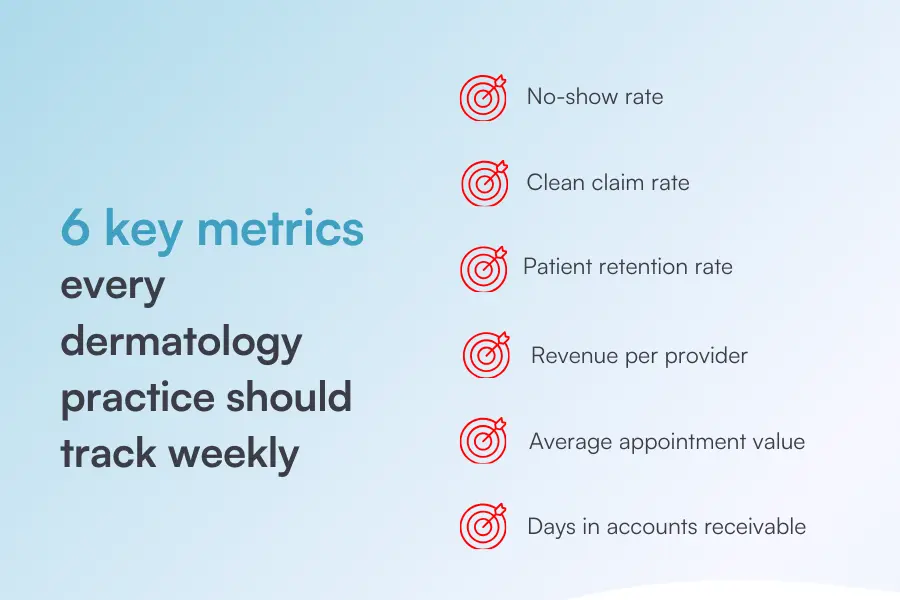
You can’t improve what you can’t measure. Most practice managers know their busiest days, but far fewer know their actual cost per appointment, which provider generates the most revenue, or which treatment has the highest drop-off rate.
What to track:
Practices that review performance data weekly are significantly more likely to hit their revenue targets than those that check monthly or less.
Running a private practice? Get the full breakdown in our private practice management guide — everything you need to run a tighter, more profitable operation.
Most practice management problems have the same root cause: disconnected systems. One tool for scheduling, another for billing, a spreadsheet for staff rotas, a paper file for consents. This setup simply doesn’t work.
When information lives in silos, back-office tasks fall through the cracks. Every. Single. Time.
The smartest thing you can do for your dermatology practice is bring it all under one roof.
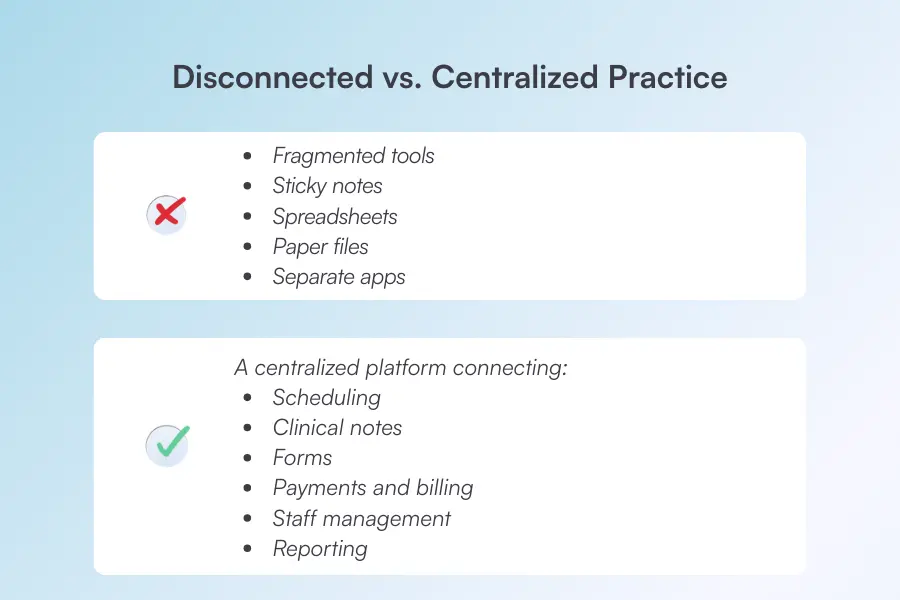
A centralized EHR system should connect:
When your scheduling, notes, and billing talk to each other, your admin time drops significantly and so do your errors.
Pabau is built specifically for practices like yours, connecting every part of your operation in one place, so nothing slips through the cracks. Our software handles everything from your dermatology EMR to patient communications, so your day actually runs the way it should.
Ready to see it in action? Book a free demo of Pabau and see how it fits your practice.
Good practice management systems make everything easier, the wrong ones just add to the chaos. Here are three worth considering.
Not sure where to start? Check out our breakdown of what practice management software actually is before diving in.
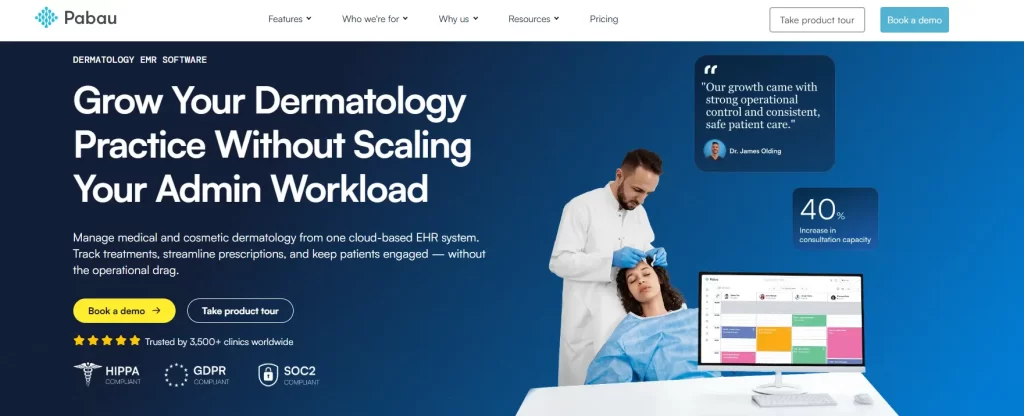
Pabau is an all-in-one practice management platform built for medical and aesthetic practices, including integrated dermatology. It brings together everything from scheduling and clinical notes to billing and patient communications in a single system, so nothing falls through the cracks.
Want to see it in action? Book a free Pabau demo and see how it fits your practice.
Nextech is a dermatology-specific EHR system and practice management platform recognized as the 2024 Best in KLAS for Ambulatory Specialty EHR. It’s a solid option for high-volume medical and cosmetic dermatology practices in North America.
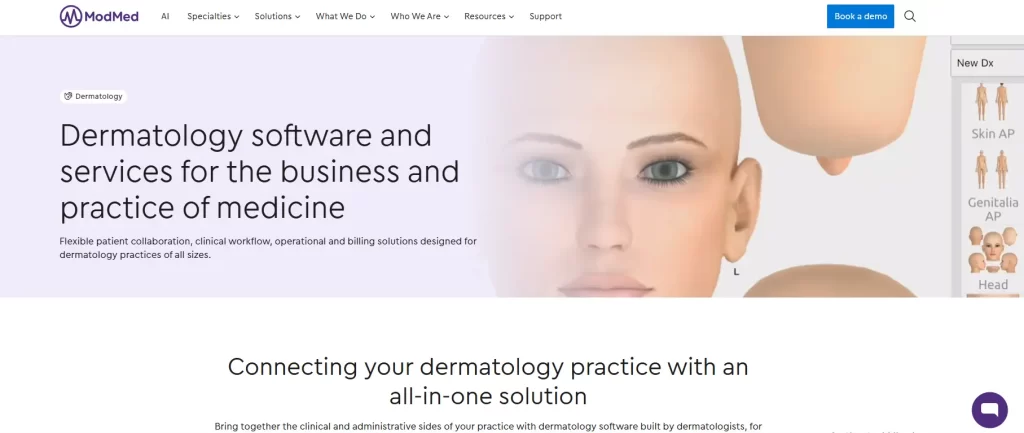
ModMed offers a cloud-based, specialty-specific EMR system called EMA — an intuitive, data-driven platform with integrated practice management tools. It’s particularly strong on clinical documentation and analytics.
Not sure whether you need an EMR, a PMS, or both? Read our guide on practice management system vs EMR — it’ll save you a lot of confusion before you commit to anything.
Use this as your daily sanity check or a quick way to make sure nothing important is slipping through the cracks.
Daily
Weekly
Monthly
You’re already doing the hard part. Managing a dermatology practice just gets easier when everything runs from one place.
Pabau brings together everything we’ve covered in this guide: online booking, clinical documentation, automated billing, patient communications, and reporting — all in one place, built specifically for treatment providers like you.
One system, one source of truth, zero dropped balls.
Ready to take control of your practice? Book a free demo today and see what a smoother, more profitable practice actually looks like, or explore how Pabau helps you deliver a better patient experience at every touchpoint.
The typical salary for a dermatology practice manager in the US ranges from around $73,000 to $108,000 per year, with an average earning of $88,909 depending on location, practice size, and experience. Senior roles at larger practices can go significantly higher.
Disconnected systems. Most practices struggle not because of a single problem, but because scheduling, billing, documentation, and patient communication aren’t talking to each other — which is where errors and revenue leakage creep in.
Automated reminders are your best tool. Practices that implement connected scheduling and reminder systems have seen no-show reductions of 25%. Sending reminders at both 48 and 24 hours before the appointment makes a measurable difference.
No — and ideally, you shouldn’t. Using separate tools for billing and scheduling creates gaps where charges get missed and errors creep in. A single practice management system that connects both is a much smarter setup.
Start with follow-ups. Most practices lose patients not because of bad care, but because they go quiet after the appointment. Automated post-visit messages, recall reminders for repeat treatments, and an easy rebooking experience through a patient portal go a long way.