Zenoti vs Vagaro: 2026 Comparison, Costs & Feature Breakdown
Compare Zenoti and Vagaro in 2026 - features, pricing, pros & cons. Find which p...

March 27, 2026


Buy now, pay later is now available in Pabau

Carepatron cost looks affordable at first — but key features require upgrades: The free plan is generous, but shared inbox, roles & permissions, and advanced automation are locked behind higher tiers.
Extra fees can significantly increase the real monthly cost: Insurance claim charges, e-prescribing add-ons, SMS overages, and renewal policies can make Carepatron more expensive than expected.
Growing or specialist clinics may outgrow Carepatron quickly: Limited reporting, no multi-location support, and no inventory tools make it less suitable for med spas, wellness clinics, and scaling practices — where more comprehensive platforms like Pabau stand out.
Carepatron pricing looks simple — until you need more features. We break down every plan, what’s missing, and show you a better alternative.
Carepatron pricing ranges from free to $34/user/month. There’s a plan for solo practitioners and growing teams alike. Here’s a quick breakdown of what each tier includes.
| Plan | Monthly (Billed Monthly) | Annual (Billed Annually) | What’s included |
|---|---|---|---|
| Free | $0 | Free forever | Basic scheduling, client records, telehealth, simple billing |
| Essential | $20 per user/month | $16 per user/month | Reminders, calendar sync, online booking approval, public forms |
| Plus | $27 per user/month | $22 per user/month | 50K AI automation credits, extra storage, group scheduling |
| Advanced | $34 per user/month | $27 per user/month | Unlimited AI automation credits, roles/permissions, white-labeling, analytics |
Carepatron is currently offering 50% off yearly plans for the first 6 months — but limited-time deals don’t last forever. Make sure you know what the full price looks like before you commit.
If Carepatron feels too generic for your practice, Pabau might be exactly what you’re looking for.
Pabau is practice management software built specifically for aesthetic, wellness, and private healthcare clinics — not just general healthcare. That means every feature is designed with your workflow in mind.
Here’s what sets it apart:
Pabau pricing starts at $62/month in the US and £53/month in the UK. Every plan comes loaded with the tools your practice needs from day one — clinical records, scheduling, digital forms, patient communication, quotes, and reporting — so you’re not constantly upgrading just to unlock the basics.
Here’s a breakdown of Pabau’s plans:
| Tier | Number of users | Unlimited number of clients |
|---|---|---|
| Startup | 1 | ❌ (Up to 100 clients) |
| Solo | 1 | ✅ |
| Team | 2–3 | ✅ |
| Medium | 4–5 | ✅ |
| Group | 6–15 | ✅ |
| Enterprise | 15+ | ✅ |
Explore more details on our pricing page.
🚀 Ready to see Pabau in action? Book a free demo and see why thousands of clinics have made the switch.
Not all plans are created equal. Here’s a closer look at three key features and exactly which Carepatron pricing tier unlocks them.
Managing appointments across multiple calendars is a headache without the right tools. Carepatron’s 2-way calendar sync and color-coding help you stay organized — but neither is available on the Free plan. You’ll need at least Essential to sync calendars, and Plus to get color-coding.
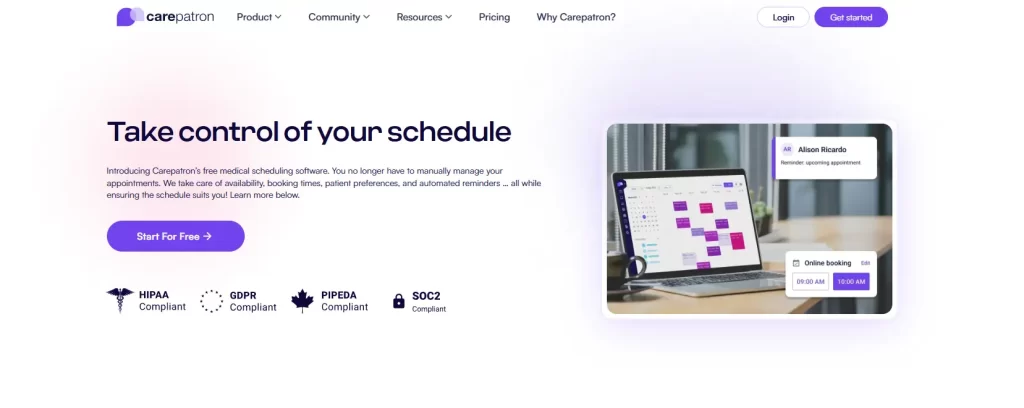
Image credits: Carepatron
| Plan | 2-Way Calendar Sync | Calendar Color-Coding |
|---|---|---|
| Free | ❌ | ❌ |
| Essential | ✅ | ❌ |
| Plus | ✅ | ✅ |
| Advanced | ✅ | ✅ |
Color-coding is a small feature that makes a big difference in busy clinics. Just know it’ll cost you at least $27/user/month.
A shared inbox keeps your whole team on the same page — no more missed messages or siloed conversations. But this is one of the features where the Carepatron cost starts to feel steep. It’s only unlocked on the Plus plan and above.

Image credits: Carepatron
| Plan | Shared Inbox |
|---|---|
| Free | ❌ |
| Essential | ❌ |
| Plus | ✅ |
| Advanced | ✅ |
If your team relies on shared communication, the Free and Essential plans simply won’t cut it.
As your team grows, controlling who has access to what becomes critical. Roles and permissions let you assign different levels of access to staff — protecting sensitive client data and keeping things running smoothly. But here’s the catch: this feature is exclusively available on the Advanced plan.
| Plan | Roles & Permissions |
|---|---|
| Free | ❌ |
| Essential | ❌ |
| Plus | ❌ |
| Advanced | ✅ |
For any multi-staff clinic where data security matters, roles and permissions are non-negotiable — and that means committing to $34/user/month.
AI automation is one of Carepatron’s standout features — but how much you can use it depends heavily on your plan. Free users get just 1,000 credits per month, which runs out fast. You’ll need Plus or Advanced to do anything meaningful with automation.
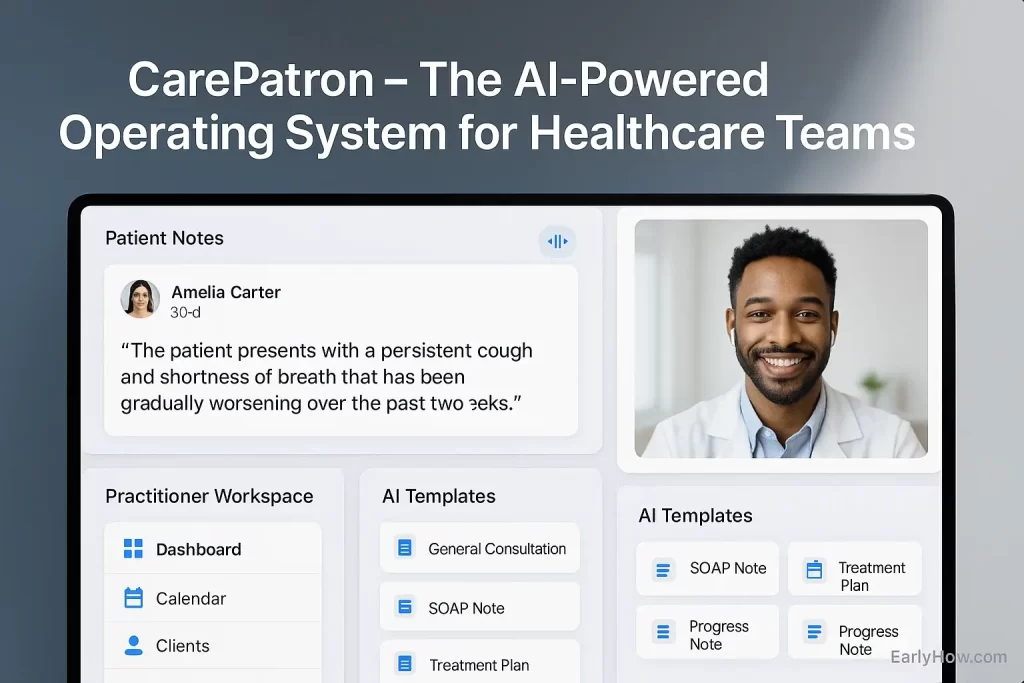
Image credits: EarlyHow
| Plan | AI Automation Credits |
|---|---|
| Free | 1,000 / month |
| Essential | 10,000 / month |
| Plus | 50,000 / month |
| Advanced | Unlimited |
If automating your patient journey is the goal, anything below Plus will leave you hitting limits fast.
Carepatron pricing looks straightforward on the surface — but there are a few extras worth knowing before you commit.
Every platform has its strengths and weaknesses. Here’s an honest look at what Carepatron gets right — and where it falls short.
If Carepatron’s limitations are hitting close to home, book a free Pabau demo and see how it handles everything on that cons list.
Carepatron isn’t for everyone. Here’s a quick look at who gets the most value from it and who might be better served elsewhere.
If you’re a solo therapist, counselor, or general healthcare professional just getting started, Carepatron’s free plan is genuinely useful. Unlimited clients, basic telehealth, and AI note-taking at $0/month is a solid starting point.
It’s simple, low-commitment, and gets the job done for straightforward practices with basic needs.
Small primary care or GP clinics with a handful of practitioners will find Carepatron’s Essential or Plus plans workable. Appointment scheduling, billing, and documentation cover the basics well.
That said, as the team grows, the per-user Carepatron cost and feature limitations start to feel restrictive — especially around team management and reporting.
If you run a med spa, skin clinic, wellness practice, or spa and salon, Carepatron will likely leave you wanting more.
No stock management, no industry-specific workflows, and limited customization make it a poor fit for aesthetic and wellness businesses that need a platform built around their unique needs.
The more specialized your clinic, the more you’ll feel Carepatron’s limitations. A purpose-built alternative will almost always serve you better in the long run.
If Carepatron’s limitations are holding you back, there are better options out there. Check out the top Carepatron alternatives and find the one that fits your clinic.
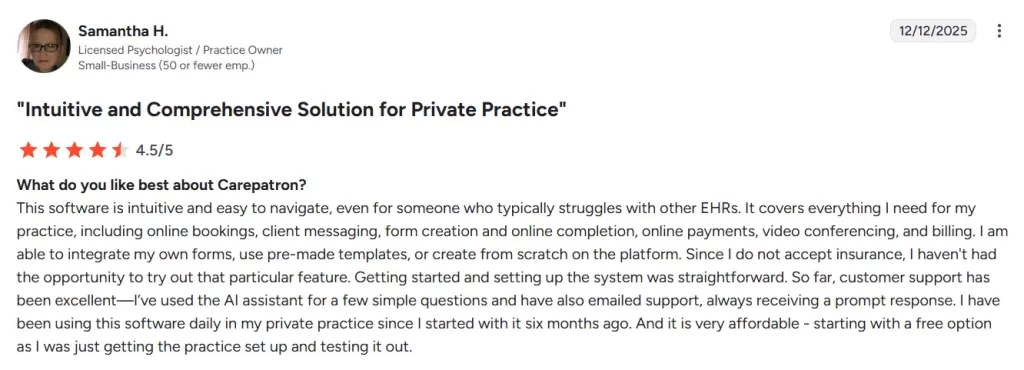
Carepatron holds a solid 4.5/5 on Capterra, G2, and Software Advice across hundreds of verified reviews. Here’s what real users are saying.
Users consistently praise Carepatron for its ease of use and clean interface. Solo practitioners in particular love how quick it is to get up and running.
Common highlights include:
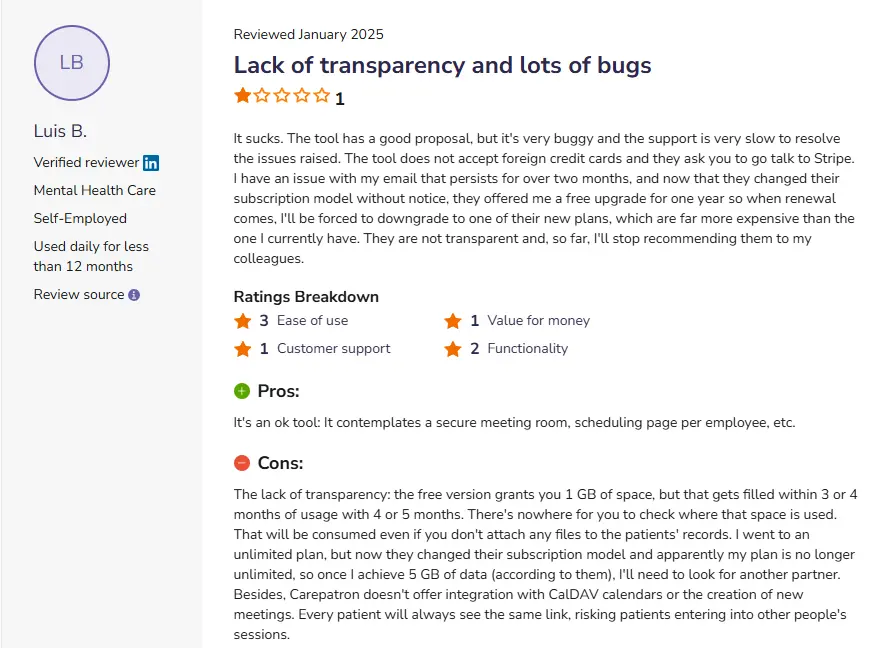
It’s not all five stars. A few recurring issues show up across reviews — especially from practices that need more than the basics.
Common frustrations include:
Worth noting: Several reviewers flag that Carepatron lacks the depth needed for client relationship management. If that’s a priority, healthcare CRM software built for clinical settings is worth exploring.
And if you’re in aesthetics or wellness, the absence of inventory tools is a real gap — here’s a look at the best med spa inventory management software to fill it.
If you’re outgrowing basic systems and want something built for real clinic growth, Pabau is a strong alternative. It’s an all-in-one platform designed for aesthetic clinics, wellness centres, primary care practices, and multi-provider teams in the UK and the US.
Where Carepatron focuses on core tools, Pabau goes deeper — combining clinical records, billing, payments, reporting, and marketing automation in one system. That means fewer tools, fewer logins, and fewer workarounds.
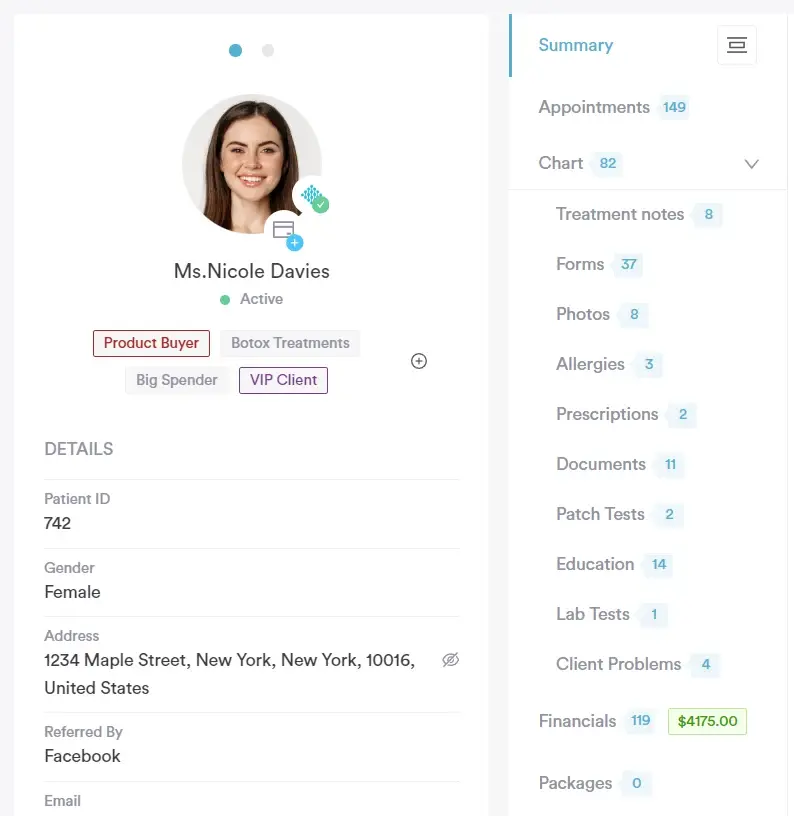
Pabau’s EMR stores medical history, digital consent forms, treatment notes, and before-and-after photos in one secure record. Custom templates, integrated payments, and a built-in patient portal make it ideal for clinics that need more than simple note-taking.
Find out how modern primary care clinic software can simplify patient care, reduce admin, and help your team focus on outcomes — not paperwork.
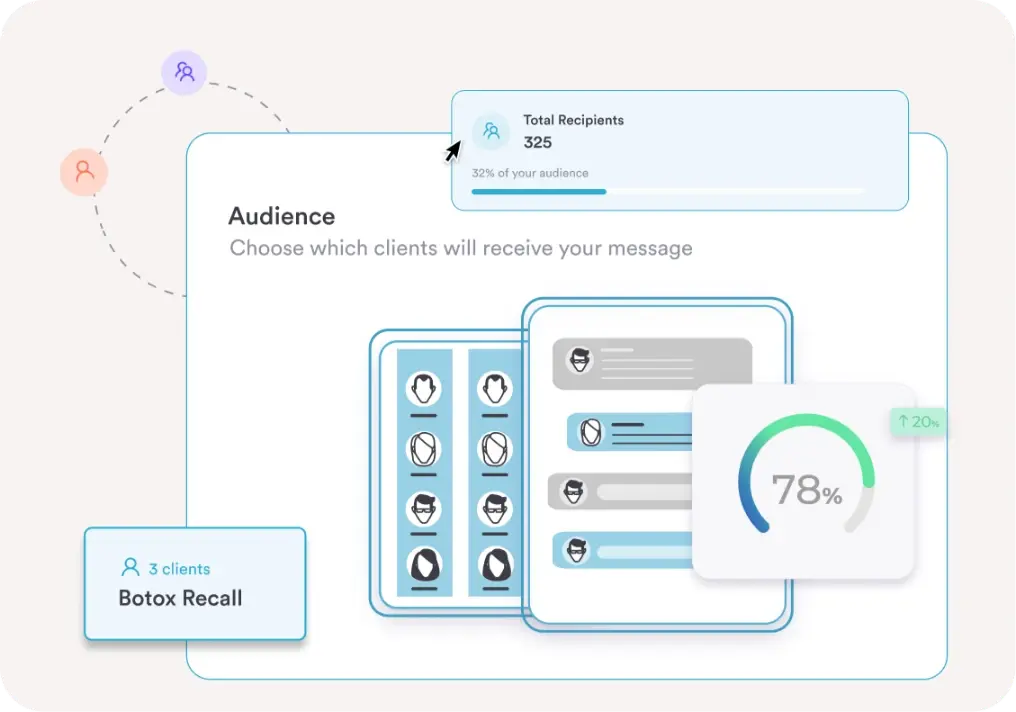
Beyond appointment reminders, Pabau includes automated email and SMS campaigns, memberships, loyalty tools, targeted promotions, and a fully integrated client portal. Patients can book appointments, complete forms, view invoices, and access aftercare instructions online — reducing admin for your team while improving the patient experience.
It helps you fill gaps in your calendar, boost retention, and keep clients engaged — without needing separate marketing or client portal software.
See how the best EMR systems boost clinical workflow, improve record accuracy, and save time.
📥 Get a personalized walkthrough of Pabau EMR — request a demo now.
Pabau also includes built-in AI-powered tools through Echo AI, designed to reduce documentation time and streamline daily workflows.
The AI scribe & note taker converts voice notes into structured treatment records, helping clinicians complete notes faster and more accurately during or after appointments.
If you’ve started to notice gaps between your scheduling tool, clinical notes, payments, and marketing — and you’re patching things together — it might be time for something more complete. Pabau brings everything into one system, so your team can manage appointments, medical records, billing, reporting, and client engagement without switching platforms.
Less workarounds. Fewer add-ons. More clarity.
👉Explore the full Pabau platform
📅Book your personalized demo
Not ready for a demo yet? Learn what to look for in modern practice management software in our blog.
It depends. Carepatron cost is per user, so expenses increase as you add providers or admin staff. For multi-provider clinics, total monthly costs can add up quickly compared to flat or scaled pricing models.
No. Lower-tier plans include core tools, but advanced features require upgrading to higher plans. Practices needing deeper reporting, branding, or permissions often move beyond the entry-level pricing.
No. Pabau supports aesthetic, wellness, and medical practices, including GPs. It offers comprehensive EMRs, clinical workflows, prescriptions, referrals, and compliant patient records.
Sometimes. Pabau’s depth can feel like a lot initially. However, onboarding support, coordinators, workflow setup, and 21-hour live support help clinics transition smoothly.
Yes. Pabau is built to scale — from single providers to multi-location groups. Centralised reporting, permissions, and automation tools support long-term growth.
Yes. Pabau follows strict medical data standards, supports GDPR requirements in the UK, and continues expanding HIPAA-aligned workflows for US practices.
Yes. Pabau integrates with 30+ tools across payments (Stripe), accounting (Xero), calendars (Google Calendar, Outlook, iCal), prescriptions (CloudRx, SignatureRx, Pharmacierge), labs (The Doctors Laboratory), video (Zoom, Google Meet), CRMs (HubSpot, Salesforce, GoHighLevel), analytics (Google Analytics, Meta Pixel), and team tools like Slack and Microsoft Teams.