Kate Tarrant
Shame worksheets: 6 types and when to use each one
Shame worksheets are structured writing exercises that help patients notice, nam...

Last Updated: Nov 2, 2026
Free PDF 2 pages, print-ready Clinician-reviewed
Download your free visual schedule autism template Visual Schedule Autism Template A ready-to-use visual schedule template for therapists, special education professionals, and caregivers. Includes sections for activity planning, transition management, anxiety reduction strategies, and individualized customization for different age groups and ability levels. Download template Visual schedules are a foundational tool in autism therapy, special […]
A ready-to-use visual schedule template for therapists, special education professionals, and caregivers. Includes sections for activity planning, transition management, anxiety reduction strategies, and individualized customization for different age groups and ability levels.
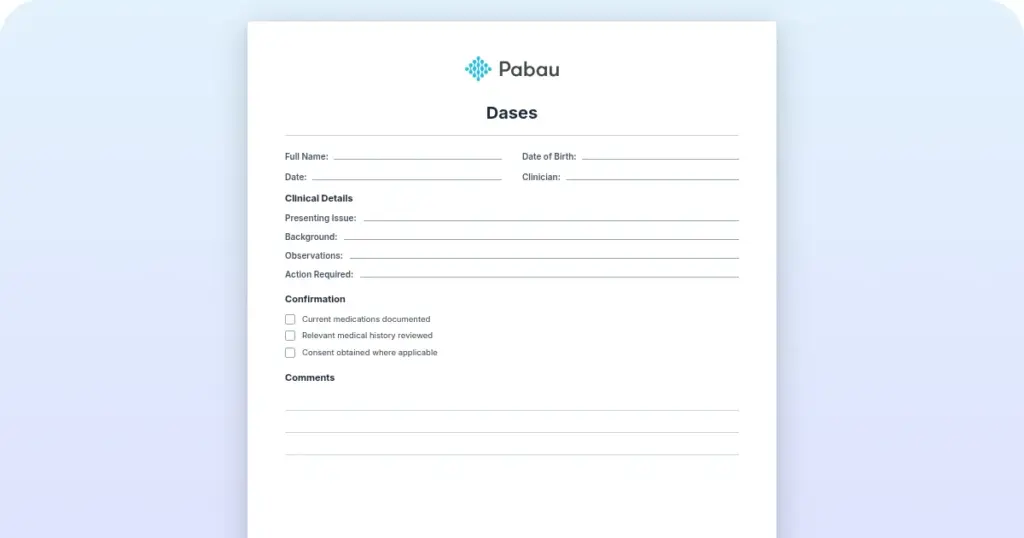
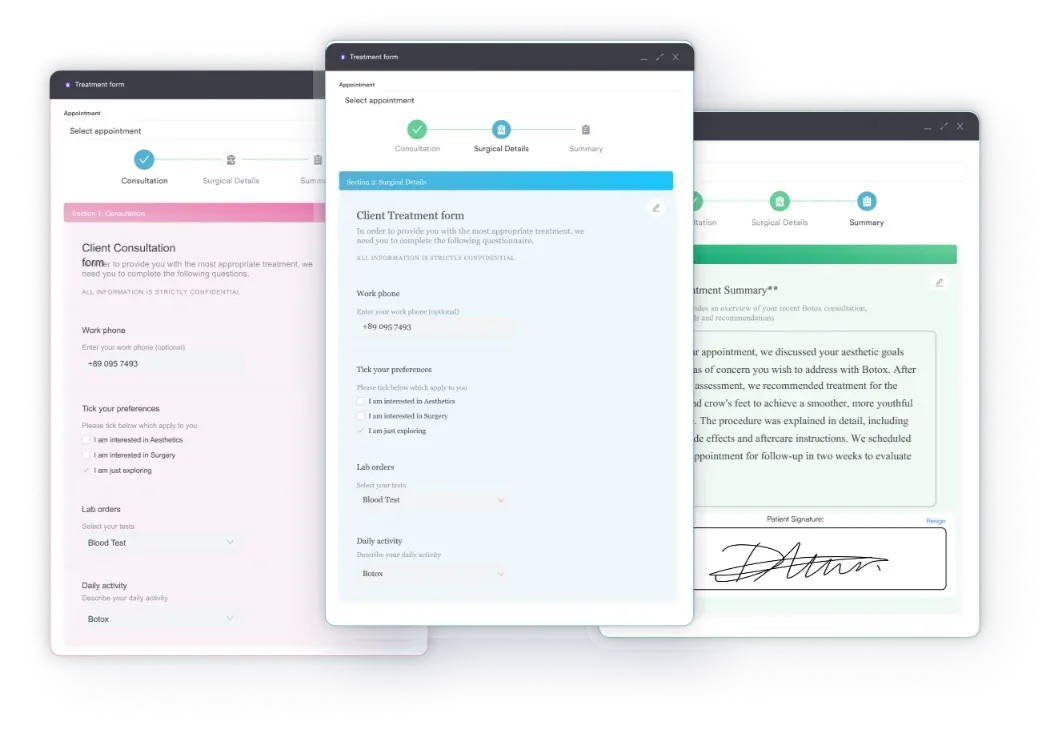
Start from scratch, or upload this PDF or any form you already use, and Pabau's AI Form rebuilds it with tick boxes, text fields and a signature. Attach it to the treatment once, and every patient gets it on time.
AI Form rebuilds the consent, history and aftercare forms you already use. You review each one, then publish.
Patients complete forms on their phone before they arrive, so the front desk stops retyping paper.
Every signed form is versioned and attached to the treatment record, ready when you need it.
Set how long a consent stays valid. Returning patients skip forms they have already signed.
Supports HIPAA and GDPR compliance AES-256 encryption 4.8 on G2 4.7 on Capterra Trusted by 4,000+ practices worldwide

Visual schedules use pictures, symbols, or written words to help autistic children understand daily activities and transitions.
They reduce anxiety by making routines predictable and clear, increasing independence and reducing reliance on verbal instructions.
Effective visual schedules require choosing the right format (object, picture, written, or first-then), selecting meaningful images, and consistent implementation.
Practice management software like Pabau offers digital forms and customizable templates, so therapists can store, organize, and share visual schedule templates within client records.
Visual schedules are a foundational tool in autism therapy, special education, and home support. A visual schedule autism template provides autistic children with a clear, predictable map of upcoming activities — helping them anticipate transitions, manage anxiety, and build independence.
This guide walks you through what visual schedules are, why they work, and how to implement them effectively in your practice or classroom.
A visual schedule is a structured representation of activities or tasks using pictures, symbols, or written words to show a child what will happen throughout the day.
Unlike verbal instructions alone, a visual schedule taps into the processing strengths of autistic children — many individuals with autism spectrum disorder (ASD) are visual learners who benefit from seeing information displayed clearly and consistently.
For speech-language pathologists and therapists working with ASD, visual schedules reduce the cognitive load of understanding verbal directions and create a sense of predictability that can significantly lower anxiety. Occupational therapists on the same team use Beery VMI scores to gauge visual-motor readiness for written tasks.
Those same practitioners also use emotion picture cards, so a child can name what they feel.
Visual schedules can be displayed on walls, in folders, on whiteboards, or increasingly.
They serve as both a communication tool and a behavioral support, helping children understand “what comes next” and “when will it be finished” — two of the most common sources of transition-related distress in autism.
The beauty of a visual schedule is its flexibility. It can show the entire day’s routine (a full daily schedule), just the next one or two activities (a first-then board), or the individual steps within a single task (a task analysis or mini schedule). The format adapts to the child’s age, comprehension level, and the specific clinical or educational goal.
Visual schedules are an evidence-based practice supported by applied behavior analysis (ABA) research. According to Autism Speaks, visual supports — of which schedules are a key type — reduce anxiety, improve compliance, and build independence by leveraging the visual processing strengths of autistic learners. The National Autism Center includes visual supports on its list of established, evidence-based interventions for autism. An ADHD assessment draws on several informants, so the record has to hold more than one questionnaire.
Several mechanisms explain why visual schedules are so effective:
Visual schedules come in several formats, each suited to different ages, abilities, and purposes. Understanding the distinctions helps you choose the right type for your client or classroom.
A first-then board is the entry-level visual schedule — ideal for children new to visual supports or those who become overwhelmed by too much information. It shows just two items: what happens first, and what comes next (then). This simplicity builds the foundational concept of sequence without cognitive overload.
For example, a child might see a picture of “worksheet” labeled “First,” followed by a picture of “play time” labeled “Then.” The child completes the worksheet, removes the “First” card, and the schedule now clearly shows that play time is next. This tangible transition reduces anxiety and teaches the child to anticipate and accept the sequence.
First-then boards are especially useful during therapy transitions (ending one activity, starting another), or for introducing a non-preferred task followed by a preferred reinforcer.
A mental health EMR keeps completed worksheets beside session notes and treatment plans.
Creating an effective visual schedule requires thoughtful planning and knowledge of your client’s specific needs. Here are the five core steps to building a visual schedule that works.
As you integrate visual schedules into individualized care plans, adjust the schedule in real time based on the child’s response. If they are becoming frustrated or disengaged, the schedule may have too many items, or the images may not be clear enough. Flexibility and responsiveness are key to success.

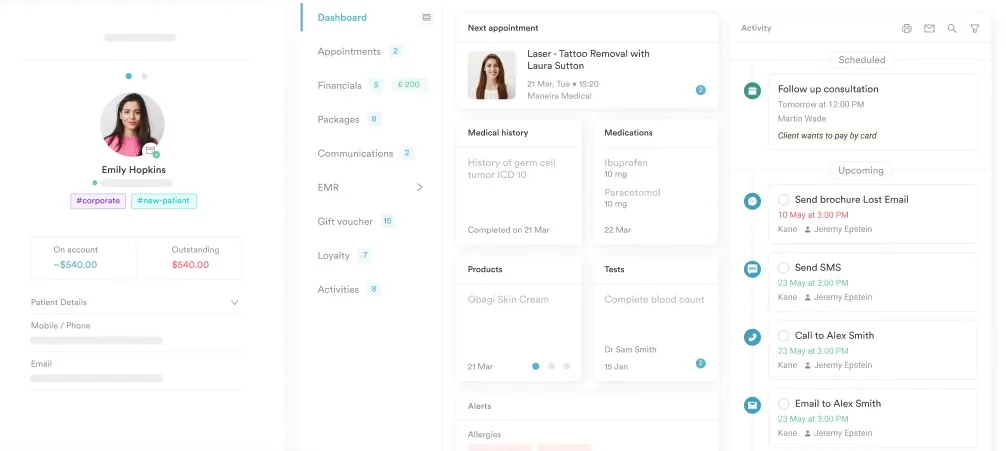
Pabau allows therapists and special education teams to store customizable visual schedule templates, link them to individual client records, and share them securely with families and collaborating practitioners.

The same visual schedule concept works across ages and ability levels, but the format and complexity must shift to match the learner’s needs. Here’s how to adapt:
For ABA therapists, occupational therapists, and other clinical practitioners, the visual schedule becomes both a therapeutic tool and a structured documentation support. Here’s how to integrate it into your practice:
Successful implementation requires consistency across settings. Whether at home, school, or practice, follow these evidence-based principles:
Laminate your printed visual schedule and use reusable sticky dots or Velcro to attach activity cards. This makes the schedule durable, washable, and easy to update as routines change — without reprinting the entire board every week. Families and classrooms can maintain consistency with minimal effort.
Visual schedule autism strategies are one of the most practical, evidence-based tools available to therapists, educators, and caregivers supporting autistic children. By reducing transition anxiety, building independence, and creating predictability, visual schedules address some of the core challenges many autistic children face in daily life.
Whether you start with a simple first-then board or a full daily schedule, the principle is the same: show the child what will happen, in order, and you empower them to navigate their day with greater confidence and autonomy.
To simplify the process, use the downloadable template above, customize it for your client or classroom.

Want a broader personality profile instead? Big Five personality test measures openness, conscientiousness, extraversion, agreeableness, and neuroticism with scoring and interpretation guidance.
Need the wider clinical history first? biopsychosocial history form guides clinicians through medical background, psychiatric history, family dynamics, and documented strengths.
Working from a nursing care angle? bipolar disorder nursing care plan covers NANDA diagnoses, mood episode interventions, medication monitoring, and family education.
Yes. While visual schedules are evidence-based for autism, they are also helpful for children with ADHD who struggle with transitions, time management, and impulse control. Any child who benefits from visual structure and predictability can use a visual schedule, regardless of diagnosis.
A visual schedule shows the sequence of activities (what comes next). A visual timer shows the passage of time during a single activity (how long it takes). Many practitioners use both together: the schedule answers “what are we doing,” and the timer answers “how long will we do it.”
Absolutely. Adults with autism often find visual schedules helpful for employment routines, independent living tasks, and community participation. Many adults prefer digital formats (phone reminders, calendar apps) to printed boards, but the principle remains the same: visual structure reduces anxiety and supports independence.
Yes. Several apps support visual scheduling and social stories for autistic users. Digital schedules offer advantages like reminders and flexibility, but they require a device and may not suit all children or settings. Many therapists use both printed and digital schedules depending on the context and the child’s preference.
Monitor these indicators: reduced challenging behavior at transitions, increased independence in following the schedule without prompting, decreased anxiety or distress, and improved engagement in activities. Track and document these observations in your session notes to measure progress toward treatment goals.