
HCPCS Code E0272: Foam rubber mattress billing guide
HCPCS Code E0272: official descriptor and code overview HCPCS Code E0272 is the ...

Last Updated: Nov 6, 2026
V5274 is the HCPCS Level II code for an assistive listening device, not otherwise specified. It bills a listening device that no specific code from V5268 to V5273 or V5281 to V5290 describes. It is not a hearing aid code.
The code has no fixed fee, so payers price it from the device description and the invoice you send with the claim. Medicare lists V5274 as non-covered by statute. Payment therefore rests on Medicaid, Medicare Advantage or commercial plan terms. Confirm coverage before you order the device, then build the claim around the invoice.
Let Pabau's smart automation suggest the right codes, reduce claim denials, and keep your practice compliant—effortlessly.
Automate repetitive tasks and focus on what matters most—your patients.
Reduce coding errors and ensure compliance with the latest regulations.
Clean claims, fewer denials, and faster reimbursements.
Powerful insights and reporting to help your practice thrive.
HIPAA compliant SOC 2 certified GDPR-compliant Trusted by 4,000+ clinics worldwide

HCPCS code V5274 bills an assistive listening device that no specific code from V5268 to V5273 or V5281 to V5290 describes.
It is a device code, not a hearing aid code, so wearable hearing aid styles and ear impressions never go on it.
Most payers price a not otherwise specified code from the device description and invoice sent with the claim.
Medicare lists V5274 as non-covered by statute, so payment depends on Medicaid, Medicare Advantage or commercial plan terms.
HCPCS code V5274 is the Level II code for an assistive listening device (ALD), not otherwise specified. CMS made it effective on January 1, 2002, and it remains active.
An ALD helps a person hear in one setting, such as a phone call, a classroom or the television. It can work alongside hearing aids or on its own. V5274 is the fallback for an ALD that none of the specific codes describe.
Because the code has no fixed fee, payers price it from your device description and invoice. Traditional Medicare excludes it, so the claim usually goes to Medicaid, a Medicare Advantage plan or a commercial payer.
The descriptor is silent on ear count, device style and fitting, and V5274 is not a hearing aid code. You can confirm the wording in the ASHA HCPCS code list for audiology.
V5274 fits only when no specific code describes the device. So treat it as the last stop, and rule out every specific option first.
If the device still fits none of those, V5274 applies. Write down why the specific codes failed, because reviewers often ask for that reasoning. The flow below puts the whole rule-out order on one page.
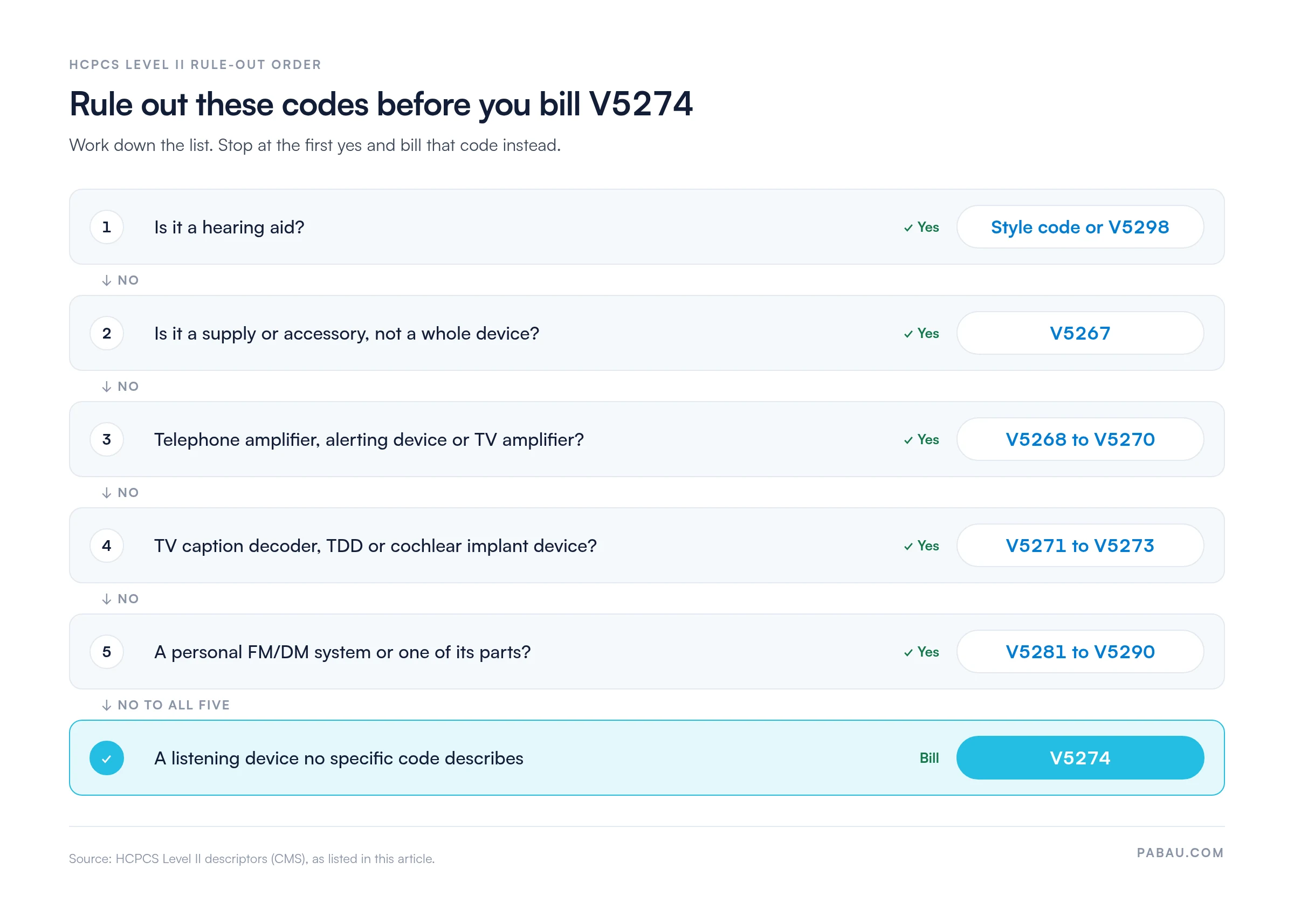
The ALD codes sit together in the V5268 to V5290 range of the HCPCS Level II codes. The table puts V5274 beside its neighbors and the other catch-all codes that get confused with it.
The two catch-alls at the bottom of the table are the easiest to mix up with V5274. Supplies and accessories belong on V5267, while a hearing aid with no style code belongs on V5298.
Two other neighbors trip up older crosswalks. V5275 is an ear impression, each, and V5264 is an ear mold or insert. Neither one describes a hearing aid or an ALD.
CMS lists V5274 with coverage code S, which means non-covered by Medicare statute. The hearing aid exclusion sits in §1862(a)(7) of the Social Security Act, and the Medicare Benefit Policy Manual, Chapter 16, §100 sets it out. Traditional Medicare will not pay for the device.
Other payers decide for themselves, so coverage for ALD NOS varies by plan. Run an insurance eligibility verification before you order the device.
A patient may want a Medicare denial to pass to a secondary payer. In that case, add modifier GY, which flags an item excluded by statute. An advance beneficiary notice is not required for excluded items, though you can issue one voluntarily.
An NOS code has no fixed fee, so the payer cannot price it from the code alone. The claim has to tell them what the device is and what it cost.
Keep the description short and specific. A line that only reads “listening device” gives the reviewer no basis for a price, and it invites a request for records.
Use the hearing-loss code the audiogram or clinical notes support, at the level of detail they record. The diagnosis has to show why the patient needs help hearing in a specific setting.
The device code does not dictate the diagnosis. Code the hearing loss the record shows, then let the device description explain the need.
Say an audiologist recommends a personal hardwired amplifier for one-to-one conversation in noise. The patient’s audiogram shows bilateral sensorineural loss, and the patient has Medicaid coverage.
The device is not a telephone or TV amplifier, an alerting device or an FM/DM system. None of the specific codes describe it, so V5274 is the right choice.
The diagnosis is H90.3, which the audiogram supports. The claim line then carries V5274, one unit, the manufacturer, the model and a short purpose note. The invoice travels with it.
Before the order goes in, the front desk confirms that the state plan covers ALDs for adults, not only children. If it does not, the patient learns the cost before the device ships.
A V5274 claim moves faster when the paperwork is ready before the device ships. Work through these steps in order.
Each of these errors can stall a V5274 claim. Fortunately, each one is easy to catch before submission.
Run through this list on every V5274 line. It takes a minute and can save you a resubmission.
Device claims stall when the invoice sits in one system and the diagnosis sits in another. A payer query then sends someone hunting for both.
Pabau, our practice management and billing platform, keeps the device charge, invoice and diagnosis on one patient record. Its claims management software pre-fills the claim from that record. It also holds the claim back until required fields, such as authorization numbers, are complete.
For US practices, it checks eligibility in real time and tracks each claim’s status. As a result, your team spends less time chasing missing details after a payer queries a line.
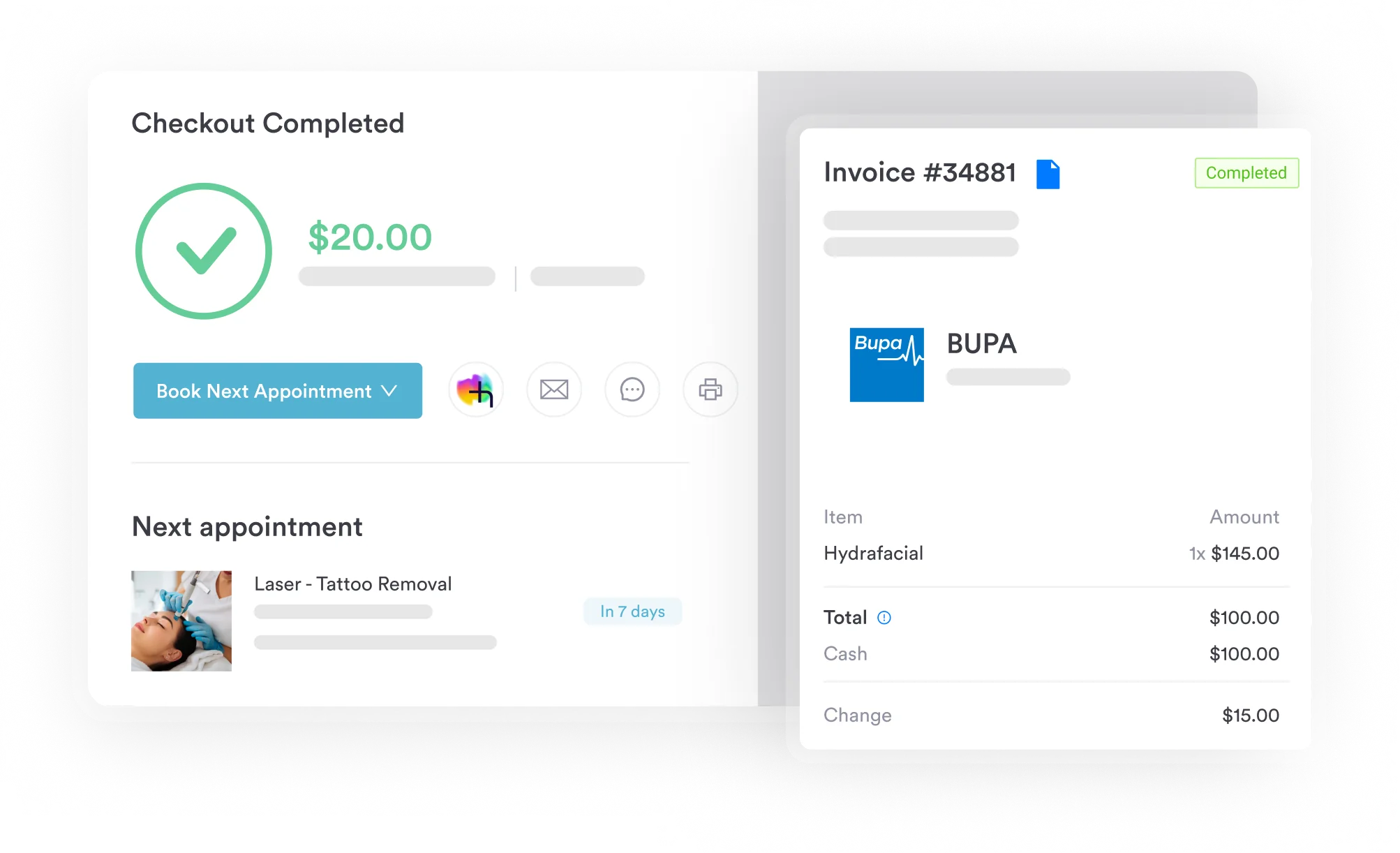

Keep the invoice, diagnosis and authorization for each device claim on one patient record. Required-field checks stop incomplete claims before they reach the payer.
V5274 earns payment when it is the only honest fit for the device. Get there by ruling out the specific codes, then let the description and invoice do the pricing work.
The bigger risk sits with the payer, not the code. Traditional Medicare will not pay, so settle coverage with the patient before you order. Book a demo to see how your team can send complete device claims the first time.

Need to cut repeat denials across your billing? Denial management in healthcare covers how to track, appeal and prevent denials across payer types.
Want to confirm coverage before you order a device? Insurance eligibility verification walks through the checks that confirm a payer will cover it.
Does the plan review NOS codes before payment? The prior authorization process explains how to request, track and document an approval.
Filing the device claim on paper? The CMS-1500 form template shows where the description and diagnosis codes go.
New to the billing side of the practice? What is medical billing explains how a claim moves from charge to payment.
V5274 is the HCPCS Level II code for an assistive listening device, not otherwise specified. Use it only when no specific ALD code describes the device.
No. V5274 covers assistive listening devices, not hearing aids. Hearing aids have their own style codes, and V5298 covers a hearing aid no other code describes.
No. CMS lists V5274 as non-covered by statute. If the patient needs a Medicare denial for a secondary payer, add modifier GY to the line.
Yes. CMS made V5274 effective on January 1, 2002, and it remains active. CMS updates the HCPCS file every quarter, so recheck the descriptor before you rely on an old crosswalk.
It depends on the plan. Some Medicaid and commercial plans review NOS codes before they pay. Ask the payer first, and put any authorization number on the claim.
Bill one unit per device unless the payer says otherwise. If a patient gets two different devices, describe each one on its own line.
V5274 covers a whole listening device. V5267 covers supplies and accessories for a hearing aid or ALD.