
HCPCS Code Q4175: Billing, coverage, and documentation guide
HCPCS Code Q4175: Code Description and Product Identity HCPCS Code Q4175 is the ...

Last Updated: Nov 20, 2026
V5273 is the HCPCS Level II code for assistive listening device, for use with cochlear implant. It covers an assistive listening accessory built for a cochlear implant sound processor.
The code sits in the V5268-V5290 assistive listening device range. It excludes the implant and its replacement parts, which take L codes, and personal FM/DM systems, which take V5281-V5290. Traditional Medicare treats V5273 as a statutorily excluded hearing device.
Let Pabau's smart automation suggest the right codes, reduce claim denials, and keep your practice compliant—effortlessly.
Automate repetitive tasks and focus on what matters most—your patients.
Reduce coding errors and ensure compliance with the latest regulations.
Clean claims, fewer denials, and faster reimbursements.
Powerful insights and reporting to help your practice thrive.
HIPAA compliant SOC 2 certified GDPR-compliant Trusted by 4,000+ clinics worldwide

HCPCS code V5273 describes an assistive listening device for use with a cochlear implant, in the V5268-V5290 assistive listening device range.
It covers an accessory built for a cochlear implant processor, not the implant, its replacement parts or a personal FM/DM system.
Traditional Medicare excludes it under the hearing aid exclusion, while Medicaid and commercial coverage depends on the plan.
Pabau, a practice management platform, keeps audiograms, implant records and prior authorizations on the patient record before a V5273 claim goes out.
HCPCS code V5273 is the Level II code for an assistive listening device, for use with cochlear implant. Its short descriptor is “ALD for cochlear implant”, and the code set is maintained by the Centers for Medicare and Medicaid Services (CMS HCPCS program).
The code sits in the V5268-V5290 assistive listening device range, inside the V5008-V5299 hearing services section. It reports a device that works alongside a cochlear implant sound processor to improve listening in a specific setting.
In practice, that means an assistive listening accessory built for a cochlear implant processor. Personal FM/DM remote-microphone equipment has its own codes, V5281-V5290, which you report instead where the payer accepts them. Check the current CMS Alpha-Numeric HCPCS file each year, since descriptors can change.
Looking for a binaural, body-worn hearing aid instead? That device is reported with V5120.
V5273 covers an assistive listening device that a cochlear implant user pairs with their sound processor. It does not cover the implant system, its replacement parts, or the audiology services around the fitting.
That split is the core billing risk on this code. Implant parts are prosthetic devices with their own L codes and coverage rules. A listening accessory added on top of the implant is a V5273 item, and payers treat it very differently. The diagram maps each piece of a cochlear implant user’s equipment to the code family it takes.
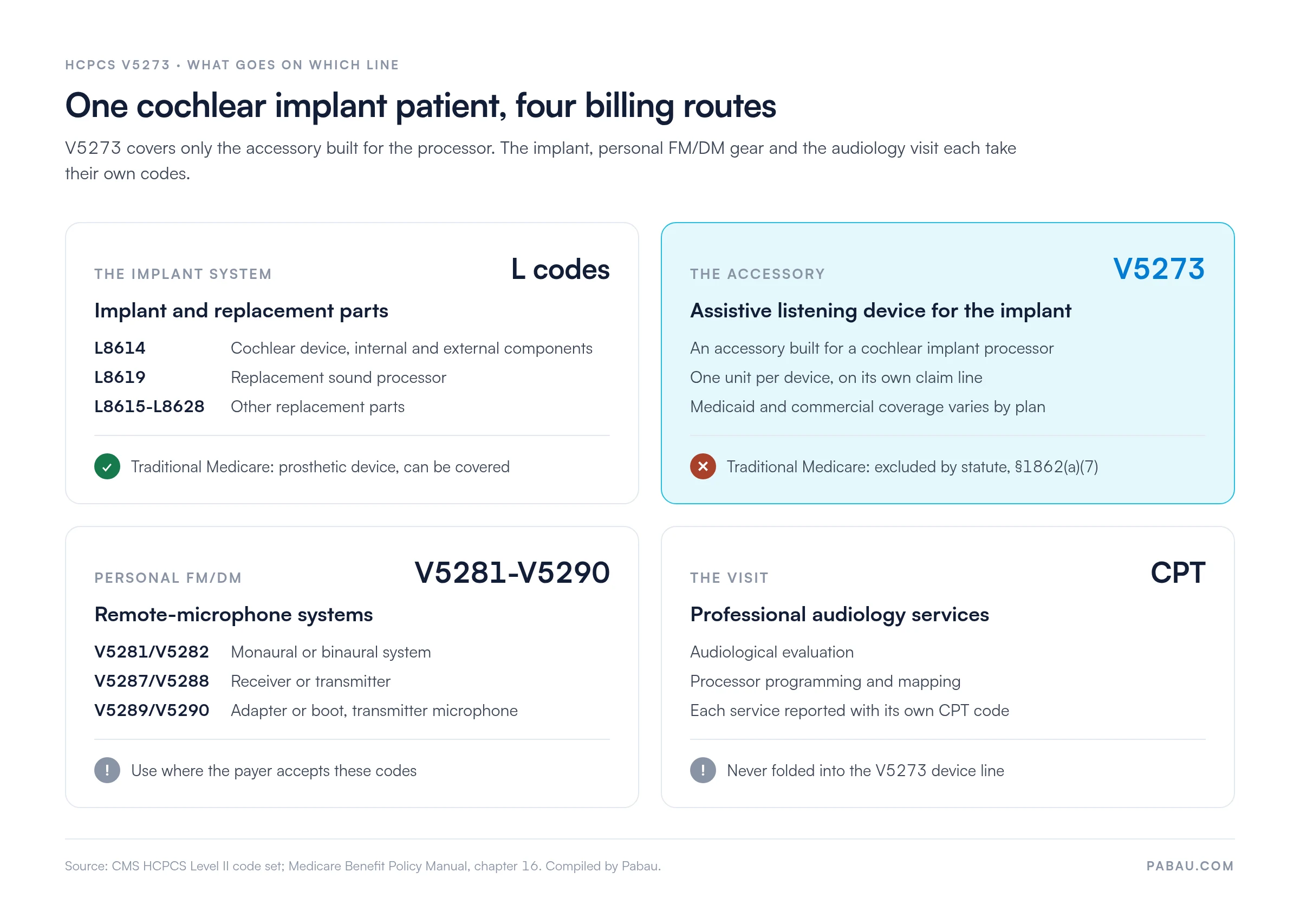
V5273 sits inside a run of assistive listening device codes. Each one names a specific device type, so the device’s job decides the code, not the patient’s hearing technology.
Two mix-ups cause most coding errors here. First, a TV streamer for a cochlear implant user may fit V5273 or V5270, depending on payer policy. Second, V5274 is a fallback, so it should not replace V5273 when a cochlear implant accessory is clearly described.
Record the processor make and model next to the accessory in the fitting note. A payer reviewer can then see the device is built for a cochlear implant, which supports V5273 over V5270 or V5274.
Traditional Medicare does not pay for V5273. Section 1862(a)(7) of the Social Security Act excludes hearing aids. The Medicare Benefit Policy Manual, Chapter 16 tells contractors to deny items associated with them.
Chapter 16 §100 treats cochlear implants and auditory brainstem implants as prosthetic devices, which Medicare can cover. That coverage reaches the implant and its replacement parts, not an assistive listening accessory added to the system. Expect a V5273 claim to Medicare to deny as statutorily non-covered.
Medicaid coverage for V5273 is set state by state. Many programs cover assistive listening devices for children. The Early and Periodic Screening, Diagnostic and Treatment (EPSDT) benefit can also require medically necessary devices for enrollees under 21.
Adult Medicaid coverage is narrower and often needs prior authorization. Some states price the code manually from an invoice instead of a fixed fee. Check the state’s durable medical equipment or hearing services manual before the fitting.
Commercial plans vary just as widely. Some cover cochlear implant accessories under a prosthetic or durable medical equipment benefit, while others exclude assistive listening devices outright. Confirm the benefit category, any dollar cap, and prior authorization rules for this patient’s plan.
No national Medicare allowable applies to V5273, because traditional Medicare does not cover it. Confirm the code’s current status with the CMS fee schedule lookup tool and the AAPC HCPCS code lookup. Then work from each payer’s own rate.
Run an insurance eligibility check before ordering the device. It tells you which rate source applies and whether the patient carries the cost.
Payers that cover V5273 want proof that the patient has a cochlear implant and a listening need the device solves. Keep these items in the chart before the claim goes out.
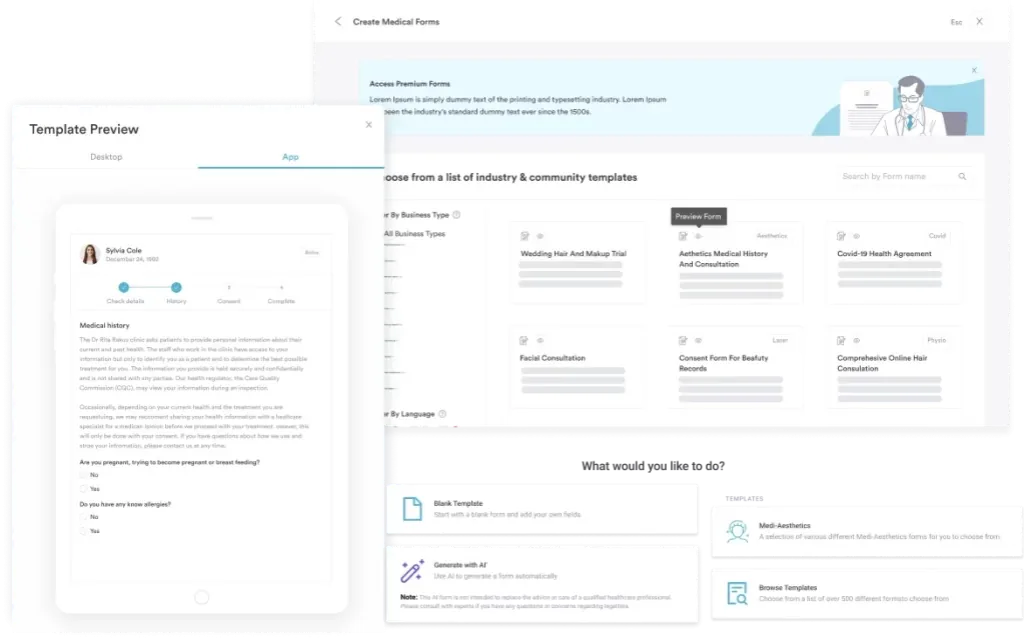
For school-age patients, many Medicaid programs and plans also ask for an educational audiology report. In Pabau, digital forms and patient records keep each of these documents attached to the patient’s file.
The diagnosis should show both the hearing loss and the implant. These pairings appear most often on V5273 claims.
Code to the highest specificity the audiology record supports. Adding Z96.21 next to the hearing loss code shows the payer why a cochlear implant accessory is needed.
V5273 is billed on the CMS-1500 form or its electronic equivalent, the 837P transaction.
Pabau’s error-checking claims management supports 837P claims, eligibility checks and ERA remittances through Claim.MD. Its claim validation checks each claim for missing or invalid details before it leaves Pabau.
Most V5273 denials trace back to coverage, authorization, or code choice. The table below lists the usual causes. Our denial code guide explains each CARC in more depth.
Modifiers tell the payer whether the device is new, a replacement, or knowingly non-covered. A missing or wrong modifier is a common reason for a returned claim.
Modifier rules for V5 codes can change with annual HCPCS updates and state manuals. Check the payer policy and the PGM Billing HCPCS lookup tool before each contract year.
Practices that fit cochlear implant accessories juggle three moving parts. They need the implant record, a payer-specific authorization, and a device order that matches the code. When those live in separate systems, claims go out missing one of them.
Pabau keeps them on one patient record. Eligibility checks run through Claim.MD before the visit, and forms capture implant and device details at the appointment.
Before a claim leaves, claim validation checks it for missing or invalid details. A rejected claim is flagged Needs action, with a link to the field that needs correcting.
The result is fewer returned claims and a shorter wait between fitting and payment.

Pabau helps audiology practices keep implant records, authorizations, and device details in one place, then submit clean claims. See how it works in a demo.

V5273 looks like a hearing aid code, but it describes something narrower: a listening accessory for a cochlear implant user. Traditional Medicare will not pay for it, so the claim’s value depends on Medicaid or a commercial plan.
When the device is a personal FM/DM system, check whether the payer wants V5281-V5290 instead. Get the device, the implant record, and the authorization lined up before ordering, and the code bills cleanly. Book a demo to see how Pabau supports audiology billing from intake to payment.

Billing a caption decoder for a patient with hearing loss? HCPCS code V5271 covers the stand-alone TV caption decoder in the same device range.
Fitting a text telephone instead? HCPCS code V5272 explains how the TDD code is billed and documented.
Dispensing a doorbell or smoke alarm signaler? HCPCS code V5269 covers alerting devices for patients with hearing loss.
Want device claims accepted on the first pass? What is a clean claim in medical billing covers the field-by-field checks that keep HCPCS claims from rejecting.
Reading a denial on your remittance? Understanding electronic remittance advice (ERA) explains how to read the CARC and RARC codes on an 835 file.
HCPCS code V5273 is the Level II code for an assistive listening device for use with a cochlear implant. It sits in the V5268-V5290 assistive listening device range. It covers an accessory built for the implant processor, not the implant, its replacement parts or a personal FM/DM system.
No. V5273 describes an assistive listening device that works with a cochlear implant sound processor. A binaural, body-worn hearing aid is reported with V5120.
Traditional Medicare does not. The hearing aid exclusion in Section 1862(a)(7) of the Social Security Act bars payment, so claims deny as non-covered. Some Medicare Advantage plans offer hearing benefits, so check the plan’s evidence of coverage.
L8619 reports a replacement cochlear implant external speech processor and controller, which Medicare can cover as a prosthetic device. V5273 reports an add-on listening accessory used with that processor, which Medicare excludes.
Keep the implant status and processor model, recent aided test results, and the listening need the device solves. Add the signed order, the device serial numbers, and the fitting and delivery record.
Use GY when billing traditional Medicare, since the item is statutorily excluded. The resulting denial lets a secondary payer such as Medicaid consider the claim.