Health appraisal form
A health appraisal form is a record a licensed provider signs to document someon...

2
Last Updated: Oct 13, 2026

EHR security protects electronic protected health information (ePHI) from unauthorized access, breaches, and cyberattacks that can devastate patient trust and practice finances.
HIPAA mandates three safeguard categories for EHR security: administrative, physical, and technical, enforced by the HHS Office for Civil Rights.
Ransomware and phishing are the two most common attack vectors targeting practice EHR systems, often exploiting weak passwords and untrained staff.
Pabau’s built-in compliance tools, audit logs, and role-based access controls give practice owners a defensible security foundation without needing a dedicated IT team.
According to the National Library of Medicine’s 2022 systematic review, EHR systems have become primary targets for cybercriminals precisely because they concentrate years of sensitive patient information in a single, internet-connected system.
EHR security measures are the technical, administrative, and physical controls that protect electronic health records from unauthorized access, data loss, and cyberattack. Understanding what those measures look like in practice, and where most practices fall short, is the focus of this guide.
We cover the threat landscape, HIPAA obligations, and a practical checklist of security controls your practice can implement today. If you are evaluating your current setup or choosing new software, this will help you ask the right questions. For background on HIPAA compliance for practice software more broadly, our dedicated guide covers the regulatory picture in full.
Most EHR breaches do not start with a sophisticated state-level hack. They start with a staff member clicking the wrong email link or reusing the same password across three different accounts. The HHS Office for Civil Rights consistently reports that insider threats, stolen credentials, and phishing attacks account for the majority of reportable healthcare incidents, not external network breaches alone. That gap between assumption and reality is where most EHR cyber security failures start.
The EHR security concerns your practice faces fall into a handful of recurring categories. Understanding each one is the first step toward addressing it. Our overview of patient data security tools goes into vendor-specific controls, but the threat categories themselves are universal.
In practice, most of these risks start as small shortcuts rather than sophisticated attacks: a front-desk assistant logging into the practitioner’s account because it’s faster mid-appointment, or a departing employee’s login that never gets deactivated. Role-based access and audit logs exist to catch that kind of drift before it turns into a reportable breach.
The cost of getting this wrong is substantial. IBM’s annual Cost of a Data Breach Report consistently ranks healthcare as the sector with the highest average breach cost, exceeding $10 million per incident in recent years. For a small or mid-sized private practice, an EHR security breach can mean OCR fines, patient notification costs, legal fees, and permanent reputational damage, on top of the days a ransomware attack can take a practice offline while staff still need paying and patients still need seeing.
HIPAA is a federal law, and compliance is an ongoing obligation. The HIPAA Security Rule requirements specifically govern how electronic protected health information (ePHI) must be stored, transmitted, and accessed. Understanding the three safeguard categories is essential before evaluating any EHR security setup.
| Safeguard Category | What It Covers | Examples |
|---|---|---|
| Administrative | Policies, procedures, and workforce training | Security officer designation, risk analysis, staff training programs |
| Physical | Physical access to systems that store ePHI | Workstation controls, device disposal policies, server room access |
| Technical | Technology controls protecting ePHI | Access controls, encryption, audit logs, automatic logoff |
The AMA Journal of Ethics notes that the HIPAA Security Rule requires organizations to maintain audit trails documenting all system activity in records containing ePHI. Additionally, the HITECH Act of 2009 extended HIPAA’s reach to require active monitoring for breaches from both internal and external sources, not just passive logging.
One practical implication of HIPAA’s administrative safeguard requirement: you need a designated Security Officer, even in a small practice. This does not have to be a full-time IT specialist. It can be a senior clinician or practice manager who owns the security policy, coordinates training, and manages your annual risk assessment. Your EHR policy and procedures should spell out who holds that role, how access requests get approved, and how often the risk assessment repeats.
Many practices treat data protection best practices as a one-time setup task rather than an ongoing responsibility. That misunderstanding is itself a compliance risk. EHR security compliance only holds up if someone revisits it on a schedule, not just when a new hire joins or an inspector calls.

From role-based access controls and audit logs to HIPAA-aligned workflows, Pabau gives practice owners a defensible security foundation built into their practice management platform.

Most EHR security failures are preventable. The controls below address the specific vulnerabilities that appear repeatedly in breach reports and OCR enforcement actions. None of them require a dedicated IT department. They do require consistent implementation and regular review.
Every staff member should have their own EHR login with credentials tied to their specific role. Role-based access control (RBAC) limits what each user can see and do based on their job function. A receptionist should not have access to clinical notes. A clinician should not have access to billing administration functions they do not use. This is not just good security hygiene; it is an explicit HIPAA technical safeguard requirement.
Sensitive data goes beyond diagnoses, too. Cognitive assessment results, like MoCA scoring outcomes, warrant the same role-based restrictions as any other part of the record.
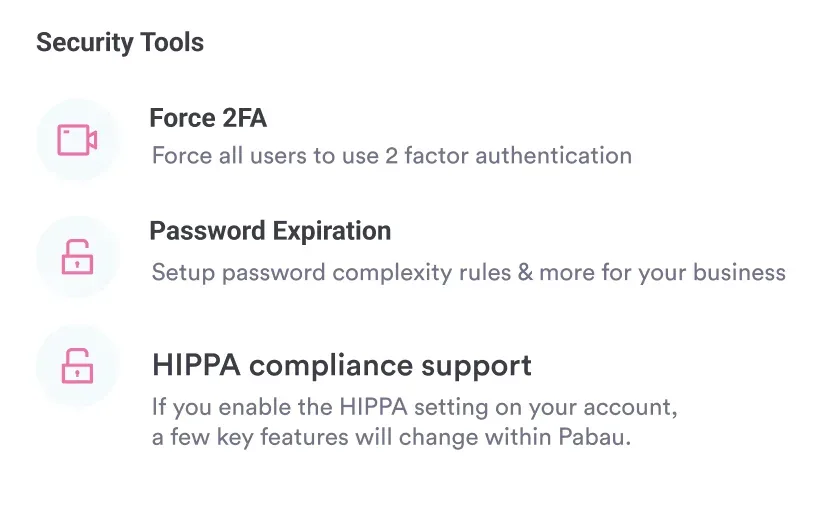
Multi-factor authentication (MFA) should be mandatory for all EHR logins, particularly for remote access. Password-only authentication is no longer adequate given the volume and sophistication of credential-stuffing attacks targeting healthcare. Pabau’s client records module enforces role-level access permissions so clinical data is only visible to users who genuinely need it.
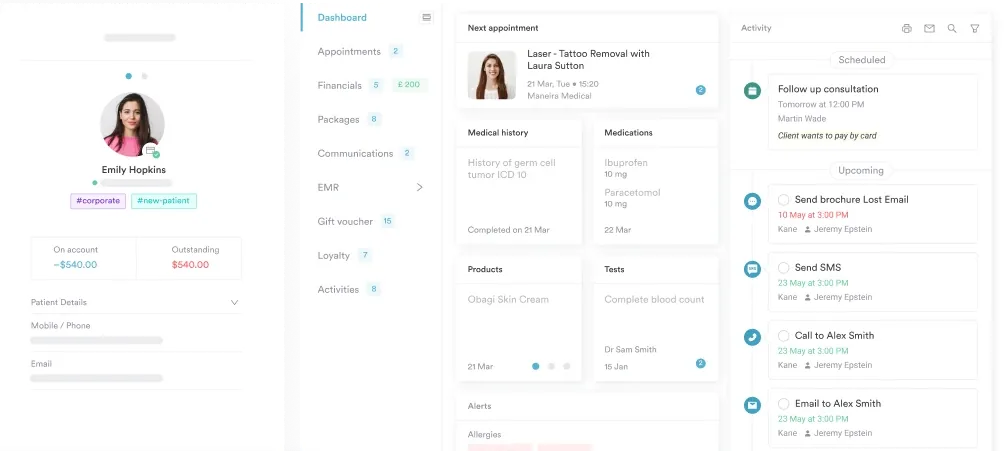
Every action taken in your EHR system should be logged: who viewed a record, who printed it, who modified a note, and when. In plain terms, that is what an audit log means in practice: a timestamped trail of exactly who touched a record and what they did with it. The AMA Journal of Ethics is clear that audit trails do not prevent unauthorized access but act as a strong deterrent and provide the forensic evidence needed to investigate incidents after they occur. Without them, you cannot prove compliance and cannot reconstruct what happened in a breach.
Regular audit log reviews should be built into your security officer’s monthly responsibilities. Look for unusual access patterns: records viewed outside normal hours, a single user accessing a high volume of records in a short period, or records accessed by staff with no clinical relationship to that patient.
Pabau’s compliance management tools provide visibility into system activity across your entire practice, making those reviews practical rather than theoretical.
Encryption protects data even if an attacker gains access to the storage medium or intercepts data in transit. Your EHR vendor should encrypt patient data both at rest (stored on servers) and in transit (moving between your browser and their servers).
Ask your vendor explicitly whether encryption is applied to both states, and request documentation. For a paperless and HIPAA-compliant practice, this is a non-negotiable infrastructure requirement. Email containing patient data needs both kinds of encryption too, and HIPAA compliant email also requires a signed Business Associate Agreement with the provider.
Security technology is only as effective as the people operating it. Phishing simulations, regular password hygiene reminders, and clear protocols for reporting suspicious activity are all part of HIPAA’s administrative safeguard requirements. That is the job EHR security training does: turning a written policy into habits your team actually follows.
Training should not be a one-time onboarding event. It should repeat annually at minimum, with additional sessions triggered by any near-miss incident. Your med spa compliance calendar should include security training alongside your HIPAA review cycles. Bloodborne pathogen training runs on the same annual cycle, and a practice OSHA handbook sets out that schedule.
Run a phishing simulation on your team once per quarter. Several free and low-cost tools (KnowBe4, Proofpoint Essentials) allow you to send realistic fake phishing emails and track who clicks. The click-through rate tells you exactly where your security training gaps are, faster and more reliably than any audit report.
The shift to cloud-hosted EHR systems has changed the security equation considerably. Cloud-based EHR security is often stronger than on-premise alternatives for small and mid-sized practices, for a straightforward reason: reputable cloud vendors employ dedicated security teams, maintain redundant data centers with 24/7 monitoring, and push security patches automatically.
A three-room aesthetic practice running a locally hosted EHR on a Windows server in the back office is objectively at higher risk than one using a well-resourced cloud platform.
That said, cloud hosting transfers some but not all security responsibility to the vendor. The shared responsibility model means your practice still owns administrative safeguards, user access management, and endpoint security (the devices staff use to access the EHR).
When evaluating any cloud EHR for security, use these questions to test the vendor’s EHR security standards before signing a contract.
Third-party integrations deserve special scrutiny. Every integration your EHR has with a payment processor, telehealth platform, or lab system is a potential entry point for attackers. Evaluate each integration partner’s security posture separately.
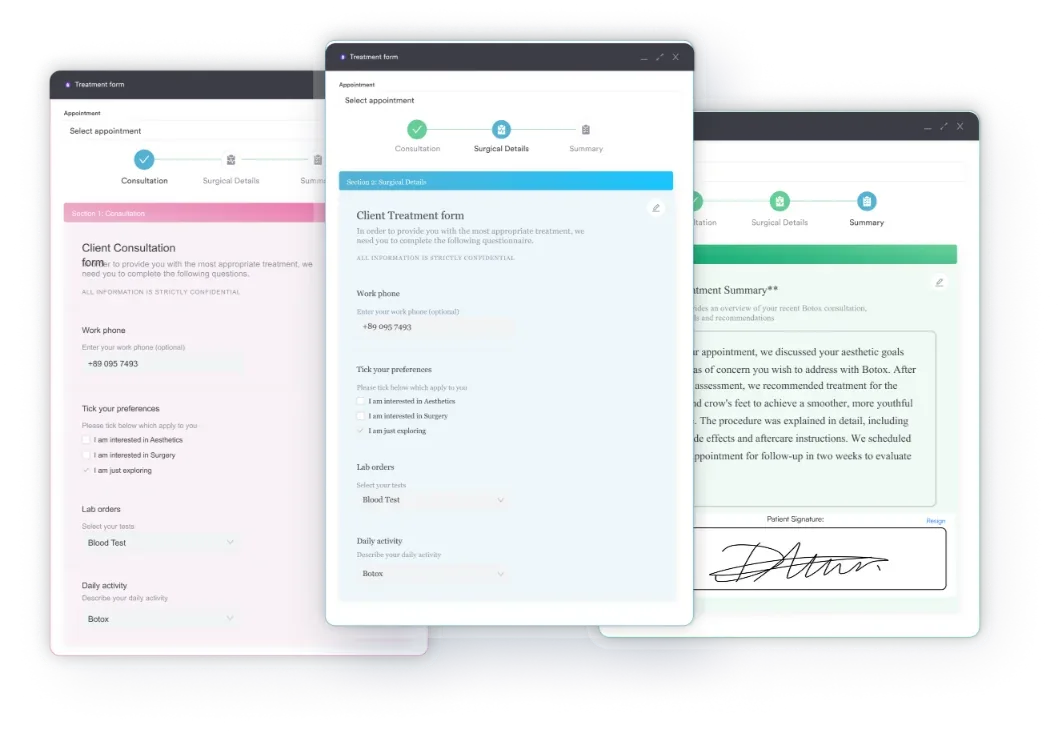
Pabau’s digital intake forms are built within the platform’s security boundary rather than relying on external form tools that may not meet the same standards, reducing the integration attack surface for common patient-facing workflows. For further reading on how the ONC frames privacy and security for EHR users, their guidance covers both patient-facing and provider-facing considerations.
For practices evaluating whether their current EHR platform is pulling its weight on security, Pabau’s approach is worth understanding in concrete terms. The platform is built for aesthetic, wellness, and private medical practices that handle sensitive patient data but typically lack dedicated IT support.
Role-based permissions mean each team member accesses only the data their role requires. Audit trails log all record interactions so practice owners can review access patterns without requesting reports from a third party. Digital consent forms and clinical notes are stored within Pabau’s secure environment rather than scattered across email threads or paper files.
Pabau’s security infrastructure page outlines the specific technical controls and certifications the platform maintains.
No software platform makes a practice fully compliant on its own. HIPAA compliance requires the right policies, the right training, and the right technology working together.
What Pabau does is remove the technology gap so practice owners can focus their compliance energy where it belongs: on the administrative and physical safeguards that software cannot handle for them. Book a demo to see how the platform’s security features map to your specific practice setup.

Need a policy covering patient rights? Client rights policy template covers confidentiality, informed consent, refusing treatment, and records access in one policy.
Documenting informed consent before treatment? Consent for medical treatment template covers risks, benefits, contraindication screening, and signature blocks for clinicians and guardians.
EHR security is not a technology problem that your software vendor solves on your behalf. It is an operational discipline that touches your people, your processes, and your platform simultaneously. The practices that get breached are rarely the ones that ignored security entirely; they are the ones that put the right tools in place but skipped the training, the access reviews, or the vendor due diligence.
Pabau’s built-in audit logs, role-based permissions, and compliance workflows give private practices the technical foundation HIPAA requires. The administrative and physical safeguards still depend on you.
Start with a risk assessment, designate a security officer, and review your access controls against your current team structure. If you want to see how Pabau handles the technology side, explore Pabau’s security infrastructure and request a walkthrough with your demo.
EHR security is the combination of technical, administrative, and physical safeguards that protect electronic health records from unauthorized access, data breaches, and cyberattacks. It matters because patient health data is among the most sensitive and valuable data a practice holds, and a breach triggers HIPAA penalties, mandatory patient notification, and lasting reputational damage.
The most common EHR security risks are phishing attacks that steal staff credentials, ransomware that encrypts and holds patient data hostage, insider threats from authorized users accessing records without clinical need, weak or shared passwords, unpatched EHR software, and third-party integration vulnerabilities from connected payment or telehealth tools.
EHR privacy refers to patients’ rights to control who can access and use their health information, governed primarily by the HIPAA Privacy Rule. EHR security refers to the technical and operational safeguards that physically protect that information from unauthorized access or loss, governed by the HIPAA Security Rule. Privacy defines the rules; security enforces them.
Cloud-based EHR systems from reputable vendors are typically more secure than locally hosted alternatives for small practices, because cloud vendors employ dedicated security teams, automate patching, and maintain redundant data centers. Security responsibility is shared: the vendor protects infrastructure, while the practice remains responsible for user access management, staff training, and endpoint security on devices used to access the EHR.
HIPAA does not mandate a specific encryption algorithm. It requires that covered entities implement a mechanism to encrypt ePHI when deemed appropriate, following an addressable implementation standard. In practice, industry best practice is encryption of data both at rest and in transit, and most reputable EHR vendors implement current encryption standards to satisfy this requirement and their own security certifications.
No single EHR brand owns the security conversation. What matters is whether a vendor can show SOC 2 Type II or ISO 27001 certification, sign a Business Associate Agreement, and give you access to your own audit logs rather than just its own. Practice management platforms built for regulated healthcare data, like Pabau, are held to those same standards by default rather than as a paid add-on.