Medicare charting cheat sheet
A Medicare charting cheat sheet is a one-page reference that lists what Medicare...

6
Last Updated: Oct 21, 2026

Tebra vs DrChrono: Tebra suits independent primary care practices wanting one unified platform; DrChrono fits multi-specialty practices needing deep billing control and a strong iOS app.
Billing depth matters: DrChrono offers granular claim management with automated coding from clinical notes; Tebra automates billing but has a steeper insurance enrollment setup.
Neither platform is built for aesthetic or wellness clinics: practices offering injectables, packages, or private-pay services will find both platforms a poor fit.
Pabau offers a third path: all-in-one clinic software for aesthetic, wellness, and multi-specialty practices, rated 4.7/5 on Capterra from 600+ verified reviews.
Choosing between Tebra and DrChrono is one of the more consequential decisions an independent practice owner makes. Both platforms promise to consolidate scheduling, clinical documentation, and medical billing into a single system. But they take fundamentally different approaches, and picking the wrong one costs months of disruption and thousands in implementation time. This guide covers the Tebra vs DrChrono comparison across EHR capabilities, billing depth, pricing, ease of use, and support quality so you can make a clear-eyed decision.
The Tebra vs DrChrono decision also depends heavily on your practice model. Independent primary care, family medicine, and pediatric practices face different demands than multi-specialty groups or chiropractors. And if your clinic offers aesthetic treatments, wellness services, or private-pay packages alongside traditional care, neither platform may be the right answer at all.
Here is how the two platforms stack up at a glance. Whether you are comparing it as Tebra vs DrChrono or DrChrono vs Tebra, the same trade-offs decide it, and we go deeper into each category below.
Clinical documentation is where the two platforms diverge most clearly. DrChrono is built for customization: practices can build specialty-specific templates from scratch, down to orthopedic exams like the Thessaly test, and the mobile experience on iPad is notably polished. Charge capture happens automatically as clinicians complete notes, which cuts the manual handoff between documentation and billing. According to G2 reviewers, DrChrono’s clean interface and flexible templates are among its most praised features, particularly for multi-specialty groups handling diverse patient populations. If DrChrono is your frontrunner, it also helps to compare DrChrono and Practice Fusion before committing.
Tebra’s documentation tools are designed for speed in straightforward encounters. Independent physicians in primary care and family medicine tend to value how quickly notes can be completed without navigating deep customization menus. The trade-off is less flexibility for practices with complex specialty documentation needs. Tebra’s strength here comes partly from its PatientPop heritage: the platform manages the front-end patient intake experience well, with digital intake forms and streamlined pre-visit workflows that reduce administrative back-and-forth.

Both platforms support ePrescribing, including EPCS (Electronic Prescribing for Controlled Substances), though actual capabilities should be verified with each vendor for your specific state requirements. Both also handle interoperability through lab integrations and open APIs, so results and outside systems feed into the patient record instead of sitting in a separate inbox. DrChrono’s categorization on G2 spans mental health, physical therapy, and chiropractic, which reflects its broader specialty template library compared to Tebra’s primary care focus.
For most independent practices, billing is where platform selection gets decided. Both platforms offer full revenue cycle management, but the implementation experience and depth differ considerably.
DrChrono provides granular billing control. Automated coding suggestions pull directly from completed clinical notes, meaning documentation and charge capture happen in a single workflow rather than two separate steps. Batch claim submission, automated error checks, and denial management tools give billing staff visibility into unresolved claims without leaving the platform. According to Capterra reviewers, DrChrono’s reporting depth is a genuine strength, though reviewers also note that customer support quality can be inconsistent when billing issues escalate.
Tebra came together through the merger of Kareo (billing-focused) and PatientPop (patient engagement-focused), and the platform reflects that combined heritage. The billing module handles insurance enrollment, claims, and ERA posting. However, multiple sources indicate the initial insurance setup and billing configuration carries a steeper learning curve than the overall platform suggests. Practices that have previously run billing manually or on simple tools may find the onboarding more demanding than expected. Managing claims management workflows across payers requires careful setup before the automation pays off.
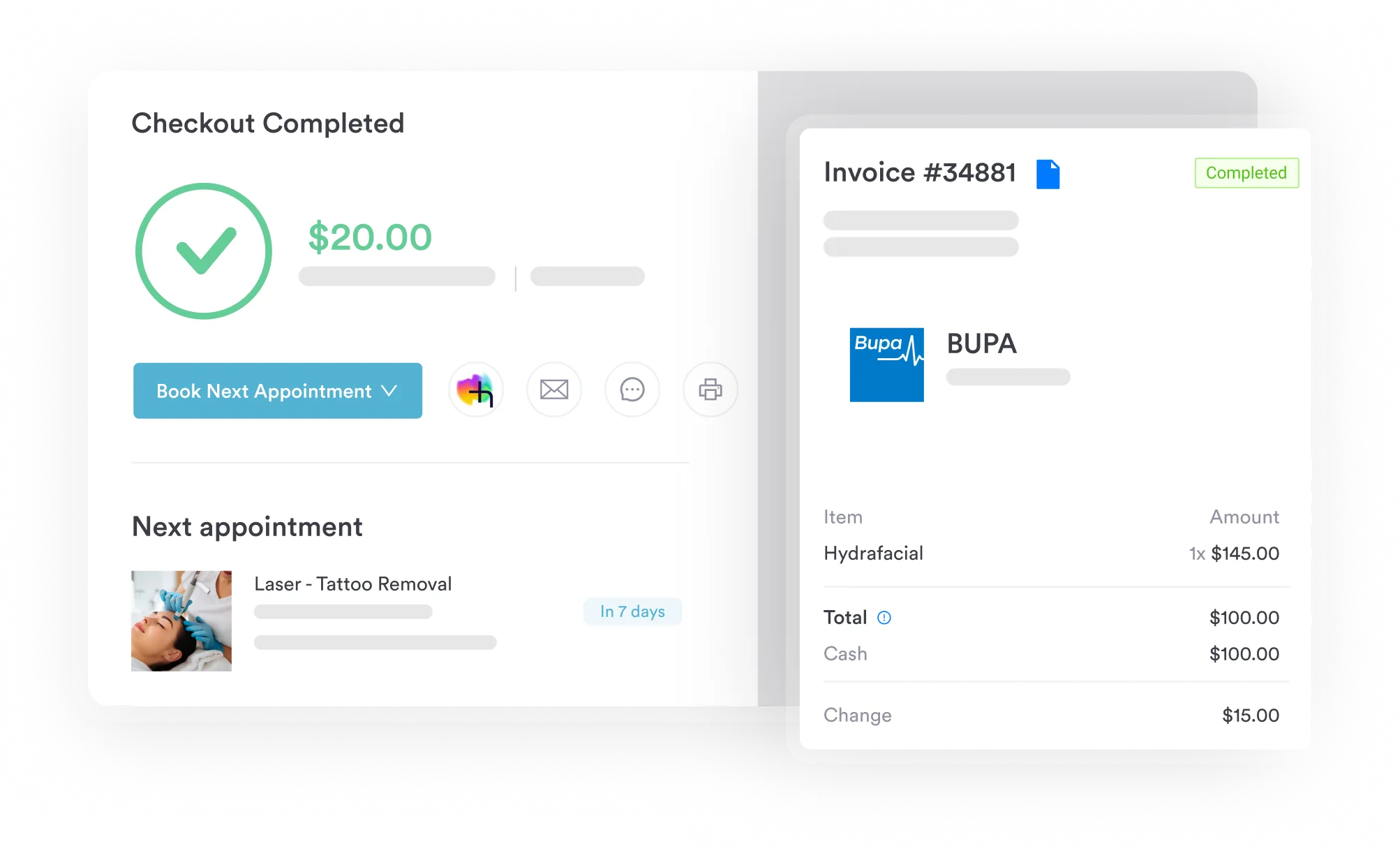
Tebra also offers a managed billing service for practices that want to outsource RCM entirely, which is a meaningful option for small practices without dedicated billing staff.
Patient scheduling and engagement is where Tebra holds a structural advantage. The PatientPop merger gave Tebra a mature online presence management layer: practices get tools for managing their Google Business Profile, collecting reviews, and running basic patient marketing campaigns alongside appointment scheduling. For independent practices trying to grow their patient panel without a dedicated marketing team, these tools have real value.
DrChrono handles scheduling competently but without the same marketing overlay. Appointment booking works across web and mobile, patient intake forms are digital, and reminders can be configured. Where DrChrono pulls ahead is in the mobile scheduling experience: the native iOS app is genuinely strong, letting clinicians view schedules, update appointments, and access patient charts from an iPhone or iPad without meaningful feature loss. For practices with physicians who move between locations or prefer not to sit at a desktop, this matters.
Neither platform provides the kind of client journey tools designed for aesthetic medicine: package management, membership enrollment, treatment-specific recall workflows, or the before-and-after photo documentation that aesthetic clinics require. Practices looking for automated appointment workflows that extend beyond standard scheduling reminders will find both platforms limited in this regard.
Neither Tebra nor DrChrono publishes transparent pricing on their websites. Both platforms use a custom quoting model where price depends on practice size, number of providers, and the specific modules or RCM services selected. This makes direct comparison difficult without going through a sales process with each vendor.
What is known from the market: DrChrono pricing is typically bundled with billing and RCM services, meaning the total cost often depends on claim volume and percentage-of-collections arrangements. Practices with high-volume billing may find the percentage model adds up quickly. Tebra follows a similar structure, with add-on costs for managed billing services on top of the base platform fee.
Practices should ask vendors for an all-in total cost of ownership including setup fees, training costs, and any per-claim or percentage-of-collections charges before signing.
User experience ratings tell a nuanced story. Based on Capterra reviews, Tebra holds a 4.0 out of 5 rating; DrChrono sits at 3.9 out of 5. G2 reviewers, on the other hand, rated Tebra 3.7 and DrChrono 3.6. Neither platform earns the kind of scores that signal a clearly polished user experience.
Tebra reviews frequently highlight the unified nature of the platform as a genuine strength: one login, one dashboard, one place for scheduling and billing and patient communication. The friction tends to come during initial setup, particularly around billing configuration and insurance enrollment. Once the system is configured, day-to-day use gets more straightforward.
DrChrono reviews note the clean interface and flexible templates positively. The main criticisms cluster around customer support responsiveness and reporting limitations. Practices that need detailed financial reporting across multiple providers tend to hit the ceiling of DrChrono’s analytics relatively quickly.
On customer support, both platforms have received criticism for inconsistent response times. Neither consistently stands out as a support leader in independent review data.
Before committing to either platform, request a structured onboarding walkthrough that includes a billing configuration demo with your specific payer mix. The billing setup phase is where both Tebra and DrChrono implementations most often run into trouble. Seeing it demonstrated with real payer scenarios (not a generic demo) will tell you more than any feature list.

Pabau is built for aesthetic, wellness, and multi-specialty clinics that want clean workflows without the complexity of traditional medical billing platforms. Book a demo to see how it compares.

If your practice sits outside the traditional insurance-heavy primary care or multi-specialty medical model, the Tebra vs DrChrono comparison may leave you in an uncomfortable position: both platforms are solid for what they were built for, but neither was built for aesthetic medicine, wellness clinics, medspas, or private-pay practices that operate more like consumer health businesses than traditional physician offices.
Practice management software like Pabau is built specifically for that gap. It handles scheduling, clinical documentation, invoicing, online booking, before-and-after photo management, consent forms, memberships, treatment packages, and patient recall workflows in one platform. There are no per-claim fees to budget around, no percentage-of-collections billing arrangements, and no need to bolt on a separate patient marketing tool to manage your online presence. The pricing model is transparent subscription-based, starting from $65/month, rather than custom quotes tied to billing volume.
Pabau holds a 4.7/5 on Capterra rating from over 600 verified reviews. It supports aesthetic and wellness clinic software needs across medspas, cosmetic clinics, dermatology practices, functional medicine, and multi-specialty clinics that offer a mix of insurance and private-pay services. For a direct view of how Pabau compares to Tebra specifically, see the Pabau vs Tebra comparison.
If you are evaluating platforms primarily because your current system creates documentation drag or makes billing feel manual, the root problem is often workflow fragmentation rather than missing features. Ask any vendor you demo to walk you through a complete patient journey: booking, intake form, clinical note, charge capture, invoice, and patient follow-up. If any of those steps require switching tools or manual data transfer, the fragmentation problem has not been solved.
The Tebra vs DrChrono comparison comes down to practice type and billing philosophy. DrChrono is the stronger choice for multi-specialty practices that need deep billing control, automated charge capture from clinical notes, and a polished iOS experience for mobile clinicians. Tebra fits independent primary care practices better, particularly those that want patient engagement and online presence management alongside scheduling and RCM in a single system.
Neither platform was designed for aesthetic medicine, wellness, or private-pay clinic models. If your practice runs packages, memberships, treatment-specific recalls, or relies on private-pay rather than insurance billing, Pabau covers that ground more completely. See for yourself by booking a demo at pabau.com/book-demo.

Wondering how much Nextech costs? Nextech pricing guide breaks down what dermatology, ophthalmology, and plastic surgery practices pay for Nextech’s combined EHR and practice management platform.
Curious how Pabau compares to Acuity? Pabau vs Acuity Scheduling compares Pabau’s clinical documentation and compliance tools with Acuity Scheduling’s appointment booking focus.
Choosing between Pabau and Aesthetic Record? Pabau vs Aesthetic Record compares how the two platforms differ on practice management, compliance, and scalability for aesthetic clinics.
Tebra is an all-in-one platform for independent primary care practices that combines scheduling, billing, and patient engagement tools inherited from the Kareo and PatientPop merger. DrChrono is a more customizable EHR and practice management system built for multi-specialty practices, with a strong native iOS app and automated charge capture from clinical notes. The core difference is focus: Tebra simplifies operations for small independent practices; DrChrono offers deeper specialty customization and billing control.
For most independent primary care, family medicine, and pediatric practices, Tebra is a better fit because its unified scheduling-to-billing model requires less technical setup than DrChrono’s more granular configuration. DrChrono is better suited to multi-specialty groups or practices where mobile charting on iOS is a priority. Neither is clearly better overall; the right choice depends on specialty mix, billing complexity, and whether mobile access is critical.
DrChrono’s billing is more granular, with automated coding suggestions from clinical notes, batch claim submission, and active denial management tools. Tebra automates billing and offers a managed RCM service for practices that want to outsource revenue cycle management entirely. Both require custom pricing discussions; neither publishes a transparent fee schedule. Tebra’s initial billing configuration is reported as more complex to set up despite the platform’s general ease-of-use positioning.
Neither vendor publishes rates. Both use custom quotes tied to practice size, provider count, and the modules or RCM services you select, so you have to go through a sales process to get a number. DrChrono’s cost is often bundled with billing tied to claim volume, and Tebra charges extra for managed billing on top of the base fee, which makes total cost of ownership hard to predict as you grow. Practice management software like Pabau takes the opposite approach with transparent subscription pricing from $104 per month and no per-claim fees.
Pabau is a strong alternative for aesthetic clinics, medspas, wellness practices, and multi-specialty clinics that operate on private-pay or hybrid billing models. It combines scheduling, clinical documentation, online booking, invoicing, memberships, and patient engagement tools without per-claim fees or percentage-of-collections pricing. Pabau is rated 4.7/5 on Capterra from over 600 verified reviews and starts from $104 per month.
Implementation friction for both platforms clusters around the same phase: billing configuration and payer enrollment. Practices should budget real time for insurance enrollment, template setup, and staff training before go-live, and confirm upfront what data migration is included versus billed as a separate service. Practice management software like Pabau addresses this with structured onboarding and a dedicated client coordinator for every new account, rather than leaving practices to configure billing and migrate records alone.