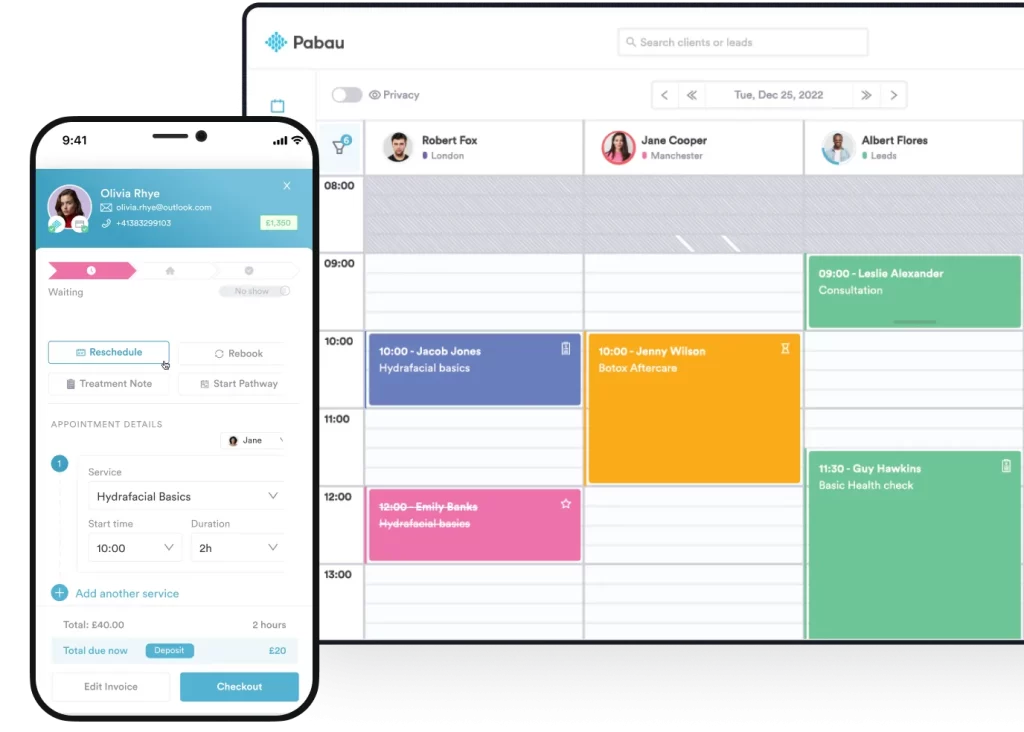
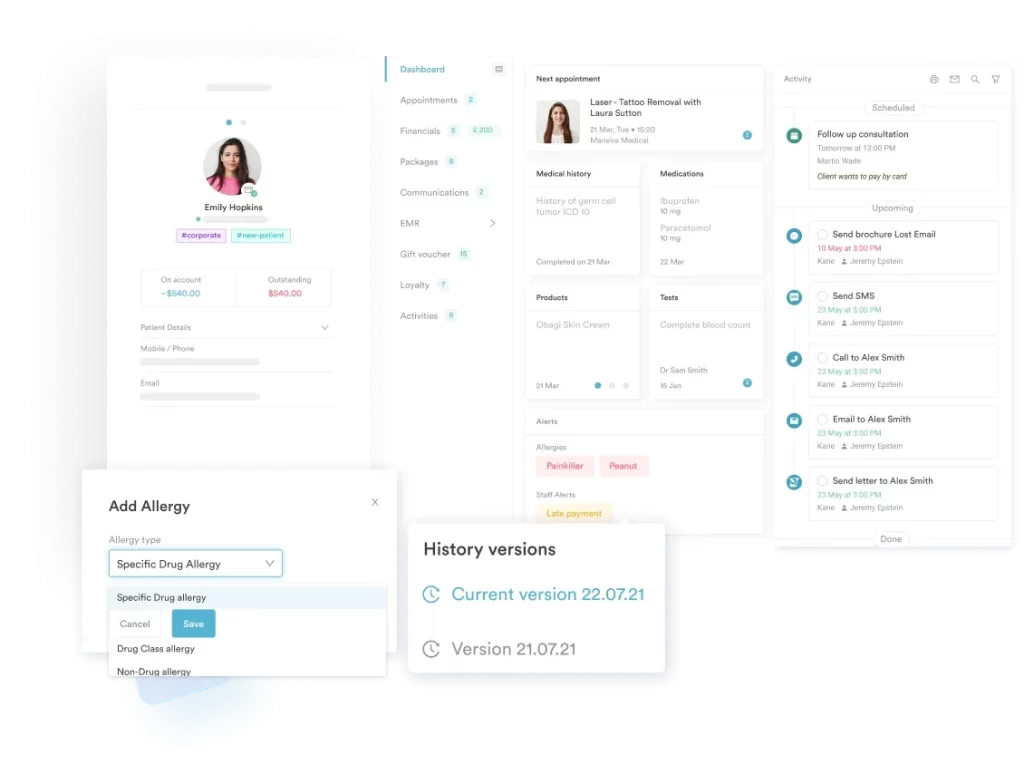
Pabau is the best alternative for growing medical and aesthetic clinics. It combines scheduling, EMR, POS integration, automation, and compliance in a single platform, ideal for multi-location and high-volume practices.
Cal.com is a highly customizable, open-source solution. Tech-savvy users and developers can benefit from full self-hosting, API integration, and unlimited event types, though setup may be complex for non-technical teams.
BookSteam is strong for class and workshop scheduling—ideal for fitness, wellness, and professional consultants. BookSteam reduces no-shows with automated reminders and supports group sessions, though it lacks deep integrations with major CRMs.
If you’re searching for the best Acuity Scheduling alternatives, you likely need more flexibility, automation, or clinic management features.
In this guide, we’ll compare features, pricing, pros, cons, and real user feedback of the best scheduling software alternatives so you can confidently choose the right one for your practice.
Compare 7 best Acuity Scheduling alternatives and competitors: At a glance
| Name | Best For | Standout Feature | Price Starting Point | Overall Ratings (Capterra) |
| Pabau | Growing clinics and multi-location practices | All-in-one platform with EMR, scheduling, POS integration, automation, and compliance | $69/mo | 4.7 |
| Cal.com | Tech-savvy users and developers | Fully customizable, open-source, self-hosting option | Free (Individuals), $15/mo/user (Teams) | 4.8 |
| YouCanBookMe | Small businesses, freelancers, educators | Personalized booking pages, flexible appointment types, virtual meeting links | $0 (Free), $7.20/mo (Individual) | 4.6 |
| Bookedin | Solo and small-team service providers | Rich client profiles, timezone conversion, client blocking | $0 (Free), $19/mo (Plus) | 4.6 |
| BookSteam | Fitness & wellness studios, medical consultants | Strong group/class management, intuitive UX, reduced no-shows | $19.95/mo (Solo) | 4.7 |
| TidyCal | Small teams, startups, solopreneurs | One-time lifetime payment, quick setup, minimalist interface | $0 (Free), $29 (Individual) | 4.7 |
| Picktime | Medical/wellness clinics, fitness businesses | Room & resource booking, automated reminders, all-in-one CRM | $0 (Free), $4/user/mo (Starter) | 4.8 |
Pabau: Best for growing clinics that need an all-in-one solution
Unlike scheduling-first tools, Pabau is a complete clinic management platform built for healthcare, medical aesthetics, and multi-location practices.
While tools like Acuity Scheduling are designed primarily to make booking appointments simple and convenient, Pabau combines appointment management with a fully integrated EMR (electronic medical records), plus:
- Advanced automation workflows
- Invoicing and payment processing
- Memberships and package tracking
- Detailed reporting and
- Built-in compliance tools tailored to regulated healthcare environments
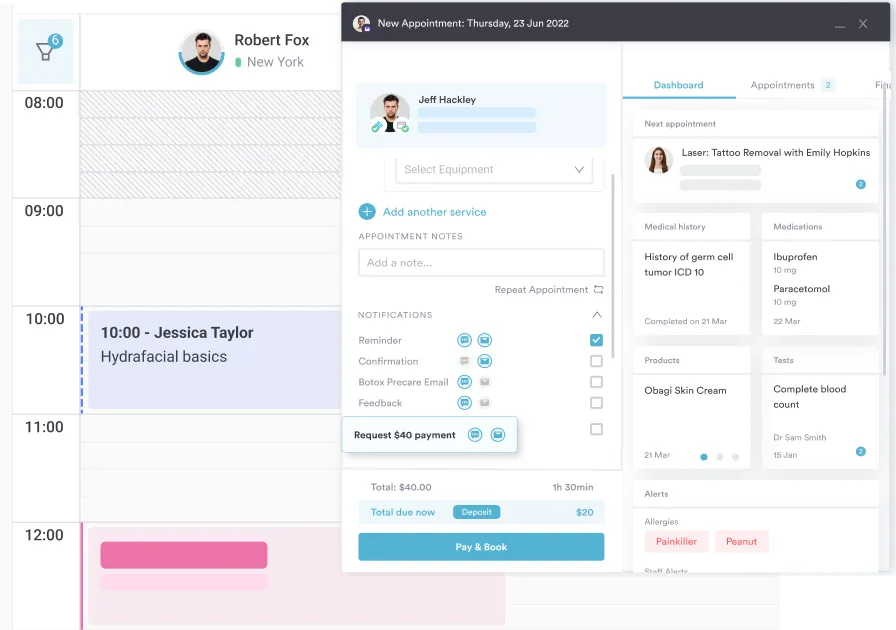
With Pabau, clinics can manage the entire patient journey in one system—from online booking and digital forms to treatment notes, follow-ups, recalls, marketing tools, and financial tracking.
In short, Pabau is ideal when you’ve outgrown “simple” and need scalable systems.
Key features
Pabau offers a comprehensive suite of features designed specifically for healthcare and medical aesthetics practices.
It streamlines the entire patient journey while giving clinics the tools they need to scale efficiently and stay compliant.
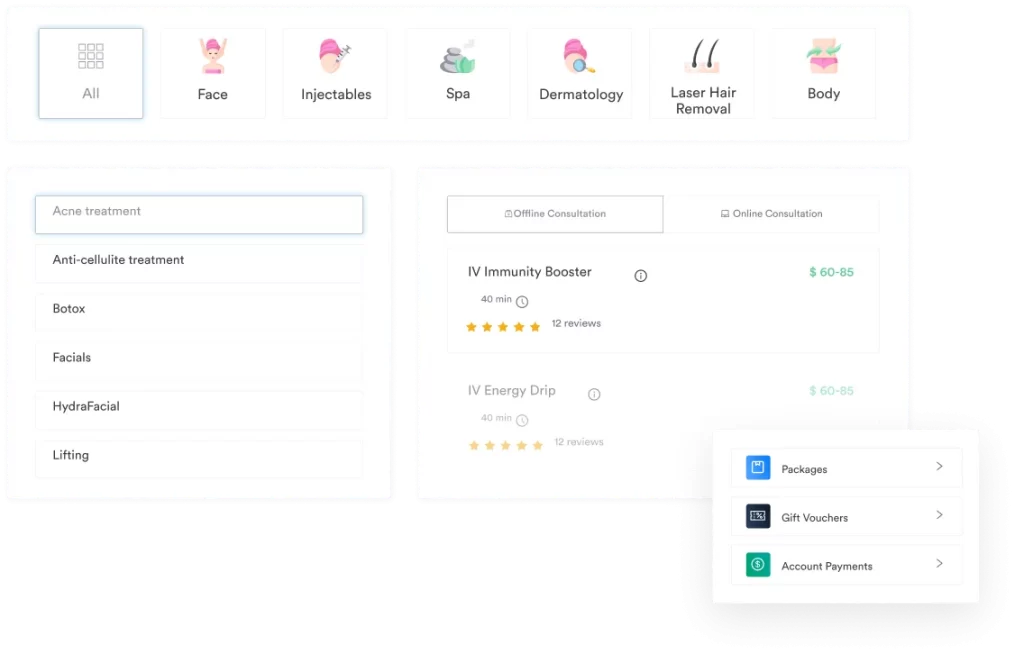
- Online booking + full patient records
With Pabau, every online booking automatically links to a centralized patient profile, seamlessly connecting scheduling automation with clinical documentation.
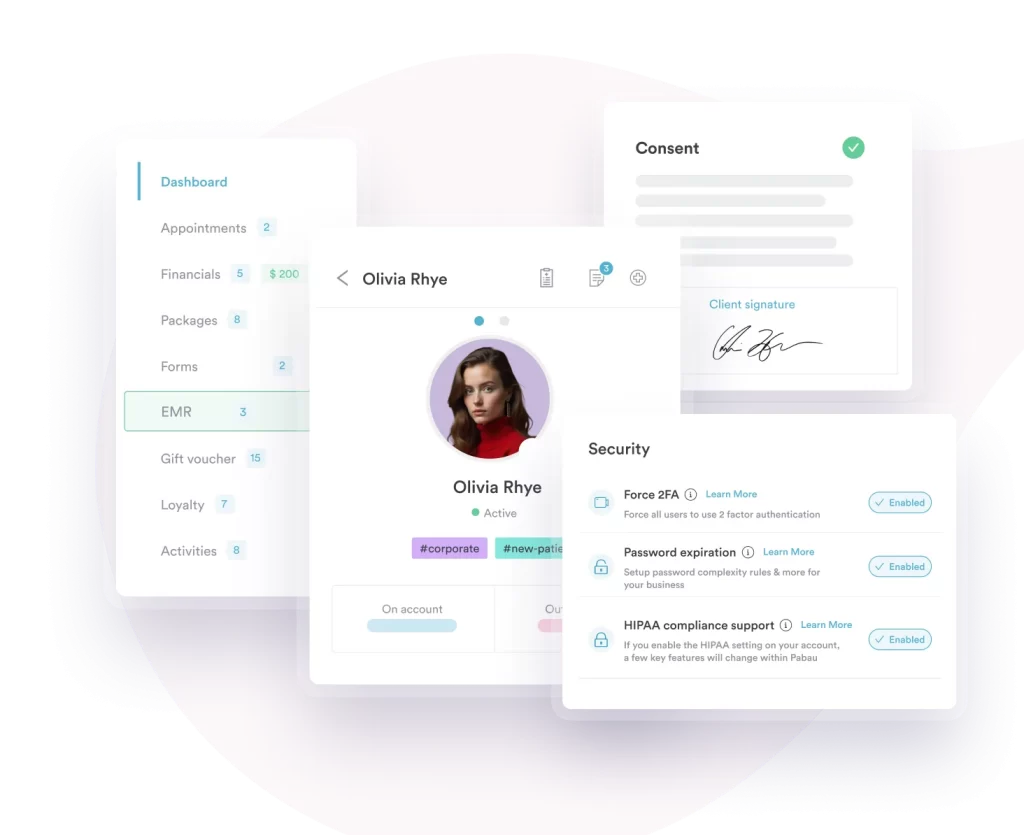
Each client record securely stores treatment history, consultation notes, consent forms, medical questionnaires, invoices, client communications, and before-and-after photos—all in one place—building a complete, compliant medical record with every appointment.
- Built-in clinic management tools
With Pabau, everything your clinic needs to run smoothly lives under one roof. From invoicing and payment processing to managing memberships, packages, and recurring plans, Pabau keeps all operations connected so you don’t have to switch between multiple tools.
It also gives owners and practice managers full visibility with detailed reporting on revenue, treatments, and staff performance. By centralizing these day-to-day tasks, Pabau helps your clinic save time, reduce errors, and focus on care and growth.
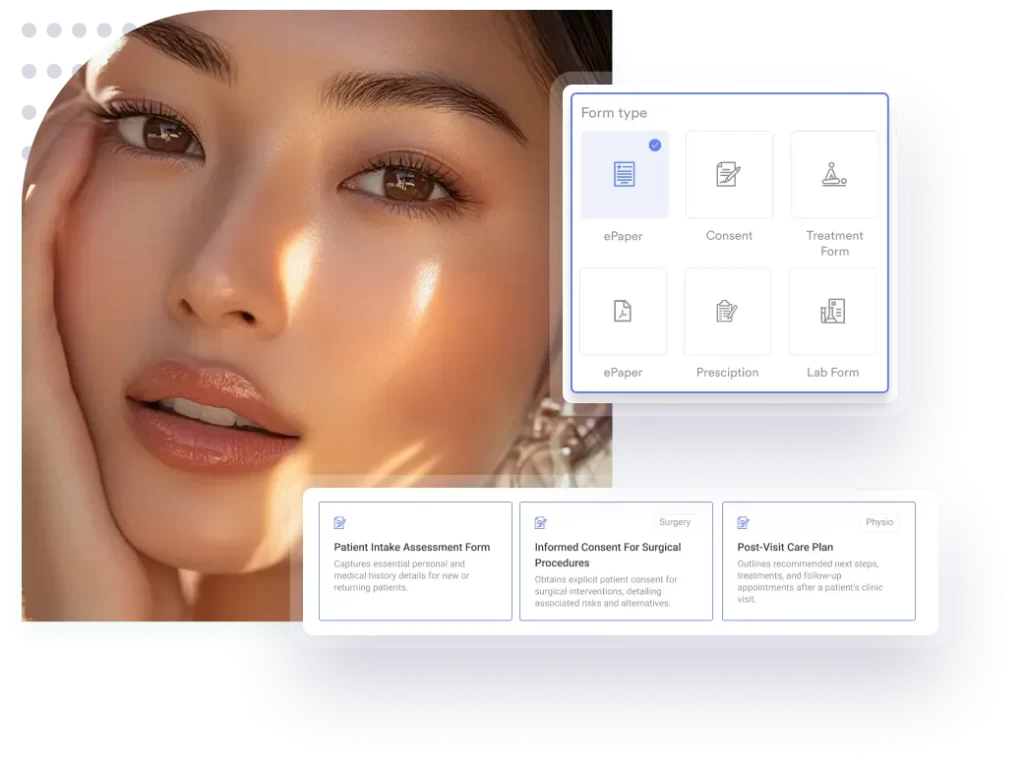
- Smart forms, consents, and paperless intake
With customizable online forms, automated consent tracking, and pre-visit paperwork, you can collect all necessary information before a patient even steps through your door.
Every form, signature, and consent is stored securely in Pabau’s patient profile, creating a complete audit trail that meets regulatory requirements.
Pabau also supports HIPAA-compliant workflows, so your data stays secure and your practice stays protected. For clinics looking to fully ditch paper, this system streamlines intake, improves patient experience, and gives your team instant access to everything they need.
- Automation for follow-ups and retention
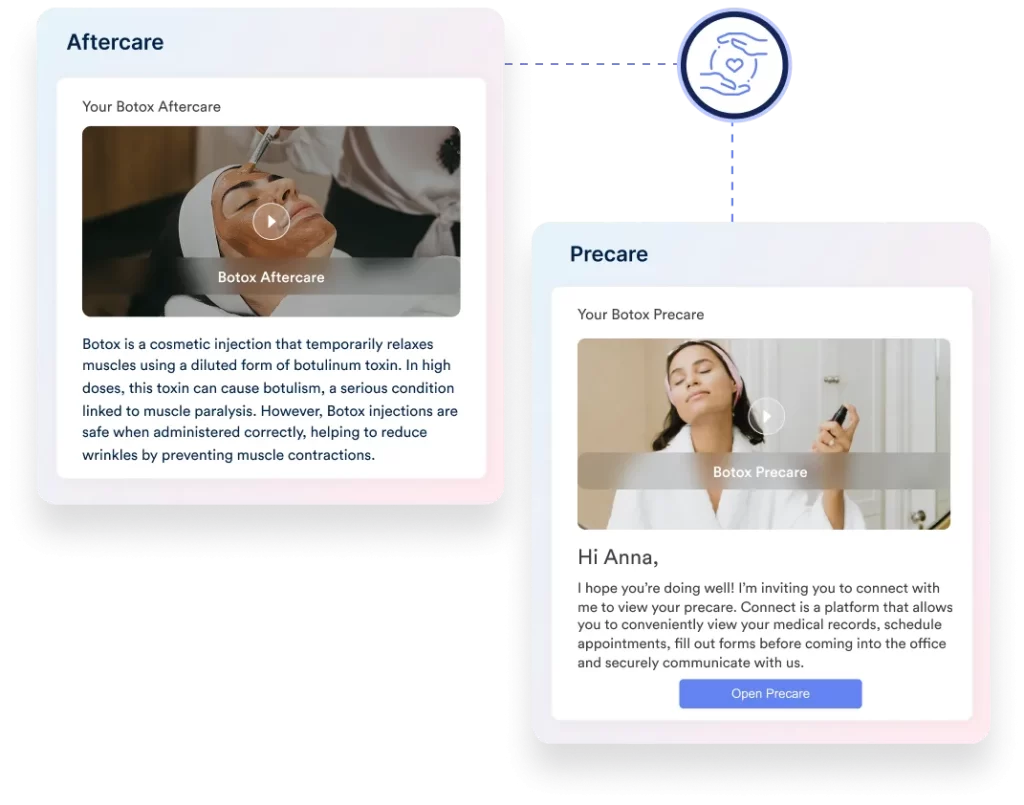
Pabau’s automation tools let you schedule personalized post-treatment care messages, rebooking prompts, recall notifications, and targeted marketing campaigns—all tailored to each patient’s needs and history.
Keeping patients engaged automatically will help you reduce no-shows, boost retention, and increase repeat visits, which is essential for growing and scaling your clinic.
The software also tracks the performance of each automated flow, giving you insights into what drives patient loyalty and revenue, so you can continuously refine your follow-up and marketing strategies without adding extra administrative work.
Pricing
| Plan | Approx. Price | Users | Clients |
| Startup | $69/mo | 1 | Up to 100 |
| Solo | Contact Sales | 1 | Unlimited |
| Team | Contact Sales | 2–3 | Unlimited |
| Medium | Contact Sales | 4–5 | Unlimited |
| Group | Contact Sales | 6–15 | Unlimited |
| Enterprise | Custom Quote | 15+ | Unlimited |
Note:
Every Pabau plan gives you the complete set of features, so you get everything the platform offers without paying extra.
Where Pabau shines
- All-in-one system: Pabau combines everything a clinic needs into a single platform—from scheduling and EMR (electronic medical records) to billing, online forms, and detailed reporting. With Pabau, every piece of your clinic’s workflow is connected, saving time and reducing errors.
- Built for healthcare and aesthetics: Unlike generic practice management tools, Pabau is designed specifically for industries with strict compliance requirements. It handles consent tracking, HIPAA‑compliant data storage, audit trails, and secure patient communications, making it ideal for healthcare and medical aesthetics practices.
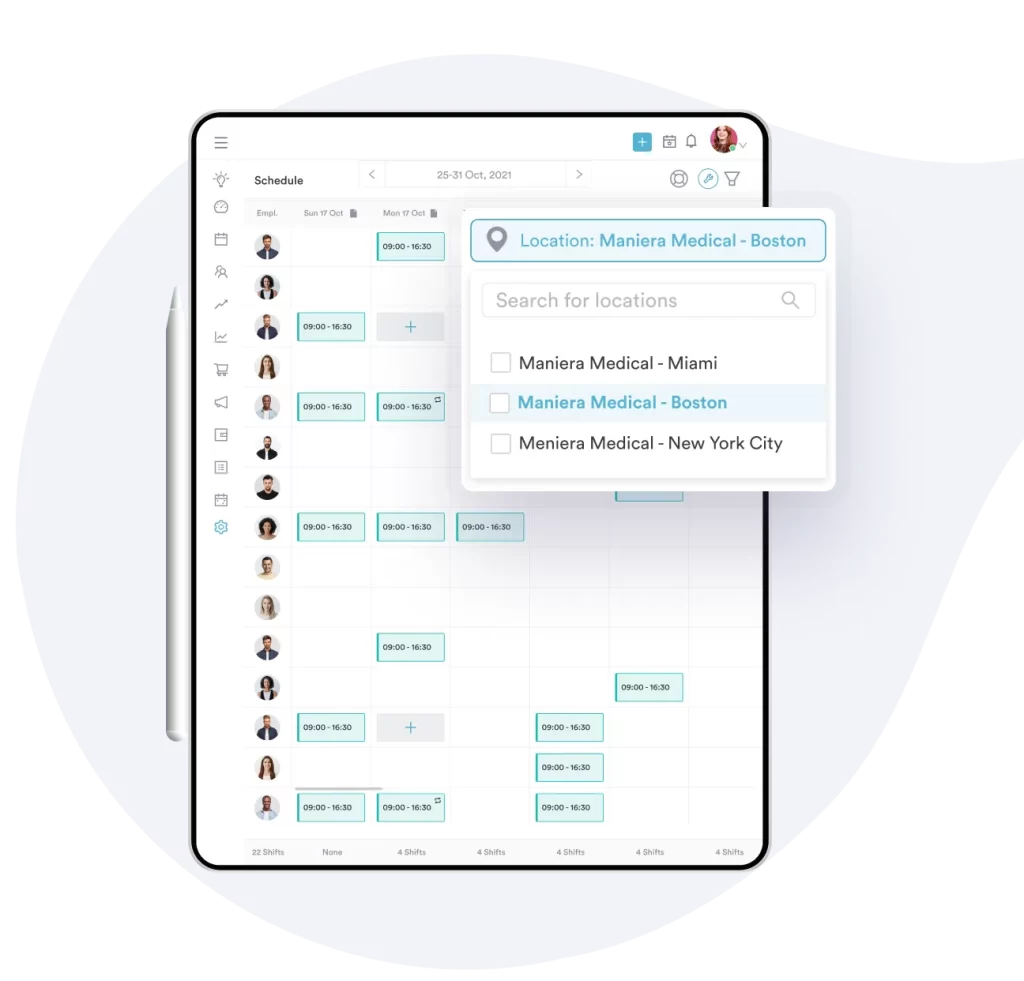
- Scalable for multi-location clinics: Whether you have a single clinic or multiple locations, it supports expanding teams with role-based permissions, centralized reporting, and multi-location management. This ensures smooth operations, consistent patient care, and full visibility across all sites, no matter how large your practice becomes.
Where Pabau falls short
- Learning curve: Due to its depth, new teams may require initial training to master all features.
- Niche focus: Might be “overkill” for a solo yoga instructor or a simple hair salon.
Customer reviews
- “Pabau stands out for its user-friendly design and excellent support team. Setting up our workflows was straightforward, and whenever we have a question, the support team is responsive and genuinely helpful. Our staff picked it up quickly, and our patients love the seamless online booking experience. Highly recommend!” – Raisa, Trustpilot
- “Pabau has been an invaluable support for my business, especially with day today admin as I work by myself and that has helped me massively! Since working with Pabau, my business is far more organized, and I can clearly see its potential to grow. The team is consistently helpful and professional.” – Erika Lopes, Trustpilot
Who Pabau is best for
- Growing medical and aesthetic clinics: Multi-staff, compliance-heavy, revenue-focused businesses.
- Multi-location practices: Perfect for clinics with more than one location, providing centralized reporting, consistent workflows, and role-based permissions.
- High-volume Patient Clinics: Great for practices that manage large patient volumes, automating bookings, follow-ups, recalls, and marketing to reduce no-shows and increase retention.
Cal.com
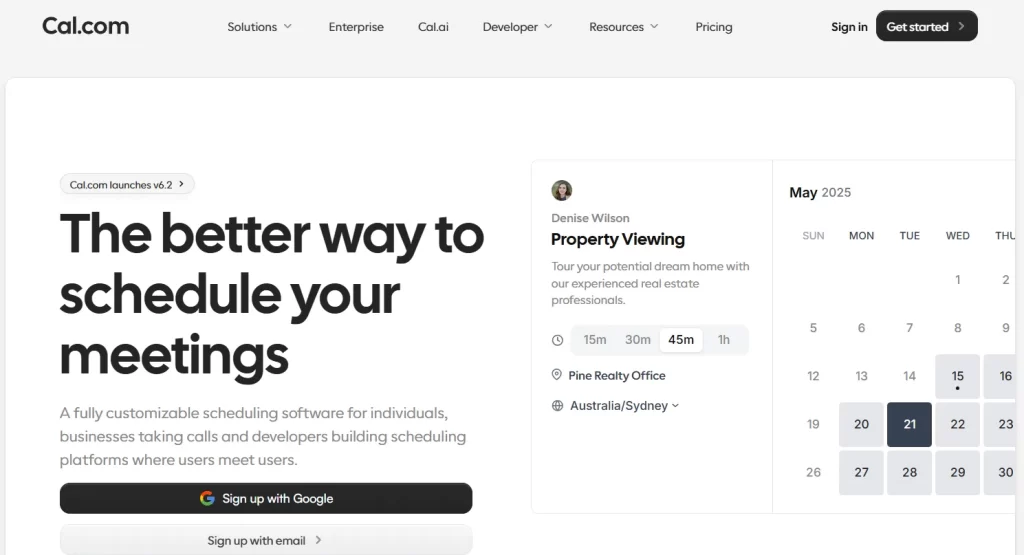
Cal.com (formerly Calendso) is an open-source, API-first scheduling platform built to give individuals and organizations complete control over their appointment workflows. Cal.com is highly customizable, allowing teams to tailor every aspect of the scheduling experience—from branding and booking flows to integrations with calendars, CRM systems, and client communication tools.
Because it’s open-source, Cal.com offers transparency and flexibility that many closed platforms don’t. Organizations can self-host it, extend its functionality with plugins, or connect it to internal systems via its robust API.
Key features
- Round Robin and smart team routing: You can distribute leads or meetings across team members with round-robin event scheduling and route users to the right department based on form inputs.
- Workflow automation: Automate email and SMS reminders, follow-ups, and conditional team routing based on invitee responses.
- Payment integration: Payment collection directly at the time of booking through Stripe, streamlining paid appointments and consultations.
Pricing
| Plan | Price | Key Features |
| Individuals | Free (forever) | 1 user, unlimited calendars & event types, workflows, app integrations, Stripe payments, HTML & React embed, Cal.ai, Cal Video |
| Teams | $15/month/user (14-day trial) | All Individual features plus team scheduling, round-robin, collective events, routing forms, team workflows, analytics, remove branding, same-day support, 750 credits/user |
| Organizations | $37/month/user (14-day trial) | All Teams features plus parent & sub-teams, organization workflows, custom subdomain, compliance (SOC2/HIPAA/ISO), SSO/SCIM, instant meetings, whitelabeling, priority support, 1000 credits/user |
| Enterprise | Contact sales | All Organizations features plus dedicated database, AD & HRIS sync, advanced routing, dedicated onboarding & engineering support, enterprise support, 99.9% uptime, 24/7 Slack & phone support |
- Self-hosting: Organizations with high privacy requirements can run Cal.com on their own servers for full appointment data control and compliance.
- Deep customization: Control every aspect of your scheduling, including appointment booking questions, buffer times between meetings, and availability overrides for specific dates.
- Unlimited event types: Cal.com lets users create unlimited event types on its free plan, whether it’s a 15‑minute quick call, a 30‑minute meeting, or fully custom durations.
- Configuration complexity: Initial setup can feel daunting for non-technical users. Features like Workflows and Routing Forms are highly capable but often hidden in sub-menus, requiring some trial and error to master.
- No dedicated mobile app: Currently, Cal.com does not offer a native iOS or Android app, so users must access and manage their schedules through a mobile browser.
- Support response times: While the support team is knowledgeable and helpful, reviewers note that response times can range from a few hours to several days, which may be slower than ideal for time-sensitive business needs.
Customer reviews
- “Awesome app and allows for customizing the colors to fit our brand. Loving it and their customer support replied quickly to a small issue we had.” – Martin Anev, Trustpilot
- “A useless tool—everything is laggy. Support never actually tries to help. You wait 3 days for a response, only to get template replies; they don’t even try to understand the issue. If your business requires anything more than booking a video call, know this: you’re left completely on your own with your problem.” – 1, Trustpilot
- Individuals and freelancers: People just starting out who need a simple, flexible scheduling tool with a free plan.
- Tech-savvy and customization-oriented users: Organizations or developers who want to self-host and fully customize workflows.
YouCanBookMe
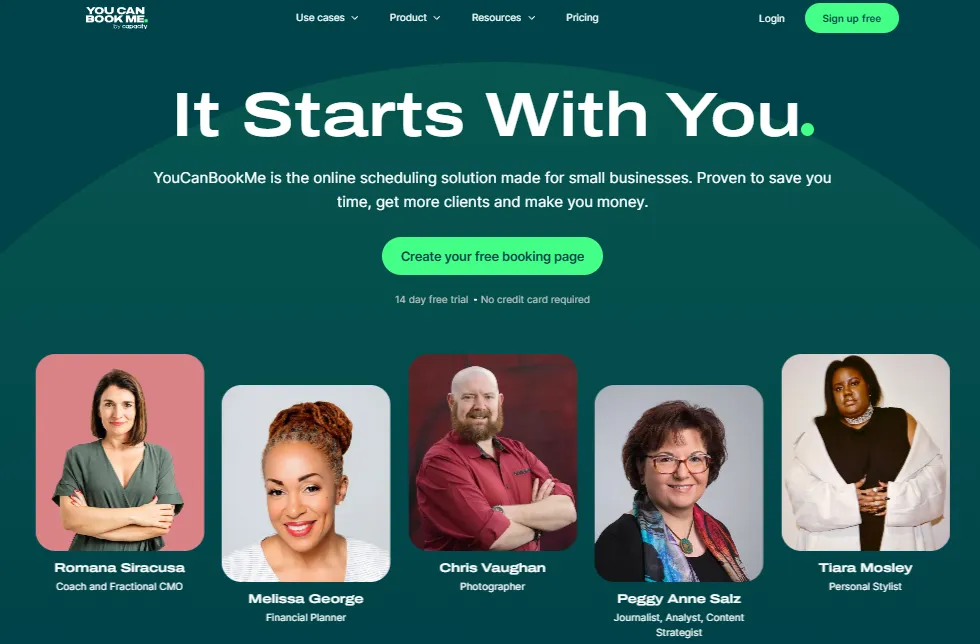
YouCanBookMe (YCBM) is a cloud-based scheduling tool that removes the hassle of back-and-forth emails by letting clients book directly on your calendar.
Tailored primarily for small businesses, freelancers, and educators, YCBM offers a professional and automated appointment booking experience that saves time, reduces no-shows, and enhances client interactions.
Key features
- Calendar integration: Bi-directional calendar syncing with Google, Outlook, Apple, and Fastmail calendars, automatically detecting busy slots to prevent double-bookings.
- Automated communication: Send customizable email and SMS notifications—including confirmations, automated reminders, and follow-ups—to reduce no-shows and keep clients informed.
- Team scheduling: Manage multiple team members’ calendars in one view, with options for round-robin assignment or appointment booking based on shared availability.
Pricing
| Plan | Price | Key Features |
| Free | $0 / month | 1 calendar, 1 booking page, calendar syncing, custom booking forms, Zoom/Teams/Meet integration, Stripe payments, reschedule & cancellation links, embed options, polling, Chrome extension |
| Individual | $7.20 / month | All Free features plus 2 calendars, 2 booking pages, custom branding, extra notifications, multiple availability displays, fixed-date & group sessions, password-protected pages, premium support |
| Professional | $10.40 / month | All Individual features plus 6 calendars, 10 booking pages, unlimited workflows & booking questions, promotion codes, notes, advanced analytics & integrations, SMS from dedicated line, premium support |
| Team | $14.40 / member / month | All Professional features plus 10 calendars per user, 15+ booking pages, team management & roles, multiple admins, round-robin scheduling, centralized billing, unlimited API access, onboarding & premium support |
Where YouCanBookMe shines
- Personalized booking pages: Create custom booking links (e.g., yourname.youcanbook.me) that showcase your brand with personalized colors, logos, and instructions for clients.
- Flexible appointment types: Create multiple meeting options on a single page, each with its own duration, price, and purpose (e.g., 30-minute intro vs. 60-minute consultation).
- Virtual meeting links: Automatically generate unique video conferencing links for Zoom, Google Meet, or Microsoft Teams with every remote booking.
Where YouCanBookMe falls short
- User interface: Some reviewers note that the backend can feel a bit “outdated” or less intuitive compared to more modern scheduling apps.
- Free plan limitations: Features like SMS reminders, custom follow-up emails, and advanced team tools are only available on paid plans.
- Limited client management: Unlike Pabau, YouCanBookMe doesn’t include a full CRM or detailed client history tracking.
Customer reviews
- “Easy interface and integration with other apps and calendars. Support response is very fast and useful. Good experience!” – John Tullai, Trustpilot
- “They charge loyal customers more than double their current rates and make it impossible to change plans without contacting customer service. The change in pricing was NEVER shared, and it’s not an option on my account.” – Stepfanie, Trustpilot
Who YouCanBookMe is best for
- Small businesses: Teams or small businesses that want a simple, reliable way to schedule meetings, handle payments, and coordinate across a few calendars.
- Remote professionals: Anyone who relies on virtual meetings, as YCBM integrates seamlessly with Zoom, Google Meet, and Microsoft Teams.
Bookedin
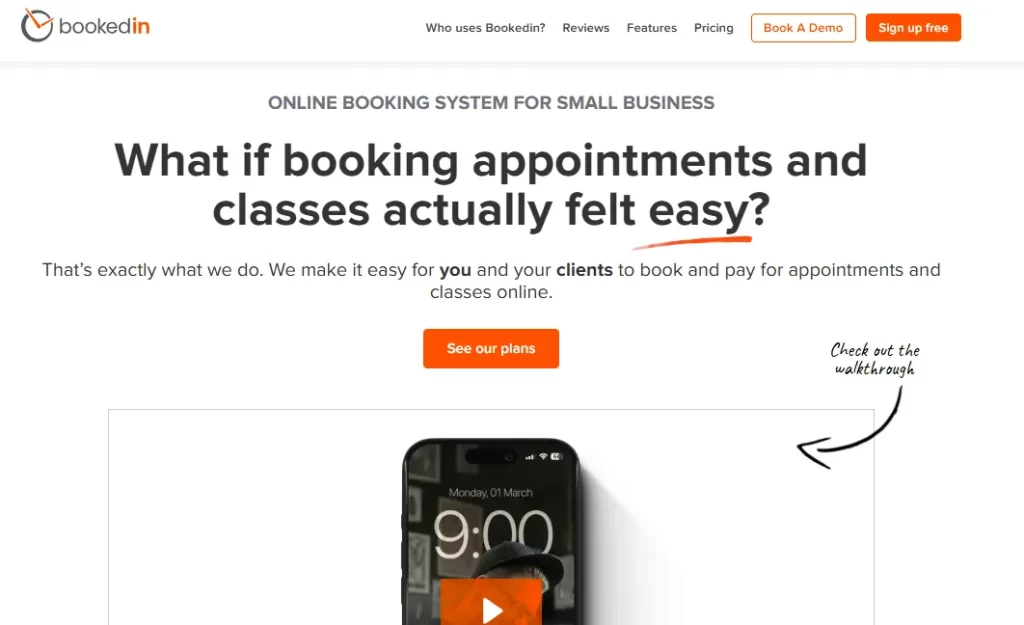
Bookedin is a cloud-based appointment scheduling and payment platform built specifically for small businesses and independent service professionals. It streamlines the entire booking process, allowing clients to schedule appointments online 24/7, reducing the need for manual scheduling, phone calls, and back-and-forth messaging.
The platform also integrates payment processing, so businesses can collect deposits or full payments at the time of booking, helping secure appointments and improve cash flow.
It’s particularly well-suited for salons, therapists, consultants, coaches, and other solo or small-team service businesses that need a simple yet reliable system to manage appointments and payments.
Key features
- Recurring appointments: Schedule repeating sessions on a daily, weekly, or monthly basis for regular clients.
- Class and workshop scheduling: Manage group bookings with attendance tracking, allowing multiple clients to book the same time slot.
- Booking cutoffs and buffer times: Set minimum notice periods for new appointments and add buffer time between bookings for tasks like cleaning or travel.
- Add-on services: Offer additional products or services that clients can select during the booking process.
Pricing
| Plan | Price | Key Features |
| Free | $0 / month | 20 bookings/month, unlimited calendars, book appointments & classes, iOS & Android app, personalized onboarding |
| Plus | $19 / month (billed annually) | All Free features plus unlimited bookings, 1 calendar, email reminders, online payments, calendar sync, priority support |
| Pro | $39 / month (billed annually) | All Plus features plus text reminders, file attachments, add-on services, block unwanted clients, full staff security |
Where Bookedin shines
- Rich client profiles: Keep secure records of client contact info, booking history, private notes, and attachments such as photos, before-and-after shots, or consent forms.
- Automatic timezone conversion: Clients see your availability in their local time automatically, making scheduling easy for virtual consultations and coaching sessions.
- Client blocking: Block specific individuals from booking online to prevent unwanted or problematic appointments.
- Staff security roles: Assign permission levels (viewer, staff, manager, administrator) to control which calendars and settings each team member can access.
Where Bookedin falls short
- Customization limitations: The interface provides only basic branding options, making it harder to fully align the booking page with a business’s unique style.
- Multi-service booking limitations: Some users experience difficulty booking multiple services for a single client in one session, which can be cumbersome for businesses such as salons.
- Syncing delays: Occasional calendar sync issues may cause double bookings or delays in updates between Bookedin and integrated calendars like Google or iCloud.
Customer reviews
- “Im a hairdressed and I use it to make it easier for clients to book, cancel and reschedule appointments. Also like how it sends them a notification 24 hours before. Over all a very simple network to use for booking.” – Krystal M., Capterra
- “It lacks very basic features that are very important to software such as this.1. NO SEARCH option???2. You cannot modify the text reminders.” – Devo F., Capterra
Who is Bookedin best for
- Small businesses: Independent service providers who need an easy-to-use system to manage appointments and payments.
- Tattoo artists, barbers, and hair stylists who want clients to book appointments quickly and easily without making a phone call.
BookSteam
BookSteam is a comprehensive, cloud-based scheduling and appointment management platform designed for businesses of all sizes. It enables clients to book and pay for services, classes, and workshops online 24/7, eliminating the need for manual scheduling and constant back-and-forth communication.
With features tailored to service-based industries—such as wellness centers, educational providers, fitness studios, consultants, and professional services—BookSteam streamlines daily operations and provides a centralized system to manage appointments, payments, and customer communication efficiently.
Key features
- Online Booking and scheduling: Clients can view real-time availability and book, reschedule, or cancel appointments through a customizable booking page or embedded website widget.
- Automated notifications: Sends email and SMS confirmations and automatic reminders to clients and staff to help minimize no-shows.
- Payment processing: Accept online payments, deposits, or store cards on file through integrations with Stripe, PayPal, and Square.
- Client management: Maintain a centralized client database with contact details, appointment history, and private notes to deliver more personalized service.
Pricing
| Plan | Price | Staff Members | Locations | Key Features |
| Solo | $19.95 / month | 1 | 2 | Unlimited bookings, service/resource/class/workshop scheduling, 100 SMS included |
| Standard | $29.95 / month | 5 | 5 | Everything in Solo + 200 SMS included |
| Plus | $49.95 / month | 10 | 10 | Everything in Solo + 300 SMS included |
| Premium | $79.95 / month | 35 | 35 | Everything in Solo + 400 SMS included |
Note:
All plans include a 14-day free trial (no credit card required).
Where BookSteam shines
- Intuitive user experience: The platform is frequently praised for its clean, user-friendly interface, making it easy for both staff and clients to use without technical expertise.
- Reduced no-shows: Automated email and SMS reminders, combined with options for deposits or upfront payments, help significantly lower missed appointments.
- Strong class and group scheduling: Beyond one-on-one bookings, BookSteam effectively handles group sessions, workshops, courses, and recurring class registrations with ease.
Where BookSteam falls short
- Limited integrations: BookSteam does not offer native connections to major CRMs or key accounting software.
- Recurring booking limitations: Modifying recurring appointments can be cumbersome—changing a client’s time slot or adding a new participant often requires deleting and recreating the entire series.
- Cancelled class visibility: When a class is cancelled, it’s left visible on the public calendar. There’s currently no way to remove it completely, which can clutter the client’s view over time.
Customer review
- “Fairly a straightforward and easy online system for bookings but limited choices of customisations.” – Stacy M., Capterra
- “BookSteam’s lack of frills and options is redeemed by its low cost and really stellar customer service. Overall, I am pleased with the software.” – Melissa P., Capterra
Who BookSteam is best for
- Fitness and wellness studios: Ideal for yoga studios, gyms, and dance centers that need strong class and workshop management in addition to private appointments.
- Medical and professional consultants: Well-suited for healthcare providers such as chiropractors and physiotherapists who require HIPAA-compliant features.
Tidycal
TidyCal is a streamlined, easy-to-use scheduling platform built as an affordable alternative to tools like Aucity Scheduling.
Created by AppSumo, it stands out for its one-time lifetime payment model, allowing users to avoid ongoing monthly subscription fees.
Designed with simplicity in mind, TidyCal focuses on core scheduling features such as customizable booking pages, calendar integrations, and paid appointments—without the complexity or higher costs of more advanced platforms.
Key features
- Booking management: Set up unlimited booking types for one-on-one appointments, group events, or paid consultations.
- Calendar integration: Connect with Google Calendar, Microsoft Outlook, and Apple Calendar to sync availability and avoid double bookings.
- Automation and video conferencing: Automatically generate meeting links with Zoom, Google Meet, or Microsoft Teams, and connect with Zapier to build custom workflows.
Pricing
| Plan | Price | Key Features |
| Free | $0 (Forever Free) | Unlimited bookings & booking types, paid bookings (Stripe/PayPal), recurring & package bookings, personal booking page, 1 calendar connection |
| Individual Plan | $29 (One-time payment) | Everything in Free + 10 calendar connections, group bookings, video conferencing (Zoom/Meet), custom email reminders, redirect URLs, and API access |
| Agency Plan | $79 (One-time payment) | Everything in Individual + 25 calendar connections, team pages, round-robin & collective meetings, SMS reminders (US/Canada), and custom reply-to email |
Where TidyCal shines
- Lifetime access: Its biggest selling point is the one-time lifetime payment, helping users avoid the ongoing subscription costs.
- Quick setup: TidyCal is praised for its fast onboarding process, with many users able to launch a fully functional booking page in as little as 10–30 minutes.
- Minimalist Interface: The platform keeps things simple by removing complex, enterprise-level features (such as advanced routing forms), making it easy to use for those who want straightforward scheduling without a steep learning curve.
Where TidyCal falls short
- Persistent branding: Even with the top-tier Agency Plan, the “Powered by TidyCal” branding and AppSumo logo remain on booking pages and emails.
- Basic email design: Confirmation and reminder emails are fairly plain, without professional HTML formatting, and you cannot include your company logo or custom images.
- SMS limitations: SMS reminders are only available for US and Canadian phone numbers.
Customer reviews
- “Great value, lifetime deal, super easy to use, very intuitive booking system, flexible bookings, and excellent support!” – Monika H., Capterra
- “Unreliable. Too risky to continue usage as it jeopardises my business. Low quality customer service probably as a result of low price point. Currently looking for a more reliable app.” – Nic A., Capterra
Who TidyCal is best for
- Small teams and startups: Teams using the Agency Plan to manage availability with Round Robin scheduling, without requiring advanced routing or CRM integrations.
- Businesses with basic scheduling needs: Perfect for businesses that simply need an easy-to-use, reliable system to manage appointments.
Picktime
Picktime is a cloud-based appointment scheduling and booking management platform that helps businesses of all sizes streamline their operations.
Designed for industries ranging from healthcare and education to beauty salons, wellness centers, and freelance services, it allows users to automate booking processes, manage appointments, and reduce administrative work—all from a centralized dashboard.
Key features
- 24/7 online booking: Clients can schedule appointments, classes, or group sessions anytime via a personalized, mobile-friendly booking page.
- Recurring and group appointments: Supports repeating bookings and manages group sessions, including waitlists and attendee limits.
- Booking approval: Allows administrators to review and approve or decline appointment requests before they are finalized.
- Automated invoicing: Instantly generates and sends professional invoices to clients as soon as a booking is confirmed.
Pricing
| Plan | Price | Users | Key Features |
| Free | $0 / month | 3 | 3 resources, 2 locations, 2 classes, unlimited appointments, online booking, PayPal payments, 8+ integrations, iOS & Android apps |
| Starter | $4 / user/month | 3 | All Free features + recurring bookings, Stripe & Square payments, SMS & email reminders, custom booking links, timezone conversion, 15+ integrations |
| Pro | $3 / user/month | 10+ | All Starter features + unlimited resources/locations/classes, multi-language booking page, SSO, round-robin, waitlist, booking approvals, discount coupons, 100+ Zapier integrations |
Where Pricktime shines
- Room and resource management: You can book physical assets like dental chairs, massage rooms, or camera kits to avoid double-booking equipment.
- Automated no-show prevention: Automatically send SMS and email reminders to clients, helping reduce missed appointments without manual effort.
- All-in-one CRM: Keeps a complete record of every client’s booking history, preferences, and payments, giving you a centralized view of your customer relationships.
Where Picktime falls short
- Limited client accounts: Customers often cannot create their own accounts to save payment details or easily view booking history, which can lead to duplicate client profiles when they book multiple times.
- Mobile app limitations: The mobile app exists but lacks many features available on the desktop version.
- Restricted communications: While reminders are sent automatically, customization of timing and message templates is limited.
Customer reviews
- “Easy interface, can add services, classes, and other resources. Payment methods are not compatible with my country.” – Yashasvi S., G2
- “Overall, it works and gets the job done. It’s not the best scheduling software. It’s amazing for the price. But you get what you pay for. It’s very basic and doesn’t feel very modern.” – Anonymous User, Capterra
Who Picktime is best for
- Startup medical and wellness clinics: Ideal for dentists, chiropractors, and spa owners, as it tracks both staff and physical rooms to ensure a treatment space is available before confirming a booking.
- Fitness businesses: Perfect for studios or instructors running group classes—such as yoga, workshops, or tutoring.
Reasons to consider Acuity Scheduling alternatives?
While Acuity is a powerful tool, some businesses may need more flexible pricing, advanced team features, or deeper client management capabilities.
Exploring other options can help you find a platform that better fits your workflow, budget, and industry-specific needs.
So here are some reasons to look for other tools:
Limited patient and treatment records
Acuity is primarily designed around scheduling, so patient information, treatment history, and intake forms are often stored separately or manually tracked. This can make it difficult to maintain a complete view of a patient’s journey, especially for compliance-heavy industries.
Pabau addresses this gap by combining online booking with a full electronic medical record (EMR) system, ensuring that every appointment, note, photo, and consent form is securely tied to the patient’s file for seamless record-keeping and regulatory compliance.
Not built for growing or multi-staff clinics
Acuity performs well for solo practitioners, but as your practice expands, managing multiple staff members, locations, and varying access permissions can become cumbersome.
Pabau is designed with growing clinics in mind, offering role-based permissions, multi-location support, and team management features that make scaling operations smooth and organized, so administrators and staff can focus on patient care instead of juggling complex scheduling logistics.
While Acuity handles appointments and reminders, it lacks advanced business management features such as inventory tracking, memberships, package management, and integrated payment workflows.
Pabau combines scheduling with comprehensive practice management tools, including billing, recurring payments, memberships, stock management, and reporting.
This all-in-one approach helps clinics streamline operations, increase repeat visits, and optimize revenue without needing multiple disconnected software solutions.
With Pabau’s all-in-one platform, managing your clinic will never be easier.
From scheduling appointments and coordinating staff availability to maintaining detailed patient records, tracking treatments, handling billing, and managing the client portal, everything is centralized in one system.
By bringing scheduling, staff management, patient care, and business operations together, Pabau helps clinics streamline workflows, reduce administrative burden, and focus on delivering exceptional care—all while keeping your practice organized and compliant.
FAQs
How easy is it to migrate from Acuity to Pabau? Simple. Pabau offers import tools and support to transfer clients, appointments, and basic data quickly.
Can I manage multiple locations in one account? Yes. Pabau supports multi-location practices with centralized staff and patient management across all sites.
Does Pabau handle recurring appointments automatically? Yes. You can set up repeating schedules for patients or clients, reducing manual entry and no-shows.
Are reminders customizable for different services or staff? Yes. Emails and SMS reminders can be tailored by service, staff member, or patient preferences.
Can I track revenue and membership subscriptions in Pabau? Yes. The platform includes billing, memberships, and reporting tools to monitor revenue and repeat business efficiently.