How to Start Private Practice in California as a LCSW (Step-by-Step)
Pabau helps new LCSW practices stay organized and compliant with integrated clie...

April 6, 2026


Buy now, pay later is now available in Pabau

Practice management is essential for growth and efficiency. Strong systems help your practice run smoothly, reduce stress, and allow your team to focus on delivering high-quality, person-centered care.
Automation saves time. An all-in-one system will centralize scheduling, billing, patient records, reminders, and marketing, cutting down admin work and preventing errors.
Choosing the right software is key. Focus on value, scalability, and features that match your practice’s needs rather than just price.
Pabau is designed to support practices of all sizes. From small teams to enterprise clinics, it integrates key functions into one platform, helping health care practices stay organized, save time, and scale with confidence.
Practice management is where strategy meets day-to-day reality, shaping how a practice grows, adapts, and thrives.
In this blog, we’ll dive into the real challenges of practice management and explain how practice management software can play a crucial role in building a more efficient and successful practice.
| Name | Best For | Standout Feature | Price Starting Point | Overall Rating – G2 |
|---|---|---|---|---|
| Pabau | Growing and enterprise clinics | All-in-one medical CRM: Integrated EMR, automated consent, and clinical-grade reporting. | $69 | 4.7 |
| Fresha | Solo and small service-based practices | Built-in marketplace: Direct access to a consumer-facing app to fill open slots. | $19.95 | 4.2 |
| Mangomint | Boutique and high-end clinics | Modern UX: Polished interface with “Express Booking” to reduce front-desk friction. | $165 | 4.9 |
Practice management refers to how a practice manager manages the daily operations.
This includes organizing schedules, managing staff, handling finances, and ensuring patients or clients have a positive experience.
At its core, practice management is about creating simple, efficient systems that support growth, reduce stress, and allow professionals to focus on delivering quality care.
As a practice owner, you’re trying to keep everything running smoothly—handling patients, staff, medical billing, and medical liability—all at once.
But without strong systems in place, it’s easy to get overwhelmed: admin piles up, billing turns chaotic, and staying compliant feels like a constant battle.
That’s why establishing a robust health care practice management approach will help you:
Managing your clinical practice effectively is about turning a busy, chaotic day into a structured, well-organized one.
The right approach helps you stay on top of tasks, keep your team aligned, and make every patient interaction smoother and more satisfying.
Below is a practical framework to improve practice management without overcomplicating things.
| Step | Focus area | Key action |
|---|---|---|
| 1 | Daily workflows | Standardize daily tasks to prevent missed work and errors. |
| 2 | Scheduling | Optimize appointments and staff shifts to save time. |
| 3 | Admin and communication | Reduce paperwork, improve team communication, and keep tasks visible. |
| 4 | Staff guidelines | Set clear roles, responsibilities, and procedures for smooth operations. |
| 5 | Records and reporting | Keep accurate records and use reporting to spot issues early. |
| 6 | All-in-one system | Adopt an all-in-one platform to centralize operations. |
Manual booking eats up a surprising amount of time and energy for your front-desk staff.
With scheduling automation, patients can book appointments 24/7, whether it’s a late-night request or first thing in the morning. This reduces the constant back-and-forth for your front desk, prevents double-booking, and keeps your calendar consistently full.
Plus, automated SMS reminders cut down no-shows, helping you maximize revenue while giving patients the convenience they expect. For many clinics, using a dedicated medical practice scheduling platform is the foundation that makes this level of automation, accuracy, and patient convenience possible without adding extra workload for staff.
Having my calendar and my availability up on a system like Pabau means that I’m hands off. I’m not getting a hundred inquiries a day to find out when they can book in. That was probably life-changing for me.

Chaos often comes from unclear responsibilities. By creating Standard Operating Procedures (SOPs) every team member knows exactly how to handle tasks—from checking in a patient to processing a refund.
This consistency keeps the clinic running smoothly, even when key staff are out, and reduces mistakes while boosting confidence across the team.
Paper files are slow, easy to misplace, and a compliance risk.
Moving to a secure digital client portal keeps patient histories, consent forms, and treatment notes organized, searchable, and fully compliant with data protection laws.
Accurate digital records also make follow-ups easier, improve care continuity, and give your team quick access to the information they need to make informed decisions.
You can’t fix what you don’t track. That’s why regularly reviewing KPIs—like rebooking rates, average revenue per patient, or treatment completion—helps you spot inefficiencies before they snowball.
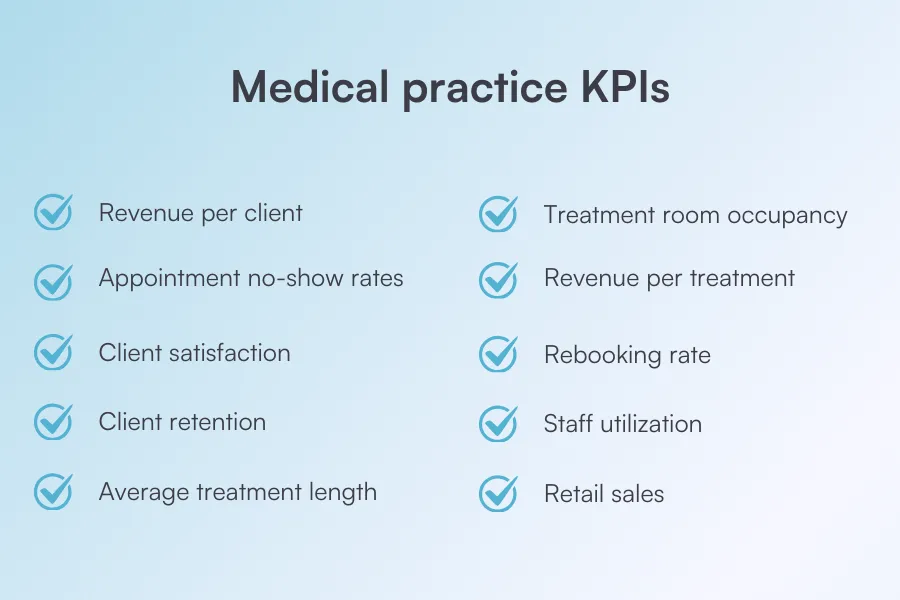
Reporting gives insights into revenue leaks, patient retention challenges, and office workflow bottlenecks, allowing you to make proactive changes that keep your practice profitable and running smoothly.
Using multiple apps for email, scheduling, billing, and Electronic Health Record (EHR) can create confusion, lose your staff time, and create fragmented data.
Nearly 70% of workers spend up to 20 hours a week chasing information and workarounds across fragmented tools instead of doing meaningful work, because data isn’t centralized.
By consolidating everything into a single practice management software like Pabau, you get one platform for everything—for patient records, communication, financials, and workflows.
This makes collaboration easier, prevents mistakes caused by missing information, and saves hours that your team would otherwise spend switching between platforms.
Check out all Pabau’s features and see how they can help your medical practice.
A well-managed practice runs more smoothly, saves staff’s time, reduces stress, and creates better experiences for both patients, staff, and practice owners.
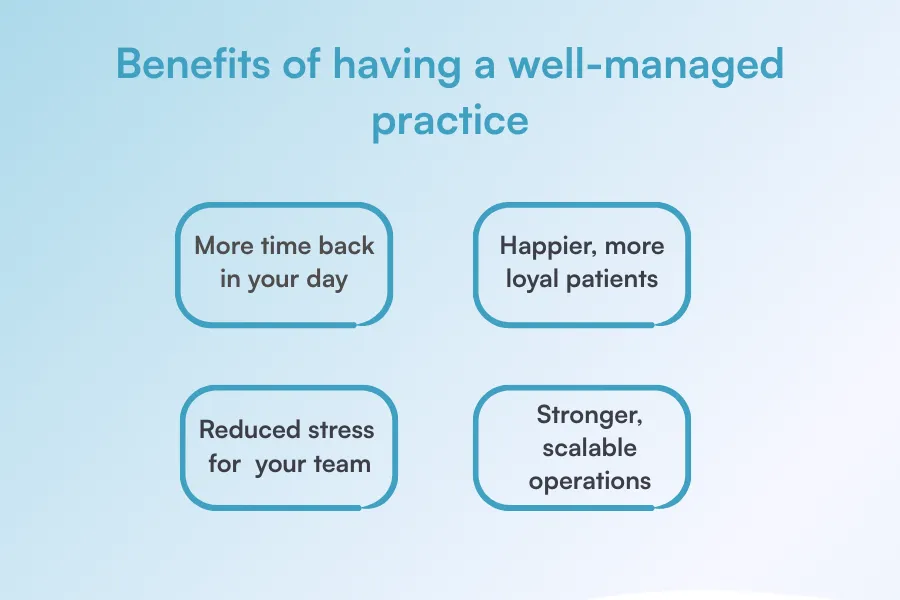
Let’s take a look at some of the benefits that it brings to the table:
When your workflows, scheduling, and admin tasks are properly managed, you spend less time putting out fires.
That’s one of the beauties of using practice management software. It will help you automate routine tasks, freeing up your time to spend on patient care, team leadership, or growing your practice.
Pabau has reduced our time in the office by, I would say at least 10 minutes per patient.

Shorter wait times, smooth bookings, and clear communication all add up to a better experience. When things run seamlessly behind the scenes, patients notice, and they’re far more likely to return and recommend your practice.
Clear processes, reliable systems, and organized records mean fewer mistakes and less last-minute scrambling.
And most importantly, it removes daily guesswork. Your team knows what to do, feels supported, and works with more confidence instead of constant pressure.
Strong, scalable operations give your practice room to grow without adding complexity. When your systems are consistent and centralized, onboarding new staff, expanding services, or opening new locations becomes far more manageable.
Instead of reinventing processes as you scale, you’re building on a solid foundation that keeps quality high and keeps costs under control.
Take a look at some of the best cloud-based practice management software solutions you can implement in your practice.
Many practices don’t struggle from a lack of effort—they struggle because they don’t know what truly works.
Small, avoidable mistakes can quietly slow growth, create daily frustration, and waste time and resources, even in the busiest clinics.
So here’s what you should avoid:
Relying on multiple tools for scheduling, medical billing, records, and communication creates confusion and wasted time.
Information gets duplicated, missed, or outdated, forcing staff to constantly switch systems and double-check details.
The fix is simple: move to a single, all-in-one practice management platform that centralizes everything, reduces errors, and gives your team one reliable platform.
If your practice often feels chaotic because you’re hopping between multiple systems, Pabau is the solution for you.
It’s an all-in-one practice management software that handles everything—from scheduling and payments to storing patient records, automating reminders, and tracking performance—so your practice runs smoothly and efficiently.
Even the best, most skilled staff won’t perform at their best if they aren’t properly onboarded and trained according to your practice’s values.
This will lead to inconsistent workflows, mistakes, and frustration.
The solution is to invest time upfront in thorough onboarding, clear SOPs, and ongoing training, so everyone feels confident, aligned, and ready to deliver their best work.
Running a practice without tracking metrics like rebooking rates, no-shows, or revenue per patient means you’re guessing instead of deciding.
Regularly reviewing reports helps you spot issues early, improve performance, and make smarter, data-driven decisions.
Free or cheap tools may seem appealing, but they often cost more in the long run through inefficiencies, missed revenue, and limited scalability.
Instead, choose a system based on value—one that saves time, supports growth, and adapts as your practice evolves.
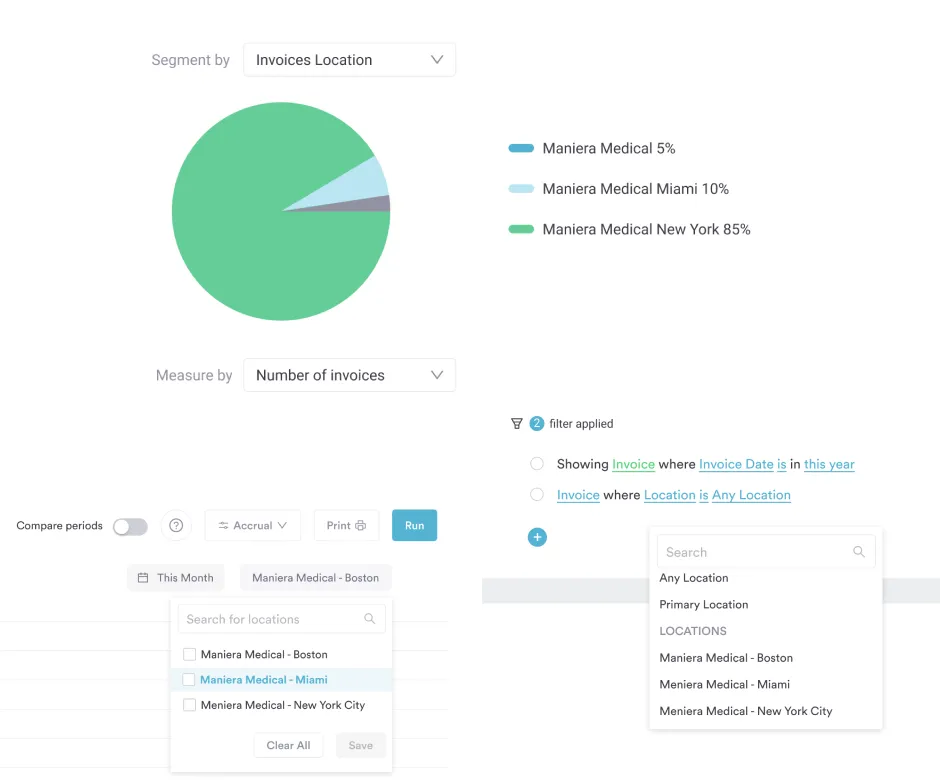
Pabau, for instance, not only helps streamline daily operations but also supports multi-location practices, centralizes all patient and financial data, and scales as your practice grows—giving you a reliable system that grows with your business instead of holding it back.
Focusing only on internal operations while overlooking patient outcomes and experience can hurt retention.
Long wait times, confusing communication, or a clunky booking process frustrate patients and may push them toward competitors.
By regularly reviewing patient feedback, you can quickly address what’s missing and create a seamless experience for your patients.
Whether you’re running a small team, managing a large clinic, or overseeing multiple locations in an enterprise practice, almost any clinic can benefit from clinic management software.
That said, certain roles and setups see the biggest impact:
The best practice management software combines a plethora of features into one EHR system—helping practices save time, reduce errors, and scale with confidence.
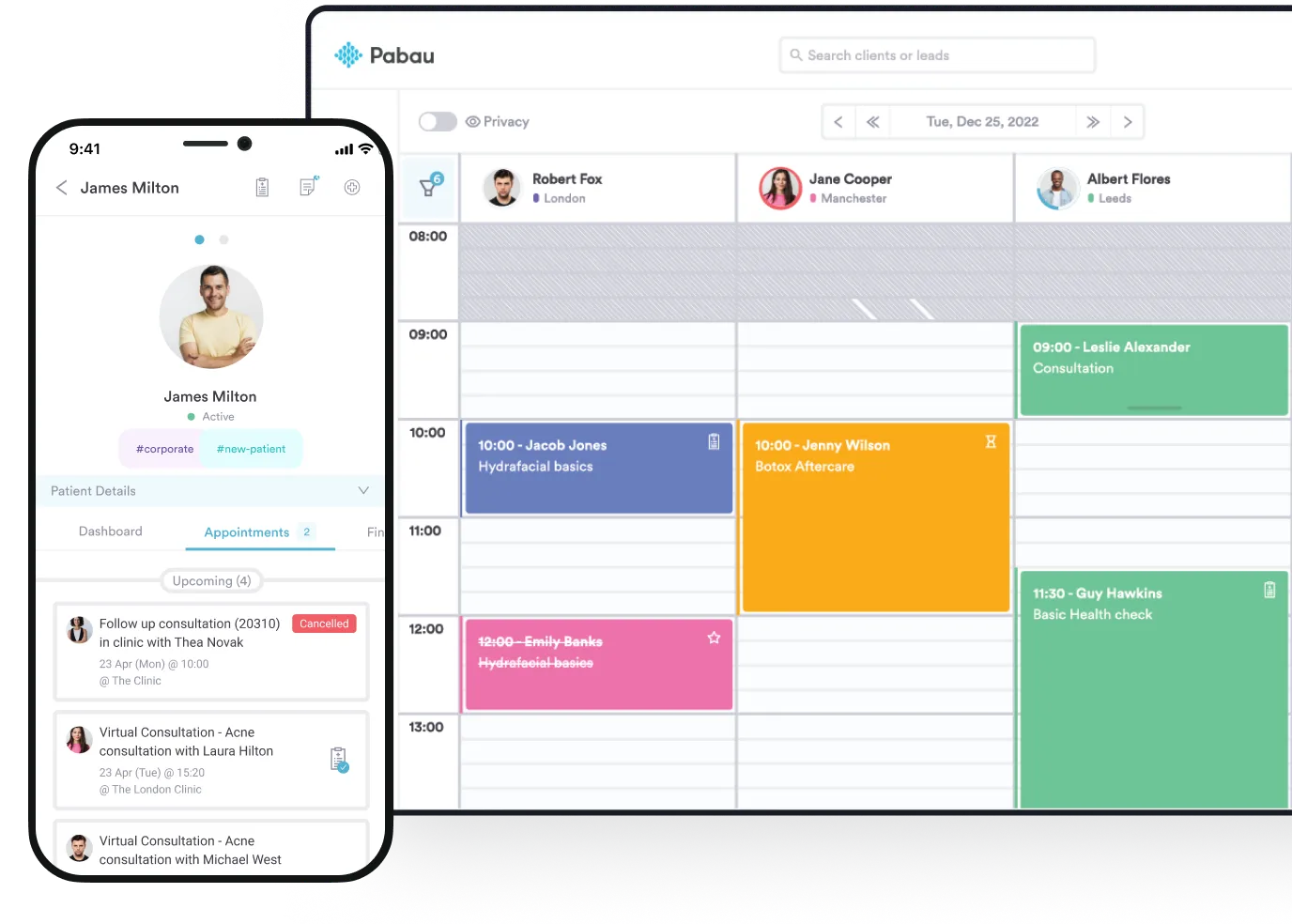
Pabau is a powerful all-in-one practice management platform built for growing and enterprise-level clinics. It combines scheduling, medical billing, patient records, automation, reporting, marketing, and multi-location management into one system.
Unlike lighter tools, Pabau supports complex workflows, compliance needs, and scale—making it ideal for GP clinics, medical aesthetics, primary care, physiotherapy, and large clinics.
Its automation, advanced reporting, AI tools, and centralized data help practices reduce admin, improve patient experience, and grow sustainably.
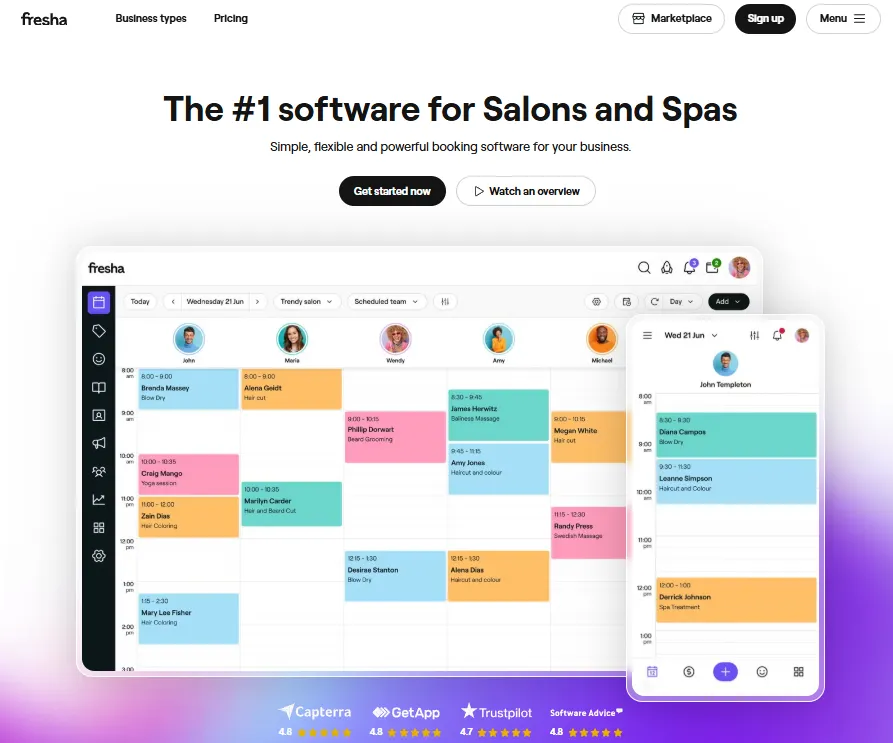
Fresha is popular with solo and small service-based practices. It’s simple, affordable, and easy to use, but limited for complex clinical workflows.
It also includes a built-in marketplace that helps practices get discovered by new clients and fill available appointment slots.
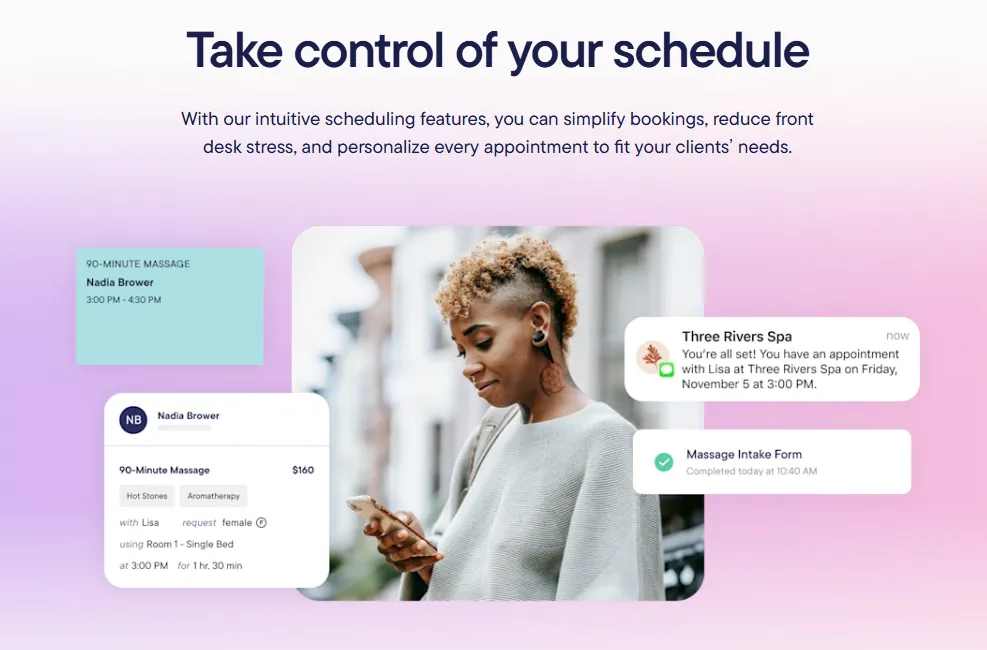
Mangomint offers a polished, modern experience designed for boutique and high-end clinics.
It focuses on ease of use and a clean interface, but it lacks the advanced features and flexibility required for larger, enterprise-scale operations or complex clinical workflows.
Choosing the right practice management software can feel overwhelming, given there are many options, features, and price points.
However, the key is to focus on what actually makes a difference for your practice.
In this section, we’ll break down the most important features to consider.
Look for cloud-based software that brings scheduling, billing, patient records, communication, and reporting into a single platform.
When these tasks are managed separately across different tools, it’s easy for information to get lost and your team to waste hours switching between apps.
An all-in-one system like Pabau keeps everything connected, giving your team one reliable place to manage daily operations, track patient interactions, and stay on top of administrative tasks.
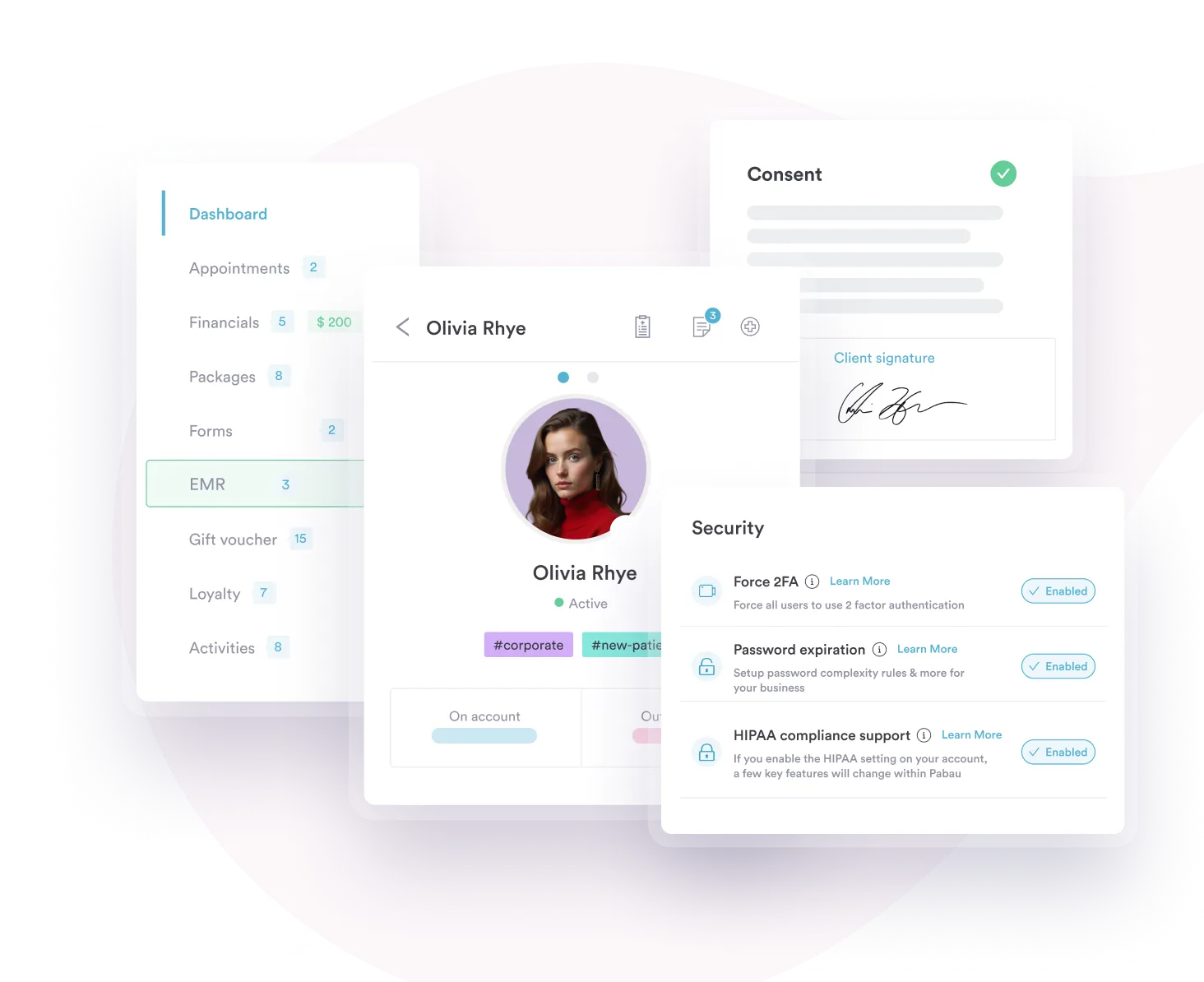
Keeping track of patient information can get messy quickly, especially as your practice grows. A solid EMR ensures that every piece of information—medical histories, treatment notes, consent forms, and more—is stored securely in one centralized location.
With Pabau, your team can access patient records instantly, track treatment progress, and see all interactions in one place.
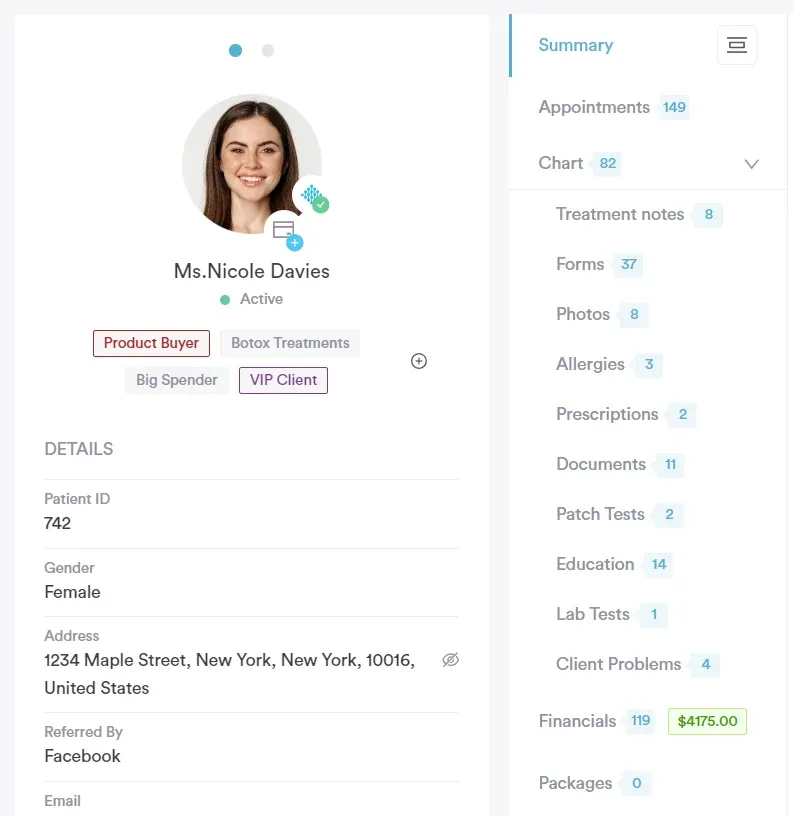
Instead of your team manually sending appointment reminders, processing forms, or following up with patients, an automated system handles it all for you.
Features like automated appointment reminders, online booking, digital intake forms, and follow-ups not only save hours each week but also reduce no-shows and keep your schedule running smoothly.
With Pabau, these workflows are fully integrated. You can automatically send pre-appointment instructions, post-care follow-ups, and reminders via email or SMS, ensuring patients stay informed and engaged.
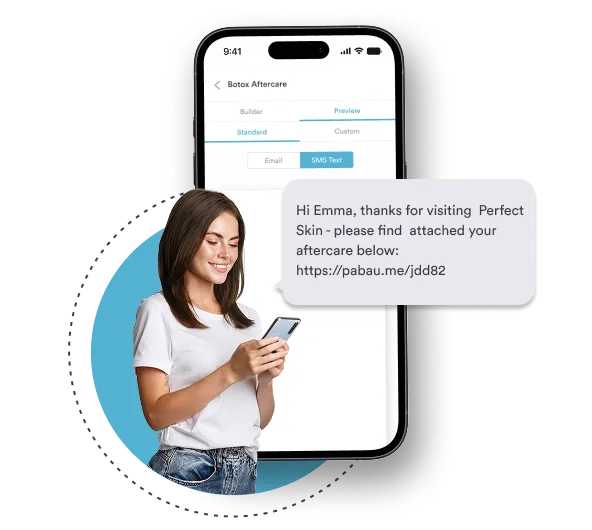
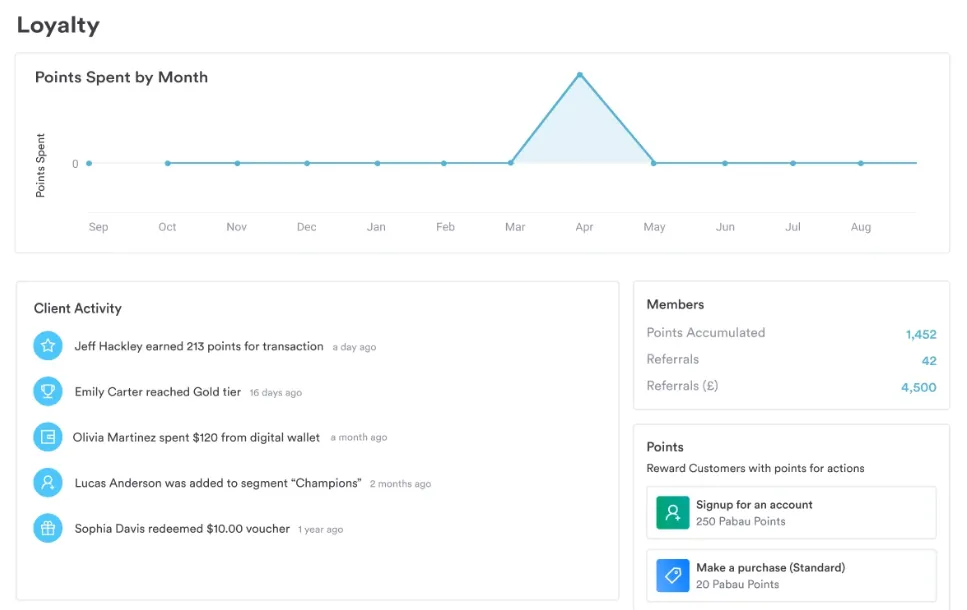
With features like email campaigns, SMS reminders, loyalty programs, and promotional offers, you can reach patients with the right message at the right time—whether it’s reminding them of an upcoming appointment, following up after a treatment, sharing a seasonal promotion, or encouraging them to rebook.
These tools let you stay top of mind, nurture patient relationships, and create personalized experiences that make patients feel valued and more likely to return.
Pabau brings all of these tools into one platform, so you don’t have to juggle multiple apps. You can easily send reminders for upcoming appointments and reward loyal patients with special offers.
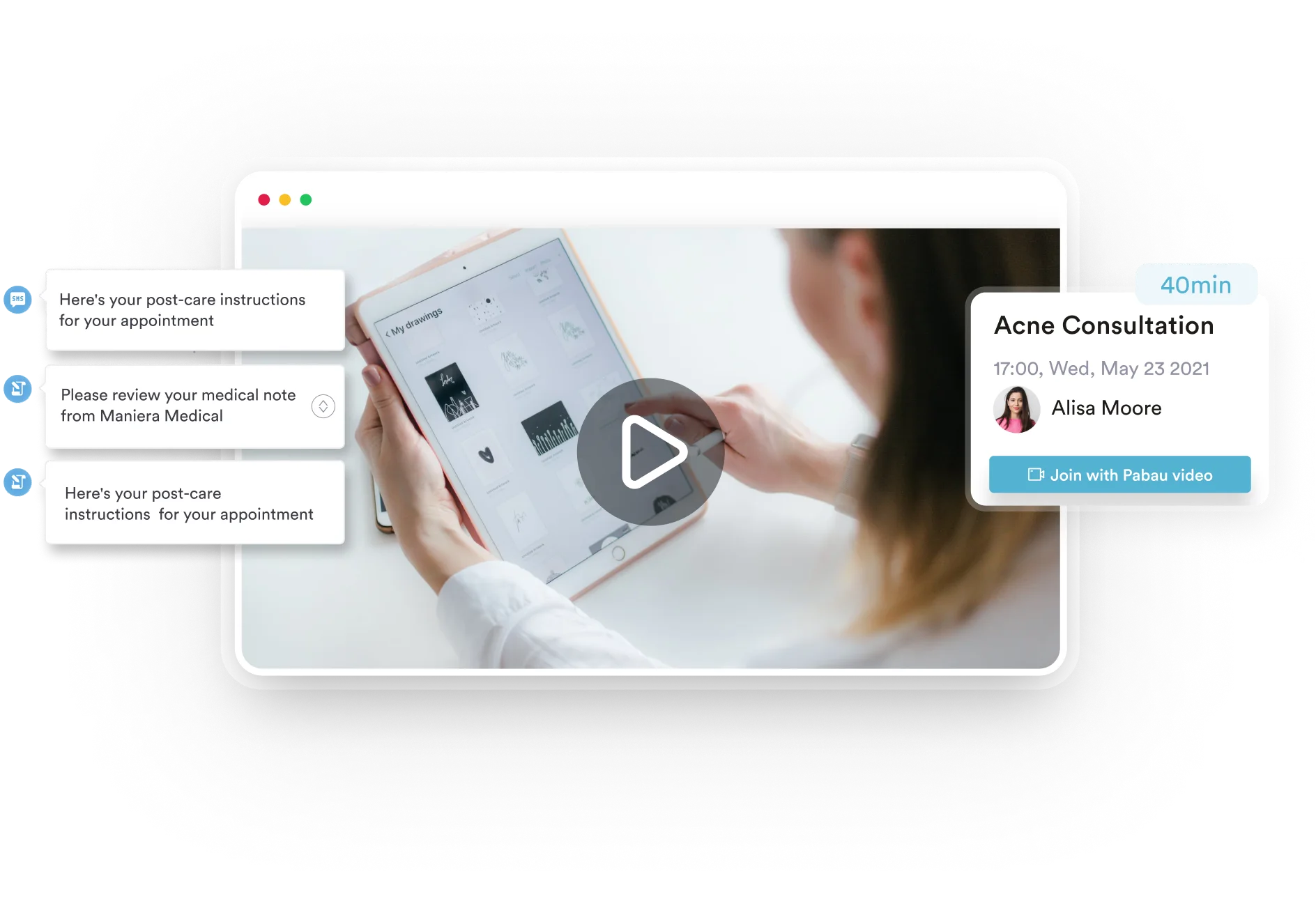
These days, virtual appointments are often expected by patients. But running telehealth shouldn’t feel complicated or disconnected from your regular workflow.
That’s why you need a system that offers fully integrated, secure, high-quality video consultations.
With Pabau, you can schedule virtual appointments just like in-person visits, automatically take and store notes, manage billing, and even send follow-up instructions—all without switching between different platforms.
Pabau brings patient self-scheduling, billing, patient records, automation, and marketing into one platform, helping your team stay organized, save time, and focus on delivering excellent person-centered care.
With everything connected in a single system, your staff spends less time juggling multiple tools and more time on meaningful work.
Plus, built-in reporting and insights make it easy to track performance, spot opportunities, and keep your practice running smoothly as it grows.
Ready to see the difference for yourself? Book a demo with Pabau today or check out our blog on Best Patient Scheduling Software for Medical Practices to learn more about their pros, cons, pricing, and more.