7 Best Patient Scheduling Software for Medical Practices: Pros, Cons, Pricing & More
A packed schedule is usually a great sign that business is thriving. But afte...

December 24, 2025


Buy now, pay later is now available in Pabau

Med spas & aesthetic clinics: Pabau manages EMR, smart forms, guided workflows, and automated care—perfect for smooth, personalized patient journeys.
Medium to large medical practices: NextGen Healthcare and CureMD offer robust EHR, AI documentation, and advanced billing for multi-provider or specialty-focused clinics.
Small or growing practices: Medesk and SimplePractice provide easy scheduling, basic EMR, and telehealth—ideal for solo practitioners or small teams.
Sales and lead management-focused clinics: LeadSquared excels at CRM, marketing automation, and lead tracking for high-volume, multi-location practices.
Trying to figure out which patient management software actually works for your practice?
The short answer is: The best patient management platform is an all-in-one platform that helps you:
But the real challenge is choosing the right one for your practice.
That’s why we’ve rounded up the 9 best patient management software systems for 2026, and highlighted the key features you should look for.
| Name | Best for / Application | Standout Feature | Price Starting Point | Overall Ratings |
|---|---|---|---|---|
| Pabau | Aesthetic & medical-first clinics needing end-to-end patient management | Comprehensive EMR + smart forms + guided patient journey | $69/month | 4.7/5 (Capterra/G2) |
| NextGen Healthcare | Medium to large multi-specialty medical practices | AI-powered documentation & specialty-specific templates | ~$300/provider/month | 4.0/5 (G2/Capterra) |
| eClinicalWorks | Large primary-care & multi-specialty clinics | AI-assisted clinical notes & population health tools | $449–599/provider/month | 4.1/5 (G2/Capterra) |
| Medesk | Small or growing clinics & flexible appointment practices | Smart scheduling & all-in-one patient records | $6–8/month | 4.2/5 (G2/Capterra) |
| SimplePractice | Solo therapists & small mental health teams | Telehealth + client portal + paperless intake | $49–$99/month | 4.5/5 (G2/Capterra) |
| CureMD | Medium to large medical practices needing full EHR + RCM | AI medical scribe & specialty templates | $195–395/provider/month | 4.3/5 (G2/Capterra) |
| DocPulse | Clinics, hospitals & multi-location practices | EMR + appointment scheduling + telemedicine | ~$10–$7,000/user/month | N/A (no G2/Capterra reviews) |
| Clinicia | Small to mid-sized clinics & multi-location practices | Multi-location access + smart scheduling | ~$78–$95/year | 4.0/5 (Google Play) |
| LeadSquared | Sales-driven clinics & high-volume lead environments | CRM + marketing automation + workflow automation | $40–2000/month | 4.2/5 (G2) |
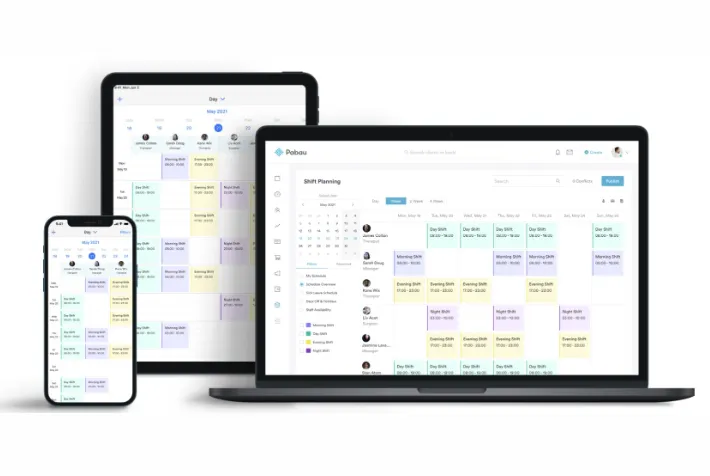
Pabau is built for medical-first clinics. It brings together clinical tools like consultations, treatment plans, and compliance tracking and business features such as marketing automation, analytics, and reputation management.
Pabau’s patient management system brings all your clinic’s needs into one place.
Here’s a quick look at what makes it stand out.
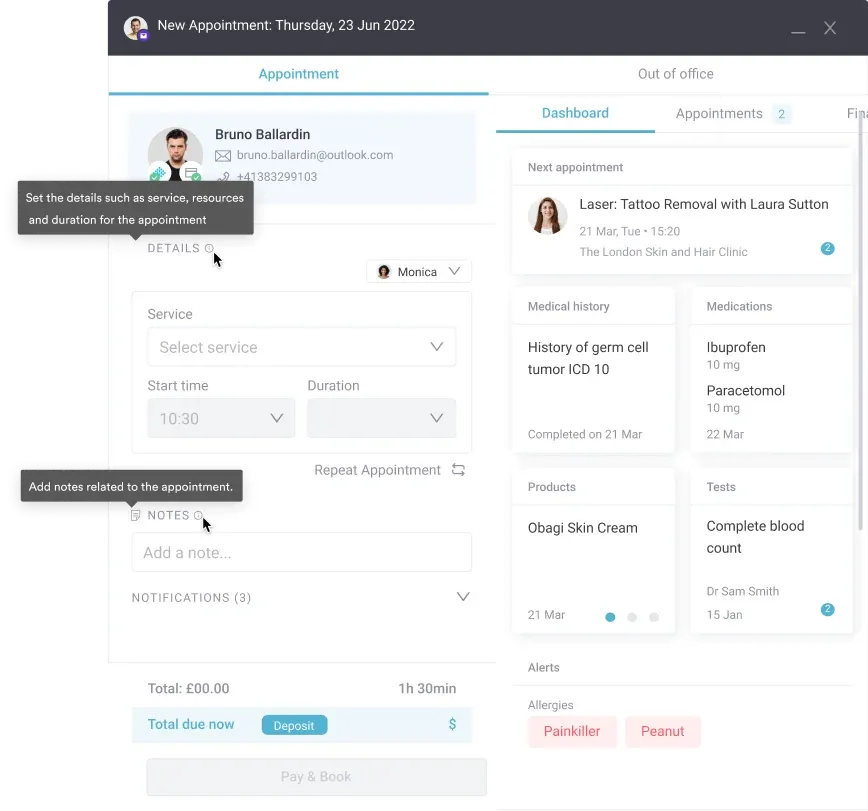
Pabau’s built-in EMR and secure client card store everything you need: photos, medical history, treatment notes, forms, prescriptions, and appointments.
All data lives in one place, it’s accessible from anywhere, on any device, with strict privacy permissions.
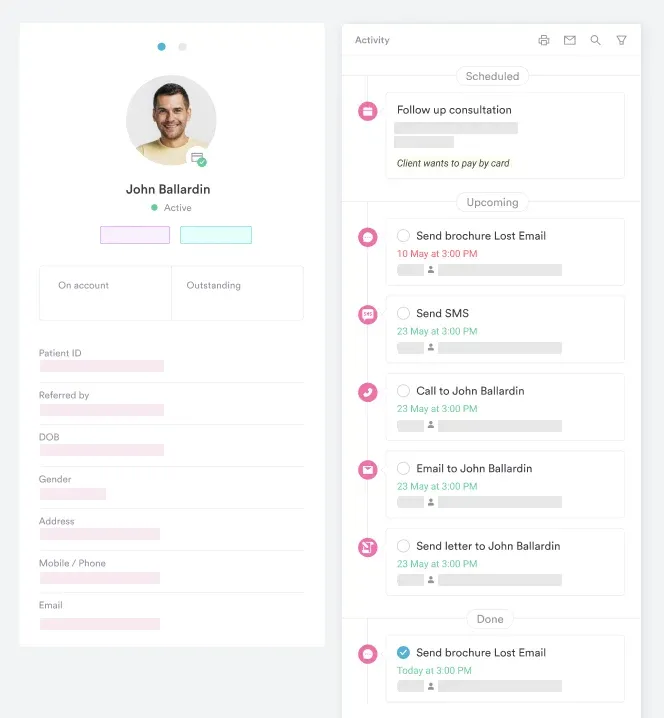
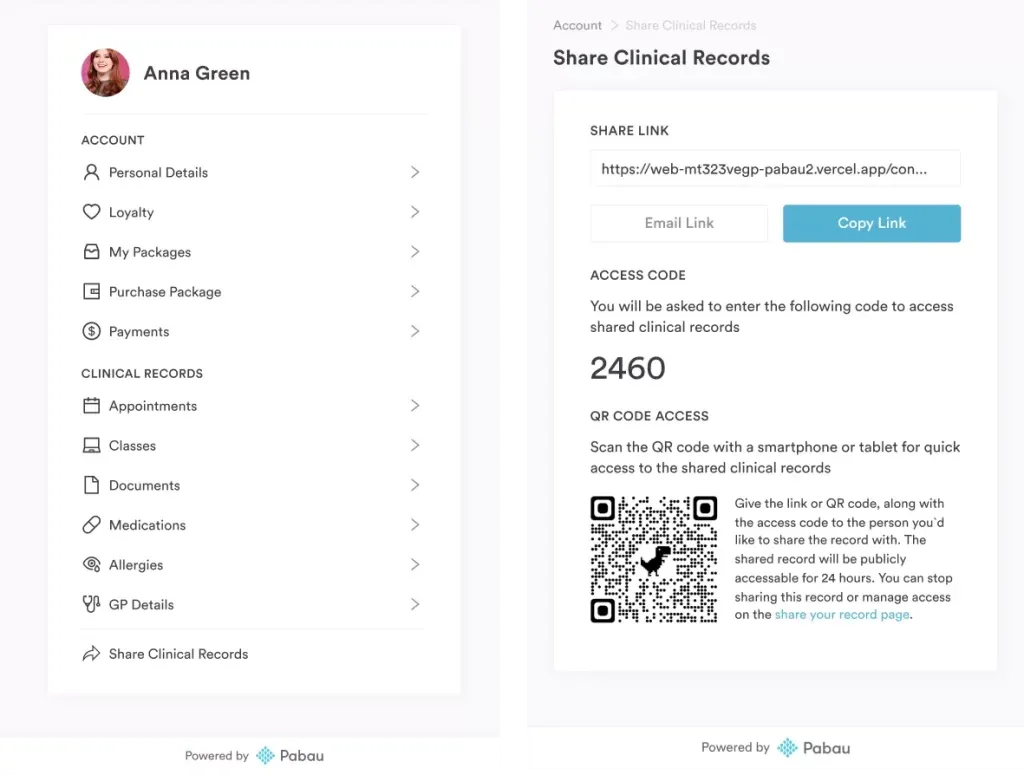
The intuitive patient portal in Pabau lets patients:
Easy to use on any device, it keeps patients informed and engaged while reducing admin work and helping your team focus on providing care.
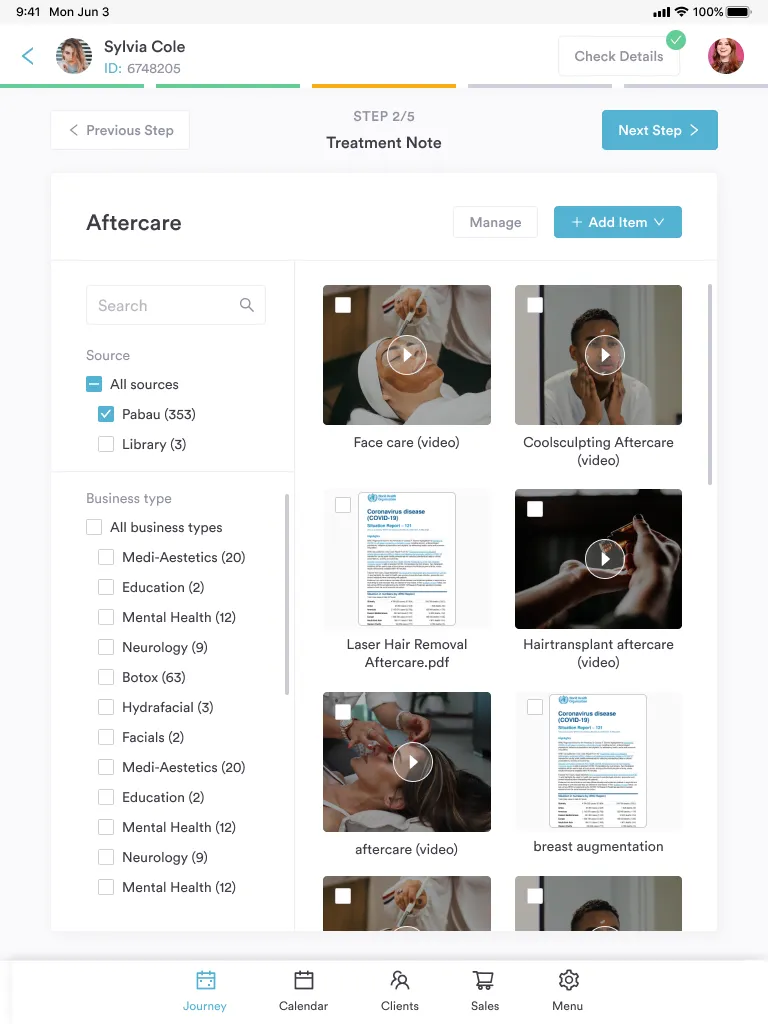
Pabau’s automated pre- and post-care communications send patients the right instructions at the right time.
Prep guidance, aftercare instructions, and follow-ups are all delivered automatically and can be customized per service, so every patient receives clear, treatment-specific guidance.
Pabau lets you create fully customizable forms—intake, consent, or medical history—linked to specific services.
These forms automatically update the client’s electronic medical record, so staff can quickly access and review important information during each visit.
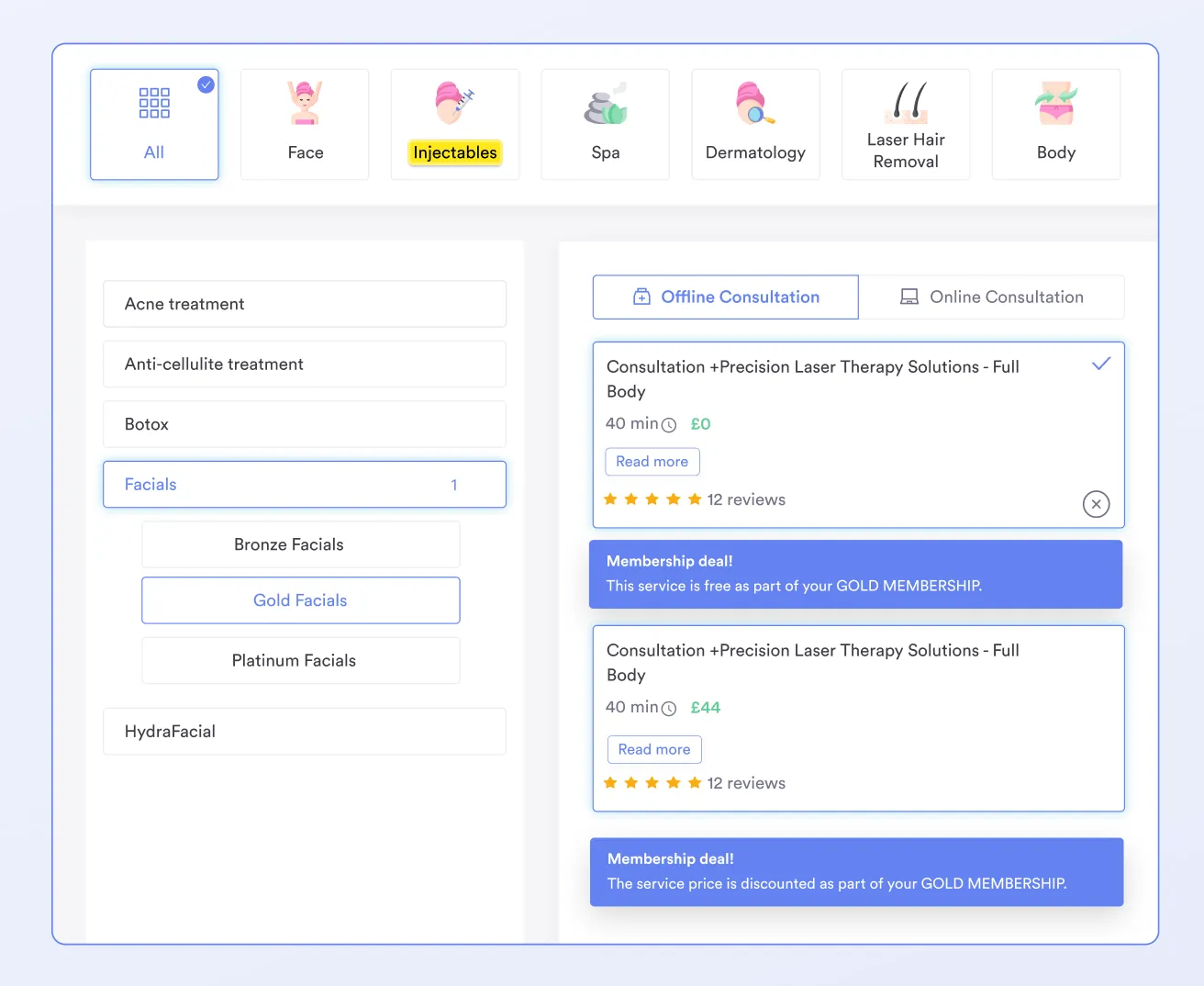
The scheduling tool in Pabau keeps patient management simple.
Online booking lets patients pick appointments that fit their schedule, while the system updates their records automatically.
Multi-provider calendars, reminders, and conflict-free scheduling keep patient information accurate and make every visit run smoothly.
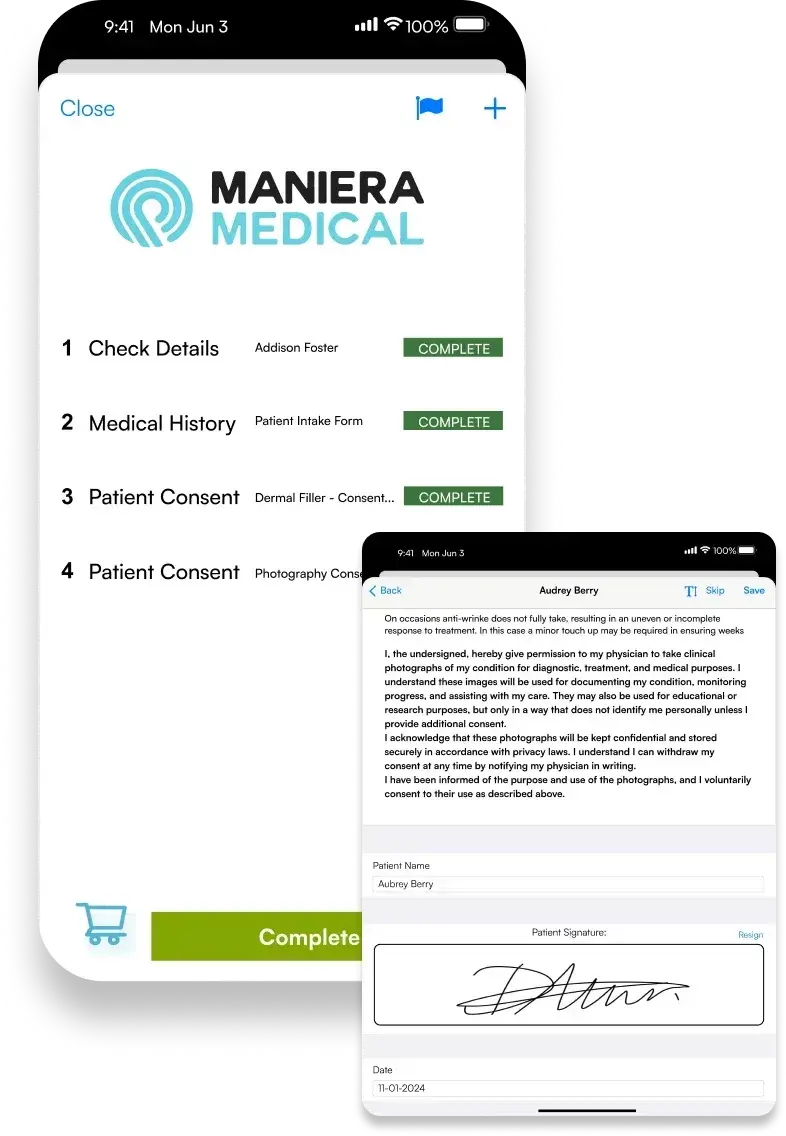
The client journey on the iPad app walks your team through every step of the visit.
Clients check in, complete medical questionnaires, and sign consents, while the providers review treatment notes in one smooth flow.
“From the minute they make their appointment, they get a welcome email, then they get a text reminder for their appointment 24 hours beforehand.
When they come to the clinic, they get a brief of the treatment plan we’ve discussed. If they have an action plan, they get an aftercare email, a follow-up text, or an email two weeks later.
All of this has made that process easy and streamlined.”

Pabau starts at $69/month in the US and £53/month in the UK, with plans to suit practices of all sizes, from solo practitioners and small teams to large practices.
Learn more about Pabau’s plans and pricing on our pricing page.
To get the most from Pabau, use Care Plus smart forms with their guided, step‑by‑step layout and progress bar. The forms adapt based on answers or booked service, so patients only see the relevant questions.
“The customization options are outstanding. I can tailor treatment notes, forms, and workflows to match exactly how our clinic practices, which helps keep our documentation consistent and efficient. The AI dictation feature has been a huge time-saver, accurately capturing my notes and reducing the amount of typing I have to do.” – Michael B. (Capterra)
“I love how intuitive Pabau is for managing patient journeys. The integrated appointment scheduling, clinical notes, and treatment photos make it simple to track patient progress and ensure high-quality care.” – Olena K. (G2)
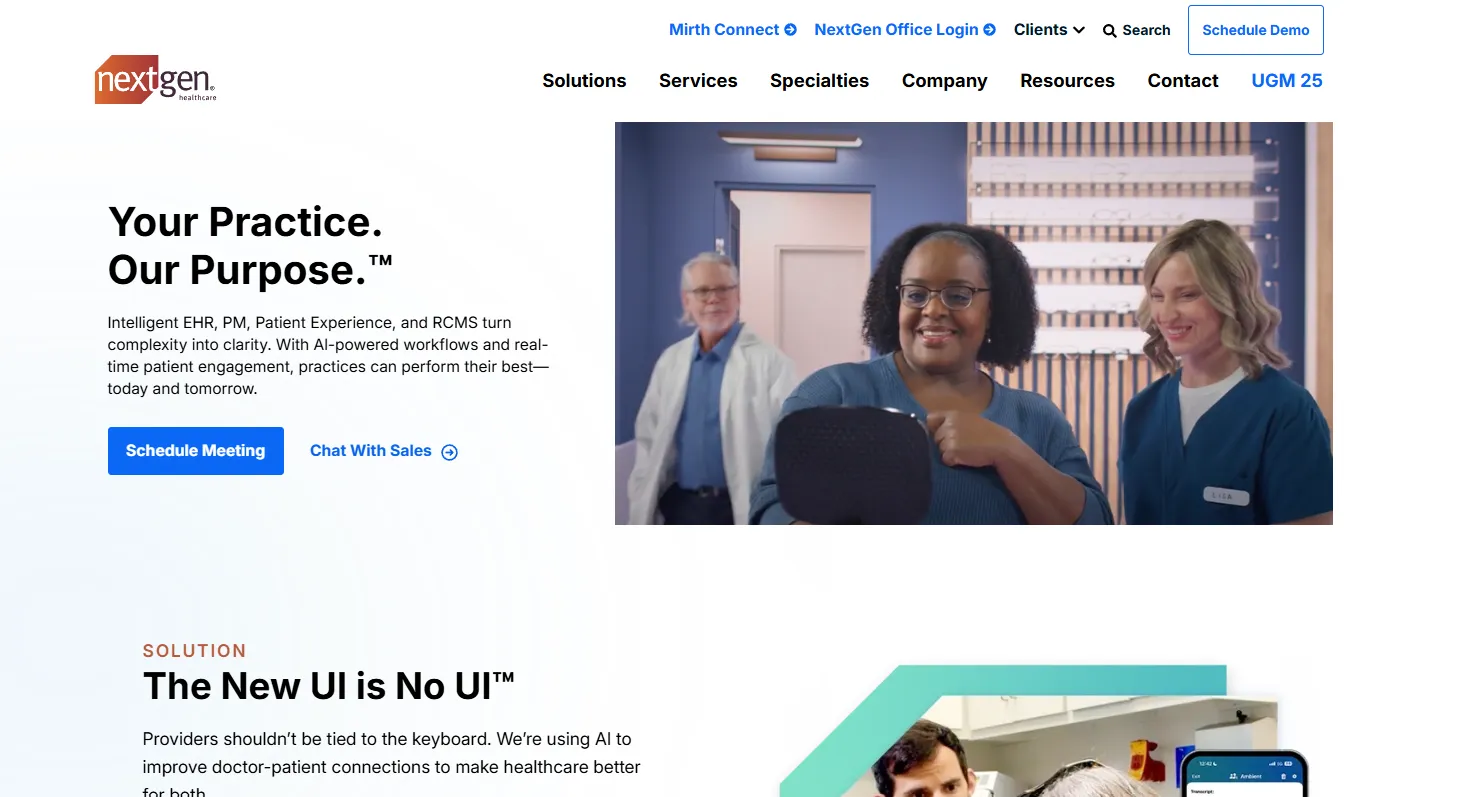
NextGen Healthcare is a long-established primary care EHR and practice-management platform serving a wide range of specialty and primary-care and GP practices.
NextGen doesn’t show public pricing. Costs depend on practice size, chosen modules, and services. Most practices need a custom quote, though Capterra suggests roughly $300 per provider each month.

Dive into cloud-based practice management options: Learn why cloud-first tools are reshaping clinic workflows and which features matter most.
Explore top-rated clinic management software: A full breakdown of software that helps run your practice smoothly — from bookings to billing.
Discover the best aesthetic clinic software for 2026: See how leading platforms support med spas and aesthetic practices with clinical, scheduling, and marketing features.
“This software is cloud-based, simple to set up, and user-friendly.” – Kim T. (G2)
“I feel like I need to click 8 times to do something that should take 2.” – Abhi P. (G2)
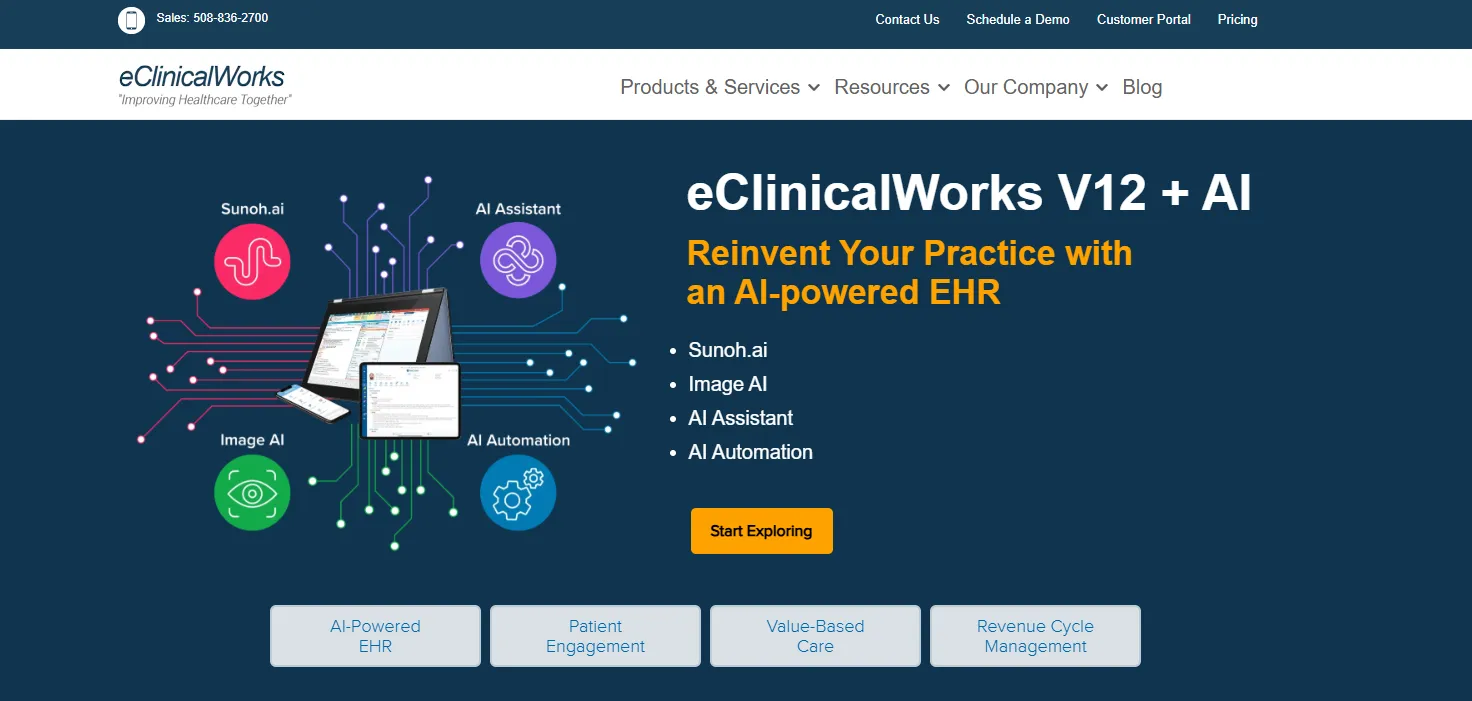
eClinicalWorks is a cloud-based EHR and practice management system used by many providers. It offers AI-powered tools, flexible templates, and strong interoperability.
| Plan | Price (per provider/month) | What’s Included (Key) |
|---|---|---|
| EHR Only | US $449/mo | EMR, patient portal, messaging, document & referral management, e-prescribing and more. |
| EHR + Practice Management | US $599/mo | All EHR-only features plus practice management & billing tools, scheduling and more. |
| RCM as a Service | 2.9% of practice collections | Full outsourced revenue-cycle management, including claims creation, denial/rejection handling and more. |
Want to streamline your appointments? Explore our full guide to the top nine scheduling tools and find the right fit for your practice.
“ECW helps in booking appointments for the PTs in the USA with their doctors and has all their documents up to date.” – Christina Z.(G2)
“Everything from the tedious login to forcing you to falsify records, to the multiple layers of menus to extra clicks, to making accessing information tedious and difficult.” – Douglas M. (Capterra)
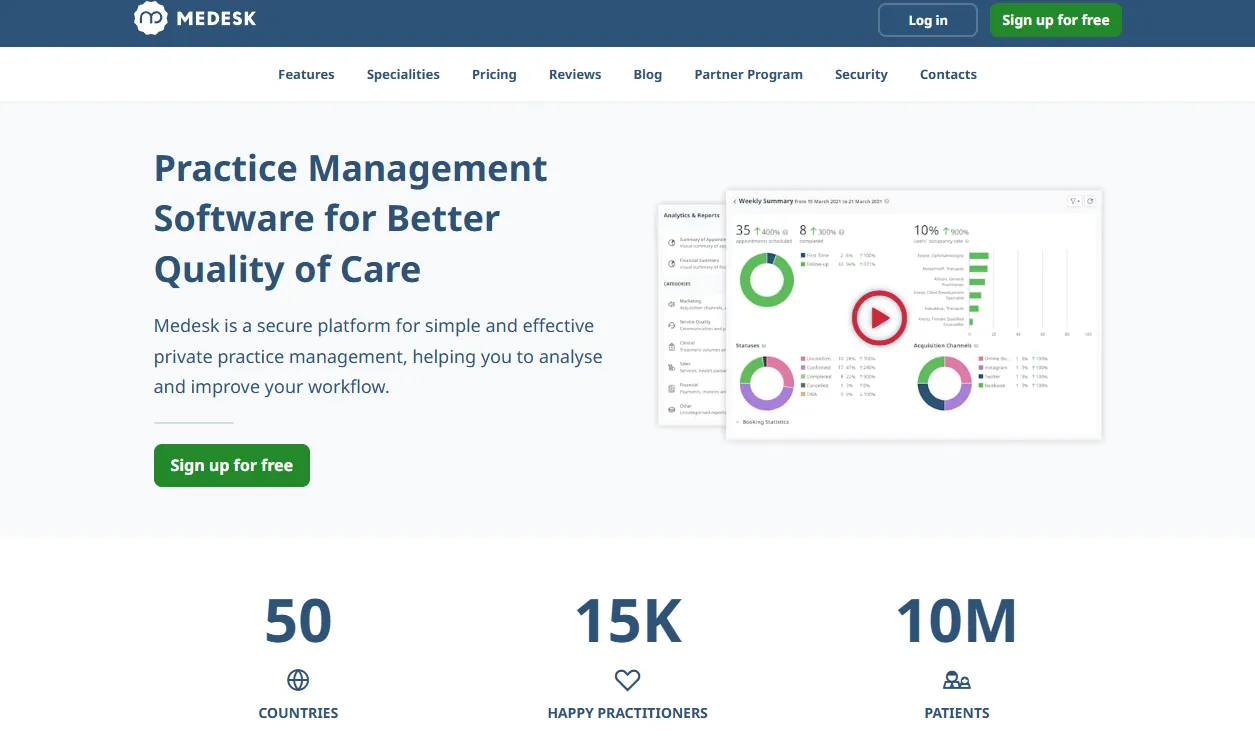
Medesk is a cloud-based practice management software designed for medical and aesthetic clinics.
| Plan | Price per month | What’s included |
|---|---|---|
| Mini | $6 | 3 users and 50 appointments, full patient records system, smart scheduling & calendar, clinical templates. |
| Pro | $8 | Everything in Mini, plus online booking 24/7, unlimited team members and telemedicine. |
| Premium | Custom pricing | Everything in Pro, plus white-glove onboarding, priority support & training and more. |
Choosing the right practice management software is just one way to grow your practice. Discover nine more strategies to help scale your medical business effectively.
“Secure EHR, scheduling, online appointment booking, telemedicine, payment for services, prescribing AND reporting analytic all in one place! Makes my daily work life easier and my patients also have records and payments at their fingertips!” – Taylor (Capterra)
“At first it was very difficult, to use the software it had a lot of new things that we were not use to. and it is kind of expensive.” – Olivia Cormay (Capterra)
SimplePractice is a cloud-based platform designed for therapists, speech-language pathologists, mental-health providers, and physical therapists.
| Plan | Price (per month) | Key Features |
|---|---|---|
| Starter | $49 | Core patient-management tools: automated invoicing, client portal, e-signatures, online payments, progress notes and more. |
| Essential | $79 | Includes Starter+ features, plus appointment reminders, online appointment requests, custom notes/templates, and more. |
| Plus | $99 | Full feature set: all Essential features plus group appointments & telehealth, client messaging, and premium support. |
“SimplePractice is easy to use and keeps everything in one place—scheduling, notes, billing, and telehealth. It saves me a ton of time. SimplePractice makes scheduling, documentation, and billing seamless in one platform.” – Ashley A. (G2)
“Technology extremely unreliable, constant connect issues, non-existent customer support, price is very expensive ($99 per month) and system issues at least 4 to 6 times per week.” – Tiffany W. (Capterra)
CureMD is an AI-powered, all-in-one healthcare platform that combines EHR, billing, and patient-engagement tools.
| Plan | Price (per provider / month) | What’s Included |
|---|---|---|
| Practice Management (PM) | US $195 | Scheduling, claims & billing tools, reporting dashboards, reminders, and more |
| Electronic Health Records (EHR) | US $295 | E-prescribing, device connectivity, templates, orders/results, patient portal, clinical decision, etc. |
| All-In-One (PM + EHR) | US $395 | Full PM + EHR suite bundled — scheduling, billing, charting, patient portal, reporting, mobile/iPad app access, etc. |
| Medical Billing Service (outsourced RCM) | % of collections (as low as 3–4%) | Outsourced claims processing, payment posting, denials & appeals, etc. |
The figures in the table are sourced from third-party sites such as GetApp and Forbes and may not reflect official rates.
If you’re interested in a primary care practice management solution, check out the 11 essential features the software must have.
“CureMD revolutionized my practice. I had used clunky EMRs in the past and always felt they were too slow to upload info.” – Jessica A. (Capterra)
“The product is not user-friendly. Too many steps for 1 appointment. Time-consuming! Inputting vaccines is time-consuming, lengthy, and a hassle. The program lost all of our inputted vaccines from one site.” – Jenn G. (G2)
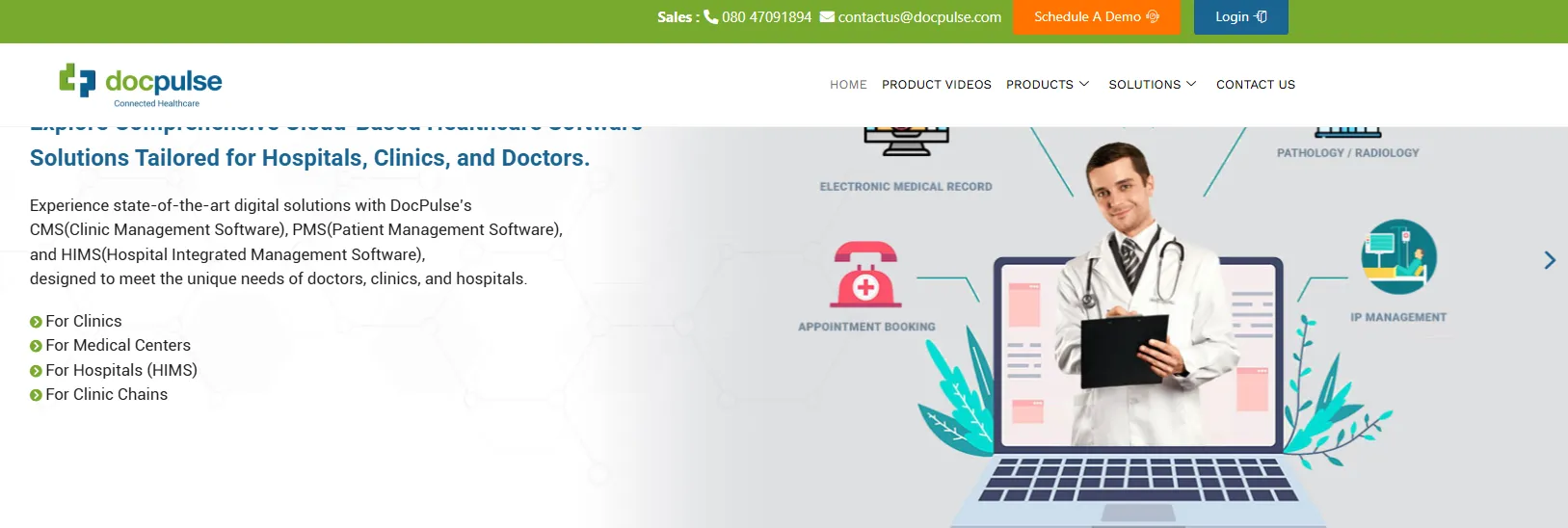
DocPulse is a cloud-based clinic, hospital and patient management system.
It offers advanced digital solutions with CMS (Clinic Management Software), PMS (Patient Management Software), and HIMS (Hospital Integrated Management Software).
DocPulse offers flexible pricing, starting at $10 per user/month for small businesses and scaling to $7,000/month for 1,000 users, according to ITQlick. Implementation costs vary by size.
As of the date of this blog, DocPulse has no reviews on major platforms like G2 or Capterra.
Industry sources like ITQlick note its strong patient management tools, but also highlight limitations such as restricted third-party integrations, basic patient reminder options, and fewer advanced collaboration features.
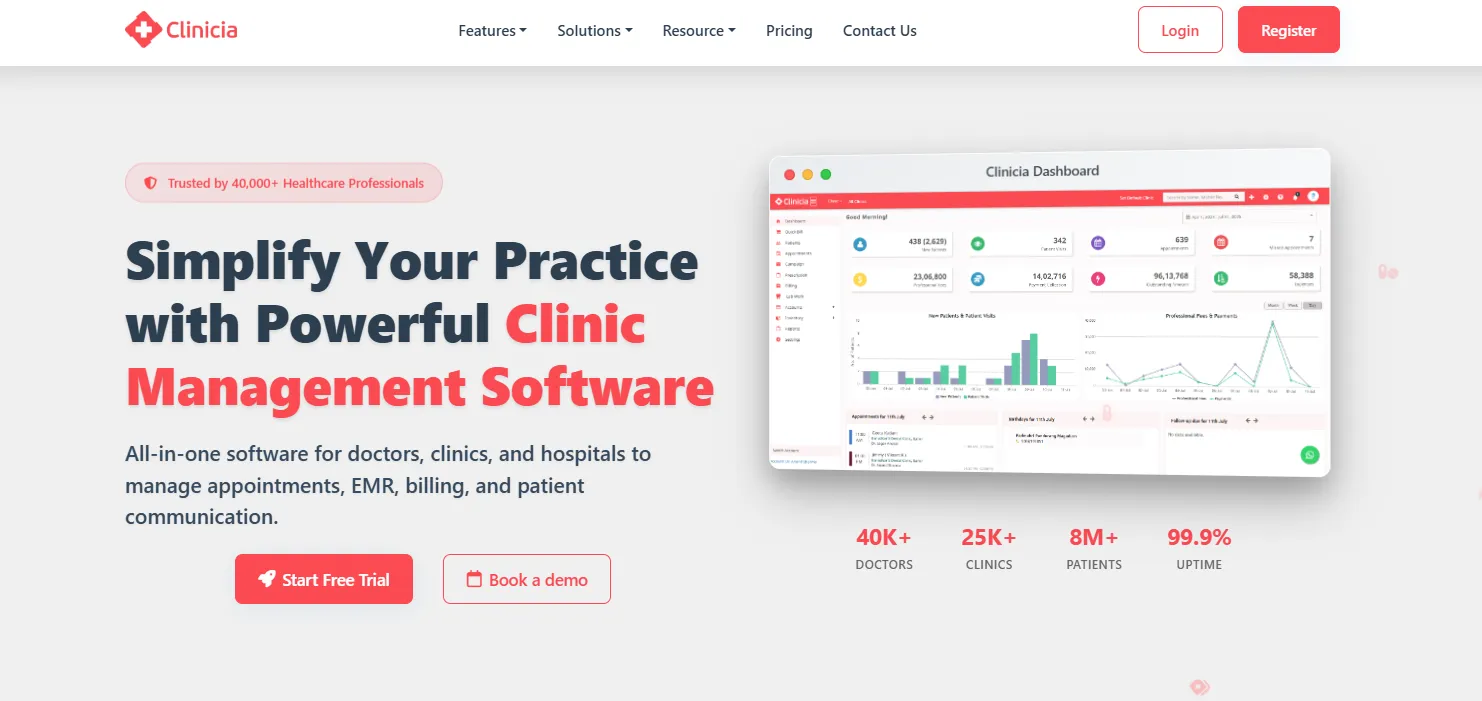
Clinicia is a cloud-based patient management system that helps healthcare practices manage appointments, billing, EMR, telehealth, and communication.
| Plan | Price (approx) | Key Features |
|---|---|---|
| Standard | ~US $78/yr | EMR, appointment calendar, specialty features, unlimited SMS reminders, e-prescriptions, billing, and more (1 clinic included). |
| Premium | ~US $95/yr | All Standard features plus advanced support or enhancements. |
Automated patient engagement: Features like SMS and WhatsApp reminders, e-prescriptions, and follow-up notifications improve patient communication and reduce no-shows.
If you’re looking for multi-location scheduling tools, make sure the system has location-specific visibility, permissions, and mobile access for on-the-go teams.
“Very nice app to use on both mobile and PC. The new feature to send the prescription and bills, etc, on WhatsApp was the need of the hour, and I appreciate the efforts you have put into such a beautiful app.” – Manish Rijhwani (Google Play)
“App doesn’t show any notification on new appointment booking request. And no pop-up on the website also. Blank screen after rescheduling appointment.” – Dr. Vikrant Yadav (Google Play)
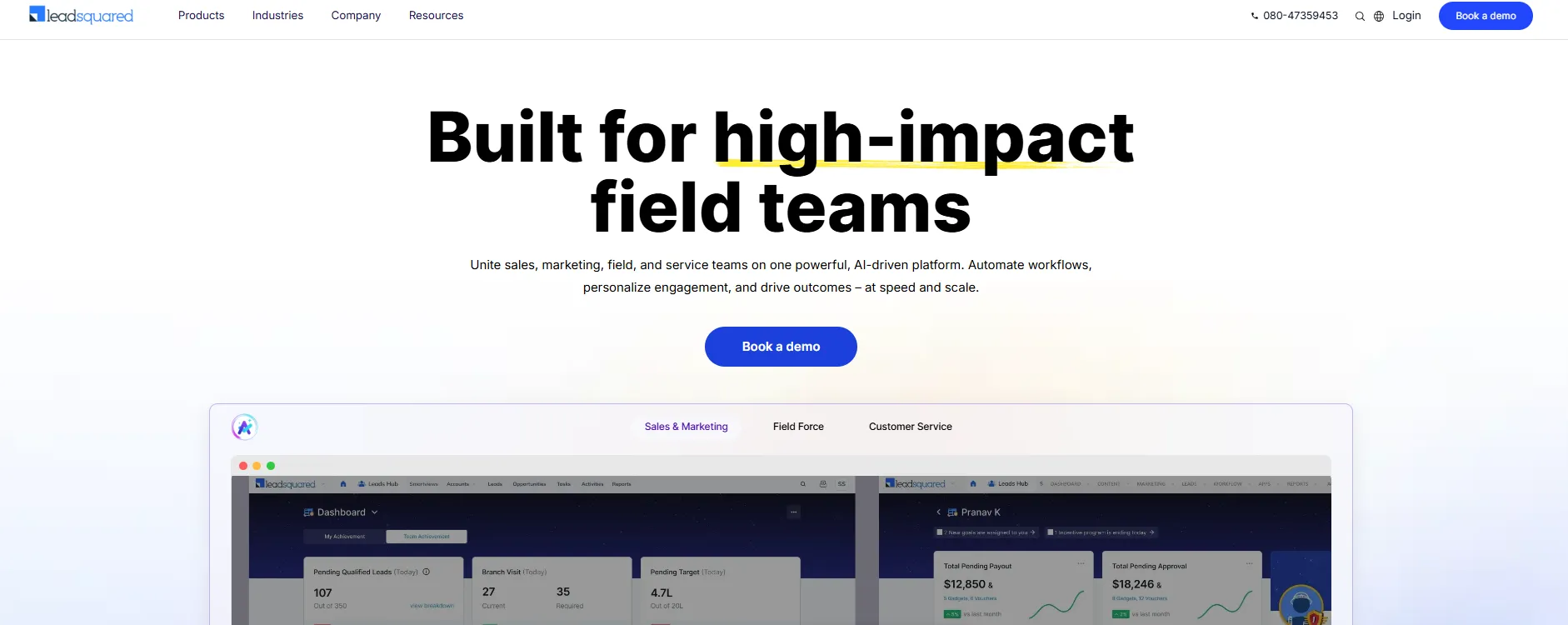
LeadSquared unites sales, marketing, and service teams on one AI-powered platform. It boosts patient intake, engagement, and retention through workflow automation and personalized campaigns.
| Plan | Price (per month) | What’s included |
|---|---|---|
| Sales Pro | $40 / user | Core CRM with lead management and sales tools. |
| Sales Super | $60 / user | All Pro features plus advanced automation, workflows, and sales process tools. |
| Marketing Pro | $1,200 / account | Core marketing automation features for campaigns and tracking. |
| Marketing Super | $2,000 / account | All Pro features plus expanded contact handling, larger email volumes, and more chatbot sessions. |
“It is an easy-to-use interface with a customised workflow, including lead capturing, tracking with lead distribution automations.” – Ashish G. (G2)
“I find the report customization challenging as it was initially difficult to tailor the data to our needs. There is a significant missing element in the CRM reports, specifically the inability to view all interactions with a customer.” – Suraj V. (G2)
A good patient management system keeps your clinic organised, improves care, and saves your team hours each week. Here’s how:
Patient management systems cut down on manual tasks like scheduling, reminders, and paperwork.
Patients enjoy quick booking, easy forms, and clear communication. A good system helps them feel informed and cared for from the moment they book to the moment they walk out the door.
Digital charts, treatment notes, and photo records help providers stay consistent. You can track progress, compare past visits, and make well-informed decisions.
Need extra help choosing the best practice management software? Check out our Buyer’s Guide with an essential checklist.
You get dashboards and reports that show how your practice is doing. With real-time data, you can spot trends, fix weak points, and plan your next steps with confidence.
Automations and self-serve tools like patient portals take care of the repetitive tasks your team spends hours on.
If you’re in medi-aesthetics, discover the must-have features an aesthetic software should offer to help your practice run smoothly.
Choosing the right patient management software starts with knowing what matters most.
Below, we break down the key features to look for so you can pick a system that fits your practice and your patients.
Keeping all patient information in one place is key to smooth operations and high-quality care. Secure EMR and client cards store medical history, treatment notes, forms, photos, and appointments.
Pabau does this seamlessly, making it easy to access and update records for every patient.
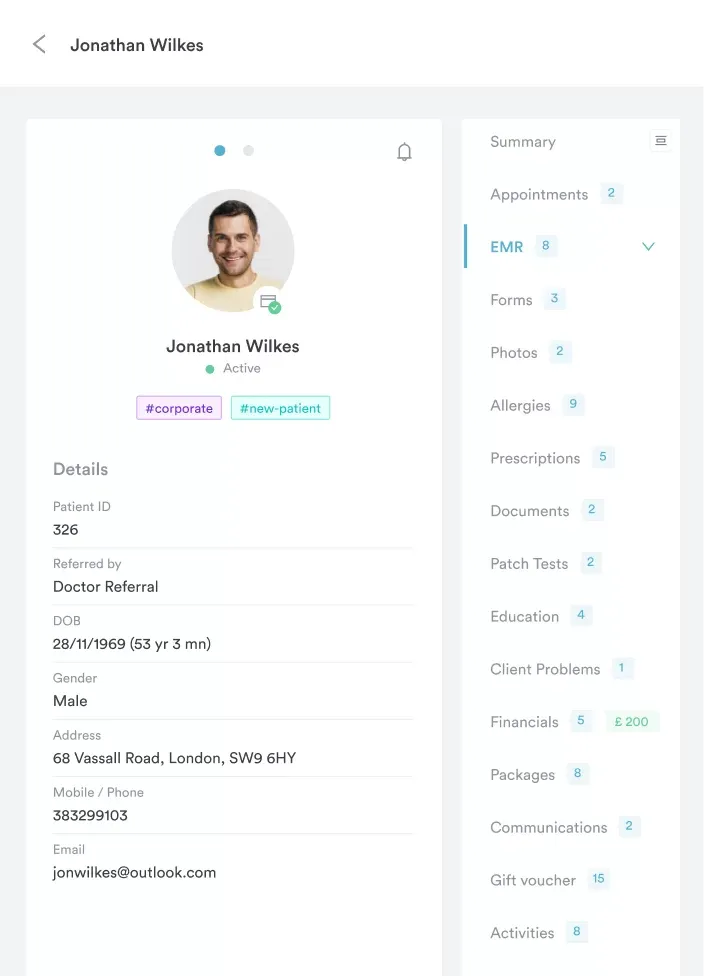
See it in action: Ready to experience Pabau’s comprehensive client records for yourself? Book a demo today and discover how easy managing patient information can be.
A portal lets patients view their medical history, treatments, and care instructions, which improves engagement and satisfaction.
Pabau’s portal allows patients to check details anytime, keeping them informed while reducing admin workload.
Automated messages for prep, aftercare, and follow-ups save time and enhance outcomes. Messages can be customized per service.
Pabau handles this automatically, ensuring patients get treatment-specific guidance without extra effort.
Forms linked to services with smart logic capture accurate patient data efficiently. Conditional fields and design customization streamline intake and consent.
Pabau’s forms adapt dynamically for each service and patient, improving data accuracy and experience.
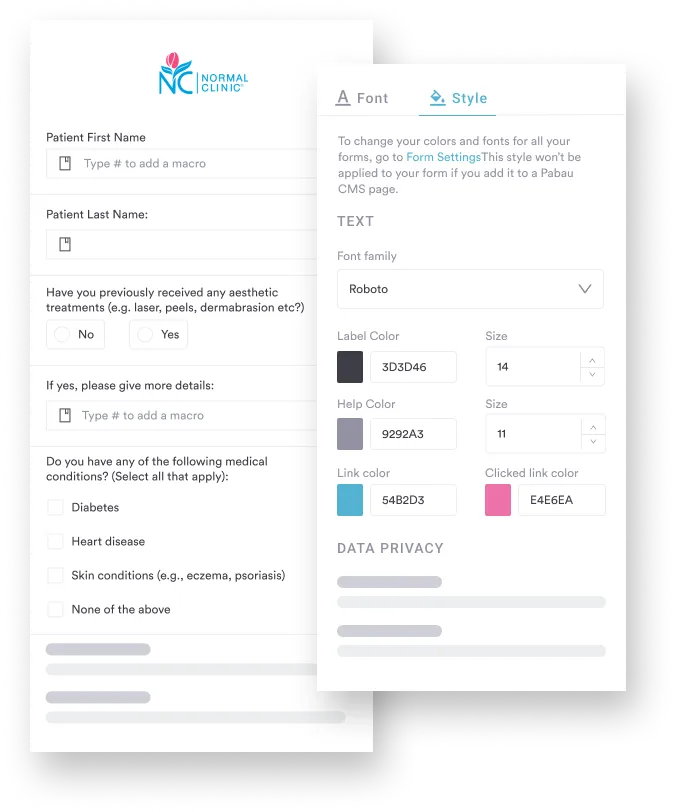
Try it live: Want to see how Pabau’s smart, customizable digital forms simplify patient intake? Book a demo and explore forms tailored to your services and workflow.
Conflict-free calendars, multi-provider schedules, and online self-booking simplify appointment management.
Pabau updates patient records automatically and keeps bookings smooth, reducing admin errors and no-shows.