HIPAA compliant texting: What you can send patients & how to communicate securely
HIPAA compliant texting is possible when a text holds no protected health inform...

Last Updated: Oct 16, 2026

Demographic information is essential patient intake data (age, sex, race, ethnicity, income, education, language, address) required for HIPAA compliance and health equity reporting.
Required vs optional fields vary by program and payer; most clinics collect core identifiers at registration and sensitive social data with explicit consent.
Digital intake forms capture demographic data more accurately than paper, reduce manual entry errors, and enable automated reporting for quality and compliance measures.
Pabau’s digital forms automate demographic data collection, secure storage, and reporting – saving clinic staff time and ensuring HIPAA-compliant record-keeping.
A free printable patient demographic form covering personal details, contact information, optional social and health factors, and signature blocks. Fully customizable for your practice’s specific needs and compliance requirements.
Download templateThe patient demographic form PDF above is a starting point for any healthcare practice’s patient intake process. Customize the fields, add your practice branding, and use it immediately in your registration workflow – whether digital or paper-based.
Most practices collect patient demographic information haphazardly – some fields on intake forms, others captured verbally, many missing entirely. A free printable patient demographic form fixes that by giving every new patient the same structured set of questions at registration.
Demographic information – a patient’s age, sex, race, ethnicity, income, education, language, and address – is not optional. It is required by HIPAA, CMS, and most insurance payers for quality reporting, billing accuracy, and health equity compliance. Yet many clinics still don’t have a structured, consistent way to collect it.
This guide covers what demographic information you need to collect, which fields are required vs optional, sample questions to ask, how to integrate collection into your workflow, and why it matters for patient care. You’ll also find a free downloadable paperless patient intake form template ready to customize and deploy.
Demographic information is the set of patient characteristics collected at registration to identify and describe individuals within your clinic’s system. It includes essential identifiers (name, date of birth, contact details), protected characteristics (sex, race, ethnicity), and social factors (income, education, language, occupation, address).
It differs from clinical data – diagnoses, medications, vital signs, lab results – which are collected during patient visits. Demographic information is foundational: it sits in the patient record from the moment they register and remains static unless the patient updates it.
Why the distinction matters: demographic data fulfils regulatory, billing, and health equity purposes. HIPAA requires it for privacy rule compliance. CMS requires race and ethnicity for quality reporting. Clinics use it for population health analysis, insurance eligibility checking, and outreach to underserved patient groups. It is not optional – it is a compliance requirement across virtually every healthcare setting.
Not every practice’s demographics intake form collects the same fields, but most cover a common core. Here is the standard set, organized by category and flagged as required or optional based on typical HIPAA and payer guidelines.
Key principle: Required fields vary by program (Medicare, Medicaid, commercial payers), by state, and by clinic type (safety-net vs private practice). The fields above represent the consensus across HIPAA, CMS, and most payers. Always verify requirements for your specific payer contracts and state regulations before finalizing your form.
Here are sample demographic information questions you can copy directly into your patient intake form, grouped by category. Adjust wording and options to match your practice’s specific needs and patient population.
Running this form inside a GP practice system keeps clinical documentation in one place.
Collecting demographic information efficiently and accurately requires a structured workflow. Here are the key steps for most healthcare practices.
The most common mistake: collecting demographic information only once at initial registration and never updating it. Patients move, change insurance, and update preferred names and pronouns. A workflow that invites updates at every visit keeps data current and demonstrates to patients that you track their social context.
Collecting demographic information is not box-ticking. It directly affects patient outcomes, clinic operations, and regulatory compliance.
Demographic information is sensitive personal data. Collecting, storing, and using it requires careful attention to privacy law, consent, and anti-discrimination principles.
HIPAA’s Privacy Rule requires clinics to collect only the demographic information “necessary” for treatment, payment, and healthcare operations. Avoid collecting fields you don’t use – e.g. don’t ask for income level unless you have a specific program that uses it for eligibility. Keep your form lean and justified.
Race and ethnicity questions must be voluntary. Include an explicit statement: “The following information is optional. It is used for health equity analysis and quality reporting, not for treatment decisions or discrimination. You may decline to answer or select ‘Prefer not to answer.'” Follow US Census Bureau demographic standards (OMB Directive No. 15) for category definitions.
Demographic data is PHI. Store it in encrypted systems, limit access to authorized staff (clinicians, front desk, billing), and maintain audit logs showing who viewed or edited each patient’s information. HHS HIPAA guidance specifies these requirements. Review access quarterly.
Retain demographic data for the duration of the patient relationship plus the relevant statute of limitations for your state (typically 5-7 years). Document a data destruction policy and comply with it when patients request record destruction or when retention period expires.
When a practice ends that relationship, the discharge letter goes to the mailing address held on the demographic form. Our termination of appointment letter template sets out the notice period and the details to include.
Manual demographic data entry – staff re-typing patient information from paper forms, or asking patients to repeat details verbally at each visit – is a source of errors, delays, and poor patient experience. Pabau’s digital intake forms automate the entire workflow.
Patients receive a pre-arrival email with a link to your clinic’s digital intake form. They fill in demographic information (name, date of birth, address, insurance, emergency contact, race/ethnicity with opt-out option, language preference) from their phone or computer before stepping into the clinic. Pabau automatically validates format (date of birth must be valid, zip code format is checked) and flags missing required fields.
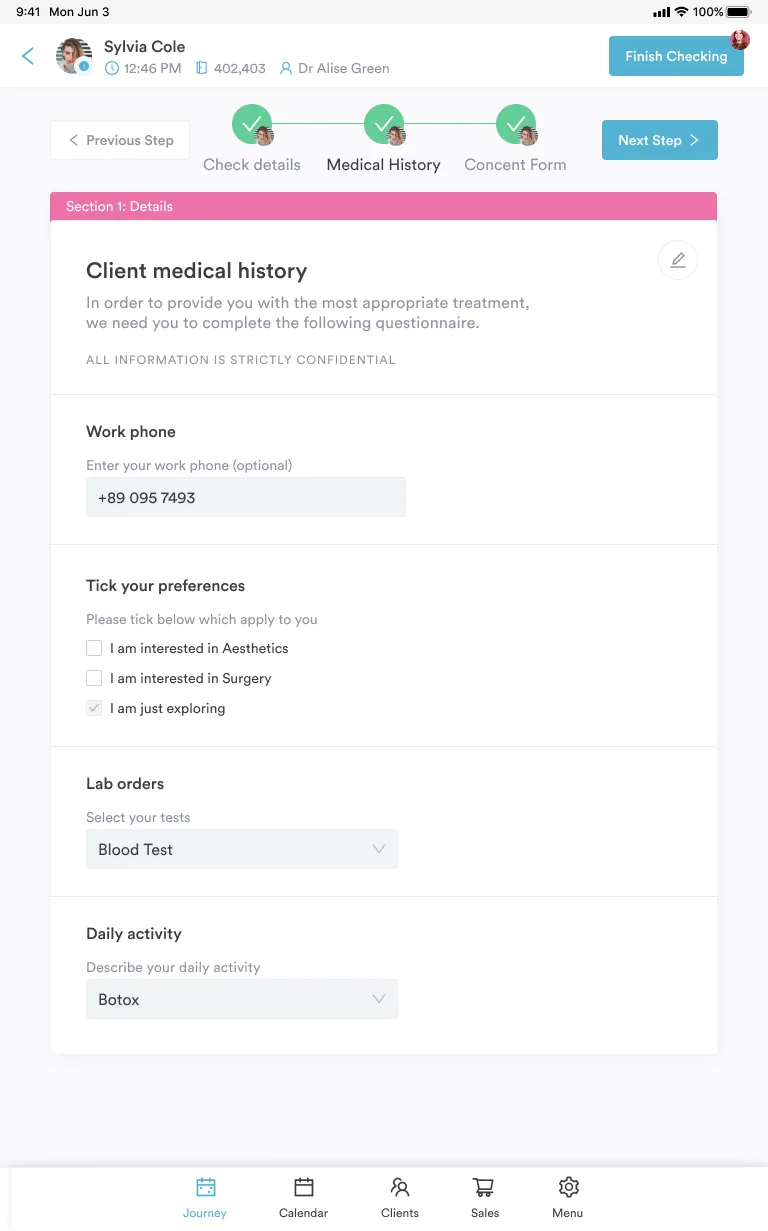
Once submitted. Staff do not re-enter it. Front desk staff can visually confirm the patient on arrival (“Hi Sarah, we have you here as Sarah Johnson, DOB 03/14/1982, address 123 Main St – correct?”), updating it if needed. The single source of truth eliminates duplicate entry and reduces errors.
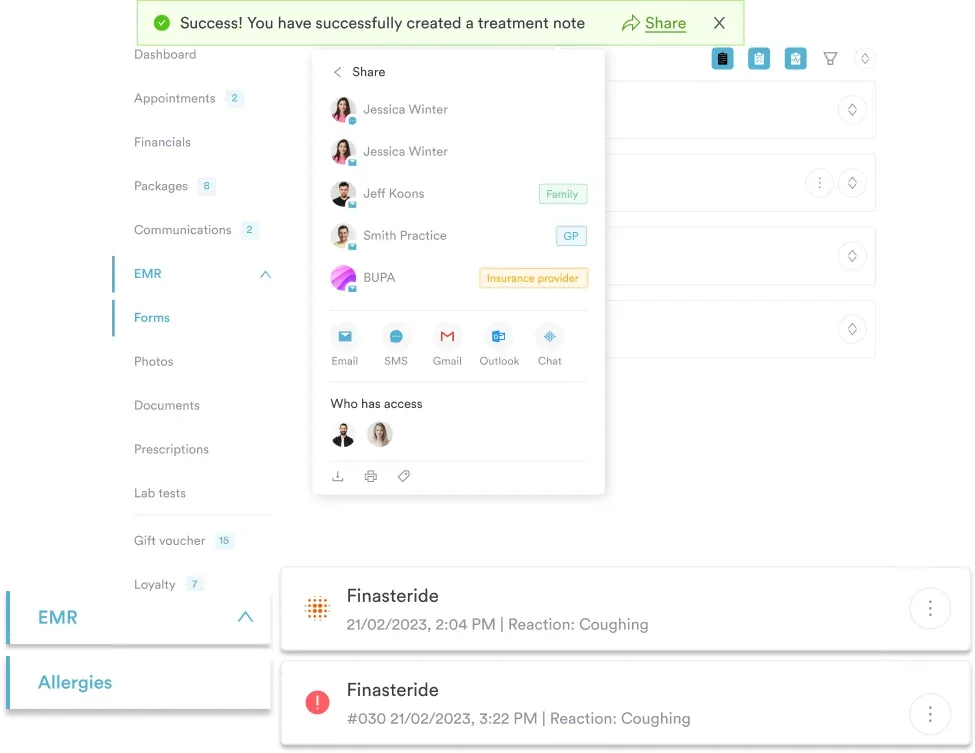
Pabau’s reporting dashboard automatically aggregates demographic data across your patient population. Run a one-click report showing patient distribution by age, sex, race, ethnicity, zip code, or language preference. Use these insights for health equity analysis, quality measure submission, and population health planning – without manual data extraction.
Pabau logs every view and edit of patient demographic data, showing who accessed it, when, and what changed. This audit trail is HIPAA compliance management evidence during audits. Staff training is built into the onboarding, with clear guidance that demographic data is confidential PHI.

Pabau’s digital forms capture demographic data accurately and compliantly – no manual re-entry, no missed fields, no scattered paper forms. Every new patient’s demographic information flows directly into their secure record.

Demographic information is foundational to modern healthcare. It is a HIPAA requirement, a CMS mandate for quality reporting, and a clinical tool for understanding your patient population and delivering equitable care. Yet many practices still collect it haphazardly – incomplete, inconsistent, and never updated.
A structured demographic information form PDF (like the free template above) and a digital forms workflow eliminate this chaos. Patients fill it once, data syncs to their permanent record, you run compliance reports with one click, and staff never re-enter information. Start with the template and customize it for your practice’s needs.
Book a demo to see how Pabau turns a one-time patient demographic form into an auto-syncing, audit-ready record for your entire practice.

Looking for more intake form templates? Vital signs record template covers blood pressure, heart rate, temperature, oxygen saturation, and pain score.
Looking for more intake form templates? Medical forms at your healthcare practice covers consent forms, clinical history, and specialized templates for your clinic type.
Standardizing how your team writes clinical notes? SOAP notes meaning explains the origins of the format and how it closes documentation gaps.
Demographic information is patient background data collected at registration, including age, sex, race, ethnicity, address, contact details, language, education, income, and employment. It differs from clinical data (diagnoses, medications, vital signs) and is required by HIPAA, CMS, and insurance payers.
Core required fields for most US clinics: name, date of birth, sex, address, phone, email, race/ethnicity (with opt-out), and preferred language. Required vs optional fields vary by payer and program – verify with your Medicare, Medicaid, and commercial insurance contracts and your state’s healthcare regulations.
Yes, if the question is voluntary. Include a clear statement that the information is optional, used for health equity and quality reporting (not treatment decisions), and can be declined. Offer an “Prefer not to answer” option and follow OMB Statistical Policy Directive No. 15 for category definitions.
Store demographic data (like all PHI) in encrypted systems with access limited to authorized staff. Maintain audit logs of who viewed or edited each patient’s information. Comply with HIPAA’s Security Rule requirements for access controls, audit trails, and data encryption. Pabau’s compliance management tools handle this automatically.
Demographic data is background characteristics (age, address, language) collected at registration and updated at check-in. Patient data is clinical information (diagnoses, allergies, medications) collected during visits. Both are PHI and both require HIPAA protection, but demographic data is collected once per patient and used for administrative/reporting purposes.
Yes. The template covers standard demographic fields applicable to medical spas, aesthetics clinics, mental health practices, primary care, allied health, and specialty clinics. Customize the questions and required/optional designations to match your specific clinic type, patient population, and payer contracts.
A demographic face sheet form is a one-page summary of a patient’s demographic profile, kept at the front of the chart for quick reference. It differs from the full demographic information form, which collects that data at registration and feeds the face sheet automatically in a digital record.