HIPAA compliant texting: What you can send patients & how to communicate securely
HIPAA compliant texting is possible when a text holds no protected health inform...

Last Updated: Oct 16, 2026

A HIPAA medical release form is the written authorization that lets you share protected health information with a third party.
Nine elements make an authorization valid under 45 CFR §164.508, including the conditioning statement most free templates leave out.
Patients can revoke in writing at any time, and you must keep every signed form for six years.
California, New York, and Texas layer their own form rules on top of the federal baseline.
Practice management software like Pabau stores signed authorizations in the patient record, so they stay searchable and audit-ready.
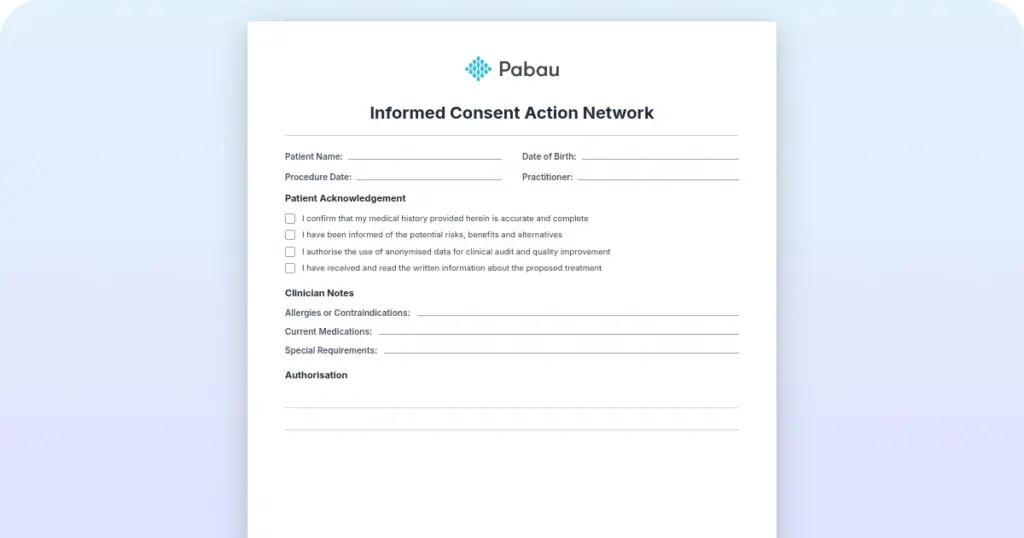
A print-ready authorization form with fields for patient details, the releasing provider, the recipient, and the exact records covered. Purpose, expiration, signature, and revocation blocks are all included.
Download templateMost records requests look routine. An attorney asks for two years of notes, the patient has signed something, and the file goes out that afternoon.
Then the signature turns out to sit on a form HIPAA does not recognize. One missing statement, or a vague line describing the records, can void the whole authorization. That makes the disclosure an unauthorized one, and your practice owns the fallout.
The template above is built to hold up under that kind of review. Everything below explains how to fill it in so it stays that way.
It authorizes one thing. A covered entity may hand a named patient’s protected health information, known as PHI, to a named third party who could not otherwise see it.
Covered entities include healthcare providers, health plans, and healthcare clearinghouses. Before any non-routine disclosure leaves the building, the HIPAA Privacy Rule requires written permission.
The signed form does double duty. First, it records that the patient understood and agreed. Second, it is the evidence you produce if the Office for Civil Rights (OCR) asks why the records moved.
Where a disclosure sits determines whether you need one at all:
Those routine disclosures belong in a different document. Your notice of privacy practices describes them, rather than authorizing a single release.
You need a signed authorization any time a patient asks you to send their information somewhere outside the treatment, payment, and operations bucket. In day-to-day practice, that covers a short and fairly predictable list.
Everything else is a judgment call, and the safest one is usually to ask. Sound medical records management means treating an unclear request as non-routine until you have checked.
45 CFR §164.508 sets out six core elements and three required statements. That is nine items in total, and leaving one off means you do not have a valid authorization.
Two rules sit outside that list. Write the form in plain language, and hand the patient a signed copy.
Identification matters too. Full legal name, date of birth, and medical record number are enough to match a request to the right chart. Skip the Social Security number, which adds risk without adding certainty. HHS guidance on authorizations covers the edge cases.
Filing completed forms in patient management software keeps documentation consistent across your whole team.
Work through the form in the same order every time. The five steps below are where the errors cluster.
Collecting the form digitally removes a whole category of these errors, because the patient cannot submit until every required field is answered.

Run this list before any records leave the practice. It takes about a minute, and it catches nearly everything an auditor would flag later.
Practices that run a periodic medical chart audit usually find their weak point here. The signed form says one thing, and what went in the envelope says another.
One template will not cover every request. Different disclosures carry different legal weight, so keep a small set on hand rather than editing one file each time.
Vague wording is what sinks these. “My daughter” is not an authorization. Name her, then state exactly what she may do, such as receive copies of imaging reports or discuss treatment options with the clinician.
Minors and incapacitated patients need an extra document. Whoever signs must have legal authority. State law decides when a teenager can authorize their own disclosures.
HIPAA sets the floor. Where state law is stricter, the state wins, and three states in particular catch practices out.
Our Massachusetts release form is another state version to keep alongside those. Before you adopt any template, check with your state medical board or your counsel. A statutory form may already exist for the disclosure you have in mind.
Patients can revoke at any time, in writing, and you have to stop. No further disclosure may go out under that authorization once the revocation reaches you.
A letter, an email, or a completed revocation slip all count. Log it in the chart with the date received, then tell anyone who has already been receiving records under that form.
What revocation cannot do is reach backwards. Say you mailed a file to an insurer on Monday and the patient revokes on Wednesday. Those records are already gone, and the earlier disclosure stays lawful. Only what has not yet left is blocked.
Six years, counted from the date the form was created or the date it last took effect, whichever is later. Treatment ending does not restart or shorten that clock, and neither does the authorization expiring.
The reason is straightforward. OCR can ask for authorization records during an audit or a complaint investigation. A practice that cannot produce the form cannot prove permission existed, which is a different and worse conversation.
The numbers are worth knowing. Civil penalties currently run from about $145 to $2,190,294 per violation, with the same figure capping identical violations in a single year. Criminal charges under 42 U.S.C. §1320d-6 are separate, and they attach to knowing violations rather than to civil-tier willful neglect. Our guide on HIPAA violations covers what follows a report.
Your state sets retention rules for the underlying chart separately. Those periods often run longer.
Five errors account for most invalid forms, and all of them are easy to spot.
Fixing the template is the quick win. Keeping it fixed is the harder part. Practices with strong HIPAA compliance habits review their forms once a year.
Paper authorizations follow a familiar path. Someone prints the form, the patient signs at the front desk, and the sheet lands in a folder or a scanned drive. Four years later, nobody can find it quickly.
Practice management software like Pabau moves that sequence into the patient record. You build the authorization once as a digital form, send it ahead of the visit, and collect the signature on screen. The signed copy files itself against the patient, with the date it was signed.
That changes what an audit feels like. Instead of working through folders, you open the patient’s file and the authorization sits beside the notes it relates to. Staff can see who signed, when, and what the form covers.
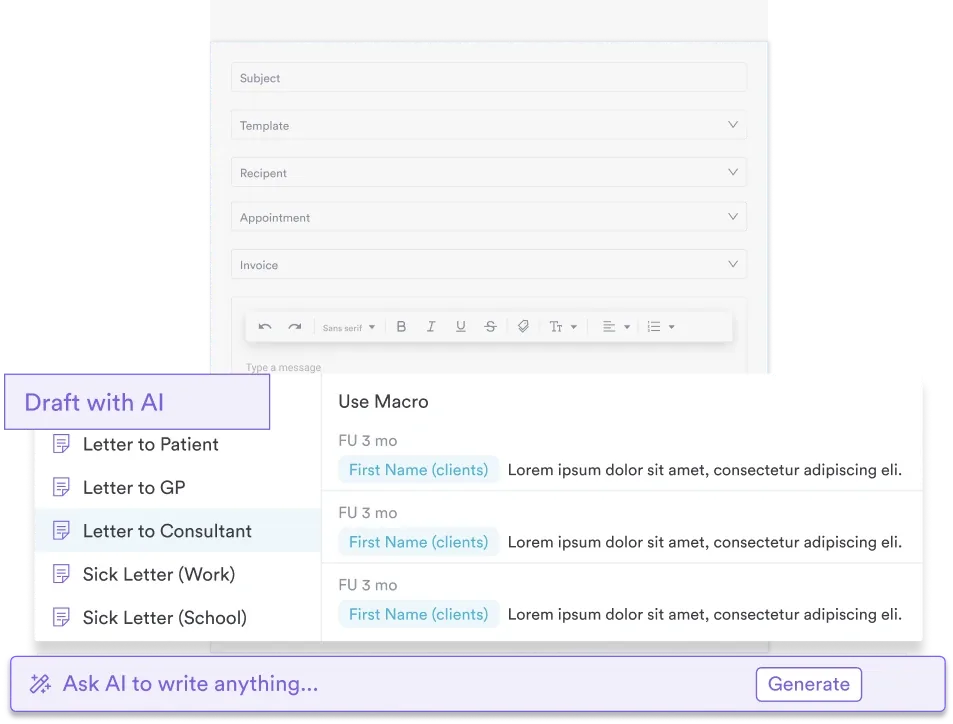
Correspondence stays in the same place as the form it belongs to. When an investigator asks what was sent and on whose say-so, the answer is one record rather than three systems.

Pabau collects HIPAA authorizations as digital forms, captures the signature on screen, and files each one in the patient’s record. Book a demo to see the workflow end to end.

A release form is cheap to produce and expensive to get wrong. Adding the nine elements takes a few minutes. Explaining a disclosure you cannot justify takes considerably longer.
So settle on one version of the form and layer your state’s requirements onto it. Then give one person the job of checking it before records leave the practice. Consistency beats a perfect template nobody follows.
If that checking and filing keeps landing on the same overworked person, the workflow is the thing to fix. Book a demo to see how Pabau collects and stores HIPAA authorizations inside the patient record.

Need a standalone release authorization? authorization to release health information lets your practice legally share patient records with a third party under the HIPAA Privacy Rule.
Ready for an on-site emergency? OSHA emergency action plan template covers evacuation routes, contact directories, role assignments, and shelter-in-place steps under OSHA rules.
Need a full privacy policy on file? HIPAA privacy policy template covers PHI protection, patient rights, business associate governance, and breach notification timelines under federal rules.
Practicing in Florida specifically? Florida HIPAA release form covers Florida Medical Records Act rules alongside the federal HIPAA elements your form needs.
Confusing consent with authorization? Consent for medical treatment shows what the other document has to cover, and why it will not stand in for a release.
Yes. The regulation calls it an authorization, while most practices call it a release form. Both names describe the same signed document under 45 CFR §164.508. A consent form is different, because it covers treatment rather than disclosure.
HIPAA sets no deadline for authorization-based disclosures, so state law usually controls the timing. When a patient uses their right of access instead, you have 30 days, plus one 30-day extension if you notify them in writing.
No. OCR is explicit that an unpaid bill is not a reason to withhold a patient’s records. You may still charge a reasonable, cost-based copying fee where state law permits one.
The personal representative signs, usually the executor or administrator of the estate. HIPAA protects the records for 50 years after death, so a valid authorization is still required.
A court order does, for the records it names. An attorney subpoena on its own does not. You need either the patient’s authorization or written assurance that the patient was notified.