Patient Engagement Portal: What It Is and How Clinics Benefit
Most private clinics still field the same calls they fielded ten years ago: book...

May 5, 2026


Buy now, pay later is now available in Pabau

A patient engagement portal gives patients 24/7 access to records, booking, and secure messaging through a single digital channel.
Portals cut no-show rates and front-desk call volume when patients can self-schedule, confirm, and cancel online.
Adoption fails most often because of clunky registration flows and age-related tech barriers, not patient unwillingness.
Pabau’s built-in client portal connects digital intake forms, booking, automated reminders, and secure messaging in one platform.
Most private clinics still field the same calls they fielded ten years ago: booking confirmations, form requests, results inquiries, and appointment reschedules. Each call takes two to four minutes of staff time, and a 30-appointment-a-day clinic can easily burn two hours on tasks patients could handle themselves. A patient engagement portal exists specifically to close that gap. This guide explains what a patient engagement portal is, which features actually move the needle for small and mid-size private practices, and what separates a portal that patients actually use from one that collects digital dust.
It covers practical barriers to adoption that most vendor guides skip, and a framework for choosing the right system without getting lost in feature lists. Whether you run a medical spa, a physiotherapy clinic, or a private GP practice, the operational decisions are the same.
A patient engagement portal is a secure, web-based platform that lets patients interact with their healthcare provider outside of the clinical appointment itself. Through the portal, patients can book or reschedule appointments, complete intake forms, view visit summaries, access test results, send messages to the care team, and in some cases review and pay invoices. The portal sits between the practice management system and the patient, functioning as a digital reception desk that operates around the clock.
For hospitals and large health systems, patient portals have been standard infrastructure for over a decade, driven by ONC meaningful use requirements and HIPAA-aligned data access mandates. For small and mid-size private practices, the picture is different. Most clinic management software now includes a portal component, but few practice owners have evaluated whether their current portal is actually functioning as a patient engagement tool or simply exists as a checkbox feature.
The clinical case for portals is backed by peer-reviewed research. According to a HIMSS review of patient engagement research, portal adoption and use leads to positive health outcomes, improved patient-provider communication through secure messaging, and increased patient participation in healthcare decisions. A 2025 study published in MDPI Healthcare examining a tertiary hospital portal found that patient engagement with the portal was high, indicating its potential as a tool for enhancing healthcare delivery. Separately, a PMC/PubMed analysis found growing evidence that patient engagement improves health outcomes and reduces healthcare costs.
For private clinics specifically, the business case is more immediate than the clinical one. Portals reduce front-desk call volume, decrease no-shows through automated reminders, and cut the time staff spend chasing incomplete intake paperwork. A clinic seeing 40 patients per day that reduces inbound admin calls by 30% recovers meaningful staff hours every single week. That is the practical reason most clinic owners evaluate a client portal for online bookings in the first place.
Not every portal is built the same. Enterprise EHR portals prioritise clinical data access and HL7 FHIR interoperability. Portals designed for private clinics should prioritise convenience features that reduce friction for both patients and staff. These are the capabilities that determine whether patients actually log in.
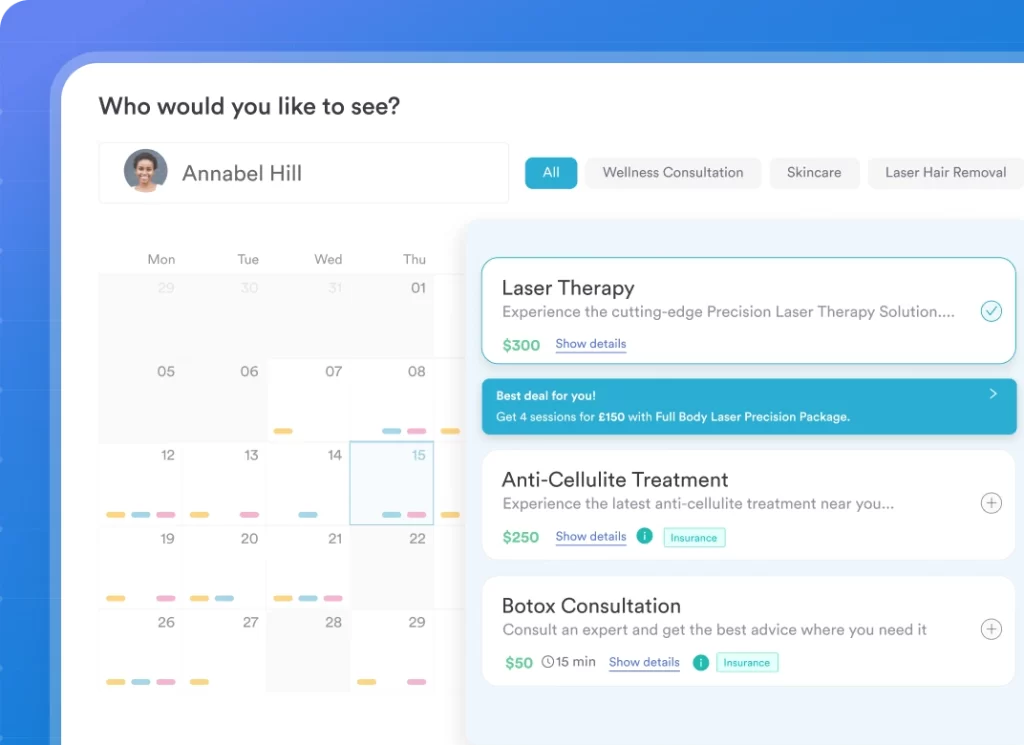
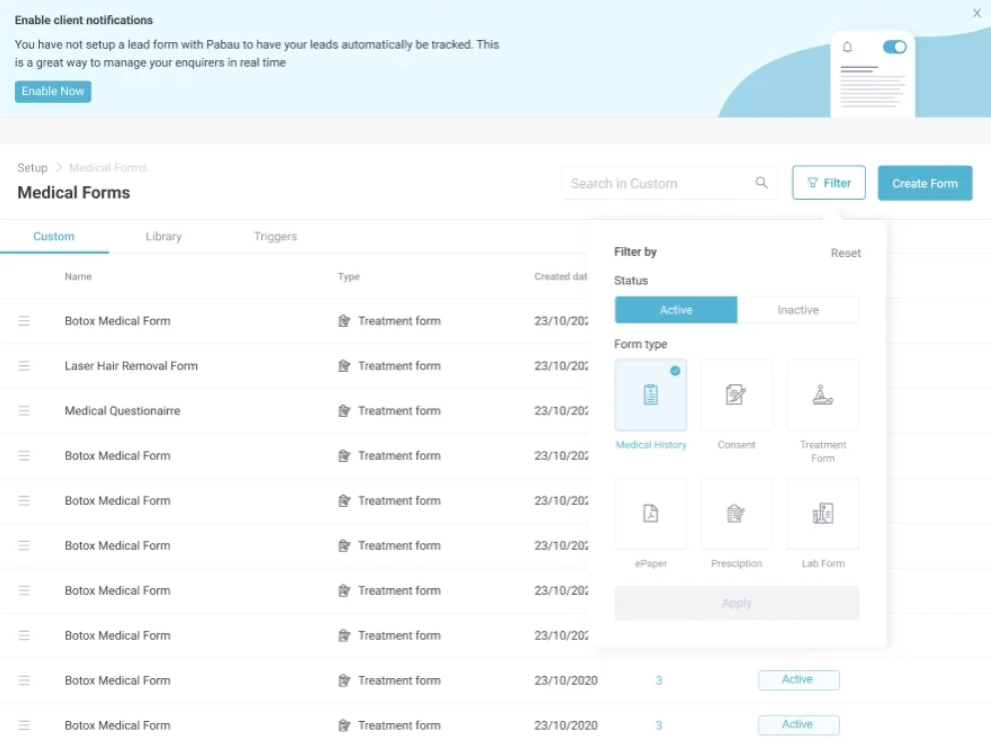
The difference between a patient engagement portal that drives measurable results and one that goes unused often comes down to two factors: how easy registration is and whether the portal is integrated with the practice management system. A portal that requires patients to create a separate login unconnected to their booking confirmation will see low uptake. A portal that activates automatically when a patient books their first appointment has dramatically higher engagement.
Pabau’s client portal handles this by connecting the patient-facing experience directly to the clinic’s back-end records, automated workflows, and appointment calendar. Patients receive a portal access link as part of their booking confirmation, requiring no separate registration step. This removes the single biggest adoption barrier before the patient ever logs in for the first time.

Pabau connects online booking, digital forms, automated reminders, secure messaging, and client records in one platform. Book a demo to see how it reduces admin for your team while giving patients 24/7 self-service access.

The operational impact of a functioning patient engagement portal concentrates in three specific workflows: appointment management, intake paperwork, and post-appointment communication. Understanding where each saves time helps clinic managers make the case internally for investing in portal setup and patient training.
Phone-based rescheduling is one of the most resource-intensive admin tasks in any clinic. Each call requires a staff member to locate the appointment, identify an alternative slot, confirm patient details, and update the system. Self-service appointment management through a portal removes the staff component entirely for straightforward reschedules. Patients who can manage their own appointment are also less likely to simply not show up, because they feel invested in the scheduling decision.
A clinic that sends digital intake forms through the portal 24 to 48 hours before an appointment arrives for the session with structured, legible patient data already in the record. No transcription errors from handwritten forms. No time spent scanning paper. No appointments starting late because the patient is still filling out a clipboard in the waiting room. For practices running 15 to 20-minute appointments, recovering five minutes per patient from pre-completed intake forms has a measurable effect on daily throughput.
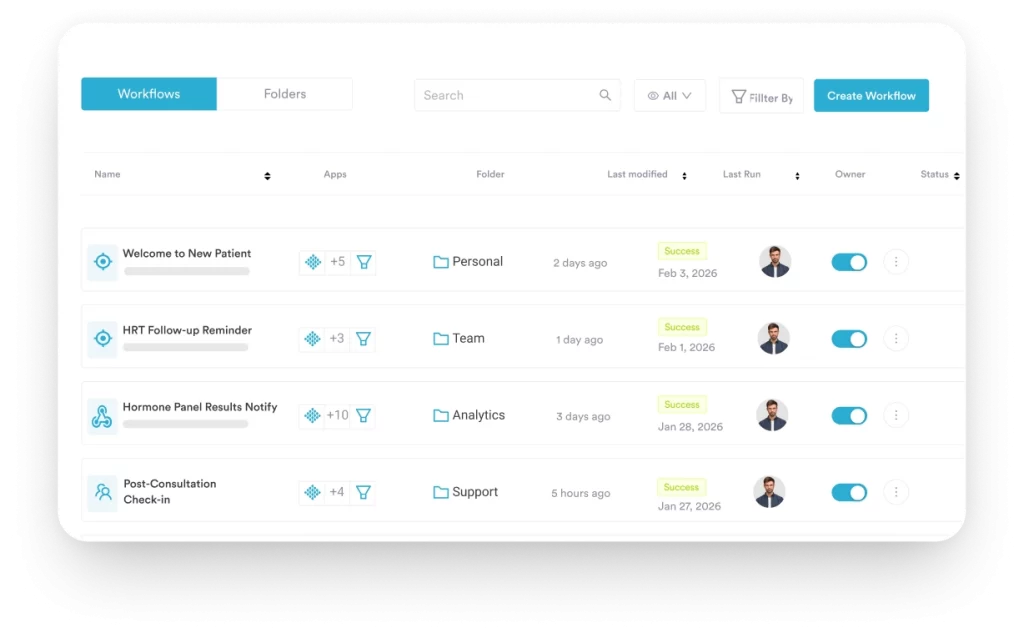
Automated post-care instructions sent through the portal or linked communication channels eliminate the need for staff to call every patient after a procedure. Automated workflows can trigger aftercare content, review requests, and recall reminders at set intervals without manual input. For aesthetic clinics and physiotherapy practices running treatment courses, this capability directly supports patient compliance and retention. Patients who receive timely, relevant communication between appointments are more likely to complete a course of treatment and return for follow-up care.
| Workflow | Without a Portal | With a Patient Engagement Portal |
|---|---|---|
| Appointment booking | Phone call, 2-4 minutes staff time | Patient self-serves 24/7, zero staff time |
| Intake forms | Paper at arrival, transcription required | Digital, pre-completed, auto-populates record |
| Appointment reminders | Manual calls or basic SMS | Automated sequences, 2-way confirmation |
| Post-care communication | Follow-up calls by staff | Automated aftercare messages, no manual input |
| Results and records access | Phone requests, data subject requests | Patient views records through secure portal login |
Audit your clinic’s inbound call log for one week before implementing a portal. Categorise each call type: booking, rescheduling, intake queries, results, and general enquiries. This baseline data shows exactly where the portal will recover staff hours and gives you a measurable comparison point six months after launch.
A portal that patients do not use delivers none of the benefits listed above. Low adoption is the most common failure mode for clinic portal implementations, and it rarely comes down to patient unwillingness. According to research published in MDPI Healthcare (February 2025), age significantly influences the need for training to enhance portal usage. Clinics serving older patient populations need structured onboarding, not just a login link in a booking confirmation email.
Four adoption barriers account for most implementation failures in private practice settings:
The ONC’s Patient Engagement Playbook from HealthIT.gov provides a practical framework for portal adoption strategies, including clinician-validated tips for maximising patient involvement. The playbook is worth reviewing before any portal implementation project.
The market for patient portal software ranges from enterprise EHR add-ons to standalone platforms to fully integrated practice management systems. For private clinics, the right choice is rarely the most feature-rich option. It is the one that fits the existing clinical workflow with the least friction.
Evaluate any patient portal software against these criteria before committing:
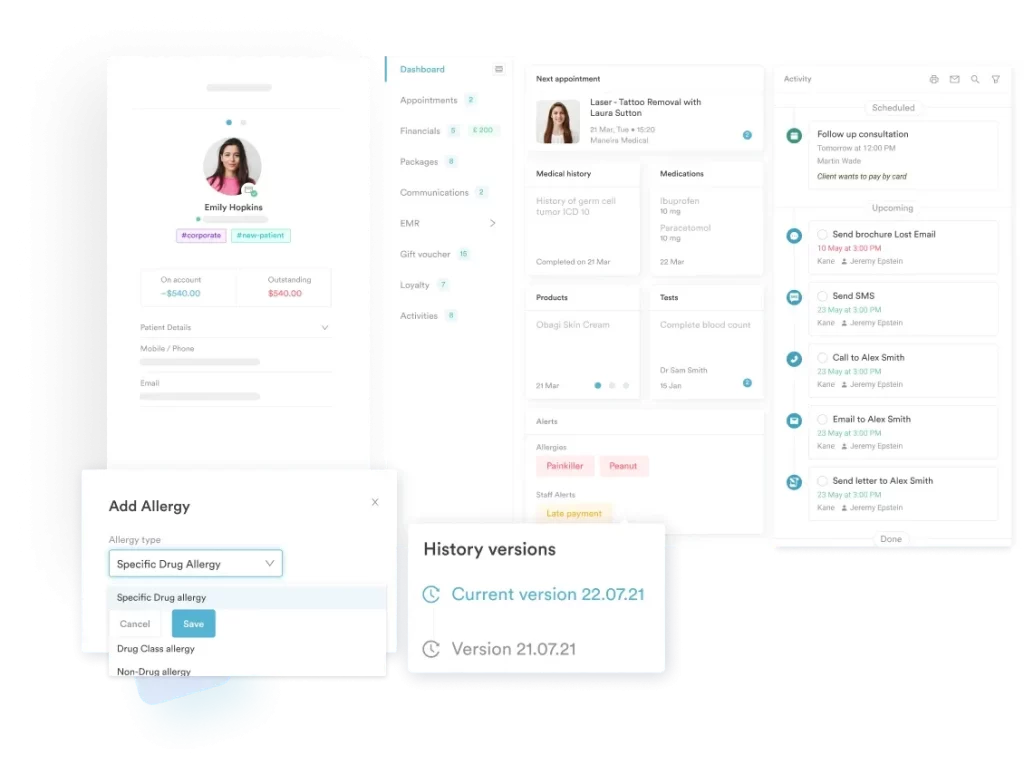
For clinics evaluating options, the most important question is whether the portal is a standalone product requiring integration effort or a native component of a broader platform. Standalone portals require ongoing maintenance of the connection to your scheduling system. Native portals update in sync with the rest of the system. The operational overhead difference is significant at a practice with a small admin team.

Want to see how clinic portals improve the booking experience end-to-end? Pabau Client Portal walks through the full patient-facing feature set, from online booking through to secure messaging and record access.
Looking for a detailed breakdown of patient portal benefits for your clinic type? Benefits of Patient Portals covers operational and clinical outcomes for private practices across different specialties.
Need a broader overview of practice management tools that support patient engagement? Practice Management Software explains how scheduling, clinical records, billing, and patient communication work together in an integrated system.
Most of the admin tasks consuming clinic staff time today are tasks patients would willingly handle themselves if given a convenient, reliable way to do so. A patient engagement portal closes that gap by putting booking, paperwork, communication, and records access into the patient’s hands without any staff involvement.
The practices that see the strongest results from portal adoption are the ones that treat the portal as a core clinical workflow tool, not a marketing feature. That means integrating it with scheduling and clinical records, designing a frictionless registration journey, and training staff to direct patients toward it consistently. Pabau’s integrated platform brings all of those capabilities together: booking, digital forms, automated recall, secure messaging, and clinical records in a single system.
To see how it works for your clinic, book a demo and walk through the patient journey with the team.
A patient engagement portal is a secure, web-based platform where patients can book appointments, complete intake forms, access their health records and visit summaries, send messages to their care team, and view invoices. It functions as a self-service digital channel between the patient and their healthcare provider, operating outside of scheduled appointment time.
Portals improve engagement by reducing the friction between a patient and their healthcare provider. When patients can check results, confirm appointments, and ask questions without waiting on hold or visiting the clinic, they interact with their care more frequently and consistently. Research cited by HIMSS links portal use to improved patient-provider communication, better adherence to care plans, and increased participation in healthcare decisions.
The minimum feature set for a private clinic portal includes: self-scheduling, digital intake and consent forms, secure two-way messaging, access to visit summaries and test results, automated appointment reminders, and online payment capability. Integration with the practice management system is not a feature; it is a prerequisite. A portal that operates as a separate data silo creates as much admin work as it removes.
The highest-impact adoption tactics are: linking portal access directly to the booking confirmation so no separate registration step is needed, framing the portal invite around a specific patient benefit rather than generic registration language, ensuring the portal is fully functional on mobile devices, and having clinical staff actively direct patients to the portal at check-in. Age-related barriers are real; practices with older patient panels should build short in-clinic orientation into their onboarding process.
A patient portal is the specific interface through which patients access their data and communicate with a clinic. A patient engagement platform is a broader category that includes the portal alongside automation tools, recall campaigns, satisfaction surveys, population health messaging, and analytics. Most modern practice management systems blur this distinction by including both capabilities within a single integrated product.