
 Ivana Karafiloska

Clinical governance: Definition, pillars and checklist
Clinical governance is the framework through which healthcare organizations are ...

Last Updated: Nov 9, 2026
Free PDF 1 page, print-ready Clinician-reviewed
A med spa consultation form template is a ready-made intake document you hand every new patient before an aesthetic treatment. It collects personal details, health and medication history, treatment goals and signed consent in one place.
That record lets the practitioner spot contraindications, such as a lidocaine allergy or pregnancy, before the appointment starts. It also sets expectations and gives the practice written proof of informed consent.
Our free one-page template covers six sections, from health history to five signed consent statements. What follows explains what to include, why each question matters, and how to customize the form for your services.
A one-page form with sections for patient details, health, medication and social history, a treatment plan, and five signed consent statements. Its yes/no questions screen for pregnancy, myasthenia gravis, cold sores and facial palsy.
Start from scratch, or upload this PDF or any form you already use, and Pabau's AI Form rebuilds it with tick boxes, text fields and a signature. Attach it to the treatment once, and every patient gets it on time.
AI Form rebuilds the consent, history and aftercare forms you already use. You review each one, then publish.
Patients complete forms on their phone before they arrive, so the front desk stops retyping paper.
Every signed form is versioned and attached to the treatment record, ready when you need it.
Set how long a consent stays valid. Returning patients skip forms they have already signed.
Supports HIPAA and GDPR compliance AES-256 encryption 4.8 on G2 4.7 on Capterra Trusted by 4,000+ practices worldwide

A med spa consultation form records personal details, health and medication history, treatment goals and consent before the first treatment.
Health history questions do the most safety work, flagging conditions such as pregnancy, myasthenia gravis or a lidocaine allergy.
Signed consent statements give the practice written evidence that the patient understood the risks, benefits and aftercare.
Digital forms that patients complete before arrival shorten appointments and save answers straight to the patient record.
Choose a template built for med spa treatments, easy to customize per service, and simple to complete on a phone.
A med spa consultation form is the document a patient completes before any aesthetic or wellness treatment. It typically covers four areas:
The practitioner uses the answers to judge whether the requested treatment suits the patient. The form also sets clear expectations about results before anyone books.

The form’s most important job is identifying risk. Patients don’t always know their own contraindications. Someone allergic to lidocaine, for instance, may not realize that some dermal fillers contain it.
Without that answer on file, the patient could face a serious reaction. The form surfaces the issue in advance, so the provider can adjust the plan or suggest an alternative.
Tip: Keep your consultation forms digital if you can. Patients fill them out before the visit, and you read their answers before they sit down.
A well-designed form captures the information you need to deliver safe, personalized treatment. These six parts belong on every version, and the breakdown below shows how our free template covers them.
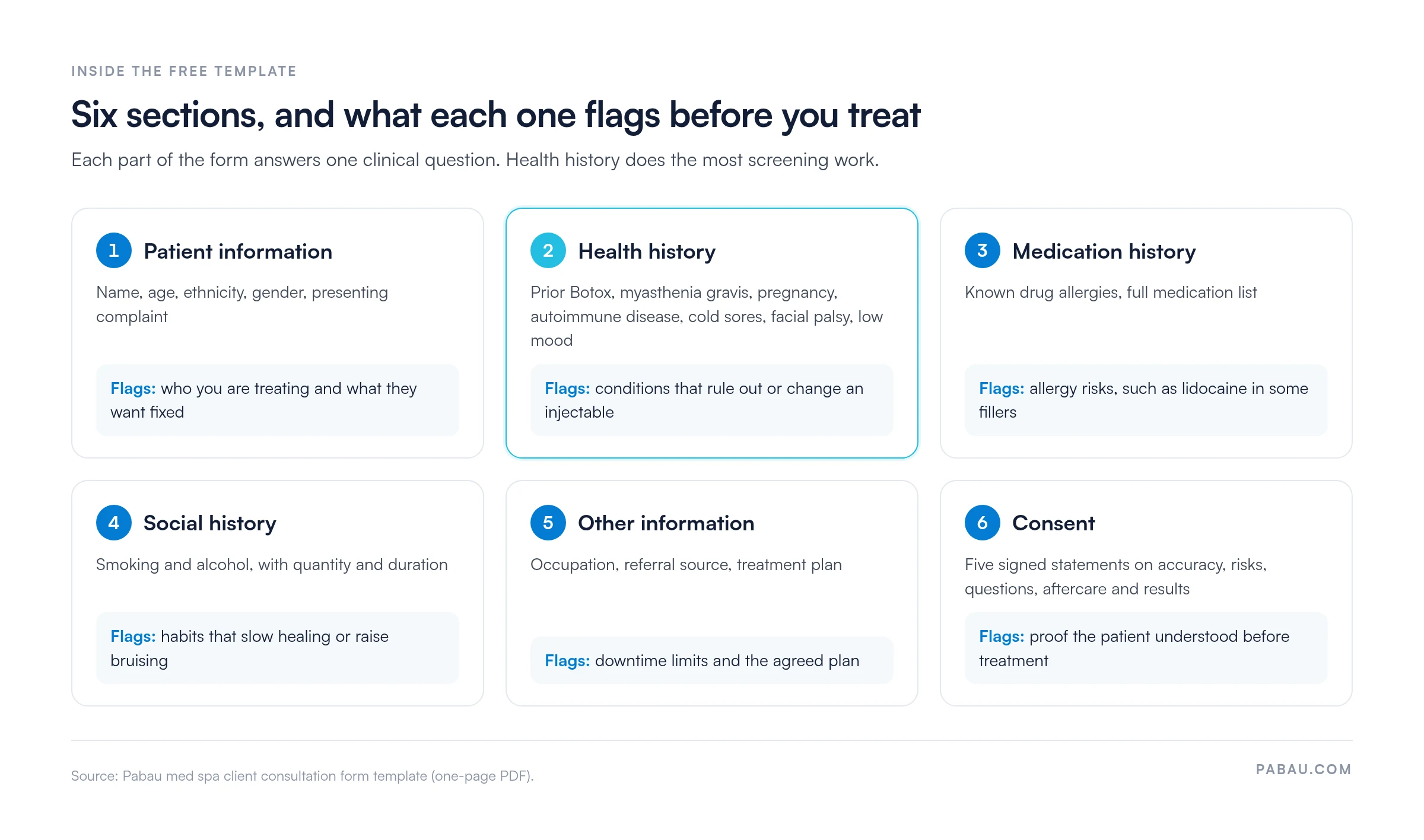
This section captures the basics:
This part matters most for patient safety. It should cover:
Ask about specific concerns, such as fine lines, acne or pigmentation, and the outcome the patient wants. Their answers shape a personalized treatment plan.
Patients should list earlier aesthetic procedures, such as Botox, chemical peels, laser hair removal or fillers, with dates and outcomes. This history helps practitioners avoid complications and make informed treatment decisions.
For filler patients, a dedicated dermal filler consent form captures the product-specific details. It’s ready to print and hand over before the visit.
This section gives the practice legal protection. It should include:
Estheticians offering non-injectable treatments can adapt an esthetician consent form for the same purpose.
Ask patients to confirm they’ll follow pre-treatment instructions and post-treatment care. Their agreement supports better results and lowers the risk of complications.
Keep the form thorough but easy to finish. Use checkboxes and short-answer fields wherever possible, and save free-text space for answers that need it.
Our free template (PDF) turns health history into yes/no questions, so a risk stands out at a glance. Each question links to a specific treatment decision.

The answers feed the conversation that follows. Our guide to running a Botox consultation covers that next step.
A 2021 survey by the Lobbie Institute found that more than three-quarters of patients have a strong preference for digital intake forms. Patients can complete them anytime, on any device, instead of in the waiting room.
Digital forms save time for patients and staff. Your team also sees the key information well before the appointment.

Digital intake forms collect accurate patient information ahead of the consultation. Practitioners start the appointment prepared and can spot contraindications before booking the treatment.
Patients complete the form at home instead of arriving early to fill out paperwork. Check-in feels calmer, wait times drop, and appointments stay on schedule.
Speed matters to loyalty too. Salesforce research found that 72% of people say they remain loyal to companies that provide fast, efficient service.
Camille Armstrong runs Secret Enhancements on Pabau, the practice management platform we build. She noticed the difference in her diary:
“My appointments are shorter because the forms have already been filled out before the patient arrives.”
Camille Armstrong, owner of Secret Enhancements
Signed consent forms help you stay compliant with industry regulations. They also protect your business if a patient raises a concern or a dispute turns legal.

Digital forms store these documents securely. You always have a record that the patient understood the risks, benefits and nature of the treatment.
Digital forms take printing, scanning and manual uploads off your team’s plate. Once a patient submits a form, the answers save to their record automatically, with no retyping.

Fewer manual steps also mean fewer transcription errors and records that stay up to date.
Research outside aesthetics points the same way. A study in the International Journal of Social Welfare found that a digital application form significantly lowered administrative burden. Applicants were more satisfied and completed more of the process.
Digital intake forms can be linked to specific services. Each patient then answers only the questions that matter for their treatment, which makes the consultation more targeted.

Patients welcome that kind of personalization. A 2021 State of Personalization Report from Segment found that 69% of consumers appreciate personalization based on data they’ve shared directly.

Plus, 45% of respondents say they’re likely to take their business elsewhere without a personalized experience. Tailored, service-specific forms help keep patients coming back.
The right template saves time at every appointment. Ask these four questions before you commit to one:
A template that passes all four supports safer treatments, smoother operations and a more professional patient experience. Planning to run your forms digitally? Compare the best aesthetic clinic software on charting and consent handling first.
Aim for a balance between thoroughness and simplicity. These six habits help:

Follow these and your form will look professional and keep appointments moving.
Most med spas start with a PDF like this one. Patients fill it in at reception, and someone files or scans it into the record afterward.
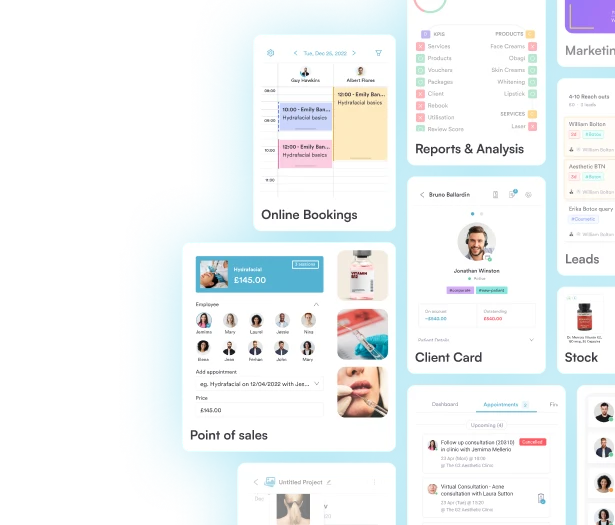
Pabau, software built for med spas, moves that form online. It comes with a library of ready-made templates you can customize, so your intake process starts from a working draft.

In practice, that means:

The result is shorter appointments, consultation records stored securely in each patient file, and less admin for your front desk.

Pabau sends the right consultation and consent forms for each booked treatment, then files the signed answers to the patient record. Your team walks into every consultation prepared.
A consultation form earns its place when it changes what happens in the treatment room. Start with the free template, then cut any question you never act on and add the ones your services need.
The bigger shift is timing. A form completed at home gives you time to spot a contraindication and adjust the plan. A clipboard at check-in leaves you minutes.
Book a demo to see how Pabau sends consultation forms ahead of each med spa appointment and files the signed answers automatically.

Treating faces first? Facial intake form lists the questions to ask before facial treatments, with a free template.
Need a skin-focused version? Skin care consultation form gives you a ready-made form for skin consultations.
Recording what you discussed? Aesthetic consultation notes structures the notes you take during the consultation itself.
Preparing for the first visit? Preparing for a cosmetic consultation walks through the prep, step by step.
Documenting the treatment? Botox treatment note template helps you record each Botox session after the consultation.
It should include personal details, health history, medication history, treatment goals, previous treatments and signed consent. Many practices also add pre-care and aftercare agreements.
No. A consultation form gathers the patient’s history and goals, while a consent form records their agreement to a specific treatment. Our free template combines both, ending with five signed consent statements.
Patients should complete it before they arrive, so the practitioner can review the answers and spot contraindications ahead of time. Send it as soon as the appointment is booked.
Ask returning patients to review and update their health history before each new treatment. Medications, pregnancy status and health conditions can all change between visits.
Yes. Use the PDF as a starting point, then add or remove questions to match your treatment menu. A digital form builder makes those edits easier to keep up to date.