
Best Practice Management Software in Canada (2026 Guide)
Disclosure: Pabau is our product. We have included it alongside other platforms ...

March 16, 2026

Discover free eBooks, guides and med spa templates on our new resources page

Buy now, pay later is now available in Pabau

Read case studies from our satisfied clients

Compare Pabau with alternative systems
 Integrations
 Measure Pabau savings
  Our security commitment
  About us
Learn why this holistic care and aesthetic medicine clinic chose Pabau to power patient care and performance.
Read more
Blog / 6 Best Multi-Location Scheduling Software in 2026 (Reviewed)
Pabau – Multi-location med spas and clinics: Centralized calendars, multi-location scheduling, location-based pricing, online booking, inventory tracking, and HIPAA-compliant patient management across all sites.
Setmore – Solo providers and small teams: Simple, affordable booking with QR codes, basic team calendars, and easy online scheduling.
Calendly & YouCanBookMe – Individuals or small remote teams: Automated scheduling, calendar sync, reminders, and group booking for coaches, consultants, and cross-time zone teams.
Managing a growing med spa or practice schedule across multiple locations can quickly slip into chaos. One late shift swap, one double-booked provider, and suddenly the whole day is off.
The good news? The best multi-location scheduling software in 2026 makes it much easier to coordinate staff, rooms, and availability across every location, without getting lost in spreadsheets or group chats.
We’ve reviewed six of the best multi-location scheduling software options on the market, comparing them on features, ease of use, scalability, and who they’re best suited for.
| Name | Best For (Application) | Standout Feature | Price Starting Point | Overall Rating |
|---|---|---|---|---|
| Pabau | Multi-location med spas & clinics | All-in-one scheduling + practice management | From ~$69/mo (US) | 4.7/5 |
| Setmore | Solo providers, small teams | Generous free tier & QR code booking | Free / ~$5/user/mo | ~4.6/5 |
| Calendly | Small teams to enterprise | Automated scheduling & time zone tools | Free / ~$10/user/mo | ~4.7/5 |
| YouCanBookMe | Solopreneurs & small businesses | Custom booking pages & time zone support | Free / ~$9–$13/mo | ~4.7/5 |
| Connecteam | Mobile/field teams | All-in-one team scheduling and communication | Free (up to 10 users) / ~$29/mo | ~4.8/5 |
| Doodle | Group/meeting scheduling | Poll-based time finding | Free / ~$14.95/mo | ~4.4/5 |
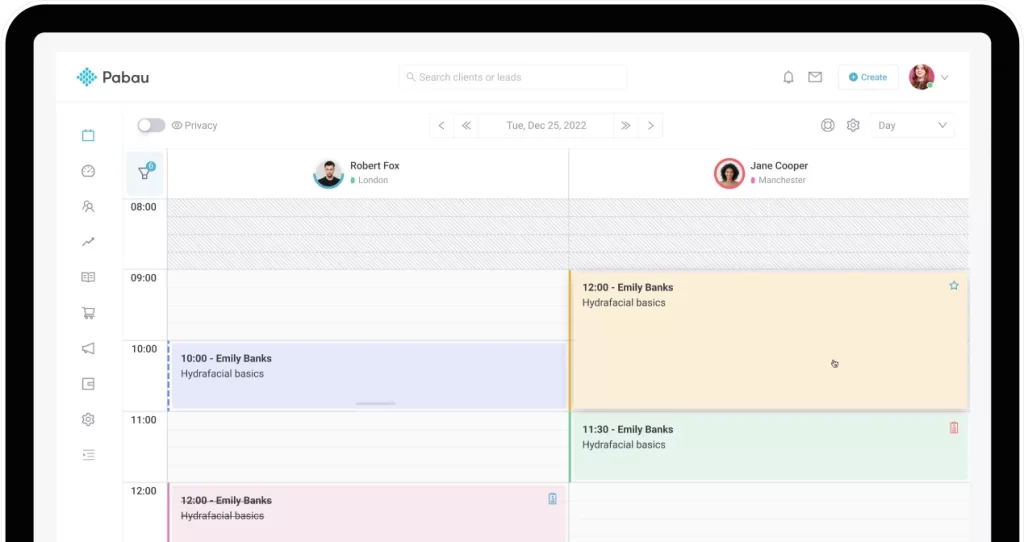
Pabau is an all-in-one scheduling and practice management platform that lets multi-location businesses manage all their clinics from a single, unified system.
It lets you keep all your calendars in one place, assign staff shifts to specific locations, set prices by branch, and offer online booking, so clients can pick the location that works best for them.
Pabau is much more than just an employee scheduling software. It’s a full practice management platform built to make running multiple locations easier.
These multi-locato tools all work together to make day-to-day operations way easier, helping managers keep track of staff, appointments, and making sure nothing slips through the cracks.
The centralized calendar in Pabau gives you a complete view of staff schedules across all your locations in one place.
Through Pabau’s Scheduler, you can assign shifts to staff members for specific locations. When you create a shift, you explicitly set which location it’s for.
Practice managers can easily spot gaps, overlaps, or conflicts and adjust shifts on the fly. Every location is running smoothly and with fewer employee scheduling headaches for your team.
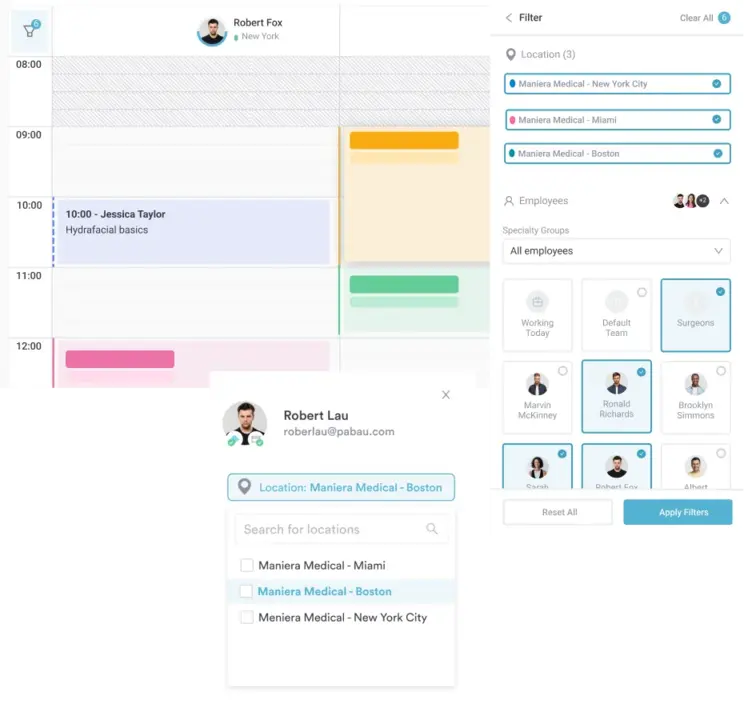
You can set different prices and services for each location.
That means if one clinic operates in a more expensive area, or offers different services, you can reflect that in Pabau.
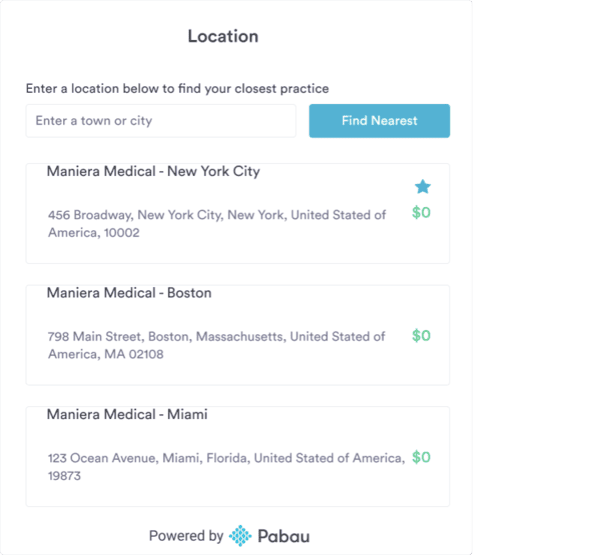
In the online booking widget, clients can pick which location they’d like to visit. This simplifies the client’s life and helps avoid errors in booking across sites.
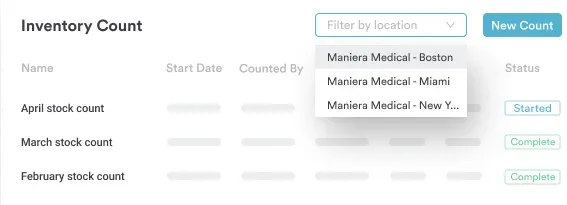
You can track your stock levels per clinic, monitor where products are running low, and optimize reordering.
Pabau also lets you see trends in product usage across locations, helping you plan purchases more efficiently.
Pabau ensures that all patient data is stored securely and access is controlled by role-based permissions across your locations.
Through Pabau’s compliance tools, you can manage who can view or edit sensitive records, keeping patient information safe at every site. All your locations remain HIPAA-compliant and patient data is fully protected.
Pabau plans start from $69/month in the US and £53/month in the UK, with flexible options designed to support practices as they grow.
Every plan includes core features like calendar, online booking, treatment forms, automated client communication, before-and-after photos and much more.
| Tier | Number of users | Unlimited number of clients |
|---|---|---|
| Startup | 1 | X – up to 100 |
| Solo | 1 | ✔ |
| Team | 2–3 | ✔ |
| Medium | 4–5 | ✔ |
| Group | 6–15 | ✔ |
| Enterprise | 15+ | ✔ |
Learn more about Pabau’s plans and pricing on our pricing page.
Managing multiple med spa locations doesn’t have to mean more chaos.
Discover the top features for smarter multi-location med spa management.
“I love how intuitive Pabau is for managing patient journeys. The integrated appointment scheduling, clinical notes, and treatment photos make it simple to track patient progress and ensure high-quality care.” – Olena K. (G2)
“Pabau booking system has streamlined our operations, improved patient engagement, and freed up valuable staff time. It’s a solid upgrade for any healthcare or wellness practice looking to modernize.” – Christina B. (Capterra)
One dashboard to rule them all
Stop hopping between calendars and locations. Discover how Pabau keeps your multi-clinic workflow effortless.
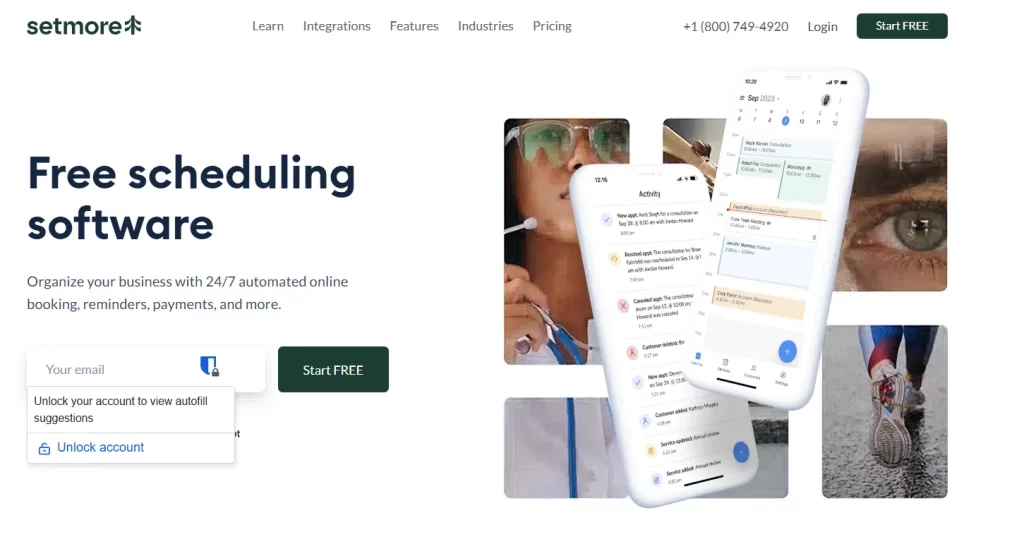
Source: Setmore
Setmore is an affordable online appointment scheduling software designed to help businesses streamline bookings and manage appointments effortlessly.
It offers an automated system for online bookings, sends personalized text and email reminders, and even allows businesses to accept payments 24/7.
| Plan | Price (Annual, per user) | Users | What’s included |
|---|---|---|---|
| Free | $0/user/month | Up to 4 users | Unlimited appointments, accept payments, booking page, email reminders, mobile apps. |
| Pro | ~$5/user/month (billed annually) | Unlimited users | All Free features plus SMS reminders, two-way calendar sync, recurring appointments, and removal of Setmore branding. |
“Great for scheduling and service management, but Google Calendar sync needs improvement.” – Kristen M. (G2)
“The restricted customizability of Setmore is one of its possible drawbacks.” – Anthony C. (Capterra)
Did you know: Automated reminders are a crucial part of efficient patient scheduling, but they’re only part of the picture. See more ways to make patient scheduling easier.
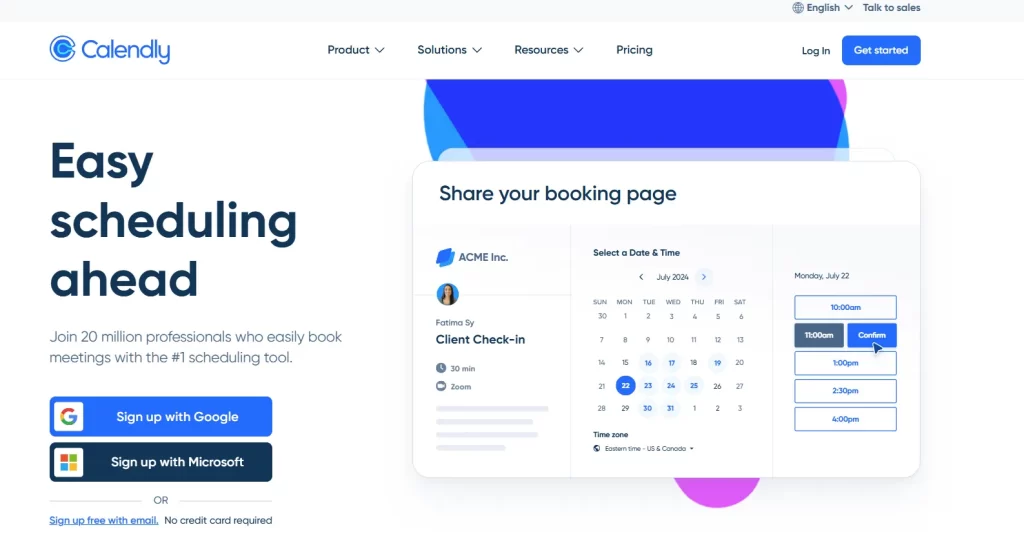
Source: Calendly
Calendly is powerful employee scheduling software that makes booking easier for large teams. It includes workflow automation, calendar sync, time zone detection, and simple tools for team collaboration.
| Plan | Price | What’s included |
|---|---|---|
| Free | $0 | 1 meeting template, connect 1 calendar, custom booking page, mobile apps, and video conferencing support. |
| Standard | $10/seat/month (billed yearly) | Everything in Free plus unlimited templates, multiple calendars, Stripe & PayPal payments, automated meeting reminders, and more. |
| Teams | $16/seat/month (billed yearly) | Everything in Standard plus Salesforce sync, round-robin meetings, and advanced admin tools. |
| Enterprise | Contact sales (starts ~$15k/year) | Everything in Teams plus Microsoft Dynamics integration, domain control, audit logs, and compliance tools. |
“Calendly is good for the sharing the meeting links via cold outreach to avoid any ghosting of the prospects.” – Akash T. (G2)
“Not many features except for booking. Have not used file sharing if there is one. If there isn’t there should be.” – Frank C. (Capterra)
Did you know: 75% of customers prefer to schedule appointments online rather than by phone. This means you need a sturdy online booking system to support high booking demand and meet client expectations.
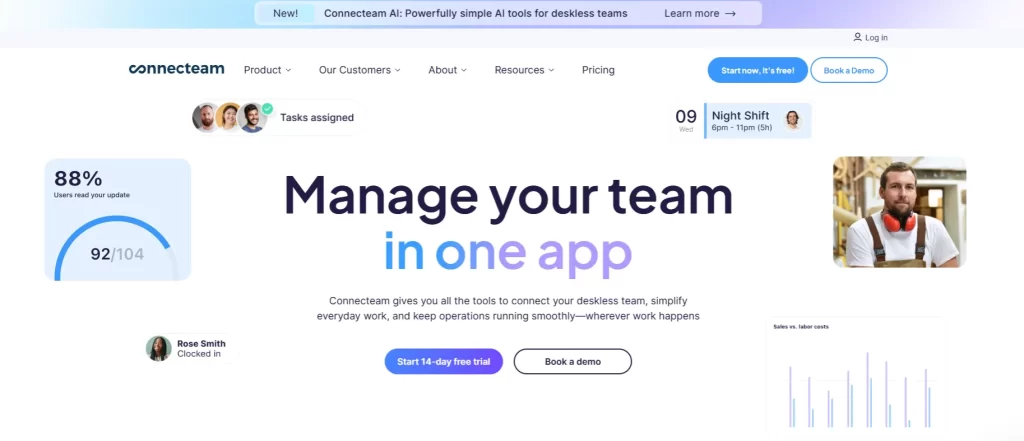
| Plan | Price (Up to 30 users) | What’s included |
|---|---|---|
| Small Business | Free (up to 10 users) | Chat, updates feed, directory, surveys, and events — full communications tools at no cost. |
| Basic | ~$29/month (then ~$0.50/user) | Unlimited personal and group chat, media and file attachments, company feed, and engagement tracking. |
| Advanced | ~$49/month (then ~$1.50/user) | All Basic features plus scheduled messages, advanced chat settings, live polls, and more. |
| Expert | ~$99/month (then ~$3.00/user) | All Advanced features plus chat and update shortcuts, pop-up updates, auto-translation, and more. |
| Enterprise | Custom pricing | All Expert features plus unlimited knowledge base storage, unlimited help desks, and a custom welcome screen. |
“Connecteam has been a game-changer for me. What I appreciate the most is how incredibly easy it is to use. The app is laid out in a way that just makes sense—no confusing menus, no complicated setup, and no learning curve.” – Alex G. (G2)
“It was a bit of a learning curve, likely due to so many customization options. Some features are only available if you purchase the full platform.” – Stephanie A. (Capterra)
Pro tip: Automated intake forms capture client details at booking, saving time for both staff and clients. Learn more ways to improve your scheduling process.
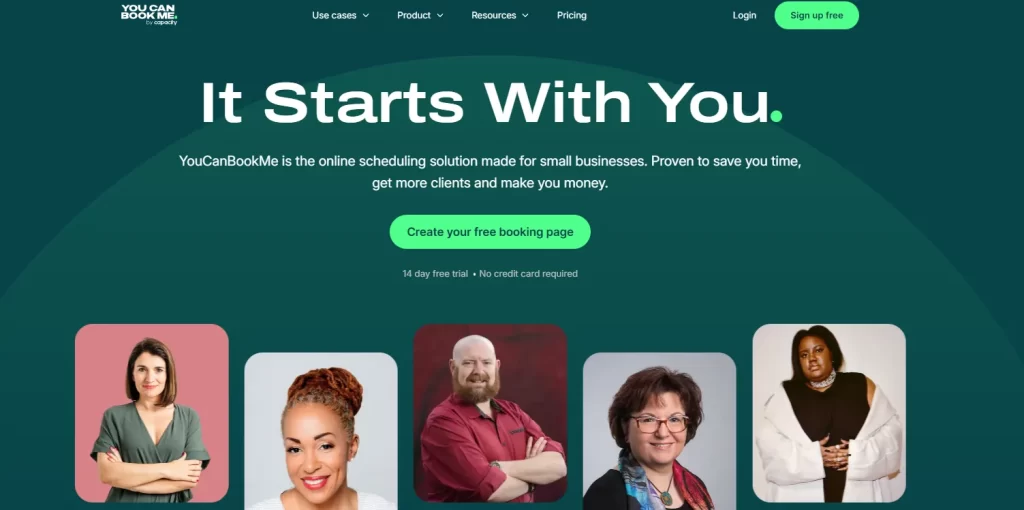
| Plan | Monthly Price | Annual Price (billed yearly, per month) | What’s included |
|---|---|---|---|
| Free | $0/mo | n/a | 1 calendar connection, 1 booking page, basic scheduling tools. |
| Individual | $9/mo | $8.10/mo (10% discount) | 2 calendar connections, 2 booking pages, custom colors and backgrounds. |
| Professional | $13/mo | $11.70/mo (10% discount) | 6 calendar connections, up to 10 booking pages, automated workflows, and reminders. |
| Teams | $18/member/mo | $16.20/member/mo (10% discount) | Team booking pages, roles and permissions, and centralized billing. |
“YouCanBookMe provided a streamlined, professional booking process that allowed research participants to easily book times that worked for both of us.” – Sarah P. (Capterra)
“What I dislike about YouCanBookMe is that customization can feel somewhat limited, especially when trying to tailor the booking experience to different types of clients or meeting formats.” – Verified User in Marketing and Advertising (G2)
Looking for a medical spa scheduling system? Explore the top med spa scheduling software of 2026 to prevent booking overlaps, stay organized, and give clients a seamless experience.
| Plan | Monthly (per user) | Annual (per user) | What’s included |
|---|---|---|---|
| Free | Free | Free | Basic scheduling tools. |
| Pro | ≈ $14.95 / month | ≈ $6.95 / month (billed annually) | Ad-free experience, unlimited polls and booking pages, branding, and integrations. |
| Team | ≈ $19.95 / month | ≈ $8.95 / month (billed annually) | Collaboration features, admin console, and roles and permissions. |
| Enterprise | Custom pricing | Custom pricing | Advanced security, onboarding, and SSO support. |
“Doodle offers a great solution to the challenge of going back and forth with a bunch of dates and working within people’s schedules.” – David B. (Capterra)
“I’ve found Doodle to be quite useful, except for a few issues I’ve encountered with syncing and notifications. Unfortunately, the software tends to crash when I try to add an event or meeting to my calendar.” – Hailey Y. (G2)
Tip: If your med spa or practice has multiple locations, there are several features to keep an eye on, such as multi-location staff scheduling and resource management. Check out the must-have features of multi-location med spa software.
That’s just some of the best scheduling tools out there. But how to choose the best fit for your practice?
These are the top features your next multi-location scheduling software must have.
When you manage more than one location, visibility matters.
A centralized calendar helps you see staff schedules, appointments, and gaps across all clinics in one place. It reduces overlaps, missed shifts, and last-minute chaos.
Pabau’s centralized scheduler and calendar give managers a real-time, location-specific view, so all locations stay in sync all the time.
Manage staff, locations, and appointments effortlessly, all in one place. Take a look at the feature below and book a demo today!
Take a first-hand look at the calendar and scheduling feature in Pabau:
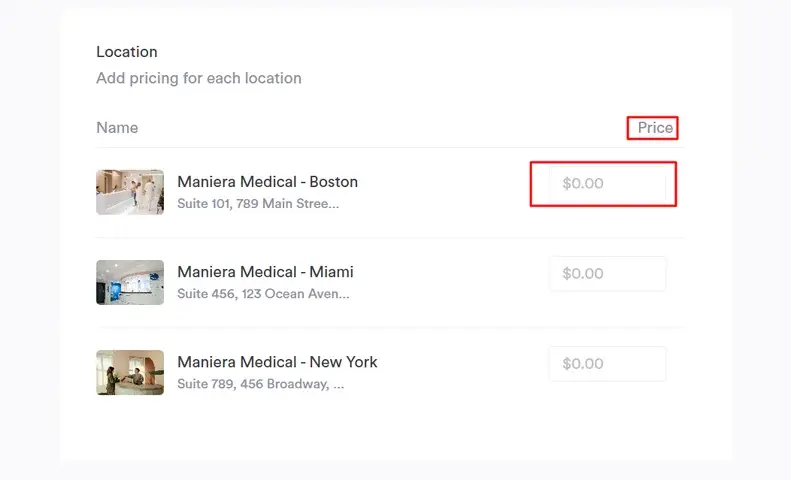
Not all locations operate the same way. Pricing, services, and availability often vary by area. Your software should reflect that without adding admin work.
With Pabau, you can set different services and prices per location while keeping everything managed from one system.
Clients should be able to book the right location without confusion. Clear location selection creates a smoother client experience and reduces errors, saving staff time fixing mistakes.
Pabau’s online booking widget lets clients choose their preferred location upfront, keeping schedules clean and teams aligned.
Running out of stock at one clinic while another is overstocked is costly. Inventory tracking by location helps you stay ahead.
Pabau tracks stock per practice location and shows usage trends, helping teams reorder smarter and plan ahead.
When patient data moves between locations, security matters. Multi-location software should protect records, control access, and support compliance standards like HIPAA.
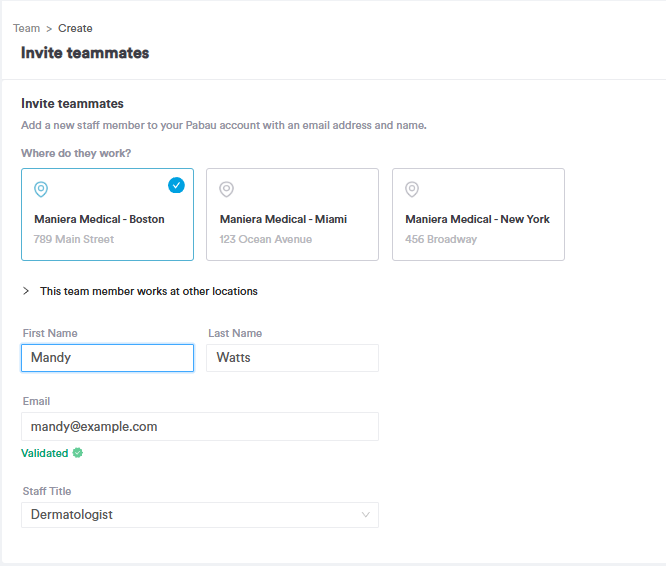
Pabau is built with medical-grade security and role-based access. You can assign staff to specific locations so they only see that location’s dashboard, keeping patient data protected across all sites.
Keep your schedule full and your clients happy: Discover the top five patient scheduling tips that streamline your workflow and help your practice run smoothly.
Next steps: Learn how to train multi-location staff effectively here or explore solutions for treatment providers here.