
Best Hair Transplant Clinic Software in the US (2026 Guide)
Compare five practice management platforms built for US hair transplant clinics ...

March 25, 2026

Buy now, pay later is now available in Pabau
Blog / Top 5 Clinic Management Software Solutions for Increasing Revenue
What clinic management software does: Centralizes scheduling, billing, patient records, EMR integration, and automated communications to streamline clinic operations and reduce administrative work.
Pabau: Best for med spas and multi-location clinics—offers advanced image tools, automated pre- and post-care messaging, client records, and all-in-one management.
Jane App: Ideal for wellness and therapy-focused practices seeking simple scheduling, charting, and telehealth capabilities.
Phorest & Mangomint: Great for salons, spas, and boutique wellness studios prioritizing client retention, loyalty programs, and user-friendly booking.
Feeling lost in the sea of clinic management software options? You’re not alone. Finding the right fit for your clinic—whether small, multi-location, or specialized—can feel like running in a loop.
In this guide, we’ll clear the confusion, compare the top software, show their features, prices, and integrations, and help you pick the one that works for your clinic.
Clinic management software, sometimes called a clinic management system or practice management tool, is a digital tool for keeping your medical practice or med spa running smoothly.
It handles everything from:
So, in short, a clinical management solution centralizes daily operations, so your staff isn’t drowning in admin.
A clinic management solution supports practices of all sizes: small clinics, large teams, and enterprise-level clinic.
These are the must-have features to keep an eye out for when looking for the best clinic management software.
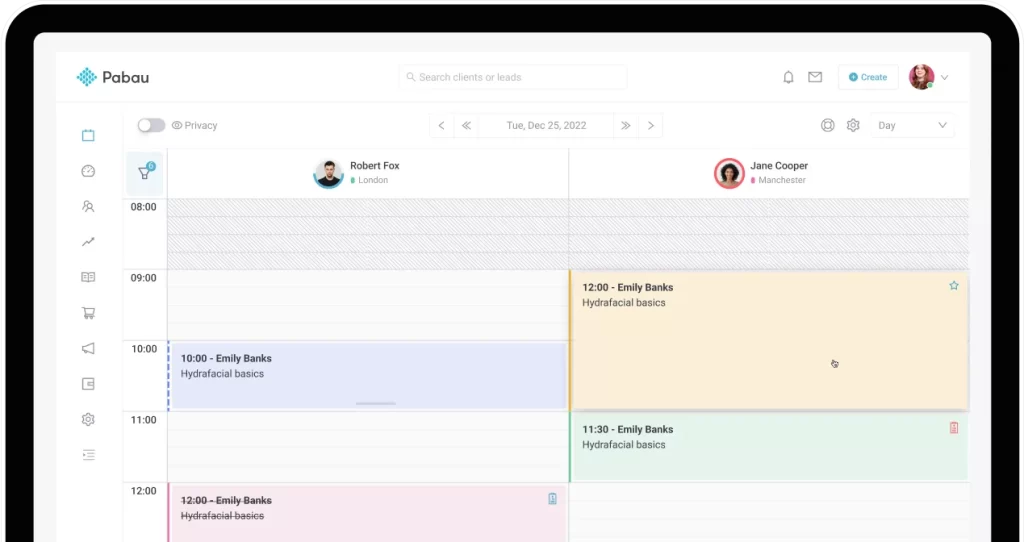
Software for clinic management should help you tackle double bookings or missed appointments.
With a centralized calendar, you can manage appointments for multiple providers, rooms, and locations all in one place.
While, automated appointment reminders reduce no-shows. And drag-and-drop rescheduling helps you focus on your patients, not your calendar.
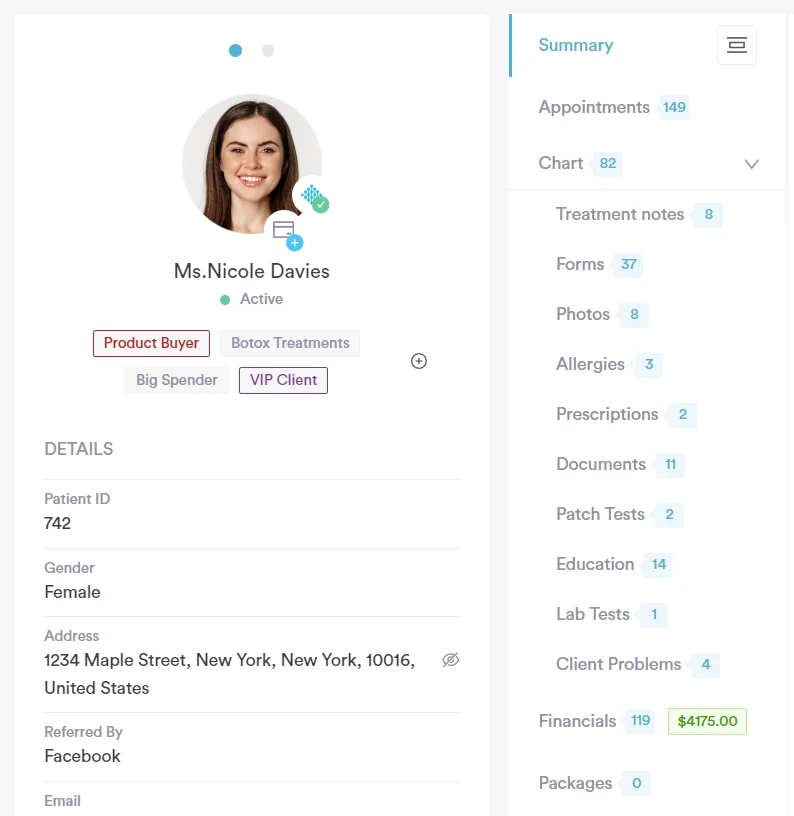
Digital EHR integration is at the heart of any great clinic management solution.
EHR helps you track:
—in one secure place.
With safe and quick access to your records, you reduce errors, improve patient care, and ensure your team spends less time hunting for paperwork.
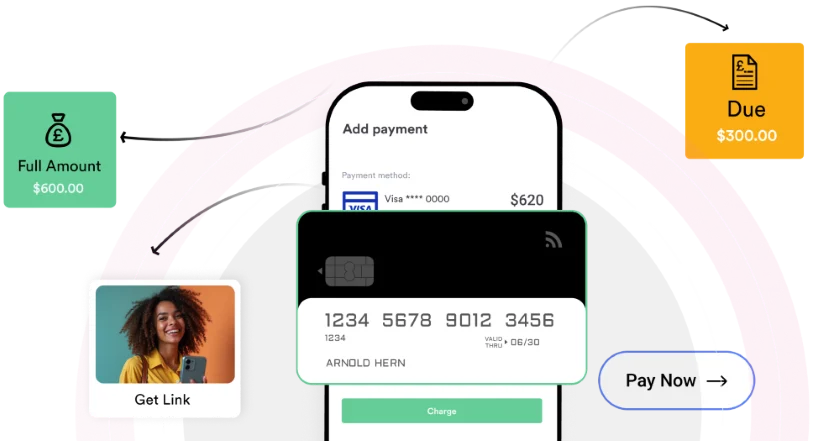
Managing invoices and payments is way easier with practice management software.
You can offer flexible payment options, such as online payments, credit cards, cash, contactless payments, or even preloaded account credit, which are synced automatically to your system and client records.
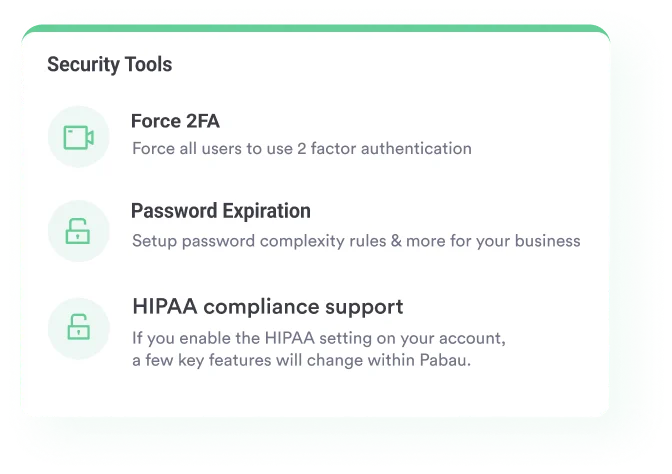
Keeping patient data secure is non-negotiable.
The right clinic management system ensures your clinic stays compliant with HIPAA, GDPR, and other regulations.
Automated security protocols, encrypted records, audit trails, role-based permissions, and screen locks are some of the non-negotiables to protect sensitive information and give your patients peace of mind that their data is safe.

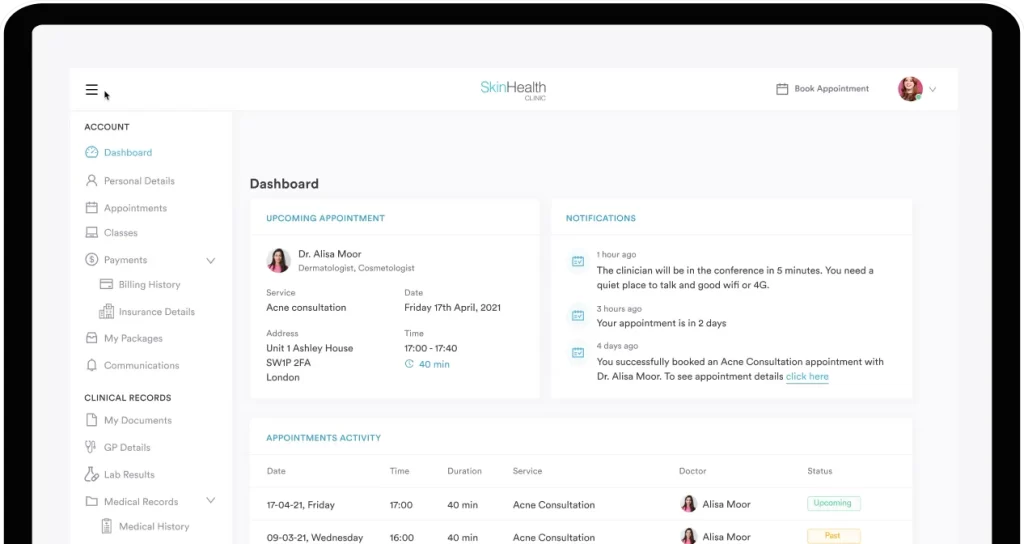
A friendly patient experience starts with easy communication.
A great medical clinic management software comes with a patient portal that makes life easier for both your staff and your clients.
Patients can make online bookings, manage their appointments, view their treatment history, access medical records, and send secure messages from one secure portal.
Are you also open to trying out AI in your clinic? Check out the four best AI practice management tools for med spas and practices
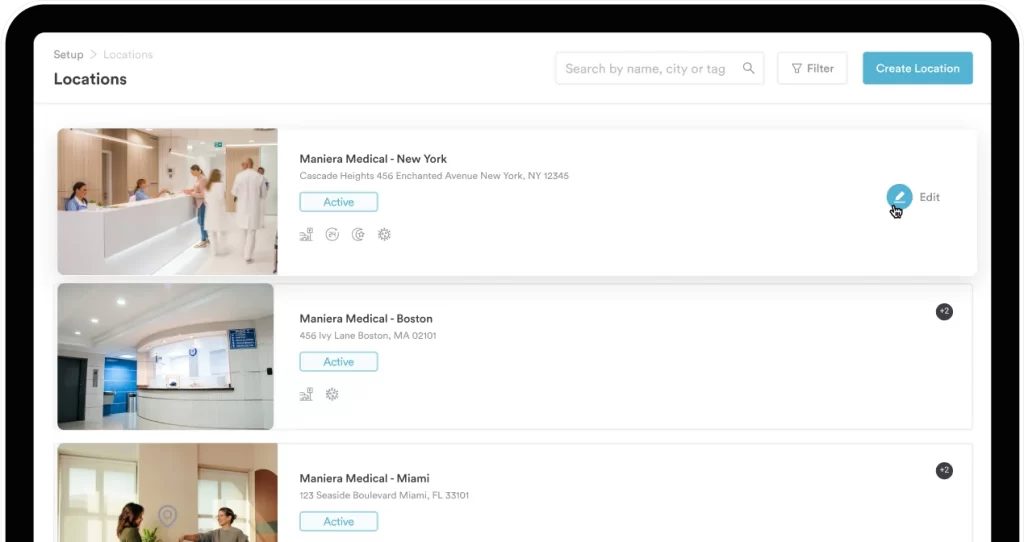
Running more than one clinic?
Clinic management software with multi-location access lets you manage all sites from a single platform.
Track appointments, staff schedules, and patient records across locations, making it easy to stay organized and keep your operations consistent.
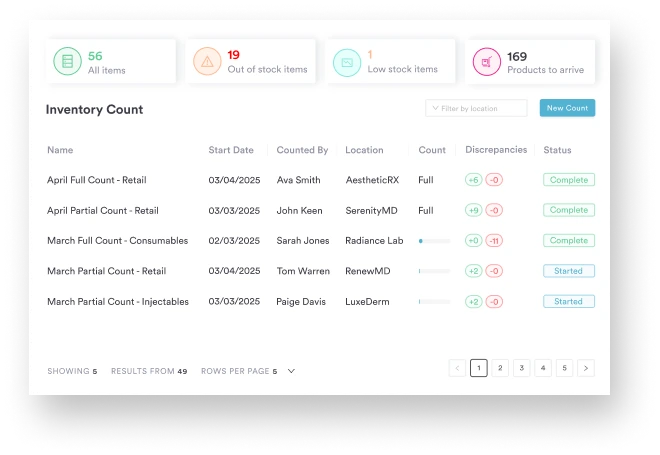
Never run out of essential supplies again.
Medical clinic management software often includes inventory tracking, helping you monitor stock levels, set reorder alerts, and manage multiple locations.
This ensures you always have what you need, reduces waste, and keeps treatments running smoothly without interruptions.

Data drives better decisions.
With practice management software, you get built-in reporting and analytics tools to track appointments, revenue, patient trends, and staff performance.
Customizable dashboards give you a clear picture of your clinic’s health, helping you make informed decisions that improve efficiency and patient care.
In the next sections, we’ll walk through exactly how clinic management software improves the way your clinic runs day to day.
The real question isn’t which of these benefits will make the biggest difference for your clinic.
Let’s break it down.
If your team is buried in paperwork, this is the first area where clinic management software makes a huge impact.
By automating the tasks that once ate up hours, your operations instantly feel lighter and more efficient.
Here’s how it helps:
Less admin = fewer errors + more time for patient care. It’s that simple.
Phone tag? Double bookings? Calendar chaos? Gone.
Modern clinic management systems give you scheduling tools that truly change the way your clinic runs:
With fewer gaps and fewer mistakes, you get a predictable, efficient flow of appointments and a more profitable schedule.
No-shows deserve their own spotlight because of the real impact they have on revenue.
Clinic management software tackles this with:
With these simple tools, you’ll see fewer empty slots and more consistent revenue.
A review by HIMSS found that automated messaging systems (SMS, email, and phone) in ambulatory settings can reduce missed appointments by 5–10%.
This shows just how much a little automation can help keep your schedule full.
Good software helps you save time.
Great software helps you make money.
Here’s how it lifts revenue without piling on extra work:
These small additions can have a big impact on your monthly revenue.
A strong med spa or clinic management system lets you deliver a smoother, more premium experience than competitors.
You can elevate your patient journey with:
These touches help you stand out and build long-lasting trust.
Clinic management software should do more than just track appointments and payments. It should help you really understand your clients.
You can store details like:
Knowing your clients well lets you give more personal care, make better suggestions, and build stronger loyalty.
If you have a plastic surgery clinic, discover the five best cosmetic surgery clinic management software.
With all that client data in one place, personalization becomes effortless and powerful.
You can:
When clients feel genuinely cared for and understood, they’re far more likely to stay loyal, and yes, to spend more with you over time.
And the best part? Happy clients bring more people with them.
Reviews influence nearly every new patient decision, so managing them isn’t optional.
Clinic software helps you with:
Ongoing communication keeps your clinic top-of-mind and your appointment book full.
With the right system, you can send:
These touchpoints help you nurture relationships and stay connected long after a client leaves your clinic.
When your team is buried in paperwork or constantly fixing mistakes, delivering a smooth patient experience becomes almost impossible.
Aesthetic or clinic management software streamlines your workflow so everything runs effortlessly:
When your operations flow, patients feel it. You become the clinic that’s organized, easy to work with, and worth coming back to and recommending.
Take a look at your free guide below. You can also download your own copy.
Below, we’ve rounded up some of the best med spa management solutions.
We’re comparing features, strengths, and who they’re best suited for, so you can find the one that fits your business perfectly.
| Name | Best for | Stand-out feature | Price starting point |
|---|---|---|---|
| Pabau | Med spas, multi-location clinics, all-in-one practice management | Advanced image tools + automated pre/post-care workflows and full clinical records | $69/month (US) — £53/month (UK) |
| Jane App | Wellness and therapy practices (therapists, chiro, acupuncture) | Built-in telehealth + easy charting and SOAP templates | From $54/month (Balance plan) |
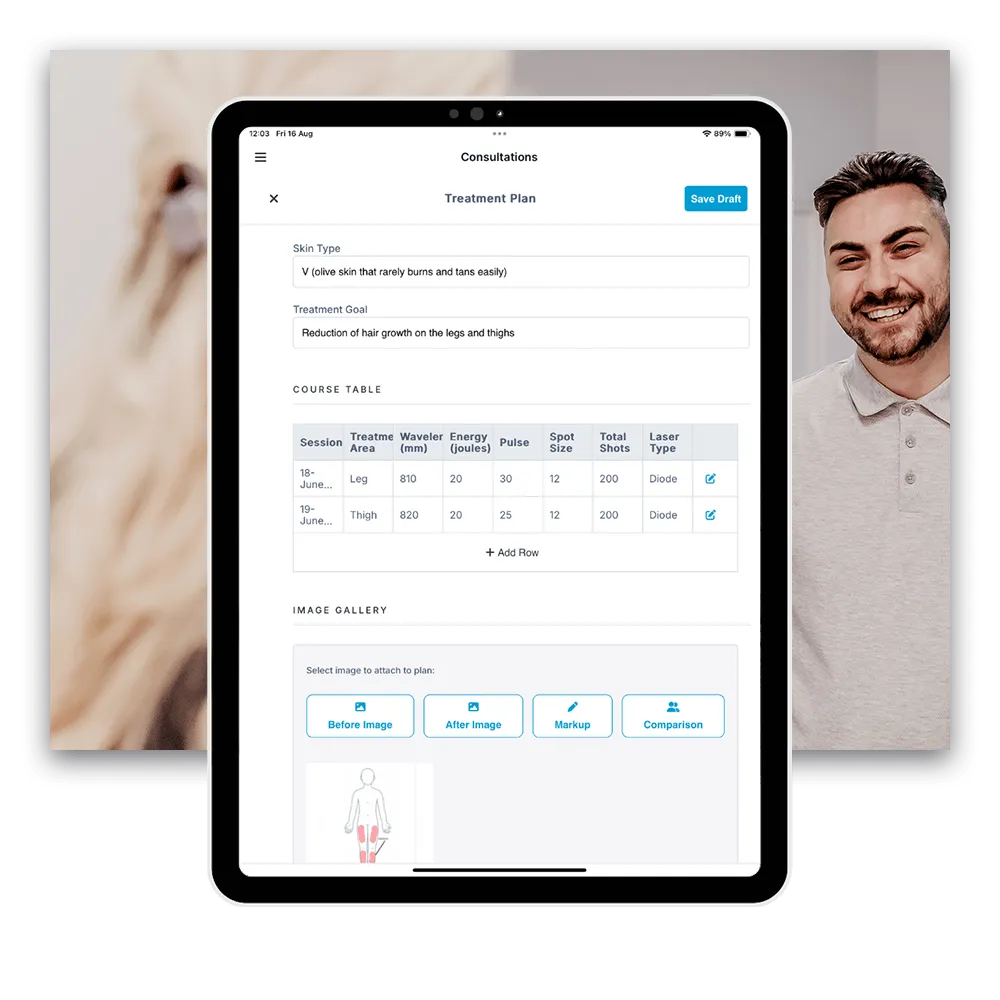
| Phorest | Salons & beauty spas focused on marketing and retention | Salon-focused marketing suite, loyalty & face-mapping galleries | Custom pricing, quote required |
| Mangomint | Boutique spas, small–medium wellness studios | Clean UX with unified booking, POS, and two-way texting | From $165/month (Essentials) |
| Greenway Health | Traditional outpatient & multi-specialty medical clinics | Comprehensive EHR + revenue-cycle management and value-based care tools | Custom pricing — modular; est. from ~$799/provider/month |
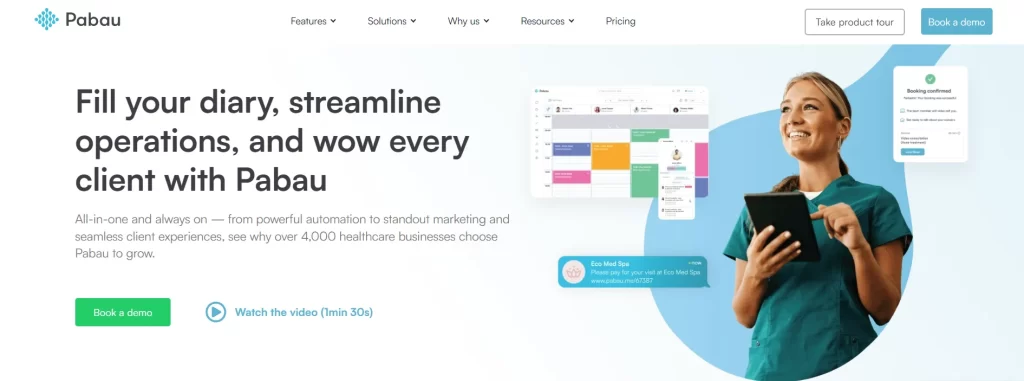
Pabau is our very own practice management software designed to streamline various aspects of your operations.
It caters to a wide range of specialties, from med spas and private practices to large and small healthcare clinics, offering a full suite of tools to simplify workflows, enhance patient care, and increase revenue.
Did you know: In Pabau, all patient communications can be set up once and run automatically for each service. That means Botox patients and microneedling patients receive pre- and post-care instructions tailored specifically to their treatment, every time.
Learn more about the automated pre- and post-care communication in Pabau.
Pabau starts at $69/month in the US and £53/month in the UK, with multiple tiers designed to fit clinics of all sizes—from solo practitioners to large enterprise practices.
| Tier | Startup | Solo | Team | Medium | Group | Enterprise |
|---|---|---|---|---|---|---|
| Number of users | 1 | 1 | 2–3 | 4–5 | 6–15 | 15+ |
| Unlimited number of clients | X – up to 100 | ✔ | ✔ | ✔ | ✔ | ✔ |
All tiers include essential features, ensuring every practice gets the tools they need to manage appointments, client records, payments and more efficiently. Telehealth and Echo AI are available as pay-as-you-go add-ons, so you only pay for what you use.
Check out Pabau’s plans in detail.
Read in detail how to best use Pabau if you’re running a primary care clinic or GP clinic.
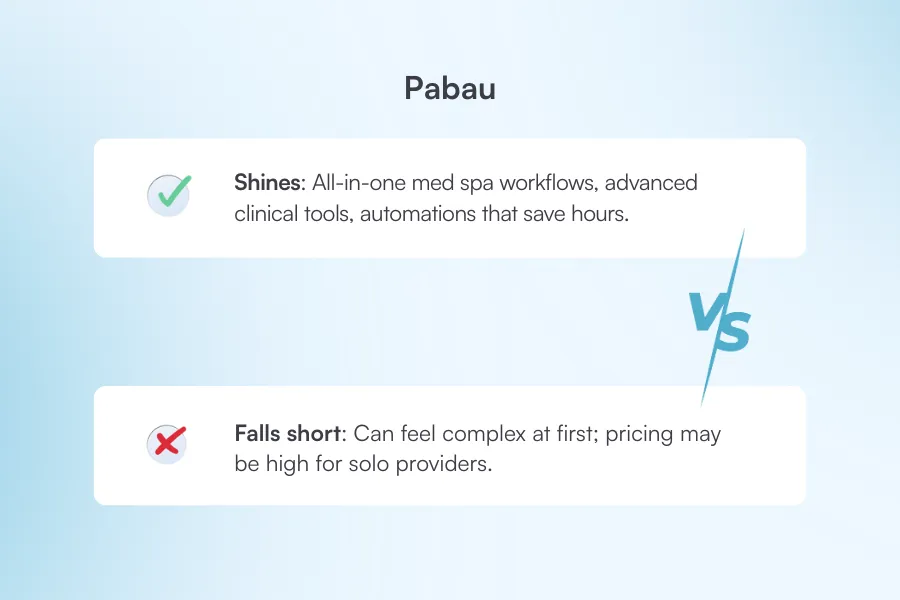
“Fantastic CRM with everything you need in one place. Great training platform and support when needed.” – Joanne P. (Capterra)
“Integrated systems – Leads, Online bookings, Pabau Go mobile app for iPads.Follow-throughs for patient pathways. Automated systems. Customer tickets to report issues and how quickly they get resolved. The more I use the system on a daily basis, the more I get from the Pabau system. Just sending a marketing email on broadcast is very easy.” – Norman A. (G2)
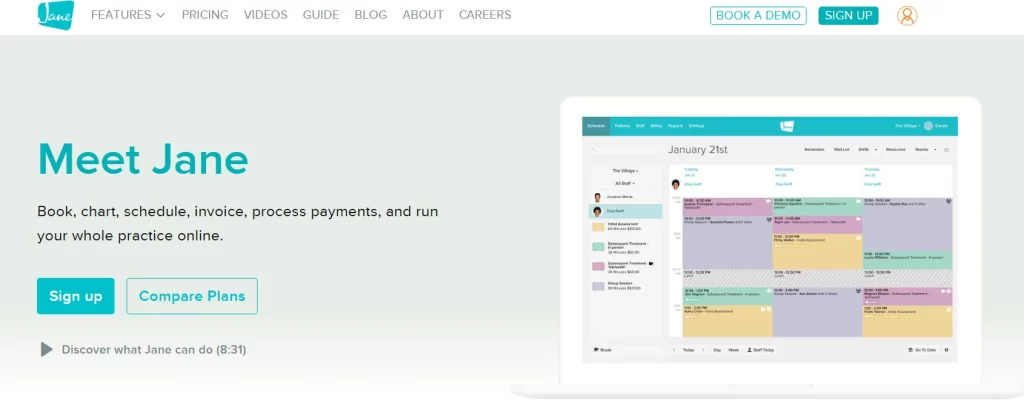
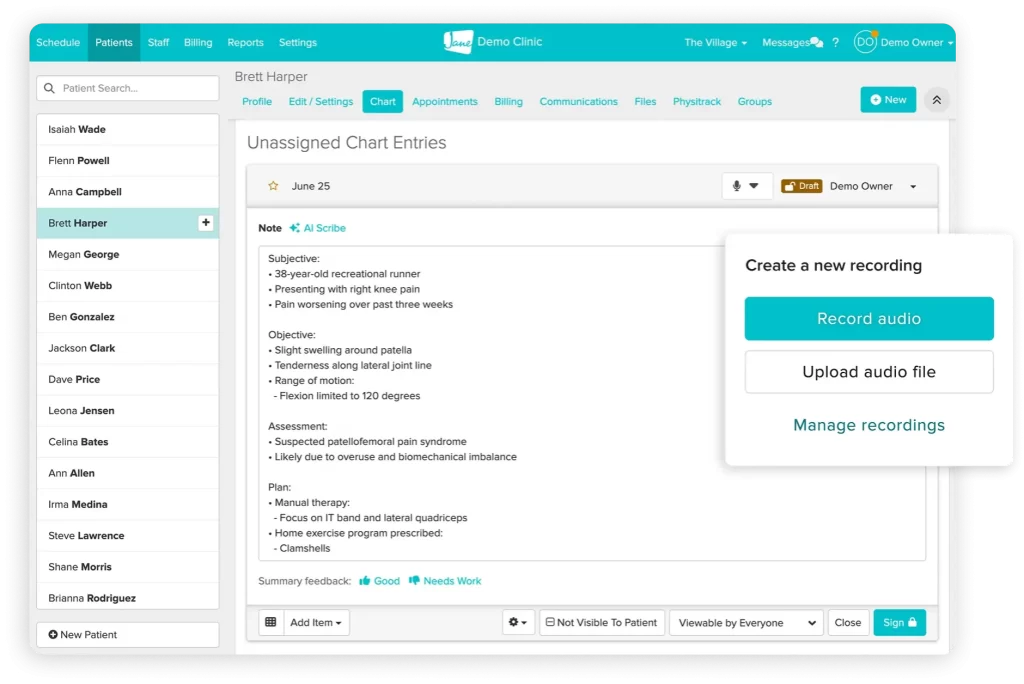
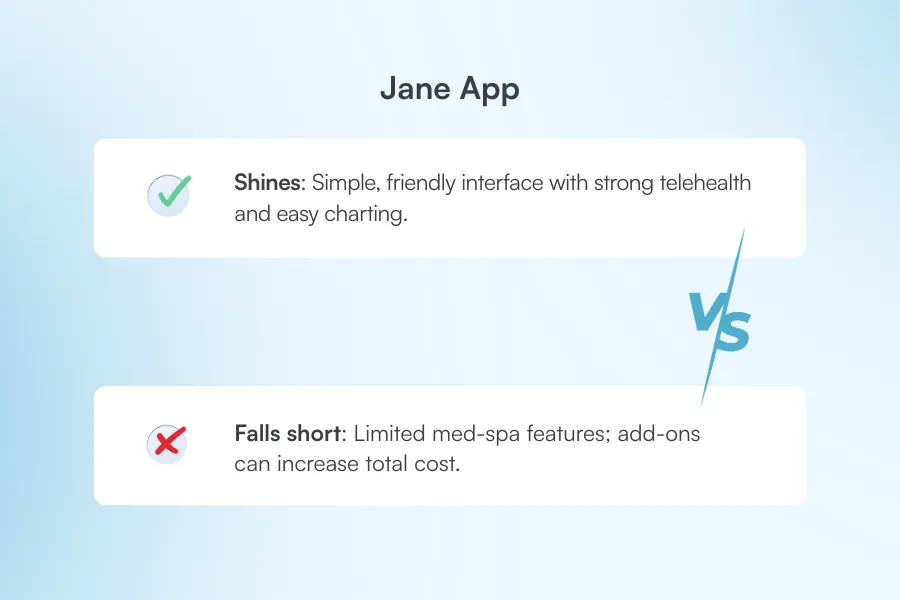
Jane App is a cloud-based clinic management software designed to streamline operations while keeping patient connections strong and simple.
It’s especially popular among therapists, chiropractors, acupuncturists, and other wellness practitioners looking for an easy-to-use, all-in-one practice management solution.
| Plan | Monthly Price* | What’s Included |
|---|---|---|
| Balance | US $54 | 20 appointments/month, 1 user, patient portal, telehealth, online booking, basic reporting, secure messaging |
| Practice | US $79 | Unlimited appointments, unlimited staff, custom booking, SMS/email reminders, billing & invoicing, appointment notes, waitlist management |
| Thrive | US $99 | Advanced scheduling (rooms, waitlist), memberships, reviews, analytics, recurring appointments, automated notifications, group telehealth |
Add-ons like AI Scribe, advanced telehealth and insurance billing are extra.
“Jane has been amazing! We have streamlined so many processes and saved money by having our EHR and CRM all in one. The integrations that Jane offers with other features like payments, faxing, and email newsletters has saved so much time and effort for us.” – Zach S. (Capterra)
“Takes a little bit to learn how to use it. Sometimes difficult to create templates with exactly what I want/need, and difficult to customize charts that already exist (i.e. spinal chart for chiropractic).” – Nick P. (Capterra)
Phorest is a salon and spa software built specifically for the beauty industry. It helps businesses of all sizes manage appointments, clients, and operations more efficiently.
Phorest doesn’t display its pricing on the website, and you need to request a quote.
But here’s a breakdown of their plans:
| Plan | What’s Included |
|---|---|
| Starter | Scheduling & online bookings with deposits, automated SMS/email alerts, Reconnect SMS, marketing suite, POS, inventory, loyalty, and video consultations. |
| Grow | All Starter features plus digital consultation forms, membership tools, online store, staff performance metrics, and better SMS rates. |
| Ultimate / Complete Advantage | Includes Grow features plus a branded booking app, staff goal tracking, Google Reserve integration, and higher SMS allowance. |
| Elite | All features, plus Phorest Ads Manager, 27,500 free SMS/month, two-way chat, and a premium business advisor. |
All plans support unlimited staff and devices.
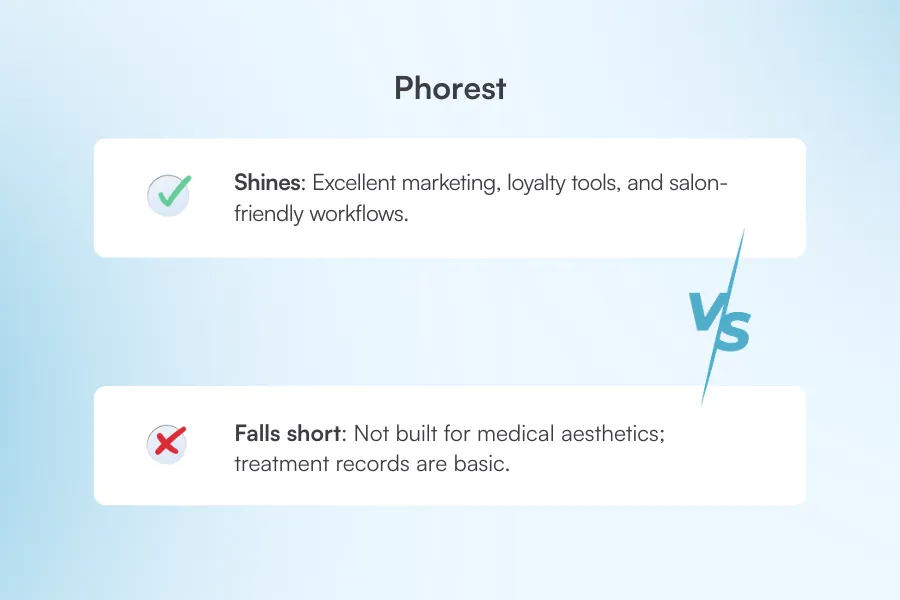
“I love the appointment management system, scheduling, and tons of other features that you cannot find in other spa management software. Phorest has done an incredible job understanding the needs of spas and setting up everything in a convenient way.” – Syed S. (Capterra)
“The reporting isn’t always as straightforward as I hope for it to be.” – Maria (Capterra)
“I wish reporting access for service providers was more robust, and easier for them to access.” – Nina (Capterra)
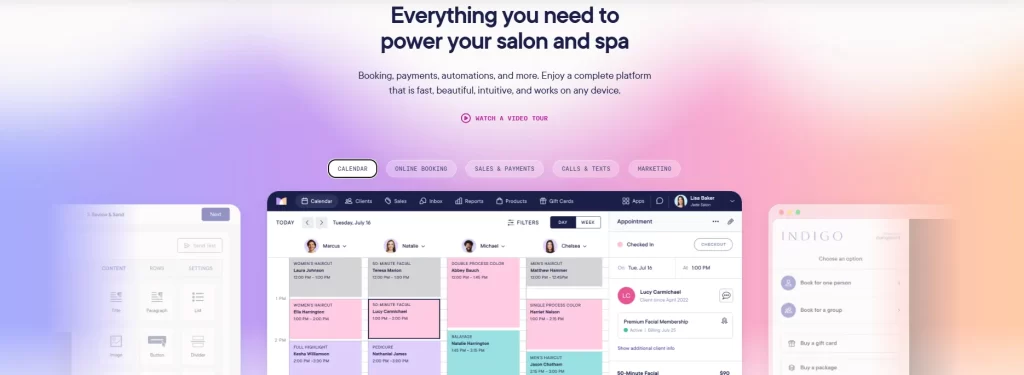
Mangomint is a cloud-based booking and management system built for the beauty and wellness world. It’s known for its clean, modern design and tools that feel easy to use right from the start.
| Plan | Monthly Price (USD) | What’s Included / Notes |
|---|---|---|
| Essentials | $165 / month | Supports 2–10 service providers; includes scheduling, client management, online booking, POS & payments, inventory, retail, staff management, reporting, and multi-location support. |
| Standard | $245 / month | Supports up to 20 service providers; adds advanced features like Express Booking™, waiting-room tools, memberships and standard integrations. |
| Unlimited | $375 / month | Unlimited service providers; includes all features, more integrations (e.g. Shopify), and full platform access. |
Forms and charting ($50/month + $25 per extra location), client communications ($75/month + $25 per extra location), and payroll processing ($50/month + $8 per worker) are all paid add-ons.
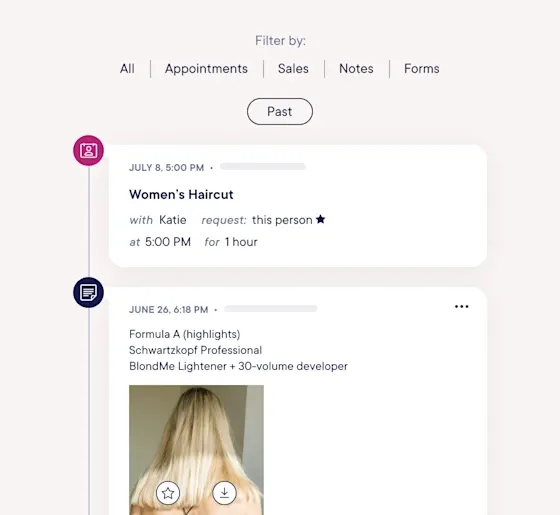
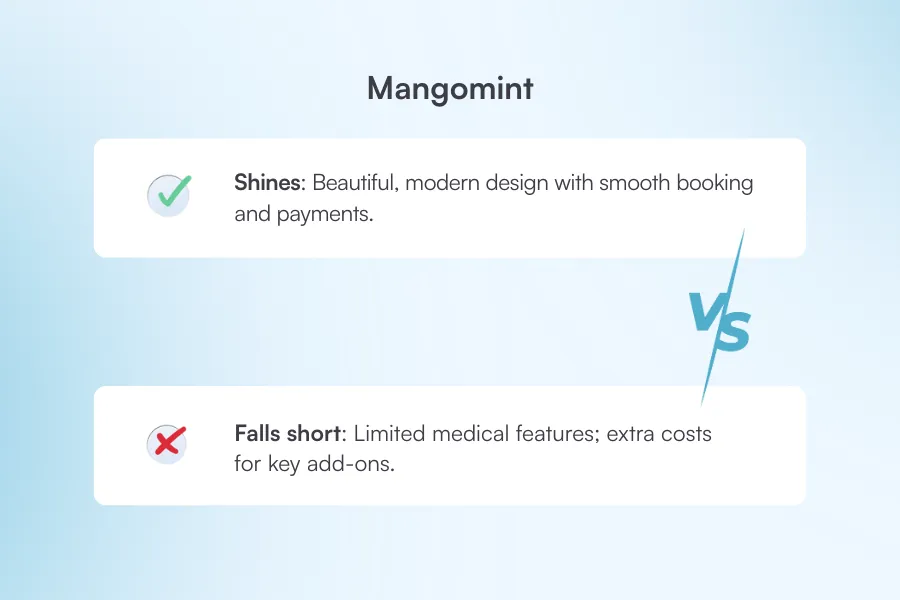
“Mangomint has made booking and managing appointments incredibly efficient and user-friendly. The interface is clean and intuitive, making it easy to schedule patients, adjust appointments, and move things around as needed—even on short notice.” – Angeli C. (G2)
“No “Pop-Up” Consent / Acknowledgment Feature – No Mass-Client Messaging Feature for Marketing – We have multiple locations. MM doesn’t have separate booking links for different locations, just one for all locations, and the client has to click the correct location. They often click the incorrect location and book at the wrong location.” – Madison A. (G2)
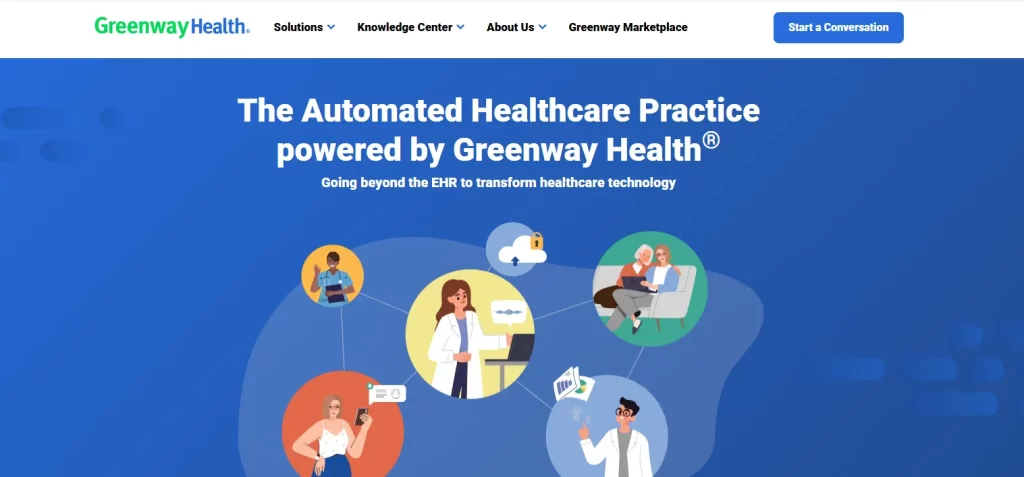
Greenway Health offers a comprehensive suite of health‑IT tools, including its two EHR and practice management systems, Intergy and Prime Suite, along with patient engagement, analytics, and revenue cycle management solutions.
Their other products are:
They’re catering to primary care clinics, OB-GYNs, cardiology clinics, and surgery clinics, among others.
Greenway Health’s Intergy platform does not have a public, one-size-fits-all price. Costs vary widely because the software is modular, meaning clinics choose which components they need, such as:
Additional fees may apply for implementation, hosting, or support. Some review sites suggest prices start around $799 per provider per month, but this is only an estimate.
To get an accurate quote, clinics must contact Greenway directly for a custom pricing plan tailored to their size, specialty, and selected features.
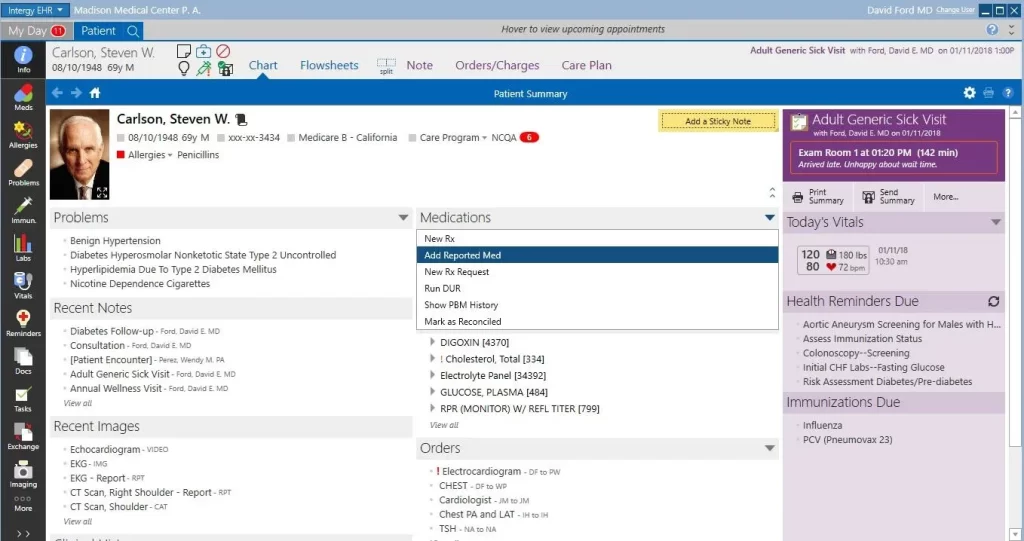
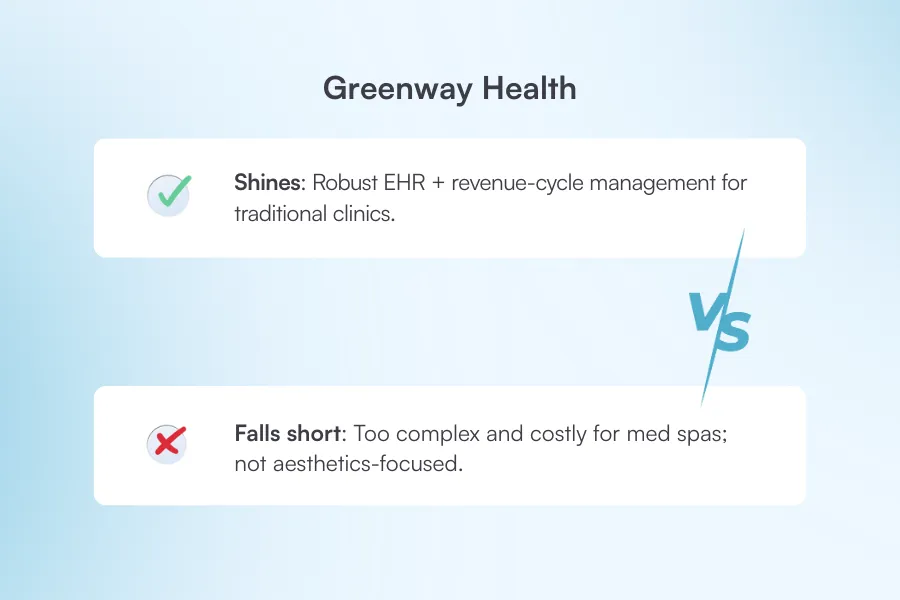
“The Practice Management is extremely user-friendly. It is easily navigable to view schedules, patient demographics, patient financials, and some data from the EHR.” – Diana P. (G2)
“Primesuite is poorly organized with poor support. My staff spends 1/2 of their days trying to find workarounds for the things that don’t work well and the things that impede their workflow.” – Carla N. (G2)
If you’re looking for a primary care-focused software, check out our list of 11 essential features of primary care management software.
Choosing the right clinic management software can feel overwhelming, but it gets easier when you know what to look for in a system.
These are the features to keep an eye out for in your next software. Treat this as your buyer’s guide when you’re shopping for your next software for clinic management.
Your system should make it easy to book, rebook, and manage complex schedules across practitioners, rooms, and locations.
Look for features like drag-and-drop, conflict alerts, waitlists, and online booking.
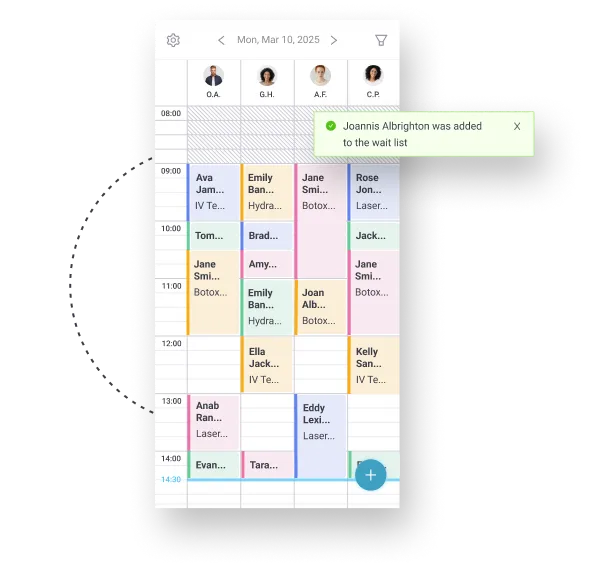
Pabau handles this with a smart, colour-coded calendar built for busy clinics.
It shows:
—so you can avoid double-booking and keep your day running smoothly. It also includes an automated waitlist that helps you fill last-minute cancellations fast.
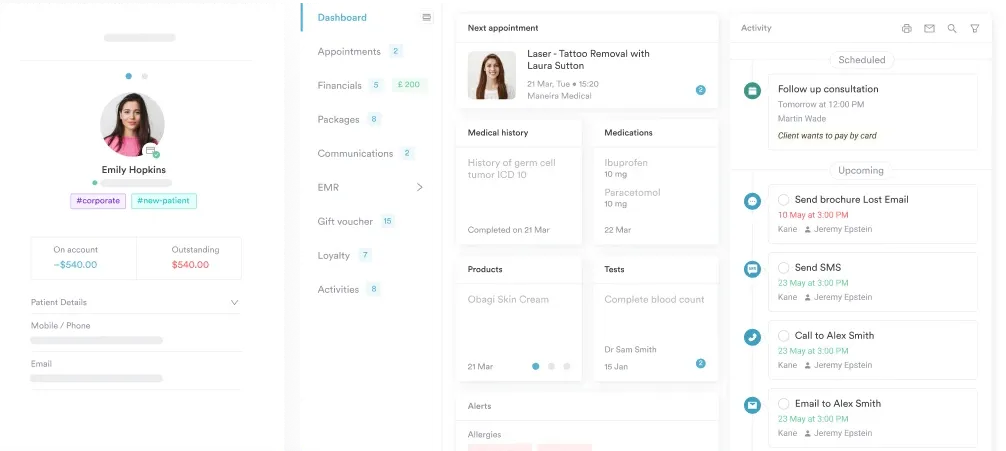
See how Pabau keeps your patient records organised
Take a quick look at how forms, photos, notes, and charting all live in one place — no tabs, no clutter.
Choose a platform that keeps all patient info in one safe, easy-to-use place.
Look for a clinical management software that supports:
It should also support consent forms, medical histories, and any regulated documentation you need for compliance.
Pabau gives you complete patient files with everything built in — forms, before-and-after, photos, treatment notes, medical histories, and clinical workflows.
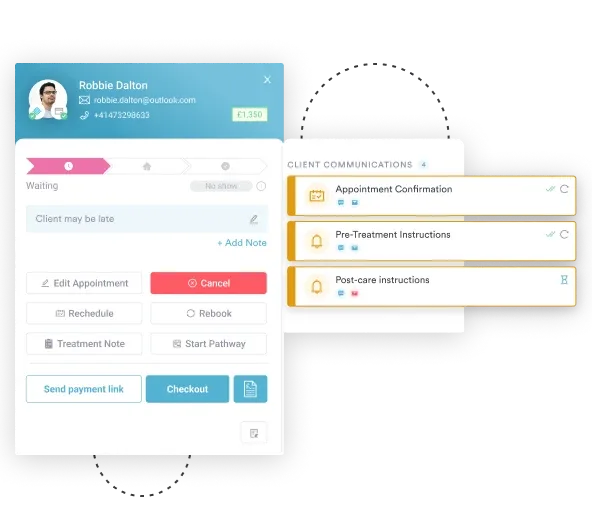
Automated confirmations, reminders, and post- and post-care messages help you reduce no-shows and keep clients engaged.
Pabau lets you set up messages once and automatically send them at the right stage for each client.
You can tailor each communication to the specific service, from pre-appointment reminders to post-care follow-ups.
You can also created targeted lists and recall campaigns using clients’ past treatments and behavior. This makes sure your messages reach the right people at the right time
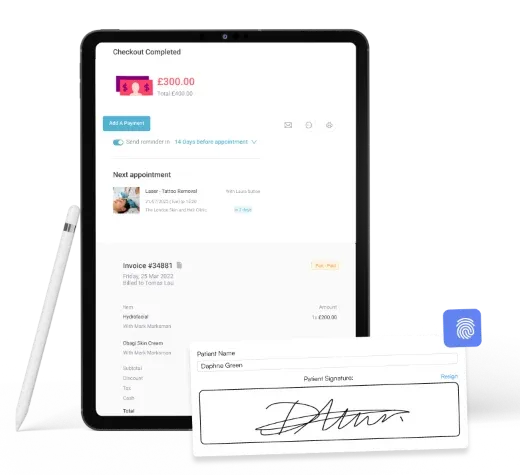
Your software should support itemized billing, packages, memberships, deposits, and modern payment options, such as card-on-file and payment links.
Pabau includes built-in invoicing and payment tools that make checkout simple and fast.
You can:
Everything links back to the client record, so your team stays organised and nothing slips through the cracks.
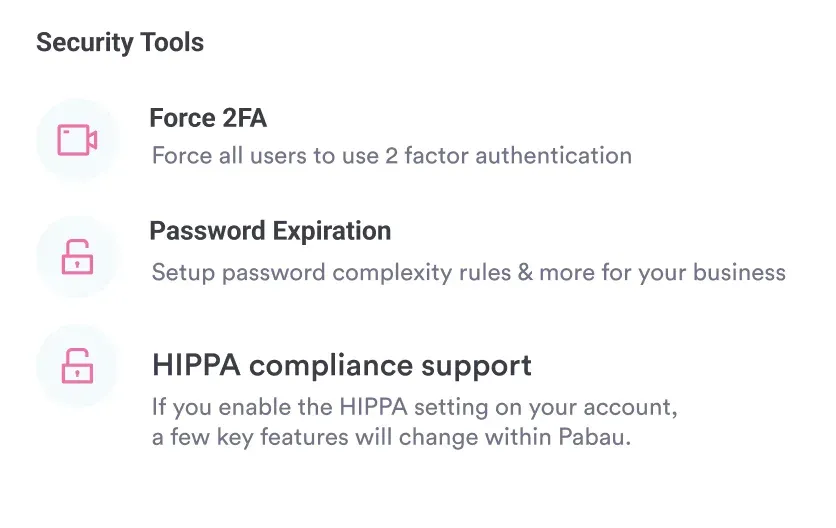
Medical practices need HIPAA/GDPR compliance, audit trails, secure hosting, and proper access control.
Pabau is fully GDPR and HIPAA-compliant and gives clinics strong tools to protect client data.
You can track every action with detailed audit logs, control staff access, and keep sensitive records secure.
We’re also adding a new GDPR feature called Print Details. With one click, you can download a full report of all key client data held in Pabau, including communications and consent forms.
Here’s a quick recap of the top options we’ve explored:
Next step: If you want a deep dive into how Pabau can transform your med spa operations, book a free Pabau demo and see how it handles everything from scheduling and payments to automated client communications.
If you’re still exploring your options or want a closer look at EMR solutions specifically, check out our list of the best EMR software for medical & aesthetic practices.