The best outpatient EMR depends on your setting more than its feature list. Pabau, the practice management platform we build, is our top pick for medical and aesthetic clinics. Insurance-billing primary care groups should start with athenahealth or eClinicalWorks, rehab practices with WebPT, and behavioral health agencies with Netsmart.
Choosing for the wrong setting is expensive, because it means a second data migration and retraining every clinician. So each review below ends with the practice that should skip that system, and the table puts all ten side by side.
Key takeaways
1. Pabau — best all-in-one outpatient EMR for medical and aesthetic clinics, med spas and wellness practices.
2. athenahealth — cloud-native EHR with managed revenue cycle services for insurance-billing primary care and general medical groups.
3. eClinicalWorks — multi-provider general medical and multi-specialty groups that want the healow Marketplace of integrations.
4. WebPT — the established rehab therapy EMR, with outcomes tracking and a large integration list.
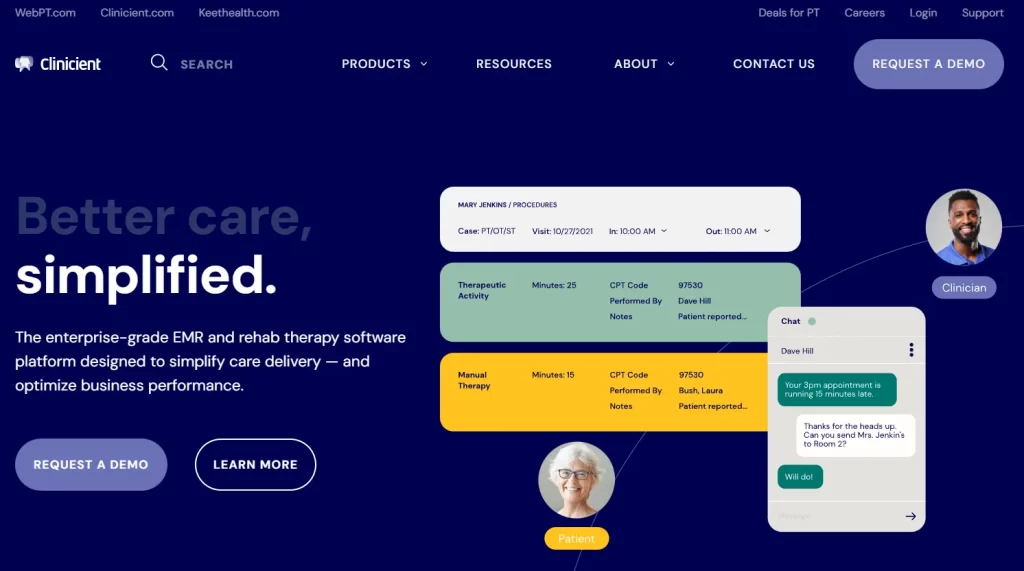
5. Clinicient — automates Medicare-heavy rehab billing for PT, OT and SLP practices.
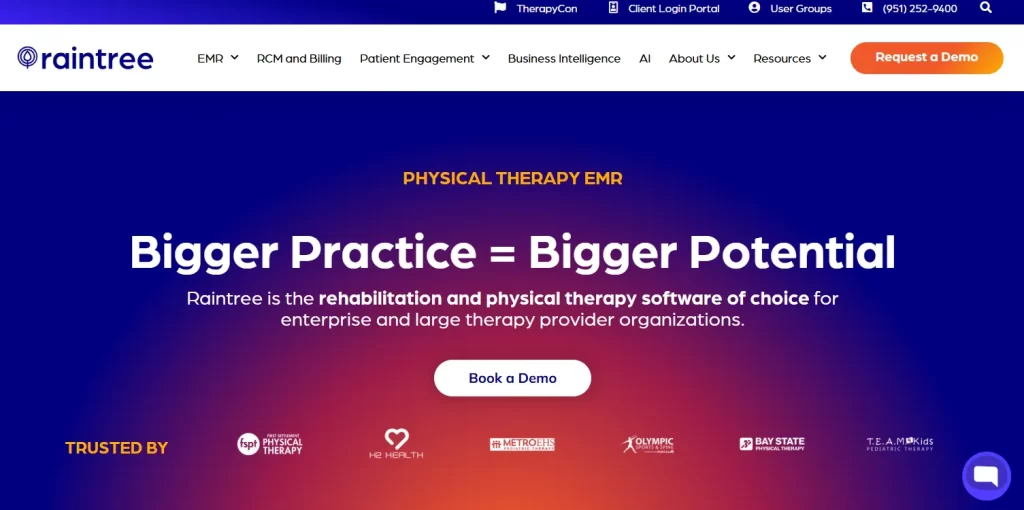
6. Raintree — enterprise rehab groups running many locations on one billing engine.
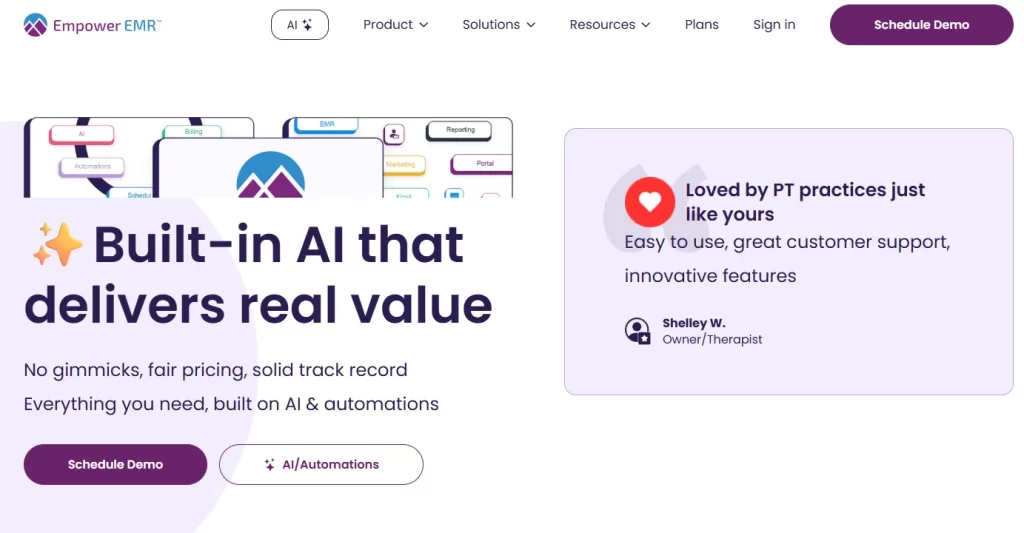
7. Empower EMR — a modern, PT-only system for solo and small physical therapy practices.
8. Ensora Health — pediatric therapy and mental health practices that want published pricing.
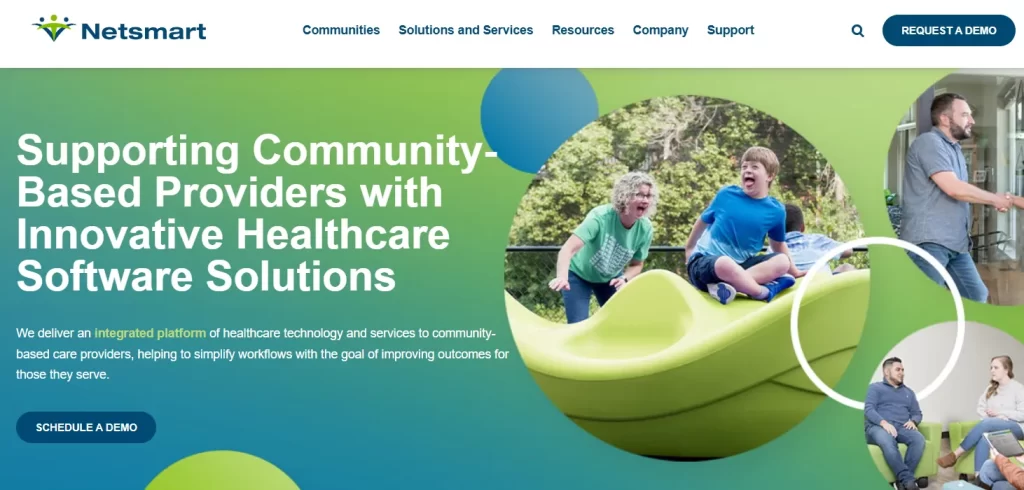
9. Netsmart — behavioral health and human services agencies handling 42 CFR Part 2 records.
10. MEDITECH Expanse — hospital-owned outpatient departments that need one record across inpatient and outpatient care.
Found our content helpful?
Outpatient EMR comparison: Who should buy and who should skip
The table puts all ten side by side, plus the one column vendor pages never show you. That last column names the practice that should walk away. Prices are listed as each vendor publishes them, and most publish none.
Provider
Best fit setting
Standout feature
Starting price (as published)
Skip it if
1PabauTOP PICK
Medical and aesthetic clinics, med spas, wellness
Pabau Scribe notes, booking, forms and payments in one record
From $62/month (one user)
✕You run a Medicare-heavy rehab therapy practice
2athenahealth
Insurance-billing primary care and general medical groups
Cloud-native EHR with managed revenue cycle services
Contact sales
✕You run a cash-pay aesthetic or wellness practice, or want a flat published price
3eClinicalWorks
Multi-provider general medical and multi-specialty groups
healow Marketplace of third-party integrations
Contact sales
✕You are a small practice without IT support that wants a simple, ready-to-run system
4WebPT
Physical therapy and rehab practices
Outcomes tracking and MIPS reporting
Contact sales
✕You treat outside rehab therapy
5Clinicient
Rehab therapy (PT, OT, SLP)
Medicare billing rules applied inside the note
Contact sales
✕You want a modern interface or a published price
6Raintree
Multi-location rehab groups
Billing engine plus business intelligence dashboards
Contact sales
✕You are a solo or small practice
7Empower EMR
Private outpatient PT practices
AI notes and automatic waitlist fill
Contact sales
✕You also offer OT, SLP or behavioral health
8Ensora Health
Pediatric therapy and mental health
Pediatric goal banks and AI session notes
From $25/month (Fusion, solo)
✕Your therapists document mostly on mobile
9Netsmart
Behavioral health and human services
Bells AI documentation and 42 CFR Part 2 support
Contact sales
✕You are a small private therapy practice
10MEDITECH Expanse
Hospital-owned outpatient departments
FHIR interoperability and inpatient-to-outpatient continuity
Contact sales
✕You are an independent clinic
What is an outpatient EMR?
An outpatient EMR is the digital patient chart a practice uses for same-day visits, covering clinical notes, scheduling, billing and consent forms. An EMR is one practice’s record, while an EHR is built to share it with labs, pharmacies and other providers. Most vendors now use the two terms interchangeably, and our guide to EMR vs EHR unpacks the difference.
Sharing runs on standards such as HL7 and FHIR, so ask any vendor which ones it supports. Practice management software covers the business side, such as invoicing and reporting, and outpatient tools now bundle both with a patient portal. Inpatient systems add admissions and bed management, the line drawn in our ambulatory vs inpatient EHR comparison.
Outpatient fit map: Which EMR matches your setting
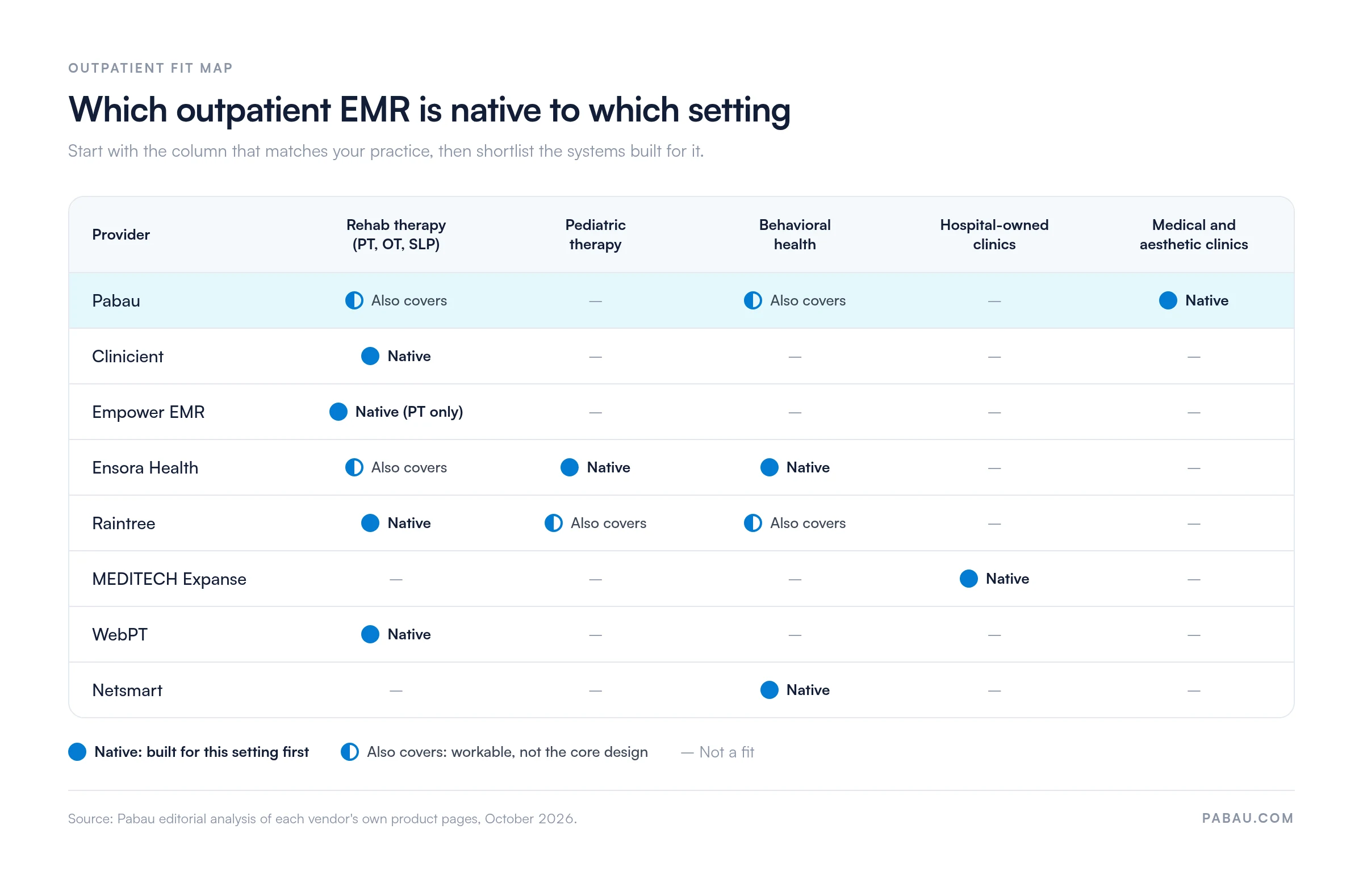
The Outpatient fit map sorts these ten systems by the setting each was built for. That lets you shortlist two or three instead of demoing all ten. “Native” means the vendor designed for that setting first. “Also covers” means it works there, but with more configuration.
The Outpatient fit map shows that only Ensora Health and Raintree reach beyond one core setting among the rehab tools. Based on Pabau’s review of each vendor’s own product pages, October 2026.
Outpatient rehab software lives or dies on Medicare billing
The strongest EMR software for outpatient rehab is WebPT, Clinicient, Empower EMR or Raintree, chosen by practice size and how much Medicare billing you handle. Clinicient applies Medicare rules such as the 8-minute rule inside the note, and it is now part of WebPT. Empower EMR suits a solo or small PT practice that wants one modern system.
For the best outpatient PT EMR for multi-location practices, Raintree is the stronger pick, because billing rules can be set by payer, location and provider. WebPT sits between the two, with outcomes tracking and links to more than 60 healthcare vendors. Skip all four if your practice is mostly cash-pay wellness or aesthetics.
Behavioral health needs Part 2 records, pediatrics needs goal banks
Netsmart is built for behavioral health and human services agencies, while Ensora Health suits smaller mental health and pediatric therapy practices. Netsmart handles substance use records under 42 CFR Part 2 and community care coordination.
Ensora Health’s TheraNest starts at $29 per therapist a month. Skip Netsmart if you are a small private practice, because its training load is built for agencies.
Hospital-owned departments should stay on the hospital record
MEDITECH Expanse is the pick when the outpatient department belongs to a hospital, because one record follows the patient between inpatient and outpatient care. Its scale is also its limit. An independent clinic pays for hospital depth it will never use, so skip it unless a health system owns your practice.
Medical and aesthetic practices need photos and consent in the chart
Pabau is native to medical and aesthetic outpatient care, from med spas and dermatology to wellness, IV therapy and private practice. Consent forms, before-and-after photos, injection plotting and payments sit on one patient record. Skip it if most of your revenue comes from Medicare therapy billing, where the rehab tools above are built around those rules.
General medical practices need insurance billing and ONC-certified records
athenahealth and eClinicalWorks are built for general medical and primary care practices that bill insurance. athenahealth pairs a cloud-native EHR with managed revenue cycle services, while eClinicalWorks adds the healow Marketplace of third-party integrations. Skip both if your practice is mostly cash-pay aesthetics or wellness.
Pabau: Best all-in-one outpatient EMR for medical and aesthetic practices
Rating4.7/5★★★★★Top pick
The bottom line
The outpatient EMR built for medical and aesthetic clinics, with booking, notes, forms and payments in one record.
Pabau is a cloud-based practice management platform and outpatient EMR for medical clinics, aesthetic practices, med spas and wellness businesses. Patient records, scheduling, payments, marketing and AI documentation share one system. Pabau GO, our iOS app for practitioners, carries the same records to iPhone and iPad as a practice management app.
In practices we onboard, the first question is rarely about features. Owners want to know how their patient records and future bookings will move across. That is why Pabau’s onboarding starts with data migration and a dedicated coordinator.
Key features
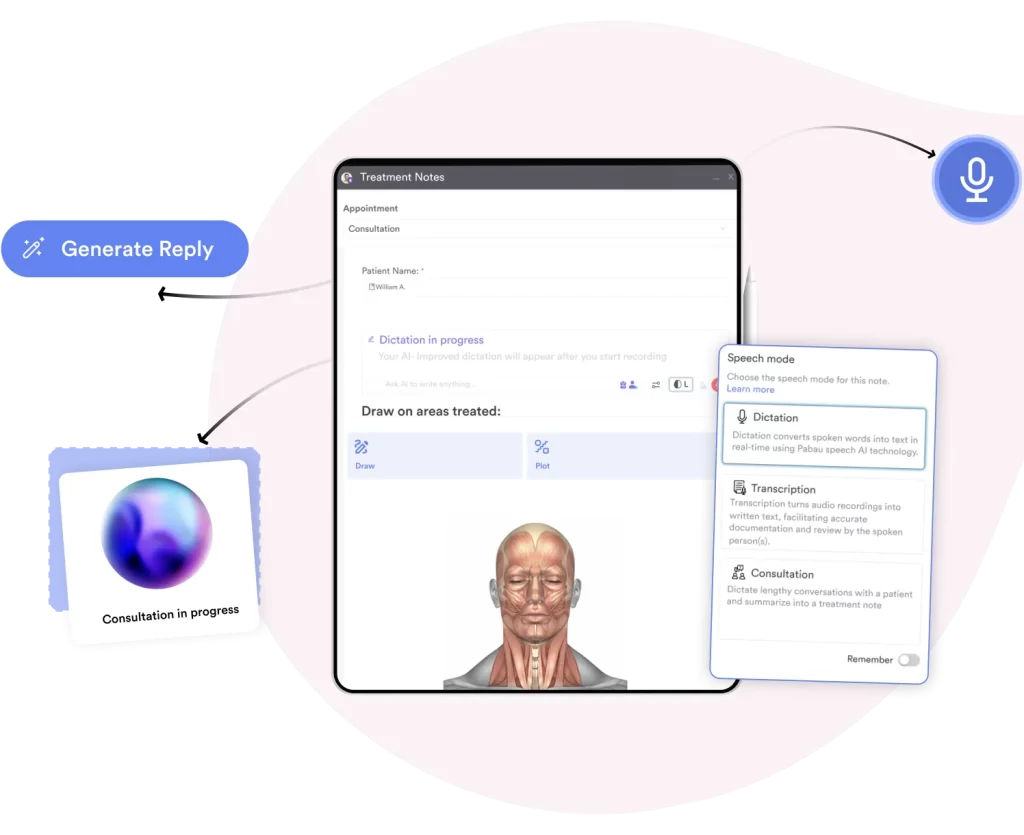
Pabau Scribe for AI clinical notes: Pabau Scribe, our AI scribe, turns the consultation into a structured note.
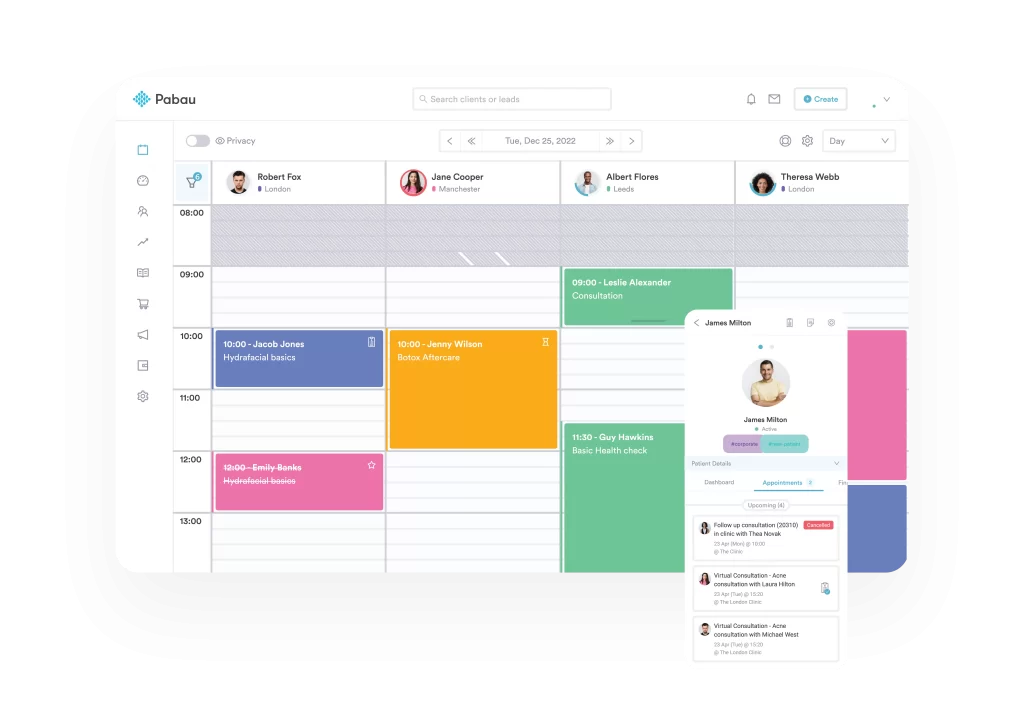
Scheduling and automated reminders: One calendar books staff, rooms and equipment across locations.
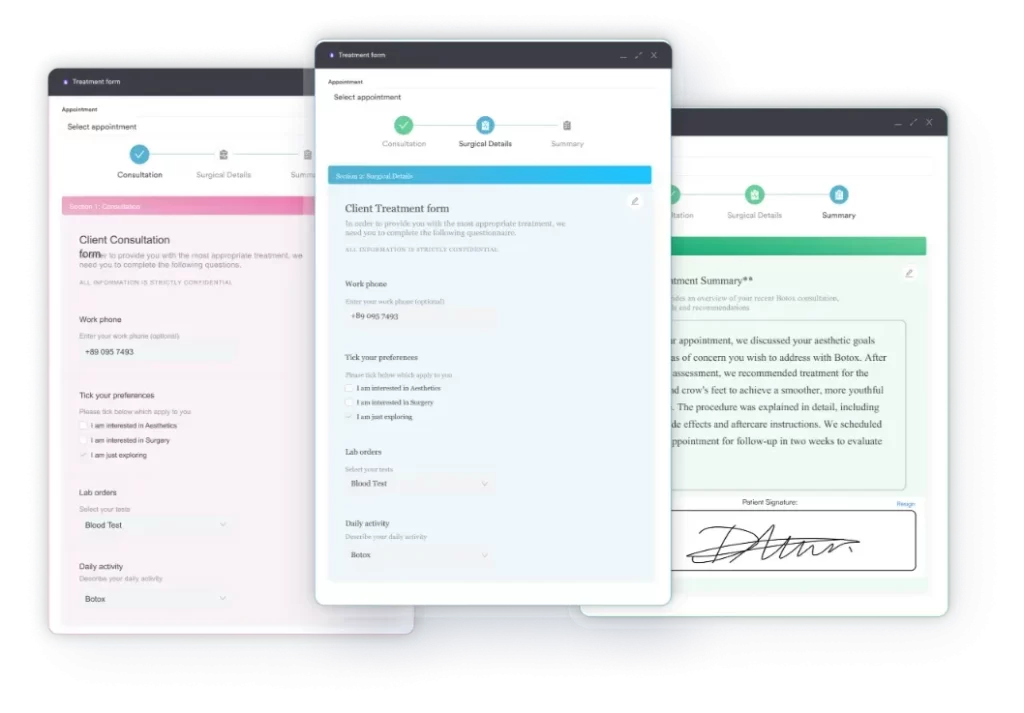
Digital forms and consent: Intake, consent and medical history forms feed straight into the patient record.
Pabau Scribe pulls symptoms, diagnoses, treatment plans and allergies out of the conversation, so the outpatient note is ready before the next patient arrives.
Pabau Scribe, part of Pabau’s AI medical scribe feature set, listens to the consultation and files the note in the EMR. Practitioners stop typing notes after hours, and transcription typos drop with it.
“I’m able to document my notes by talking into the AI tool…”
Pabau’s calendar checks staff, room and equipment availability at once, so an outpatient clinic never double-books a laser or a treatment room.
Pabau’s medical scheduling software sends branded confirmations and reminders by SMS and email. Pre- and aftercare instructions go out automatically, so your front desk isn’t typing them after each appointment.
Pabau’s form builder sends intake and consent forms before the visit and files the signed copy in the patient’s EMR record.
Every action in Pabau’s EMR is logged with a timestamp and user ID, which gives you the audit trail HIPAA expects. Pabau also supports GDPR for UK and EU practices.
Where Pabau shines
Treatment-based automation: The right forms, reminders and aftercare go out based on the treatment booked.
Aesthetic clinical detail: Before-and-after photos and treatment mapping sit in the same record as the note.
Ease of use: Reviewers often describe the interface as intuitive, so new staff get up to speed quickly.
Where Pabau falls short
Setup time for complex workflows: Multi-step automations take some time to configure at the start.
Outpatient focus: Pabau is not designed for inpatient, hospital-wide care.
Customer reviews
“Excellent. Easy to use, user friendly with Pabau. There is very good support as needed, anytime and email enquiries are responsive.” – Andrew M., Capterra
A new practice reviewing Pabau on Capterra found it easy to update electronic forms and patient data, and said charting is no longer a chore.
Who Pabau is best for
Aesthetic and cosmetic clinics: Med spas, skin clinics and cosmetic surgery practices that need photo and consent records.
Growing outpatient medical practices: Multi-location groups that want EMR, scheduling, billing and messaging in one system.
Private-pay medical practices going paperless: Teams replacing paper forms and spreadsheets with one digital record.
Skip it if: you run a PT, OT or SLP practice whose revenue depends on Medicare therapy billing rules.
Pricing
Plan
Price
Users
Key inclusions
Starter
$62 / month
1 user, up to 100 patients
Full platform
Solo
See pricing page
1 user, unlimited patients
Full platform
Team
Quoted on a demo
2–3 users
Full platform
Medium
Quoted on a demo
4–5 users
Full platform
Group
Quoted on a demo
6–15 users
Full platform
Enterprise
Quoted on a demo
16+ users, multi-location
Full platform
Starter and Solo prices are published on Pabau’s pricing page, and larger plans are quoted on a demo. Every plan includes every feature, so the price scales with users and locations rather than unlocking tools. SMS, telehealth and Pabau Scribe usage run on top-up credits.
athenahealth: Best for insurance-billing primary care
Rating3.8/5★★★★★
The bottom line
A cloud-native EHR with managed revenue cycle services for insurance-billing primary care and general medical groups.
Who it’s for
Primary care practices that bill insurance
General medical groups
Practices that want to outsource revenue cycle work
PricingContact salestypically a percentage of collections plus per-provider fees
Percentage-of-collections pricing costs more as revenue grows
Slow support and extra clicks in some workflows
athenahealth is a cloud-native electronic health record (EHR) and practice management platform with managed revenue cycle services. It serves primary care and general medical groups that bill insurance.
The system runs in the browser with no local install, and it offers native mobile apps.
Key features
Cloud-native EHR: The platform runs in the browser, so there is nothing to install locally.
Managed revenue cycle services: Billing work can be outsourced to athenahealth rather than handled in house.
MIPS and quality measures: MIPS reporting and quality measure tracking are built in.
Where athenahealth shines
No local install: The EHR runs in the browser, which removes server and workstation setup.
Native mobile apps: Providers can use native mobile apps alongside the browser version.
Outsourced revenue cycle: Practices can hand revenue cycle work to athenahealth.
Where athenahealth falls short
Pricing that scales with revenue: Percentage-of-collections pricing costs more as your revenue grows.
Support: Reviewers report slow support.
Clicks: Reviewers report too many clicks in some workflows.
Customer reviews
athenahealth holds 3.8/5 on Capterra (835 reviews) and 3.4/5 on G2 (110 reviews).
Reviewers report slow support and too many clicks in some workflows.
Who athenahealth is best for
Insurance-billing primary care groups: Practices that bill insurance and want revenue cycle work handled by the vendor.
Skip it if: you run a cash-pay aesthetic or wellness practice, or want a flat published price.
Pricing
athenahealth platform
Cloud-native EHR with managed revenue cycle services. Quoted per practice.
Contact sales / no published pricing
athenahealth does not publish prices. Quotes typically combine a percentage of collections with per-provider fees.
eClinicalWorks: Best for multi-provider medical groups
Rating3.7/5★★★★★
The bottom line
A multi-provider EHR with a large third-party integration marketplace for general medical and multi-specialty groups.
Per-virtual-visit charges, a slow mobile app and extra clicks reported
eClinicalWorks is an electronic health record (EHR) and practice management platform for multi-provider general medical and multi-specialty groups. It can be deployed in the cloud or on premise.
Its healow Marketplace connects the EHR to third-party integrations.
Key features
healow Marketplace: A large marketplace of third-party integrations extends the EHR.
Population health tools: Population health and chronic disease tools support ongoing patient care.
Built-in telehealth: Telehealth is built into the patient portal.
Where eClinicalWorks shines
Deployment choice: Practices can run eClinicalWorks in the cloud or on premise.
Chronic disease management: Population health and chronic disease tools suit groups with long-term patients.
Integration range: The healow Marketplace lists many third-party integrations.
Where eClinicalWorks falls short
Integration upkeep: Each added integration brings its own upkeep.
WebPT is a cloud-based electronic health record (EHR) and practice management platform for outpatient rehab providers. It serves physical therapists, occupational therapists and speech-language pathologists.
WebPT covers clinical documentation, scheduling, billing and patient engagement in one system.
WebPT targets rehab therapy end to end, from the first evaluation to outcomes reporting.
Key features
Outcomes tracking and MIPS reporting: Built-in outcome measures and automated MIPS reporting support quality requirements.
60+ third-party integrations: WebPT connects with vendors including eClinicalWorks, athenaOne, MEDITECH Expanse and Therabill.
AI documentation: AI tools draft medical letters and summarize visits.
Where WebPT shines
Onboarding and support: WebPT includes onboarding and US-based phone support.
Audit protection: Built-in logic is designed to hold up in insurance audits.
Outcome measures: A large library of standardized PT tests.
Where WebPT falls short
Add-on costs: Modules like telehealth and extra billing services add to the monthly cost.
Suitability: WebPT does not suit specialties outside rehab therapy.
Downtime: Users report outages that sometimes last hours.
Customer reviews
A Capterra reviewer calls WebPT a good first EMR for smaller companies, with helpful support and onboarding.
“My overall experience is Poor- in terms of performance, customer care, cost effectiveness.” – Gopinath T., Capterra
Who WebPT is best for
Physical therapy practices: PT practices that want a full-featured rehab EMR with outcomes reporting.
Skip it if: you treat outside rehab therapy, such as aesthetics, primary care or behavioral health.
Pricing
Plan
Price
Users
Key inclusions
Starter
Contact sales / no published pricing
Per provider or per visit
EMR with core front office and clinical tools
Enhanced
Contact sales / no published pricing
Per provider or per visit
Starter plus integrated billing
Ultimate
Contact sales / no published pricing
Per provider or per visit
Enhanced plus further billing and analytics tools
WebPT names three plans but quotes each one, priced per provider per month or per visit.
Clinicient: Best for Medicare-heavy rehab billing
Rating4.4/5★★★★★Best for rehab billing
The bottom line
Rehab billing compliance automated inside the therapy note, now from a WebPT company.
Applies CPT, ICD-10 and KX modifier rules automatically
Goal updates carry through progress notes
HL7 interoperability
What doesn’t
Dated interface
Template edits are fiddly for non-technical staff
Clinicient’s Insight EMR is a cloud-based outpatient EMR and billing platform for physical therapy (PT), occupational therapy (OT) and speech-language pathology (SLP) practices. Clinicient is now part of WebPT, according to its own website.
Clinicient’s strength is rehab billing compliance. CPT and ICD-10 coding, Medicare’s 8-minute rule, MPPR calculations and modifier rules are handled inside the documentation workflow.
Clinicient positions Insight EMR around rehab therapy billing, which is why it suits Medicare-heavy PT, OT and SLP practices first.
Key features
Medicare and payer compliance automation: CPT codes, ICD-10 codes, the KX modifier and multiple procedure payment reductions are applied within the note.
Customizable SOAP note templates: Specialty templates capture clinical and billing data in one pass.
Medicare-compliant goal tracking: Goal updates carry through later progress notes with a single click.
Where Clinicient shines
Revenue cycle management: Billing rules built into the note help reduce claim denials.
HL7 interoperability: Clinicient exchanges data with other healthcare systems across care settings.
Insurance handling: Claim submission and processing are automated.
Where Clinicient falls short
Template editing: Changing templates can be cumbersome for non-technical users.
Interface: The design looks dated next to newer rehab tools.
System speed: Some users report lag during peak hours.
Customer reviews
G2 reviewers describe Clinicient as intuitive, with the whole clinic schedule visible in one view.
Another G2 reviewer would like a more interactive, more appealing design.
Who Clinicient is best for
Rehab practices (PT, OT, SLP): Practices that need compliance-focused documentation tied to therapy billing.
Skip it if: you want a modern interface, or you need to see a price before booking a sales call.
Pricing
Insight EMR
EMR, billing and compliance automation. Quoted per practice.
Contact sales / no published pricing
Clinicient does not publish prices on its website, so you’ll need a quote from its sales team.
Raintree: Best for multi-location rehab groups
Rating4.2/5★★★★★Best for multi-location rehab
The bottom line
The rehab EMR for large, multi-site groups that run billing as a data operation.
Raintree is an EMR platform for therapy and rehabilitation providers. It covers physical, occupational, speech and pediatric therapy, plus behavioral health.
Raintree’s differentiator is an integrated revenue cycle management (RCM) engine that automates billing, collections and claims. That makes it strongest for large therapy networks with high patient volumes across many locations.
Raintree leads with revenue cycle tools, a sign that it is built for rehab groups with dedicated billing staff.
Key features
Telehealth with video tools: Virtual sessions with backgrounds, multiple participants, screen sharing and self-mute.
Customizable documentation templates: Discipline-specific templates for PT, OT, SLP, pediatrics and behavioral health.
Patient engagement and portal: Self-registration, automated reminders and a patient portal.
Where Raintree shines
Integrated RCM and billing automation: Auto-coding edits and billing rules set by payer, location and provider.
Business intelligence: ROI reporting and dashboards combine clinical, financial and scheduling data.
Where Raintree falls short
Excessive clicks: Simple actions like saving notes can take several clicks and confirmation prompts.
Difficult note edits: Users sometimes have to delete and recreate a whole note to change it.
Billing carry-over: Billing codes may not carry from week to week, which means manual re-entry.
Customer reviews
A Capterra reviewer who used Raintree for about a year and a half says it made writing evaluations easier but wishes it were more user friendly.
“The software for telehealth was not the best and we often times had to use a separate platform for telehealth sessions…” – Miracle D., Capterra
Who Raintree is best for
Enterprise rehab organizations: Groups with high patient volumes across many sites that need integrated RCM.
Skip it if: you are a solo or small practice without billing staff to run its RCM tools.
Pricing
Raintree platform
EMR, RCM and business intelligence. Quoted per organization.
Contact sales / no published pricing
Raintree does not publish pricing, so expect a quote based on your locations and caseload.
Empower EMR: Best for small PT practices
RatingNo public rating/5★★★★★Best for small PT practices
The bottom line
A modern, PT-only EMR that replaces a stack of separate apps for small practices.
Empower EMR is built only for outpatient physical therapy. Customizable templates suit exam-heavy workflows, from gait analysis to vestibular assessments like the supine roll test.
Empower EMR aims to replace a fragmented stack of separate apps with one system that grows with the practice, behind a clean, modern interface.
Empower EMR markets itself to private PT practices only, so OT, SLP and behavioral health teams should look elsewhere.
Key features
AI-powered documentation: Automated note generation and smart templates speed up PT documentation.
Automatic waitlist management: Cancelled slots are filled from the waitlist without staff stepping in.
Plan of care tracking: Built-in tools track each patient’s plan of care for compliance and continuity.
Where Empower EMR shines
Billing and RCM: Real-time claim tracking, automated invoices and detailed reporting.
Patient engagement: The Engage feature adds feedback collection, a secure patient portal and virtual check-in.
One-click faxing: Referrals and documents go to physicians and insurers without switching apps.
Where Empower EMR falls short
PT-only focus: Practices with OT, SLP or behavioral health services need another system.
Smaller user community: Empower EMR has a smaller user base and fewer third-party integrations than category leaders.
Scale: Large practices may outgrow it.
Customer reviews
Empower EMR currently has no reviews on the major review platforms.
Who Empower EMR is best for
Private outpatient PT practices: Solo and small-to-midsize physical therapy practices that want a modern platform.
Skip it if: you also offer OT, SLP or behavioral health, or you plan to grow into a large multi-site group.
Pricing
Plan
Price
Users
Key inclusions
AI Premium
Contact sales / no published pricing
Quoted per practice
All-in-one PT system for private practices
AI Premium Plus
Contact sales / no published pricing
Quoted per practice
AI Premium plus additional AI tools
Empower EMR lists its two plans online but shares prices only during a demo.
Ensora Health: Best for pediatric therapy and published pricing
Rating4.3/5★★★★★Best for pediatric therapy
The bottom line
Published prices and pediatric goal banks for therapy and mental health practices.
Who it’s for
Pediatric OT, PT and SLP practices
Solo therapists and group mental health practices
Practices that want to see the price before a demo
Ensora Health is a cloud-based outpatient EMR for occupational, physical and speech therapy, with a particular strength in pediatric care. Its TheraNest product serves mental health practices.
Scheduling, documentation, billing and payments run as one workflow, so multidisciplinary therapy teams spend less time on admin.
Ensora Health splits its products by discipline, with Fusion for rehab therapy and TheraNest for mental health.
Key features
AI-enabled documentation: AI tools help therapists finish session notes in minutes.
Integrated scheduling and billing: Booking connects straight to claim generation and submission.
Telehealth support: Virtual sessions run without a separate video platform.
Where Ensora Health shines
Pediatric goal banks: Pre-built goal libraries for pediatric OT, PT and SLP speed up assessment notes.
Specialty templates: Strong templates for speech and pediatric therapy.
Transparent pricing: Ensora Health publishes plan prices for Fusion and TheraNest.
Where Ensora Health falls short
Limited mobile functionality: Some users say the mobile experience doesn’t match the desktop, which frustrates therapists working across settings.
Billing complexity: Reviewers find some billing correction and payment steps unintuitive.
Customer reviews
A G2 reviewer finds it easy to add contact details and manage appointment setup in Ensora Health.
Another G2 reviewer reports frequent technical problems with text reminders not sending, which hurts client attendance.
Who Ensora Health is best for
Pediatric therapy practices: OT, PT and SLP practices treating children that need specialty goal banks.
Mental health practices: Solo therapists and group practices that need a patient portal, simple notes and insurance billing.
Skip it if: your therapists document mostly on phones or tablets during home and school visits.
Pricing
Plan
Price
Users
Key inclusions
Fusion (solo practice)
$25 or $99 / month
1 user
Rehab therapy EMR
Fusion (multi-clinician)
$159 or $229 / month for the first user
$45 or $75 / month per additional user
Rehab therapy EMR for teams
TheraNest
$29, $59 or $89 / month
Per therapist
Mental health EMR, unlimited patients
Ensora RCM
Contact sales / no published pricing
Quoted per practice
Billing service, Essentials or Advanced
Fusion and TheraNest prices come from Ensora Health’s own pricing page, while RCM, payments, telehealth and eRx add-ons are quoted separately.
Netsmart: Best for behavioral health agencies
Rating3.9/5★★★★★Best for behavioral health
The bottom line
Built for behavioral health agencies that need complex care coordination and 42 CFR Part 2 records.
Who it’s for
Community mental health centers
Substance use treatment providers
Human services agencies
PricingContact salesquoted by agency size and volume
MEDITECH Expanse is an enterprise, cloud-based EHR for mid-to-large healthcare organizations, including community hospitals and their outpatient departments.
MEDITECH Expanse is sold through the MEDITECH as a Service (MaaS) subscription model. Expanse offers deep clinical workflows, FHIR-based interoperability and ambulatory care tools that share the hospital’s record.
MEDITECH sells Expanse to hospitals and health systems, so its outpatient tools assume a hospital record behind them.
Key features
Expanse Ambulatory EHR: Mobile-friendly charts, customizable templates and clinical decision support for outpatient providers.
FHIR-based interoperability: Standards-based APIs connect labs, hospitals, pharmacies and health information exchanges.
Revenue cycle management: Integrated billing, claims and financial reporting.
Where MEDITECH Expanse shines
Clinical decision support: Built-in alerts and evidence-based guidance at the point of care.
Precision medicine and genomics: An integrated genomics module supports personalized care plans, which is rare in outpatient software.
Hospital-to-outpatient continuity: One platform spans inpatient and outpatient settings.
Where MEDITECH Expanse falls short
Not suited to small clinics: MEDITECH’s scale and cost make it impractical for independent practices.
Navigation: Several pathways to the same task can confuse users.
Medication reconciliation: Users describe the medication workflow as inflexible.
Document formatting: Printed medical documents can look unpolished.
Customer reviews
A Capterra reviewer who worked in MEDITECH Expanse found its files well organized and accessible across providers.
“I have worked with numerous other EHRs and Meditech is by far the worst.” – Mary W., Capterra
Who MEDITECH Expanse is best for
Community hospitals and health systems: Organizations running outpatient departments inside a wider inpatient network.
Skip it if: you run an independent outpatient clinic with no hospital system behind it.
Pricing
MEDITECH as a Service (MaaS)
Expanse EHR, ambulatory and revenue cycle. Quoted per organization.
Contact sales / no published pricing
MEDITECH does not publish Expanse pricing, so contact its sales team for a quote.
How to choose outpatient clinic software you won’t outgrow
Choose the best outpatient EMR by matching it to your setting first, then pressure-testing price, migration and compliance with the same questions for every vendor. Feature lists look alike across demos, so the answers below are what separate a good fit from an expensive switch.
Questions to ask every vendor before you sign
How do you move my patient records, notes and future appointments across, and who does the work?
How long does implementation take, from contract to the first live patient?
What is the minimum contract term, and what does it cost to leave early?
Is pricing per provider, per location or per visit, and what will a second location add?
Which features cost extra, such as telehealth, SMS, billing services or API access?
Is the system ONC-certified health IT, if we report MIPS or other federal quality programs?
Does it include e-prescribing, and does that cover controlled substances?
Will you sign a business associate agreement, and how do I export my data if I leave?
Data migration is the question vendors answer most vaguely, so ask for the steps in writing. Our EHR migration guide lists what a clean handover should include.
Common mistakes that turn a switch into a second migration
These are the errors that slow a go-live most often. Each one is cheaper to prevent in the contract stage than to fix after launch.
Moving demographics only: Notes, photos and signed consent forms end up as attachments nobody can search.
Forgetting the schedule: Future appointments, deposits and package balances get left behind, so patients turn up to slots that no longer exist.
Rebuilding forms too late: Intake and consent forms get rebuilt after go-live instead of before it.
Going live on a full day: Staff learn the new calendar with a waiting room full of patients.
Importing data too early: Patient records move across before the business associate agreement is signed.
Specialty templates decide how fast notes get done
The right outpatient EMR ships templates for your specialty, so your notes don’t have to be rebuilt from blank forms. A PT practice needs plan-of-care and outcome measures, while an aesthetic clinic needs injection mapping and photo records.
Pabau stores before-and-after photos against the treatment note, so aesthetic outpatient records stay off practitioners’ personal phones.
In the demo, ask the vendor to chart your three most common visit types from start to finish. If a template needs rebuilding before it fits, add that setup time to your go-live date.
A HIPAA-compliant outpatient EHR starts with a signed BAA
A HIPAA-compliant EHR for outpatient clinics protects patient data with access controls, audit logs and encryption, and its vendor signs a business associate agreement (BAA). Without a BAA, the vendor handling your protected health information (PHI) leaves your practice exposed.
Role-based permissions, so front desk staff don’t see clinical notes they don’t need.
An audit trail that records who opened or changed each record, and when.
Encryption in transit and at rest, plus two-factor sign-in.
Behavioral health records involving substance use treatment may also fall under 42 CFR Part 2.
Digital intake should finish the paperwork before patients arrive
Your outpatient EMR should let patients book online, complete intake forms at home and receive reminders without a phone call. A patient portal for messages and records also cuts the “can you resend my form?” emails your front desk answers each day.
Check how reminders are billed before you sign. SMS often runs on prepaid credits outside the subscription, so a busy practice should ask for a monthly estimate.
Multi-location support should not need a second system
An outpatient EMR that scales handles new practitioners, services and locations without a second system or a data move. Look for shared patient records across sites, role-based permissions and reporting that compares locations side by side.
Pabau’s multi-location management keeps one patient record and central reporting across sites. On the rehab side, Raintree is the multi-site specialist.
Outpatient software for a startup practice should publish its price
Outpatient software for a startup clinic should have a published entry price, booking and forms built in, and onboarding that sets it up for you. Choosing the right EMR for a clinic at launch avoids a painful switch two years later, once records pile up in the wrong system.
A new medical or aesthetic practice can start on Pabau’s Solo plan at $104 a month. A new solo PT practice should compare Empower EMR and Ensora Health’s Fusion, which starts at $25 a month. Either way, outpatient clinic software that grows with you costs less than a second migration.
How Pabau runs a medical or aesthetic practice from one record
Most medical and aesthetic clinics come to Pabau after running patient records, bookings, consent forms and payments in separate tools. Pabau works as clinic EMR software that puts those in one patient record, so the front desk stops copying details between systems.
Practitioners finish notes with Pabau Scribe before the next patient, and forms arrive signed before the visit. Every subscription includes every feature, from the first user to a multi-location group. Pabau has no free trial. Instead, structured onboarding migrates your data and configures booking rules, forms and payments with you.
Run your outpatient clinic from one record
Pabau brings outpatient EMR, scheduling, consent forms, payments and AI notes into one system for medical and aesthetic clinics. See it set up around your treatments in a demo.
Rehab groups should buy for billing rules, and behavioral health agencies for Part 2 records and care coordination. Hospital-owned departments should stay on the hospital’s record. Pick against your setting first, and the shortlist shrinks from ten to two before the first demo.
The trade-off to remember is that a specialist system buys depth in one setting at the cost of flexibility everywhere else. For medical and aesthetic outpatient care, that depth sits in Pabau, while insurance-billing general medical groups should weigh athenahealth and eClinicalWorks. Book a demo to see how Pabau runs your outpatient records, bookings and consent from one place.
Continue your research
Still unsure about the terminology?EMR vs EHR explains where the two record types differ and why vendors blur them.
Comparing outpatient and hospital systems?Ambulatory EHR vs inpatient EHR breaks down which workflows each one is built for.
Worried about moving your records?EHR migration walks through planning a switch without losing patient history.
Running a smaller team?Best EMR for small practice compares systems sized for practices with only a few providers.
Frequently asked questions
Is an ambulatory EMR the same as an outpatient EMR?
Yes. Ambulatory care means any visit where the patient goes home the same day, so ambulatory EMR and outpatient EMR describe the same software. You’ll see both terms on vendor sites and in certification listings.
Can patients access their own EMR?
Yes. Under HIPAA, patients have the right to see and get copies of their medical records. Many outpatient practices meet that request through a patient portal, where patients can view records, complete forms and message the practice.
Does an outpatient EMR need ONC certification?
Only if you report to federal programs that require certified health IT, such as the Promoting Interoperability category of MIPS. A cash-pay aesthetic or wellness practice has no certification requirement, though privacy rules still govern its patient data.
How long should you keep records after switching EMR?
Keep them as long as your state’s medical record retention law requires, often several years past the last visit and longer for minors. HIPAA itself sets no retention period for medical records. Export a full copy before the old contract ends, because the vendor can cut access then.
Is a cloud-based EMR safer than an on-premise system?
Usually, for a small practice. The vendor handles encryption, backups and security patches that an in-house server needs staff to manage. Safety still depends on a signed BAA and on your team using two-factor sign-in.