GLP-1 usage by state: Who’s taking, searching and paying in 2026
GLP-1 usage by state peaks in West Virginia, America’s GLP-1 capital, with...

Last Updated: Oct 16, 2026

An assignment of benefits form is a healthcare administrative document that allows patients to authorize their provider to receive insurance payments directly.
CMS-1500 Box 13 is where patients sign to authorize assignment of benefits, while Box 12 captures the signature for information release.
Medicare participating providers must accept assignment for covered services, but collecting signed AOB forms remains a compliance best practice.
Pabau’s digital forms feature streamlines AOB collection into your patient intake workflow, eliminating manual paperwork and signature delays.
A free, printable assignment of benefits (AOB) form template for medical practices. It covers patient identification, insurance details, assignment authorization, payment direction, state-specific compliance notes, and practitioner signature blocks. Download it as a PDF below.
Download templateAn assignment of benefits form is one of the most underutilized tools in practice intake workflows, yet it directly impacts how quickly insurers pay your claims and how smoothly your billing team processes reimbursement. Many practices rely on payer-provided forms or vague patient signatures, missing the opportunity to streamline collections.
This guide explains what an assignment of benefits form is, why practices need their own version, what required fields to include, how to stay compliant with Medicare and ERISA regulations.
An assignment of benefits form is a legal document that authorizes a healthcare provider to collect insurance payments on behalf of a patient. Rather than the patient paying upfront and seeking reimbursement from their insurer, the form directs the insurance company to pay the provider directly.
The form serves three critical functions: it clarifies financial responsibility, it streamlines billing workflows by eliminating upfront collection friction, and it documents patient consent for payment direction, a requirement under HIPAA and most state insurance regulations.
An assignment of benefits form differs from an authorization to release information. The latter allows providers to access clinical records; the former authorizes direct insurance payment. Many practices combine both into a single intake document, but each serves a distinct legal purpose.
Most practices rely on payer-supplied forms or generic templates, but a customized assignment of benefits form reflecting your practice’s billing practices, state law, and insurance mix reduces denials, speeds reimbursement, and demonstrates regulatory diligence during audits.
An assignment of benefits form should be completed before the first clinical encounter or appointment. Here are the five operational steps practices follow:
For high-volume practices.
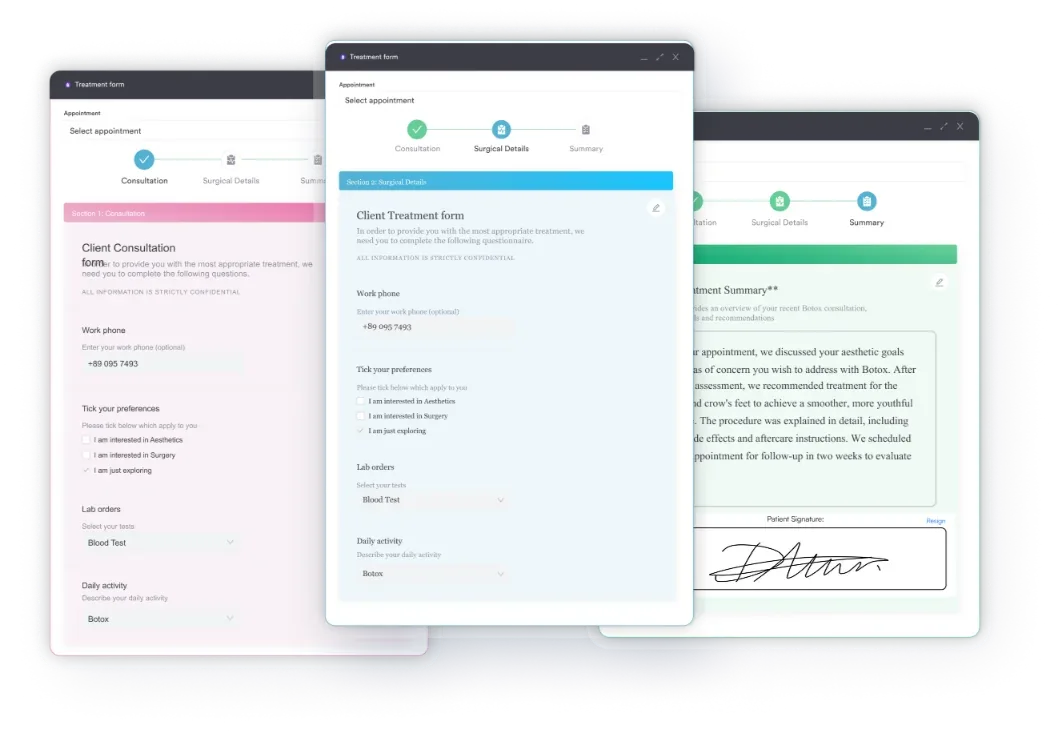
Pabau integration: Practices using Pabau’s digital forms feature embed the assignment of benefits form into their online booking flow. Patients receive a pre-appointment link, complete the form with timestamped electronic signature, and the signed document automatically files into their secure patient record. No manual paperwork, no lost forms, no second requests.
Why this matters: Manual AOB collection is error-prone. Forms get lost, signatures are illegible, and billing staff spend hours chasing down missing authorizations. Digital collection guarantees 100% completion before patients arrive, reduces billing delays, and creates audit trails that satisfy Medicare and ERISA compliance reviews.
Book a demo with Pabau to see how practices streamline AOB collection and billing workflows in a single platform.
Any healthcare practice that accepts insurance is a candidate for a customized assignment of benefits form. This includes:
Practices that rely entirely on cash-pay models or government-only payers (Medicare, Medicaid) still benefit from AOB forms for administrative clarity and patient transparency, even if reimbursement workflows differ.
If you are new to digital tooling, start with what practice management software does before digitizing forms like this.
Faster insurance payment: A signed AOB authorizes insurers to pay your practice directly, eliminating the delay of waiting for patients to receive and endorse checks. This accelerates cash flow, typically 2-4 weeks earlier than patient-reimbursement models.
Reduced patient collection burden: By removing upfront payment expectations, AOB forms increase patient satisfaction and appointment completion. Patients no longer worry they’ll pay out-of-pocket and chase reimbursement later.
Compliance documentation: A signed AOB is proof that you’ve obtained patient consent for payment direction, a key audit requirement for patient management workflows under Medicare and CMS regulations. Auditors expect to find dated, signed forms in patient files.
Reduced claim denials: AOB forms specify insurance member IDs, group numbers, and coverage details upfront. This accuracy reduces claim rejections due to mismatched patient information, a leading cause of billing delays. The same accuracy matters for drug codes such as J7328 and J7509, where units and NDC numbers must match the claim exactly.
ERISA and group health plan clarity: Many employer-sponsored plans require explicit assignment authorizations. A customized AOB form demonstrates you understand ERISA compliance, reducing disputes with corporate insurers.
Separate your assignment of benefits form from your HIPAA authorization-to-release-information form. Many practices try to combine both into one document, creating confusion about which authorization applies to which process. Use two distinct forms with clear headings so patients and staff both understand: one controls payment direction; the other controls medical record access. This clarity prevents billing holds caused by patients revoking the wrong authorization.
Medicare participating providers are required to accept assignment for Medicare-covered services-meaning payments go directly to the provider, not the patient. However, collecting a signed AOB form is still a best practice for documentation: if a patient later disputes a claim or balance, you have written proof of their authorization.
CMS-1500 claim alignment: The CMS-1500 form (Box 13) is where patients authorize assignment of benefits on individual claims. A signed AOB form in your patient file serves as the permanent record backing up all future Box 13 authorizations, reducing submission errors. Higher-cost drug codes, such as J7320 or J7331, carry the same Box 13 requirement, so one AOB on file covers every claim type you submit.
ERISA compliance: Group health plans governed by ERISA regulations (Department of Labor) often have strict assignment requirements. Your AOB form should include explicit language acknowledging the plan type and confirming patient consent. Plans may restrict assignment to out-of-network providers, so review each employer’s policy before finalizing the form. The same rule applies to infusion and injection claims, such as J7322 or J7507, where plan-specific prior authorization often layers on top of the AOB.
State-specific variations: Some states (e.g., New York) mandate specific AOB form language or require separate forms for no-fault insurance. Check your state health department and insurance commissioner’s office for required clauses or prohibited terms before using a generic template.
Practices that embed the assignment of benefits form into digital patient intake see the highest completion rates and fastest processing. Here’s why: patients complete it on their phone or computer before arriving, eliminating check-in friction, and signatures are timestamped electronically, creating an audit trail.
Pre-appointment digital collection: Add the AOB form as a required field in your online booking portal or patient intake sequence. Patients receive a link via email or SMS: “Complete your patient intake, including insurance authorization, before your appointment.” This approach ensures 100% completion, because patients cannot confirm their appointment until the form is signed.
Workflow integration: Once patients submit a digital form. No manual filing, no lost documents, no second requests for signatures.
Audit compliance: Digital forms create timestamped. Paper forms are vulnerable to loss, fading, and signature disputes, and digital eliminates these risks.
A signed assignment of benefits form is the foundation of efficient healthcare billing. It directs insurance payments to your practice, speeds reimbursement, reduces patient friction, and provides compliance documentation that satisfies Medicare, ERISA, and state insurance audits.
The form itself is simple, but integration is where most practices stumble-manually collecting, filing, and retrieving paper AOB forms is error-prone and slow. Practices that embed assignment of benefits forms into digital patient intake workflows see immediate gains in completion rates, billing accuracy, and audit readiness. Explore how Pabau streamlines AOB collection and patient intake to modernize your practice’s financial workflows. Getting this code paid on the first pass is what a clean claim rate measures, and revenue cycle software reports it.

Billing for a drug-delivery implant insertion? Drug-delivery implant billing code covers the CPT code for inserting a drug-delivery implant, most often billed for Nexplanon or testosterone pellets.
Billing for a Nexplanon removal? Nexplanon removal billing code covers the CPT code for removing a Nexplanon implant from beneath the skin of the upper arm.
Billing a simple facial wound repair? Simple facial wound repair code covers the CPT code for single-layer repair of facial wounds measuring 2.6 to 5.0 centimeters.
An assignment of benefits (AOB) form is a healthcare administrative document that authorizes a provider to collect insurance payments directly from an insurer, rather than the patient paying upfront and seeking reimbursement. It streamlines billing, accelerates cash flow, and documents patient consent for payment direction.
Medicare participating providers are required to accept assignment for covered services, so a signed AOB form is not legally mandatory. Keeping one in the patient file is still a compliance best practice and gives you documentation if a dispute arises.
Yes. Patients may revoke an assignment of benefits in writing, but revocation typically applies only to future claims, not claims already submitted. Check your state insurance regulations and the individual plan documents, since rules vary.
Retain signed forms for a minimum of two years after the patient record is closed or terminated, in line with HIPAA medical record retention rules and applicable state law.
No. An AOB authorizes payment direction, while a HIPAA authorization-to-release lets providers access and share medical records. Both may be needed, but they serve distinct purposes and should be documented separately.
An assignment of benefits (AOB) form is signed by the patient to let the provider receive insurance payment directly. An explanation of benefits (EOB) is the statement the insurer sends afterward showing what it paid and what the patient still owes. The AOB authorizes payment direction; the EOB reports the claim outcome.