Best Salon Software UK: 7 Top Platforms Compared (2026)
Key Takeaways Pabau leads with multi-industry clinical workflows and enterprise-...

March 24, 2026


Buy now, pay later is now available in Pabau

Pabau: The best all-in-one solution for multi-location clinics, helping streamline scheduling, reduce no-shows, and maximize staff productivity.
Zocdoc: Ideal for practices seeking greater patient exposure, offering a marketplace and tools to attract new patients.
Emitrr: Perfect for automating patient communication, handling calls, texts, emails, and reminders.
If you’re drowning in no-shows, double bookings, or patient scheduling software that causes more headaches than it solves, this guide is for you.
We compare the 5 best medical practice scheduling software solutions for 2026, highlighting key features and pricing to help you quickly find the right fit for your practice.
| Name | Best For / Primary Application | Standout Feature | Price Starting Point |
|---|---|---|---|
| Pabau | Multi-location clinics / all-in-one practice management | Smart scheduling, multi-location management, automated reminders, patient waitlists | $69/month (Startup Plan) |
| PracticeSuite | Small-to-medium independent physician practices, billing companies | Integrated scheduling + billing, patient portal, telehealth | $34.95/month (GetApp estimate) |
| Emitrr | Patient communication and patient engagement | 24/7 AI-powered calls and texts, multi-channel reminders, waitlist management | Not publicly disclosed |
| Zocdoc | Patient acquisition and marketplace exposure | Marketplace visibility, AI phone assistant, automated patient intake | No upfront/fixed fee; pay per new patient booking |
| PracticeQ | Solo or small practices | Back-to-back service booking, flexible scheduling, integrated intake forms | $59.90/month (Starter Plan) |
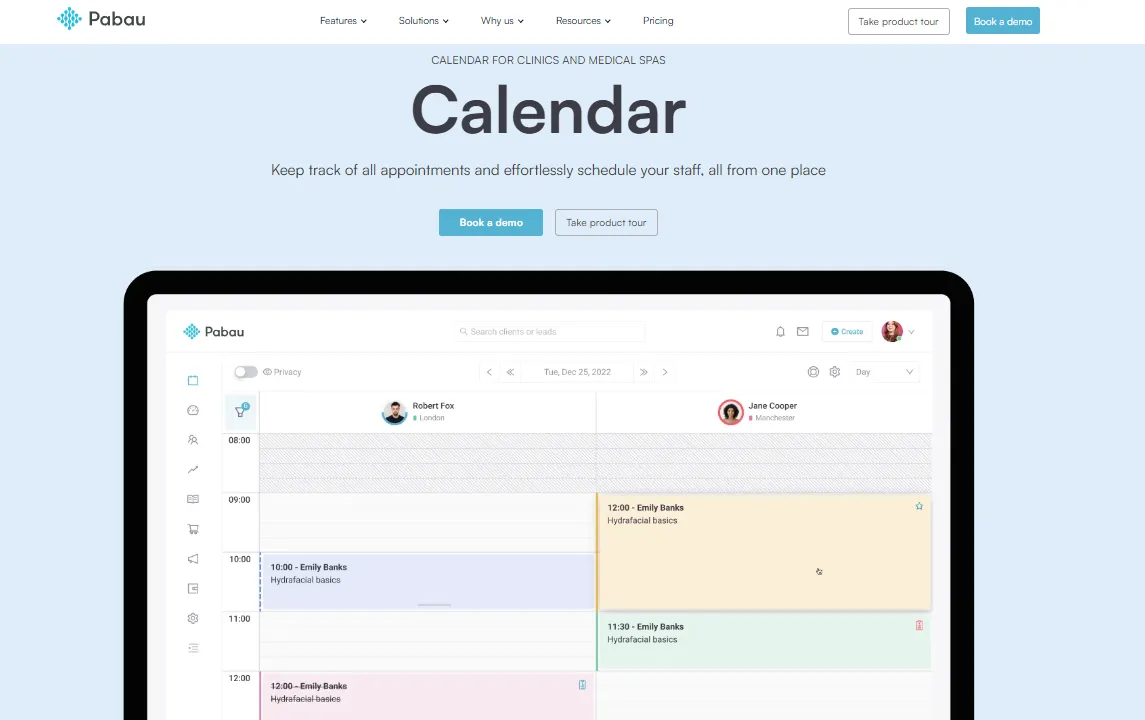
Pabau is robust all-in-one medical scheduling software built for clinic owners managing multiple locations, providers, and services.
It combines intelligent patient appointment booking with patient management, automation, and reporting—making it ideal for growing practices that need visibility, control, and scalability across every location from one central system. It also provides detailed medical practice management reports, giving administrators actionable insights into scheduling efficiency, patient flow, and overall clinic performance.
As an all-in-one clinic scheduling software, Pabau goes beyond scheduling, offering patient records, billing, clinical notes, consent forms, reporting, CRM tools, and more—essential for modern medical practices.
However, in this section, we’ll focus specifically on Pabau’s appointment scheduling features and why it stands out as one of the best solutions for multi-location medical practices.
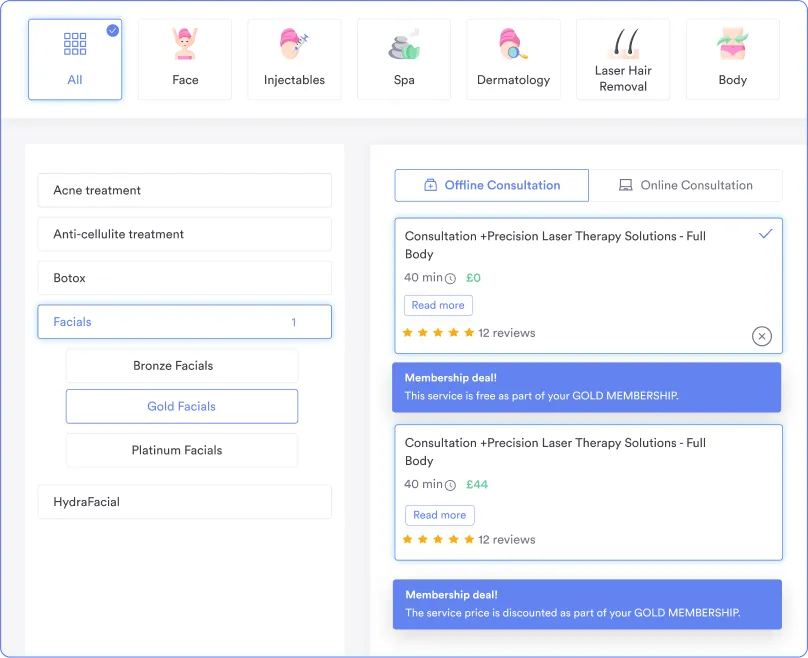
Pabau’s online booking system lets patients schedule appointments 24/7, giving them flexibility while reducing administrative workload for your staff.
The software automatically applies rules for practitioner availability, treatment length, and clinic location, ensuring accurate appointment scheduling across multiple providers and sites.
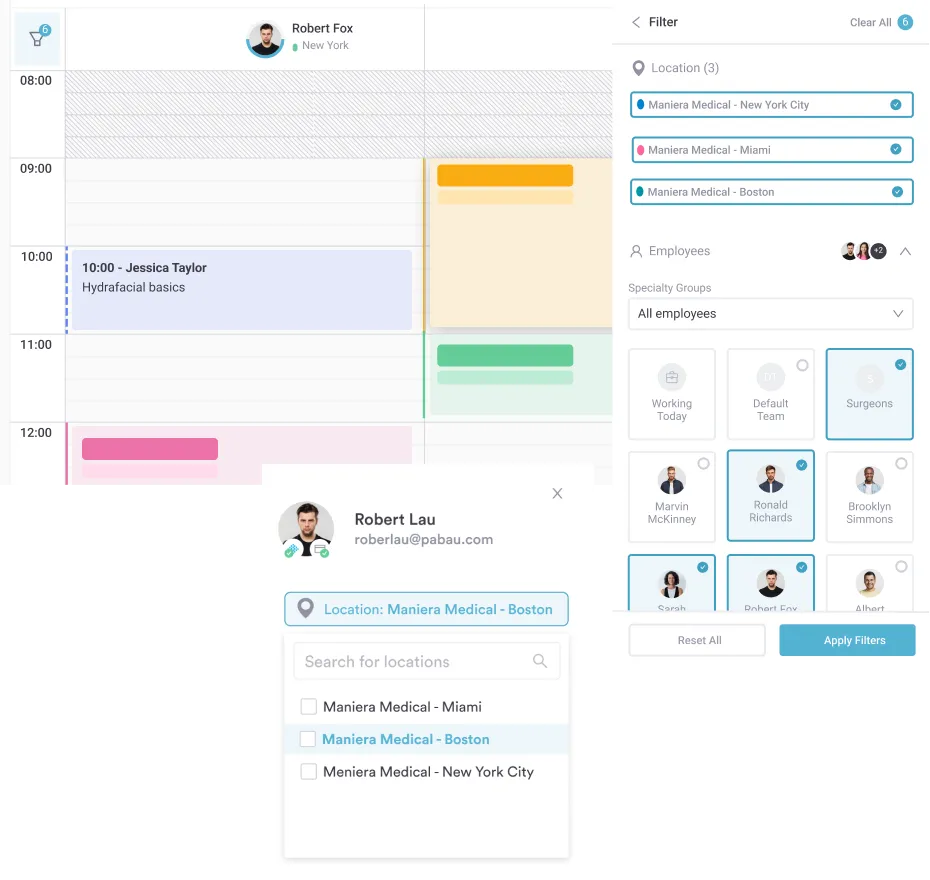
Pabau enables practices to manage appointments and staff schedules across multiple clinics from one system.
With just a single click, you can switch to the dashboard of another location and see real-time provider schedules, availability, and any recent changes. This ensures patients are booked with the right provider, at the right clinic, without risk of double bookings or confusion.
By having visibility across all locations, with color-coded time slots, Pabau streamlines operations, saves time, and keeps multi-location practices running smoothly.
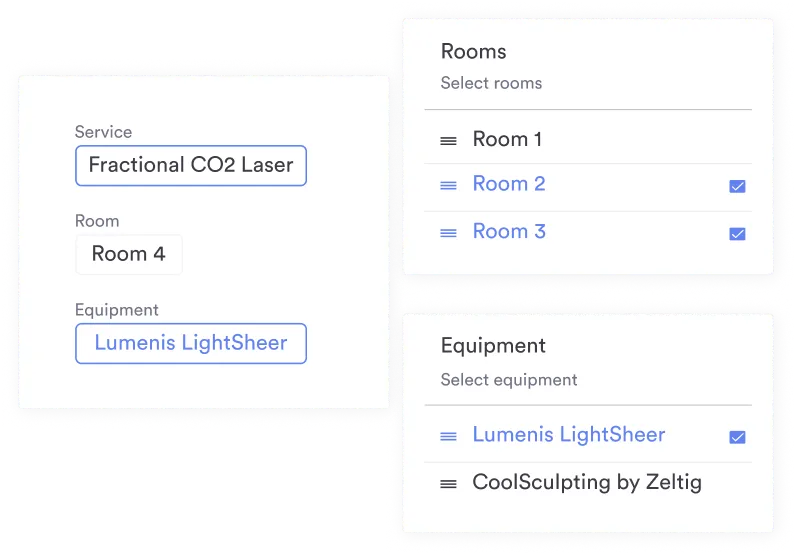
Pabau’s smart resource and room allocation feature automatically reserves the appropriate rooms, equipment, and staff when scheduling patient appointments.
This eliminates double-bookings and ensures that every patient has access to the right facilities at the right time.
Additionally, with real-time updates, any changes to appointments instantly adjust room and equipment availability, keeping operations smooth and seamless.
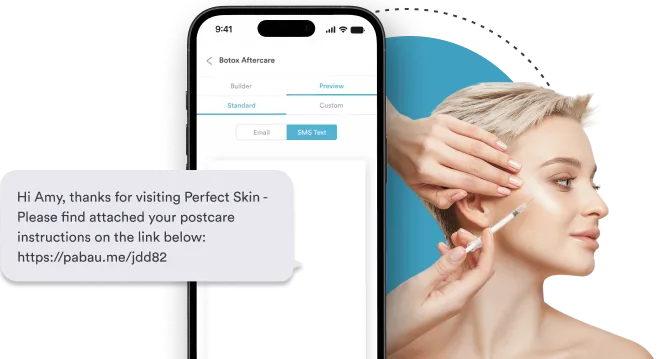
Pabau lets you send SMS, email, or push notifications automatically, keeping patients informed about upcoming appointments, confirmations, or any schedule changes.
These automated reminders help reduce no-show rates, last-minute cancellations, and miscommunications, all without adding extra work for your staff.
Beyond reminders, the system can also send follow-ups, pre-appointment instructions, consent forms, or health tips, enhancing patient satisfaction and engagement.
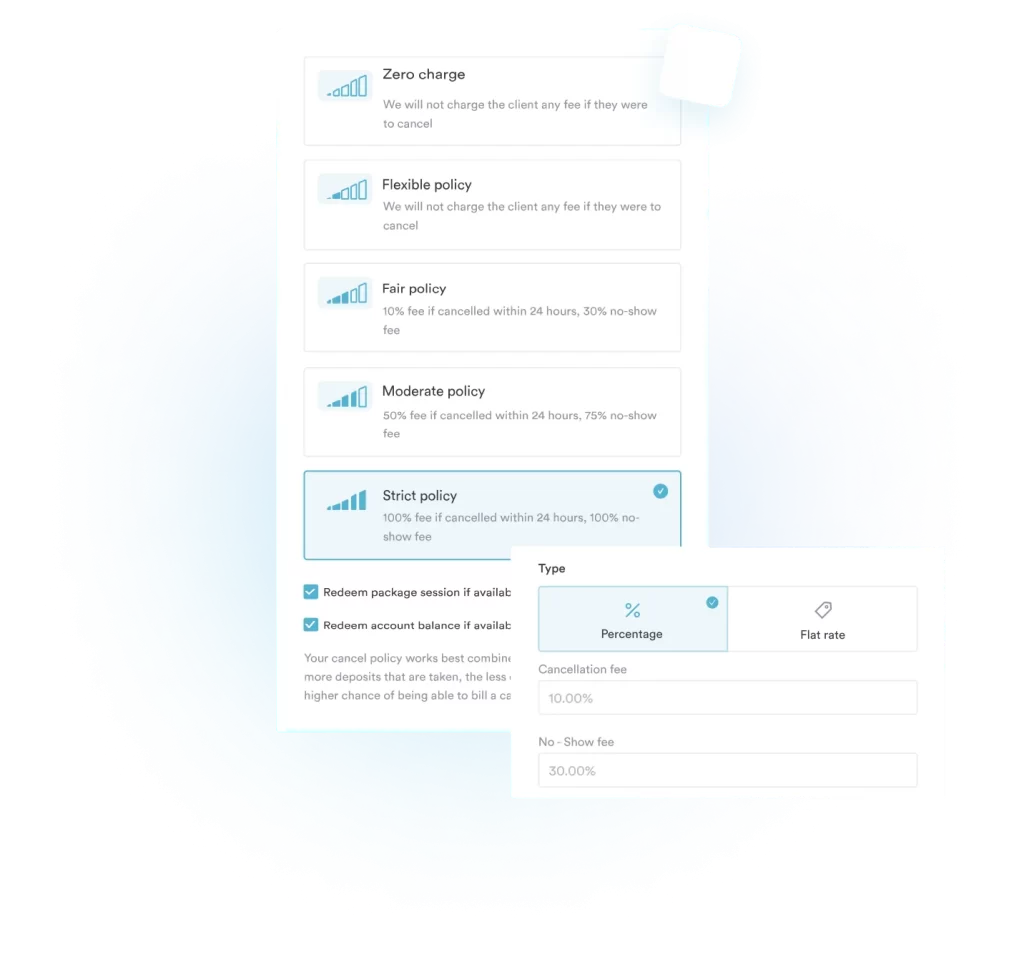
Pabau helps practices protect revenue and staff time with its deposits and no-show management features. You can set up deposits as a percentage, fixed amount, or full payment, either as a company-wide policy or customized per service.
For online bookings, deposits can be required automatically, helping filter out flaky clients and ensuring serious patients fill your schedule.
Also, for high-value services, you can set higher deposit amounts to safeguard against cancellations that could otherwise result in lost income or wasted preparation.
| Plan | Price | Users | Clients |
|---|---|---|---|
| Startup | $69/mo | 1 | < 100 |
| Solo | Talk to sales | 1 | Unlimited |
| Team | Talk to sales | 2–3 | Unlimited |
| Medium | Talk to sales | 4–5 | Unlimited |
| Group | Talk to sales | 6–15 | Unlimited |
For an enterprise clinic that needs more than 15 users, the Pabau team will create a custom quote for you to suit your needs. This plan also includes a dedicated onboarding and account manager.

PracticeSuite is a comprehensive, cloud‑based medical practice management platform.
Known for its customizable, scalable design, it works for both small and large clinics.
PracticeSuite integrates appointment scheduling with EHR, eligibility checks, and revenue cycle tools to boost efficiency and financial performance.
PracticeSuite doesn’t publish fixed pricing, as plans are flexible and based on the features you need. You can create a custom plan tailored to your practice.
According to GetApp, pricing starts at $34.95/month for basic scheduling and patient management.
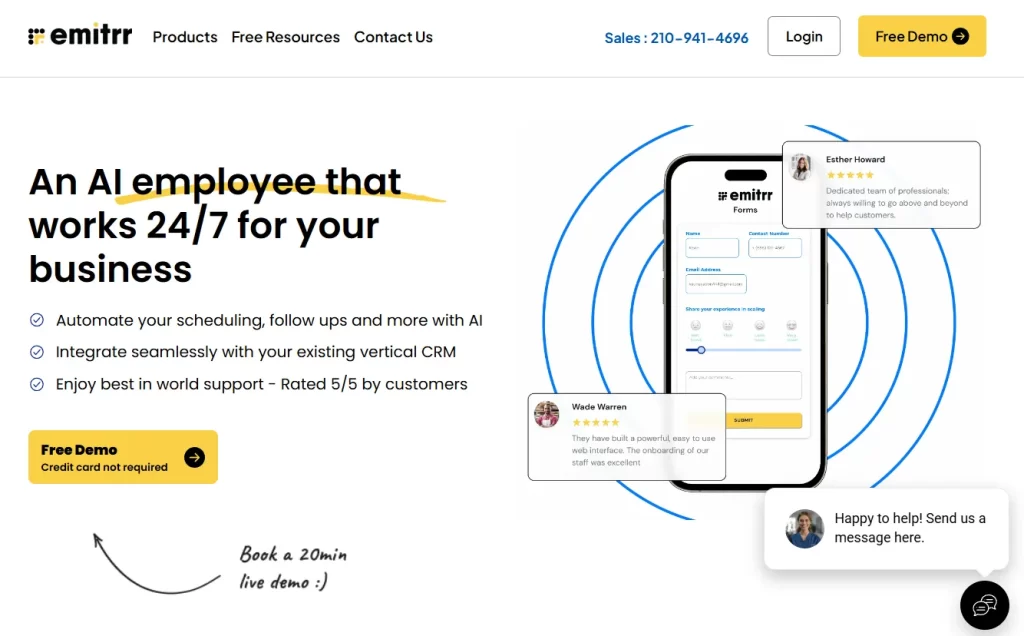
Emitrr is a comprehensive business communication and customer engagement platform that automates daily tasks like scheduling, follow-ups, and review requests.
It serves local businesses, healthcare practices, and service providers by unifying multiple communication channels into one central dashboard.
Emitrr doesn’t publish pricing publicly.
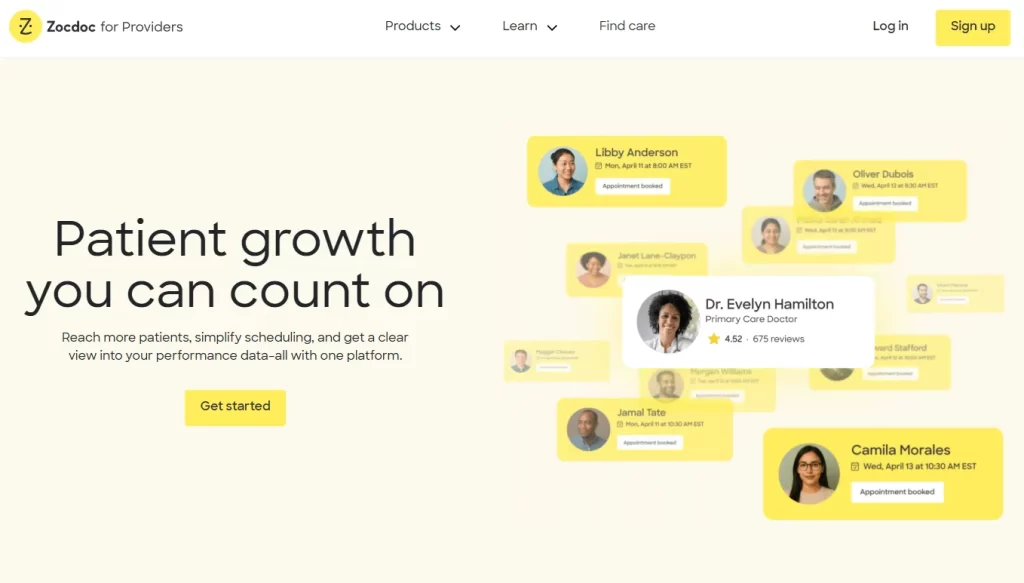
Zocdoc is a popular healthcare marketplace that helps patients find, compare, and book medical appointments online in real time.
Through its platform and app, patients can search by location, specialty, insurance, and availability to schedule care quickly, often within 24–72 hours.
For practices, Zocdoc offers online booking tools, intake workflows, and AI‑powered call scheduling, helping reduce admin time and fill appointment slots.
Zocdoc doesn’t charge any upfront or fixed monthly fees.
Practices only pay when a new patient books their first appointment, while repeat bookings and appointments made by existing patients through Zocdoc do not incur additional charges.
Zocdoc features patient reviews only, with no publicly available feedback or ratings from medical practices themselves.
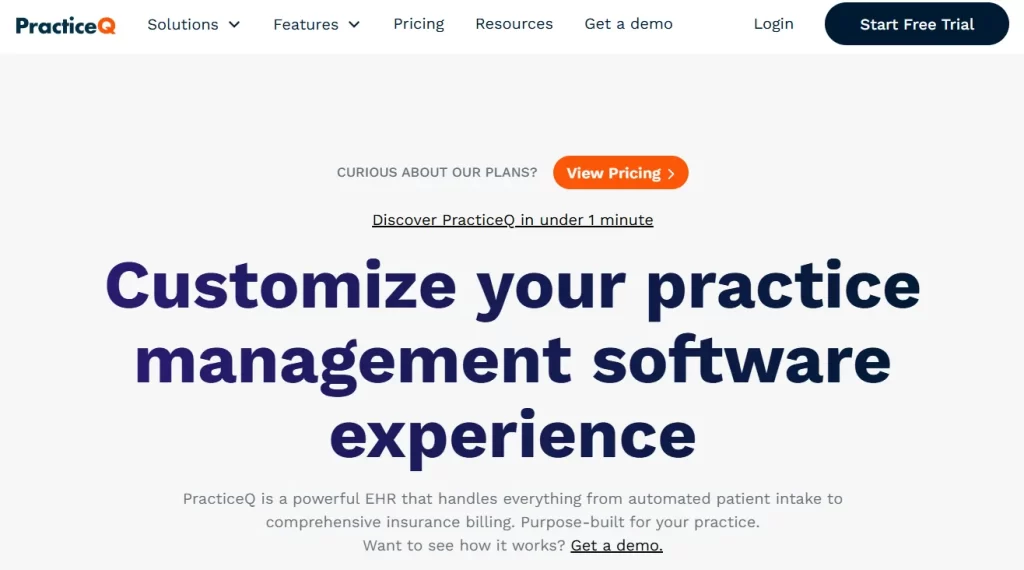
PracticeQ is a cloud‑based, HIPAA‑compliant practice management and electronic health record (EHR) platform designed to help clinics streamline scheduling, intake, billing, communication, and more within a single system.
Built from user feedback, PracticeQ serves allied health specialties, primary care, med spas, and other healthcare providers globally.
| Plan | Price | Best For | Monthly Allowance | Included Accounts |
|---|---|---|---|---|
| Starter | $59.90/mo | Smaller practices / solo providers | 25 appointments per practitioner, 25 patient/client form submissions | 1 free practitioner/admin account, up to 10 free assistant accounts |
| Pro | $84.90/mo | Growing practices & teams | 500 appointments per practitioner, 500 patient/client form submissions | 1 free practitioner/admin account, up to 10 free assistant accounts |
There are also available add-ons, such as E-prescribe for $65 a month + for each additional prescription, and the Engage add-on for $99.
When choosing practice management software, keep your patients in mind. Look for a tool that enhances the patient experience, fits seamlessly into your clinic’s workflow, and reduces administrative work.
Patients expect flexibility when booking appointments. That’s why having a fully automated online scheduling system is important, as it allows them to view real-time availability, select their preferred provider, service, and location, and book appointments anytime.
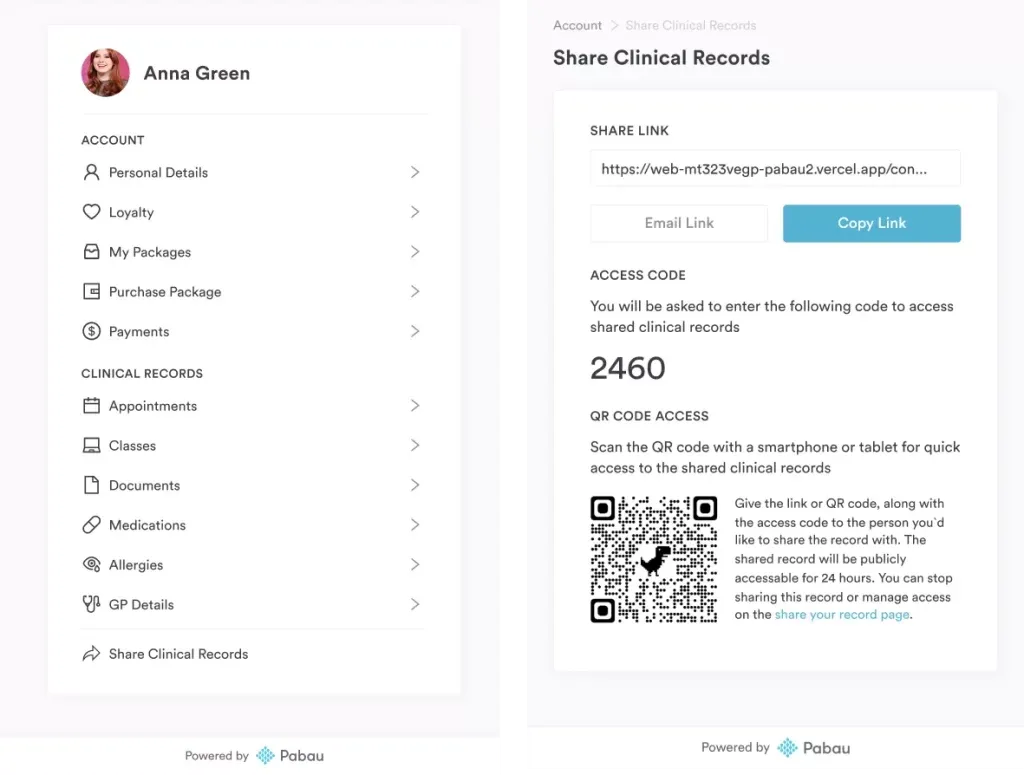
Why Pabau stands out: The system can apply rules for provider availability, treatment duration, and room or resource allocation to prevent double-bookings. Automated confirmations, reminders, and follow-ups help reduce no-shows while freeing up staff from manual scheduling tasks.
With Pabau, patients also get access to a secure client portal where they can view all their information, including upcoming appointments, documentation, payments, and more.
I looked at a lot of different online booking platforms and systems, and none of them called out to me the way Pabau did.

Managing each team member’s schedule—including shifts, breaks, and time-off—can be a lot for practice managers, but critical to prevent scheduling conflicts.
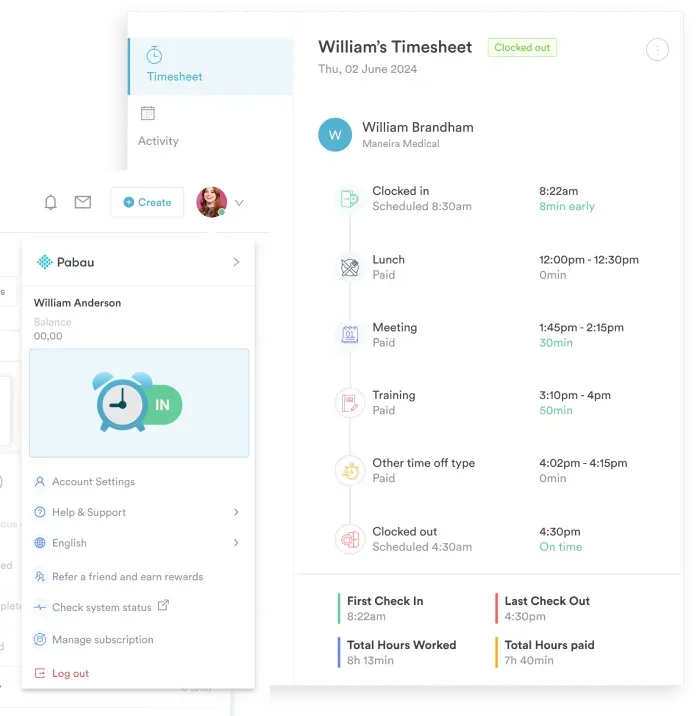
Pabau, for instance, enables custom availability settings for each staff member, so you can:
It also allows practices to assign wages and commission rules per provider, giving full visibility into staff costs and performance.
A waitlist feature helps you recover lost revenue when cancellations or reschedules occur.
When an earlier slot opens up, patients on the waitlist are automatically notified and can book instantly.
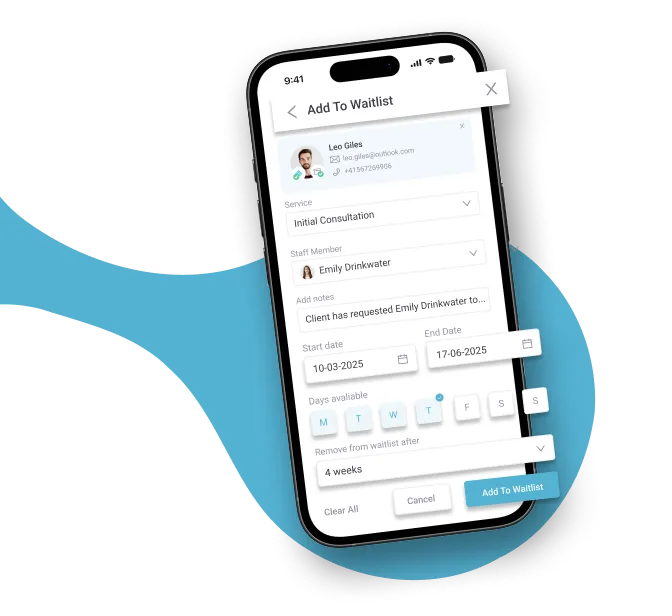
Pabau allows patients who can’t find a suitable appointment to join a waitlist and select their preferred provider, location, and time slots.
If another patient cancels within their chosen availability, they’re automatically notified and can book the opening instantly.
Patients can also choose how long they want to remain on the waitlist—such as one or two weeks—so slots aren’t held when patients no longer need them.
Check out all the other Pabau features here.
If your medical practice scheduling software is still slowing you down in 2026, remember—it’s costing you more than time. It’s costing your growth.
Whether you run a single boutique clinic or an enterprise with ten locations, Pabau scales with your practice.
It will help you automate scheduling, set smart reminders, manage multi-location availability, and let patients join waitlists for preferred slots.
By streamlining these processes, you will reduce no-shows in your clinic, maximize staff productivity, and ultimately boost revenue.
Book a demo today and find out why it’s the ultimate medical appointment scheduling software solution for 2026.