Health appraisal form
A health appraisal form is a record a licensed provider signs to document someon...

2
Last Updated: Oct 13, 2026
Of the HIPAA compliant telehealth platforms we compared, our own practice software, Pabau, fits multi-provider medical and aesthetic practices best. The rule behind every pick is simple. In short, a platform is only usable for patient visits once the vendor signs a Business Associate Agreement (BAA) with your practice. In fact, no government body certifies software as HIPAA compliant.
A telehealth platform is HIPAA compliant when its vendor signs a BAA with your practice and safeguards patient data on the plan you use. Those safeguards are, for example, encryption in transit and at rest, role-based access controls and audit logs. The free or consumer version of the same app often has no BAA, so the plan you pick matters.
Next, we call the cheapest plan a vendor will sign a BAA on its BAA threshold. Specifically, the BAA threshold runs from $0 on Doxy.me, Upheal and VSee to $104 a month on Pabau, but that plan covers the whole patient record.
First, Doxy.me, Zoom for Healthcare and VSee are video tools for practices that already run a separate EHR and billing system. By contrast, Pabau, SimplePractice, Upheal and Healthie put the visit, notes and invoices in one record, making them practice management software, not a video window. Also, for the safeguards every option needs, see our guide to HIPAA compliant telehealth requirements.

1. Pabau — best all-in-one pick for multi-provider medical and aesthetic practices that want video, records, forms and billing under one BAA.
2. SimplePractice — strongest fit for solo therapists who bill insurance, with a BAA on every plan from $49 a month.
3. Doxy.me — the simplest free option, with a BAA for individual providers who already have an EHR.
4. Zoom for Healthcare — the familiar video layer for health systems, with the BAA starting on the paid Pro plan.
5. Upheal — free telehealth and AI notes for therapists, with a BAA signed on every account.
6. Healthie — wellness and nutrition practices that want telehealth, programs and progress tracking from $19.99 a month.
7. VSee — low-bandwidth video for rural care, with a free solo plan that includes a signed BAA.
The telehealth platforms HIPAA compliant practices can use all sign BAAs, but only on certain plans, and the cheapest plan runs from free to $62. The table then shows where each BAA starts and what that plan includes.
| Platform | Best for | Plan where the BAA starts (BAA threshold) | Price per provider at that plan | Video-only or all-in-one | EHR/billing included? |
|---|---|---|---|---|---|
| Pabau | Multi-provider medical and aesthetic practices | Every plan, from one user | From $62/month | All-in-one | Yes, EHR, forms and invoicing |
| SimplePractice | Solo and small-group therapists | Starter, accepted at sign-up | $49/month | All-in-one | Yes, EHR and insurance billing |
| Doxy.me | Individual providers with an EHR already | Free, for individual providers | $0 | Video-only | No |
| Zoom for Healthcare | Health systems already on Zoom | Pro, with the BAA selected at checkout | $16.99/user/month | Video-only | No |
| Upheal | Therapists who want AI notes | Free, on every account | $0 | All-in-one, mental health | Yes, on EHR plans |
| Healthie | Nutrition and wellness practices | Core, accepted at sign-up | $19.99/month | All-in-one | Yes, charting and payments |
| VSee | Rural and low-bandwidth care | Free, for a solo provider | $0 | Video-first | Payments from Plus, claims on Enterprise |
Also, prices are monthly billing from each vendor’s own pricing page, checked October 1, 2026. The free BAAs look cheapest, but the chart shows how little those plans cover once a second clinician or a billing workflow joins the visit.
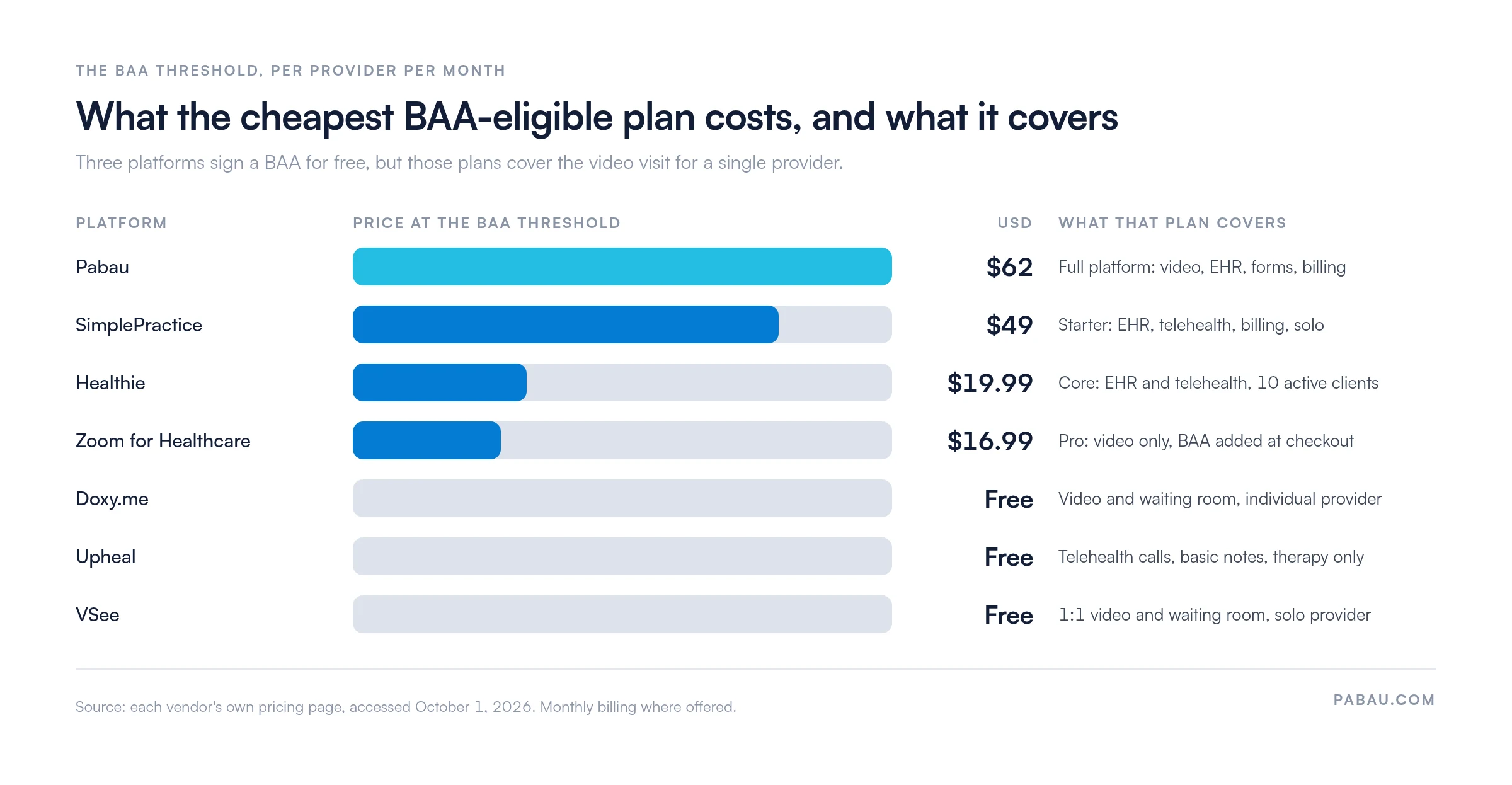
In fact, when practices move to us from a video-only setup, they are usually managing three vendors and three BAAs for video, records and billing. So the threshold price alone tells half the story.
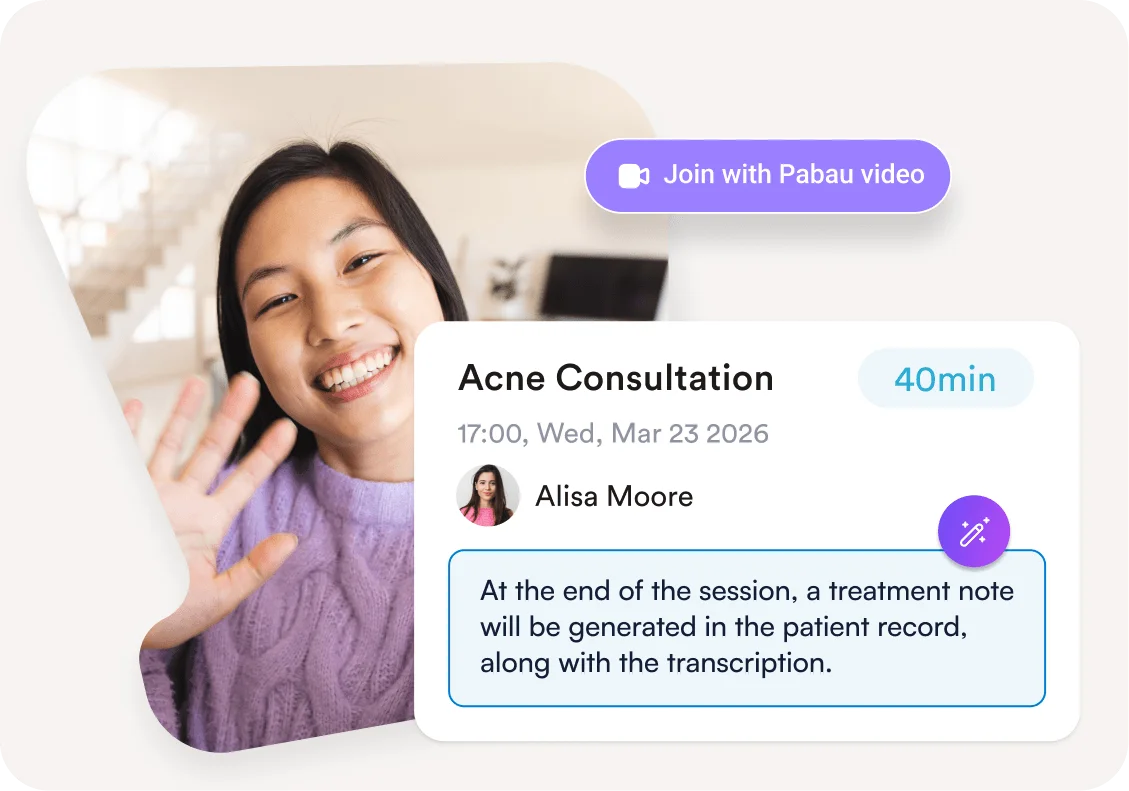
Pabau runs the video visit inside the same patient record that holds the booking, consent forms, notes and invoice.
Pabau is an all-in-one practice management system that puts telehealth software next to scheduling, clinical notes, digital forms and billing. For instance, a patient books online, signs consent before the call, joins the video visit, and gets an invoice afterward, all against one record.
In addition, Pabau’s compliance setup covers encryption in transit and at rest, audit logging and role-based access controls, and Pabau signs a BAA with covered entities. Because the video sits inside the platform, the practice has no separate video vendor to sign a BAA with.
Overall, according to Capterra reviewers, Pabau earns 4.7 out of 5 from over 600 verified reviews. Overall, reviewers highlight the all-in-one platform, the telehealth and EHR connection and automated workflows. However, the most common constructive note is an initial learning curve when teams first onboard.
The BAA starts on every Pabau plan, from $104 per month for one user, because every subscription includes the full platform.
| Plan | Price | BAA on this plan? | Key inclusions |
|---|---|---|---|
| Starter | From $62/month | Yes | 1 user, up to 100 patients, full platform |
| Solo | Quote by location | Yes | 1 user, unlimited patients |
| Team, Medium and Group | Quote by location and users | Yes | 2 to 15 users, unlimited patients |
| Enterprise | Custom pricing | Yes | 16+ users, multi-location support |
Pricing depends on location and user count, but annual billing saves up to 20%. You can also see the full breakdown on Pabau’s pricing page.
SimplePractice signs its BAA the moment you create an account, so telehealth is covered from the $49 Starter plan.
First, SimplePractice is the default EHR for many solo behavioral health clinicians, and SimplePractice says more than 250,000 practitioners use it. Therapists launch video sessions from the calendar, reminders also go out before each appointment, and progress notes open the moment the session ends.
Moreover, for data privacy and HIPAA compliance in mental health care, the platform keeps session notes, intake documents and claims in one record. SimplePractice’s BAA takes effect when the account is created, so a practice never runs a session without one.
Furthermore, according to Capterra reviewers, SimplePractice scores 4.6 out of 5 from over 2,800 verified reviews. On G2, it also holds a 4.4 out of 5 from 150 reviews. Overall, reviewers consistently praise ease of use for solo therapists and the integrated billing.
The BAA starts on the Starter plan, $49 per provider per month, because SimplePractice’s BAA takes effect when the account is created.
| Plan | Price | BAA on this plan? | Key inclusions |
|---|---|---|---|
| Starter | $49/month | Yes | Telehealth, notes, intake, Client Portal |
| Essential | $79/month | Yes | Adds reminders, calendar sync, secure messaging |
| Plus | $99/month, +$74 per extra clinician | Yes | Adds group appointments and group telehealth |
| Custom | Custom pricing | Yes | Groups of 6+ practitioners |
Additionally, new accounts that convert within seven days get 50% off for three months. Figures come from the pricing page on SimplePractice’s website, October 2026.
Doxy.me gives an individual provider a free BAA and a browser-based waiting room, with no download for patients.
If you want HIPAA compliant telehealth platforms free of a monthly fee, Doxy.me is the cleanest option. Patients click a link, wait in a virtual waiting room, then the provider admits them when ready. In addition, Doxy.me says more than 1.5 million care providers have used it.
Moreover, Doxy.me’s help center says every user can generate a BAA from account settings, free plan included. However, that free BAA covers individual providers only. So a practice with several providers needs Doxy.me’s clinic BAA, arranged through its team.
Similarly, according to Capterra reviewers, Doxy.me earns 4.6 out of 5 from over 500 verified reviews. Overall, the free waiting room and no-download patient experience are the most praised features. Meanwhile, reviewers on G2 (4.4/5 from 120 reviews) often name the lack of built-in billing as the main limitation.
The BAA starts on the free plan for individual providers, at $0 per month.
| Plan | Price | BAA on this plan? | Key inclusions |
|---|---|---|---|
| Free | $0/month | Yes, individual providers | Video visits and waiting room |
| Premium | $29/user/month, billed annually | Yes, BAA included | Group calls up to 25, team roles, intake and consent |
| Multi-provider practice | Contact Doxy.me | Clinic BAA | Several providers under one practice |
Furthermore, Doxy.me’s pricing page lists Premium at $29 per user per month on annual billing and offers a free plan for providers getting started.
Zoom for Healthcare is a paid Zoom plan with a BAA added, covering the video layer only.
Zoom for Healthcare is the healthcare setup of a tool most patients already know, so adoption is easy. Zoom’s healthcare pricing page puts the rule plainly: to enable HIPAA compliance, select a paid plan and establish a BAA.
First, on the Pro plan, the BAA is selected at checkout under the business country menu. By contrast, Business, Business Plus and Enterprise customers sign the BAA through Zoom’s sales team.
Zoom for Healthcare is HIPAA compliant once your practice is on a paid plan and has signed Zoom’s BAA. As a result, a Zoom for Healthcare HIPAA compliant setup is cheap, at $16.99 per user per month on Pro.
Overall, on G2, Zoom holds a 4.5 out of 5 rating from over 55,000 reviews across all Zoom products. Additionally, Capterra reviewers of Zoom for Healthcare note the familiar interface and security controls as strengths. However, the lack of built-in clinical tools is the main limitation for smaller practices.
The BAA starts on the Pro plan, $16.99 per user per month billed monthly, or $14.16 billed annually.
| Plan | Price | BAA on this plan? | Key inclusions |
|---|---|---|---|
| Basic | Free | No | 40-minute meetings, 100 participants |
| Pro | $16.99/user/month ($14.16 billed annually) | Yes, selected at checkout | 30-hour meetings, 100 participants |
| Business | $21.99/user/month ($18.33 billed annually) | Yes, through Zoom sales | Pro features plus business admin tools |
| Business Plus and Enterprise | Contact sales | Yes, through Zoom sales | Quoted for larger organizations |
Figures come from Zoom’s Workplace and healthcare pricing pages, October 2026.
Upheal signs a BAA with every account, including the free plan that covers telehealth calls.
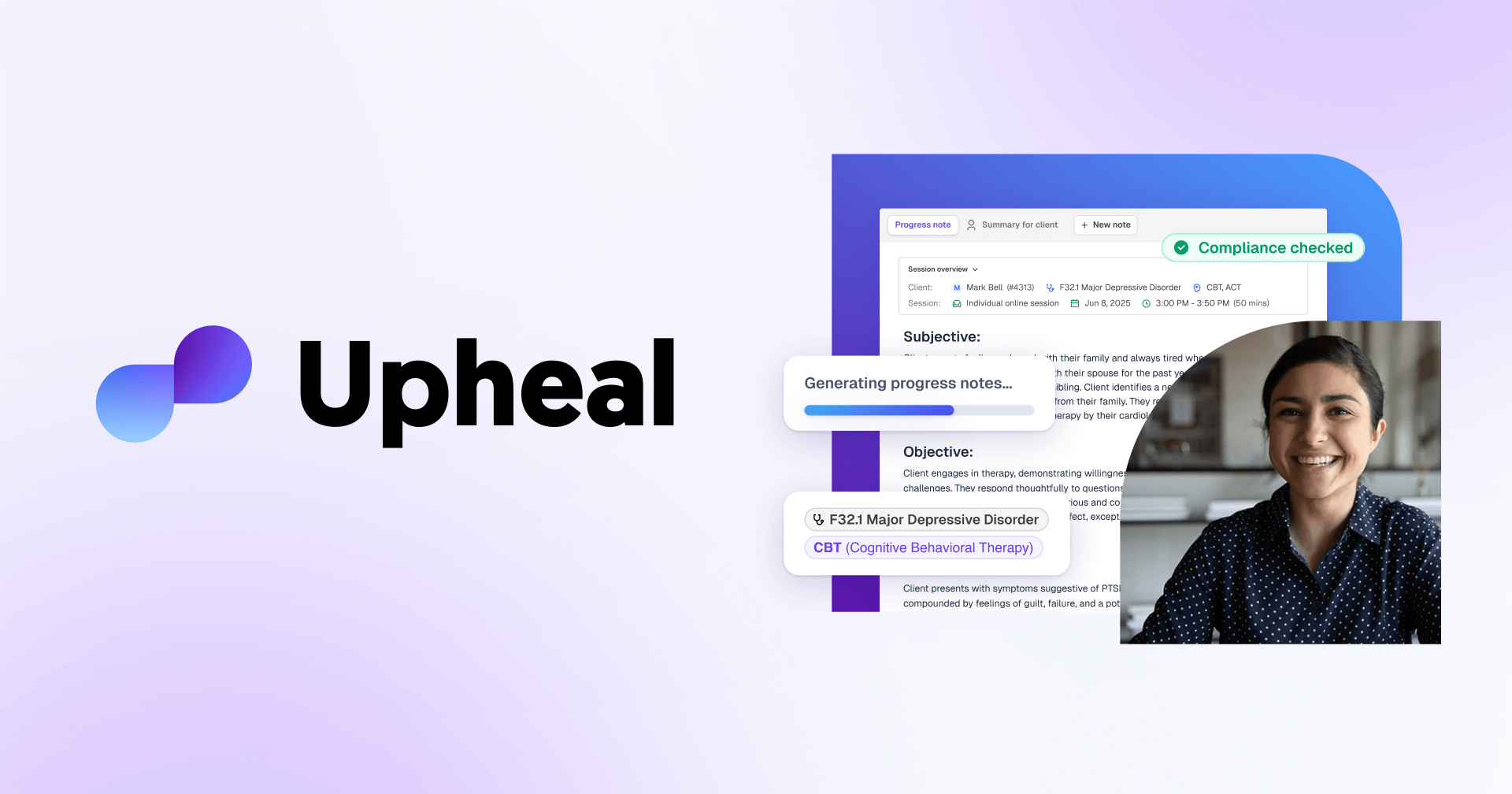
Upheal pairs free telehealth with an AI-native mental health EHR. Moreover, Upheal says it is SOC 2 Type II certified and signs a BAA with every account. Also, the free plan covers video calls plus basic notes from text, dictation and uploads.
Automated notes from live sessions, however, start on the $39 AI notes plan. Moreover, for therapists weighing data privacy, Upheal deletes session audio by default once the note is generated, unless the clinician chooses to keep it.
Upheal does not yet have enough review volume on major review sites for a reliable aggregate rating. Instead, practitioners in online communities highlight the AI notes and free telehealth as its strongest points. Check current ratings before you commit.
The BAA starts on the free plan, at $0 per month, because Upheal signs one with every account.
| Plan | Price | BAA on this plan? | Key inclusions |
|---|---|---|---|
| Free | $0/month | Yes | Telehealth calls, notes from text, dictation and uploads |
| AI notes | $39/month | Yes | Unlimited AI notes from video and audio sessions |
| EHR pay-as-you-go | $1/session | Yes | Full EHR, invoicing, insurance billing at $0.30 per claim |
| EHR Pro | $99/month | Yes | Full EHR with AI Assistant Pro included |
Figures come from the pricing page on Upheal’s website, October 2026. Group practices, however, buy AI notes or EHR plans per seat.
Healthie's BAA takes effect when the account is created, so telehealth is covered from the $19.99 Core plan.
Healthie targets registered dietitians, nutrition coaches and wellness programs that need telehealth tied to goal tracking and ongoing programs. White-label options also make it a fit for enterprise wellness programs too.
Healthie’s BAA is entered into when the account is created. It also commits Healthie to written notice of a breach of unsecured PHI within five business days of discovery.
Meanwhile, according to Capterra reviewers, Healthie earns 4.4 out of 5. Overall, reviewers in nutrition and wellness coaching name the niche features and patient management tools as strengths. However, limited clinical billing and rising costs at higher patient volumes are the recurring criticisms.
The BAA starts on the Core plan, $19.99 per provider per month, because Healthie’s BAA takes effect at account creation.
| Plan | Price | BAA on this plan? | Key inclusions |
|---|---|---|---|
| Core | $19.99/month ($18 billed annually) | Yes | 10 active clients, telehealth, charting, payments |
| Essentials | $49.99/month ($45 billed annually) | Yes | 250 active clients, outbound fax, CMS 1500s |
| Plus | $129.99/month ($115 billed annually) | Yes | Unlimited clients, group telehealth, programs |
| Group | $149.99+/month ($135+ billed annually) | Yes | Shared calendar, $50/month per added clinician |
Figures come from the pricing page on Healthie’s website, October 2026.
VSee's free plan includes a signed BAA for a solo provider, with video built for weak connections.
First, VSee’s differentiator is low-bandwidth video built for unreliable internet connections. Additionally, VSee says it uses 256-bit AES encryption for patient data at rest and in transmission.
First, the free plan gives a solo provider a waiting room, 1:1 HD video and a signed BAA. By contrast, paid plans add group video, payments and shared waiting rooms for teams.
Finally, according to Capterra reviewers, VSee holds a 4.3 out of 5 rating. Overall, low-bandwidth performance and free-tier compliance are the most cited strengths. However, the dated interface and limited EHR connectivity are the recurring criticisms.
The BAA starts on the free plan, at $0 per provider per month, for a single provider.
| Plan | Price | BAA on this plan? | Key inclusions |
|---|---|---|---|
| Free | $0/month | Yes, signed BAA | 1:1 HD video, waiting room, quick intake |
| Plus | $29/provider/month | Yes | Group video, patient portal, card payments |
| Premium | $49/provider/month + $200 setup | Yes | Shared waiting room for teams up to 50, EMR notes |
| Enterprise | Quote | Yes | White-label, eligibility, billing and claims |
Figures come from the pricing page on VSee’s website, October 2026. Group discounts, however, apply from three providers.
Standard Zoom is not HIPAA compliant for telehealth by default, because the free Basic plan comes with no BAA. Zoom for Healthcare, however, is the paid setup that adds one, starting on Pro.
So, is Zoom HIPAA compliant for telehealth? On Pro with a signed BAA, yes, for $16.99 per user per month. Zoom is the clearest example of the BAA threshold, since the same app is free below it and covered above it.
Similarly, Google Meet works the same way. For example, Google lists Meet as included functionality under its HIPAA BAA, which a Google Workspace admin accepts in the Admin console. A personal Google account, however, sits outside that agreement.
Meanwhile, consumer apps such as FaceTime and WhatsApp video were tolerated only during the pandemic. HHS then ended that enforcement discretion on May 11, 2023, with a transition period that closed August 9, 2023.
| Product | BAA available? | Where the BAA starts |
|---|---|---|
| Zoom Workplace Basic | No | Not offered on the free plan |
| Zoom for Healthcare | Yes | Pro, $16.99/user/month |
| Google Meet, personal account | No | Outside the Workspace BAA |
| Google Meet in Google Workspace | Yes | Accepted by the admin in the Admin console |
| FaceTime, WhatsApp video | No | Pandemic leniency ended August 9, 2023 |
A telehealth platform is HIPAA compliant when the vendor signs a BAA and the plan you use encrypts, restricts and logs access to patient data. HIPAA compliant platforms share these safeguards:
Notably, no government agency certifies telehealth software as HIPAA compliant. A SOC 2 Type II or HITRUST report is therefore extra assurance about the vendor’s controls, never a substitute for the BAA.
First, HHS’s 2026 inflation adjustment sets HIPAA civil penalties at $145 to $73,011 per violation, capped at $2,190,294 a year for identical violations. Also, patients affected by a breach must be told within 60 days of discovery.
Read the BAA before you sign. Four clauses decide how much protection it gives you:
So if your video vendor, EHR and billing system are separate products, you need three signed BAAs.
HIPAA compliance tools handle the paperwork around the platform, while the platform protects the visit itself. A risk-analysis or compliance management tool documents your security risk analysis, policies and training. Those tools do not encrypt a single call, so they sit beside the platform rather than replacing it.
HIPAA compliant services that touch PHI between visits each need their own BAA unless your platform already includes them:
In addition, a HIPAA compliant EHR that shares the telehealth record removes double entry. For example, with a separate video tool, someone retypes the visit into the chart, and each copy is another place PHI can leak. In Pabau, by contrast, the video visit, notes and forms sit in one record under a single BAA.
If you record phone or video consultations, check where the recordings are stored and when they are deleted. For example, Upheal deletes session audio by default, and VSee lists cloud recording on its Enterprise plan.
Start with the BAA threshold, then match the platform to your practice shape. Every one of these telehealth HIPAA-compliant platforms clears the legal bar, so workflow fit decides the rest. UK-based practices should compare the leading telehealth platforms in the UK instead, since BAA rules follow US HIPAA law.
Overall, the best HIPAA-compliant video consultation platforms for healthcare practices differ most in what sits around the call. Find your practice shape in the table, then shortlist the platform beside it.
| Practice shape | Start with | Why |
|---|---|---|
| Solo therapist billing insurance | SimplePractice | BAA from $49, insurance billing built in |
| Solo therapist, self-pay, wants AI notes | Upheal | Free BAA, AI notes from $39 |
| Solo provider with an EHR already | Doxy.me or VSee | Free BAA for one provider, video only |
| Group behavioral health practice | SimplePractice Plus or Upheal per seat | Group telehealth and team management |
| Nutrition or coaching practice | Healthie | Programs and goal tracking, active-client caps by tier |
| Multi-provider medical, aesthetic or multi-location | Pabau | One record and one BAA across locations |
| Health system already on Zoom with an EHR | Zoom for Healthcare | Familiar video layer from $16.99 per user |
Most practices we speak with run telehealth across three tools: a video app, an EHR and a billing system. As a result, each tool means another BAA to sign, another login to secure and another copy of the patient record.
Instead, Pabau replaces that stack. The patient books through our online booking portal, completes intake and consent forms before the call, and joins the video visit at the booked time. Then the clinician writes the note into the same record and sends the invoice from the same screen.
Every Pabau subscription includes every feature, so telehealth, forms and billing are never upsells. Additionally, structured onboarding configures your forms, roles and access controls before the first patient visit.

Pabau puts video visits, intake forms, clinical notes and invoicing in one patient record, so you sign one BAA instead of three.

Pick the platform by its BAA threshold first, then by what that plan covers. Indeed, a free BAA on Doxy.me, Upheal or VSee is a sound start for one provider who already has a HIPAA compliant EHR.
Once a second clinician or a billing workflow joins the visit, the cheapest compliant setup is usually the one with the fewest BAAs. Finally, before you commit, ask each vendor for its BAA and read the breach-notice and termination clauses.
Finally, book a demo to see how Pabau runs video visits, forms, notes and billing under one BAA for your practice.

Serving practices in the UK instead? Telehealth platforms in the UK compares options shaped by CQC oversight and GDPR rules for remote consultations.
Only on a paid plan with a signed BAA. The free Zoom Workplace Basic plan has no BAA. Zoom for Healthcare adds one from the Pro plan at $16.99 per user per month, and Zoom still covers only the video layer. Scheduling, notes and billing therefore need other systems with their own BAAs.
Doxy.me is the simplest free option, with a BAA for individual providers and no download for patients. Upheal signs a BAA on its free plan too and suits therapists who want basic notes. VSee’s free solo plan includes a signed BAA and handles weak connections. However, all three free plans cover one provider and leave billing to other tools.
Both can be, on the right account. Google Meet is covered under Google’s HIPAA BAA for Google Workspace customers once the admin accepts it in the Admin console. Similarly, Zoom signs a BAA on paid plans starting with Pro. A personal Google account or the free Zoom plan has no BAA, so neither should host patient visits.
Any virtual meeting platform can be used compliantly if the vendor signs a BAA and the plan encrypts and logs sessions. For example, Zoom for Healthcare, Google Workspace, Doxy.me and VSee all offer a BAA on qualifying plans. If you want the meeting, notes and billing in one place, HIPAA compliant telemedicine software such as Pabau or SimplePractice removes the extra vendors.