Best Salon Software UK: 7 Top Platforms Compared (2026)
Key Takeaways Pabau leads with multi-industry clinical workflows and enterprise-...

March 24, 2026


Buy now, pay later is now available in Pabau

Pabau: Best all-in-one chiropractic EHR for clinical records, billing, scheduling, automation, and reporting.
ChiroTouch: Best for chiropractic clinics with heavy insurance billing needs.
SimplePractice: Best for solo chiropractors who want simple, modern practice management.
ClinicSense: Best budget chiropractic EMR for straightforward scheduling and notes.
Not all chiropractic electronic health record (EHR) systems are built the same. Some handle documentation, billing, and patient engagement far better than others.
To help you choose, we’ve reviewed the best chiropractic EHR software for 2026. You’ll see them compared on features, pricing, and real customer feedback.
| Software | Best For | Standout Feature | Starting Price |
|---|---|---|---|
| Pabau | Growing and multi-provider chiropractic clinics | All-in-one EHR with automation and patient engagement | $69/user/month |
| ChiroTouch | Insurance-based chiropractic practices | Insurance billing and high-volume SOAP notes | $159/month |
| ChiroFusion | Solo chiropractors and small clinics | Flat pricing with chiropractic-specific workflows | $129/month |
| Atlas | High-volume clinics focused on retention | Automated recalls and patient flow tools | Quote-based |
| SimplePractice | Solo and wellness-adjacent chiropractors | Clean interface and strong client portal | $49/month |
| ClinicSense | Budget-focused solo practitioners | Low-cost scheduling and SOAP notes | $39/month |
| DrChrono | Mobile-first and multi-disciplinary clinics | iPad-based charting and mobile workflows | Quote-based |
| Tebra | Independent practices focused on growth | Built-in marketing and reputation tools | Quote-based |
Pabau is designed for chiropractic practice management that need more than basic charting.
It combines:
That all-in-one setup suits multi-provider and multi-location clinics without adding operational overhead.
These are the key features that reflect how Pabau supports chiropractic practices.

Pabau centralizes patient documentation. You can manage:
With Pabau’s Echo AI, notes are captured during the consultation. Clinicians can review and approve documentation before the patient leaves.
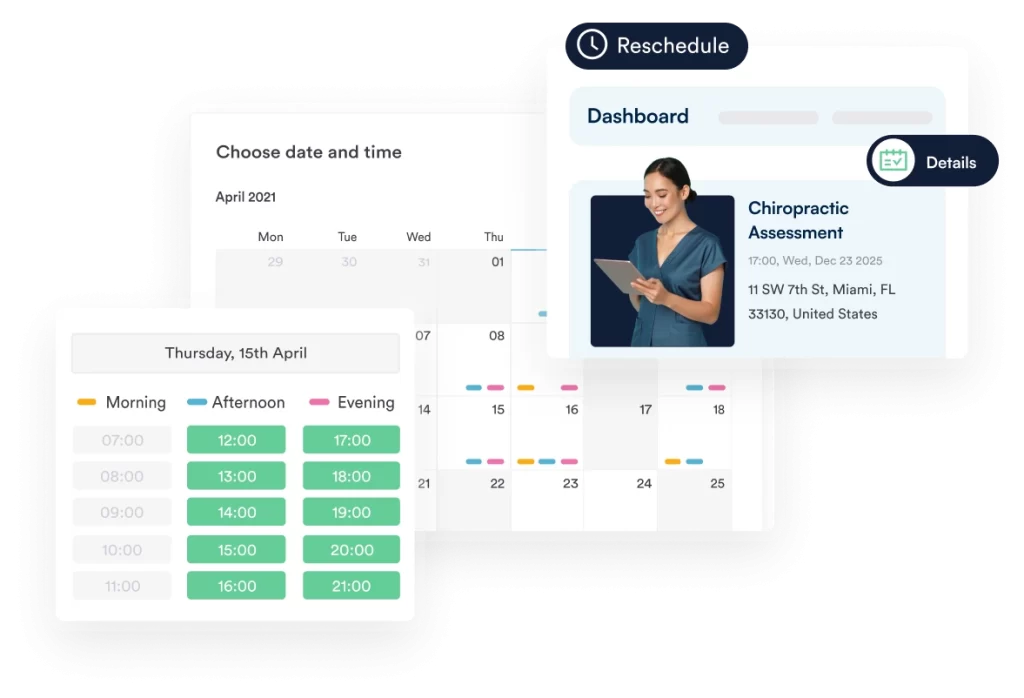
Pabau brings booking and payments into a single workflow. Patients can book online at any time, helping keep schedules full with less admin.
Payment handling includes:
Deposits combined with automated reminders reduce no-shows by up to 30%, based on Pabau data.
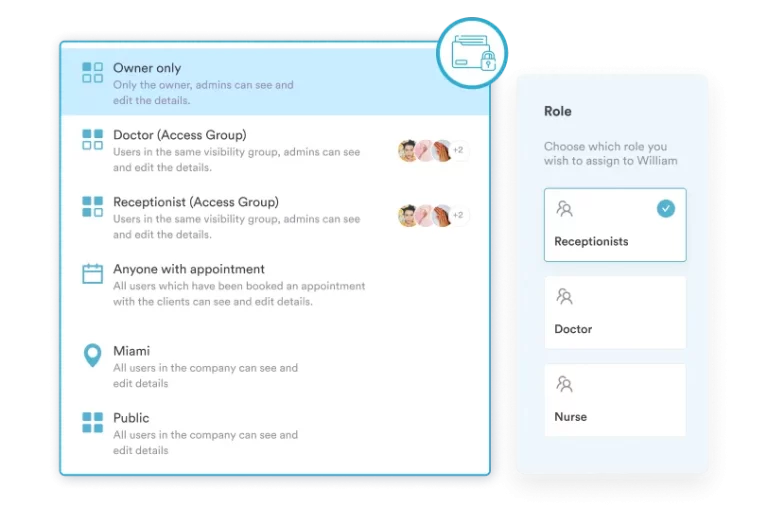
Pabau supports practices with multiple providers or locations. Scheduling adjusts easily when availability changes.
Access is managed by role:
The mobile app provides access to schedules and records when away from the clinic.
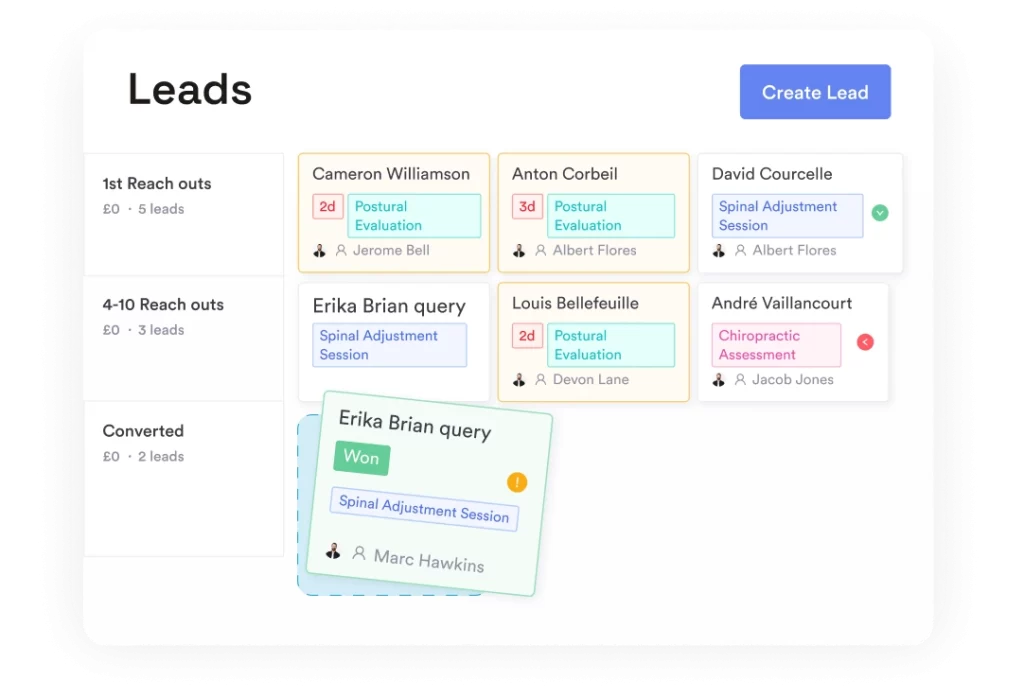
Pabau tracks performance from first inquiry through ongoing care. New leads flow directly into the system and follow-up runs automatically.
From one dashboard, clinics can track:
Automated review requests help build visibility and support steady patient growth.
| Plan | Price | Users | Best For |
|---|---|---|---|
| Startup | $69/user/month | 1 | Solo chiropractic clinics |
| Team | Contact sales | 2–3 | Small teams |
| Medium | Contact sales | 4–5 | Growing practices |
| Group | Contact sales | 6–15 | Multi-provider clinics |
| Enterprise | Custom | 15+ | Multi-location groups |
All plans include access to core features. Check Pabau’s pricing page for the full breakdown.
“Pabau provides fantastic support to streamline my business with automation, strategic marketing, productivity insights, and enhanced patient management all in one place.” – Joanne P., verified G2 reviewer
“Because Pabau is feature-rich, new users sometimes find it complex or overwhelming at first, particularly when transitioning from simpler systems. It can take time and training to feel fully comfortable.” – verified G2 reviewer
Book a free demo and see how Pabau can streamline your chiropractic practice.
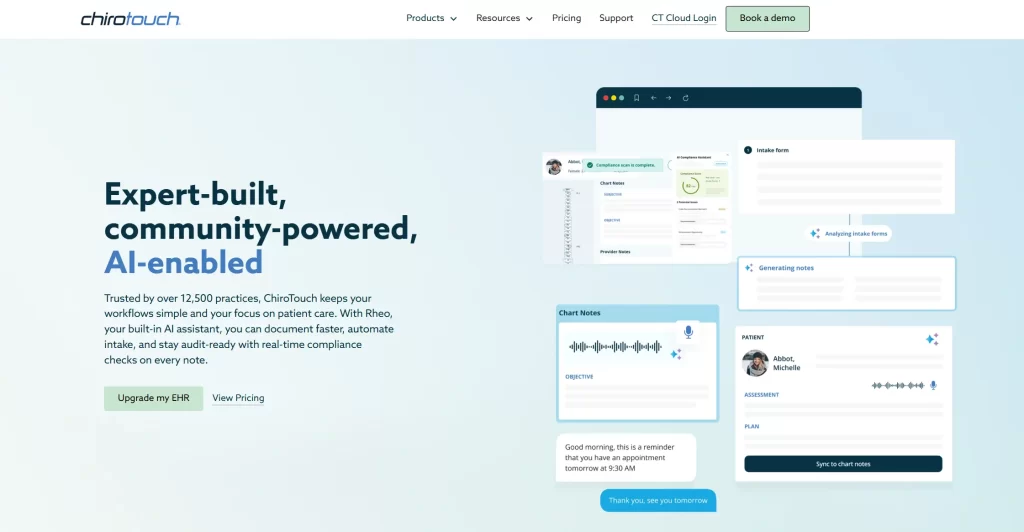
ChiroTouch is a chiropractic-specific EHR and practice management platform. It’s built for insurance billing workflows and high-volume SOAP documentation.
The system has been on the market for over two decades. It’s widely used by practices that rely on insurance claims and need compliant, well-tested charting.
| Plan | Starting price | Best for |
|---|---|---|
| ChiroTouch Core | $159/month | Cash-based chiropractic practices |
| ChiroTouch Advanced | $299/month | Insurance-heavy practices |
| ChiroTouch Bundle | Custom pricing | Practices needing full EHR, billing, and engagement tools |
ChiroTouch does not offer publicly listed trials. Pricing is subscription-based and provided via demo, depending on practice size and selected modules.
“I loved the SOAP notes within Chirotouch. Super simple to use, great macros that made notes really easy and fast.” – Kassidy K., Capterra reviewer
“Support can be hit or miss, depending on who you get. CT ProBill changes hands with how it was being run several times within a 6-month period.” – Justin S., Capterra reviewer

ChiroFusion is a cloud-based EHR built specifically for chiropractors. It covers scheduling, documentation, and billing from one system.
The system runs entirely in the browser. There’s no software to install or maintain.
| Plan | Starting price | Commitment | Best for |
|---|---|---|---|
| ChiroFusion Essentials | $129/month | 12-month commitment | Solo chiropractors and budget-conscious practices |
| ChiroFusion Complete | $299/month | 12-month commitment | Practices wanting bundled engagement and efficiency tools |
Additional costs to note:
“Huge system with many facets that cover every end needed for a successful chiropractic clinic – regardless of size.” – Víctor A., Capterra reviewer
“You can only use one email per account, which gets tricky when treating a lot of patients’ kids. People do not like having to come up with so many emails.” – Susan K., Capterra reviewer

Atlas Chiropractic System is a practice management platform built specifically for chiropractic clinics.
It includes tools for scheduling, billing, clinical notes, and patient retention.
Atlas doesn’t publish pricing publicly. Costs are provided through a custom quote based on practice size and modules.
“Efficient with an abundance of features to maximize our ability to serve our health community.” – Mark P., Capterra reviewer
“I think I’m tired of the color scheme. It could use a more modern, cleaner look, possibly. Softer, less distracting, a little more zen color palette might be good.” – Mike C.., Capterra reviewer

SimplePractice is a practice management platform originally built for behavioral health. Unlike most tools on this list, it was not designed around chiropractic workflows.
It later expanded into wellness disciplines, which is why some solo chiropractors choose it.
| Plan | Price | Best for | Insurance claims included |
|---|---|---|---|
| Starter | $49/month | New or solo practices | Pay per claim |
| Essential | $79/month | Solo practices needing reminders | 10 claims/month |
| Plus | $99/month | Group practices | 35 claims/month |
SimplePractice offers both a 7-day and 30-day free trial with no credit card required.
“The price is what I liked least about SimplePractice, and some templates were too general and not specifically tailored to my family practice specialty.” – Latasha B., Capterra reviewer
“I like the easy-to-use interface, both as a practitioner and for my clients. I also appreciate having the web browser and app for on the go.” – Rachel K., verified G2 reviewer

Choosing patient management software? See how the 9 best patient management systems for 2026 compare.
Running a physio or allied health clinic? Explore the top physiotherapy clinic management software and must-have features.
Concerned about compliance? Learn best practices for protecting patient data and staying compliant.
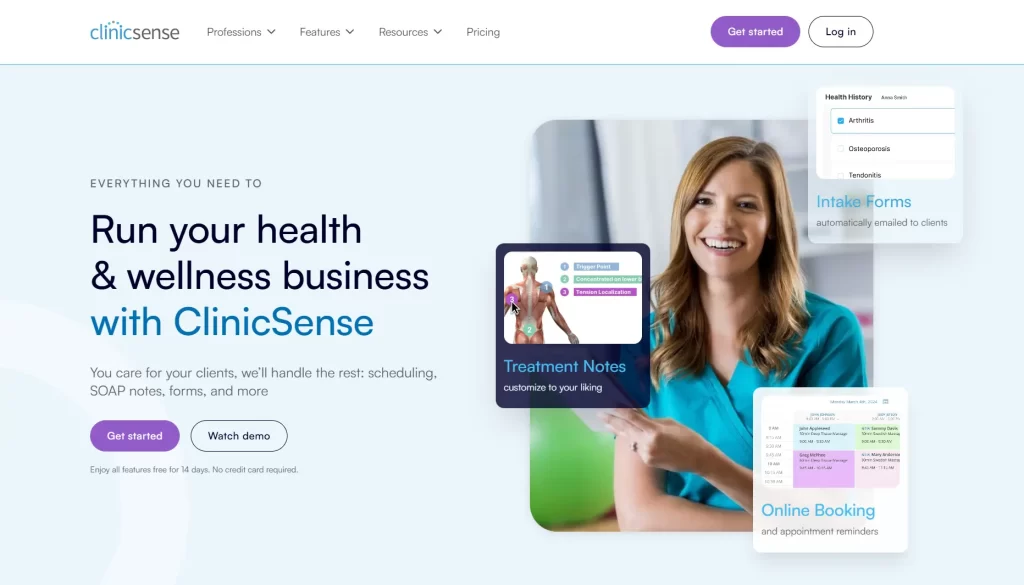
ClinicSense is a scheduling and charting platform built for solo health practitioners, including chiropractors. It covers booking, SOAP notes, invoicing, and basic client communication.
The platform is simple to learn and priced for lower-volume practices.
| Plan | Monthly price | Best for |
|---|---|---|
| Lite | $39/month | New and part-time practitioners (up to 20 appointments/month) |
| Standard | $69/month | Full-time solo practitioners (up to 200 appointments/month) |
| Premium | $99/month | Clinics and wellness centers (unlimited appointments) |
14-day free trial with no credit card required. No setup fees or long-term contracts. Additional practitioners cost $20/month on Standard and Premium.
“The customer support at ClinicSense is amazing. I usually get a response within 24 hours, if not sooner. The support team is friendly and sends videos on how to address whatever problem I have.” – Taylor B., Capterra reviewer
“I would like to be able to categorize or mark clients as ‘Active, Inactive,’ or ‘Deceased.’ Then run reports on how many clients I have in each category.” – Laura N., Capterra reviewer

DrChrono is a cloud-based EHR used by chiropractic clinics. Like other tools on this list, it also supports charting, scheduling, billing, and telehealth.
What sets it apart is the mobile experience. Providers can manage patient records and appointments directly from an iPhone or iPad.
DrChrono doesn’t publish fixed pricing. Plans are tiered (Essentials through Elite) and feature-based. Contact their team for a custom quote.
“I like the reporting system in DrChrono by EverHealth. The filters really make it easy to track patients, services, products, and finances. It helps streamline problem-solving, create marketing campaigns, and track revenue effectively.” – verified G2 reviewer
“Although it is simplified, it is not as intuitive as other scheduling systems. There is a larger learning curve for front desk staff. User permissions are also overly complex with too many menu options.” – Larisa F., Capterra reviewer

Tebra is an EHR and practice management software.
The platform isn’t designed around chiropractic workflows. Because of that, it’s usually chosen for convenience rather than chiropractic-specific depth.
Tebra does not publish pricing on its website. Plans are provided by a custom quote.
“Tebra offers several charting tools that are very helpful. It is easy to use the prescribing tool in particular. Response to questions/problems was excellent.” – Mary Ann S., Capterra reviewer
“I don’t like that I can’t change the payer on a claim once it’s been sent. Having to add new insurance as a secondary once it’s been attached to a claim can sometimes be confusing.” – Suzanne R., Capterra reviewer
See how Pabau compares to Tebra.
The right EHR comes down to how your practice documents care, schedules patients, and handles billing.
Here’s what to look for before making a decision.
Generic EHRs often require heavy customization to work for chiropractic care. Look for systems that already support how chiropractors document and track treatment.
Key capabilities to check for:
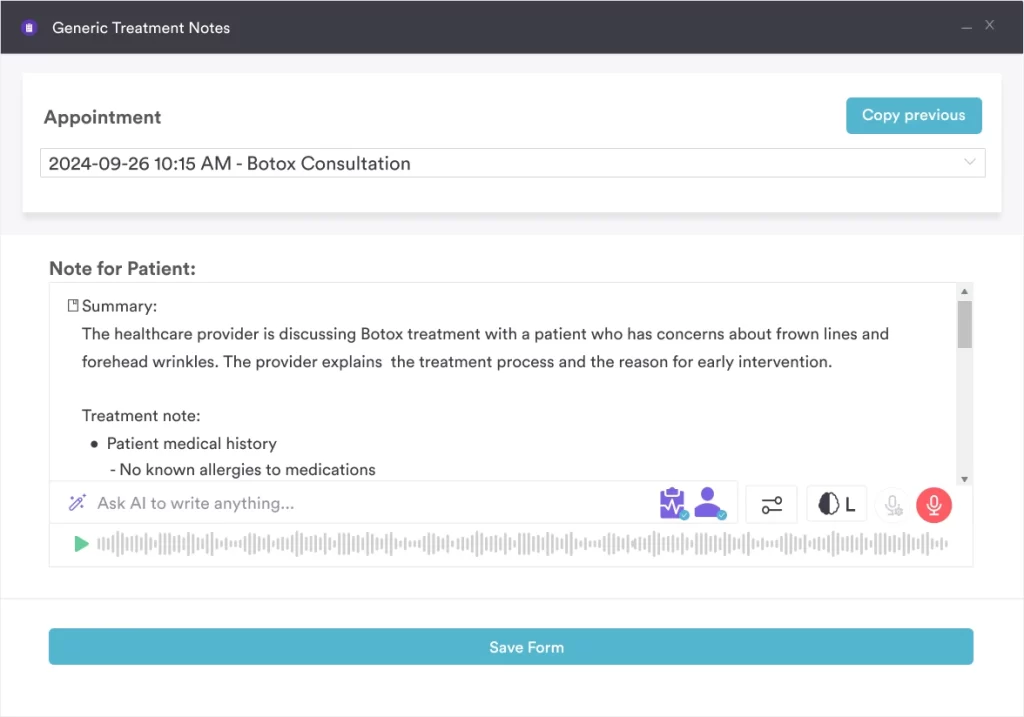
Pabau includes customizable consultation notes and care plan tracking built for clinical practices. Echo AI supports voice-to-text documentation for faster, consistent records.
Any EHR handling patient data in the US must meet HIPAA requirements. This is non-negotiable.
When evaluating platforms, confirm they offer:
Pabau is HIPAA compliant. Role-based access, audit trails, and secure data handling are built in.
For insurance-based practices, billing functionality is often the deciding factor. Poor billing workflows create delays, denials, and extra admin.
Look for systems that support:
Pabau supports both insurance and cash-pay models. Payments, deposits, memberships, and package tracking are handled within the same system.
Scheduling tools should actively support attendance and reduce no-shows.
Effective chiropractic scheduling typically includes:
Pabau brings those pieces together into one system. As one clinic owner explained:
Having my calendar and my availability up on a system like Pabau means that I’m hands off. I’m not getting a hundred inquiries a day to find out when they can book in.

Every system on this list covers the core needs of a chiropractic practice. What separates the best chiropractic EHR from the rest is how well it handles your specific setup.
For insurance-heavy clinics, ChiroTouch and ChiroFusion are strong starting points. For solo practitioners, SimplePractice or ClinicSense may be all you need.
If you’re running a growing practice or planning to scale, Pabau is built for that. Clinical documentation, scheduling, billing, marketing, and reporting all live in one platform.
Want a personal walkthrough of Pabau? Book a free demo.