ChiroTouch: Best overall for chiropractic practices, with chiropractic-specific charting, claims management, and Rheo AI documentation in one system.
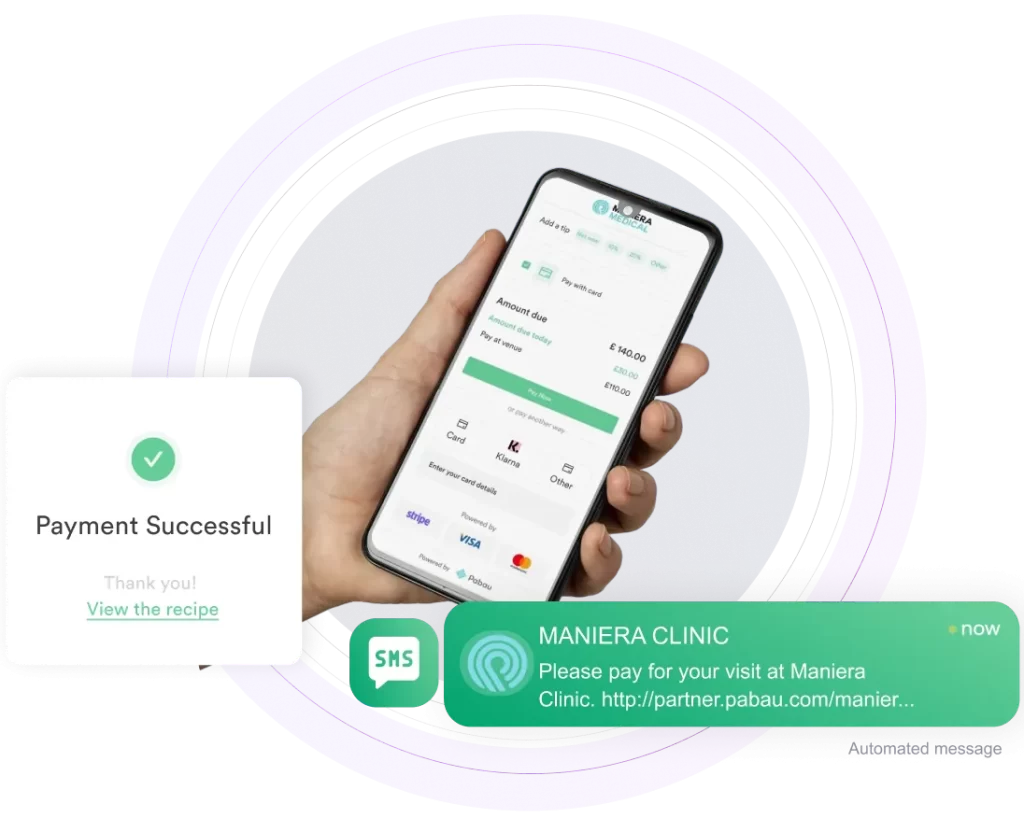
Pabau: Best all-in-one choice, pairing SOAP notes and EMR with billing, scheduling, and patient marketing in a single platform.
PayDC: Best for practices billing almost entirely through insurance, with one-click CMS-1500 claims and audit-ready notes.
Coreplus: Best for solo allied health practitioners in Australia, with Medicare and DVA claiming plus telehealth features built in.
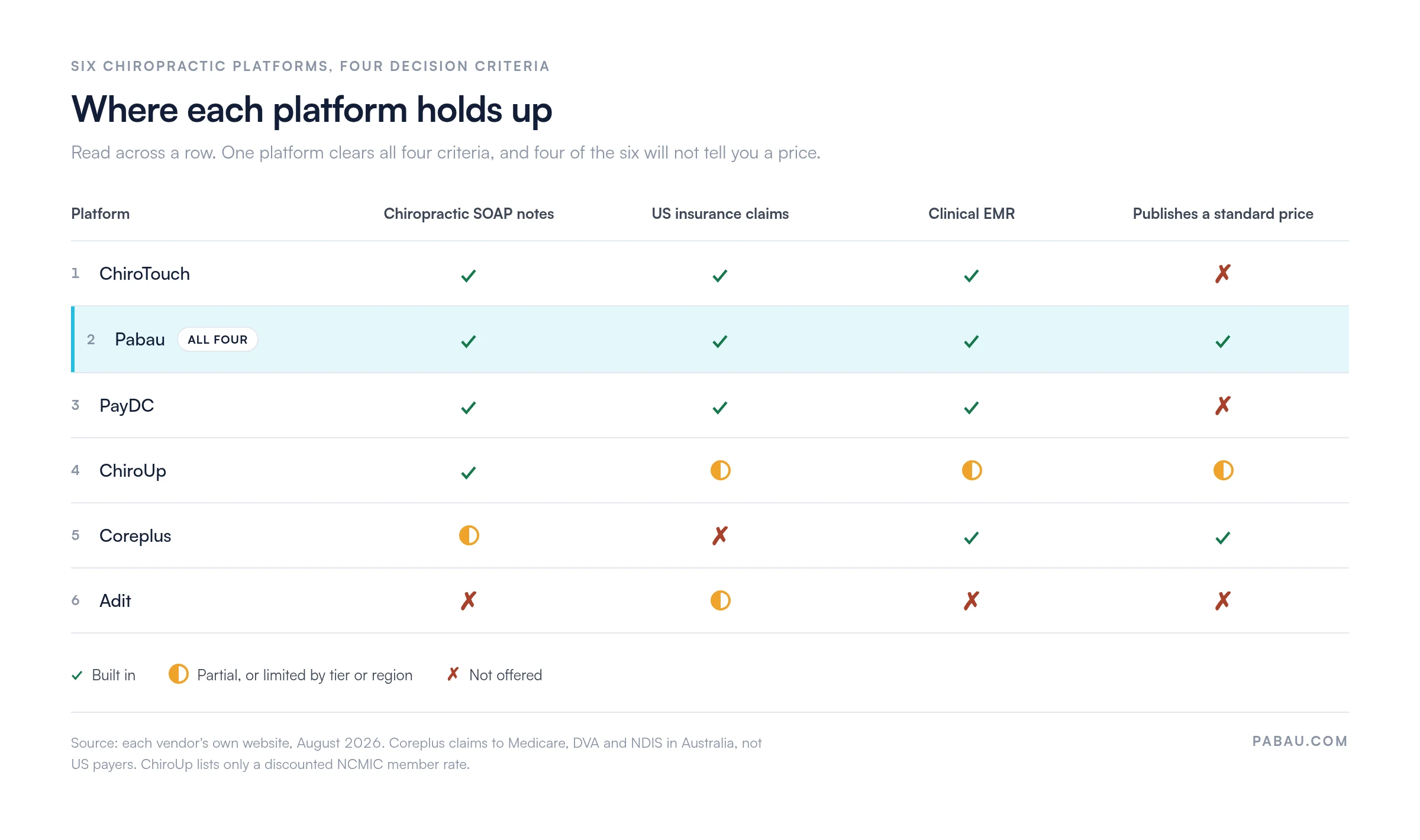
Four of these six vendors publish no standard price, so comparing costs means booking sales calls.
ChiroTouch is the strongest overall pick for a chiropractic practice, because its charting, claims, and compliance tools were built for spinal care. Practice management software like Pabau is the best all-in-one alternative, when marketing and patient engagement matter as much as clinical notes.
We ranked six platforms on the work a chiropractic practice repeats every day. Charting an adjustment, getting the claim paid, and filling tomorrow’s calendar.
One finding shaped the list. Four of the six publish no standard price on their own website. The figure you read on a review site is rarely the quote you get.
The table below ranks all six on fit and price. The matrix under it shows where each one holds up against the four criteria that decide most chiropractic purchases.
Found our content helpful?
Quick comparison of the best chiropractic software
Name
Best for
Standout feature
Starting price
ChiroTouch
Insurance-heavy chiropractic practices
Rheo AI documentation with claims management and ERA posting
Contact sales
Pabau
All-in-one chiropractic practices
One platform for SOAP notes, EMR, billing, scheduling, and marketing
$62/month
PayDC
Practices billing mostly through insurance
One-click CMS-1500 claims with integrated exams
Contact sales
ChiroUp
Evidence-based solo practitioners and new graduates
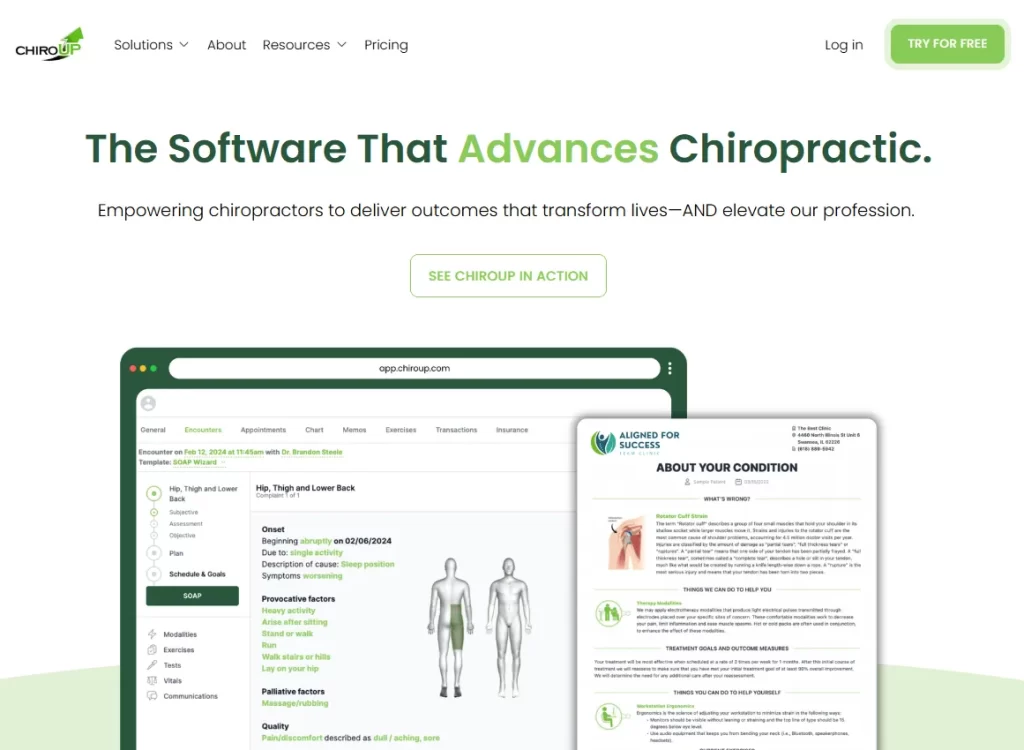
Research-driven protocols with the Advanced SOAP Wizard
$299/month NCMIC member rate
Coreplus
Solo allied health practitioners in Australia
Medicare and DVA claiming with telehealth
$35 AUD per user/month
Adit
Front desk load and patient acquisition
AI call intelligence with automated review requests
Contact sales
Only Pabau clears all four criteria, and only Pabau and Coreplus publish a standard price. Scored from each vendor’s own website in August 2026.
ChiroTouch: Best overall for chiropractic charting and claims
Rating4.1/5★★★★★Top pick
The bottom line
ChiroTouch charts an adjustment and files the claim in the same system, which is why it tops this list.
Rheo turns exam conversation into structured notes
Secure AWS hosting with automatic ICD updates
What doesn’t
Reminders and online intake often cost extra
Built-in reporting is thin, so data gets exported
Long contracts, with difficult cancellations
ChiroTouch pitches itself as chiropractic-only software, and its charting shortcuts reflect that focus.
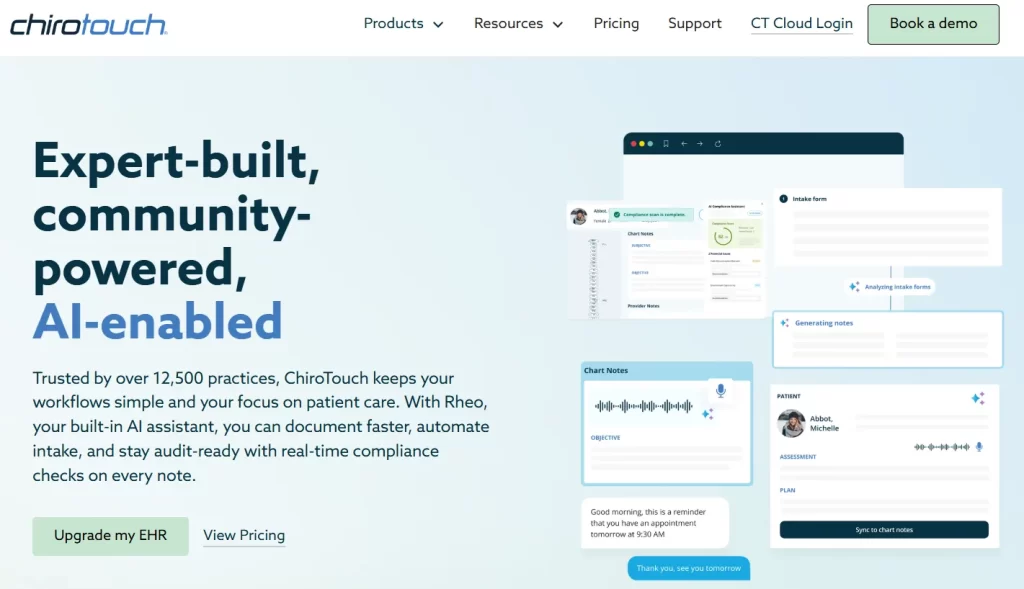
ChiroTouch is a cloud-based EHR for private practice, built specifically for chiropractors and supporting more than 12,500 practices.
It brings scheduling, billing, and AI-driven documentation together in one system. Rheo, its AI charting tool, helps practices save 5 to 10 hours a week on paperwork. Workflows run from patient check-in through to payment without a second platform.
Key features
AI-powered documentation: Rheo converts exam conversations into structured SOAP notes, reducing documentation time and providing real-time compliance checks.
Streamlined billing and payments:Integrated payment processing (swipe, chip, Apple Pay) with automatic payment posting and built-in claims management.
Cloud-based access: Secure, cloud-based system with remote access across devices, including iPads, for on-the-go charting and management.
Where ChiroTouch shines
15-second SOAP notes: Providers can chart rapidly using customizable macros and templates specifically designed for chiropractic techniques, all while remaining HIPAA compliant.
Digital intake: CT InForms lets patients complete forms online, with AI automatically converting responses into structured clinical notes.
Security and compliance: Built on a secure AWS framework, with encrypted data storage, audit trails, and automatic updates for the latest ICD codes.
Where ChiroTouch falls short
Additional add-on costs: Many key features—like appointment reminders, online patient intake, and automated texting—often come with extra monthly fees on top of the base subscription.
Limited reporting: Built-in reporting tools are sometimes restrictive, disorganized, or missing basic functionality, forcing practices to export data to Excel for meaningful analysis.
Rigid contracts: Users have noted pressure to commit to long-term contracts, with challenges when attempting to cancel or dispute automatic renewals.
Customer reviews
Capterra users rate ChiroTouch 4.1 out of 5 across 1,133 reviews.
“We love how ChiroTouch as streamlined our practice, saving time on all tasks is priceless and billing and coding is much easier.” – Stephen C., Capterra
“Support was frustrating. Not helpful at all. I thought it would be an upgrade from my old EHR and I had used the server as an associate, but what a mistake. Plus they do not make migration easy. Not friendly at all. Would not recommend.” – Laura M., Capterra
Who is ChiroTouch best for
Insurance-focused practices: ChiroTouch simplifies insurance work with a clearinghouse, automated claim scrubbing, and real-time tracking to reduce denials.
Solo cash practitioners: The entry plan gives solo chiropractors a cloud-based system without the insurance tooling they would never use.
Pricing
Plan
Price
What’s included
ChiroTouch Start
Contact sales
Core EHR and practice management for daily operations
ChiroTouch Grow
Contact sales
Adds patient engagement and marketing tools
ChiroTouch Scale
Contact sales
Adds Rheo AI charting and the full engagement suite
ChiroTouch lists three plans on its own site and publishes no price for any of them. What you pay depends on your provider count and whether you bill insurance, so get the quote in writing.
Ask what sits outside the base plan too. Reminders, online intake and automated texting are the add-ons practices most often find on the invoice.
Pabau: Best for all‑in‑one chiropractic practice management
Rating4.7/5★★★★★Best all-in-one
The bottom line
Pabau covers the clinical note, the invoice and the recall campaign, so the front desk works in one screen.
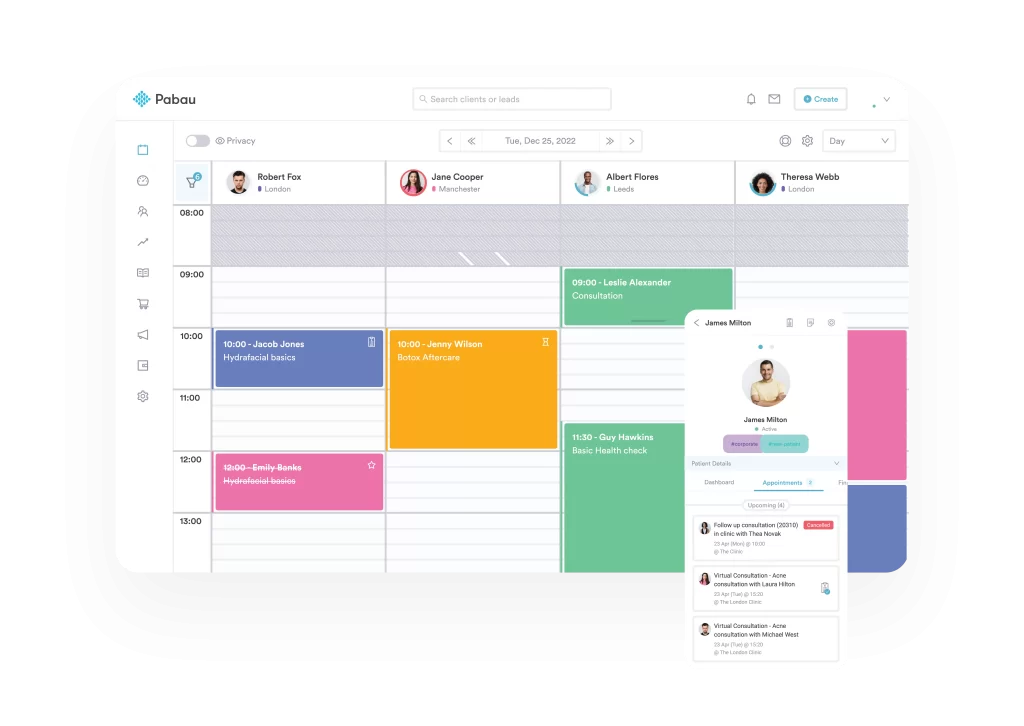
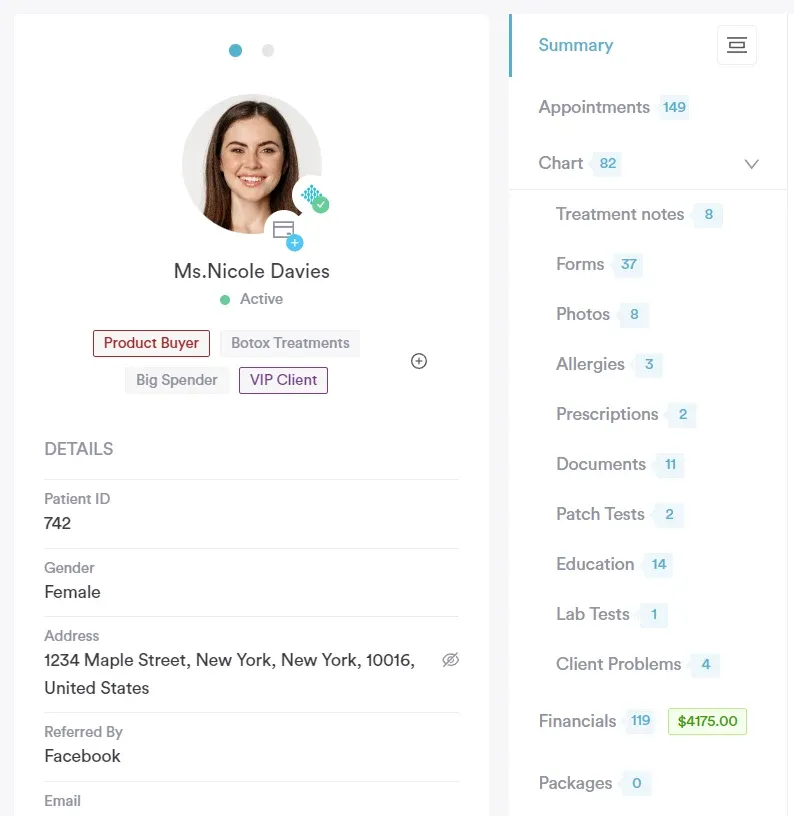
Pabau’s dashboard keeps the day’s appointments, patient records and outstanding balances on one screen, so nobody switches tabs mid-adjustment.
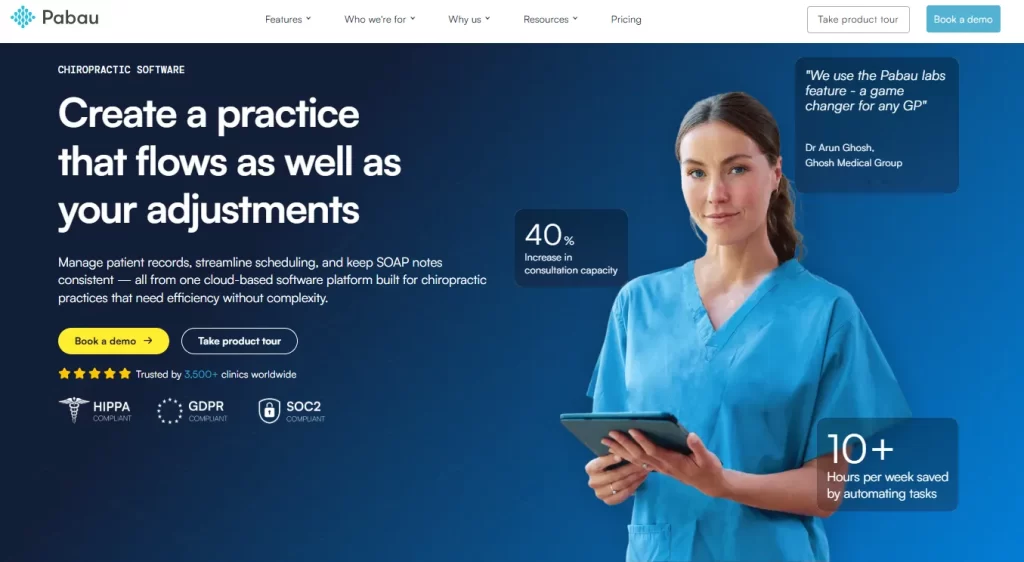
Pabau is all-in-one practice management software that centralizes the systems a chiropractic practice runs on. Patient scheduling, electronic health records, billing, invoicing, and marketing automation all sit in one place.
The dashboard puts patient histories, appointments, and financials one click apart, so your team stops hunting between screens and makes fewer errors.
Pabau suits practices aiming to grow without adding tools. That growth might mean more patients, more staff, or a calmer front desk. Multi-disciplinary teams can also see how the same system works as a physical therapy EMR.
Key features
Four Pabau features do most of the work in a chiropractic practice. Here is what each one takes off your team’s hands.
Customizable SOAP notes and clinical templates
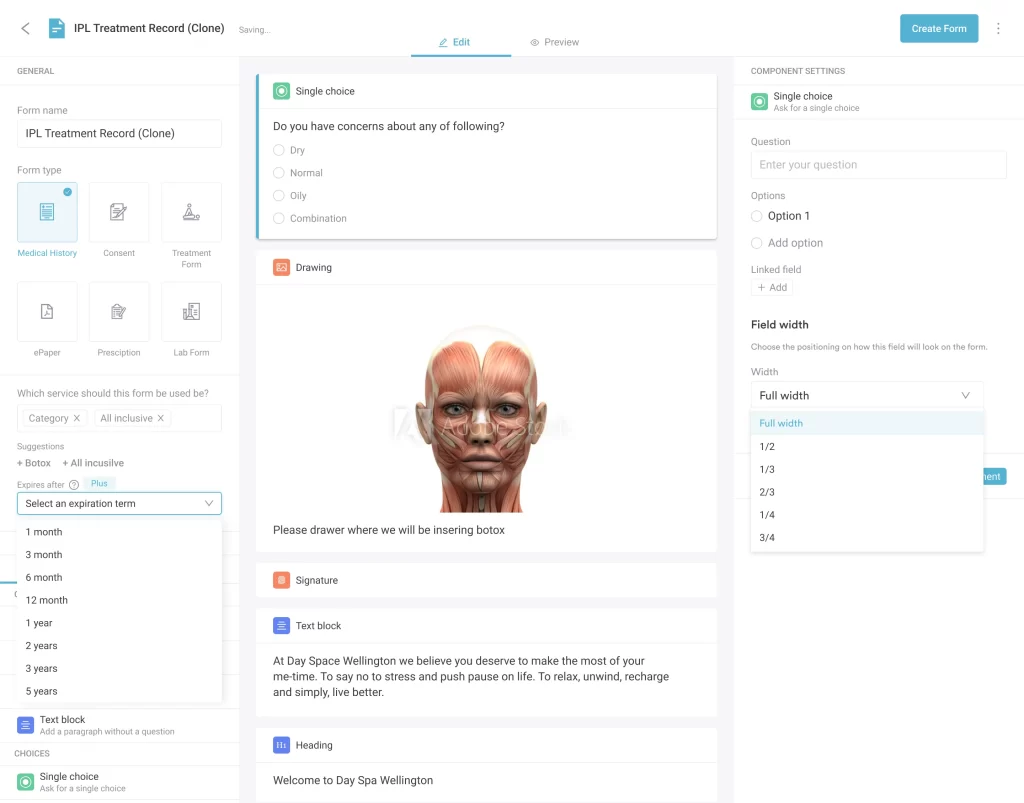
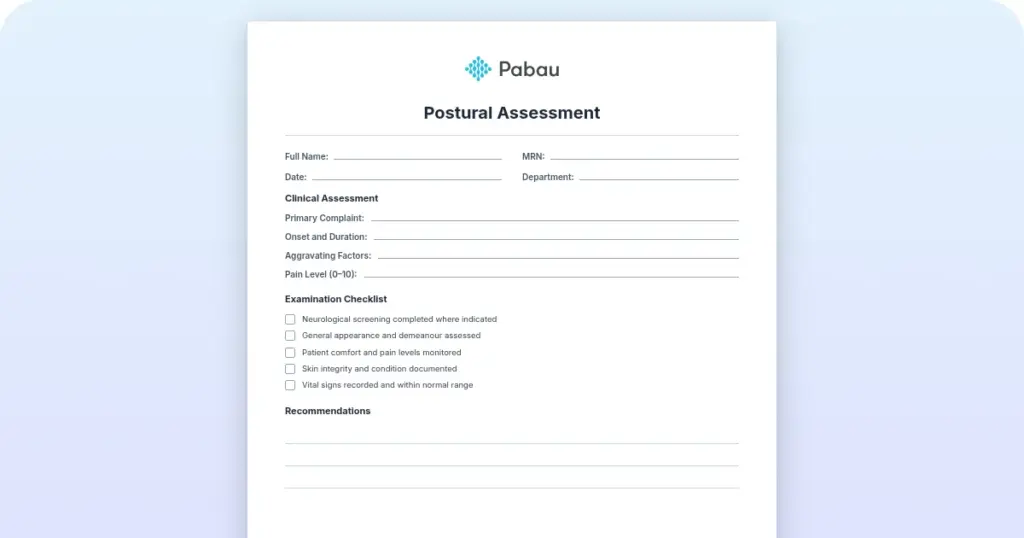
Pabau offers customizable SOAP notes and clinical templates built for healthcare practices. You can shape each form around your own treatment protocols, so every visit gets documented the same way.
With Pabau, you can also pre-fill common fields, create reusable templates, and attach multimedia files like X-rays or images directly to patient records.
That standardizes documentation across the practice. It also makes treatment progress, outcomes, and compliance easier to track.
Integrated appointment scheduling and online booking
Pabau offers a robust appointment scheduling system that keeps your practice organized and your patients on time. With online booking, patients can easily schedule their own appointments 24/7.
The calendar shows daily, weekly, or monthly schedules at a glance. Staff can rebook, reschedule, and keep patient flow moving without leaving the screen.
Color coding by treatment type lets a chiropractor see at a glance how many adjustments, re-exams and new patients the day holds.
The system also sends automated appointment reminders via email or SMS, helping to cut down on no-shows and late arrivals.
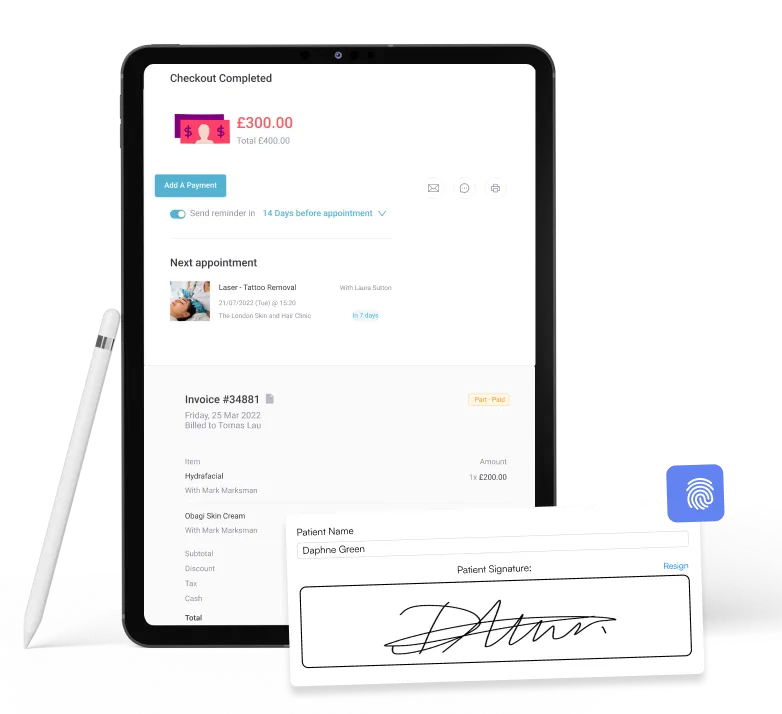
Chiropractic practices can generate invoices automatically, track outstanding balances, and accept multiple payment methods directly through the system.
Pabau takes the co-pay at the desk and posts it against the visit, so the insurance balance and the patient balance never drift apart.
The software also simplifies insurance workflows, allowing staff to submit claims, verify coverage, and manage reimbursements efficiently.
By keeping all billing and payment processes under one roof, Pabau reduces administrative errors and helps maintain a smooth, professional patient experience.
Patient engagement and follow‑up tools
Pabau includes a full suite of patient engagement and follow-up tools designed to strengthen patient relationships and keep care on track. Replies from those messages arrive in one inbox for every channel, so front-desk staff answer without checking three tools.
Its automated messaging via email or SMS allows practices to communicate important updates, appointment reminders, and promotional campaigns efficiently.
Automated aftercare gives the patient their home exercises in writing, which is the cheapest way to protect a treatment plan between visits.
Built-in recall messages remind patients of upcoming appointments. Customizable surveys and feedback forms then show you how satisfied those patients are.
Where Pabau shines
Unified platform: Pabau brings scheduling, billing, CRM, charting, and marketing together in a single system. Practices no longer need to juggle multiple tools, making day-to-day operations smoother and reducing administrative errors.
Scalability: Whether you run a solo practice, a multi-location group, or an enterprise practice group, Pabau can grow with you. Tailored plans and flexible user options make it easy to add staff, locations, and features as your practice expands.
Patient experience: With an integrated patient portal, automated reminders, and messaging tools, Pabau keeps patients engaged and informed. This helps improve appointment adherence, streamline communication, and create a more seamless overall experience for patients.
Where Pabau falls short
Learning curve: Smaller teams new to patient management software have plenty to take in on day one. Setting up workflows properly takes a few sessions.
Mobile app limitations: Pabau GO, our mobile app, runs on iOS only. Android users are limited to the browser version for access between patients.
Customer reviews
Capterra users rate Pabau 4.7 out of 5 across 646 reviews.
“I think Pabau is very innovative and they are always bringing out new things on the platform. They help you set up everything for your business and are always available for meetings.” – Kelly-ann R., Capterra
“The platform assists me with operations and marketing, including CRM and every step I need to complete. I also appreciate the excellent AI integration, which offers plenty of opportunities to explore and implement new features.” – Uliana R., Capterra
Who Pabau is best for
Practice owners who want one system: Chiropractors, primary care physicians, and wellness centers get scheduling, records, billing, and marketing in one place.
Growth-minded practices: Practices that are focused on scaling and improving patient retention, especially multi-location practices. Pabau’s flexible plans and centralized dashboard make it easy to manage multiple practices, track performance across locations, and ensure consistent workflows as teams expand.
Pabau starts at $104 a month for a single user and scales by team size rather than by feature. Every plan carries the whole platform, so a solo chiropractor gets the same tools as a six-site group.
You can see the full breakdown on Pabau’s pricing page.
PayDC: Best for practices that bill primarily through insurance
Rating3.9/5★★★★★Our pick for insurance depth
The bottom line
PayDC writes notes built to survive a payer audit, then files the claim the moment the note is signed.
Who it’s for
Practices billing almost entirely through insurance
Claim scrubbing checks CPT codes before submission
Compliance and coding updates cost nothing extra
Unlimited users and workstations
What doesn’t
No inventory tracking for supplements
Windows only, so Mac users need an emulator
Exporting full SOAP histories is slow
Click-heavy for a fast-moving practice
PayDC frames the whole product around documentation and claims, the two places an insurance-heavy practice loses money.
PayDC is a patented practice management and Electronic Health Record (EHR) platform built specifically for chiropractic practices.
With PayDC, chiropractors can keep accurate, HIPAA-compliant patient records and automate routine workflows. Compliance work happens in the background, which leaves more time for patient care.
Key features
Integrated exams: Exam data is automatically incorporated into care plans and daily notes, helping maintain consistent and accurate clinical documentation.
One-click claims: CMS-1500 claim forms are generated and submitted to clearinghouses automatically when a SOAP note is finalized, saving time and reducing errors.
e-File Cabinet: A paperless filing system lets you scan and attach X-rays, insurance documents, and other files directly to patient records for easy access.
Where PayDC shines
Automatic compliance updates: PayDC stays current with the latest industry regulations and coding standards, with updates included at no extra cost.
“On-Deck” waiting room: Get real-time visibility of patients who have checked in and are awaiting treatment.
Claim scrubbing: Built-in checks validate CPT codes and edits before submission, helping reduce claim rejections.
Where PayDC falls short
No inventory management: PayDC doesn’t include built-in tracking for supplements or clinical supplies.
Limited Mac compatibility: The platform is designed for Windows, with no native macOS or iPad app; Apple users need emulators like Parallels or VMware.
Cumbersome records management: Exporting or printing multiple files or full SOAP histories for patient records can be a slow, multi-step process.
Click-heavy interface: The focus on detailed compliance can make navigation feel tedious, which may slow providers in fast-paced, high-volume practices.
Customer reviews
Capterra users rate PayDC 3.9 out of 5 across 65 reviews.
“When we were struggling with new staff, we were able to easily setup training calls and got one on one support through our transition. If we encounter a problem or issue, a speedy call to their support line gets us back up and running…” – Matthew H., Capterra
“They ignore the same issues year after year while they work on “new improvments” that no one cares about. Worst of all, PayDC holds your notes hostage while you continue to pay fees. It’s one of the most frustrating aspects of my business, seriously.” – Paul R., Capterra
Who is PayDC best for
Insurance-focused practices: Intelligent SOAP Notes are designed to follow insurance guidelines, helping providers stay compliant during pre- and post-payment audits.
Multi-workstation offices: The platform supports unlimited users and workstations at no extra cost, making it ideal for growing practices with multiple staff members.
Pricing
Plan
Price
What’s included
PayDC chiropractic EHR
Contact sales
Clinical notes, billing, scheduling, unlimited users and workstations, concierge-style support
PayDC publishes no prices on its own website and routes practices to a demo instead. Third-party listings quote monthly figures that PayDC has never confirmed, so treat them as guesses.
Unlimited users is the number worth pressing on. A four-provider office paying one flat rate lands very differently from per-seat pricing.
ChiroUp: Best for evidence-based solo practitioners
Rating5.0/5★★★★★Our pick for new graduates
The bottom line
ChiroUp hands a new graduate a diagnosis-linked protocol, then writes most of the note from it.
Who it’s for
New graduates building clinical confidence
Evidence-based solo practitioners
Providers sending home exercise programs
US practices that need the EHR tier
Pricing$299/monthNCMIC member rate, standard price not published
Clinical library covering more than 200 conditions
SOAP Wizard fills findings from the diagnosis
Daily musculoskeletal research feed
Half price for the first two years after graduation
What doesn’t
Billing module is awkward for claim edits
Prepaid packages need manual workarounds
No direct payment links
EHR tier is US only
ChiroUp sells the clinical library first, and the practice management tools second.
ChiroUp is a comprehensive, cloud-based platform designed specifically for evidence-based chiropractors to streamline clinical workflows and improve patient outcomes.
It works as both a clinical resource library and a full chiropractic EHR.
Key features
Evidence-based protocols: Access a comprehensive clinical library covering 200+ conditions, complete with current diagnostic guidelines and treatment recommendations.
Advanced SOAP Wizard: Speed up documentation with a research-driven SOAP tool that automatically suggests clinical findings based on selected diagnoses.
Research feed: Stay up to date with a daily stream of musculoskeletal research, insights, and practical clinical takeaways.
Where ChiroUp shines
Speed of documentation: The SOAP Wizard and Voice-to-Chart AI pull findings from the selected diagnosis. Non-clinical conversation gets filtered out, so a compliant note takes seconds.
User-friendly: The platform is intuitive and easy to navigate, making it ideal for new graduates who haven’t used management software before.
Where ChiroUp falls short
Billing usability issues: Many users find the billing module unintuitive, especially when handling claim edits or resubmissions.
Limited treatment package flexibility: Managing complex treatment packages such as prepaid plans, bundled sessions, or custom discounts often requires manual workarounds.
Payment processing gaps: Compared to more admin-focused EHRs, the platform lacks features like direct payment links, which can limit fully paperless workflows.
Customer reviews
Capterra users rate ChiroUp 5.0 out of 5 across 82 reviews.
“I’m able to streamline my HEP with patients since I work by myself in the office. It’s easy to send them the videos and recommendations for exercise.” – Katie B., Capterra
“I really appreciate it being a single business owner and newly grad. It definitely help make me feel more confident in my clinical skills.” – Rachel R., Capterra
Who is ChiroUp best for
New graduates: Recent graduates get half off for two years. The built-in clinical protocols also build confidence in diagnosis and treatment planning.
Evidence-based solo practitioners: Excellent for providers looking to automate repetitive patient education scripts.
Pricing
Plan
Price
What’s included
Essentials
Contact sales
Clinical and diagnostic tools, patient rehab plans, patient portal, digital intake surveys, PCP reports
Essentials + EHR
$299/month, NCMIC member rate
Everything in Essentials plus the Advanced SOAP Wizard, scheduling, integrated billing, claims and ERA management, and reporting. US only
The $299 figure is the 25% discount ChiroUp gives NCMIC members, and it is the only price on its site. Ask for the standard rate before you compare it with the other platforms here.
New graduates get half off for their first two years, which makes the clinical library the cheapest way to buy confidence.
Coreplus: Best for solo allied health practitioners in Australia
Rating3.7/5★★★★★Our pick for Australian practices
The bottom line
Coreplus is the cheapest way for an Australian solo practitioner to claim Medicare and DVA without a second tool.
Who it’s for
Solo allied health practitioners in Australia
Psychologists, physical therapists and dietitians
Providers billing Medicare, DVA or NDIS
Small practices watching per-user cost
Pricing$35 AUD per user/monthCore plan, excludes GST
Integrates with Xero, MYOB, Tyro Health and Physitrack
Telehealth and secure messaging included
Lowest per-user price in this list
What doesn’t
Body charts are not built into clinical notes
Calendar needs extra clicks to reach records
NDIS recognition and online forms need add-ons
Group telehealth caps at about four participants
Coreplus leads on Australian claiming, which is the clearest sign of who the platform was built for.
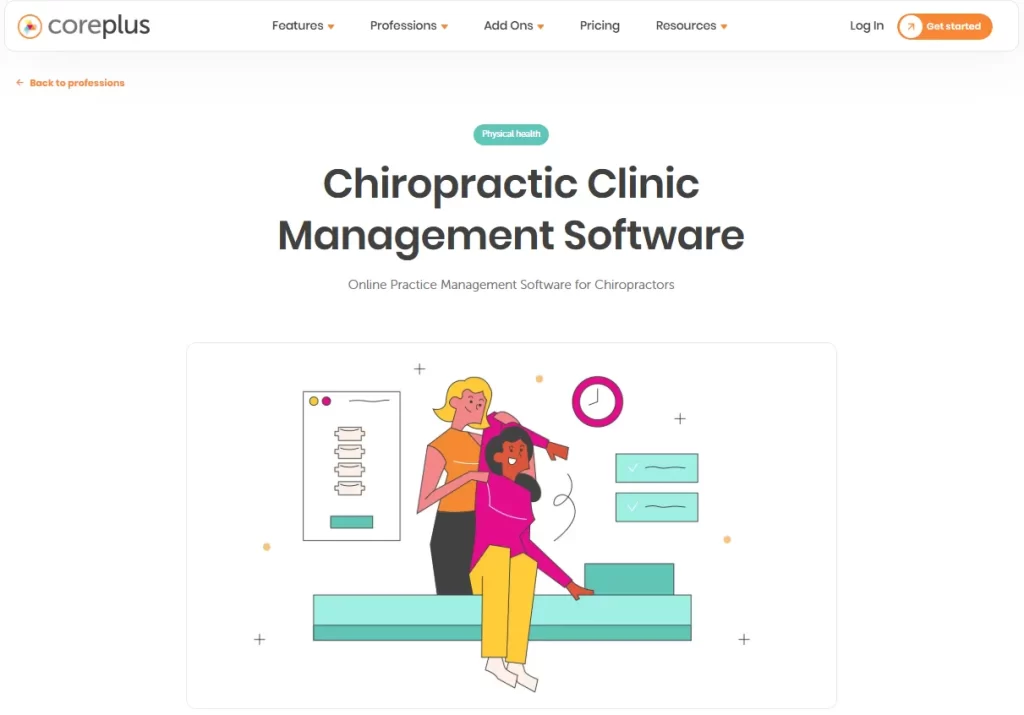
Coreplus is a leading Australian cloud-based practice management software designed for chiropractors and allied health professionals. Physical therapy practices sit in the same allied-health bracket. Our guide to physical therapy practice management software compares the platforms built for rehab workflows.
It streamlines administrative tasks and enhances patient care through features such as electronic patient records, invoicing, Medicare/DVA claims, and telehealth.
By managing everything from a single platform, Coreplus helps chiropractic practices run smoothly, improve patient outcomes, and grow efficiently.
Key features
Calendar and booking: Flexible appointment scheduling, online booking portals, and iCal calendar sync.
Billing and claims: Direct Medicare and DVA online claiming, invoice generation, and fee management.
Communication and security: Secure messaging, SMS/email reminders, and Telehealth video consultations.
Reporting and integration:Comprehensive reporting, customizable templates, and third-party integrations.
Where Coreplus shines
Comprehensive billing and claiming: Coreplus streamlines billing with instant health fund submissions, as well as Medicare, DVA, and NDIS management.
Workflow automation: Automate key tasks like appointment reminders, online booking, and secure messaging.
Integration ecosystem: Coreplus connects to Xero and MYOB for accounting, Tyro Health for payments, and Physitrack for home exercise programs.
Where Coreplus falls short
Specialized clinical limitations: Advanced body charts can’t be edited after leaving the page and aren’t fully integrated into clinical notes.
Navigation and workflow: The calendar lacks direct links to client details or reports, requiring extra clicks for routine tasks.
Integration dependency: Some features, like NDIS recognition and online forms, need third-party add-ons, adding complexity and cost.
Telehealth scalability: Group telehealth caps at about four participants. Larger workshops and group therapy sessions need another tool.
Customer reviews
Capterra carries only three Coreplus reviews, averaging 3.7 out of 5, so read them as anecdotes.
“It helps me run my business; monitor my income and outgoings; communicate with clients; charge clients…” – Wendy A., Capterra
“I couldn’t make this app work me. It’s one of the cheapest products around, which will make it attractive to some. But this was not for me as a physiotherapist.” – Anonymous user, Capterra
Who is Coreplus best for
NDIS and medicare providers: Offers robust tools for tracking and billing Medicare, DVA, and NDIS, making it ideal for Australian healthcare compliance.
Allied health professionals: Specifically designed for psychologists, physiotherapists, occupational therapists, speech pathologists, and dietitians. Podiatrists can compare dedicated podiatry practice management software options too.
Pricing
Plan
Price
What’s included
Core
$35 AUD per user/month
Any number of clients
Plus
$49 AUD per user/month
Any number of clients
Group
Custom quote, 8 or more users
Any number of clients
Coreplus charges per practitioner rather than per practice, so a three-therapist team pays three times the headline rate. Prices exclude GST.
The HSP (Health Service Provider) add-on costs $5 per user each month. It matters if you claim certain rebates or handle patient data that needs the extra provider recognition.
Adit: Best for patient acquisition and reputation
Rating4.7/5★★★★★Our pick for front desk load
The bottom line
Adit is a front desk layer rather than a chiropractic EMR, so it works alongside clinical software.
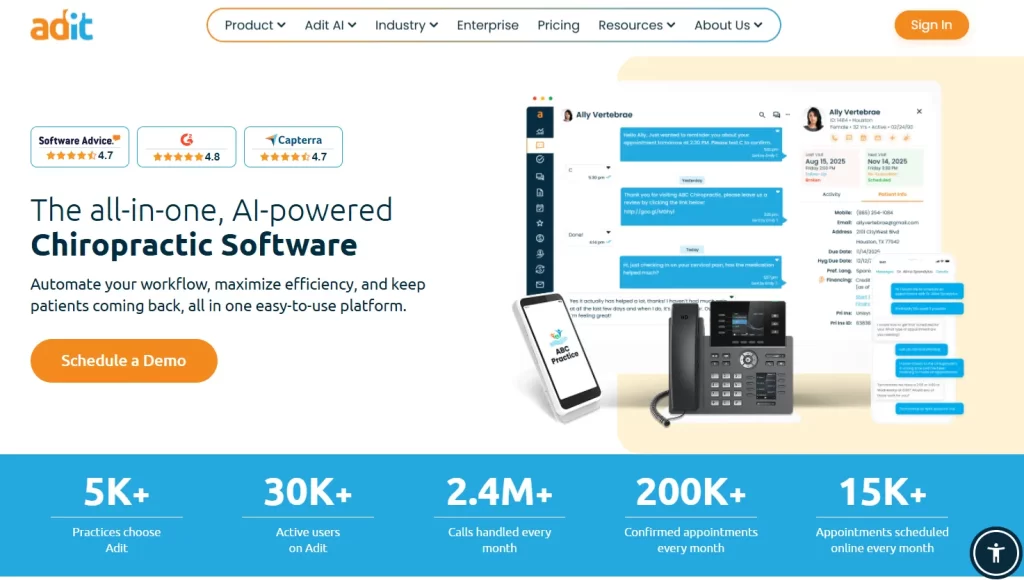
Adit sells the front desk, not the treatment room, which is why it complements clinical software rather than replacing it.
Adit is an all-in-one platform designed to centralize healthcare operations—primarily for dental practices, but also for orthodontics, optometry, and chiropractic offices.
It consolidates over 15 separate tools into a single dashboard to eliminate the need for multiple software subscriptions.
Key features
Adit Voice (VoIP): A dental-focused phone system that displays patient details—like medical history, balances, and upcoming appointments—instantly when calls come in.
Two-way HIPAA texting: Staff can securely message patients from desktop or mobile for confirmations, rescheduling, or post-op follow-ups.
Internal chat: A private messaging tool that lets clinical and front-office teams coordinate seamlessly without leaving their workstations.
TeleMed: A secure virtual care portal for remote consultations and patient triage.
Where Adit shines
AI call intelligence: Analyzes phone calls to flag missed booking opportunities and score staff performance. Fewer leads slip past the front desk.
Automated review generation: Automatically requests reviews from satisfied patients, enhancing online reputation and improving local search visibility to attract new patients.
Where Adit falls short
No SOAP notes: Adit isn’t a clinical EHR—you can’t create SOAP notes, track posture analysis, or record spinal adjustments. Practices still need a separate clinical EHR, such as Pabau, for documentation.
Rigid forms: Requiring a signature and email for every form can be cumbersome, especially for quick, frequent chiropractic visits.
Customer reviews
Capterra users rate Adit 4.7 out of 5 across 299 reviews.
“Overall, when there are issues that arise their tech team does work on it to fix. We haven’t had real bugs for a while but when we did it was mostly delays in connections between OpenDental and ADIT. The phones, texting, email, and forms have been great.” – Kari R., Capterra
“If you are looking for something to help your practice, this is not it. It hindered our practice for months … we spent way too much time trying to get what we were promised.” – kacee B., Capterra
Who is Adit best for
Chiropractors needing an administrative boost: Adit is perfect for practices that want a robust layer for communication and billing to complement their existing clinical software.
Front desk staff: Ideal for teams dealing with heavy call traffic or administrative overload.
Pricing
Plan
Price
What’s included
Adit platform bundle
Contact sales
Phones, texting, email, online forms, scheduling and practice analytics in one dashboard
Adit publishes no pricing on its own site, and the quote depends on which modules you switch on. Its pricing page advertises sign-up incentives rather than rates.
Price it as a second subscription, not a replacement. You will still be paying for clinical software alongside it.
How to choose the best chiropractic practice management software
The right clinic management software changes how a practice runs day to day. It shapes the patient experience and, over a year, the revenue.
So, focus on features that automate administrative tasks, help you manage appointment and staff schedules, and support patient engagement.
Appointment scheduling, calendar, and staff management
Online booking lets patients claim a slot at 10pm without a phone call, which is where most rescheduling requests arrive.
Look for a system that allows online booking, recurring appointments, and multi-location calendars while automatically sending reminders to patients. This reduces no-shows and keeps the practice running smoothly.
Pabau handles this with a color-coded calendar and drag-and-drop patient scheduling. Staff management and automated patient notifications sit alongside it, so the front desk saves hours each week.
Integrated billing for insurance and patient payments
Insurance claims and card payments run through the same ledger in Pabau, so reconciling a week takes minutes rather than an afternoon.
Integrated billing matters because insurance claims and patient payments land in the same system. That cuts administrative errors, speeds up payment processing, and improves cash flow.
Pabau automatically generates invoices, handles insurance claims submissions, tracks payments, and posts transactions in real time.
Staff can easily monitor outstanding balances, run detailed financial reports, and even set up automated reminders for patients.
Robust SOAP note documentation
Accurate and detailed SOAP notes help clinicians track patient findings, document treatment plans, and monitor progress over time. SOAP documentation also ensures continuity of care, simplifies audits, and provides an easy-to-review record for both clinicians and patients.
Detailed notes are also your first line of defense if a patient ever files a claim. That is why chiropractic liability insurance belongs in the same planning as your software stack.
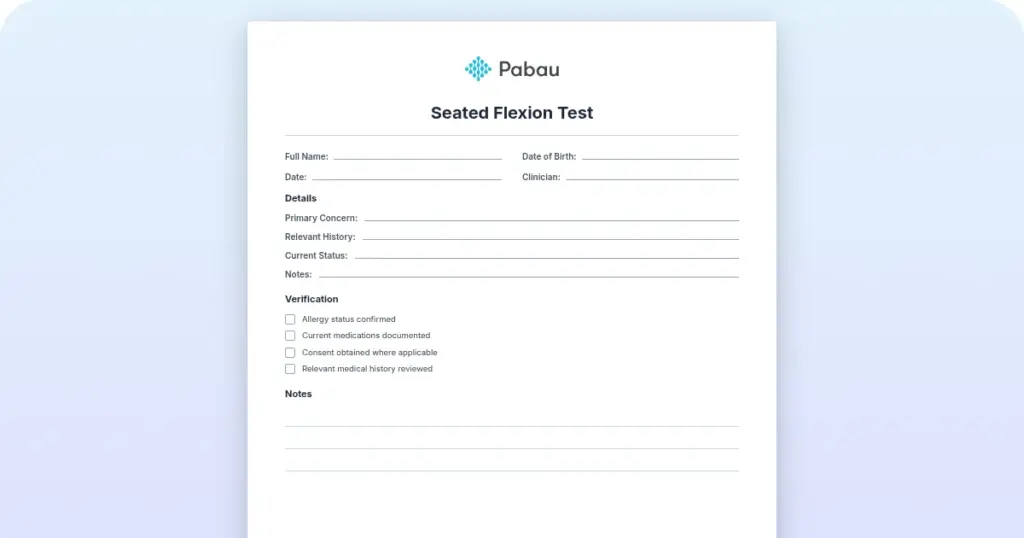
Pabau’s SOAP templates prefill the fields a chiropractic exam repeats, leaving the clinician to type only what changed.
Pabau streamlines SOAP note creation with customizable templates and clinical forms tailored specifically for chiropractic workflows. Providers can prefill notes, attach files, and track patient history in one centralized system, reducing repetitive data entry.
Comprehensive EMR
The right EMR software keeps patient information organized, quick to find, and compliant with healthcare regulations. That lets providers deliver consistent care with less administrative work.
Pabau’s EMR is built with chiropractic practices in mind, offering a centralized platform for all clinical records. Patient history, SOAP notes, and treatment plans are fully integrated, making it easy to view a patient’s progress at a glance. Multi-disciplinary practices can also store other assessment results, such as hearing test frequency ranges from audiology screenings.
Pabau’s EMR holds history, notes and treatment plans on one timeline, so a locum can pick up a care plan without a handover call.
Pabau also supports multi-location practices, ensuring that records remain consistent and accessible across all your practice sites.
Manage your chiropractic practice with Pabau’s all-in-one platform
If you are tired of clicking between different windows to check your schedule, bill a patient, and write a note, it’s time for a change.
Pabau is medical practice management software designed for the way a modern practice runs, and the whole feature set comes with every plan.
Whether you’re a solo practitioner or managing an enterprise-level multi-location chiropractic practice, Pabau scales with you.
Book a demo with Pabau and put a stop to the administrative burden, and run your practice seamlessly.
Run charting, claims and recalls in one place
Pabau keeps SOAP notes, insurance claims, payments and patient reminders in one system, so your chiropractic practice stops reconciling between tools. Every plan includes the whole platform.
The choice comes down to how your practice gets paid. If insurance carries the revenue, ChiroTouch and PayDC earn their keep on claims work alone.
If the bottleneck sits at the front desk instead, breadth matters more than claim depth. That is where an all-in-one platform changes the shape of the day, and where Adit can help a team that already has clinical software.
Whichever two you shortlist, get a written quote from both. Four of these six vendors publish no standard price, and the gap between a demo figure and a contract figure is where practices get caught.
Pabau is the one platform here that publishes a starting price and includes every feature on every plan. Book a demo to see how it handles a chiropractic SOAP note, the claim behind it, and the recall that fills next month.
Frequently asked questions
Can Pabau handle chiropractic-specific SOAP notes?
Yes. Pabau provides customizable SOAP templates, allowing clinicians to document patient findings, treatment plans, and progress notes quickly and accurately.
Does Pabau work for multi-location practices?
Yes. The platform supports multiple locations, centralizing scheduling, billing, and patient records across all practices.
Can I automate patient reminders and follow-ups?
Yes. Pabau allows automated SMS/email reminders, recall campaigns, and post-appointment follow-ups to reduce no-shows and improve engagement.
Can I access Pabau remotely on a tablet or smartphone?
Yes. Pabau is cloud-based, enabling secure access to charts, appointments, and billing from any device with internet connectivity.
Can I manage insurance and patient payments in one system?
Yes. Pabau integrates billing for both insurance claims and patient payments, streamlining revenue management and reducing errors.