Acuity Scheduling Price 2026: Plans, Costs and What’s Included
Acuity Scheduling looks deceptively simple at first glance: three tiers, a 7-day...

May 6, 2026


Buy now, pay later is now available in Pabau

Acuity Scheduling pricing starts at $20/month (Starter) on monthly billing or $16/month annually, with Standard and Premium tiers reaching $34 and $61/month respectively.
All paid tiers include unlimited services, payment processing via Stripe, Square, or PayPal, and a 7-day free trial – there is no permanent free plan.
HIPAA support requires a Business Associate Agreement (BAA); confirm plan-level availability with Acuity directly before purchasing for a healthcare practice.
Acuity Scheduling earns 4.8/5 from 5,600+ Capterra reviews – reviewers consistently praise booking-page design and ease of setup, while flagging gaps in clinical documentation and multi-practitioner reporting.
Acuity Scheduling looks deceptively simple at first glance: three tiers, a 7-day trial, and plans that start at $16 per month on annual billing. For a solo coach, photographer, or single-room practice, that simplicity is the appeal. For a multi-practitioner clinic weighing scheduling software against operational requirements like HIPAA, intake forms, and billing, the published price is only the start of the picture.
This article breaks down every Acuity Scheduling plan tier, what is and is not included, what verified reviewers say about the product, and where the platform tends to come up short. If you are evaluating Acuity Scheduling specifically, the goal is to give you everything you need to decide before purchase. A short alternatives section at the end covers what other platforms reviewers tend to shortlist alongside Acuity, including Pabau.
Acuity Scheduling is an online appointment booking platform owned by Squarespace. It was built as a self-service scheduling tool for service-based businesses: coaches, consultants, fitness instructors, salons, photographers, therapists, and small studios that need clients to book their own appointments without manual back-and-forth. The platform’s strength is the booking page itself, which is clean, customisable, and embeds natively into Squarespace, WordPress, and most other website builders.
The fit is strongest for businesses where the booking is the transaction. A 60-minute therapy session, a wedding photography consultation, a pilates class – if the workflow ends when the appointment is paid for and held on the calendar, Acuity Scheduling covers it well. Healthcare practices, particularly multi-practitioner clinics that need clinical documentation, intake forms tied to patient records, and invoicing across multiple services per visit, will find the scope narrower and the limits more apparent as workflows scale.
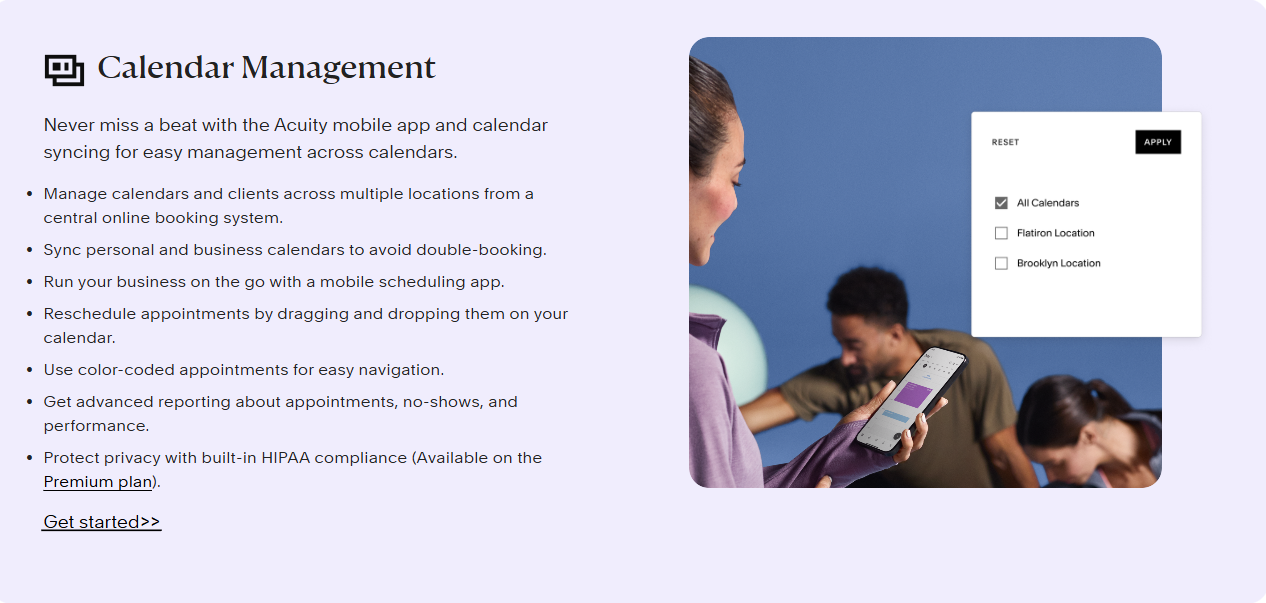
The booking page is Acuity’s flagship feature. Clients pick a service, view real-time availability, and confirm a slot without staff intervention. Calendar syncing with Google Calendar, iCal, and Outlook is included on every paid tier, which removes most double-booking risk for solo operators. Unlimited services and appointments are included on every plan – there are no per-booking fees.
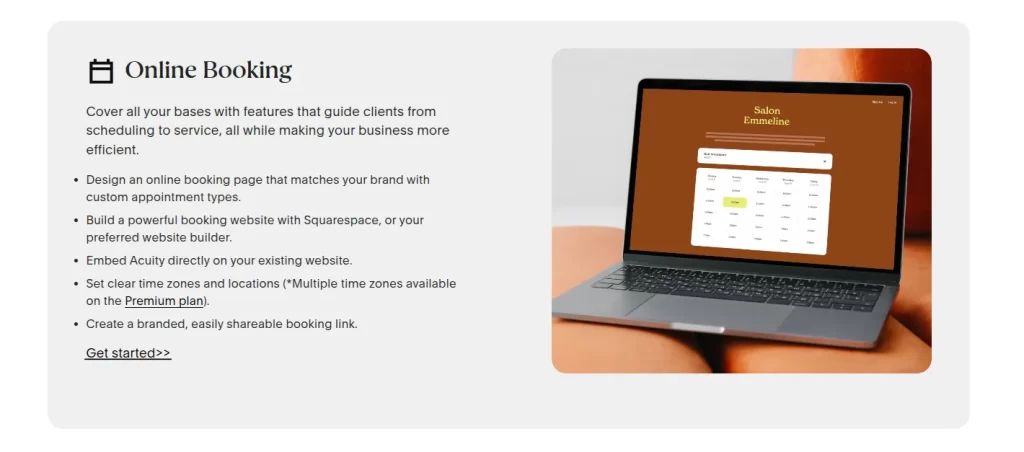
From the Starter tier upward, clients can pay at the time of booking through Stripe, Square, or PayPal. Deposits and full payments are both supported. Packages and gift certificates unlock on the Standard plan, which suits practices selling treatment bundles or session blocks. Acuity does not produce traditional invoices, ledger reports, or per-practitioner financial breakdowns – it captures payment events rather than running a full billing system.
Basic intake forms are available on all paid plans. Forms are sent at booking and the responses are emailed or stored against the appointment. The forms are functional for collecting basic client information but are not designed as clinical intake or e-signature consent documents. There is no native conditional logic, no patient record to attach forms to, and no automatic triggering of pre- or post-care instructions by appointment type.
Group appointments unlock on the Standard tier, which is meaningful for studios offering classes or shared consultation slots. Multi-staff calendars are available across paid tiers (one calendar on Starter, up to six on Standard, and a higher limit on Premium that has been cited as 36 in third-party sources). Resource and room allocation is not a native feature – clinics needing to book a treatment room separately from a practitioner generally rely on workarounds.
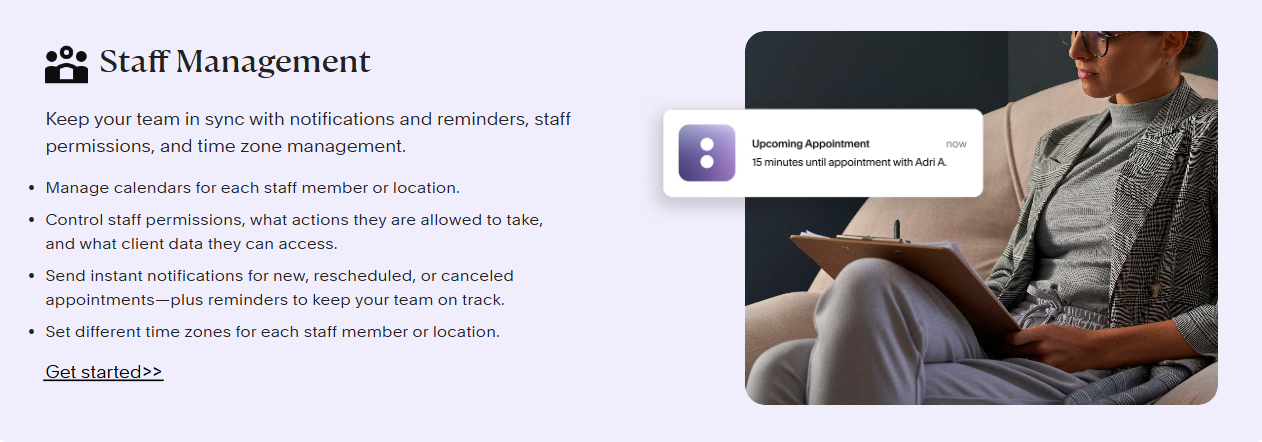
Acuity Scheduling has a broad integration ecosystem via direct connectors and Zapier. Zoom, Google Meet, Mailchimp, QuickBooks Online, and a long tail of niche tools all connect without custom development. The Squarespace ownership means embedding the booking page into a Squarespace site is essentially one click – useful for businesses already on that platform.
According to Capterra, Acuity Scheduling holds a 4.8 out of 5 rating across more than 5,600 verified reviews. On G2, the rating sits at 4.7 across 400+ reviews. Both sources show consistent praise for the booking-page experience and ease of setup, with criticism concentrated around reporting depth, customer support response times, and feature gaps for clinical or multi-practitioner workflows.
Setup speed. Reviewers on Capterra and G2 repeatedly highlight how quickly Acuity Scheduling can be configured. Solo practitioners report being live within an hour, with services, hours, payment connections, and confirmation emails all working out of the box. For businesses replacing a manual booking process, the friction-to-value ratio is low.
The client booking experience. The customer-facing booking page is the most consistently praised element of the product. Clients find it intuitive, fast, and mobile-friendly. Reviewers note that this directly reduces inbound calls and emails about appointments. Software Advice reviewers echo the same theme.
Payment integration. Native Stripe, Square, and PayPal support means most service businesses can collect payments at booking without additional plugins or services. Reviewers describe this as “set and forget” once configured.
Squarespace integration. For Squarespace site owners, Acuity Scheduling is essentially the default scheduler – and reviewers on that platform consistently mention the integration as a deciding factor.
No clinical documentation or EHR. Acuity Scheduling does not link bookings to patient records, treatment history, or clinical notes. For service businesses this is a non-issue; for clinics it is the largest functional gap. Reviewers on Capterra working in healthcare settings flag the absence of treatment records and clinical workflow as the main reason they eventually move to a practice management platform.
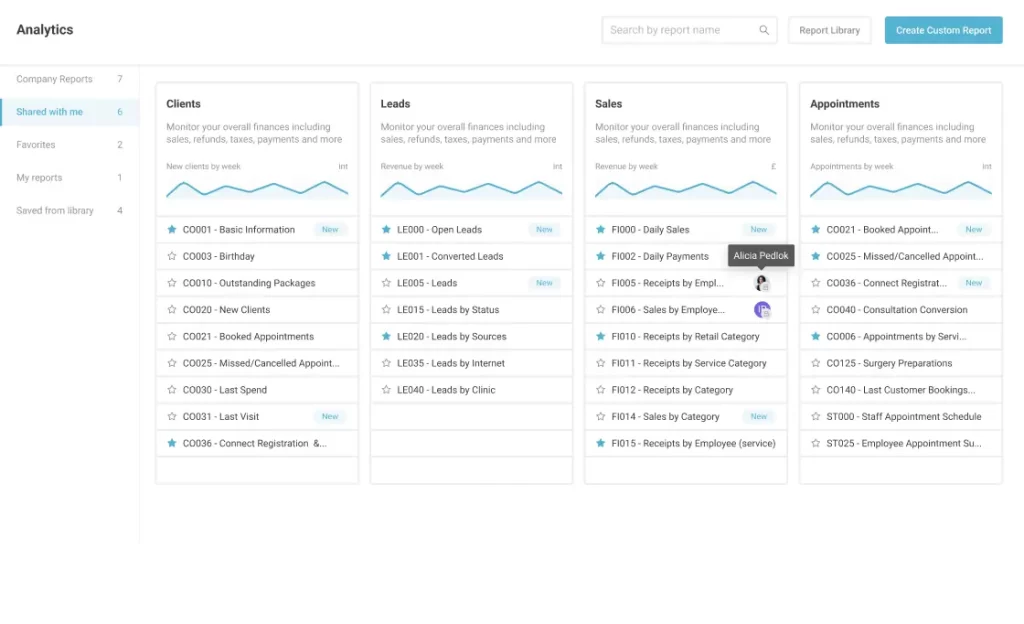
Reporting depth. Multi-practitioner clinics and businesses scaling beyond the founder consistently flag reporting as a weak spot. Acuity provides revenue summaries and basic appointment counts, but practice managers needing per-practitioner profitability, no-show analysis by service type, or treatment-mix reporting find themselves exporting to spreadsheets.
Customer support response times. Reviewers across Capterra and G2 report that support is email-only on lower tiers and that response times during peak periods can stretch to 24-48 hours. Phone support is not available; live chat is limited.
HIPAA clarity. A Business Associate Agreement (BAA) is reportedly available, but plan-level requirements are not surfaced clearly in the public marketing pages. Healthcare buyers should confirm directly with Acuity Scheduling which tier the BAA is included in and whether any features are restricted under HIPAA mode. For background, see HHS’s official HIPAA guidance for covered entities.
Cost scaling for multi-staff teams. The Starter plan covers one calendar; clinics with three to six practitioners need Standard, and anything beyond six pushes them to Premium. Combined with a separate EHR, forms tool, and billing system, the published $16-$20/month entry price overstates the true monthly cost for a clinical practice.
Acuity Scheduling currently offers three paid tiers, with pricing varying depending on whether you choose monthly or annual billing. According to Acuity Scheduling’s official signup page, the Starter plan is confirmed at $20/month on monthly billing or $16/month billed annually. Standard and Premium pricing figures below are sourced from multiple independent review sites and should be verified against the official page before purchasing, as pricing is subject to change.
*Standard and Premium pricing figures sourced from multiple independent review sites including Talkspresso and Capterra as of April 2026. Verify current figures at acuityscheduling.com before purchasing. The 36-staff figure for Premium has been cited in third-party sources but is not confirmed by official documentation.
Acuity Scheduling offers a 7-day free trial that gives access to all features. There is no permanent free plan. Once the trial ends, a paid tier is required to keep the booking configuration live. Seven days is workable for solo evaluators, but clinics needing to test the tool against actual patient workflows, intake forms, and HIPAA documentation often run out of runway before they have answers.

If you are evaluating Acuity Scheduling alongside other tools for a healthcare practice, book a demo of Pabau to see how scheduling, EHR, and billing work in one place.

Acuity Scheduling is a strong choice for service businesses where the booking is the transaction. For practices that need clinical records, HIPAA-aligned workflows, multi-practitioner billing, or marketing automation built into the same platform, the typical shortlist usually includes SimplePractice, Jane App, Mindbody, and Pabau. Each takes a different approach: SimplePractice and Jane App lean toward solo and small group therapy practices; Mindbody is broadest for fitness and wellness; Pabau focuses on multi-practitioner aesthetic, medical, and physiotherapy clinics that need a fully integrated practice management system rather than a scheduling layer plus add-ons.
Pabau is an all-in-one clinic management platform built specifically for healthcare practices. Where Acuity Scheduling stops at the booking, Pabau connects scheduling directly to clinical records, digital intake forms, invoicing, and patient marketing. According to Capterra reviewers, Pabau holds 4.7/5 across 600+ verified reviews, and is most often chosen by aesthetic clinics, medical spas, physiotherapy practices, and multi-specialty groups that have outgrown a standalone scheduler.
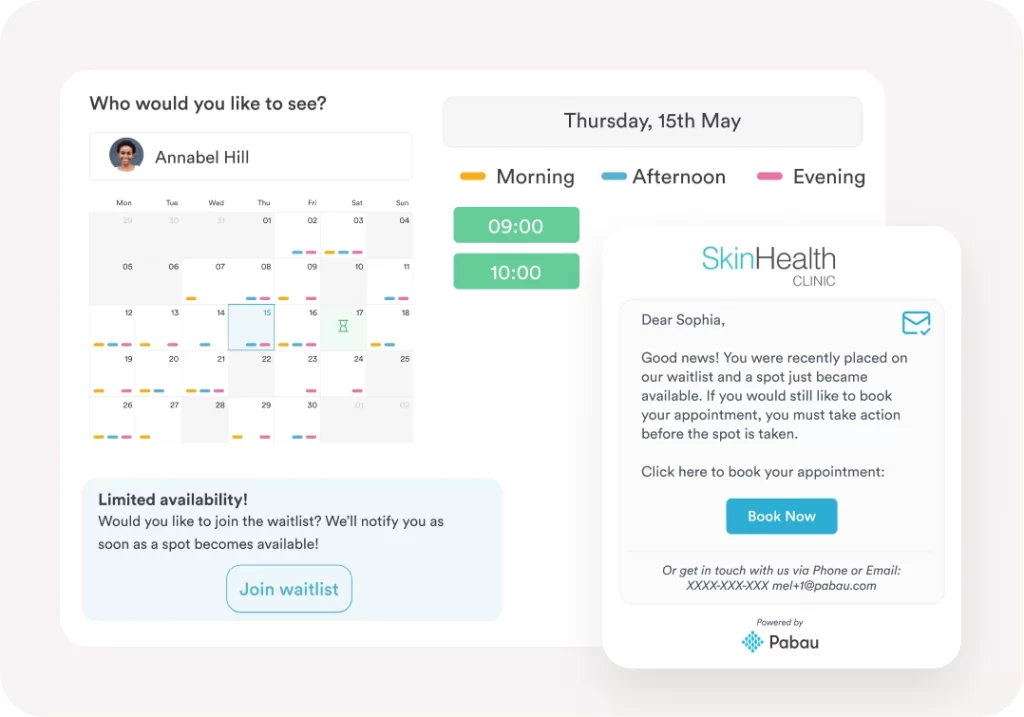
Pabau pricing starts from around $65/month per user, with tiers covering Starter, Solo, Team, Medium, Group, and Enterprise needs. The starting price is higher than Acuity Scheduling’s, which reflects the broader scope: scheduling, EHR, forms, billing, and marketing are bundled rather than purchased separately. See the current breakdown on Pabau’s pricing page.
The platform is at its strongest in multi-practitioner environments where bookings, clinical notes, treatment histories, intake forms, and invoicing all need to live in one place. Reviewers consistently call out the consolidation effect – replacing three or four point tools with a single subscription – as the reason they switched. Native multi-location support, with centralised reporting across sites, is another commonly cited differentiator.
Pabau’s depth comes with trade-offs. The starting price is meaningfully higher than Acuity Scheduling’s, which makes it a poor match for solo coaches, photographers, or service businesses that only need a booking page. Onboarding takes longer because there is more to configure – service menus, form templates, treatment protocols, billing setups – and reviewers note that some advanced features need initial setup before they behave as expected. For practices that genuinely only need self-scheduling and payment, Pabau is more platform than the workflow requires.
Pabau is best suited to multi-practitioner aesthetic clinics, medical spas, physiotherapy practices, GP surgeries, mental health groups, and multi-specialty clinics that need clinical documentation, HIPAA-aligned workflows, and integrated billing alongside scheduling. Solo practitioners running a simple booking-and-payment workflow are usually better served by a focused scheduling tool like Acuity Scheduling.

Comparing Acuity directly to a clinical platform? Pabau vs Acuity Scheduling covers feature-by-feature differences for healthcare practices.
Looking for the right scheduling software for your clinic type? Best Medical Spa Scheduling Software evaluates the leading options for aesthetic and wellness clinics.
Want to understand HIPAA requirements before choosing software? HIPAA Compliance for Clinic Software explains what to look for and what to ask vendors.
Acuity Scheduling delivers a strong, polished scheduling product at a price that is genuinely competitive for the audience it was built for. Solo practitioners, coaches, studios, and service businesses that need a clean booking page, payment processing, and basic intake forms get a tool that is easy to set up and reliable to run. The 4.8/5 Capterra rating is earned, and the limits surface most clearly outside that core audience – in clinical workflows that need patient records, multi-practitioner billing, or HIPAA-aligned documentation.
If your shortlist still has room for an integrated clinical alternative, you can book a Pabau demo alongside an Acuity trial.
Acuity Scheduling costs $20/month for the Starter plan on monthly billing, approximately $34/month for Standard, and approximately $61/month for Premium. Annual billing reduces these to $16, $27, and $49/month respectively. There is no permanent free plan, only a 7-day free trial.
No. Acuity Scheduling does not offer a permanent free plan. All users receive a 7-day free trial after signing up, after which a paid subscription is required to maintain access.
Acuity Scheduling is reported to offer a Business Associate Agreement (BAA) for HIPAA compliance, but the specific plan tier requirements and any conditions should be confirmed directly with Acuity Scheduling before purchasing for healthcare use. Always verify BAA availability and terms before selecting any scheduling tool for a HIPAA-covered practice.
The Starter plan ($20/month monthly or $16/month annually) includes client self-scheduling, unlimited services and appointments, one bookable calendar, payment processing via Stripe, Square, or PayPal, client email notifications, and basic intake form functionality. It does not include group appointments, packages, or advanced reporting, which require the Standard tier.
Acuity Scheduling integrates natively with Squarespace, Stripe, Square, PayPal, Google Calendar, iCal, Outlook, Zoom, Google Meet, Mailchimp, and QuickBooks Online, with hundreds of additional connections available through Zapier. Squarespace integration is the most seamless given the shared ownership.