

CPT Code 30801: Superficial turbinate ablation billing guide
CPT Code 30801: Official descriptor and procedure overview The American Medical ...

Last Updated: Nov 27, 2026
CCSD code XR260 is the UK private healthcare billing code for plain film radiographic examinations, billed to insurers such as Bupa, AXA Health and Aviva. It sits in the Clinical Coding and Schedule Development (CCSD) schedule, the standard code set for procedures and tests in UK private healthcare.
The code itself is rarely what sinks a claim. Denials usually trace back to paperwork, such as a missing authorization number, a report billed as its own line or an invoice sent too late. The sections below follow a claim from referral to payment, then give you a checklist to run before you submit.

CCSD code XR260 is billed as a plain film X-ray code in UK private practice, separate from CT, MRI and contrast codes.
Confirm the XR260 descriptor against the current CCSD schedule before you invoice, because descriptors can change between editions.
Most private payers want pre-authorization before the exam, and a number obtained afterward will typically not be honored.
Billing the radiologist’s report as a separate line when XR260 already bundles it is a common unbundling error.
A short pre-submission checklist covering referral, authorization, signed report, service date and diagnosis catches the usual causes of rejection.
CCSD code XR260 is a plain film radiographic examination code in the CCSD schedule. UK private providers use it to bill insurers for conventional X-ray work. Confirm the official descriptor against the current CCSD schedule before you bill, since descriptors can change between editions.
Consultant radiologists and billing managers use the code when they invoice a private insurer. It links the exam and its report to the claim the payer receives.
The Clinical Coding and Schedule Development (CCSD) Group maintains the schedule. Representatives from four major private insurers sit on it: Bupa, AXA Health, Aviva and Vitality. CCSD codes are not interchangeable with NHS OPCS-4 or US CPT codes. Our CCSD codes library lists the wider schedule, one code at a time.
Knowing what XR260 bundles stops you from billing the same work twice. The breakdown below follows standard CCSD bundling principles. Check it against the current descriptor and any payer-specific guidance.
Watch the report line. The most common slip is invoicing the radiologist’s report as a separate item when the XR260 descriptor already includes reporting. Payers reject that line and may flag the invoice for audit. A formal second-opinion report on images taken elsewhere may attract its own code, so check the current schedule for it.
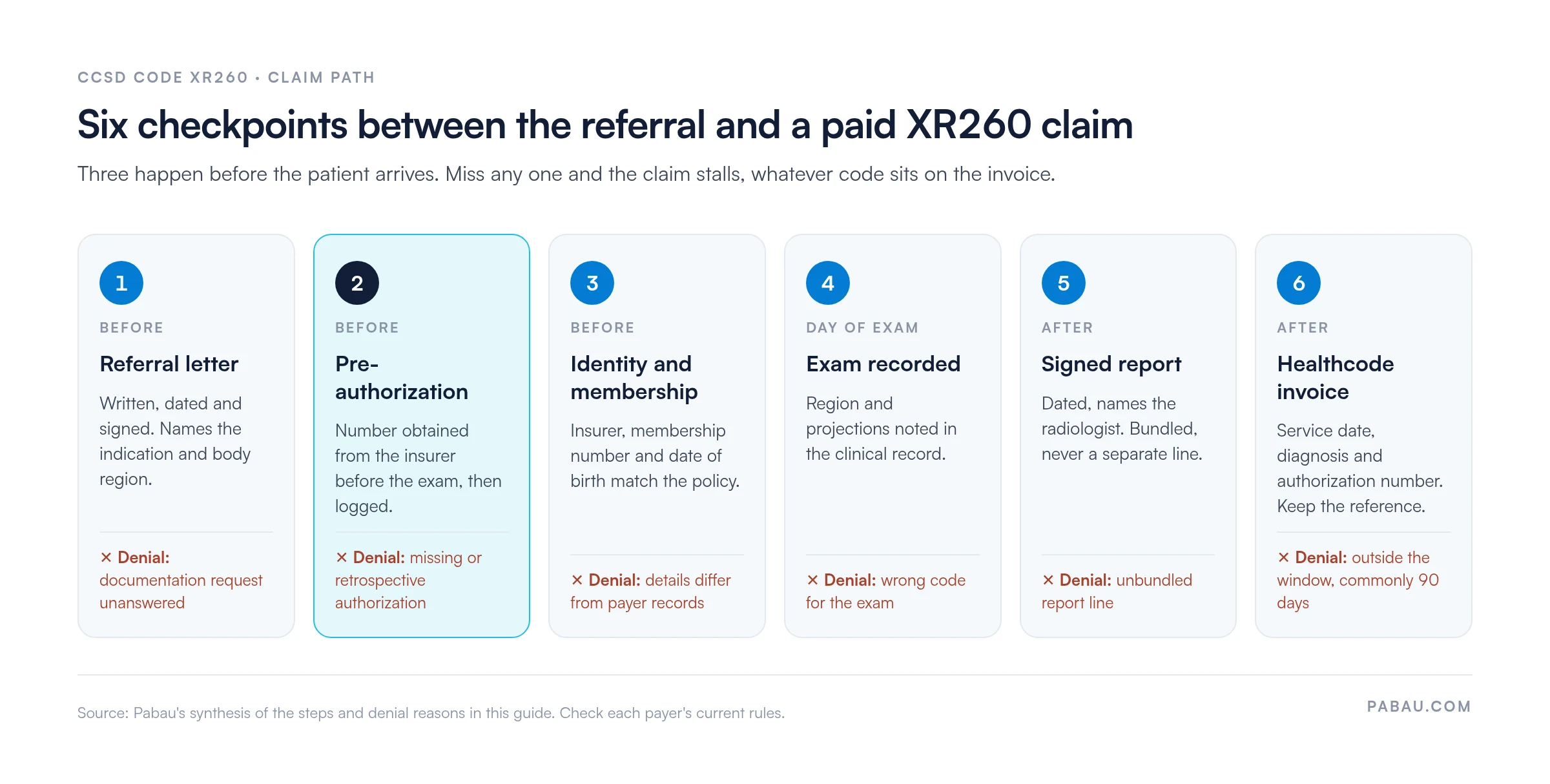
A payable claim starts with a well-kept clinical record. Each step leaves a document the payer may ask for, and the flow below shows which denial each one prevents. Individual facilities may adapt the steps to local protocols.
Picking the wrong XR-series code is an easy error to avoid, yet it still causes radiology denials. The table below shows how XR260 relates to the codes it is most often confused with. Confirm current descriptors against the published CCSD schedule before you bill. Not every XR code is imaging, either. CCSD XR650, for example, is percutaneous pyelolysis, a kidney procedure in the schedule’s urinary section. Code XR530 is another, since it covers fluoroscopically guided vertebroplasty in the schedule’s interventional radiology chapter.
A quick rule: Read the XR260 descriptor alongside the two or three codes above and below it. If a neighboring descriptor fits the procedure more closely, use that code instead. Billing XR260 when another XR-series code applies can lead to underpayment and audit exposure.
Each of the four major UK private insurers sets its own pre-authorization rules, invoicing window and paperwork. The table summarizes general practice, not a binding schedule, so check current payer guidance before you rely on it.
For Bupa, the Bupa code search portal confirms the current XR260 fee and whether the code is active. It also flags codes that have been superseded or consolidated. For Aviva, the Aviva fee schedule gives procedure-level reimbursement and invoicing rules. The Vitality fee finder allows code-level lookup and is updated when Vitality revises its fee policy.
Healthcode is the main electronic data interchange (EDI) platform for UK private healthcare billing. Most major payers accept, and prefer, Healthcode-submitted invoices for CCSD-coded procedures.
Radiology denials in UK private practice follow predictable patterns. Here are the usual triggers for XR260, with a fix for each one.
Run a monthly unbundling audit on every XR-series claim from the previous period. Filter for invoices that carry XR260 and a report-line code on the same date of service for the same patient. Each match is a probable unbundling error. Catching it before it becomes a formal dispute is far easier than answering a payer audit later.
Run through this list before each XR260 invoice. It covers every document a payer may request for the claim. Keep the documents in the patient record for at least seven years, in line with standard UK private practice record-keeping.
Practices with a high volume of radiology episodes get the most from making this checklist a standard invoice-preparation step.
Each insurer sets its own XR260 fee, and your contracted rate may differ again. No single public fee applies across insurers, so check each payer’s current schedule before you quote patients or set fees.
If you bill several insurers, keep a code-level fee comparison table and update it whenever a payer revises its schedule. Many insurers email recognized providers when fees change, so enroll for those notices through each payer’s provider portal.
Our Bupa CCSD codes guide explains how Bupa’s recognized provider scheme affects fee levels and which codes need extra documentation. For how Bupa structures its CCSD-based payments, see the Bupa procedure fee schedule breakdown.
Check the CCSD schedule each time a new edition is released. Descriptor, fee or bundling changes that affect XR260 or neighboring XR-series codes appear there first. Update your internal fee table and billing templates within two weeks of the release, so no invoice goes out under a superseded descriptor.
Without one system, authorization numbers sit in an inbox, referral letters in a shared drive and invoices in a separate billing tool. A claim then stalls whenever one piece can’t be found on submission day.
Pabau’s built-in claims management software keeps the referral, authorization number, signed report and invoice on one patient record. You prepare CCSD-coded invoices there and send them through Healthcode with the supporting documents attached.
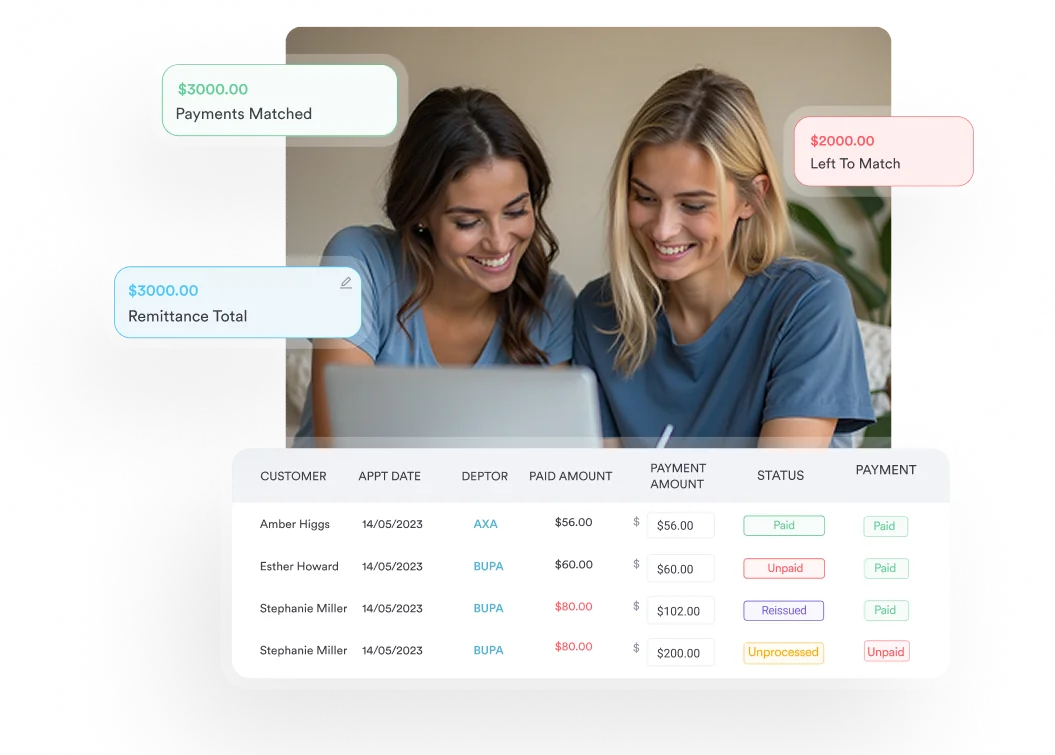
The outcome is an invoice that leaves with its evidence attached. Your team spends less time chasing paperwork after a rejection.

Pabau supports CCSD-coded invoice workflows for UK private practice. Digital documentation and claims tools catch errors before they reach the payer.

XR260 claims seldom fail on the code itself. They fail when the authorization, the signed report or the service date doesn’t line up with what the payer expects.
So make the checklist a fixed step before every invoice, and audit XR-series claims each month for stray report lines. Above all, confirm the XR260 descriptor in the current CCSD schedule, because the code’s scope is defined there rather than in any payer table.
Book a demo to see how Pabau keeps every XR260 invoice and its supporting documents on one patient record.

Need a full Bupa CCSD billing reference? Bupa CCSD codes guide covers the complete Bupa CCSD framework, including recognized provider requirements and documentation rules.
Quoting a fee before the exam? Bupa procedure codes fee schedule explains how Bupa structures its CCSD-based reimbursements.
Decoding a rejection message? Denial codes in medical billing walks through the top 20 CARC codes and how to fix them.
Billing several CCSD procedures in one practice? Claims management software from Pabau supports CCSD-coded invoice preparation and Healthcode submission from one workflow.
XR260 is billed as a plain film radiographic exam in UK private healthcare. It bundles image acquisition, radiographer time and the radiologist’s report where the descriptor says so. Contrast, CT, MRI and ultrasound use separate codes.
The CCSD Group, short for Clinical Coding and Schedule Development, maintains it. Representatives from Bupa, AXA Health, Aviva and Vitality sit on the group.
Yes, when the claim carries a valid pre-authorization number and a signed report, and arrives within the invoicing window, typically 90 days. Check the current fee on Bupa’s code search portal.
The usual triggers are missing or late pre-authorization, a separately billed report, the wrong XR-series code, thin documentation and late submission. The Healthcode rejection reason tells you which one applies.
Not when the XR260 descriptor already includes reporting. A formal second-opinion report on images taken elsewhere may attract its own code, so check the current CCSD schedule first.
Most UK private insurers expect the invoice within 90 days of the service date. Confirm each payer’s window in its provider guide, since policies change.