HCPCS code L0638: Custom fabricated LSO billing guide
HCPCS code L0638 is a brace built for one patient HCPCS code L0638 is the Level ...

Last Updated: Nov 2, 2026

CCSD code 0087B identifies a serine level test, a biochemistry blood test, in the UK Clinical Coding and Schedule Development (CCSD) schedule.
It sits in the biochemistry section of the schedule and is used to bill the test to private medical insurers such as Bupa, AXA Health, and Vitality, each of which references CCSD codes in its own fee schedule.
There is no fixed fee. What you are paid depends on the insurer and your individual recognition agreement, so check the current figure before you bill rather than assuming a rate.
Much of the detail sits behind a provider login. Confirm the current wording and status of 0087B against the live CCSD schedule and your insurer’s own code search before submitting a claim.
CCSD code 0087B is the code you use to bill a serine level test, a biochemistry blood test that measures the amino acid serine, to UK private medical insurers. It lives in the biochemistry section of the CCSD schedule, which tells you the most important thing about it up front: this is a pathology test, not a surgical or clinical procedure.
So whether you are a consultant setting up private billing for the first time or an administrator processing a stack of PMI claims, here is what 0087B actually is, who recognises it, and how to get the claim through on the first pass.
CCSD code 0087B is listed in the CCSD schedule, maintained by the Clinical Coding and Schedule Development group, the body that standardises the procedure and test codes used across UK private healthcare.
That schedule is the shared reference private medical insurers and independent providers use to identify, record, and reimburse what happens in a consultation, including the tests ordered off the back of it.
Serine is one of the amino acids the body makes for itself, so a serine level test does exactly what the name says: it measures how much serine is present in a blood sample, usually as part of a wider look at a patient’s amino acids or metabolic picture.
For billing, though, the clinical detail matters less than the category. This is a laboratory analysis. A sample is taken, sent to a lab, analysed, and reported back. Nobody “performs” 0087B on a patient the way they would an injection or an operation, and that single fact drives how the claim has to be built.
The CCSD schedule is updated periodically, and a lot of the code-level detail sits behind a provider login rather than out on the open web. So treat the description here as the shape of the thing, and confirm the current wording and status of 0087B against the live schedule and your insurer’s own code search before you bill it.
Here is how it sits in the schedule:
The major UK private medical insurers all reference the CCSD schedule when they process claims, so 0087B is a code they will recognise in principle. That list includes Bupa, AXA Health, Vitality, Aviva, Cigna, WPA, and Healix. What it does not mean is that recognition equals a guaranteed payment at a set rate.
Each insurer builds its own fee schedule on top of the CCSD codes, and whether a given test is covered for a given patient still comes back to your recognition agreement and that patient’s policy.
In practice, the reliable move is to check the code against the insurer’s own tool rather than trust a general list. Bupa lets recognised practitioners look up codes directly through its code search, and our Bupa CCSD codes guide walks through how Bupa applies them.
The table below is a starting point for where to look, not a promise of coverage:
Some insurers also apply extra conditions to particular tests, from pre-authorisation to limits on how often a test can be repeated. None of that shows up on a generic code list, which is why “check before you treat it as covered” is the rule that saves the most rework.
You will not find a definitive reimbursement rate for 0087B anywhere, and you should be wary of any source that quotes one.
Each insurer sets its own fee, and the figure you actually receive depends on your recognition agreement, your specialty and seniority classification, and the version of the schedule in force at the time. The same test can pay differently across two insurers, and differently again under two agreements with the same insurer.
So the honest answer to “what does it pay?” is “look it up for your setup.” Vitality’s fee finder shows recognised providers their current fee per code, Bupa’s code search does the equivalent, and your own agreement paperwork is the final word.
Keep a simple internal reference of the current agreed rate per payer for the codes you bill often, and revisit it whenever a schedule update lands.
Set a recurring reminder to re-check your payer fee schedules whenever CCSD publishes an update. Fees and rules can shift between versions, and billing against last year’s figures is one of the most avoidable causes of a query or a shortfall.
Practices that process insurer work through a claims management tool spend far less time chasing unpaid CCSD-coded invoices.
A rejected pathology claim is rarely bad luck. It almost always traces back to the test getting miscoded or the claim sent late. Walking the claim through end to end is the easiest way to see where each of those creeps in.
Here is the path a serine test takes from consulting room to paid invoice.
It starts with a requesting clinician deciding, during a consultation, that a serine level is worth checking. That decision is the clinical anchor for the whole claim, so the reason for the test needs to land in the notes at this point, not be reconstructed later. Before the sample is even taken, check whether the patient’s insurer wants pre-authorisation for the investigation. Some do, some don’t, and finding out afterwards is the expensive way.
Bloods are taken and sent to the pathology lab, which runs the analysis and returns a result. This is the part that makes 0087B a test and not a procedure, and it is worth being deliberate about who bills what. Depending on your arrangement, the lab may invoice separately for the analysis while you bill the consultation, or the test may sit on your invoice as a pathology line. Knowing which applies before the claim goes out prevents the same test being billed twice or falling between two stools.
When 0087B goes on the invoice, it goes on as a pathology line with the code exactly as the schedule publishes it, the description that matches, the date the sample was taken, and the agreed fee.
Many insurers also want the requesting clinician’s GMC number, the patient’s policy or membership number, and the pre-authorisation reference if one was issued. A tidy invoice here is worth more than any appeal later.
Healthcode is the electronic billing platform most UK PMIs accept or require, and it earns its keep by validating claims against the CCSD schedule and flagging coding problems before the insurer ever sees them.
Paper submission is still accepted by some insurers, but it is slower and more error-prone. For anyone billing PMI claims with any regularity, electronic submission is the default worth setting up.
Once it’s submitted, don’t lose sight of it. Most insurers publish a processing window in their provider guides, and if a claim is queried or rejected you usually have a defined period to respond.
That is where the notes from step one earn their place: a claim backed by the request reason, the result, and clean documentation is one you can defend quickly instead of chasing from scratch.
Run down this list before the claim leaves your desk. It maps to the five failure points above, tuned for a pathology line rather than a procedure:
Most of what goes wrong with a code like this is predictable. These are the ones that come up again and again:
Nearly every mistake above is really a joining-up problem: the request in one place, the result in another, the invoice somewhere else, and someone reconciling them by hand. That’s manageable at a handful of tests a month and genuinely risky at a hundred.
This is where practice management software like Pabau helps, by keeping the request, the returned result, the clinical note, and the CCSD-coded claim on the same patient record, then submitting it through its Healthcode integration so the pathology line is validated before it goes. Less re-keying, fewer gaps for a query to find.
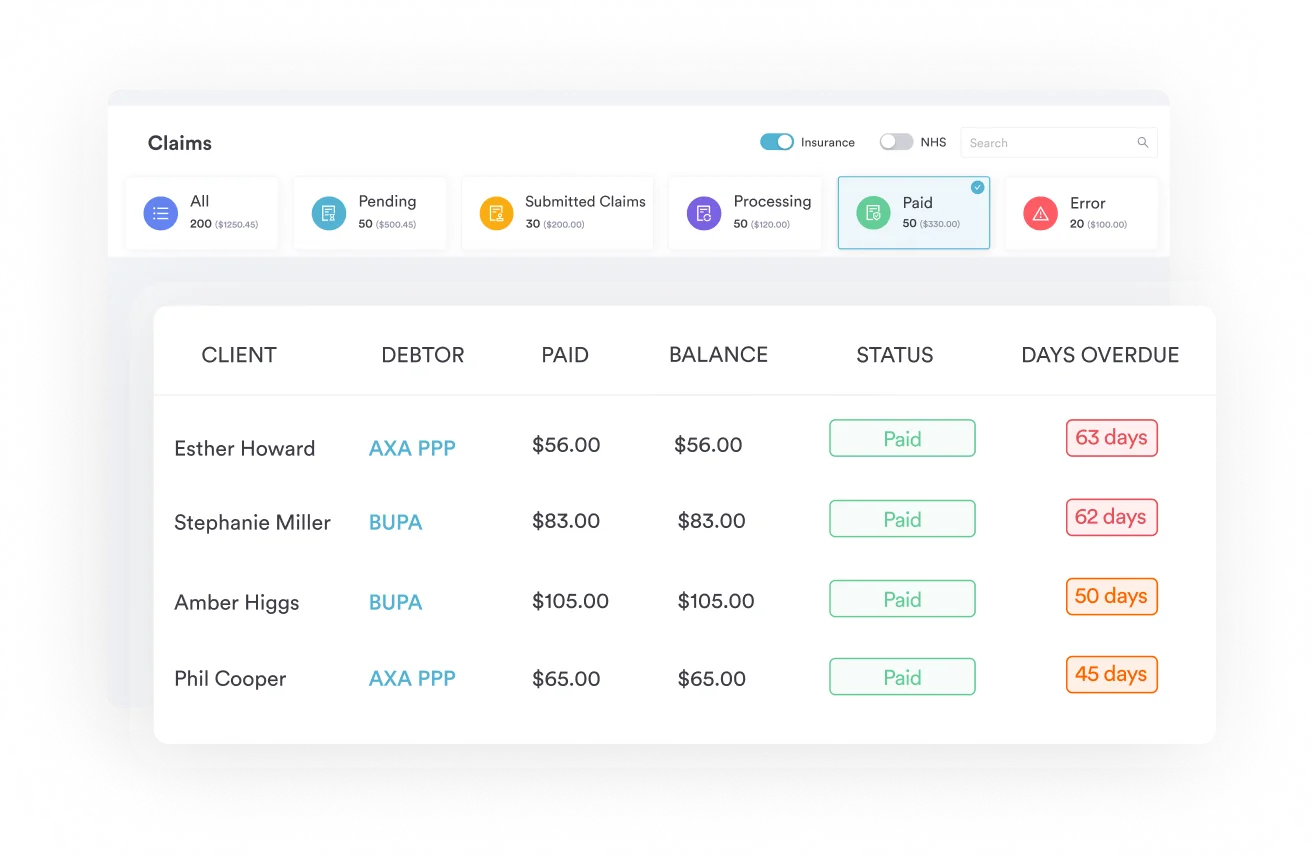

Pabau links the test request, the lab result, the clinical note, and the CCSD-coded claim on one patient record, with Healthcode submission built in. Book a demo to see how it works for UK private practices.

Billing 0087B well comes down to remembering what it is. It’s a biochemistry test, a serine level, not a procedure, and coding it that way is what keeps the claim clean. Beyond that, don’t lock yourself to a fee that isn’t fixed, check the live schedule and your agreement rather than a list you found once, and keep the request, result, and documentation joined up.
Do those four things and this code stops being something that trips up claims and goes back to being a routine line on an invoice.

Billing a tissue ablation catheter? HCPCS code C1886 guide covers billing the insertable catheter used for extravascular tissue ablation alongside the primary procedure.
Benchmarking what a major insurer pays? The Bupa procedure codes fee schedule is a useful reference for reimbursement across CCSD-coded items.
Coding a device with no specific code? HCPCS code C1889 guide covers billing the not-otherwise-classified code for implantable or insertable devices without a specific listing.
It’s a test. CCSD code 0087B identifies a serine level test, a biochemistry blood analysis, in the biochemistry section of the CCSD schedule. It should be billed as a pathology test, not as a surgical or clinical procedure. Confirm the current description against the live CCSD schedule before billing, as wording can change between revisions.
It covers a serine level test, the measurement of the amino acid serine from a blood sample, within the biochemistry section of the CCSD schedule. Because the schedule is updated periodically and much of the detail sits behind a provider login, verify the exact current wording at ccsd.org.uk or through your insurer’s code search before you bill.
The major UK private medical insurers, including Bupa, AXA Health, Vitality, Aviva, Cigna, WPA, and Healix, all reference the CCSD schedule for claims processing. Recognition of the code is not the same as guaranteed payment, though: acceptance and fee depend on your individual recognition agreement and the patient’s policy, so verify directly with the insurer before treating it as covered.
There’s no fixed rate. Each UK private medical insurer sets its own fee, and what you receive depends on your recognition agreement, your specialty and seniority, and the current schedule version. Check the figure for your own setup using tools such as Vitality’s fee finder or Bupa’s code search, rather than relying on a quoted rate.
Confirm whether pre-authorisation is needed, then take and send the sample to the lab. Put 0087B on the invoice as a pathology line, exactly as published, with the sample date and agreed fee, plus the requesting clinician’s GMC number and the patient’s policy number where required. Submit electronically through Healthcode, which validates the claim against the CCSD schedule, then track it and respond to any query within the insurer’s window.