Pabau vs SimplePractice: AI SOAP Notes Compared
Documentation is consuming clinicians. Research into AI scribes’ impact on...

April 22, 2026


Buy now, pay later is now available in Pabau

Acuity Scheduling reviews highlight intuitive booking for solo practitioners, but HIPAA compliance requires their higher-tier plan.
Acuity Scheduling lacks native clinical documentation, treatment notes, and integrated billing – gaps that matter for healthcare clinics.
Pabau includes scheduling, clinical notes, consent forms, prescriptions, and billing in one platform, with no third-party tools needed.
For multi-location healthcare and aesthetic clinics, Pabau’s end-to-end workflow depth outperforms Acuity’s standalone scheduling approach.
Most scheduling tools promise to simplify your clinic’s bookings. Few deliver on what happens after the appointment is made. Acuity Scheduling reviews on Capterra consistently rate it 4.8 out of 5 for ease of use, and the praise is genuine. But ease of booking is not the same as clinical workflow readiness. For healthcare providers and aesthetic clinics evaluating acuity scheduling reviews alongside full practice management options, the distinction matters enormously.
This guide evaluates both platforms across scheduling depth, HIPAA compliance, clinical documentation, billing, integrations, and pricing. The focus is practical: which platform fits the operational reality of running a clinic, not just filling a calendar.
Before diving into each category, here is how Acuity Scheduling and Pabau compare across the criteria clinic owners and practice managers care about most.
Acuity Scheduling, acquired by Squarespace in 2019, is one of the most widely used standalone appointment booking tools on the market. It targets service businesses broadly: personal trainers, coaches, consultants, therapists, and small healthcare practices. Its self-scheduling interface lets clients book, reschedule, and cancel appointments without staff involvement, and automated reminders reduce no-shows reliably.

The platform’s strength is its simplicity. Setting up a booking page, syncing a Google Calendar, and accepting Stripe payments can be done in under an hour. That accessibility explains the strong scores across acuity scheduling reviews on Capterra and G2. Where it falls short is scope: once you need treatment notes, clinical documentation, integrated billing, or compliance-grade data handling, Acuity requires third-party tools at additional cost.
Pabau approaches the same scheduling problem from a different direction. Built specifically for healthcare and aesthetic clinics, it embeds scheduling within a complete practice management platform. The Pabau vs Acuity Scheduling comparison is really a comparison between a scheduling tool and a clinic operating system. Understanding that difference is the starting point for any honest evaluation.
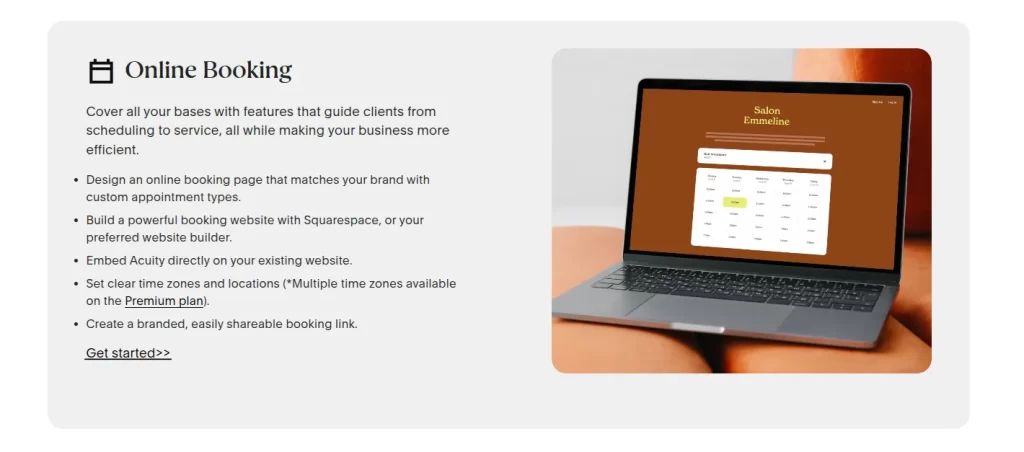
Scheduling is where Acuity genuinely excels. Clients get a branded booking page, real-time availability, and the ability to select services, practitioners, and time slots without staff involvement. Calendar sync works reliably with Google Calendar and iCalendar. Automated SMS and email reminders go out on configurable schedules, and Acuity supports group bookings, packages, and subscription services.
Multi-location scheduling is supported, per the official Acuity website, though plan-tier restrictions apply. Some users in acuity scheduling reviews have noted that blocked periods may not sync reliably with Outlook, though this is not universally reported and may depend on configuration.
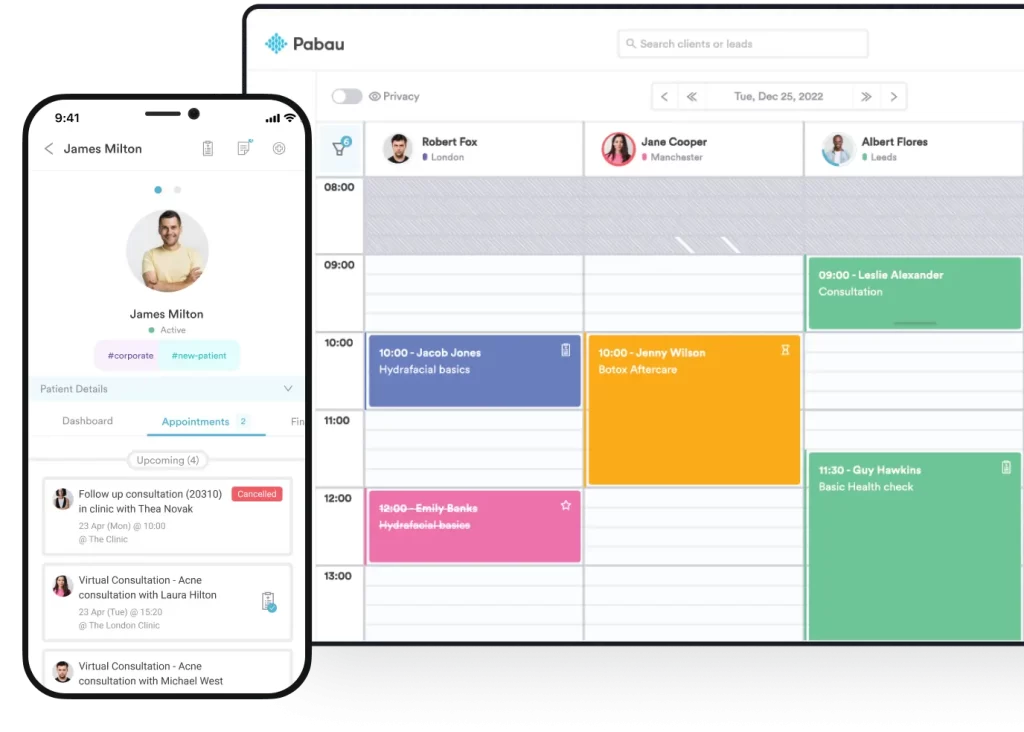
Pabau’s calendar and scheduling system is built for clinical complexity. Multiple practitioners, rooms, and resources can be managed from a single view. Colour-coded appointment types, deposit collection at booking, and waitlist management are native. The online booking tool integrates directly with client records, so when a patient books an appointment, their intake forms, consent documents, and previous treatment history are already accessible to the practitioner.
For clinics managing multi-location scheduling, Pabau’s multi-location management is purpose-built: consolidate reporting, practitioners, and calendars across sites without the workarounds that standalone scheduling tools typically require.
HIPAA compliance is a documented point of friction in acuity scheduling reviews from healthcare providers. Acuity only offers a Business Associate Agreement (BAA) on its higher-tier plans, not on entry-level subscriptions. This means a solo practitioner or small clinic using Acuity’s lower-cost tier is not covered for HIPAA-regulated data. Multiple user reviews on Trafft and Software Advice flag this as a genuine limitation for clinical settings.
The implications are practical. A physical therapy practice, mental health clinic, or aesthetic medical provider that handles protected health information (PHI) cannot legally rely on a non-HIPAA-compliant booking platform without significant compliance risk. The HHS HIPAA Security Rule requires covered entities to have a signed BAA with any business associate that processes PHI on their behalf.
Pabau was built for healthcare from the ground up. Its HIPAA compliance framework is available across its plans for US customers, and the platform also supports GDPR requirements for UK and EU practices. This matters for clinics that operate across jurisdictions. For a deeper look at what HIPAA readiness means in practice management software, see Pabau’s HIPAA compliance guide for clinic software.
Audit your current scheduling platform before assuming HIPAA compliance. Check whether your subscription tier includes a signed Business Associate Agreement – without one, handling any protected health information creates direct regulatory exposure. Lower-cost tiers from general scheduling tools often exclude this protection entirely.
This is the sharpest line between the two platforms. Acuity Scheduling does not include native clinical documentation. Treatment notes, medical history, consent forms, prescriptions, and aftercare documents are outside its scope. For a general service business, this is irrelevant. For a healthcare or aesthetic clinic, it means every patient interaction requires a separate system alongside the booking tool.
Pabau handles the full clinical workflow natively. Digital consent and intake forms are sent to patients before their appointment and automatically attached to their client record. Treatment notes are completed at the point of care. Prescription management, before-and-after photo documentation, and post-treatment care instructions all live within the same platform. Nothing needs to be transferred between systems.
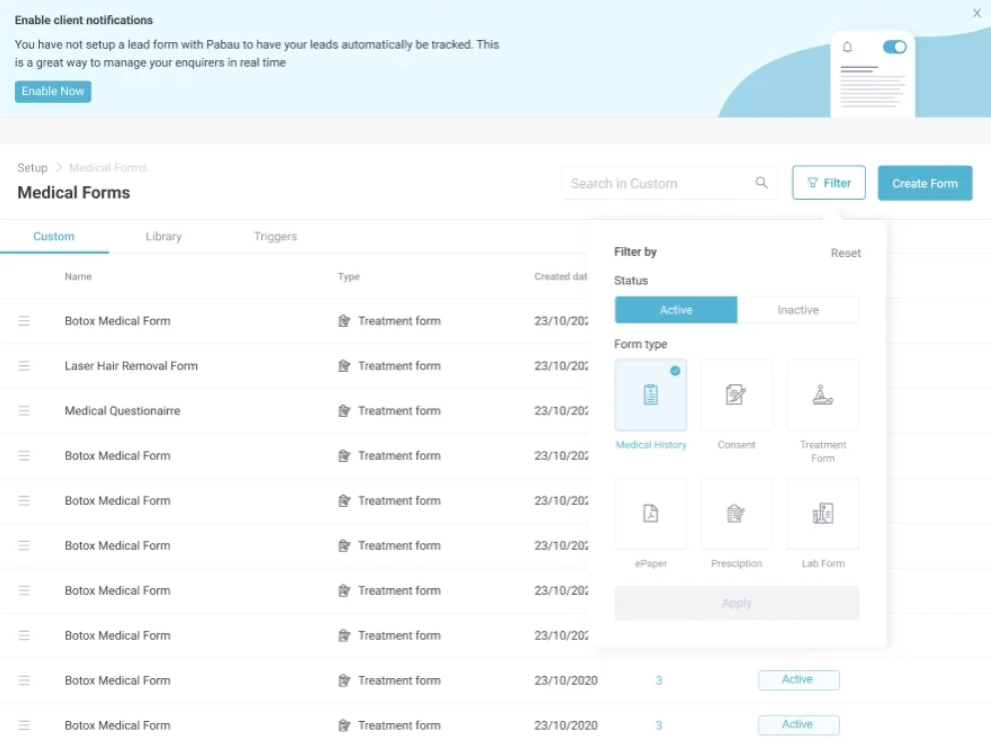
The practical consequence for a clinic is significant. A practitioner using Acuity manages their schedule in one tool, their clinical notes in another (an EHR or paper), and their billing in a third. Each system adds cost, adds training overhead, and creates gaps where patient information can fall through. Pabau’s automated clinical workflows connect every step from booking through discharge, reducing administrative load without requiring third-party integrations.
Acuity supports payment collection at the point of booking via Stripe, PayPal, and Square. Clients can pay deposits or full fees when scheduling, which is useful for reducing no-shows. However, this is where Acuity’s billing capability ends. There is no invoicing system, no package or membership billing, no financial reporting, and no insurance claim workflow within the platform. What Acuity delivers is payment collection, not practice-level billing.

From online booking through clinical notes, consent forms, and billing – Pabau connects every step of your clinic's workflow in one platform. No third-party tools required.

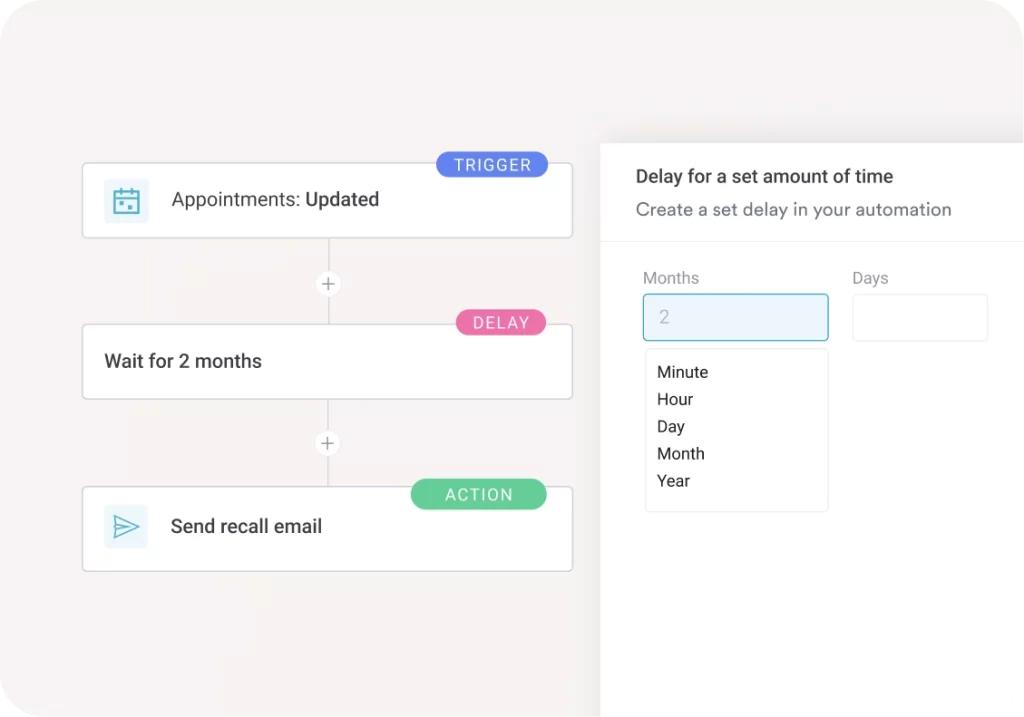
Pabau’s claims management and billing tools cover the full financial lifecycle. Invoices are generated from completed appointments, payments are tracked, packages and memberships are managed, and financial reporting gives clinic owners visibility into revenue by practitioner, service, and location. For medical clinics handling insurance billing, Pabau supports the documentation workflows that feed claim submissions, something a standalone booking tool like Acuity cannot provide.
The cost comparison is worth framing honestly. Acuity’s lower entry price looks attractive in isolation. Add a dedicated EHR, a billing system, and a documentation tool alongside it, and the total cost of running a clinical operation with Acuity as the scheduling layer rises considerably. Pabau’s pricing consolidates those functions, which changes the total cost of ownership calculation for clinics needing more than appointments alone.
Acuity Scheduling offers tiered pricing, with plans starting at approximately $20/month for solo practitioners (as of 2026 – verify current pricing at acuityscheduling.com). The key caveat: HIPAA compliance (including BAA) is only available on higher-tier plans. Practices that require it will pay more than the entry-level price.
The price difference at entry level is real. But a clinic paying $20/month for Acuity and then separately licensing an EHR, a consent form tool, and a billing system is spending considerably more than $65/month in total. Pabau’s pricing reflects its scope. The right question is not which platform costs less to subscribe to, but which costs less to operate a complete clinical practice with.
Acuity’s integration ecosystem is broad by design. Google Calendar, Outlook, Zoom, Stripe, PayPal, Square, Mailchimp, Zapier, and dozens of other general business tools connect with it. For a service business that already uses these tools, this breadth is a genuine advantage. Zapier access extends the integration surface considerably, enabling connections with hundreds of third-party applications.
Pabau’s integrations are curated for healthcare and aesthetics: payment processors, marketing platforms, referral networks, and clinical tools relevant to clinic operations. The breadth is narrower but the relevance is higher for clinical settings. Where Acuity connects with almost everything, Pabau connects with the things healthcare practices actually use.
The honest answer for clinic owners is that integration depth depends on what your practice needs. If you are a coach or wellness practitioner who lives in Google Workspace and Zoom, Acuity’s ecosystem feels natural. If you are running a multi-practitioner aesthetic clinic with clinical documentation and billing requirements, Pabau’s focused integration stack is more operationally relevant.
According to Capterra reviewers, Acuity’s ease of use is its defining strength. The interface is clean, client-facing booking flows are intuitive, and setup is fast. For solo practitioners or small teams without dedicated IT support, getting Acuity operational takes hours, not weeks.
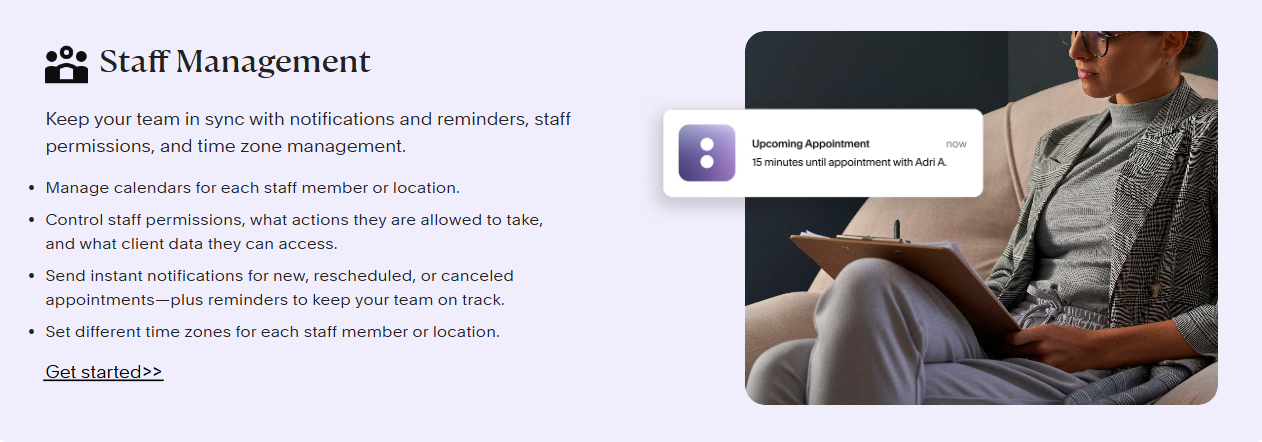
Acuity scheduling reviews from clinical users surface consistent frustrations that go beyond minor UX issues.
According to Capterra reviewers, Pabau’s core strength is the depth of its clinical and operational feature set. Practices that have moved from fragmented tools to Pabau consistently highlight the reduction in administrative complexity as the primary benefit.
User sentiment across platforms tells a consistent story about both products.
On Capterra, Acuity holds a 4.8 out of 5 rating with reviewers frequently citing ease of setup and reliable reminders. On G2, it holds a 4.7 out of 5. Positive reviews from the healthcare segment, however, cluster around practitioners with simpler needs: coaches, solo therapists, and wellness providers who do not require clinical documentation.
Critical reviews from clinical users focus on three themes: the HIPAA compliance limitation on lower plans, the absence of treatment documentation, and back-end settings that are difficult to navigate for anything beyond basic scheduling. One Trustpilot reviewer noted: “I don’t have much experience with any scheduling platform outside an EMR, but Acuity does do the job, most of the time.” That qualification captures the platform’s positioning accurately.
Pabau carries a 4.7 out of 5 rating based on over 600 verified reviews on Capterra. Reviewers consistently highlight the platform’s comprehensive coverage: the ability to manage scheduling, clinical records, and billing without switching between systems. Common themes in positive reviews include strong multi-location support and the quality of clinical documentation tools. The noted areas for improvement centre on initial onboarding time and the setup complexity that comes with a more feature-rich platform.
If you have read this far through these acuity scheduling reviews, you already know that the comparison is not really about which scheduling tool is better. It is about whether your practice needs a scheduling tool or a clinical operating platform.
Acuity is excellent at what it is designed for. If you are a solo wellness practitioner, a coach, or a service business where appointments and automated reminders solve 90% of your operational needs, Acuity is fast, affordable, and well-rated. The acuity scheduling reviews that praise it are genuine.
Healthcare clinics, aesthetic practices, and multi-specialty providers operate in a different context. They handle protected health information, require signed consent before treatment, need clinical notes attached to every patient record, manage billing across practitioners and locations, and operate under compliance frameworks that a general scheduling tool was not built to support.
Pabau supports medical spas, aesthetic clinics, private GP practices, wellness clinics, mental health providers, physical therapy practices, and multi-specialty operations from a single platform. Scheduling, clinical documentation, billing, compliance, and reporting all connect natively. For a clinic that has outgrown standalone booking tools, or that is evaluating software from scratch with clinical workflows in mind, Pabau’s depth is the relevant differentiator.
See also: best medical spa scheduling software for a broader review of clinic-specific scheduling options.
Before finalising any scheduling software decision, map your full clinical workflow on paper: from booking through intake, treatment, documentation, billing, and follow-up. Then identify which steps require software support. A tool that handles only booking forces every other step into separate systems. A platform that connects all steps reduces both cost and errors.
The right choice depends entirely on what your practice actually needs.
Choose Acuity Scheduling if you are a solo practitioner, coach, or wellness provider who needs a fast, affordable booking page with automated reminders and calendar sync. Your clinical documentation needs are minimal, compliance requirements are covered by your operating model, and you prefer a simple tool that does one thing well. Verify current plan pricing and BAA availability directly with Acuity before subscribing if HIPAA compliance is relevant to your practice.
Choose Pabau if you run a healthcare clinic, aesthetic practice, or multi-location operation that needs scheduling connected to clinical records, consent forms, treatment notes, billing, and compliance tools. If paying for Acuity and then adding an EHR, a billing system, and a consent form tool is your alternative, Pabau’s total cost of ownership is almost certainly lower, and your team works in one system instead of three.

Need a full feature-by-feature breakdown of Pabau vs Acuity? Pabau vs Acuity Scheduling provides a detailed platform comparison for healthcare and aesthetic clinics.
Managing multiple clinic locations? Pabau Multi-Location Management shows how to consolidate calendars, reporting, and clinical records across sites.
Looking for the top clinic scheduling platforms reviewed? Best Medical Spa Scheduling Software covers the leading options for clinic-specific scheduling needs.
The gap in these acuity scheduling reviews is not about ease of use, where Acuity leads, but about clinical depth. For service businesses and solo practitioners, Acuity delivers exactly what it promises. For healthcare and aesthetic clinics that need scheduling connected to documentation, billing, and compliance, a standalone booking tool creates more operational complexity than it removes.
Pabau’s integrated platform eliminates the need for separate EHR, billing, and consent form tools, connecting every step of the patient journey in one system. If your clinic has outgrown a basic booking tool, book a demo with Pabau to see how a purpose-built clinic management platform handles the full workflow.
Acuity Scheduling offers HIPAA compliance, including a Business Associate Agreement (BAA), only on its higher-tier plans. Practices on entry-level subscriptions are not covered. Healthcare providers handling protected health information should confirm BAA availability for their specific plan tier directly with Acuity before use.
Pros include intuitive booking, reliable automated reminders, fast setup, and a broad integration ecosystem. Cons for clinical settings include no native treatment notes or clinical documentation, no integrated billing or invoicing, HIPAA compliance restricted to higher plans, and back-end settings that reviewers describe as non-intuitive for complex use cases.
For healthcare and aesthetic clinics that need scheduling connected to clinical documentation, billing, and compliance tools, Pabau is a purpose-built alternative. Unlike Acuity, Pabau includes treatment notes, consent forms, prescription management, and integrated billing natively, eliminating the need for multiple supplementary systems.
Acuity Scheduling supports multi-location scheduling, as stated on its official website, but availability depends on the plan tier. It does not include room and resource allocation or booking linked to clinical records, which are standard requirements for multi-practitioner healthcare settings.
Acuity’s entry-level pricing starts lower than Pabau’s, but clinics that also need an EHR, billing software, and clinical documentation tools will spend considerably more in total. Pabau consolidates all those functions from $65/month. Always verify current Acuity pricing at acuityscheduling.com as plans and pricing change.