Zenoti vs Vagaro: 2026 Comparison, Costs & Feature Breakdown
Compare Zenoti and Vagaro in 2026 - features, pricing, pros & cons. Find which p...

March 27, 2026


Buy now, pay later is now available in Pabau

Vagaro starts at $23.99/month for one calendar, but most practices pay more once extra calendars, storage, forms, and marketing tools are added.
Add-ons such as forms, Vagaro Drive, MySite, text marketing, and branded apps each have individual monthly fees.
Processing fees (from 2.2%), SMS limits, paid integrations, and storage upgrades often increase the final bill.
Pabau starts at $69/user/month with essentials like forms, photos, notes, and automations included, making total costs more predictable.
Vagaro pricing can be misleading if you only look at the $23.99 starting point. The real cost shifts once you add calendars, storage, and paid upgrades.
In this guide, we’ll break down Vagaro’s full pricing structure. We’ll also compare it with Pabau so you can pick the system that fits your budget.
Vagaro prices its plans by the number of bookable calendars. Here’s the current structure:
| Team size (bookable calendar) | Monthly price |
|---|---|
| 1 (Just me) | $23.99 |
| 2 | $33.99 |
| 3 | $43.99 |
| 4 | $53.99 |
| 5 | $63.99 |
| 6 | $73.99 |
| 7+ | $83.99 flat |
Larger or multi-location businesses are typically moved to Vagaro’s enterprise tier. This tier uses custom pricing, so you’ll need to contact sales for a quote.
Pabau is an all-in-one practice management software built for med spas and aesthetic clinics.
It’s a more cost-effective alternative to Vagaro because the essentials are included in the plan, such as:
This reduces the add-on costs that drive Vagaro bills up as teams grow.
You also avoid per-calendar pricing. Adding rooms or practitioners doesn’t change your monthly fee, which makes budgeting easier for businesses planning to scale. The Pabau pricing page has the full plan list if you prefer a detailed view.
| Plan | Price | Users | Clients | Key inclusions |
|---|---|---|---|---|
| Startup | $69 / month (per user) | 1 | < 100 clients | Booking, reminders, records, photos, POS |
| Team | Talk to sales | 2–3 users | Unlimited clients | Full feature set |
| Medium | Talk to sales | 4–5 users | Unlimited clients | Full feature set |
| Group | Talk to sales | 6–15 users | Unlimited clients | Full feature set |
| Enterprise | Custom quote | 15+ users | Unlimited clients | Dedicated onboarding + full feature set |
Ready to explore the value Pabau offers?
Book a demo to see it in action.
Here’s a breakdown of Vagaro’s core features and where extra fees can show up.
Some features are included in the subscription, while others are available as paid add-ons.
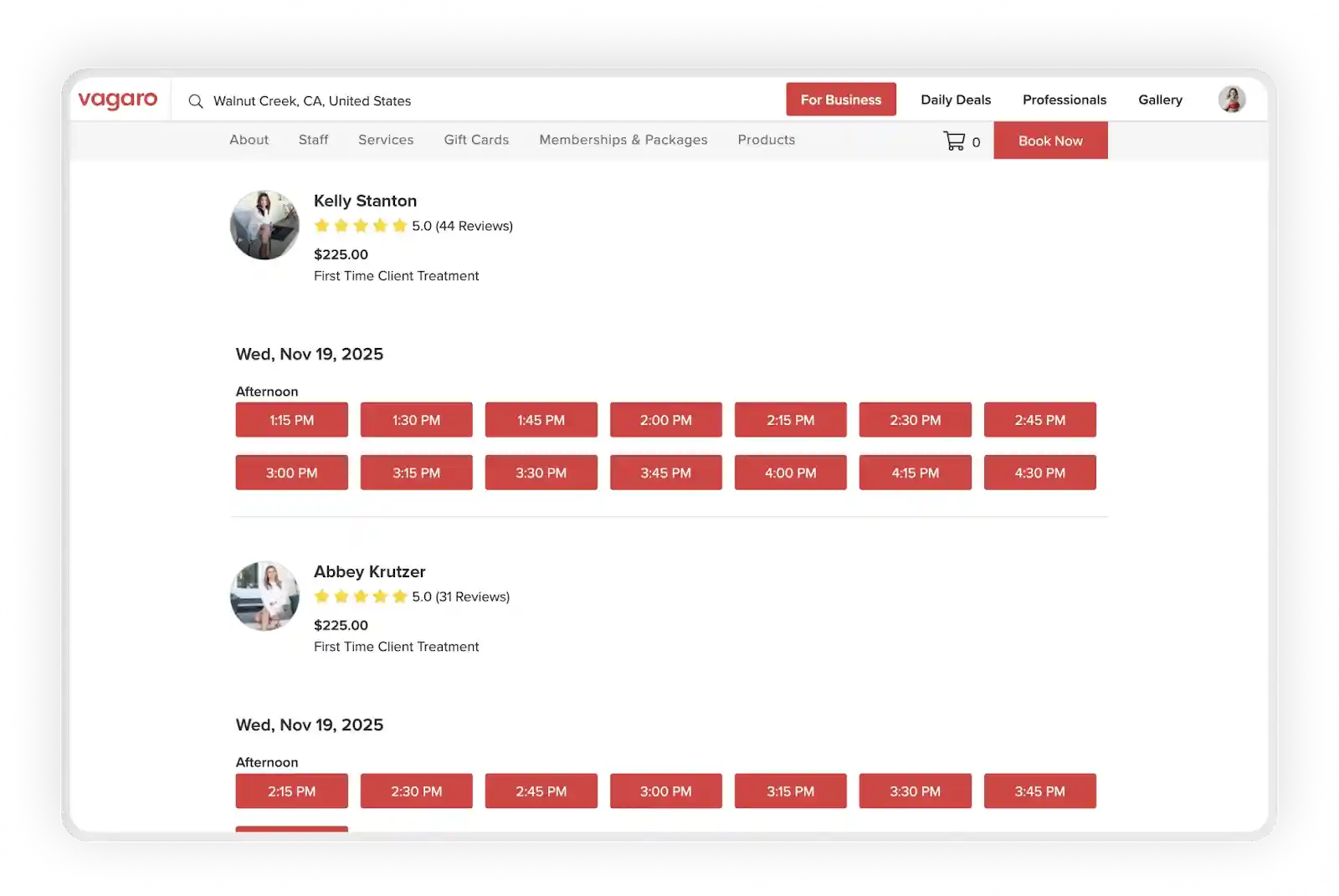
Online booking is included with every Vagaro subscription.
You get a branded booking page and website widgets. You’re also listed on the Vagaro Marketplace, which helps people find you while browsing for beauty and wellness services in the area.
Once you move beyond the basics, a few upgrades can introduce extra monthly costs.
Where extra fees may appear:
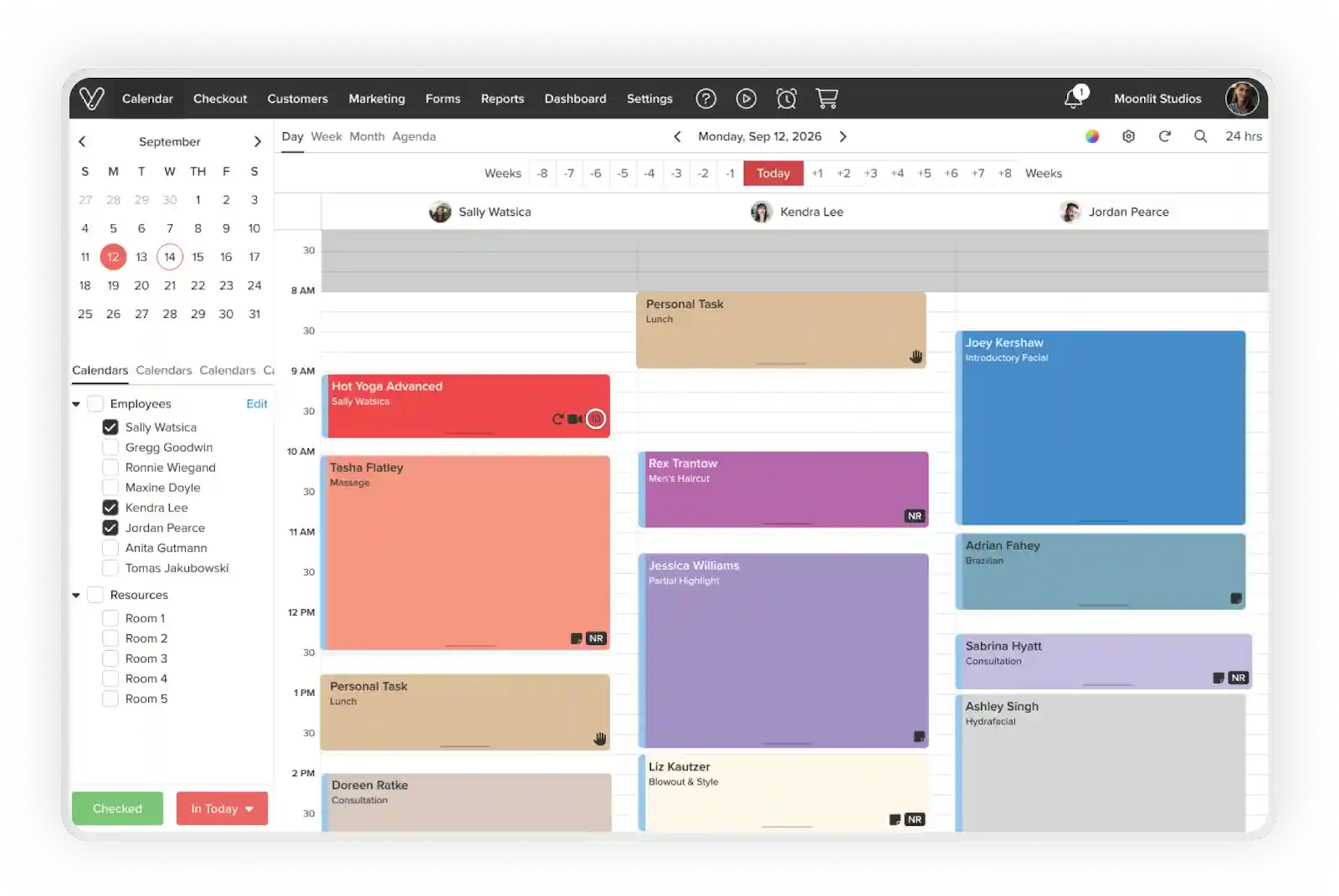
Vagaro includes its core scheduling tools in your subscription.
You can add staff, organize rooms, and manage your day without paying for separate scheduling modules.
Here’s what’s built in:
Your subscription increases when you add more bookable calendars, since each one counts as a separate provider.
Costs can also shift when your SMS reminders go past the standard allowance or when you enable Vagaro’s paid Text Marketing plans.
Source: Vagaro
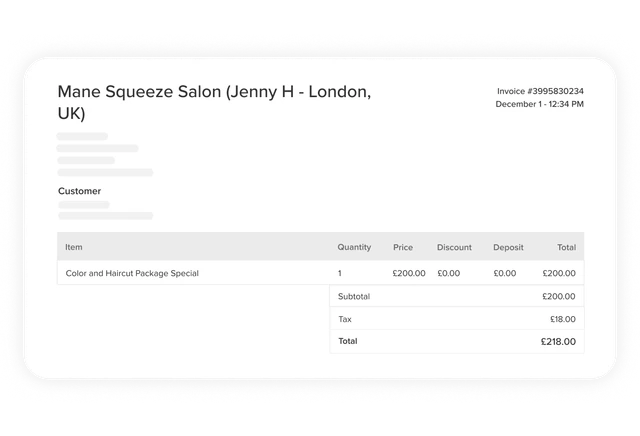
Vagaro handles credit card processing through its built-in payment system. The transactions aren’t included in your subscription.
Processing fees vary by payment type, so your monthly cost changes with your mix of in-person, online, and stored-card payments.
Typical fees include:
Note: Vagaro supports digital wallets like Apple Pay and Google Pay, and these run under the lower card-present rate.
These credit card processing charges can become a noticeable cost if you take a lot of deposits, online bookings, or retail payments. It’s something to keep in mind when reviewing your total monthly spend.
Source: Vagaro
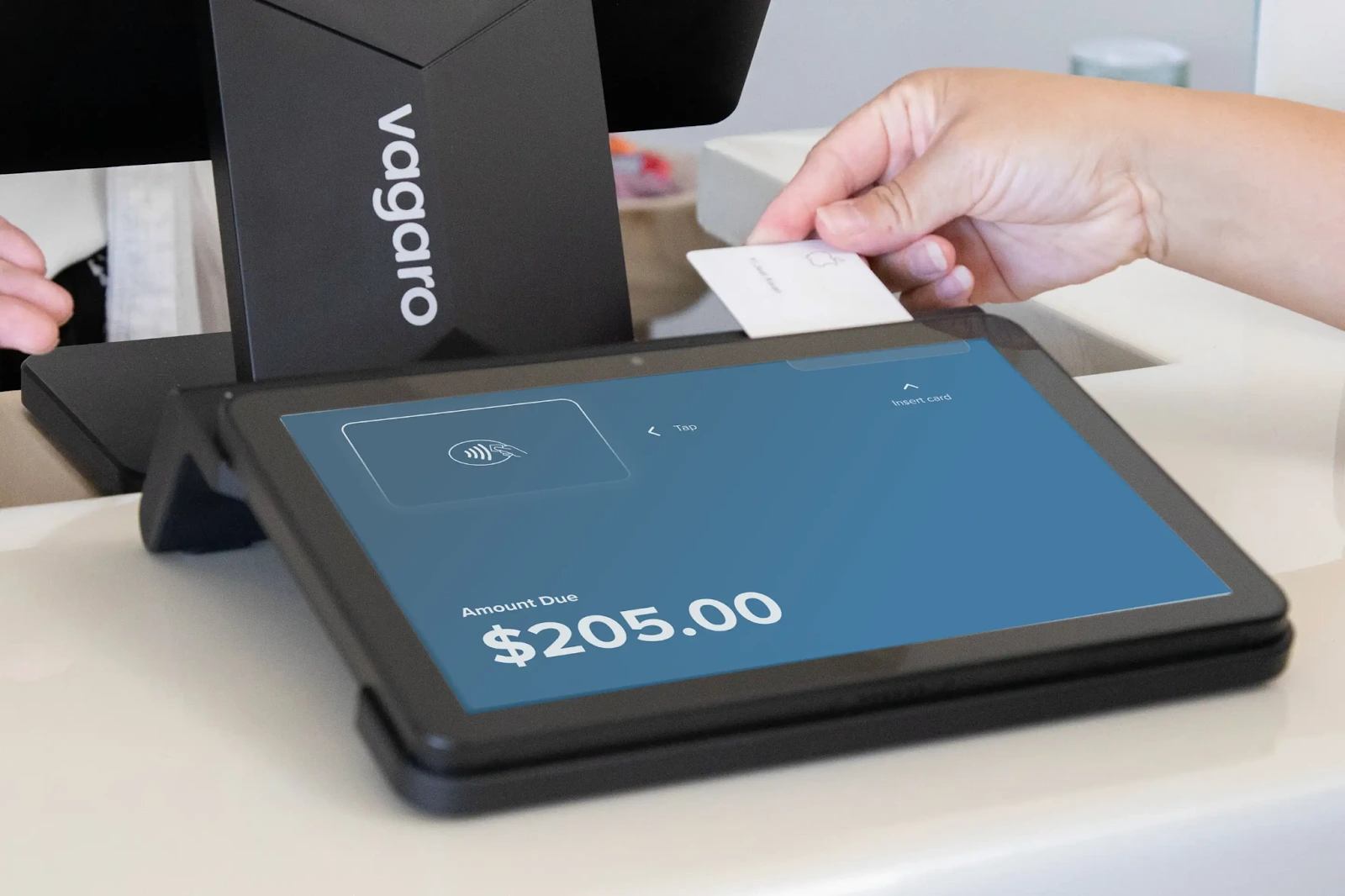
Vagaro’s Point of Sale (POS) is included in your subscription and supports the everyday tasks your front desk handles. Practices use it to:
Vagaro sells POS hardware separately, including card readers, stands, and printers. Prices range between $100 for basic readers and around $380 for full POS terminals.
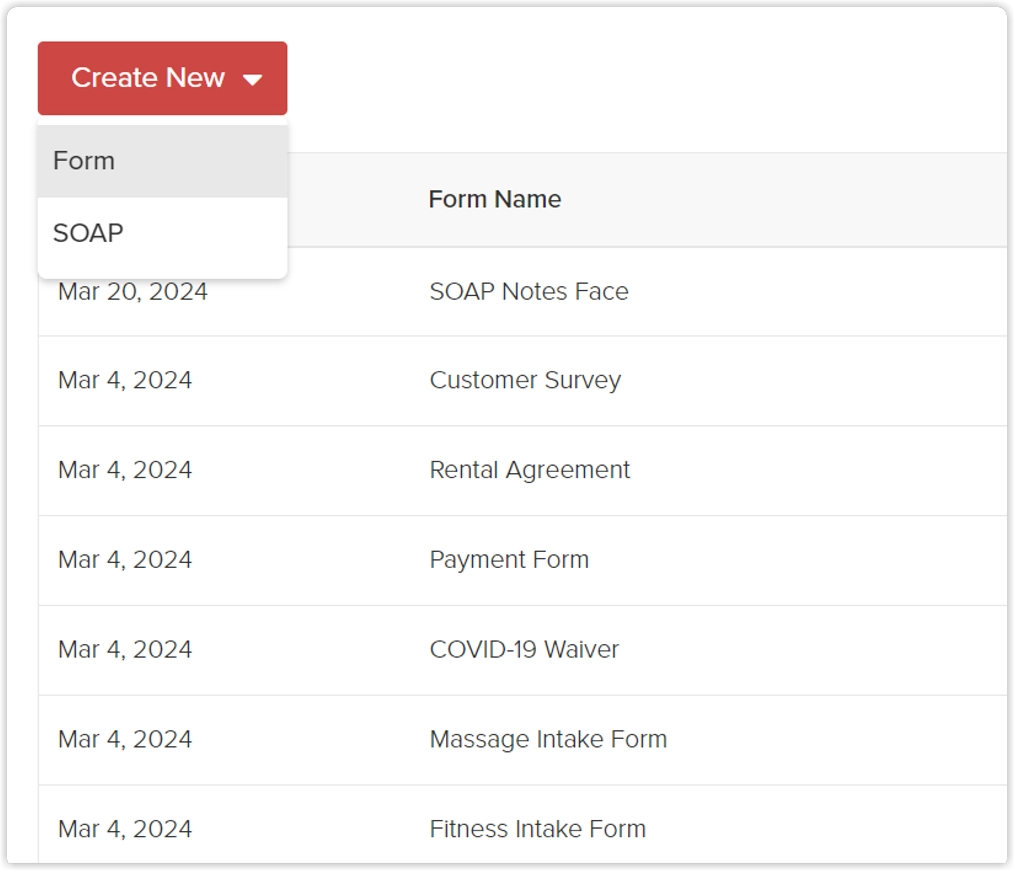
Forms aren’t included in Vagaro’s base subscription. The following features sit behind the Forms add-on:
The add-on has its own monthly fee. Storage is separate, and many clinics upgrade to Vagaro Drive once treatment photos and files start to grow.
Note: Vagaro includes a very basic SOAP-style notes field in the subscription, but most clinics need customizable forms to support a proper clinical workflow.
Vagaro displays its base pricing openly, so nothing is technically hidden. The part that often surprises teams is how many features sit outside the core plan.
As your business grows, these extras start to shape your real monthly spend:
Choosing software comes down to value. Vagaro has clear strengths, but there are trade-offs to understand before you commit.
If you prefer an all-in-one setup without add-ons, see how Pabau works.
Vagaro is best for small to mid-sized service businesses. It covers booking, payments, and client management without needing a complex setup.
At $23.99–$83.99 a month, the core features typically meet the needs of these businesses.
Curious how these platforms compare to other popular tools? Read our full breakdown of Vagaro vs. Booksy here.
Many reviews praise Vagaro for its ease of use and scheduling management. Others mention customization limits, app problems, and extra charges for basic features.
Vagaro users often point to how quickly clients can book online and how simple it is to keep appointments organized.
“Online Booking has helped, along with Email & text marketing. Google helps Vagaro users on-site, adding new customers to my salon.” – verified G2 reviewer
Other reviewers note fewer no-shows thanks to automated reminders.
“Alerts clients and reminds them of their appointments. I have fewer no-shows than ever before.” – verified G2 reviewer
Complaints tend to focus on usability and feature gaps.
Some users describe the calendar as dated or difficult to read, which slows down more complex workflows. Others are put off by add-on fees for tools they assumed were part of the base plan.
“The calendar looks outdated and is hard for me to read.” – verified G2 reviewer
“Fees are a bit high. Wish there was a way to just pay one fee for all the modules it offers” – verified G2 reviewer
“I dislike the prices for each individual thing; by the time it works how I need it to, I end up paying close to $100 a month. That’s crazy. I wish I could text and email without having to pay separately.” – verified G2 reviewer
Pabau is a strong alternative to Vagaro for practices that want a smoother end-to-end workflow.
It supports the full client journey, from booking and communication to treatment and aftercare.
You also get tools for reminders, reviews, and follow-ups, which help clinics stay connected with clients between visits.
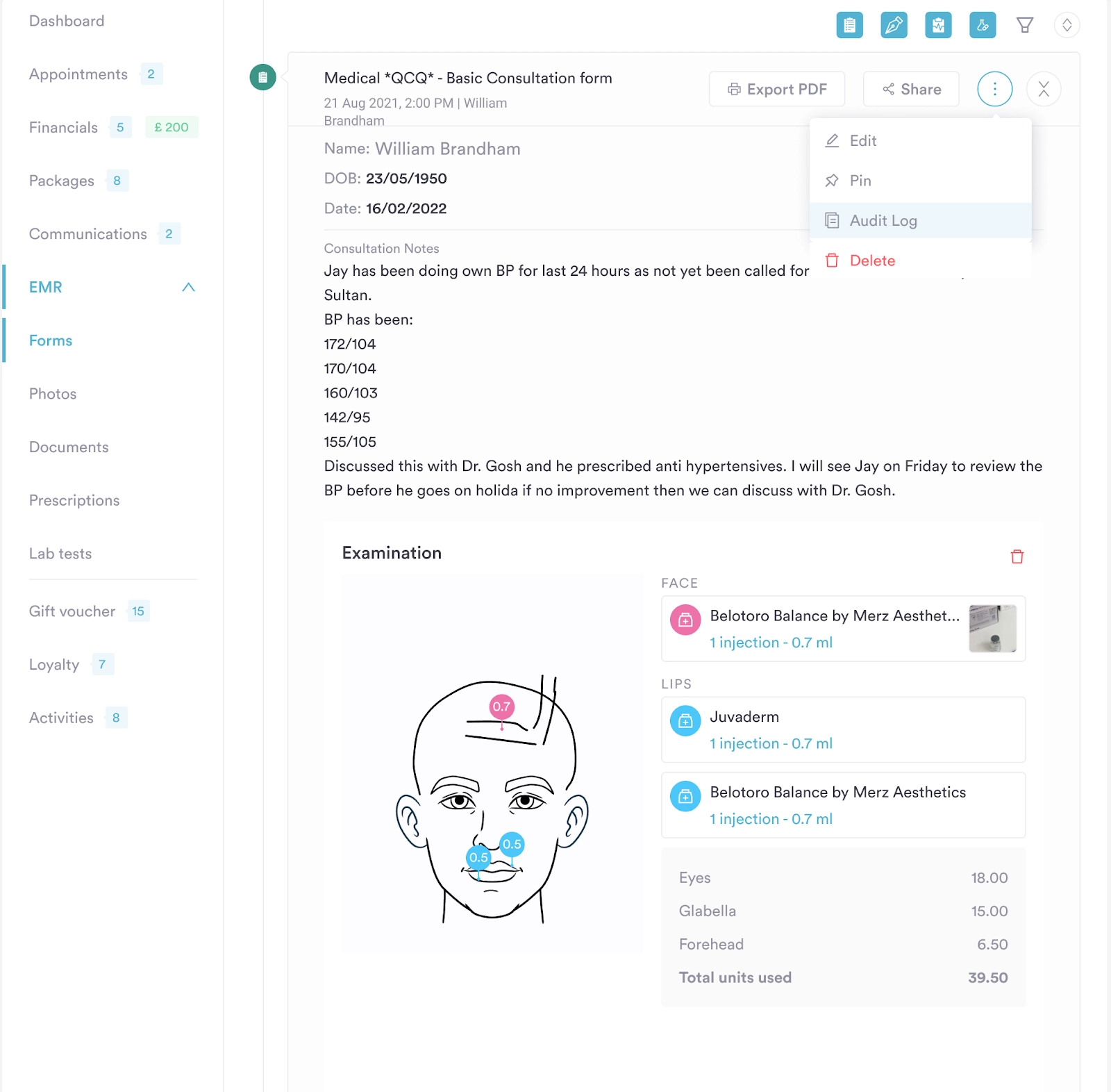
Pabau gives you digital forms, treatment notes, and before and after photos in the base plan.
Everything is stored in the client record with no storage limits. This makes documentation simple for injectables, skin treatments, and medical procedures. Vagaro charges extra for forms and sets storage caps that clinics outgrow fast.
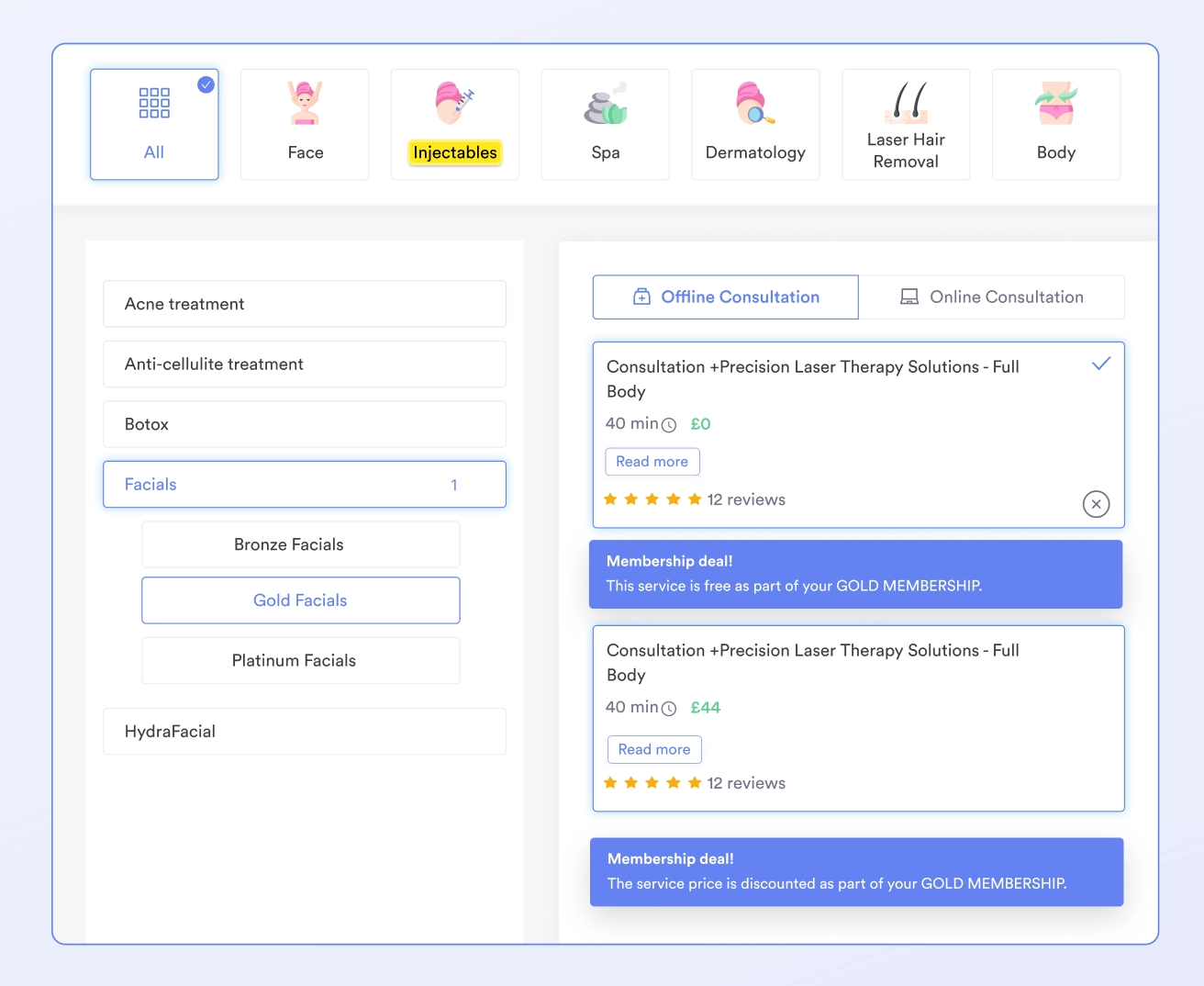
Pabau offers a booking flow you can customize to fit your clinic’s brand.
Clients can fill in forms, add payment details, and complete pre-care before they arrive. In the clinic, the iPad journey guides them through check-in, consent, and post-care in one place. Vagaro doesn’t provide this type of patient flow.
| Platform | Pricing |
|---|---|
| Vagaro | $23.99–$83.99 per month, depending on the number of calendars |
| Pabau | $69/month for Startup, all other plans via Sales |
To see the full feature set Pabau offers, explore the platform yourself.
Vagaro offers a low starting price for a single calendar.
Costs rise as you add more calendars or need essentials like forms and storage. It suits teams that want simple scheduling and payments without a clinical layer.
Pabau keeps the core features in one plan, which makes long-term budgeting simpler for growing practices.If you want a clearer picture of pricing and features, book a demo, and we’ll walk you through it.
Exploring other platforms beyond Vagaro? See our full breakdown of Fresha vs Timely and alternatives to consider in 2026.