HIPAA compliant texting: What you can send patients & how to communicate securely
HIPAA compliant texting is possible when a text holds no protected health inform...

Last Updated: Oct 16, 2026

A client consultation form gathers personal, medical, and treatment-goal information at a client’s first appointment. Informed consent and treatment planning both rest on it.
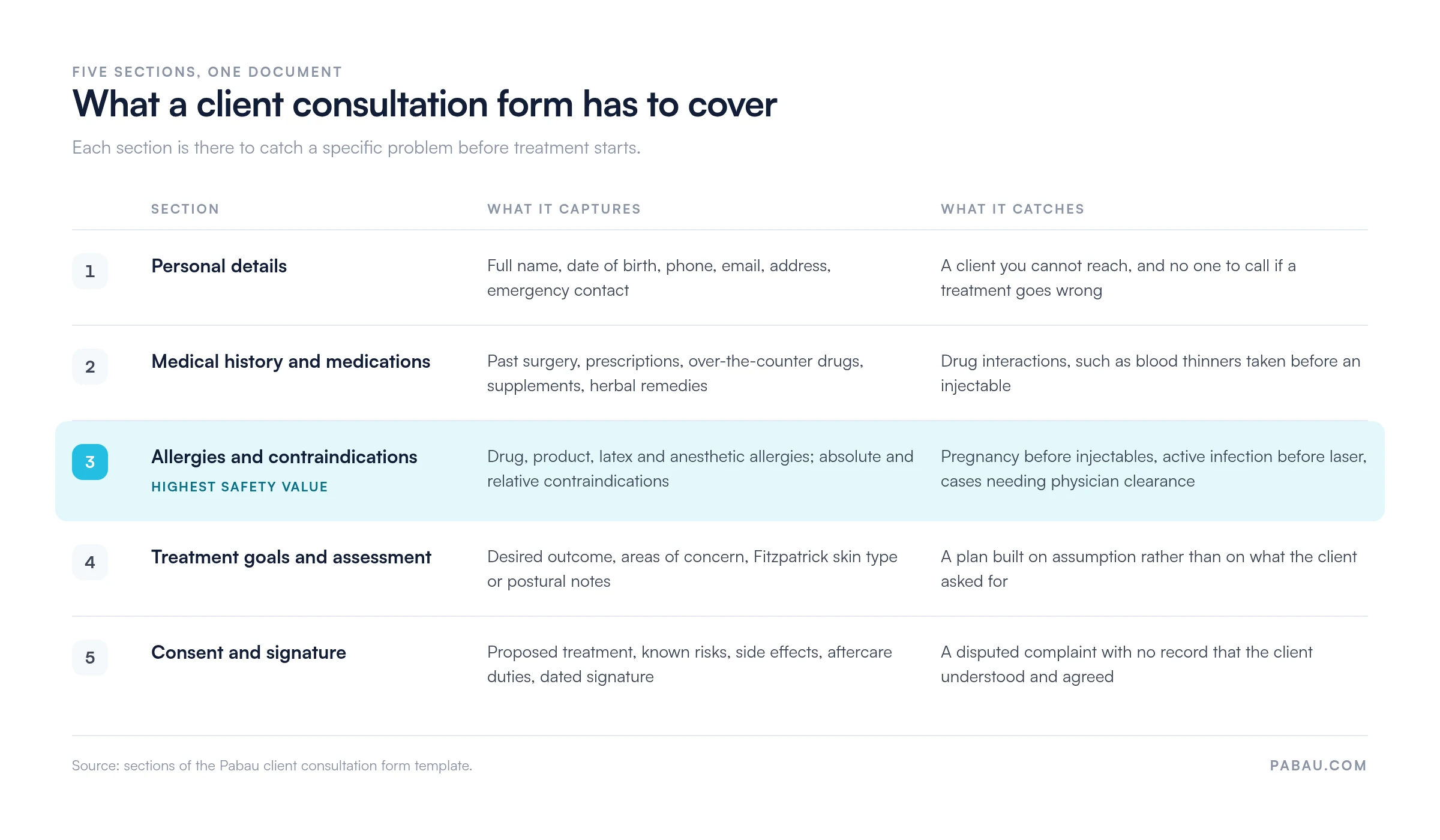
Five sections cover it. Personal details, medical history and medications, allergies and contraindications, treatment goals and assessment, and a consent declaration with a dated signature.
Aesthetic practices, beauty salons, med spas, massage practices, and mental health providers each need the same base form with a few specialty fields added.
Going digital removes data-entry errors and auto-populates the client record. On the worked example below, it saves about 13 minutes of handling per client.
A ready-to-use PDF covering personal details, medical history, allergies and contraindications, treatment goals, a consent declaration, and a dated signature block. Print it, email it, or rebuild the same fields inside your own form builder.
Download templateA client consultation form is the document a client fills in before their first treatment. It captures medical history, current medications, allergies, contraindications, treatment goals, and signed consent, so the clinician can plan safely.
The template above is free to download. Below it, you will find what belongs in each section and how the form changes by specialty. There is also a guide to running it digitally without losing the consent trail.
A client consultation form is a structured intake document completed at the first appointment, or before the client arrives. It records contact details, medical history, current medications, known allergies, treatment goals, and informed consent.
It does three jobs at once. It screens for contraindications and safety risks, it documents that consent was given, and it creates a baseline you can measure later treatments against.
That is what separates it from a general intake form. A new client intake form collects contact and administrative details once. The consultation form carries the clinical screening questions, so the clinician reads the contraindications while planning treatment rather than discovering them at the chair.
Every consultation form should cover five core sections:
That structure satisfies regulatory requirements in most jurisdictions, including HIPAA in the US, GDPR in the UK and EU, and CQC standards in England. It also gives you the clinical detail you need to treat safely.
The five sections are not interchangeable. Each one exists to catch a different problem before treatment starts, and the safety weight is not spread evenly across them.
The base form stays the same. What changes is the handful of fields each specialty adds on top of it:
Take the base template and add the rows for your specialty. That way you capture what decides safety in your niche. Clients are not asked a page of questions that do not apply to them.
Five steps take the form from booking to signed consent:
Here is the worked example this page uses throughout. A paper form with manual re-entry takes roughly 15 minutes of staff handling per client. A digital form that auto-populates the record brings that down to about 2 minutes.
You do not have to build that flow by hand. Practice management software like Pabau builds it in. Its patient intake software sends the form, chases the client, and files the answers before the visit.
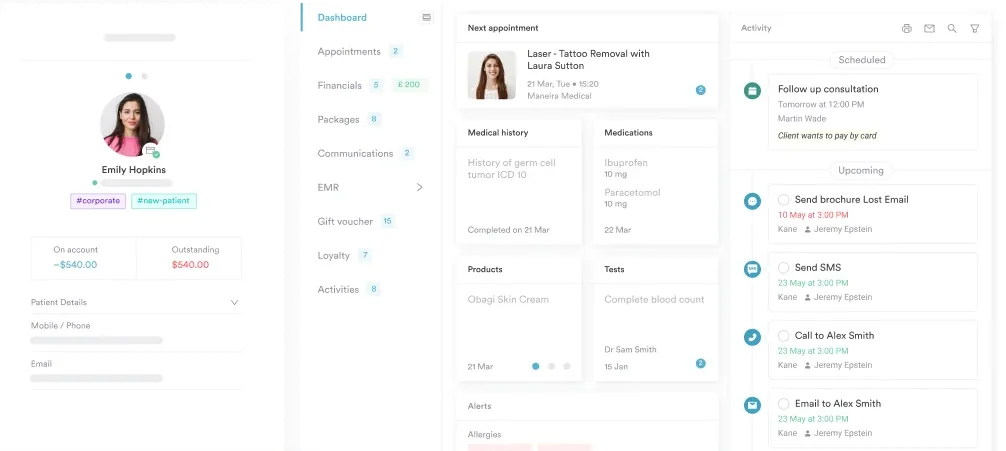
Once the answers are in the chart, they stay useful. Medical records management keeps the allergy list, the medication list, and the consent history in one place across every future visit.
Any practice that delivers a treatment or gives clinical advice needs a structured consultation form. That includes:
Clinical safety. Documented contraindication screening is what stops a missed allergy or an unscreened drug interaction from reaching the treatment room. It also leaves an audit trail if anyone asks later.
Workflow efficiency. On the 15-minute to 2-minute example above, going digital gives you back about 13 minutes of handling per client. Across 20 clients a week, that is more than four hours.
Informed consent and legal protection. A signed, timestamped form shows the client understood the risks and agreed to proceed. Regulators, insurers, and courts all treat that document as your evidence of due diligence.
Data accuracy. Handwriting is often illegible, and re-typing introduces typos. A digital form captures the answers once and populates the record directly, so the allergy list and the contact details stay consistent everywhere.
Compliance readiness. HIPAA, GDPR, and CQC all require documented consent, secure storage, and an audit trail. A digital form stored in a compliant system covers those requirements as a by-product of normal use.
Set conditional logic in your digital form. If a client answers yes to blood thinners, flag the record for the clinician before the appointment starts. Nobody then discovers the medication at the chair.
The switch is simpler than most practices expect, and completion rates usually go up. A client filling in a form at home on their own schedule finishes it more often than one handed a clipboard in a waiting room.
Budget two to four weeks. Start by rebuilding your paper form as a digital template, then add your practice’s logo and branding. Send it to 5 to 10 test clients before you roll it out to everyone.
Then automate the chasing. A reminder email or text 24 hours before the appointment picks up most of the clients who have not completed the form yet.
The payoff is the 13 minutes per client described above, plus no handwriting to decipher. HIPAA and GDPR data handling is built into the storage rather than bolted on.
Keep it short. Clients abandon a 10-page form. Put the medical and consent questions on the main page. Move secondary questions, such as preferred appointment times, to a second page or to the visit itself.
Use conditional logic. If a client answers yes to pregnancy, hide the injectable and laser questions. If they answer no to allergies, skip the allergy detail field. A shorter path feels faster and gets finished.
Send it at the right time. Email the form immediately after booking, while the client is still engaged, and back it up with a text reminder 24 hours before the appointment.
Make the e-signature clear. Include a checkbox reading “I confirm I have read and understand the above”, then a typed signature field and a date. Electronic signatures are valid under the US ESIGN Act and the UK Electronic Communications Act 2000.
Store it securely and log every touch. Form capture software records each edit, completion, and access, which is what HIPAA, GDPR, and CQC audits ask you to produce.
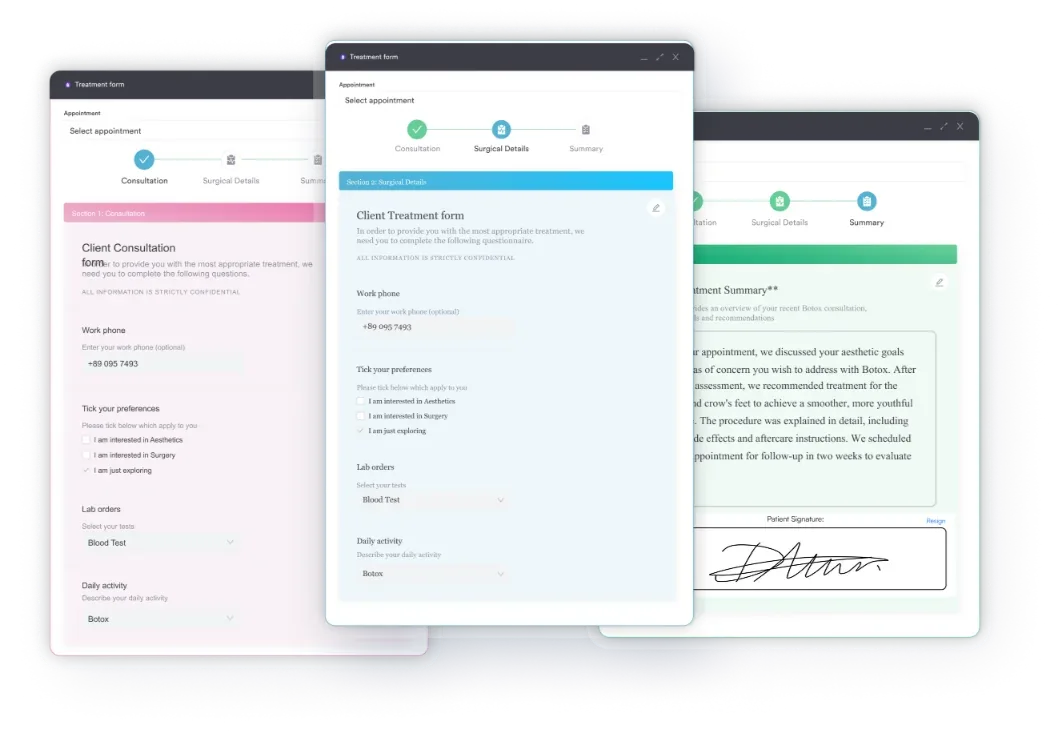
Where the consent is more involved than a single clause, split it out. A standalone medical consent form works better for higher-risk procedures, and the consultation form then references it.
Aesthetics has the highest legal exposure of any specialty on this list. A botulinum toxin treatment with no signed consent is enough to trigger a complaints investigation. So is a missed lidocaine allergy that causes a reaction.
So the aesthetic version of the form has to capture more than what the client wants. Document Fitzpatrick skin type, prior filler history, blood-thinning medications, and pregnancy status. All four have to be on file before anyone injects or fires a laser.
The completed form is what you hand a regulator or an insurer when a client disputes what they agreed to. Without it, the practice is arguing from memory against a written complaint.
Most practices run this on goodwill. Someone emails a PDF after the booking, chases it by phone, and prints whatever comes back. Then they re-type the answers into the record while the client waits at reception.
Practice management software like Pabau removes those steps. The consultation form goes out automatically when the appointment is booked. The client completes it on their phone, and the answers write straight into their record. Reminders chase anyone who has not finished.
Consent is captured in the same submission. The e-signature, the timestamp, and every later edit are logged, so the audit trail builds itself while your team gets on with treating people.

Pabau sends the consultation form when the appointment is booked and files the answers straight into the client record. E-signatures, reminders, and the audit trail are handled for you.

Download the template, then decide one thing before you print it. Which two or three specialty fields does your practice actually need on top of the five core sections?
Answer that and the form stops being paperwork. It becomes the screening step that catches the blood thinner, the pregnancy, and the prior reaction while there is still time to change the plan.
The trade-off worth remembering is length. Every extra question costs you completions, so add fields only where a missing answer would change what you do. Book a demo to see how Pabau sends the form, files the answers, and keeps the consent trail intact.

Not sure which forms your practice actually needs? Medical forms at your healthcare practice covers intake, consent, and treatment-tracking forms for any specialty.
Need the medical history section on its own? Family medical history form is a standalone template for the hereditary questions this form only summarizes.
Ready to run intake digitally end to end? Patient intake software explains what to look for when you move forms, consent, and records into one system.
Include personal contact details, medical history, current medications, and known allergies. Then add treatment goals, any relevant physical assessment, an informed consent statement, and a dated signature field. Specialty fields go on top of that base. Aesthetic practices add Fitzpatrick skin type, while massage practices add pressure preferences and injury location.
No, although they overlap. An intake form captures general client information such as name, contact, and payment method, and it is completed once on the first visit. A consultation form is completed for each new treatment or clinical episode. It documents medical history, contraindication screening, and consent specific to that treatment, so it is the more clinically detailed of the two.
Yes. The template above is a free PDF covering personal details, medical history, allergies, treatment goals, consent, and a signature block. Download it, print it, or email it to clients before their appointment. You can also use it as the field list when you rebuild the form inside your own practice software.
If you are a covered entity under HIPAA, the completed form has to live in a system with encryption, access controls, and audit trails. A Word document on your desktop does not qualify. Use a practice management system or a form-capture platform that supports HIPAA requirements. Add a privacy statement to the form explaining how the data is stored and used.
A consultation form gathers clinical information such as medical history, medications, and treatment goals, and it informs the plan. A consent form documents that the client understands the proposed treatment, the risks, and the aftercare, and it is their signed agreement to proceed. A full consultation form includes a consent clause and signature, so one document covers both. Practices separate them when treatments vary widely in risk.
The download is a PDF, so treat it as the field list rather than an editable master. Rebuild the same sections in your practice software or form builder, then add or remove fields to match your specialty. Digital copies also beat print here, because they timestamp the response and remove handwriting errors. If you do print, transcribe the answers into the record the same day.
Build it inside your practice management software, so the form sits in the appointment workflow rather than beside it. Most platforms let you drag fields into place, set conditional logic that hides or shows questions, and write responses into the client record automatically. Test with 5 to 10 clients before you roll it out to everyone, and check that the e-signature and timestamp are captured.