How to Effectively Manage Your Dermatology Practice In 2026
Pabau helps dermatology and aesthetic clinics manage scheduling, payments, marke...

March 17, 2026


Buy now, pay later is now available in Pabau

Practice management software helps clinics manage daily operations in one place, including scheduling, patient records, billing, communication, and reporting.
There are different types of practice management systems, including all-in-one platforms, modular tools, and specialty systems, each suited to different clinic needs.
Robust practice management software supports the full patient journey, from online booking and check-in to documentation, payments, and follow-ups
Running a clinic or private practice means juggling appointments, patient records, billing, and messages, all of which often take time away from patient care.
Practice management software helps solve this problem. It’s a digital system that helps healthcare practices and private practices run daily operations, from scheduling and patient records to payments, reports, and communication, all in one place.
If you’re wondering what practice management software is, how it works, or if your practice needs it, this guide explains it all.
We’ll define practice management software and cover:
So what is the purpose of practice management software?
Practice management software helps healthcare practices and medi-aesthetic clinics streamline and manage their day-to-day operations and administrative tasks, making their medical practice or clinic work more efficiently.
As a clinic owner or healthcare professional, you can handle everything from patient care and bookings to client records, invoicing, sending patient emails, and managing the schedule efficiently.
Sounds good, doesn’t it?
A 2024 industry survey of over 33,000 physician practice administrators found that 80% of healthcare practices credited practice management systems with reducing billing errors and streamlining revenue cycle tasks within three months of adoption.
Practice management solutions aren’t new, but have evolved significantly over recent years.
The beginnings of medical practice management software can be traced back as far as the 1960s, with the first electronic health records (EHR systems). However, most clinics were priced out of using them, with them primarily used by the biggest healthcare organizations.
It wasn’t until the 90s and early 2000s, the era of the internet, that medical offices widely adopted electronic medical records systems. This paved the way for more sophisticated systems to be created, including practice management systems like Pabau.
Today, the majority of solutions are cloud-based, enabling healthcare organizations, medi-aesthetic clinics, and even IV therapy clinics to manage their practices and access essential information from any device.
The latest focus in clinical software has been on integrating artificial intelligence (AI) for claims processing, generating medical forms or documents, analytics, etc.
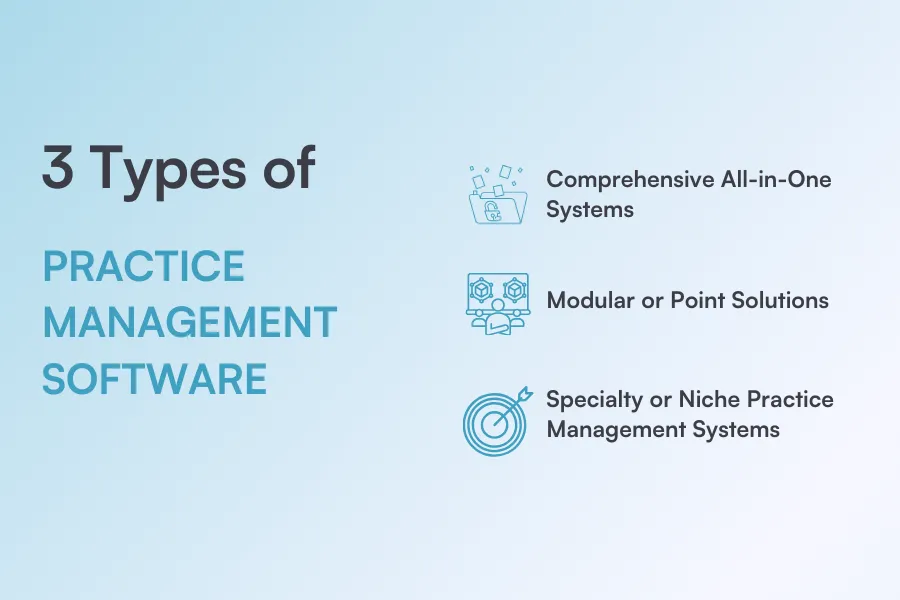
Medical practice management software comes in different types.
Each type suits a different kind of clinic.
The right choice depends on how complex your workflows are and how much you want to manage in one system.
All-in-one systems bring appointment scheduling, billing, patient records, reports, and communication into one platform. Many also include EMR or EHR features. These systems reduce the need for multiple tools and help teams save time.
A great example is a platform like Pabau brings clinical tools and business management into one system, helping growing clinics run more efficiently without using multiple platforms.
Modular systems focus on one main task, such as billing or patient messaging. They can work well for solo clinics or small practices.
But as a clinic grows, using many separate tools can lead to more admin work, higher costs, and scattered data, making daily operations harder to manage.
Some systems are designed for specific fields like dental, dermatology, aesthetics, or physiotherapy. They include tools made for those specialties, such as treatment plans, coding, and custom reports. These systems suit clinics with very specific workflows.
Practice management software supports your clinic throughout the entire patient journey.
If you’re wondering what does practice management software do, it handles key tasks in the background, from the first booking to post-visit follow-ups, so your team can focus on patient care.
Patients book appointments online or through your front desk.
The software updates the schedule in real time and checks staff availability. Automatic confirmations and reminders reduce no-shows.
If an appointment opens up, the waitlist fills gaps by offering the slot to other patients. This helps clinics keep calendars full and reduces lost revenue from last-minute cancellations.
Before the visit, patients complete forms and update their details online. When they arrive, staff can check them in with a few clicks. All information is stored in their client record, so nothing is lost or repeated.
This speeds up reception, avoids paperwork queues, and ensures clinicians have accurate information before the appointment starts.
During the visit, clinicians access patient records and add notes, photos, or treatment details on a desktop, tablet or mobile. All updates are saved right away, so nothing is missed or entered twice.
Dictation and AI tools help capture key details from the consultation and quickly turn them into concise treatment notes and summaries. without slowing the appointment.
After the appointment, invoices are created automatically based on the services provided. Patients can pay in person or online using payment links, cards, or mobile wallets.
Payments are recorded instantly, helping clinics reduce errors, speed up checkout, and improve the overall patient experience.
After the visit, the system automatically sends follow-up messages, care instructions, or reminders to rebook.
Patients stay engaged after their appointment, while teams avoid manual follow-ups and keep schedules full with less effort.

If you’re deciding between PMS and EMR, this guide explains the difference and why many clinics choose a system that combines both.
Learn the key features to consider when choosing a cloud-based practice management system.
Running a med spa? This guide breaks down what to look for in aesthetic EMR software built for visual treatments and fast workflows.
Practice management software brings key tools into one system to solve common day-to-day problems in clinics.
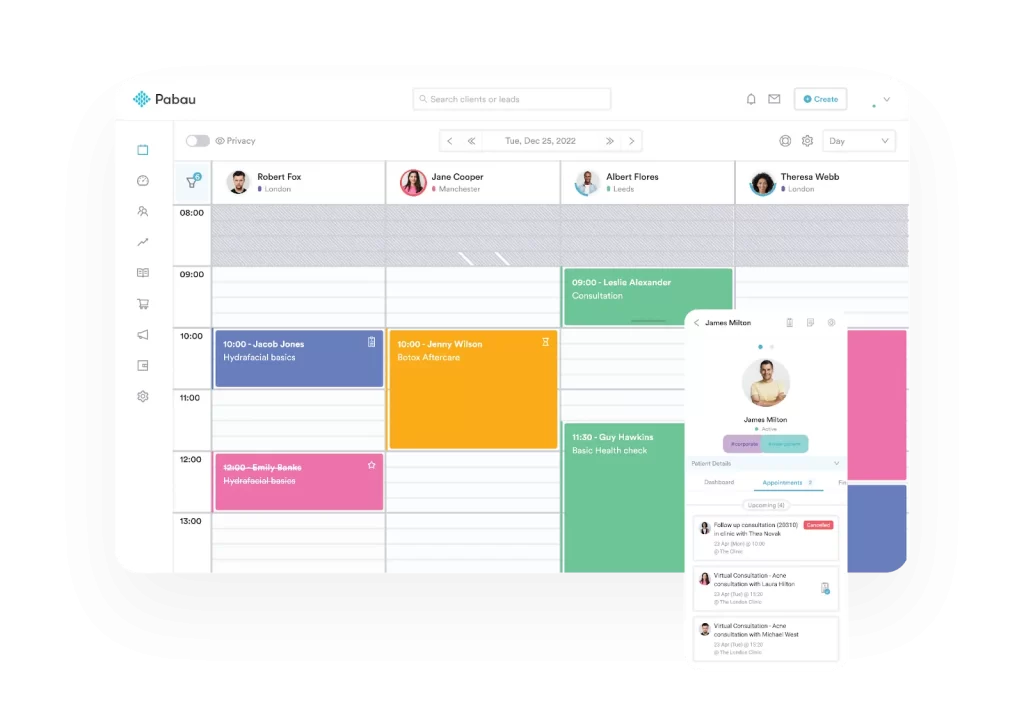
Managing bookings by phone or paper can lead to double bookings, gaps, and missed appointments.
Medical practice scheduling tools keep calendars updated in real time, send automatic reminders, and fill last-minute gaps with waitlists. Clinics stay organized, and teams spend less time managing the diary.
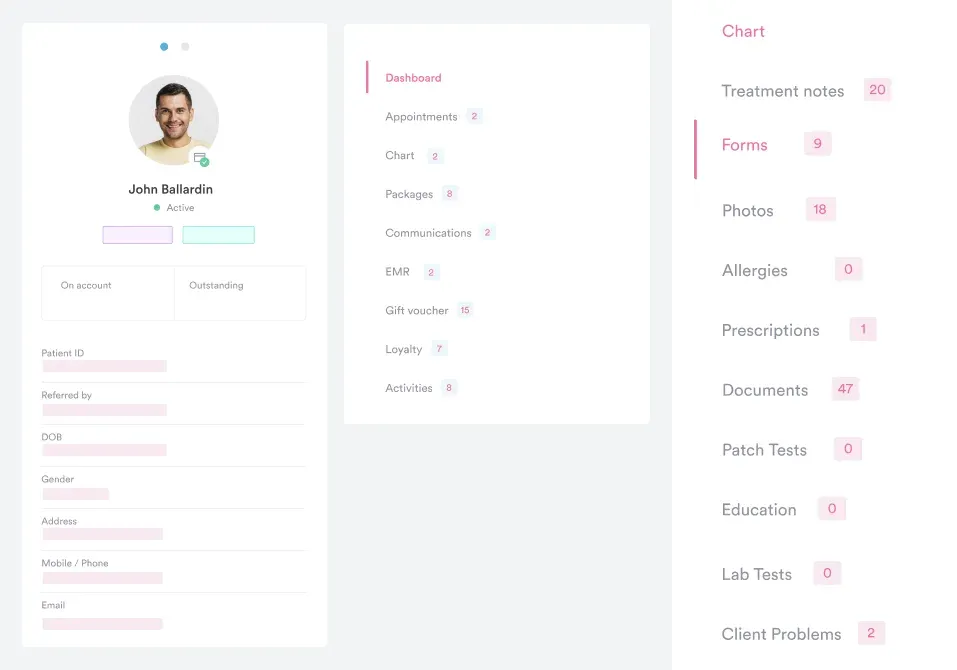
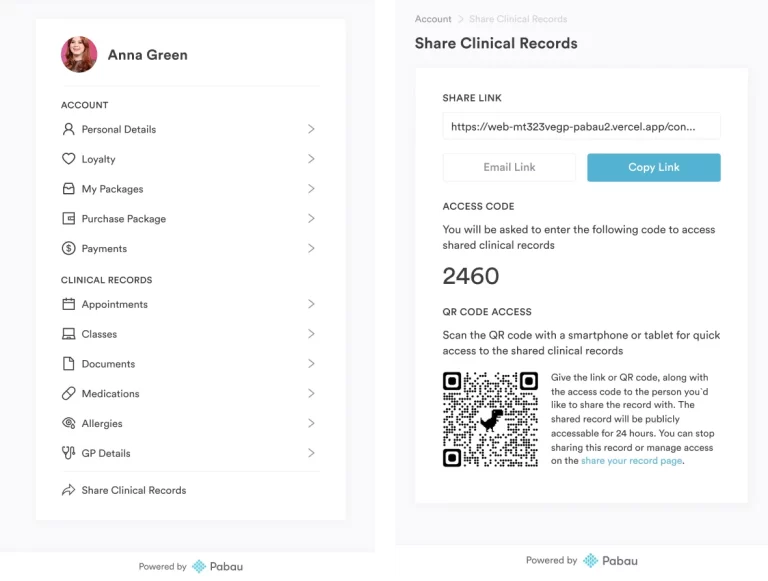
Paper files or scattered electronic health records make it hard to find patient information quickly.
Digital records store notes, photos, and treatment history in one place. AI-generated treatment notes and clear consultation summaries help clinicians give patients the best care, save time and keep records accurate.
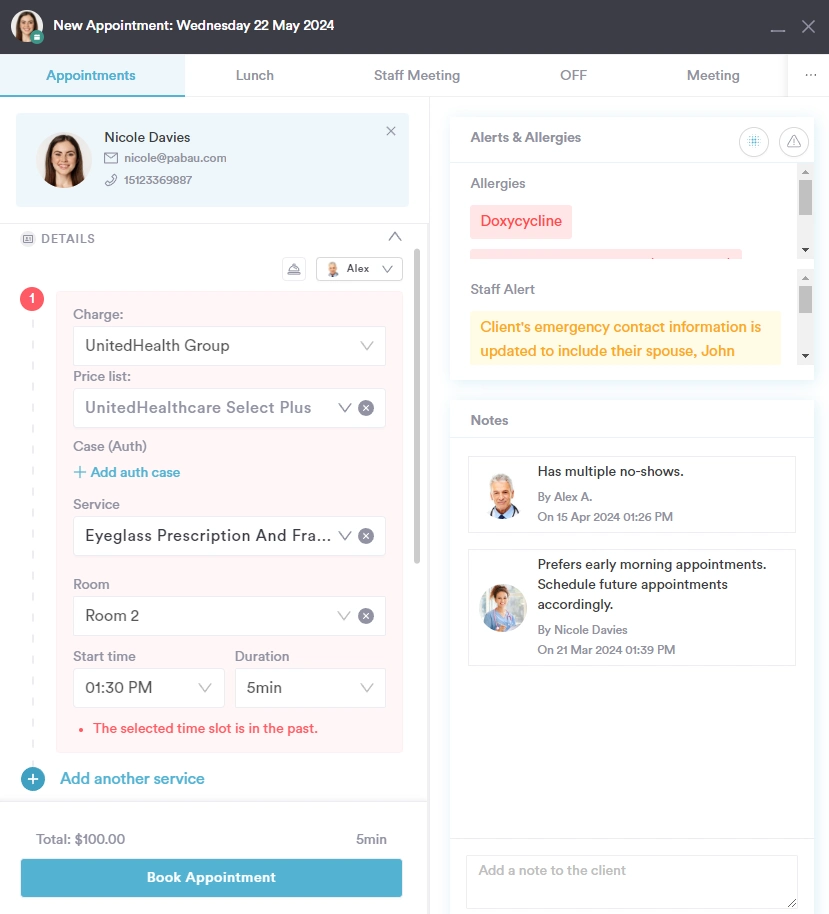
Manual billing often leads to errors, delays, and awkward payment conversations. Billing tools create invoices automatically and support flexible payment options.
Payments are tracked instantly, making checkout faster for patients and easier for staff.
Missed calls and unanswered messages can frustrate patients and overload teams.
Automated messages, reminders, and patient portals keep communication clear and consistent. Patients stay informed, while staff avoid chasing confirmations or follow-ups.
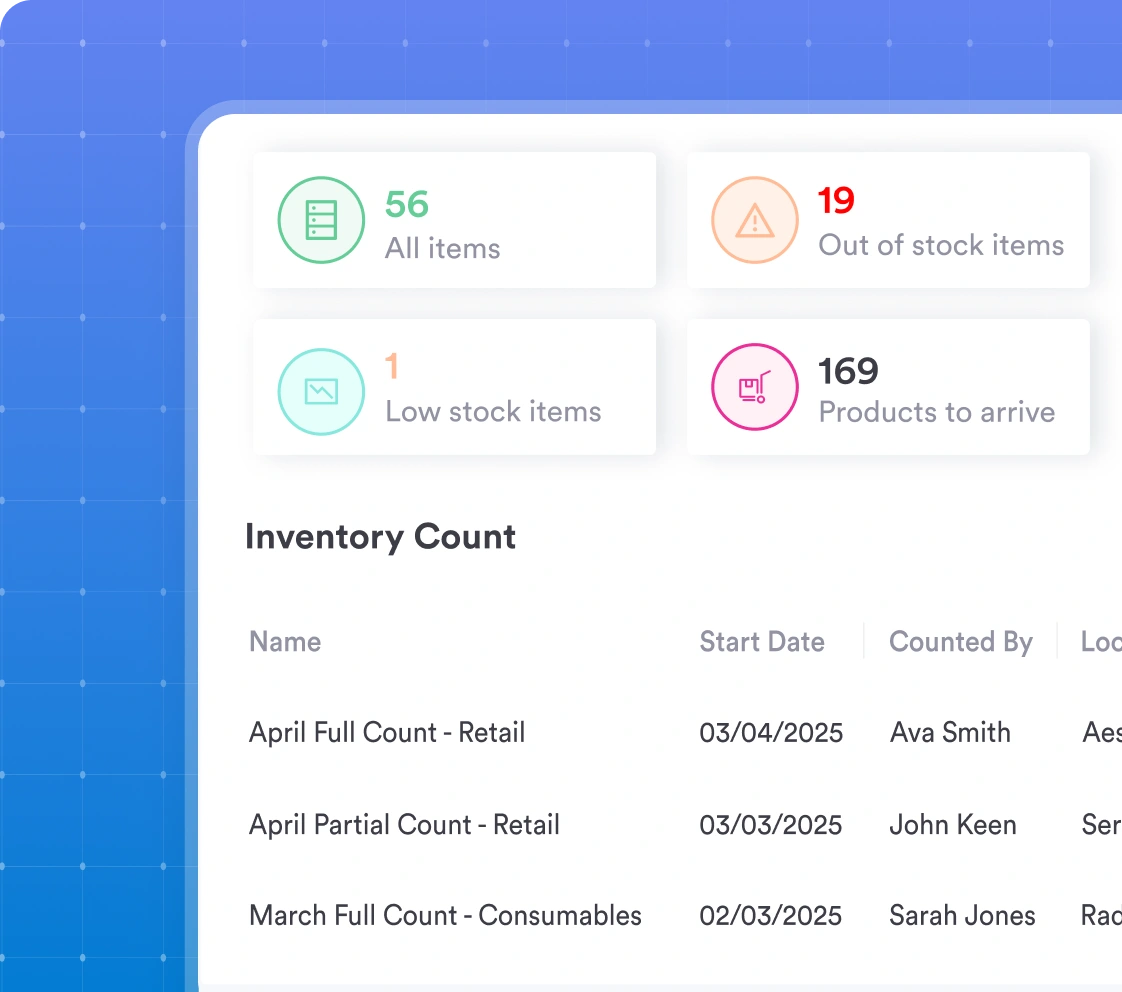
Without proper tracking, clinics risk running out of products or over-ordering stock.
Inventory management tools monitor usage and stock levels in real time. This helps clinics plan ahead, reduce waste, and avoid last-minute shortages.
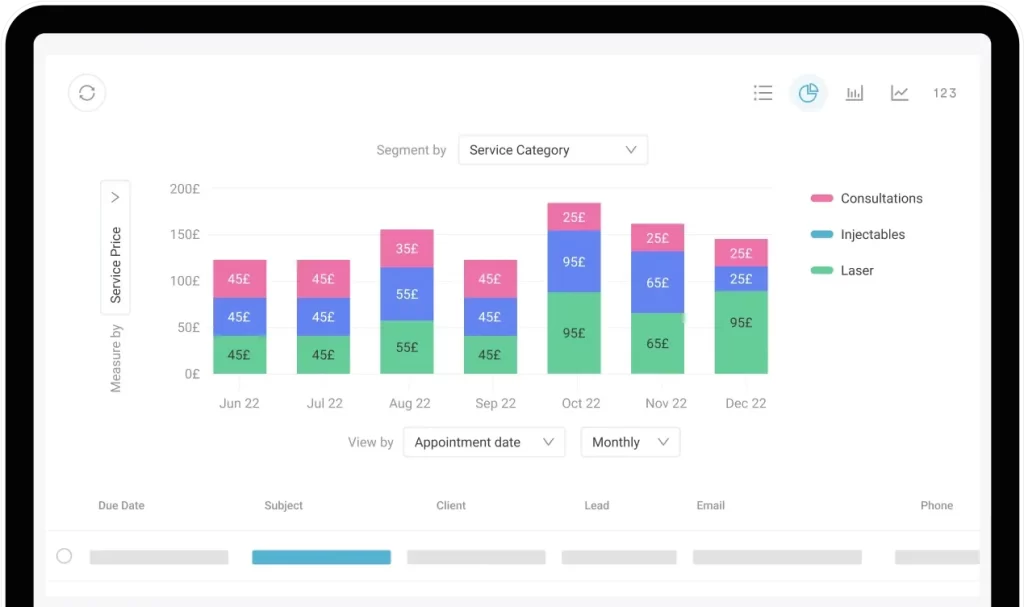
When data is spread across systems, it’s hard to see how the clinic is really performing.
Reporting tools turn activity into clear insights on revenue, bookings, and staff performance. Clinic owners can make informed decisions without digging through spreadsheets.
Having practice management software is essential for any modern medi-aesthetic or healthcare organization.
If you’re exploring what is practice management software in healthcare, it helps by handling admin tasks in the background so you can focus on treating patients.
Let’s look at how medical practice management software can help you run your clinic.
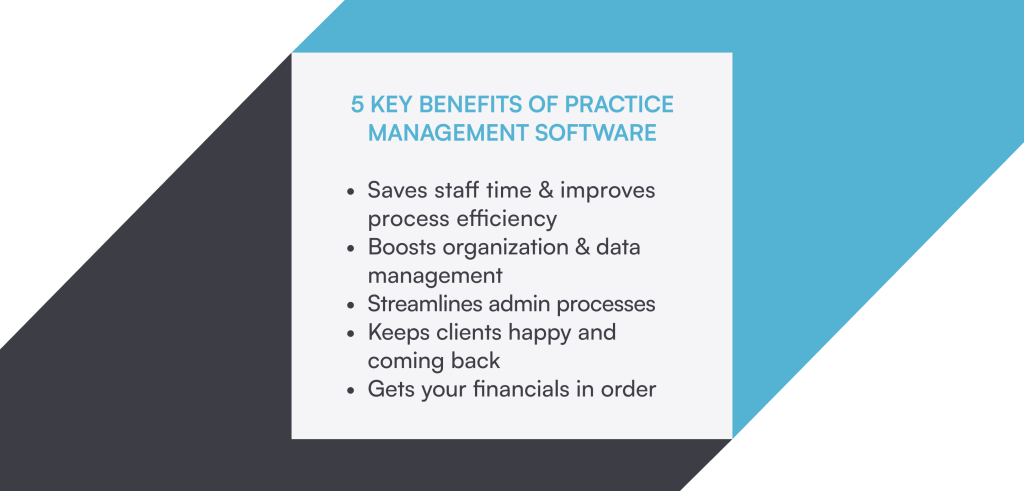
Practice management software helps you save time by automating your clinic’s administrative tasks.
How many hours a week do you spend looking up patient records in a dusty cabinet, printing off forms, getting them signed, and then putting them back in the filing cabinet? You can ease this by using practice management software.
The software collects and stores all clients’ information, medical forms, treatment notes, photos, and lab tests so you always have up-to-date information at your fingertips.
Additionally, patient communication is automated and streamlined, saving you hours in back-and-forth emails or phone calls.
The software sends appointment confirmations and reminders, by text and email, along with medical questionnaires and intake forms. Not only does this help you reduce no-shows, it also saves you time when clients arrive.
Plus, all the payment and billing processes are also neatly set up in the system, enabling you to process payments at a moment’s notice.
A practice management solution provides clinicians with easy access to patients’ records.
Patient EHRs, such as medical history, diagnoses, medical billing, and other patient data, are digitally saved in a client record.
They can also be easily retrieved whenever a patient visits, or whenever you need to access them in another clinic or on the go.
You can control who has access to important patient information using role-based permissions, which reduces the risk of records being lost or damaged.
Being able to safely store and use protected health information is extremely important, as it helps your clinic to comply with HIPAA (The Health Insurance Portability and Accountability Act).
Clinics also have a detailed overview of the staff rota, allowing them to effortlessly manage day-to-day activities, like bookings, assigning shifts, and tasks.
Medical practice management software can massively transform all administrative processes, such as collecting forms, appointment scheduling, billing and invoicing, and claims processing.
Patients no longer need to phone your clinic to book appointments if they’d prefer not to. Patient self-scheduling tools guide them through the entire scheduling process by providing details such as suitable dates, available practitioners, and so on. Completed intake forms are automatically updated on the online patient’s records, so there’s no need to enter data manually.
After the appointment, you can immediately raise an invoice, which is stored in your patient file to easily track the billing process.
Medical dictation tools also save time by turning conversations into clear notes, so clinicians don’t have to spend hours typing after appointments.
Additionally, offering online bookings offloads the workload from your staff and gives your patient greater control over their appointments.
A survey found that over 90% of patients across all age groups (with 99% of Millennials, 97% of Gen Xers, and 92% of Baby Boomers) would use online booking for healthcare appointments.
Patient experience directly impacts how successful your practice is. But offering an excellent client experience doesn’t only refer to the quality of service you provide. How you communicate with your patients is also extremely important for the overall experience.
A practice management system allows you to provide a more personalized and consistent experience that will ‘wow’ your clients.
You can completely automate everything from confirmation emails and appointment reminders to pre-care and post-care instructions, so clients are less likely to no-show and turn up prepared for their appointments.
Technology doesn’t have to be less personal. By auto-populating personal details, such as their name, into your client communications, it can actually feel more personal.
In fact, 72% patients surveyed in this survey stated that they’d like the communication from their doctor to be personalized with their name.
Using a practice management solution helps in accurate and real-time tracking of financial transactions and reporting on your clinic’s performance.
All the appointments, services and sales are recorded in the system. This data is fed into real-time, customizable medical practice management reports. So, whenever you want to check how many appointments you had in the previous months or the total revenue from your treatments, you can get the numbers in a matter of clicks, which will help you make smart, data-led decisions.
Having comprehensive software crunch the numbers and serve easily digestible reports gives you unmatched insight into your clinic’s financials and reduces the risk of errors.
Once you understand what is a practice management system,’ you may also want to explore how it helps reduce claims in aesthetic practices.
A clinical management solution plays a central role in streamlining the time-consuming tasks of running a clinic:
📅 Appointment scheduling: Enables efficient management of appointments, reducing conflicts and no-shows.
📋 Patient registration and check-in: Facilitates electronic storage of patient information, reducing waiting times.
💳 Billing and claims management: Automates billing processes, reduces errors, and accelerates reimbursement.
📑 EHR integration: Provides seamless access to medical records, enhancing decision-making.
📩 Patient engagement: Sends reminders and updates to patients, ensuring their involvement.
🔄 Workflow optimization: Streamlines administrative tasks, reducing paperwork.
🤝 Collaboration and communication: Facilitates faster communication among staff for better care coordination.
🔒 Regulatory compliance: Ensures adherence to HIPAA regulations, safeguarding patient privacy.
Now that you know what does practice management software do and why a practice management system is essential for your clinic, you might be wondering what to look for in one.
The thing is, there isn’t a perfect solution – it all depends on your needs and goals. But there are several things that are your north star when choosing practice management software.
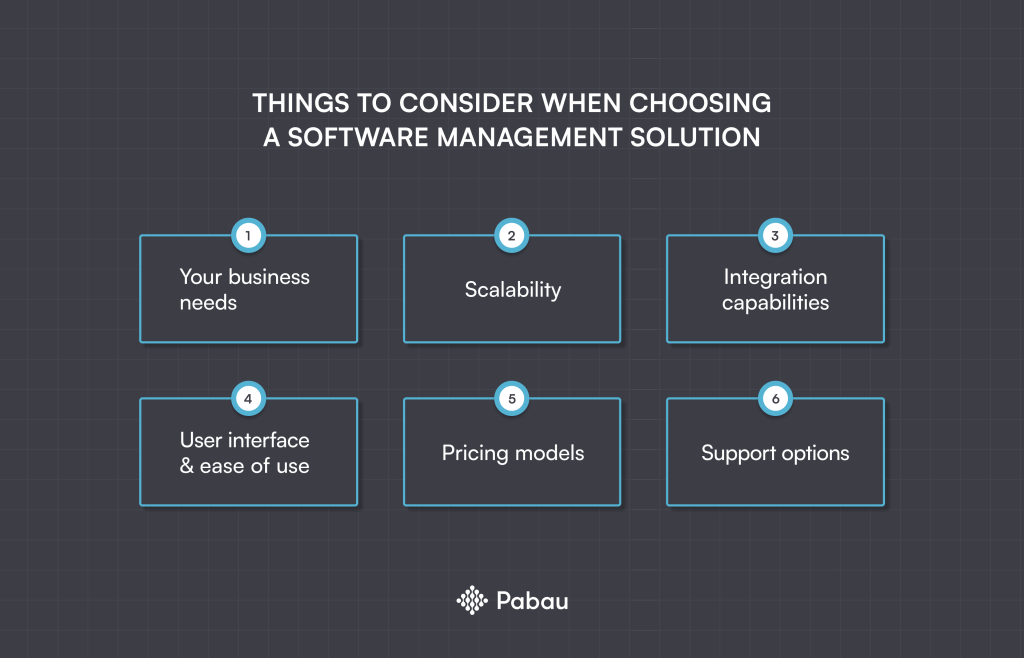
🔹 Identifying business-specific needs. Consider the reasons you decided you needed software for your clinic in the first place. Write down everything you want the tool to do to find the best fit for your clinic.
🔹 Considering scalability and integration capabilities. Look for a solution that is comprehensive enough and can grow with your clinic. Also, check if it provides healthcare-specific integrations, such as Healthcode.
🔹 Evaluating user interface and ease of use. Since your front-of-house staff and practitioners will probably also be using it, make sure the system’s interface and functionality are user-friendly and intuitive.
🔹 Understanding pricing models and support options. Pay extra attention to the pricing options, as some vendors only offer yearly contracts you can’t easily get out of. Also, check if the software does everything you need it to do or if you’ll need extra tools like MailChimp or Jetforms.
You might come across practice management solutions offering glitzy features. But, not all of them will provide the essential tools you need to manage your practice across the board.
Pabau is the only all-in-one practice management solution you’ll ever need. Our software is robust and comprehensive enough to support your busy practice’s complex workflow and specific needs.
Here’s why you should consider it.
Pabau provides you with—
📌 Stress-free scheduling – You don’t spend time manually entering appointment details.
📌 Robust record keeping – You’ll never have to worry about having up-to-date EMRs with our automated medical forms sent after the appointment is booked.
📌 Flawless patient communication – Send automated reminders and pre and aftercare emails to boost patient engagement and experience.
📌 Plus, marketing, point of sale system, inventory management, and lots more!
Want to explore how else patient management systems can help your practice? Check out the top 5 clinic management software solutions for increasing revenue.
Ready to simplify practice management?
Less admin. More patients. One system. Book a Pabau demo.