Healthcare policy management software: Pabau vs dedicated tools
Healthcare policy management software helps a healthcare organization write, app...

Last Updated: Oct 29, 2026

Before and after photos only prove something when the lighting, angle, and distance stay identical between the two shots.
Consent to store a clinical photo and consent to publish it are two separate permissions, and marketing needs its own.
Photos left on a personal phone are a compliance risk, since HIPAA fines can reach $2,134,831 a year.
Storing images in the client record gives you the full treatment history at the next appointment, with no hunting.
Practice management software like Pabau captures, stores, and shares photos, so your record and your public gallery draw on one cleared file.
Med spa before and after photos do two separate jobs, and each job needs its own signed consent. One is clinical evidence in the client’s record. The other is marketing you publish. If you’re choosing where these photos and consent forms live, our roundup of the best med spa software compares eight platforms on HIPAA compliance.
Treatment consent covers storing the photo. It does not cover posting that photo on Instagram or your website gallery. Publishing needs a second written permission that names the channels.
The rest is craft. Keep the lighting, angle, and distance identical between the two shots and the comparison holds up. Change any one of them and nobody can tell what the treatment did.
Practice management software like Pabau captures the photo once and files it against the client record, alongside the signed forms. Your documentation and your marketing then draw on one file, not a camera roll.
Before and after photos earn their place in four separate jobs. Two of them face the client in the treatment room. The other two face the people who have not booked yet.
Photos are the clearest proof a treatment worked. They give a client a tangible sense of what changed, rather than a six-week-old memory of how they looked.
Say you offer a weight loss treatment. Showing a client their before photo next to the after shot gives them visible evidence of what your service delivered.
Small results need the photos most. Sebaceous hyperplasia before and after photos are a good example, because the bumps measure a millimeter or two across. A client checking the mirror at home may not register the change. A dated pair of photos does.
Clients also want to see what a treatment does before they commit. There will always be people on the fence, and a strong comparison settles the doubt. Photos establish credibility and trust, showing you deliver on your promises.
There is something satisfying about seeing progress laid out side by side.
Watching the number on the scales drop only goes so far. Sometimes a client needs something more tangible than that.
Before and after photos mean clients can track their transformation visually. That boosts their confidence in the treatment and their confidence in your practice.
When clients see the improvement, they’re more likely to feel satisfied, share their experience, and book again. Send a satisfaction survey at that moment, while the result is still fresh.
Sharing before and after photos on your website, social channels, and email campaigns is one of the most effective ways to promote your services. They are social proof in action, showing potential clients what others have experienced.
Prospective clients rarely take a gallery at face value. They read your reviews alongside your photos before they book, so a glowing gallery next to stale reviews raises questions.
The more transformations you share, the bigger the community of happy, engaged clients you build. One study found a significant correlation between social media use and the desire for cosmetic procedures.
Unedited before and after photos give potential clients a clear idea of what to expect from your treatments.
For instance, a skin clinic can show an unedited before photo next to the after shot with clearer, calmer skin. That helps clients set expectations they can hold you to.
Showing a range of outcomes helps too, from a subtle enhancement to a dramatic change. Clients then feel confident about what they will experience, with fewer surprises on the day.
Consistency is what makes a comparison believable. If the lighting, angle, and distance shift between the two shots, nobody can tell what the treatment actually changed.
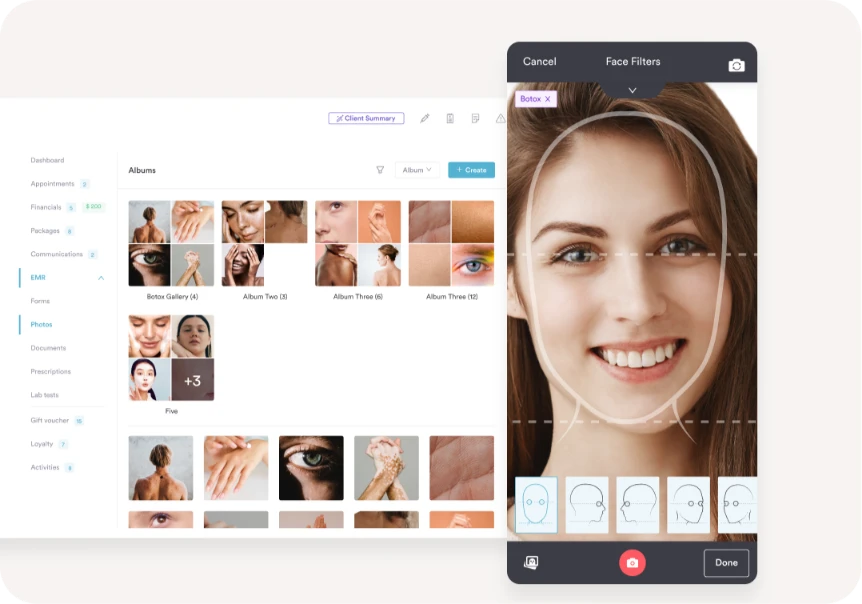
So lock down a capture standard and use it for every client:
Stick a strip of tape on the floor and mark the wall at head height with a dot. Lining a client’s feet and head up with those marks removes the few inches of drift. That drift is what makes an otherwise good comparison look inconsistent, and it costs nothing to fix.
Consent needs the same discipline. Permission to store a photo in the clinical record does not cover publishing it. Those are two separate agreements, and marketing needs its own signature.
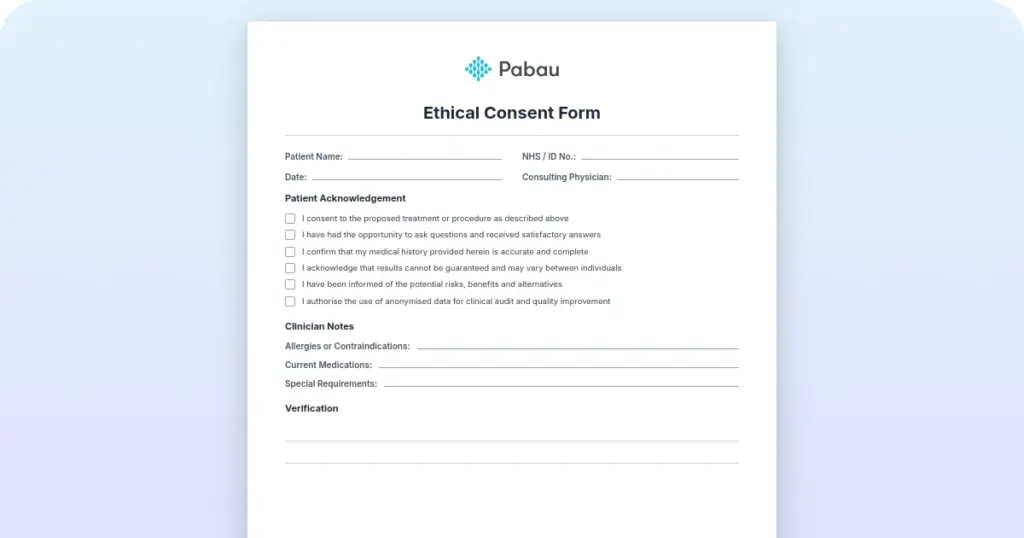
Write the marketing permission so it names the channels, states whether the face can be shown, and explains how a client withdraws it later. A compliant photo consent form covers both, so get it signed before the camera comes out.
Here is how the two uses differ once the photo exists.
| Photo use | Consent required | Where it is stored | Who should be able to open it |
|---|---|---|---|
| Clinical record photo | Treatment consent, signed before the first shot | The client record, inside your practice management system | Practitioners treating that client, plus staff with record access |
| Marketing or publicity photo | A separate written release naming the channels and whether the face is shown | The client record, plus the library your marketing team posts from | Your marketing team, and the public once it goes live |
One image can sit in both rows. It just needs both signatures on file first.
Set a cadence too. Take a baseline at the consultation, then repeat the same shots at the same point in every cycle. Where results build slowly, line the photo schedule up with your aftercare instructions so clients know when to look for change.
Book the ‘after’ photo for the same point in the healing curve every time, not just the same calendar date. Filler swelling usually settles within two weeks, and laser redness can take longer. Photographing too soon makes a good result look worse than it is.
Medical spa photo management works when the camera and the client record are the same system. Anything else adds a transfer step, and that is where photos go missing.
Pabau is an all-in-one practice management system purpose-built for med spas. Our med spa software keeps every image organized and secure from the day you start a med spa.
Here is what med spa photo management software should do for you, feature by feature. It starts when the camera comes out and ends when a result goes public.
Three things separate a phone camera roll from the before and after photo management software aesthetics practices rely on.
Capture happens inside the client record, so there is nothing to transfer afterwards. Access is role-based, so you can say who opened which client’s images. And one file serves the treatment note and the marketing post, with no second copy drifting around.
The features below are how that works in practice, from the first prompt to the finished gallery.
Saving photos on your personal phone is a no-go.
It’s risky if you misplace the device, and the pictures are hard to find once they’re mixed in with your camera roll.
The last thing you want is to hunt through your phone when a client asks to see their progress. It also means transferring photos between devices before anyone can use them.
With Pabau, everything sits in one secure, HIPAA-compliant platform. Photos taken in the app are added to the client record automatically, so there’s no transfer step at all.
Each of the Pabau clinic software screenshots below shows one step in that flow, from the capture prompt through to sharing a finished result.

Aesthetic results are often subtle, so medical spa photos have to hold their detail.
You need enough resolution to chart a fine line fading or a contour shifting, whether that is dermal fillers, microneedling, or laser hair removal.
So Pabau stores every photo you take at high quality, preserving the subtle changes your clients experience.
Whether the change is a minor skin improvement or a dramatic transformation, the image holds up when you zoom in at the follow-up.
In Pabau, before and after photos live in the client’s digital record, so you can retrieve them securely whenever you need them.
Storing them digitally is ideal if you work across multiple locations or run a mobile practice. It also lets you track each client’s journey, from first consultation to final result.
Whether it is a skincare course, lip filler, or cosmetic surgery, the photos sit alongside the full treatment history. That is what makes follow-up appointments, personalized recommendations, and progress tracking straightforward.
It also helps you engage clients in their progress. You can share photos securely to the client portal, where clients view them and monitor their own results.
Hands up if you’ve ever forgotten to take a before photo?✋
It’s easy to do, which is why Pabau has a care pathway built into Pabau GO, our iOS app for practitioners. When a client arrives, use the app on your iPad or iPhone to collect before photos and forms.
First, hand it to the client so they can:
Next, it’s over to the practitioner or reception team:
The app works as a step-by-step guide, prompting practitioners at every stage of the treatment. That covers taking photos before treatment and confirming consent before anyone signs.
Those prompts are what make the documentation stick, because no step gets skipped on a busy day.
Want to see Pabau’s care pathway in action?
Check out this video of how the care pathway works in the iOS app. The built-in prompts make sure you cover every step and collect all your critical documentation.
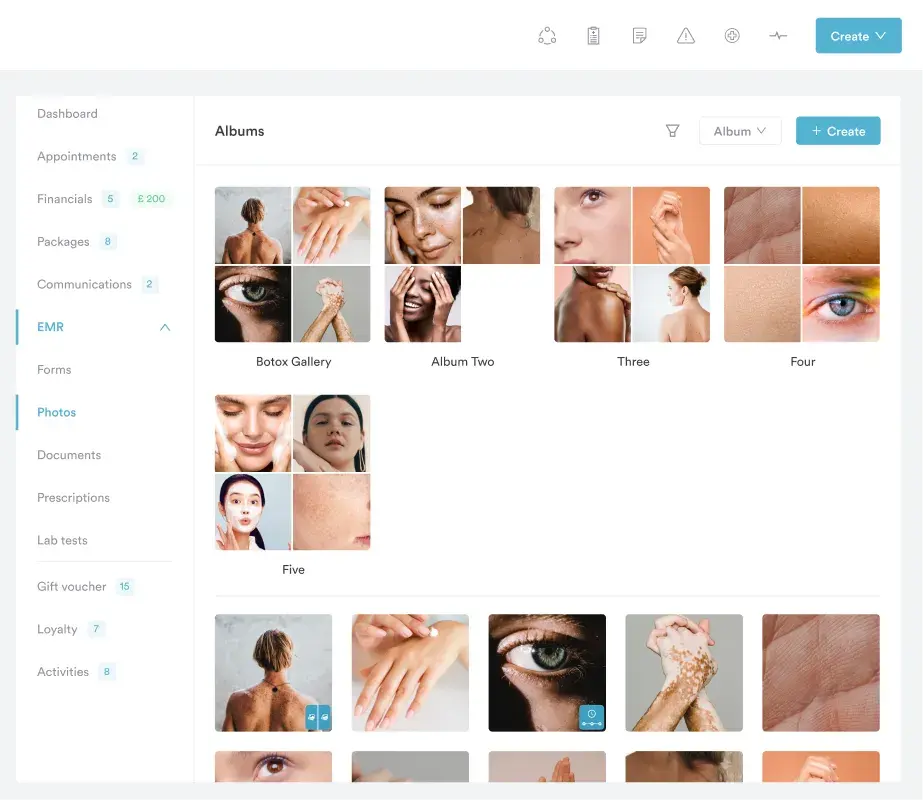
Sometimes you want to showcase one treatment or a specific group of photos. Maybe you want to see progress across a course of laser sessions, or keep the consultation photos separate.
Pabau lets you build customizable photo galleries around whatever your med spa needs. That might be a single service, or a visual timeline of a client’s progress.
Organize your med spa images by treatment type, client progress, or treatment date. Then you can find what you’re looking for and share it in seconds.
For example, you can create a gallery named Botox results, where both you and the client see the transformation over time.
A med spa with before and after gallery pages on its website builds them from the photos already in its client records. Narrow that set down to the clients who signed a marketing release.
That is the honest answer to I need a secure photo gallery for my med spa website. The security question is not really about the web page. It is about knowing which images were cleared to leave the record.
In Pabau, the photos and the signed release sit in the same client record. So when you pick images to publish, you are working from the file that also holds the authorization, and you can check it first.
Share the cleared set to your website gallery or your social channels, and the rest of the record stays private. Nobody exports a folder to a web developer, and nothing publishable gets lost in a camera roll.
That also keeps the page current. A gallery that stopped updating 18 months ago tells a visitor more about your admin than your results.
Tracking progress over time is one of the most powerful ways to show a treatment working, and Pabau makes it simple.
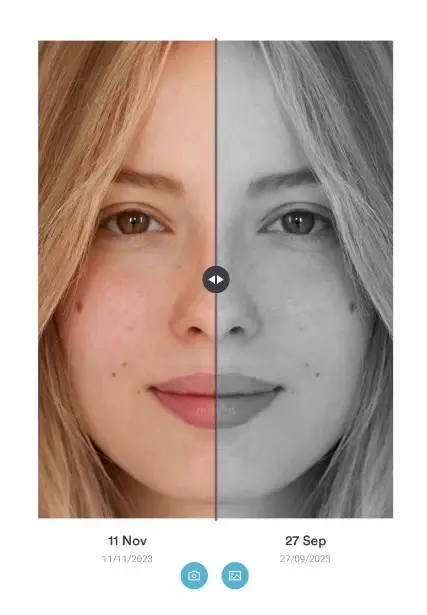
The built-in comparison slider puts before and after photos side by side, so even the subtlest change is visible. It’s an interactive way for you and your client to track progress together.
Skin With Bea Esthetics uses it to show clients exactly how far they have come since their first appointment.
Create a gallery named “Skin rejuvenation” and the whole course sits in one place. That makes your work feel tangible, and it gets clients excited about their results.
Before and after photos are a med spa’s best marketing asset.
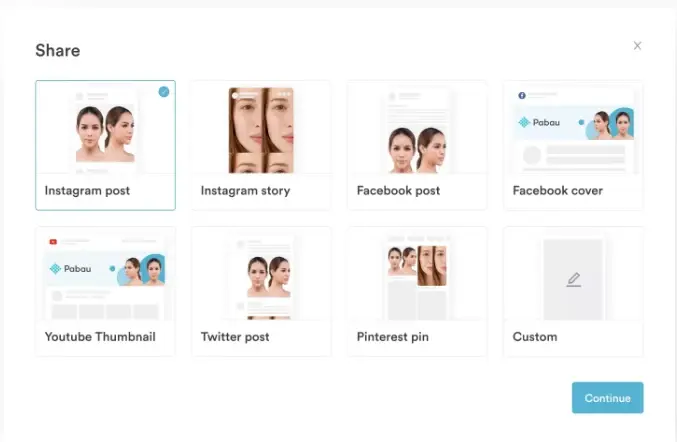
So we make it easy to get them in front of the right people. With Pabau, you can share client photos on your website, social channels, or marketing platforms, with consent, of course.
Picture updating Instagram with the latest transformation, or adding fresh photos to your website gallery in seconds.
Showing your work across several channels gives you the exposure and social proof that attracts new clients. Pair that with med spa scheduling software so new inquiries can book right away.
We know how crucial it is to protect the confidentiality and security of your clients’ personal information, especially with photos.
Storing images on personal devices or unsecured platforms opens a can of worms. You take on security risks, compliance problems, and the chance of a data breach.
Under the current HIPAA penalty tiers, fines can reach $2,134,831 a year for one violation category. Add the reputational damage to your business and it simply isn’t worth the risk.
Published photos need their own paperwork too. An authorization form records exactly what the client agreed to, and when they agreed to it.
That paperwork is also what keeps a public gallery defensible. Every image stays on secure, access-controlled storage until a signed release lets it out of the record.
Pabau offers several features that help you stay compliant, such as:
On a secure, professional platform that supports HIPAA compliance, you can focus on your clients’ results instead of compliance headaches.

Pabau captures before and after photos in the app and stores them against the client record. Your team gets marketing-ready images and audit-ready documentation from the same file, with no transfer step.

The med spas that get value out of before and after photos are rarely the ones with the best camera. They’re the ones with a routine that never varies.
Fix your angles and lighting, get both consents signed, and store every image against the client record. Do that for six months and you’ll have a library that sells treatments and shows clients progress they would otherwise miss.
The trade-off is worth naming. A routine takes discipline at the front desk on a busy day, and it is the first thing to slip. Software that prompts for the photo is what stops it slipping.
Want to see that working in your own practice? Book a demo and we’ll show you how Pabau captures, stores, and compares before and after photos.

Offering under-eye skin boosters? AMI eyes consent and aftercare template covers the consent form, injection protocol, and aftercare for the treatment.
Offering Aqualyx fat-dissolving injections? Aqualyx consent form covers the procedure, risks, contraindications, and post-treatment care for patients.
Offering Blue Peel chemical peels? Blue Peel consent form template covers pre-treatment screening and consent wording for the TCA chemical peel.
Want your reviews to match your results? Review management software compares the tools that collect and publish client feedback.
Not sure which treatments to photograph first? Most common cosmetic procedures shows where client demand sits right now.
Yes. Get written consent before the first photo is taken, and a separate written permission before you publish any image. Treatment consent does not cover marketing use.
You can, but a personal camera roll is a compliance risk. Capture them inside your practice management system instead, so each photo saves straight to the client record.
Photos taken during treatment form part of the clinical record, so they follow your state’s medical record retention rules. Check your state board, because the required period varies.
Consistency. Use the same distance, lighting, and angle for both shots, and skip filters or retouching. If anything but the result changes, the comparison loses its value.
Only with written marketing permission, which is separate from treatment consent. That permission should name the channels and explain how the client can withdraw it later.
Take a baseline at the consultation, then repeat the same shots at the same point in every treatment cycle. For course-based treatments, photograph before every session.