How to Start Private Practice in California as a LCSW (Step-by-Step)
Pabau helps new LCSW practices stay organized and compliant with integrated clie...

April 6, 2026


Buy now, pay later is now available in Pabau

Cloud-based EHR systems: Lower upfront costs and minimal IT overhead, ideal for small to mid-sized clinics.
Specialty-specific EHR systems: Built-in templates and workflows for focused fields like dermatology or oncology.
All-in-one EHR and practice management systems: Clinical records, scheduling, billing, and patient engagement in one platform.
There are five main types of EHR systems, each suited to a different kind of practice.
This guide compares them side by side so you can see which one fits yours.
Electronic Health Record (EHR) software stores and manages patient data digitally. Successful EHR implementation is crucial to ensure that the system integrates smoothly with clinical workflows and improves patient care outcomes.
Healthcare providers use it to track medical history, medications, laboratory and test results, and treatment plans.
Core components include:
You’ll often hear the term Electronic Medical Records (EMRs) used interchangeably.
The difference is scope. EMRs usually stay within one practice, while EHRs are designed to share information across teams, locations, and other healthcare organizations.
The Health Insurance Portability and Accountability Act (HIPAA) sets the baseline for data security. Your system should protect patient privacy at every step.
Every EHR deployment model solves a different operational problem.
Some reduce IT overhead. Others prioritize control. A few are designed for one specialty and streamline documentation from day one.
Your decision usually comes down to three variables: practice size, workflow complexity, and how much technical responsibility you want to own internally.
| Type | Deployment | Upfront Cost | Best For |
|---|---|---|---|
| Cloud-based | Remote servers managed by vendor | Low ($0–$5K) | Small to medium practices, multi-location clinics |
| On-premise | Local servers at your facility | High ($50K–$500K+) | Large hospitals with IT departments |
| Specialty-specific | Cloud or on-premise | Medium to high | Single-specialty practices (dermatology, oncology) |
| Open-source | Self-hosted | Free (licensing) | Organizations with development teams |
| All-in-one | Cloud-based | Low to medium | Growing practices consolidating multiple systems |
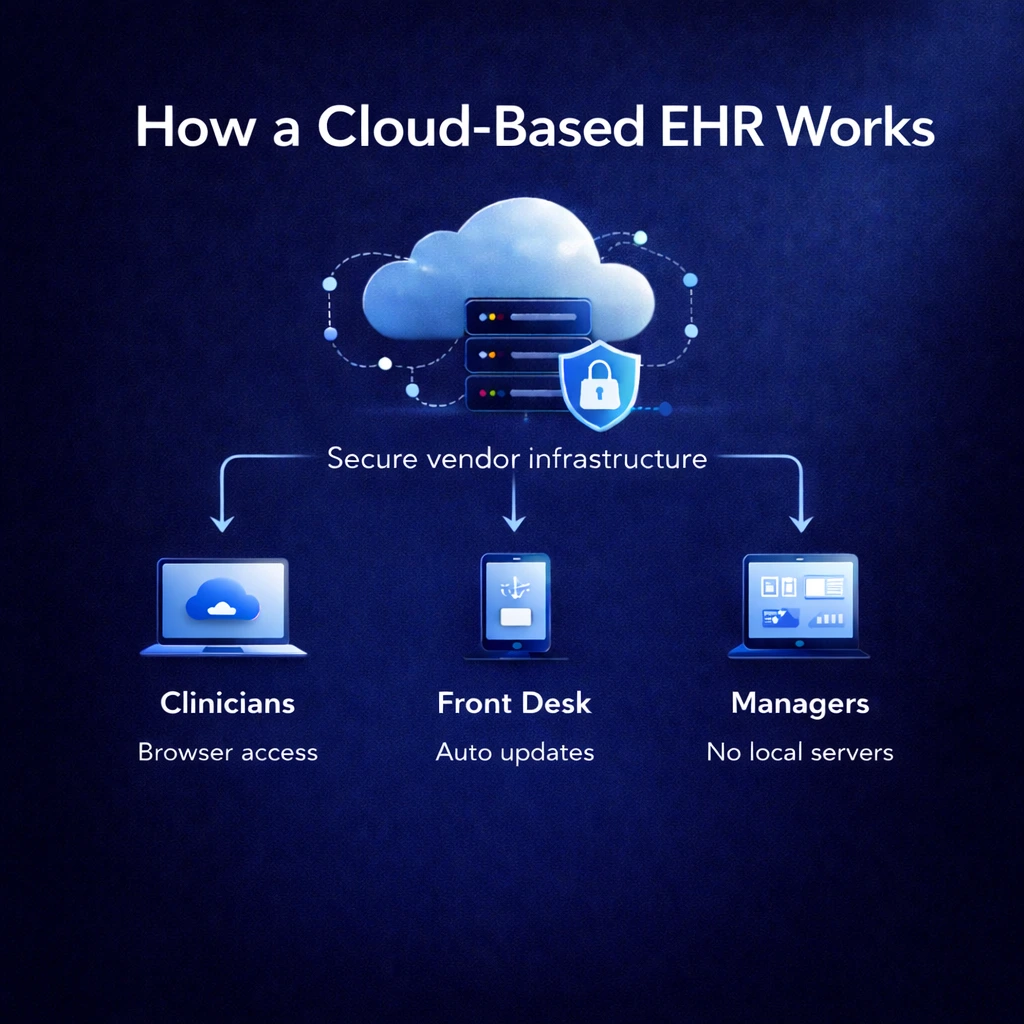
Cloud systems host patient data on secure remote servers. Staff log in through a browser from any location.
Most are delivered as cloud-based services using a Software as a Service (SaaS) model. Clinics don’t have to manage servers or infrastructure themselves.
Key features
Benefits
Cloud systems reduce setup time, technical overhead, and upfront spend. Clinics launch faster and avoid ongoing hardware and maintenance work.
In practice, this means:
A cost comparison from the University of Michigan School of Dentistry found that on-premise EHR ownership costs roughly $2 million more over two years than comparable cloud deployments.
What to consider
Performance depends on internet stability, and customization is limited to vendor-supported options. Subscription fees become an ongoing operating cost.
The trade-off is lighter IT overhead.
As Marcie Sannon, Director of Informatics, says, “Cloud-based services let us focus on treating patients, not worrying about cybersecurity scares.”
Best for
Popular options
On-premise EHR software run on servers located within your facility. Your team manages installation, security, backups, and maintenance.
Key features
Benefits
This model provides maximum control over how data is stored and protected. Security policies, permissions, and system behavior can be tailored precisely to internal standards.
The advantages include:
What to consider
Upfront costs are higher with on-premises systems.
Hardware, installation, and dedicated IT support add up fast. On top of that, your team is responsible for updates, backups, and security.
Best for
Popular options
Specialty-specific EHR systems are designed around the workflows of one clinical field. Templates, charting, and integrations match how those teams document care.
Key features
Benefits
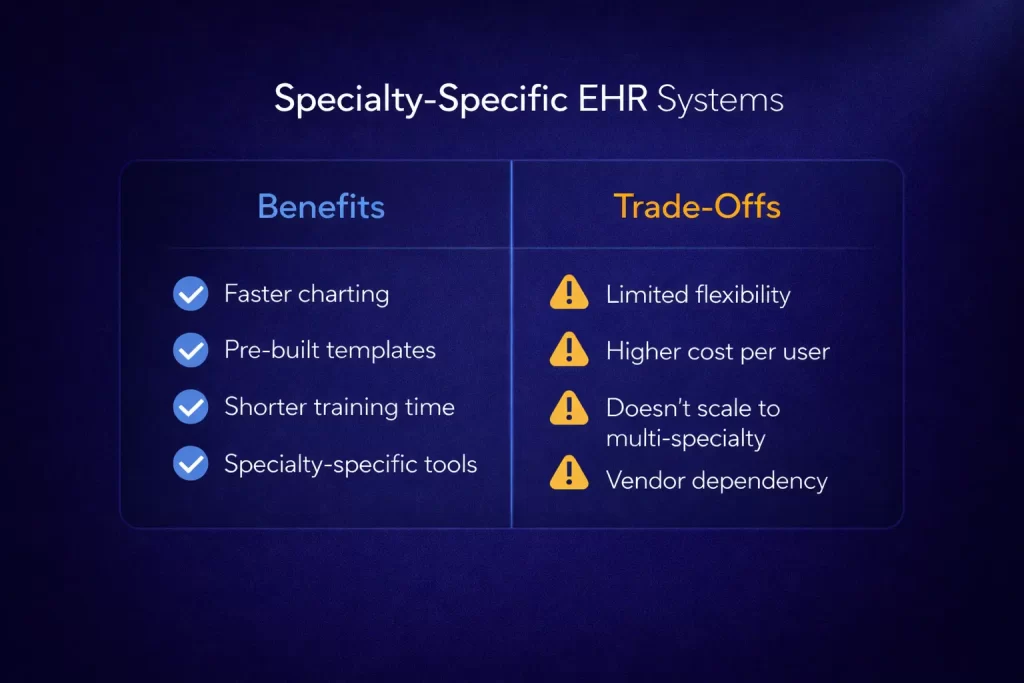
Because the system reflects how providers already work, documentation is faster and more consistent. The benefits include:
Dermatology platforms often include visual mapping and photo storage. Oncology tools track protocols and medication schedules without heavy customization, while a specialized chiropractic EHR provides spine mapping and posture assessment tools.
What to consider
These tools work best when your services are focused.
Once you add multiple specialties, you may end up juggling separate systems or paying for custom workarounds.
Pricing is often higher because you’re paying for niche functionality that may not transfer well if your services expand.
Best for
Popular options:

Choosing software for your med spa? See the top medical spa software systems for 2026.
Need better scheduling? Compare patient scheduling tools for medical practices.
Spending too much time on notes? See how AI scribes free you up for better patient care.
Working in women’s health? Review our top picks for the best gynecology EHR to find a specialty-fit.
Open-source platforms provide publicly available code that you host and modify yourself.
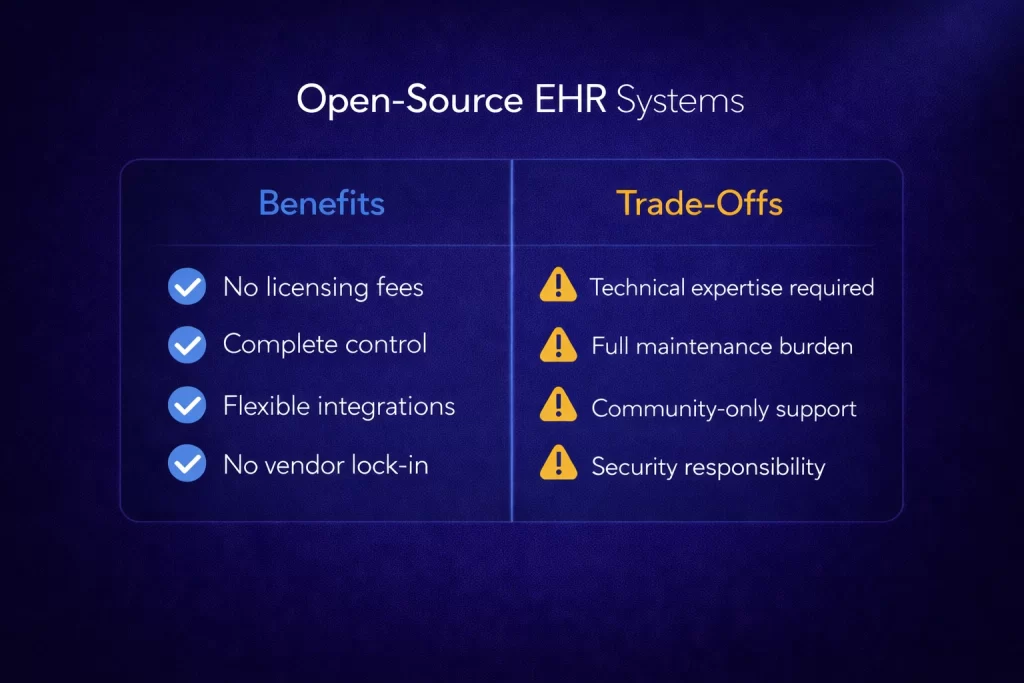
There are no licensing fees, but all technical responsibility stays in-house.
Key features
Benefits
Teams with development resources can tailor workflows and integrations precisely to their needs. Costs shift away from licensing and toward engineering and hosting.
With the right technical team in place, the benefits are:
What to consider
Security, uptime, compliance, and maintenance are your responsibility.
Support typically comes from community forums rather than dedicated teams. Without internal expertise, risk and workload increase quickly.
For most private clinics, this model is operationally heavy.
Best for
Popular options
All-in-one platforms combine clinical records with scheduling, billing, engagement, and reporting, making them ideal for generating comprehensive medical practice management reports in a single system.
Key features
Benefits
Centralizing operations reduces duplicate data entry and removes the need for multiple disconnected tools.
Staff work from one system, which simplifies training and improves visibility across the business.
The benefits are:
According to 2024 CDC data, 95% of U.S. office-based physicians use EHR systems. Most practices now prefer integrated platforms over disconnected tools.
What to consider
You’re committing to one vendor across clinical and operational functions.
Switching later is more complex. Evaluate feature depth carefully and make sure the system supports both care delivery and long-term growth.
Best for
Popular options
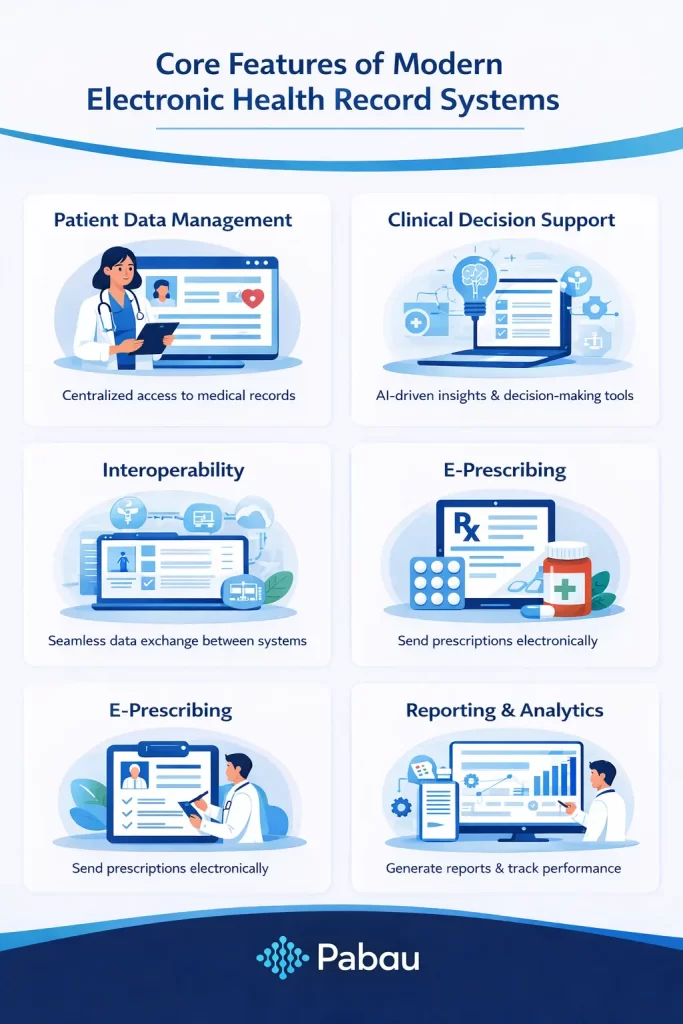
Strong EHR platforms typically include:
Many platforms now include AI automation for documentation and voice commands for faster charting. A built-in patient portal handles secure messaging and patient engagement.
Not all types of EHR systems suit every practice.
Match the software to your team size, workflows, and day-to-day demands to optimize EHR performance across your practice. Here’s what to look for.
Your system should match how many providers, rooms, and services you run today and still work when you expand.
Pabau keeps scheduling, records, and reporting together, so teams manage everything from one dashboard.
Explore all the features Pabau has to offer.
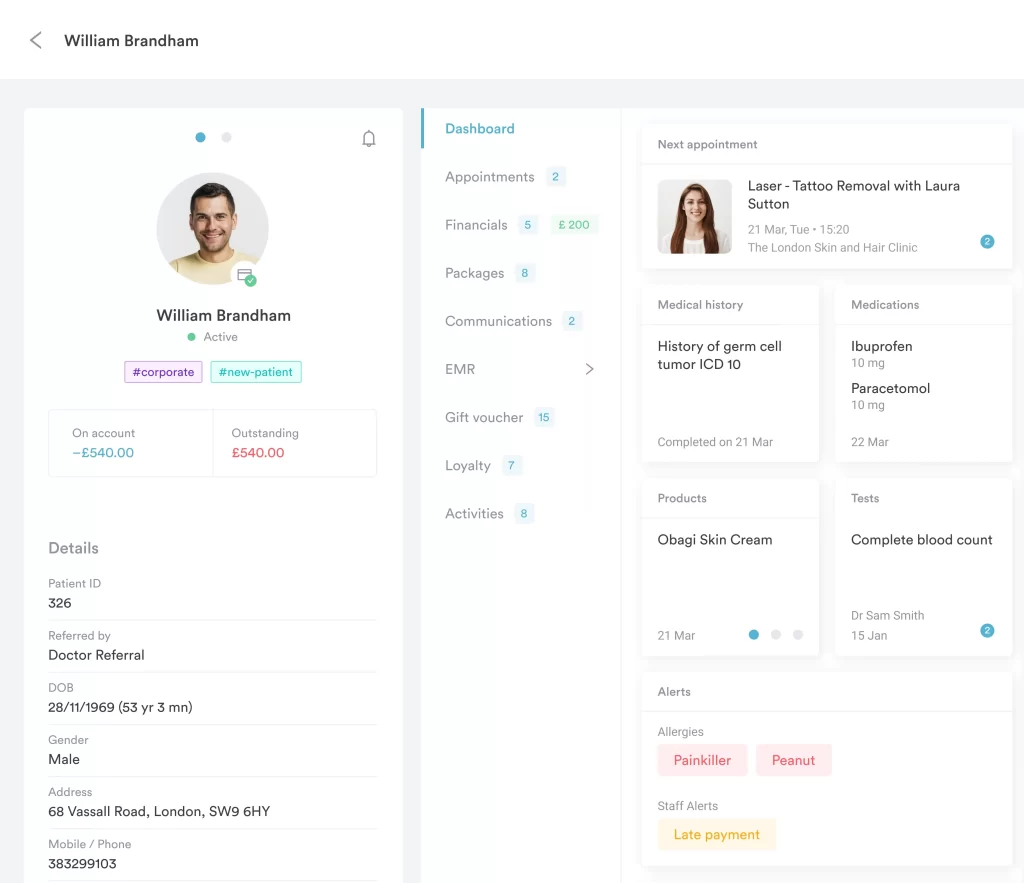
Be realistic about support. Server-heavy systems only make sense if you have dedicated IT.
Pabau is fully cloud-based, so clinics skip the infrastructure work entirely.
Disconnected tools create double entry and missed information. Your core workflows should live in one place.
Pabau includes these natively instead of relying on third-party add-ons.
Growth adds admin fast. The right system should absorb that workload automatically.
Pabau automates these tasks so teams spend less time on manual work and more time delivering patient care.
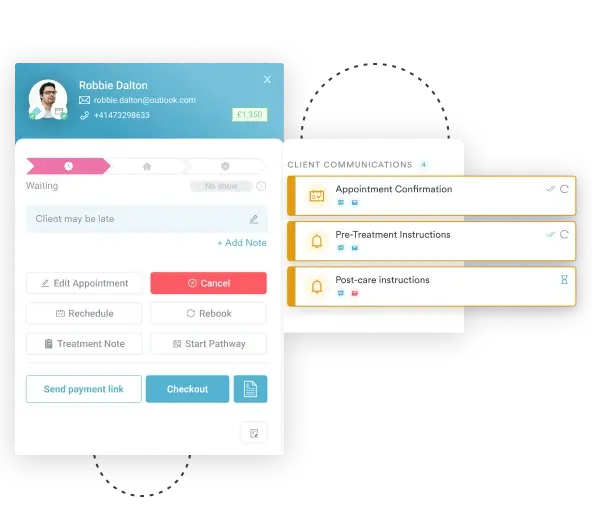
Choose the platform you won’t outgrow. Migrating EHRs later is far more disruptive than starting with one that scales from day one.
The right EHR reduces admin and supports better care. Cloud, specialty, and all-in-one systems each solve different needs.
For medical aesthetics and wellness practices, platforms like Pabau combine clinical records with the operational tools clinics use every day. Scheduling, documentation, payments, and reporting live in one system.
Want to see an all-in-one EHR in action? Book a demo and we’ll walk you through it.